How to Create a Song with AI: A Complete Guide for 2026
Learn step-by-step how to create a song with AI using the Soundverse AI Song Generator.
How to Create a Song with AI
Artificial intelligence has become one of the most transformative technologies in music creation. By 2026, musicians, producers, and creators are combining their creative vision with advanced AI tools to produce professional-quality tracks faster than ever. If you’ve ever wondered how to create a song with AI, this guide will walk you through everything you need to know — from concepts to practical steps inside Soundverse’s AI-powered environment.
Why Musicians Are Turning to AI Music Creation in 2026
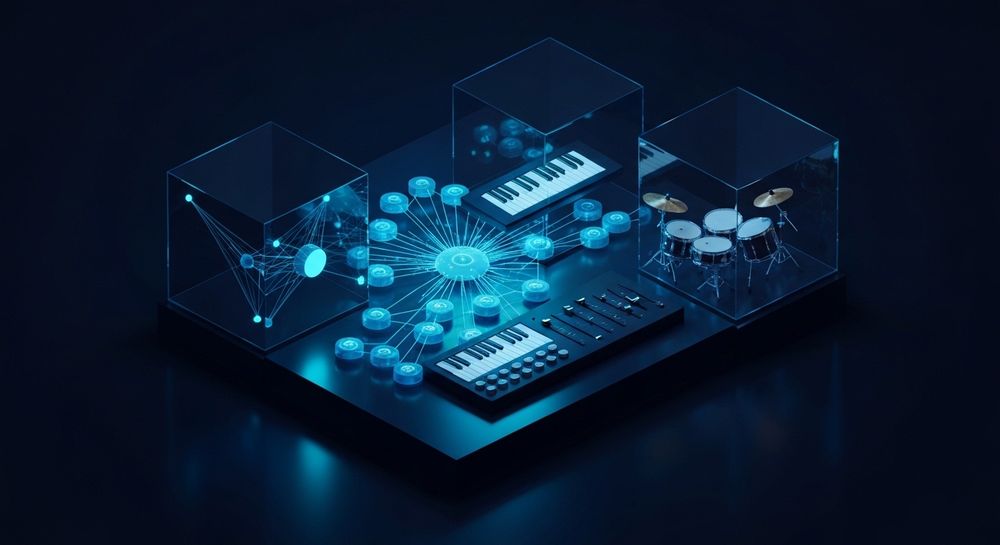
AI music creation isn’t just a trendy experiment anymore; it’s a mainstream production method. In previous years (2024–2025), the music industry saw early adoption across content creators and producers. Now, in 2026, artists are fully integrating AI into their creative workflow for composing, mixing, and mastering.
Creating songs with AI allows users to:
- Reduce production time from hours to minutes.
- Experiment with creative styles or genres quickly.
- Generate multilingual content easily.
- Prototype vocal tracks before recording.
- Produce royalty-free and copyright-free music suitable for streaming or social media.
For more insights on how AI reshaped the industry, see how AI-generated music is transforming the music industry and the latest music industry trends.
Why Learn How to Create a Song with AI
Music producers and creators in 2026 strive for speed and diversity. AI doesn’t replace creativity—it amplifies it. Learning to create a song with AI gives you control over lyric writing, vocal tracking, and instrumentation without needing large studio setups. Whether you make pop, EDM, rock, or cinematic soundscapes, AI tools help refine your musical ideas efficiently.
Beyond technical assistance, AI serves as a creative companion. With platforms like Soundverse, your text prompts or written lyrics become full songs with instrumentals and vocals in a few steps. This democratization of music production allows independent musicians to compete professionally.
How to Make a Song with Soundverse AI Song Generator

The Soundverse AI Song Generator is the central tool for turning lyrics or descriptions into complete songs. It processes words, melodies, arrangement, and mixing through a multi-stage pipeline. It’s not just about automation—it’s about bringing your creative ideas to life with intelligent composition.
What the Soundverse AI Song Generator Does
Soundverse’s AI Song Generator transforms lyrics or descriptive prompts into finished audio tracks. It automatically handles vocals, instrumental backing, arrangement, and mixing. You can either describe your song using the Describe Your Song mode or enter your lyrics manually in Custom mode. Users can also upload reference audio—music, singing, or both—to help the AI understand stylistic nuances.
Several quick style selections are available: Pop, EDM, Rock, Jazz, and many more. The generator’s use cases include songwriting demos, vocal prototyping, YouTube and TikTok content creation, musical gifts, and multilingual output across 10+ languages.
This flexibility connects well with other Soundverse AI tools like:
- AI Lyrics Writer: Automatically generate structured lyrics based on genre and emotion.
- AI Singing Generator: Produce professional acapella vocals from text or lyrics.
- AI Music Generator: Generate fully produced instrumentals without vocals.
For a deeper look at Soundverse’s suite of music tools, see Soundverse AI Magic Tools: Create Content Quickly with AI and Soundverse Assistant: Your AI Music Co-Producer. For a deeper dive, watch our guide on creating Deep House music or check the Soundverse Tutorial Series on how to make music.
Now, let’s go step-by-step through how to use Soundverse to create your first AI-generated song.
Step 1: Feature Overview

Start by accessing the AI Song Generator from the main Soundverse interface. Once selected, you enter a workspace specifically designed for song generation. It’s asynchronous—meaning once you submit your input, the AI processes everything automatically before delivering your result.
Step 2: Lyrics Input
Enter or paste your song lyrics in the input box. You can write full verses, choruses, or simply a short phrase. If you don’t have lyrics yet, activate the integrated Help Me Write feature to generate relevant text using the AI Lyrics Writer.
This step is where creativity meets structure—the AI uses linguistic cues to align melody and vocal performance with lyrical tone.
Step 3: Style Selection

Next, choose your preferred genre and musical style. Soundverse’s quick style selector makes it easy to pick from Pop, EDM, Rock, Jazz, or Acoustic settings. The style you choose influences tempo, instrumentation, and vocal delivery.
When exploring genre creation further, refer to guides like How to Create Country Music with Soundverse AI or How to Create EDM with Soundverse AI.
Step 4: Configuration

Configure generation parameters such as vocal type, intensity, mood, and arrangement complexity. Here, you can upload reference audio to inspire the AI model’s tone or mix balance. This method doesn’t rely on live filters—it processes the audio asynchronously to reproduce comparable stylistic elements.
Step 5: Generation

Once configured, click Generate Song. The AI begins turning your lyrics and setup into a complete track, including vocals and instrumentals. The system handles melody creation, harmonization, and mastering without requiring manual input.
Expect a short processing time—the duration depends on the length and complexity of the track.
Step 6: Generation Complete

When generation finishes, Soundverse displays your completed song, ready for playback. Here you can listen, adjust, and regenerate if needed. Remember, the platform doesn’t offer real-time previews; changes are queued into new processing cycles.
Step 7: Export Results

Finally, download your generated song. Soundverse supports multiple formats suitable for editing, publishing, or sharing across platforms. Files can be used for demos, content creation, or simply creative inspiration.
Pro Tips for Making Better Songs with AI in 2026
- Use descriptive prompts: The more specific your input, the closer the output matches your vision.
- Mix AI and human creativity: Combine AI-made music with human performance for richer results.
- Explore genre blending: Create hybrid soundscapes incorporating genres like pop-rock or electro-jazz.
- Leverage multilingual capabilities: Expand your audience by generating songs in multiple languages.
- Stay updated: Read resources like Soundverse introduces Stem Separation AI Magic Tool to discover tools that interact seamlessly with your generated songs.
Start Creating Songs with AI Today
Transform your musical ideas into full-fledged tracks instantly using Soundverse’s intuitive AI music generator. Experience creativity without limits—compose, refine, and share your unique sound effortlessly.
Related Articles
- How to Make AI-Generated Music: Discover step-by-step techniques to craft engaging tracks using AI and take your production skills to the next level.
- Generate AI Music with Soundverse Text-to-Music: Learn how to turn words into music instantly using Soundverse’s powerful text-to-music technology.
- The Benefits of Composing with AI Music Generator: Explore how AI composition tools simplify the creative process and boost originality for all kinds of artists.
- AI Music Generator and Human Composers: A Future Together: Understand how human creativity and AI technology can harmoniously coexist to redefine music production.
Here's how to make AI Music with Soundverse
Video Guide

Here’s another long walkthrough of how to use Soundverse AI.
Text Guide
- To know more about AI Magic Tools, check here.
- To know more about Soundverse Assistant, check here.
- To know more about Arrangement Studio, check here.
Soundverse is an AI Assistant that allows content creators and music makers to create original content in a flash using Generative AI.
With the help of Soundverse Assistant and AI Magic Tools, our users get an unfair advantage over other creators to create audio and music content quickly, easily and cheaply.
Soundverse Assistant is your ultimate music companion. You simply speak to the assistant to get your stuff done. The more you speak to it, the more it starts understanding you and your goals.
AI Magic Tools help convert your creative dreams into tangible music and audio. Use AI Magic Tools such as text to music, stem separation, or lyrics generation to realise your content dreams faster.
Soundverse is here to take music production to the next level. We're not just a digital audio workstation (DAW) competing with Ableton or Logic, we're building a completely new paradigm of easy and conversational content creation.
TikTok: https://www.tiktok.com/@soundverse.ai Twitter: https://twitter.com/soundverse_ai Instagram: https://www.instagram.com/soundverse.ai LinkedIn: https://www.linkedin.com/company/soundverseai Youtube: https://www.youtube.com/@SoundverseAI Facebook: https://www.facebook.com/profile.php?id=100095674445607
Join Soundverse for Free and make Viral AI Music

We are constantly building more product experiences. Keep checking our Blog to stay updated about them!