How to Create a Farewell School Batch Song Using AI
Learn step-by-step how to create your school farewell batch song using Soundverse AI tools in 2026.
How to Create a Farewell School Batch Song Using AI
Introduction
The final school days are often filled with laughter, nostalgia, and a touch of sadness. One timeless tradition of high school or college life is creating a heartfelt farewell song that captures shared memories and friendships. However, not everyone has access to professional musicians or recording studios to bring such an anthem to life. In 2026, artificial intelligence has revolutionized the way students and educators can approach music creation — making it simple, accessible, and deeply personal. This guide will walk you through how to achieve AI school farewell song creation using the latest AI music tools by Soundverse.
Gone are the days of depending on one talented classmate to play guitar or an external studio to produce your batch anthem. With AI-powered platforms such as Soundverse, students can easily create school farewell anthems that sound professional and ready to share on platforms like YouTube, Spotify, or school assemblies. Let’s explore how you can make a touching graduation batch song in 2026 with AI at your side.
How to make a Farewell School Batch Song with Soundverse AI Song Generator

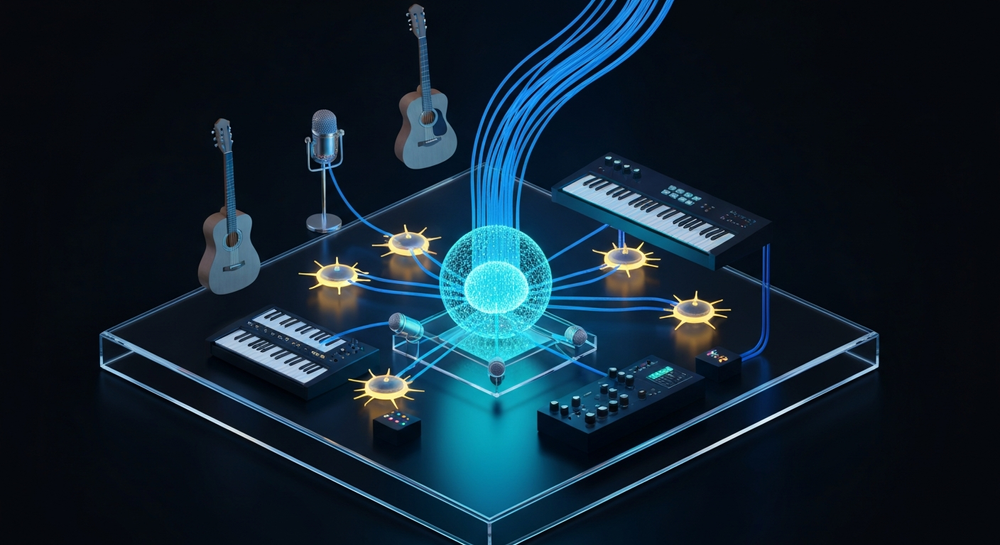
Soundverse’s AI Song Generator is the heart of your farewell song creation experience. It allows you to turn plain text or written lyrics into full-fledged songs complete with AI-generated vocals and instrumentals. The system operates through a sophisticated multi-stage pipeline that handles lyrics, melody, arrangement, and final mixing.
Key Capabilities That Help You Build a Graduation Song
- Describe Your Song Mode – Simply type what you want the song to be about: your school batch, friendships, or graduation memories. The AI then composes a complete track based on your description.
- Custom Mode – This mode is ideal if you already have lyrics written. Copy and paste your farewell lyrics, choose your preferred settings, and the AI arranges melody, harmonies, and instrumentation automatically.
- Reference Audio Support – Upload your own vocal demo or instrumental snippet. Whether it’s a simple hum recording or a previous school jingle, Soundverse will use it as a style guide to shape the final sound.
- Quick Style Selection – Choose among styles such as Pop, Rock, EDM, Acoustic, or Indie. For a touching farewell song, students often prefer Pop Ballads or Soft Acoustic styles.
- Languages & Accessibility – Since schools are multilingual environments, Soundverse supports more than 10 languages, making it possible to craft culturally relevant graduation songs.
These features make Soundverse a perfect fit for creating graduation batch music that’s not only personal but also polished enough for public performance or social media sharing.
Step 1: Feature Overview – Accessing the AI Song Generator

To start, log in to your Soundverse account and navigate to the AI Song Generator from the main dashboard. The tool is prominently listed among Soundverse’s creative suite. This is your workspace for AI school farewell song creation, where you can access both the Describe and Custom modes.
This step ensures you’re in the right place before you begin adding your inputs. Students and teachers collaborating can also share project access links, allowing centralized editing and review before final export. For an overview of Soundverse’s ecosystem, read Best AI Tools for Music Producers in 2026.
Step 2: Lyrics Input – Enter or Paste Your Farewell Lyrics
Every song starts with a story. Begin by writing your farewell lyrics — they could highlight inside jokes, school memories, or messages to teachers and friends. You can also let Soundverse’s AI Lyrics Writer help you brainstorm by using the Help Me Write feature integrated into the song generator.
If writing from scratch feels difficult, you can learn how lyrics are structured through resources like How to Make Good Rap Lyrics, which offers universal songwriting principles that fit many genres.
Once your lyrics are ready, paste them into the main lyrics box of the interface.
Step 3: Style Selection – Choose a Music Genre That Matches the Mood


Your farewell song’s style sets the emotional tone. Choose from Pop, Acoustic, Rock, or even EDM if you want something upbeat for your graduation party. If you are not sure, explore past inspirations with Music Industry Trends to discover which genres resonated among students last year.
Soundverse makes it easy through Quick Style Selection, so you don’t have to configure complex music theory settings.
Step 4: Configuration – Set Generation Parameters

This step gives you creative control. Adjust aspects like vocal type (male or female), instrument intensity, or mood (happy, nostalgic, or emotional). You can also use reference tracks of your previous school jingles, or speech snippets from teachers, to guide the sound direction.
The AI Singing Generator within Soundverse helps you produce lifelike singing voices. It supports standard and experimental styles, which means your batch anthem can sound traditional or completely unique.
For a more in-depth tutorial, watch Soundverse Tutorial Series - 9. How to Make Music.
Step 5: Generation – Let the AI Compose the Complete Song

Once you’ve set your parameters, click Generate Song. The AI now processes your lyrics, melody preferences, and instrumental arrangement asynchronously. Within moments, your farewell song is rendered with complete vocals and instrumentals.
Remember, while it’s tempting to expect instant playback, Soundverse focuses on quality over speed, producing studio-grade outputs for all users. You can read more about this process in AI Song Generator for Long-Form and Short-Form Content in 2026.
Step 6: Generation Complete – Review and Refine

After processing completes, preview your AI-generated farewell anthem. Evaluate how the verses and chorus sound. If you need modifications, you can adjust style, tempo, or language settings and re-render for an improved version.
This iterative workflow ensures your final result perfectly represents your batch’s memories and emotions.
Step 7: Export Results – Download the Song

Once you are satisfied with the generated farewell song, export it in your preferred format — typically MP3 or WAV. These files are compatible with video editors for slideshows, social media uploads, or school farewell events.
If your song needs to be extended for stage performance or a longer video, you can use Soundverse’s Extend Music feature, which allows seamless song continuation while maintaining original tone and key.
Pro Tips for Perfect Graduation Batch Music in 2026
- Mix Nostalgia with Hope: Keep lyrics reflective yet uplifting. Highlight school life and dreams for the future.
- Leverage Vocal Layers: Use the AI Singing Generator to add vocal harmonies or background layers for a fuller sound.
- Collaborate as a Batch: Assign lyrics writing, visual design, and video editing to different teammates. Soundverse supports collaborative workflows easily.
- Experiment with Languages: Integrate bilingual elements if your batch is multicultural. Soundverse supports multilingual songwriting.
- Keep It Short and Catchy: Aim for 2–3 minutes. Farwells should be memorable, not lengthy.
If you want to further experiment with genre blending for your song, check out How to Create EDM with Soundverse AI or How to Create Country Music with Soundverse AI for helpful style customization tips.
Beyond Farewell Songs: Expanding AI Creativity in Education
AI tools like Soundverse have become powerful educational assets. Students are learning not just how to make songs, but also the fundamentals of composition, rhythm, and poetry. Schools are now integrating creative AI apps into classes and farewell events to enhance student engagement and digital literacy.
Educators who once struggled with limited music resources are now embracing versatile AI platforms that can transform any text into an artistic masterpiece. Whether it’s for graduation videos, school branding, or content creation projects, the possibilities have expanded enormously in 2026.
Create Your Own AI School Farewell Song Today!
Turn heartfelt memories into music with Soundverse’s AI-powered tools. Generate custom farewell songs that capture the spirit of your batch in minutes—no musical training required.
Start Creating with Soundverse
Related Articles
- Generate AI Music with Soundverse Text-to-Music: Discover how to instantly transform words into melodies with Soundverse’s powerful text-to-music generator.
- Soundverse Assistant: Your AI Music Co-Producer: Learn how Soundverse Assistant simplifies your creative process and helps you produce high-quality tracks with AI collaboration.
- How AI-Generated Music Is Transforming the Music Industry: Explore how AI is reshaping songwriting, production, and the future of creativity for musicians and content creators.
- 100 Text-to-Music Prompts That Will Help You Create Viral Music: Get inspired with 100 ready-to-use text prompts designed to help you generate catchy and emotional music using AI tools.
Here's how to make AI Music with Soundverse
Video Guide

Here’s another long walkthrough of how to use Soundverse AI.
Text Guide
- To know more about AI Magic Tools, check here.
- To know more about Soundverse Assistant, check here.
- To know more about Arrangement Studio, check here.
Soundverse is an AI Assistant that allows content creators and music makers to create original content in a flash using Generative AI. With the help of Soundverse Assistant and AI Magic Tools, our users get an unfair advantage over other creators to create audio and music content quickly, easily and cheaply. Soundverse Assistant is your ultimate music companion. You simply speak to the assistant to get your stuff done. The more you speak to it, the more it starts understanding you and your goals. AI Magic Tools help convert your creative dreams into tangible music and audio. Use AI Magic Tools such as text to music, stem separation, or lyrics generation to realise your content dreams faster. Soundverse is here to take music production to the next level. We're not just a digital audio workstation (DAW) competing with Ableton or Logic, we're building a completely new paradigm of easy and conversational content creation.
TikTok: https://www.tiktok.com/@soundverse.ai
Twitter: https://twitter.com/soundverse_ai
Instagram: https://www.instagram.com/soundverse.ai
LinkedIn: https://www.linkedin.com/company/soundverseai
Youtube: https://www.youtube.com/@SoundverseAI
Facebook: https://www.facebook.com/profile.php?id=100095674445607
Join Soundverse for Free and make Viral AI Music
 We are constantly building more product experiences. Keep checking our Blog to stay updated about them!