How to Create a Blues Song With an AI Song Generator
Learn how to create blues songs with AI using Soundverse’s AI Song Generator in 2026. Step-by-step guide for musicians and producers.
How to Create a Blues Song With an AI Song Generator
The blues has always been a genre of emotion — soul, struggle, and storytelling wrapped in twelve bars of heartache. In 2026, this classic form of music has found new life through technology, allowing creators to bring that emotional depth into the digital world. Whether you’re a musician, producer, or a hobbyist, learning how to create blues song with AI opens a new door to creative freedom. In this guide, we’ll show you how to use Soundverse’s AI Song Generator to compose authentic-sounding blues tracks with ease.
Why Create Blues Songs With AI in 2026?
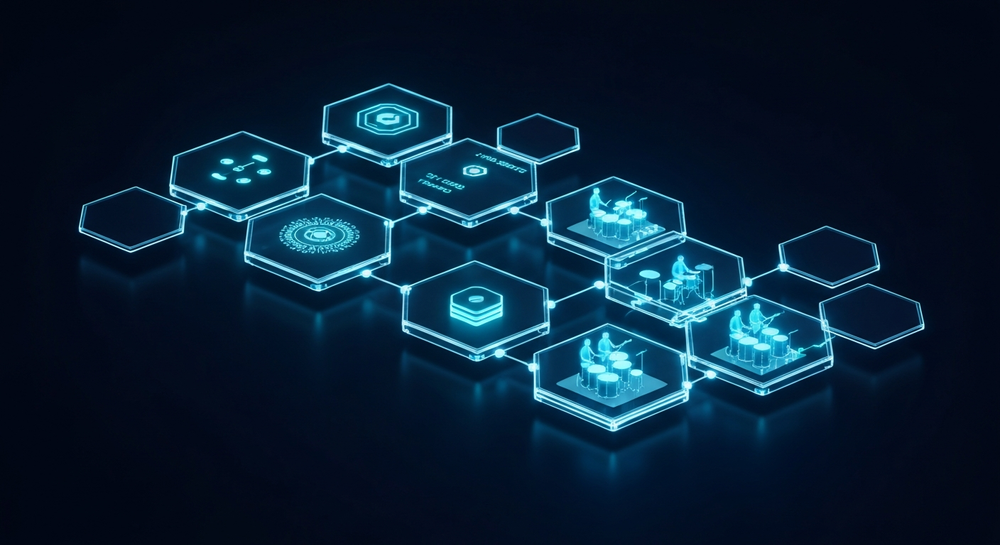
2026 has seen the fusion of tradition and technology become the norm in digital music creation. Artists no longer view AI as a replacement but as a co-producer. The blues, rooted in human emotion, might seem like the last genre to merge with AI — yet modern AI songwriting tools now understand musical nuance, mood, and storytelling tone better than ever. The result is an opportunity for musicians to experiment, learn, and produce more.
Creating blues music online with tools like Soundverse helps artists:
- Transform text ideas into full arrangements.
- Experiment with musical phrasing in a safe, fast environment.
- Produce demo-quality songs for inspiration and collaboration.
- Explore variations of styles — from classic Delta to modern electric blues.
How to Make a Blues Song With Soundverse AI Song Generator

Soundverse’s AI Song Generator is designed to turn your words or ideas into fully produced songs. Whether you’re using text descriptions or uploading reference tracks, it generates melodies, instrumentals, and vocals that reflect your chosen style. The pipeline intelligently handles lyric design, melodic mapping, instrument arrangement, and sound mixing for a cohesive track. Learn more about its multilingual capabilities in AI Song Generator for Global and Multilingual Audiences in 2026.
Key Highlights of the AI Song Generator
- Describe Your Song Mode: Simply describe your blues concept — mood, tempo, theme — and let AI compose the rest.
- Custom Mode: Upload or type your lyrics and fine-tune the style, key, or pacing.
- Reference Audio Support: Provide reference music or vocal sources to help the AI model match tone, energy, or phrasing.
- Quick Style Selection: Instantly choose genres such as Blues, Jazz, Rock, Pop, or EDM.
It’s a complete digital songwriting partner, ideal for musicians exploring AI composition software or for content creators producing AI-generated blues tracks for platforms like YouTube or TikTok. For a deeper dive into Soundverse’s AI mode workflow, watch our Soundverse Tutorial Series - 9. How to Make Music.
Step 1: Feature Overview

From the Soundverse dashboard, access the AI Song Generator feature. This is the main space where you can either start from scratch or import lyrics or reference materials. It’s accessible directly from the top navigation menu. Once opened, you’ll see options for “Describe Your Song” or “Custom Song Mode” — two pathways to start your project.
Step 2: Lyrics Input
In this stage, you’ll input your lyrics. If you already have blues lyrics that reflect sorrow, hope, or storytelling, paste them in here. If you don’t, use the integrated AI Lyrics Writer to draft your own. It can craft verses and choruses based on mood, tone, and emotional storytelling — perfect for blues songwriting.
Step 3: Style Selection

Next, pick Blues from the genre or style options. You can customize by sub-style (Chicago, Delta, or Contemporary Electric Blues) if available. This step defines the rhythm and harmonic progression. Choosing blues ensures your generated track includes traditional instrumentations such as guitar slides, bass walks, and soulful piano elements.
Step 4: Configuration
Now configure your parameters. Adjust elements like tempo, key, vocal tone, and arrangement intensity. Blues often sits best in slow to mid-tempo grooves (between 70–100 BPM). Experiment with the setting here to capture a smooth, swinging feel. For vocal timbre, you can select either a classic deep male voice or a softer, soulful tone.
Step 5: Generation

When ready, click Generate Song. The AI Song Generator for High-Quality Commercial Music will process your lyrics and parameters to create an original blues track. Behind the scenes, Soundverse’s pipeline designs melodies, arranges virtual instruments, and layers AI vocals that align with the emotional and structural qualities of the blues.
Step 6: Generation Complete

Once generation finishes, Soundverse will display your completed track. You can preview it, make adjustments to tempo or intensity, or even regenerate portions to test different arrangements.
Step 7: Export Results

After finalizing, choose your desired format – typically WAV or MP3 – and download your AI-generated blues song. You can use it for demos, social content, or full production projects.
Pro Tips for Creating a Great Blues Song With AI
- Craft Authentic Lyrics: Blues lyrics are deeply personal. Use recurring motifs — love, weather, work, loss, and recovery. Even with AI, authenticity connects the listener.
- Use the AI Lyrics Writer for Inspiration: If you’re stuck, enable the integrated AI Lyrics Writer. It helps you generate lyrical structures matching classic blues forms.
- Incorporate Human Touches: After AI generation, record live guitar fills, harmonica accents, or vocal harmonies for a warm hybrid approach.
- Experiment With Reference Audio: Upload examples from your previous songs or public domain blues recordings to guide the model toward your preferred sound texture.
- Pair It With the AI Singing Generator: Create an acapella vocal using this tool for isolated vocal testing or remixes.
- Stay Consistent Across Projects: Use the Similar Song Generator to develop cohesive multi-track blues albums inspired by one generated piece.
Why Soundverse Leads in AI-Driven Blues Music Creation in 2026
Unlike limited AI music generators, Soundverse covers the full creation pipeline from text-to-song generation to vocal recording and mix preparation. Musicians can rapidly produce professional demos without third-party tools. It is also known for its multi-lingual support, making blues expression accessible across cultures in over ten languages.
Soundverse’s AI ecosystem includes:
- AI Lyrics Writer for generating blues lyric drafts.
- AI Singing Generator for professional-style vocal rendering.
- Similar Song Generator for thematic and sonic cohesion.
These tools, combined with AI composition software, make Soundverse one of 2026’s most complete digital music creation platforms. As confirmed in Soundverse - AI Song Generator - App Store, the app enables instant AI collaboration for creators and producers alike.
For more on the evolving role of AI in music creation, explore how AI-generated music is transforming the music industry and music industry trends. You can also check out genre-specific tutorials like How to Create Country Music with Soundverse AI or How to Create Jazz Music with Soundverse AI to deepen your skill set.
The Future of AI in Blues and Beyond
As of 2026, the crossover between traditional music genres and AI continues to expand. The blues, despite being a century-old art form, thrives because of its adaptability. By merging heartfelt storytelling with intelligent digital systems, Soundverse offers an engine for timeless creativity. The future bluesmaker is not only a performer but also a curator of moods, powered by data-driven emotion.
To see how Soundverse continues revolutionizing music production, read Soundverse AI: Revolutionizing Music Creation for New-Age Content Creators or discover its vast AI Magic Tool Suite for creative professionals. The next great blues track might not come from a dusty guitar — it might be born from the creative blend of soul and software in Soundverse.
Start Creating Your First Blues Track with Soundverse AI
Bring your blues ideas to life in minutes. Soundverse AI helps you compose, arrange, and refine authentic blues music without needing advanced production skills.
Related Articles
- How to Create Jazz Music with Soundverse AI: Explore how Soundverse AI lets you craft smooth and soulful jazz tracks effortlessly.
- How to Create Country Music with Soundverse AI: Dive into the world of AI-generated country music and learn how to produce heartfelt songs.
- Generate AI Music with Soundverse Text-to-Music: Learn how to turn text prompts into high-quality songs using Soundverse’s powerful AI generator.
- The Benefits of Composing with an AI Music Generator: Understand how AI tools can accelerate your songwriting process while sparking new creative directions.
Here's how to make AI Music with Soundverse
Video Guide

Here’s another long walkthrough of how to use Soundverse AI.
Text Guide
- To know more about AI Magic Tools, check here.
- To know more about Soundverse Assistant, check here.
- To know more about Arrangement Studio, check here.
Soundverse is an AI Assistant that allows content creators and music makers to create original content in a flash using Generative AI.
With the help of Soundverse Assistant and AI Magic Tools, our users get an unfair advantage over other creators to create audio and music content quickly, easily and cheaply.
Soundverse Assistant is your ultimate music companion. You simply speak to the assistant to get your stuff done. The more you speak to it, the more it starts understanding you and your goals.
AI Magic Tools help convert your creative dreams into tangible music and audio. Use AI Magic Tools such as text to music, stem separation, or lyrics generation to realise your content dreams faster.
Soundverse is here to take music production to the next level. We're not just a digital audio workstation (DAW) competing with Ableton or Logic, we're building a completely new paradigm of easy and conversational content creation.
TikTok: https://www.tiktok.com/@soundverse.ai
Twitter: https://twitter.com/soundverse_ai
Instagram: https://www.instagram.com/soundverse.ai
LinkedIn: https://www.linkedin.com/company/soundverseai
Youtube: https://www.youtube.com/@SoundverseAI
Facebook: https://www.facebook.com/profile.php?id=100095674445607
Join Soundverse for Free and make Viral AI Music

We are constantly building more product experiences. Keep checking our Blog to stay updated about them!