How to Build an AI Music Model for Long-Term Creative Consistency
Learn how to build an AI music model for consistent, ethical, and creative music generation in 2026.
How to Build an AI Music Model for Long-Term Creative Consistency
Artificial intelligence has become an indispensable collaborator in music creation by 2026. As artists, composers, and producers seek ways to automate repetitive tasks without losing their unique sonic fingerprint, the demand for long-term creative consistency has grown dramatically. Building an AI music model capable of maintaining recognizable style across multiple compositions is no longer just a technological challenge—it’s an artistic one.
This guide walks you through how to build an AI music model that achieves consistency over time, while preserving creative integrity. We'll discuss the role of machine learning in generative audio, explore sonic identity AI development, and finally, show how Soundverse DNA enables a streamlined and ethical path to building your personalized sound model.
Why Creative Consistency Matters in AI Music Models
Maintaining creative consistency means that every track produced under a certain artist or brand sounds connected—sharing tone, rhythm, and stylistic coherence. In 2026, as content scales faster than ever, listeners value identity more than production quantity. Whether you're designing background soundscapes for virtual worlds or developing soundtracks for cross-platform media, your music model must learn to reproduce emotional and stylistic markers recognizable to your audience.
In machine learning music generation, consistency is achieved through repetitive learning across curated datasets. These datasets must capture a wide range of materials that represent an artist’s evolution, including variations in harmony, tempo, and instrumentation. A sonic identity AI trained on unauthorized or diverse data will often lose focus and generate generic material. Therefore, controlled data management, combined with ethical sourcing, becomes the backbone of any sustainable AI composition system.
What Makes an AI Music Model Consistent Over Time?
Consistency in music generation stems from three technical and conceptual pillars:
- Stable Data Inputs: Continuous retraining on curated, ethically sourced datasets ensures that the model evolves without losing its foundational characteristics.
- Controlled Sensitivity: Proper model sensitivity control ensures that slight changes in prompt or genre still align with the creator’s sound DNA.
- Sonic Identity Layering: Developers embed temporal or emotional cues—such as distinct vocal timbres, rhythmic archetypes, or lyrical patterns—to maintain recognizable motifs over time.

In short, creative consistency is an active process, not a static result. The model should grow as the artist does, but always retain the core stylistic DNA.
How to Make a Long-Term AI Music Model with Soundverse DNA
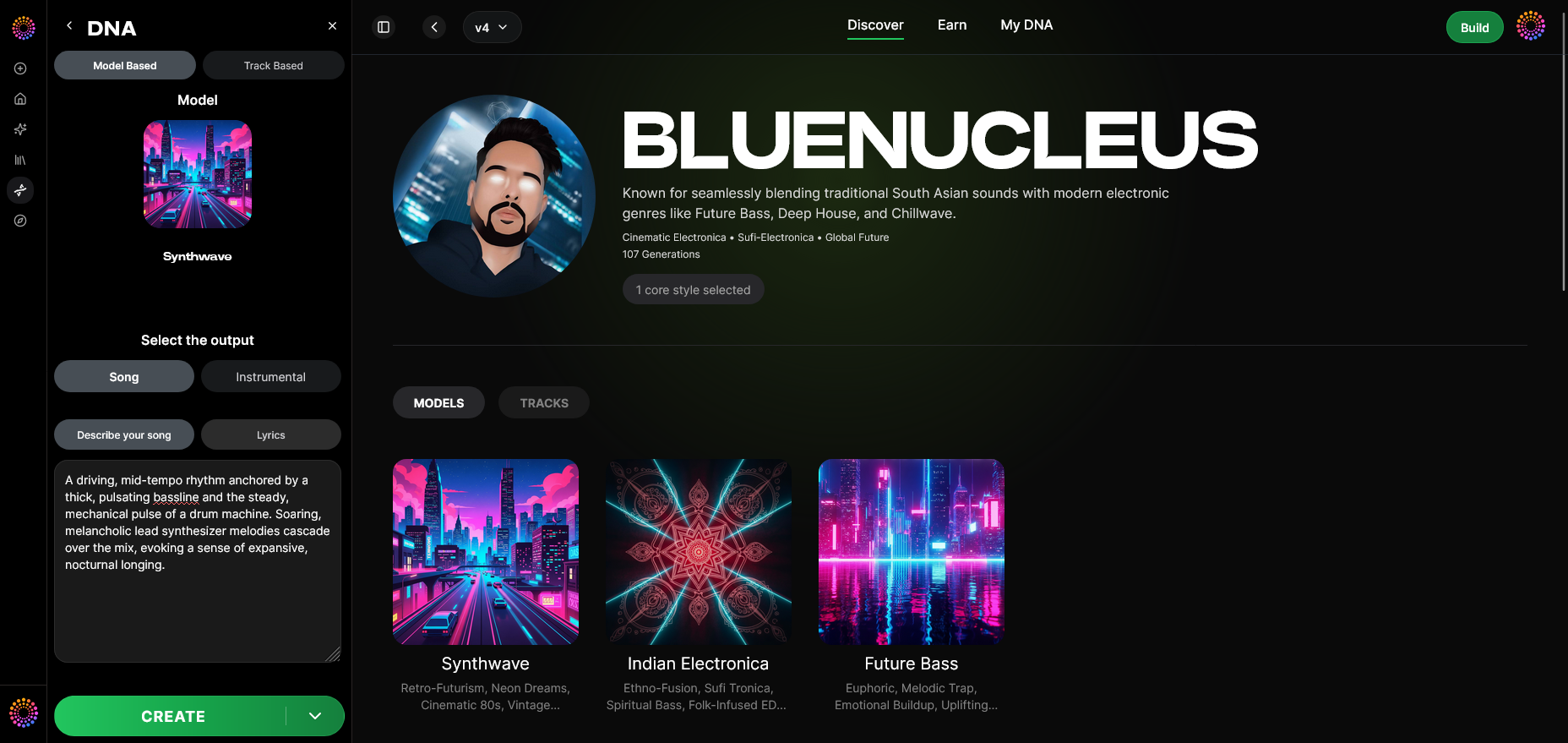
Soundverse DNA is a purpose-built artist-trained system that allows creators to define their musical identity digitally. It serves as both an AI music model training hub and an ethical licensing framework.
What Is Soundverse DNA?
Soundverse DNA enables musicians, sound designers, and AI researchers to encapsulate their style into a reproducible model. It learns from official, licensed catalogs that the artist provides, circumventing the common ethical pitfalls found in many AI composition tools. By doing so, artists can legally generate consistent outputs or even allow fans to interact with their model through monetized use.
For a deeper dive, watch our guide on creating Deep House music or explore the Soundverse Tutorial - How to Make Music.
Core Capabilities
- Full DNA: Builds comprehensive models based on both instrumental and vocal compositions.
- Voice DNA: Trains vocal synthesis engines to match an artist’s vocal timbre and performance nuances.
- DNA Marketplace: Enables artists to license or share their sonic DNA with others while maintaining control and revenue.
- Sensitivity Selector: Lets users cluster styles into specific eras or moods, maintaining consistency through controlled variation.
- Private Mode: Provides secure collaboration environments for co-creation and research.
Primary Use Cases
- Artist Monetization: Artists earn revenue when their DNA model is licensed and used by others.
- Sonic Branding: Brands achieve consistency across media campaigns using defined sonic identities.
- Film/Game Scoring: Developers and directors can generate style-matched cues legally and quickly.
- Personal Workflow: Speed up composition by embedding one’s own creative style into generative workflows.
For an overview of how generative tools are reshaping creative industries, see How AI-Generated Music Is Transforming the Music Industry.
Step 1: Overview
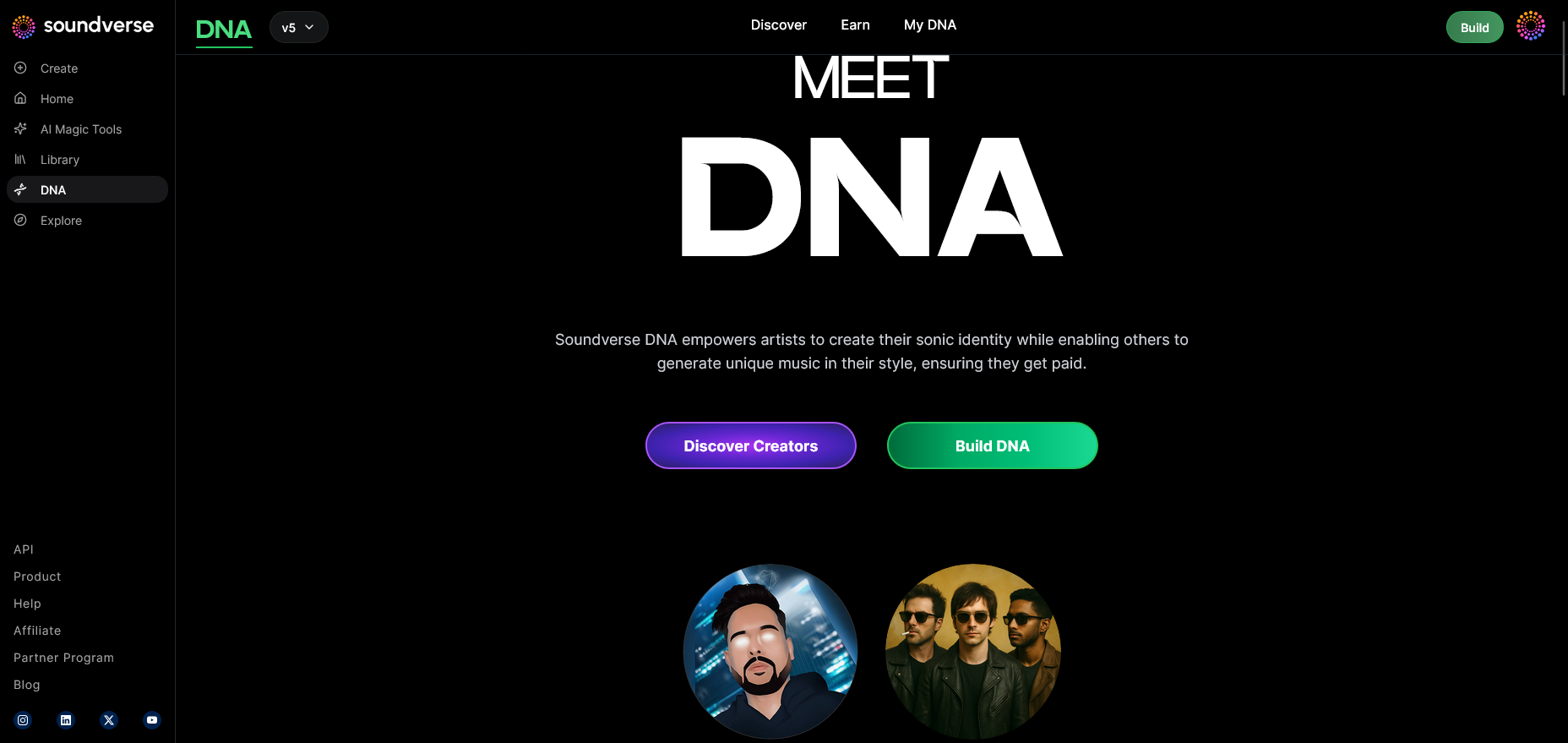
In the Soundverse interface, creators start in the DNA Mode overview. This section explains the fundamental concept of DNA models—defining the style identity that the AI will learn.
Step 2: Dashboard
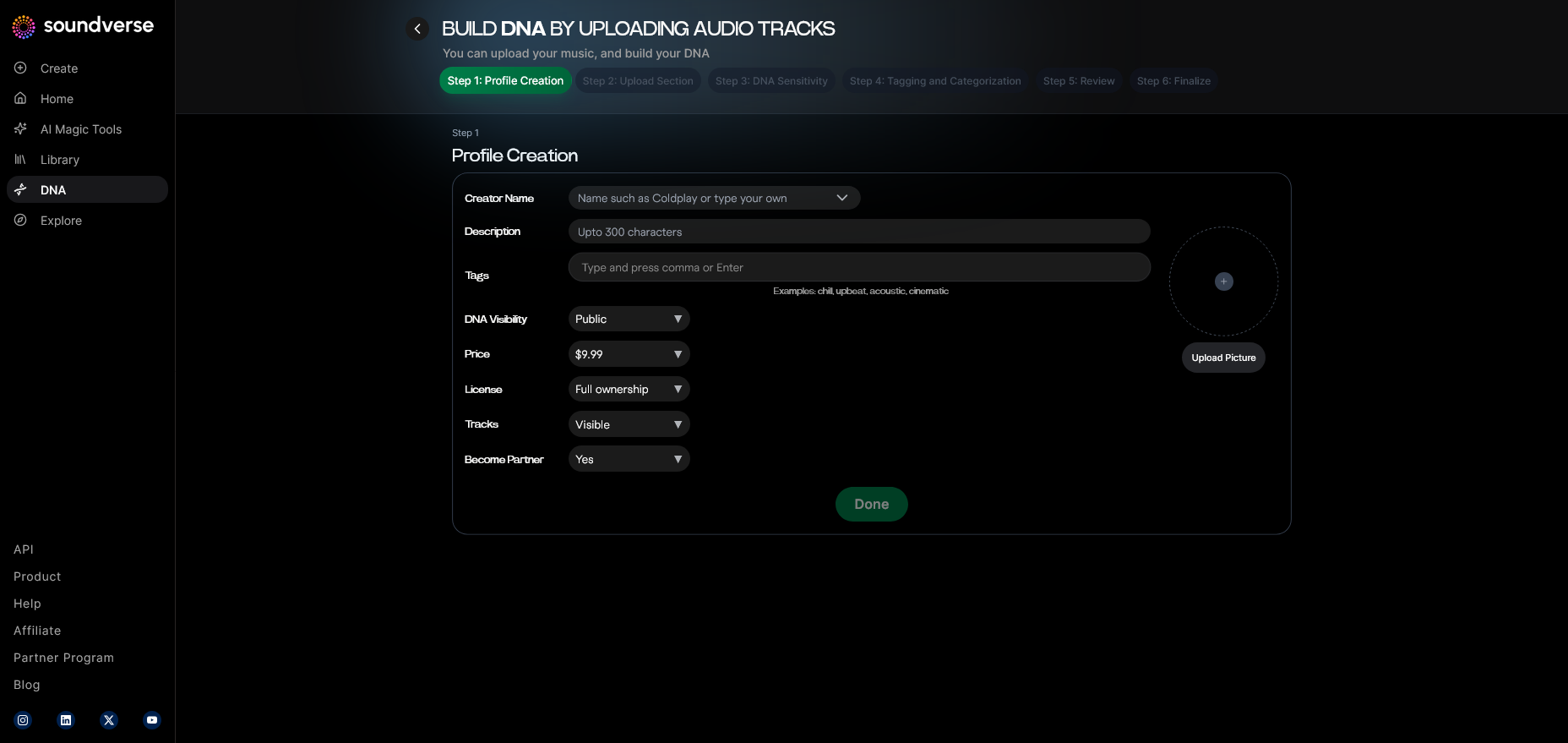
The My DNA Dashboard provides centralized access to all models you’ve created. Here, you can manage, modify, or generate tracks based on existing DNA profiles.
Step 3: Creator Profile
Set up or update your Creator Profile. This profile defines how your name, branding, and identity associate with generated outputs, ensuring the model’s heritage remains visible.
Step 4: DNA Type Selection
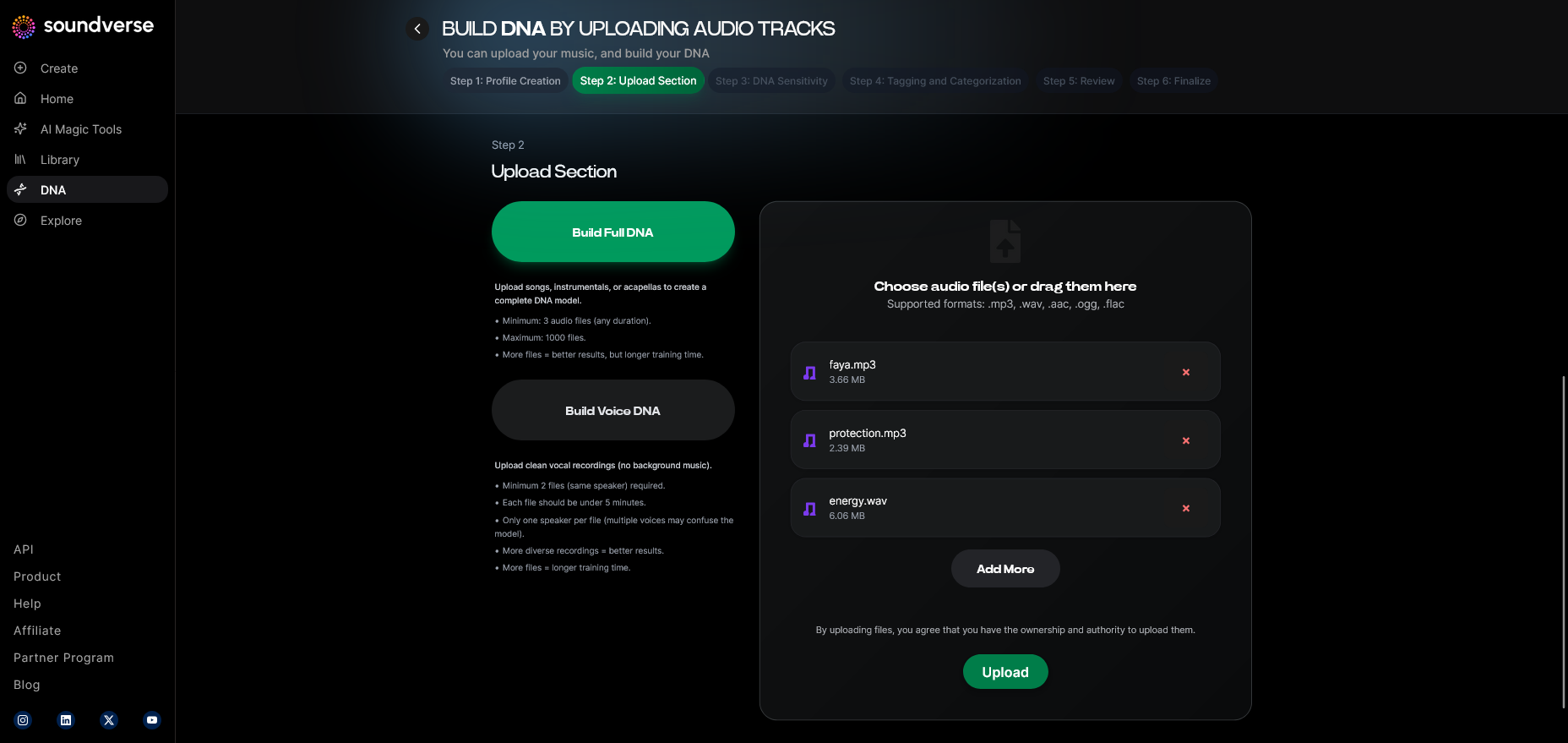
Choose between Full DNA and Voice DNA. Full DNA combines melodic, instrumental, and vocal characteristics, while Voice DNA focuses solely on vocal expression.
Step 5: Upload Files
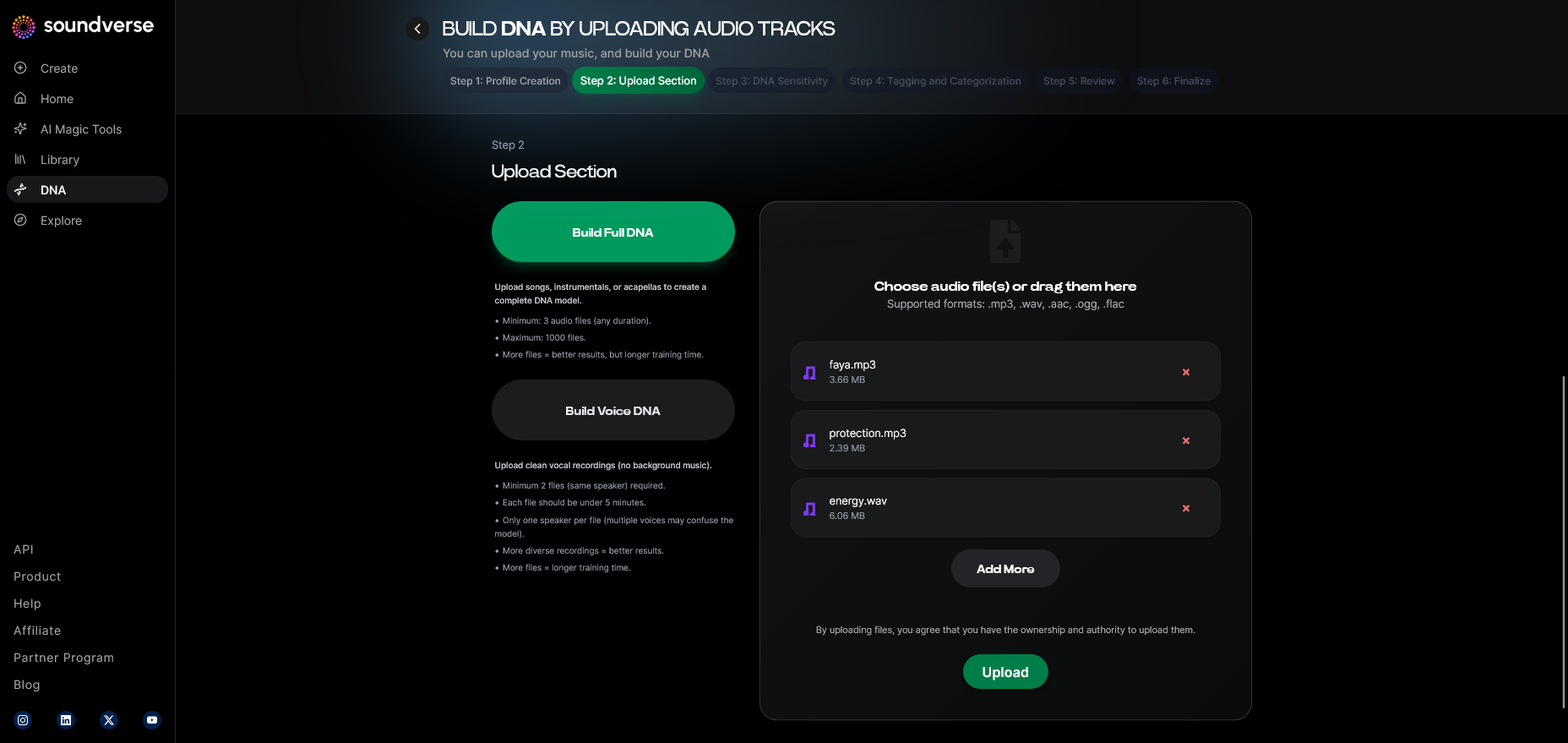
Upload licensed audio files that accurately represent your sound across eras. The better and more curated the dataset, the more coherent the resulting model will be.
Step 6: Sensitivity Setting
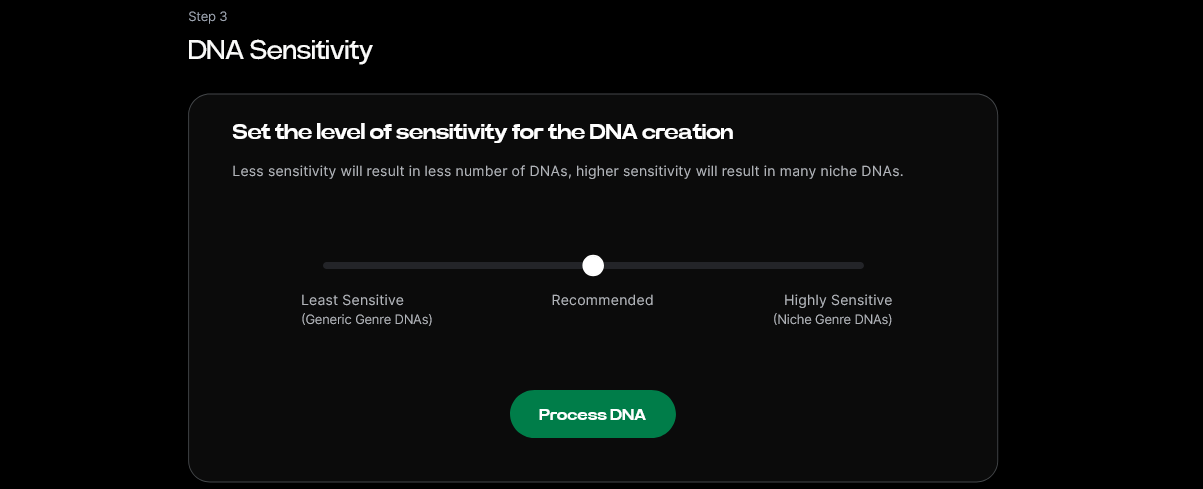
The Sensitivity Selector allows you to control how tightly the model mimics your existing works. A lower sensitivity offers creative flexibility, while higher sensitivity maintains closer adherence to the original sonic traits.
Step 7: Auto Tagging
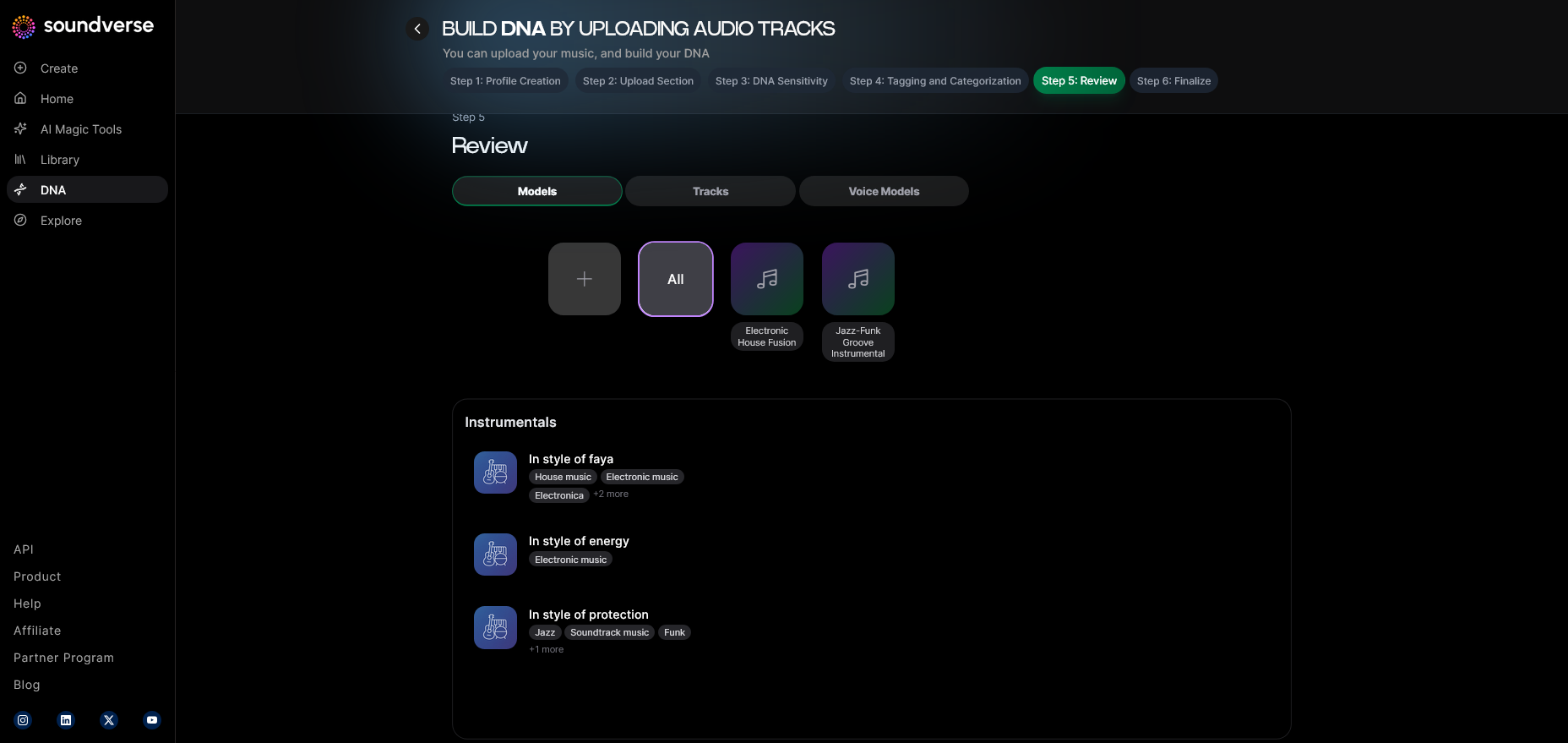
Once uploaded, the system automatically generates metadata tags—genre, mood, tempo, and tonal signatures—making your dataset more searchable and structured.
Step 8: Review & Publish
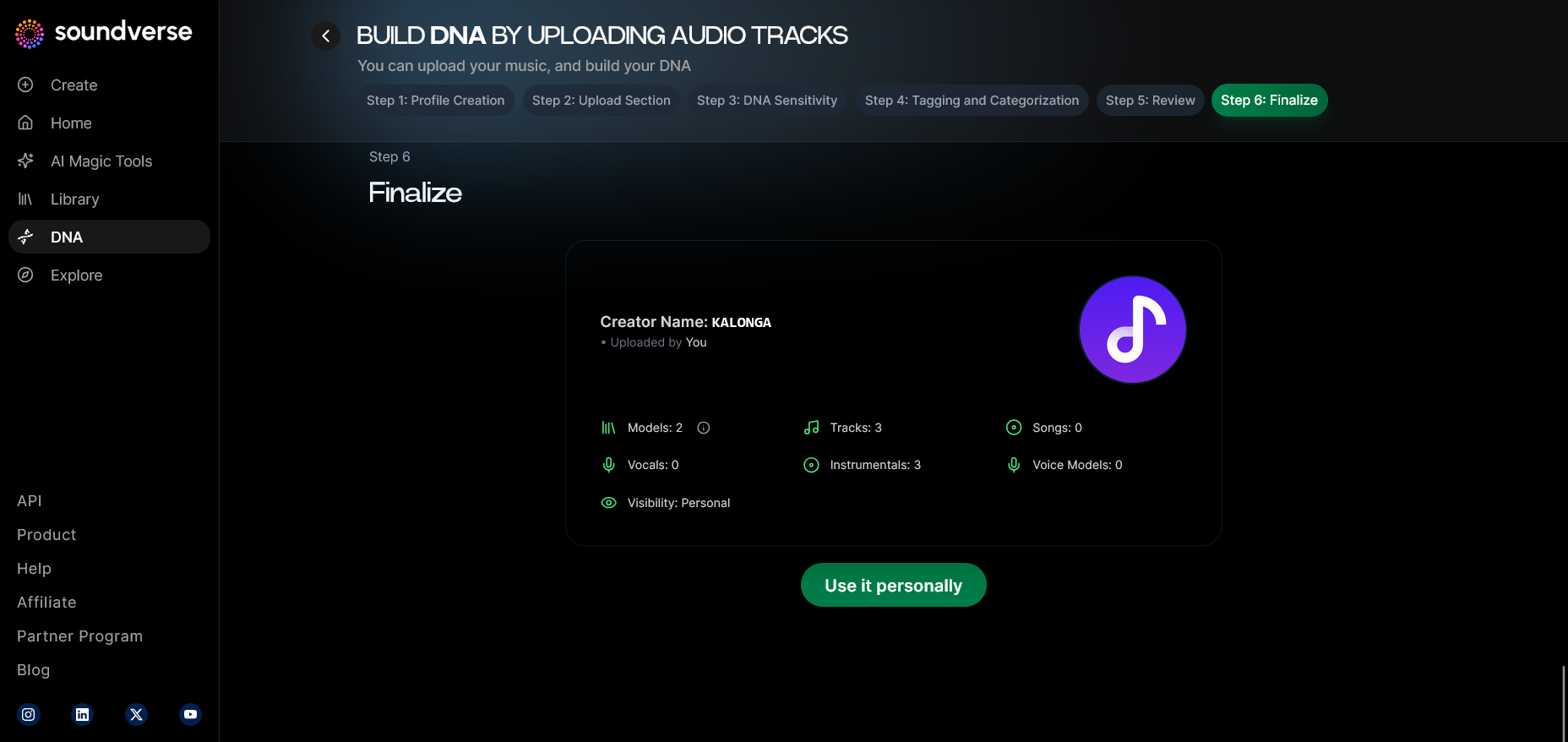
Before publishing your DNA, review the preview outputs. Ensure that your sonic identity translates accurately across multiple examples.
Step 9: Generation Panel
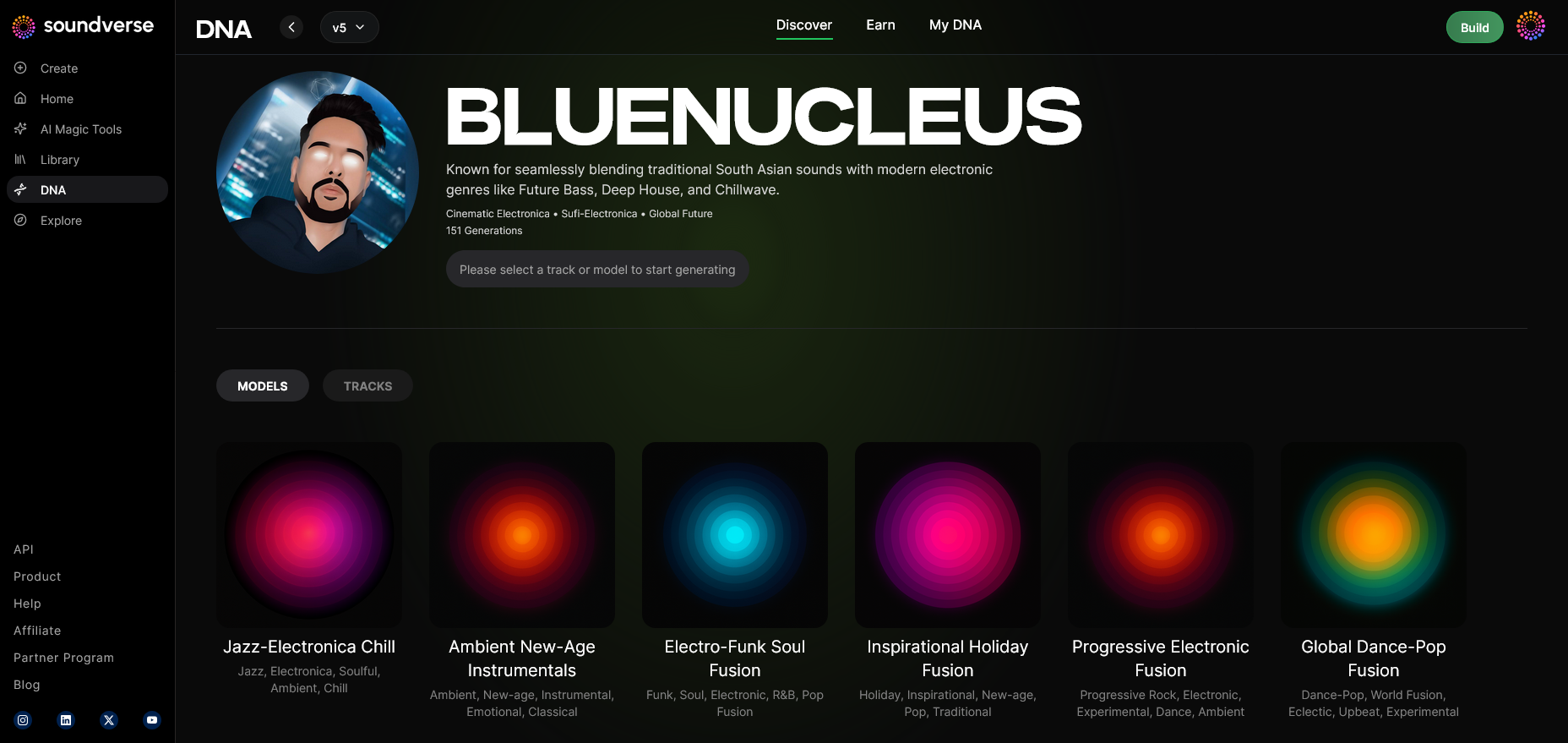
After publishing, use the Generation Panel to produce new music. The interface provides access to parameters for instruments, mood, or output type.
Step 10: Model-Based Mode
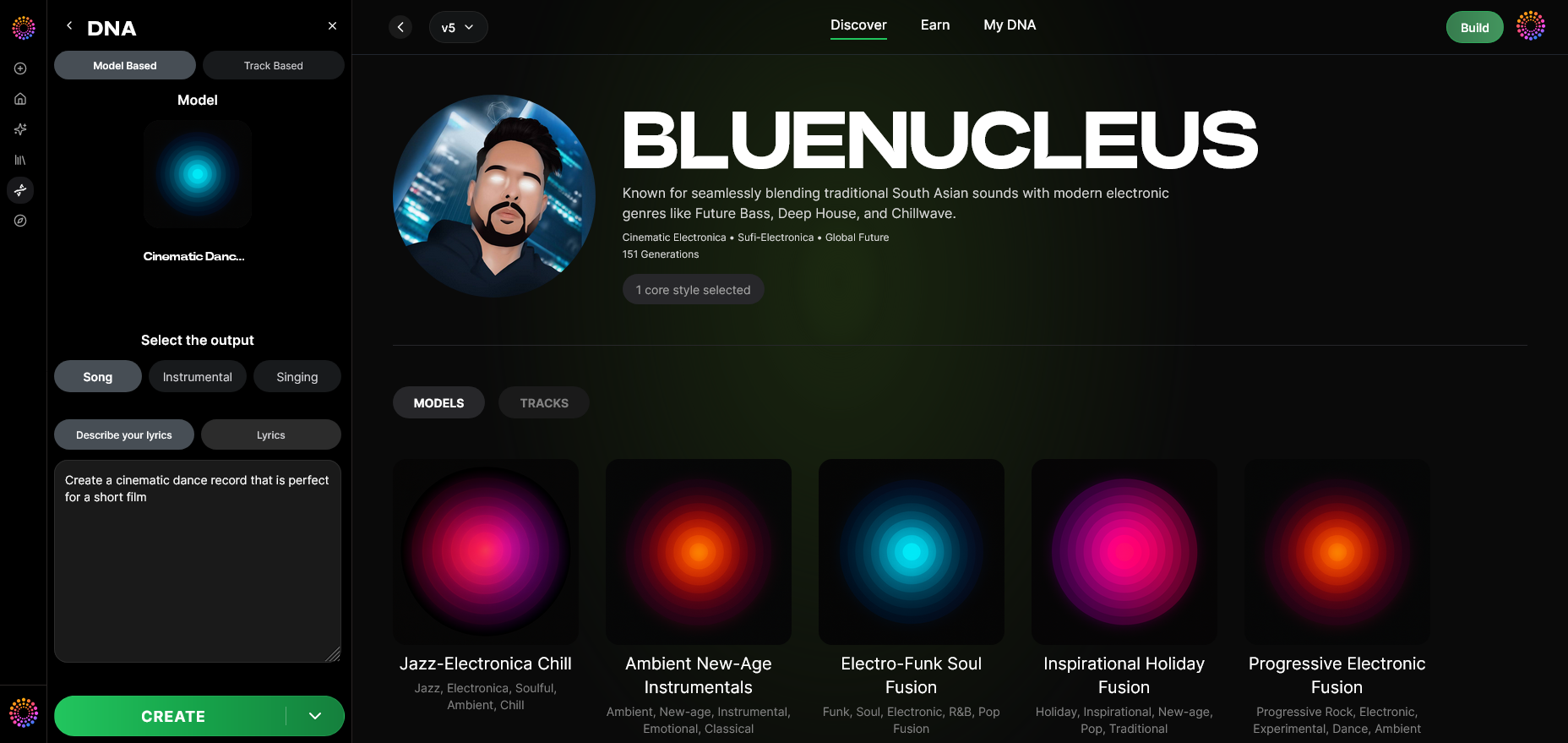
Toggle on “Model-Based Mode” to enable generation powered by your trained DNA model. This ensures all outputs conform to your validated style.
Step 11: Output Type
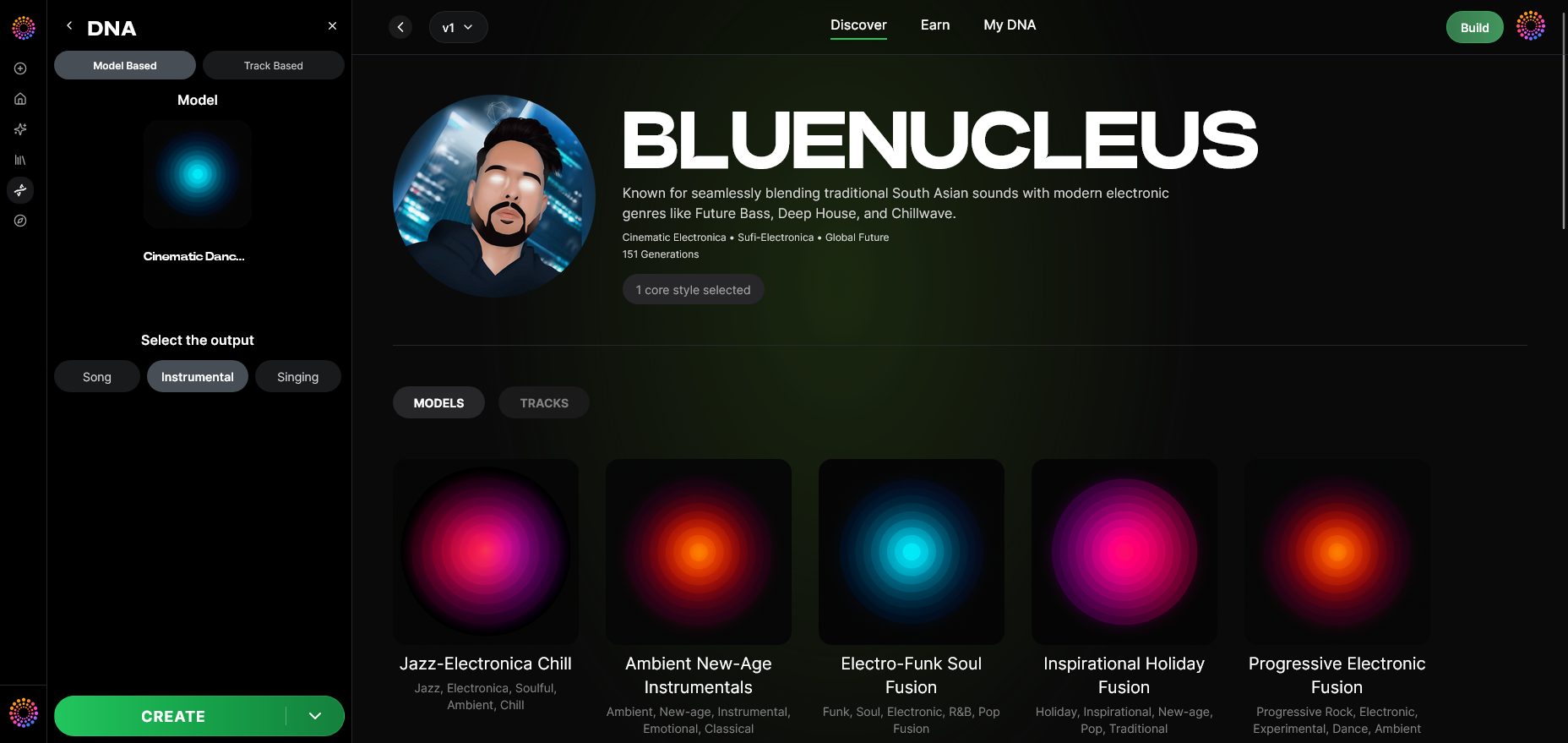
Select whether you want a Song, Instrumental, or Singing output type. The system tailors processing accordingly.
Step 12: Prompt Type
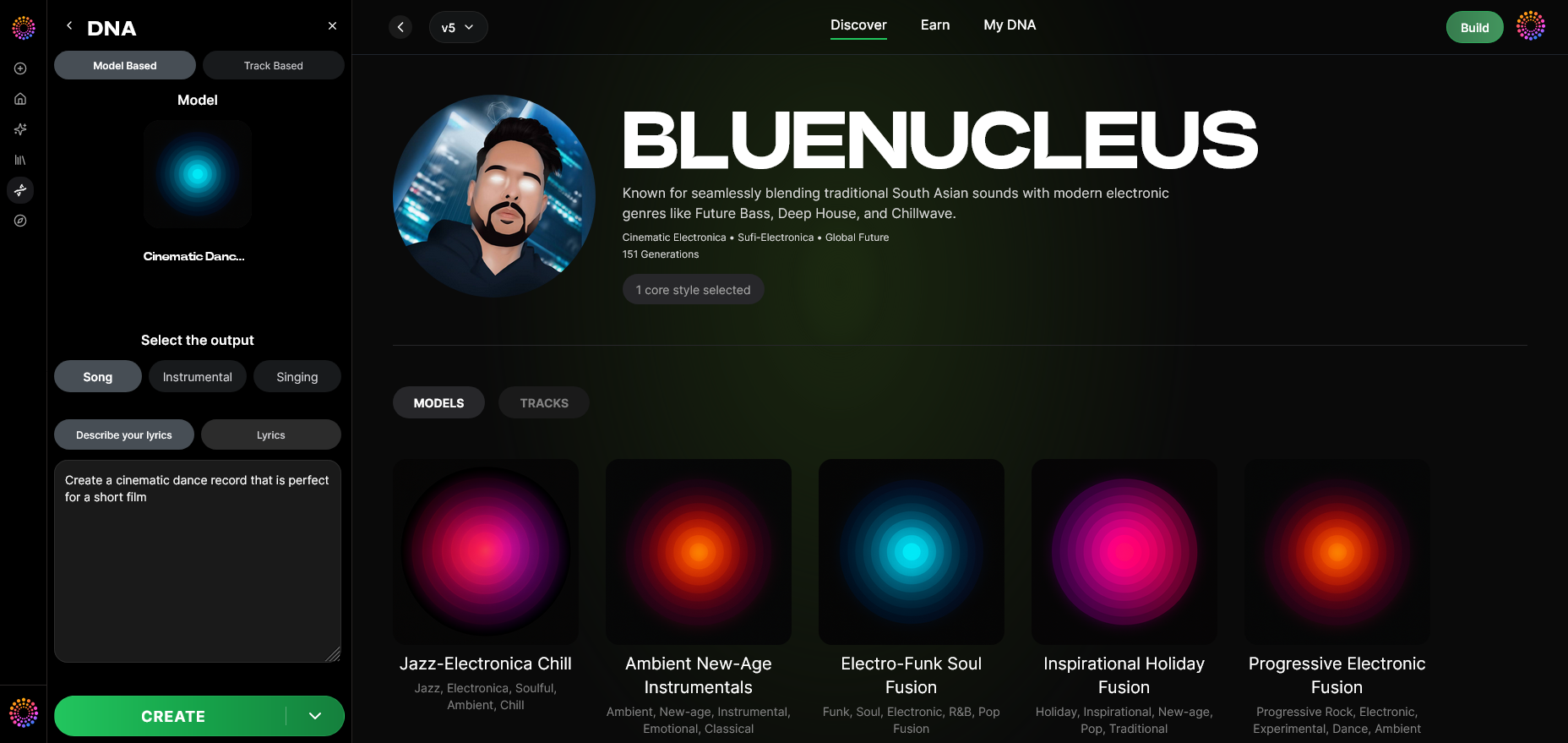
Decide how to input your creative prompts—text-based or predefined tags. This gives you directional control without explicit manual composition.
Step 13: Generation Complete
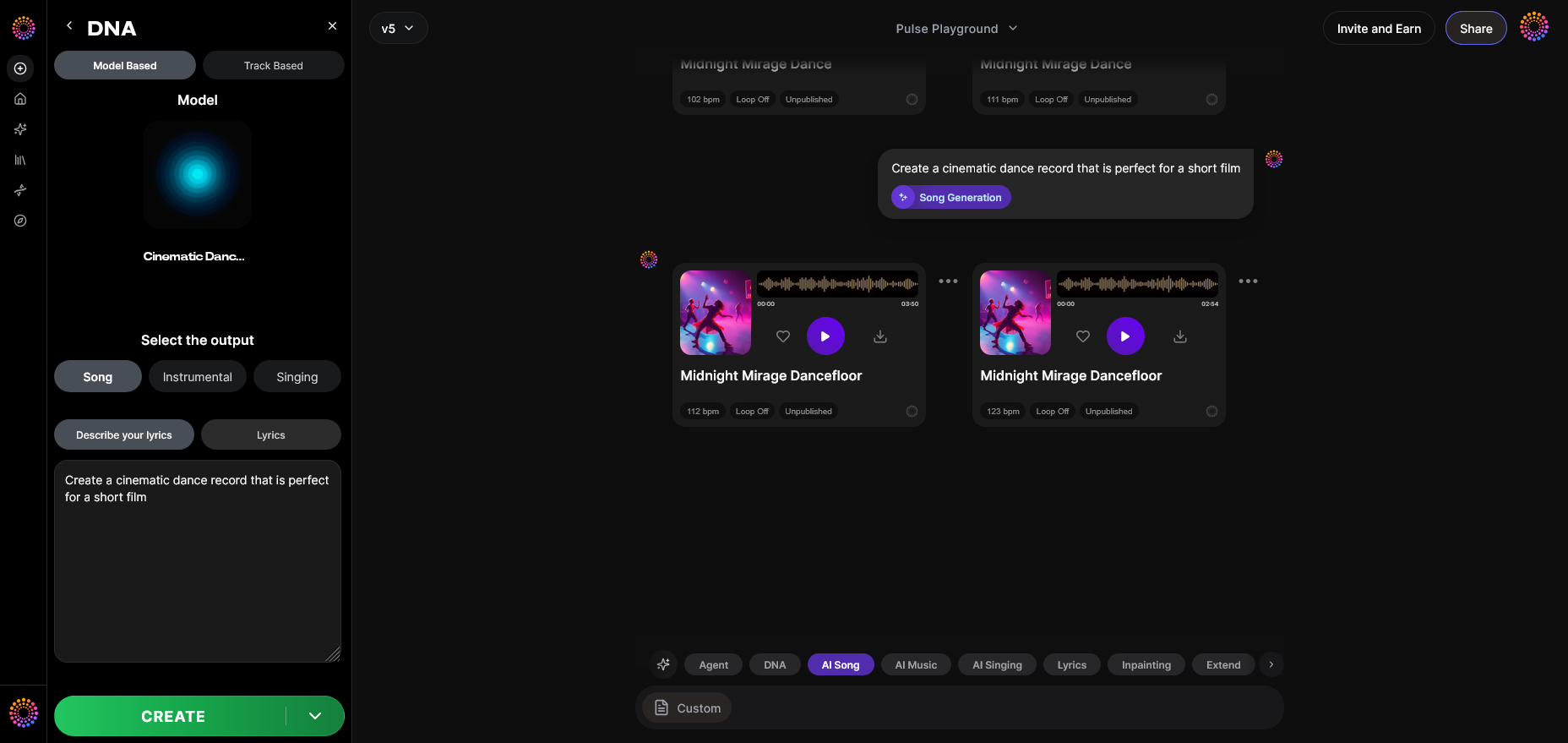
Once processed, you can preview your results and evaluate the consistency across prompt variations.
Step 14: Export Options
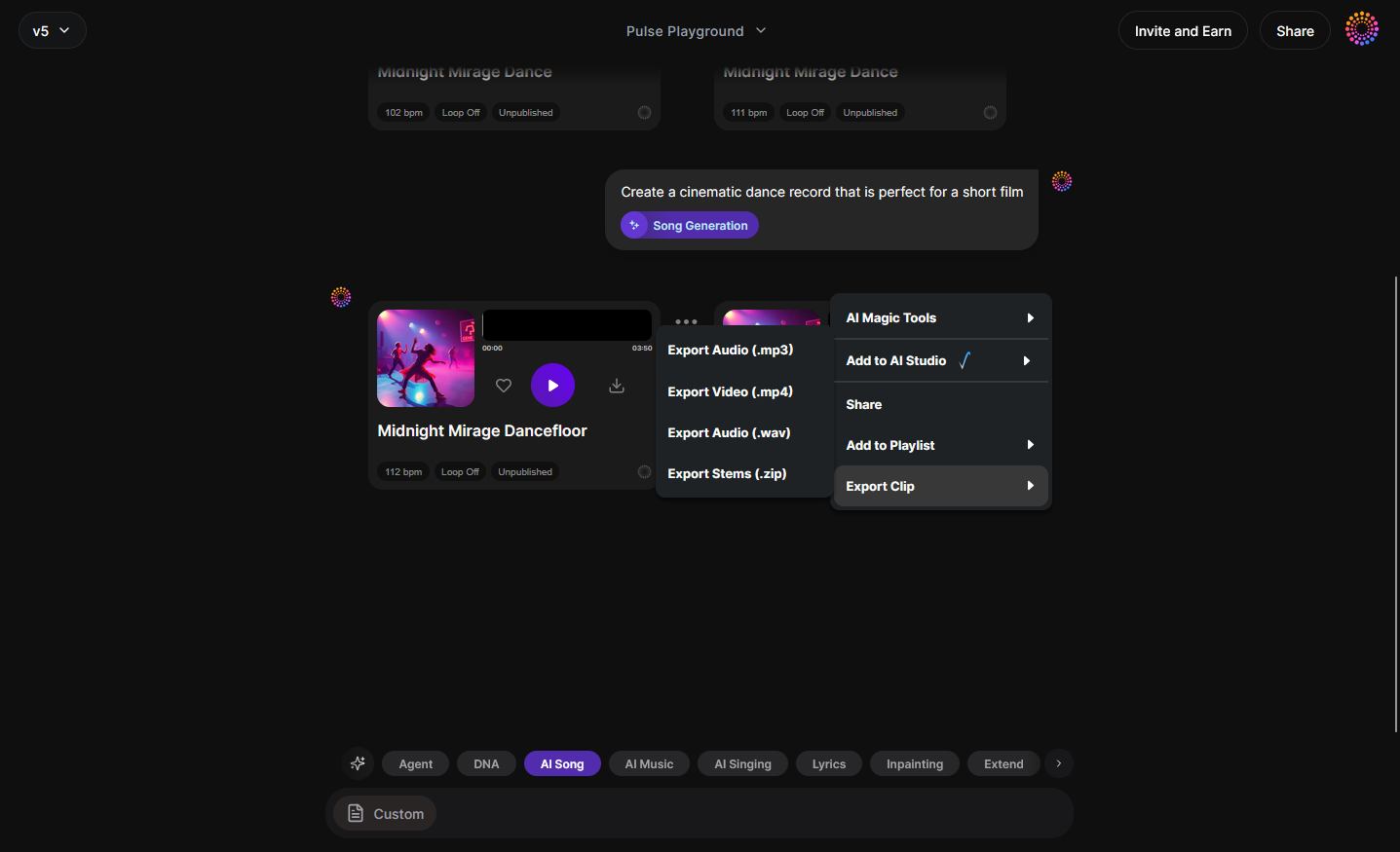
Export your final output in multiple formats, ready for mixing or distribution. Attribution data remains embedded for ethical transparency.
Step 15: Track-Based Mode
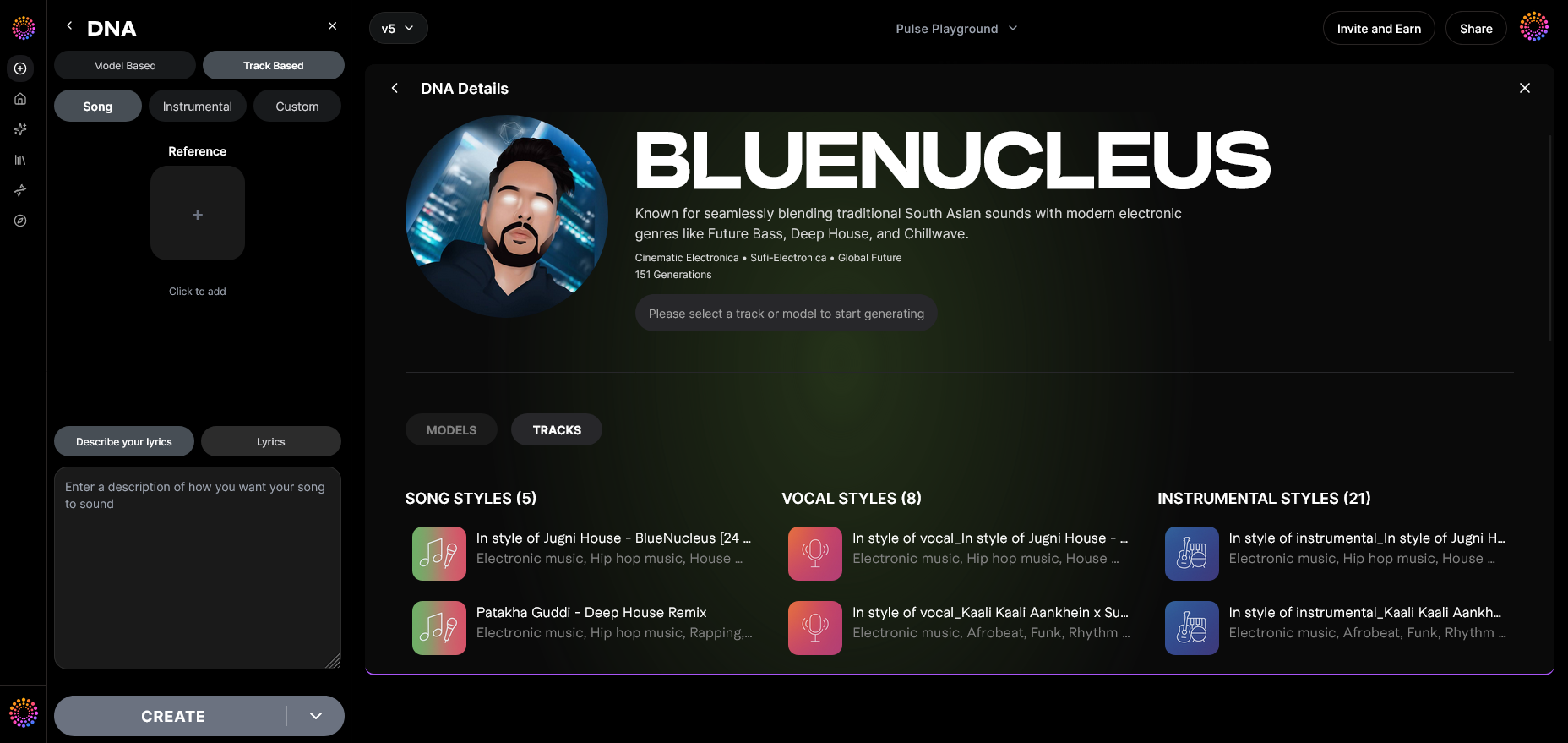
For users producing from existing stems, Track-Based Mode facilitates regeneration around structured compositions.
Step 16: Style Selection
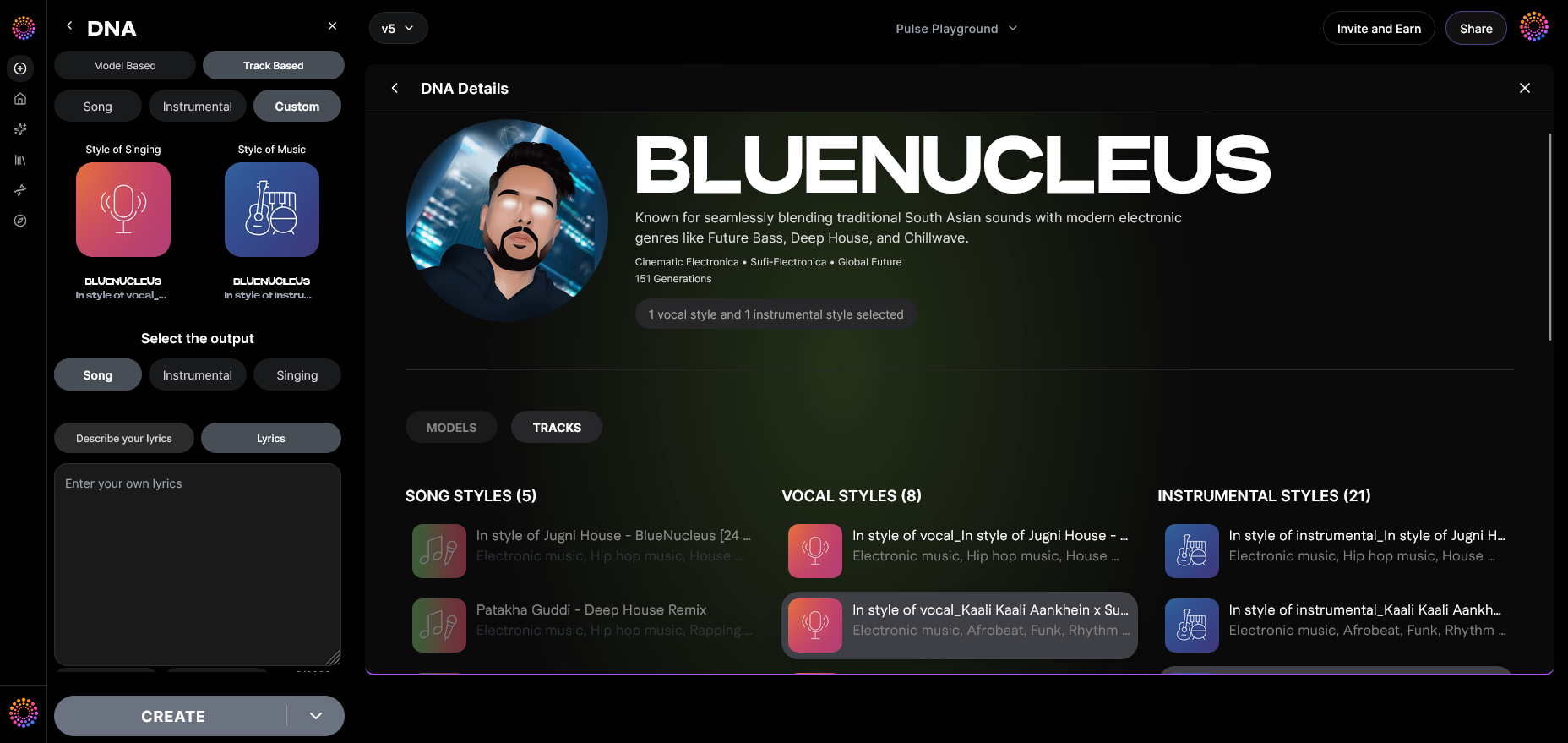
Fine-tune genre-specific boundaries. For example, you can guide the system toward cinematic or electronic palettes depending on your project goal.
Step 17: Lyrics Input
If using vocal models, provide text lyrics. The AI will interpret syllabic rhythm and emotion while maintaining stylistic vocal patterns.
Step 18: Model-Based Singing
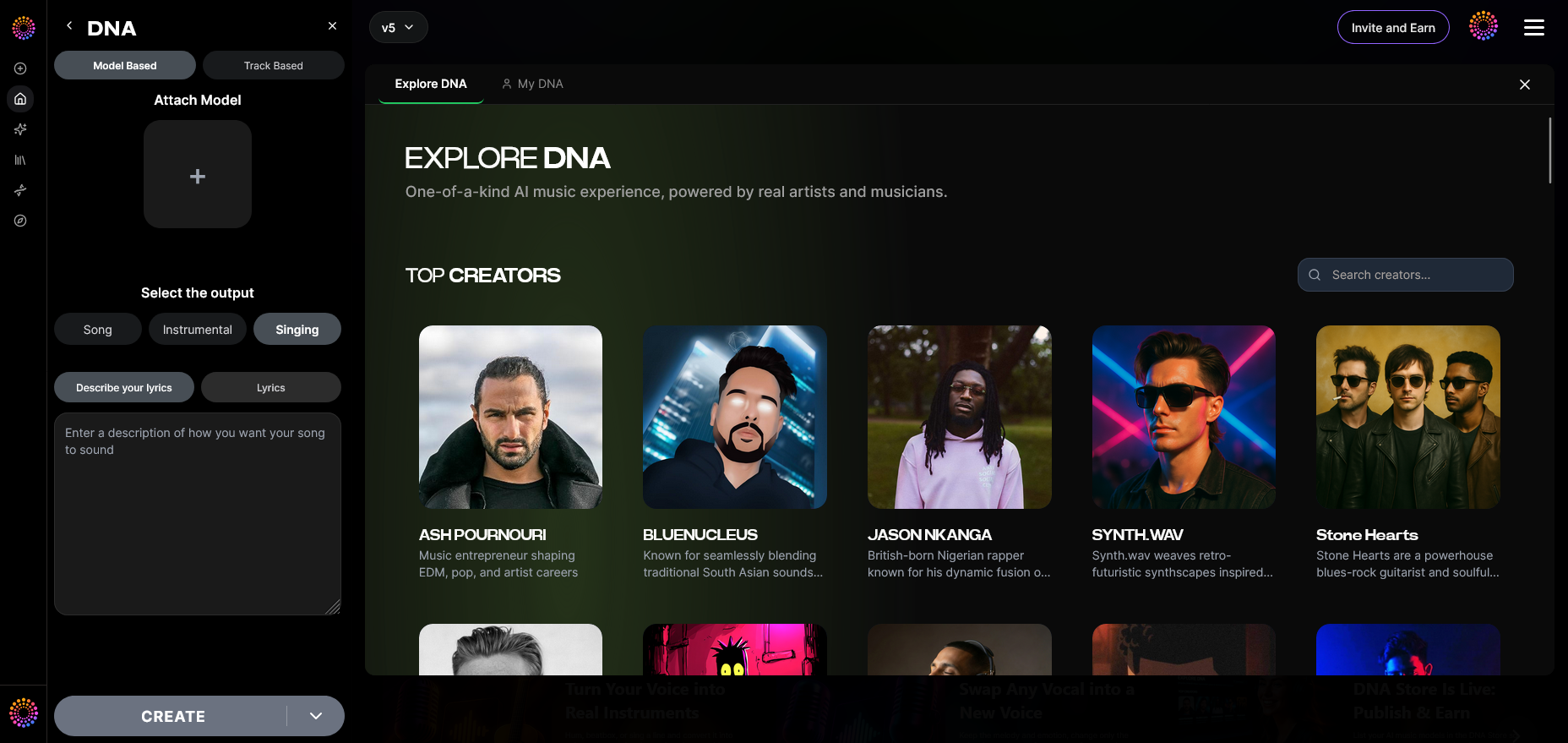
Enable the voice generation feature using the trained Voice DNA. Remember that recordings are processed asynchronously—not live.
Step 19: Attach Model
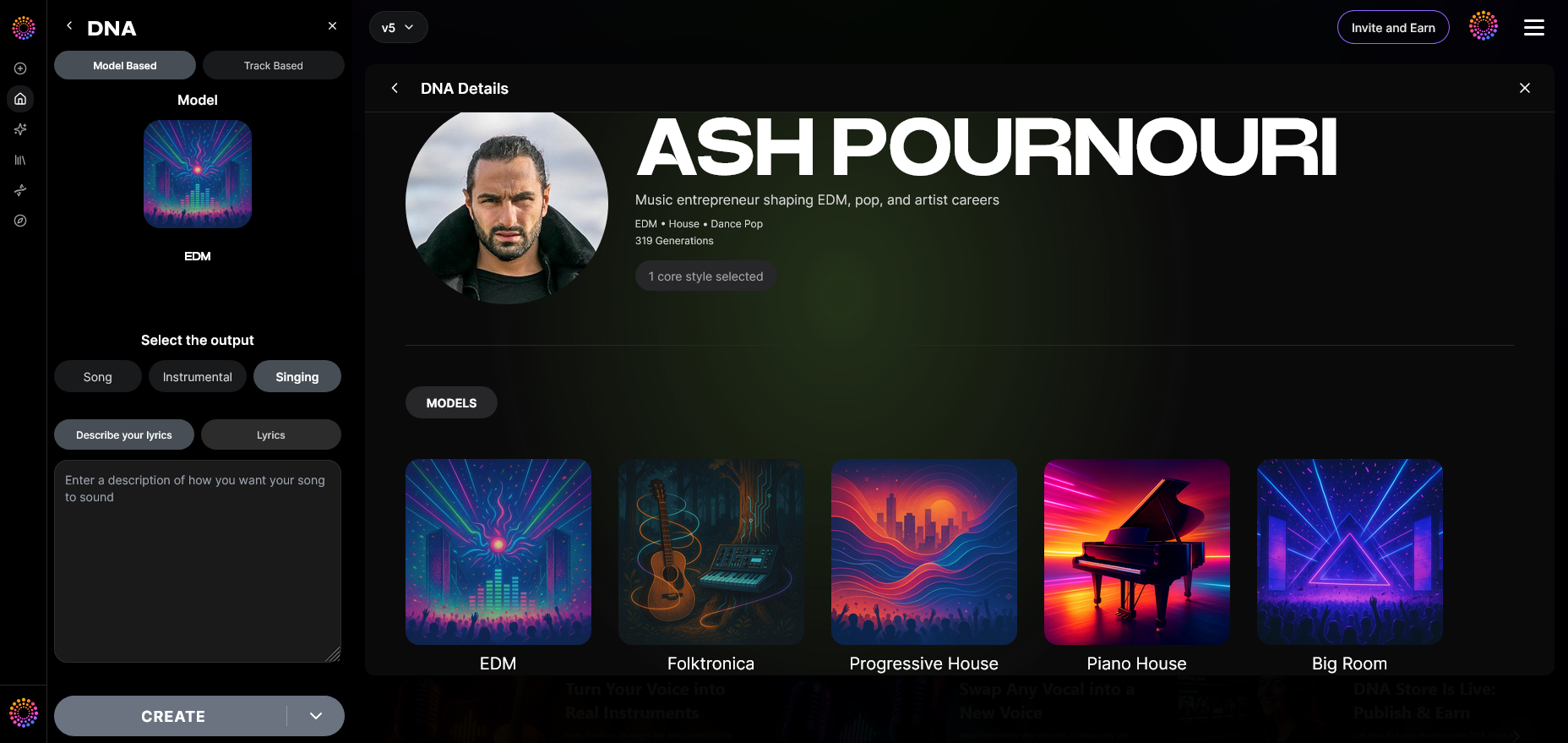
Finally, attach your trained DNA model to future sessions for continued consistency. This connection guarantees that every new creation aligns with established identity.
For detailed explorations of creative workflows, see Generate AI Music with Soundverse Text-to-Music or Soundverse Assistant: Your AI Music Co-Producer.
Pro Tips for Sustaining Creative Consistency in 2026
- Iterate Intentionally: Use small dataset batches to progressively refine results instead of large, unfocused dumps.
- Catalog by Era: Group your material using Soundverse’s Sensitivity Selector to control temporal nuances.
- Leverage Metadata: Structured tags influence how the model perceives emotional boundaries—critical for brand-sound alignment.
- Ethical Datasets Only: Following The Ethical AI Music Framework ensures consent-driven training.
Why Long-Term Model Maintenance Matters
By 2026, the longevity of an AI music model depends as much on active curation as on original data. Because trends in sound design evolve rapidly, even the most advanced models require periodic retraining. Using Soundverse Trace, a trust layer that integrates attribution and rights protection, ensures your AI-driven outputs remain compliant and traceable.
Maintaining creative consistency means maintaining trust—not only with your listeners but with collaborating artists, licensors, and creative peers. The Soundverse ecosystem is designed to uphold both innovation and integrity.
Start Building Your Own AI Music Model Today
Experience the future of music creation with Soundverse. Create consistent, high-quality tracks powered by intelligent AI music models that evolve with your creative style.
Related Articles
- How AI-Generated Music Is Transforming the Music Industry: Explore how AI is reshaping music creation, production, and the future role of human creativity.
- Soundverse AI Magic Tools: Create Content Quickly with AI: Learn how to streamline your production process using Soundverse’s AI tools for faster, creative content generation.
- The Benefits of Composing with an AI Music Generator: Discover the advantages of incorporating AI music generators into your workflow for innovation and creative growth.
- AI Music Generator and Human Composers: A Future Together: Explore how AI tools and human artistry can collaborate to produce more expressive, unique music.
Here's how to make AI Music with Soundverse
Video Guide

Here’s another long walkthrough of how to use Soundverse AI.
Text Guide
- To know more about AI Magic Tools, check here.
- To know more about Soundverse Assistant, check here.
- To know more about Arrangement Studio, check here.
Soundverse is an AI Assistant that allows content creators and music makers to create original content in a flash using Generative AI. With the help of Soundverse Assistant and AI Magic Tools, our users get an unfair advantage over other creators to create audio and music content quickly, easily and cheaply. Soundverse Assistant is your ultimate music companion. You simply speak to the assistant to get your stuff done. The more you speak to it, the more it starts understanding you and your goals. AI Magic Tools help convert your creative dreams into tangible music and audio. Use AI Magic Tools such as text to music, stem separation, or lyrics generation to realise your content dreams faster. Soundverse is here to take music production to the next level. We're not just a digital audio workstation (DAW) competing with Ableton or Logic, we're building a completely new paradigm of easy and conversational content creation.
TikTok: https://www.tiktok.com/@soundverse.ai
Twitter: https://twitter.com/soundverse_ai
Instagram: https://www.instagram.com/soundverse.ai
LinkedIn: https://www.linkedin.com/company/soundverseai
Youtube: https://www.youtube.com/@SoundverseAI
Facebook: https://www.facebook.com/profile.php?id=100095674445607
Join Soundverse for Free and make Viral AI Music

We are constantly building more product experiences. Keep checking our Blog to stay updated about them!