How to Build an AI Music Catalog in 2026
Learn how to build an AI music catalog with Soundverse DNA using ethical AI tools and music catalog automation.
How to Build a Catalog With AI Music
In the fast-evolving music ecosystem of 2026, artificial intelligence has become the central force driving content scalability and creative innovation. For music producers, record labels, and digital creators aiming to expand their libraries efficiently, building an AI music catalog offers not only speed and scale but also opportunities for artistic consistency and ethical monetization.
Gone are the days when generating dozens or hundreds of tracks required months of studio time. With modern AI music creation tools, the process has transformed into a workflow powered by data-driven creativity. However, as AI adoption grows, musicians face challenges: copyright compliance, style consistency, and rights management. Soundverse, an AI music infrastructure built around consent-driven creation, has addressed these challenges through its flagship feature—Soundverse DNA.
Why Build an AI Music Catalog?

An AI music catalog serves as your creative engine—an organized library of AI-generated songs, instrumentals, and sonic variations designed for rapid reuse and licensing. Whether you are scoring films or producing viral social media content, catalog automation simplifies workflows by enabling efficient, customizable song creation while keeping integrity intact.
In 2026, the drive to scale catalogs is tied closely to three major industry trends:
- Automation demand: Record labels now require mass content generation for streaming engagements, playlist placements, and short-form media.
- AI-assisted creativity: Creators want consistency in tone and emotion across hundreds of tracks, achievable only with model-based generation.
- Ethical licensing: As copyright debates around AI intensify, platforms trained on licensed material—like Soundverse—become crucial.
By aligning catalog automation with these trends, you gain strategic control over your sound identity while leveraging AI tools for musicians.
How to Make an AI Music Catalog With Soundverse DNA
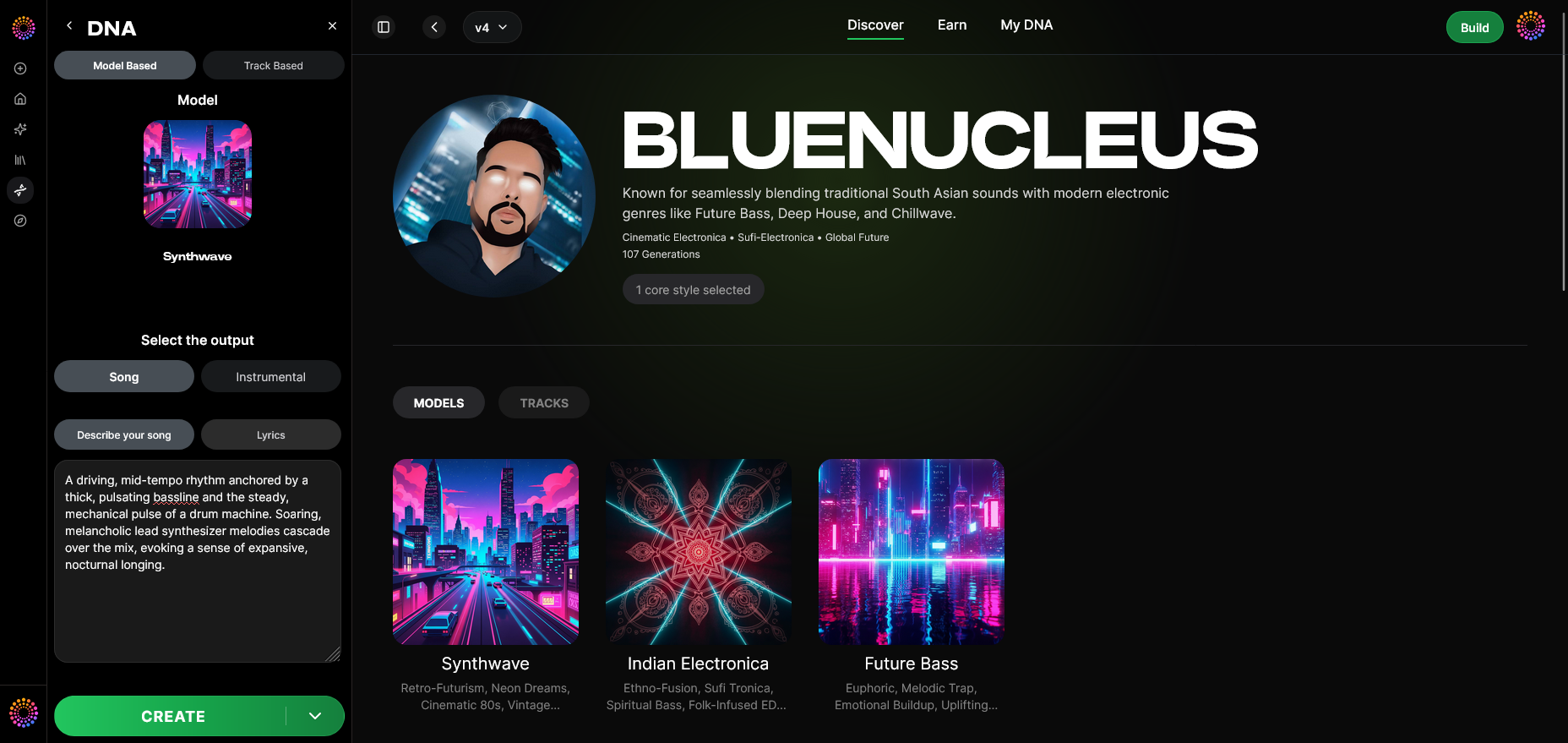

The foundation of Soundverse’s ecosystem is Soundverse DNA, an artist-trained AI system that generates original music from licensed styles. Unlike generic AI music generators, DNA captures the essence of a person’s sonic fingerprint while maintaining ethical data sourcing.
Soundverse DNA Overview
Soundverse DNA creates music through four interlinked modules:
- Full DNA: Builds complete musical DNA including song and instrumental identity, enabling consistent production output.
- Voice DNA: Captures vocal timbre and stylistic nuances so new vocal takes match the original singer’s tone without voice-swapping in real time.
- DNA Marketplace: Allows artists to license their sound DNA, earning revenue whenever users generate music with that model.
- Sensitivity Selector: Lets creators define stylistic eras, clustering catalog entries into customizable sonic generations.
- Private Mode: Enables secure co-creation within a controlled environment.
As the ethical backbone of AI music creation, DNA ensures licensed training data and attribution tracking through Soundverse Trace—a trust layer embedding rights information across the entire music lifecycle.
Now, let’s explore the practical workflow of building your first catalog.
Step 1: Overview
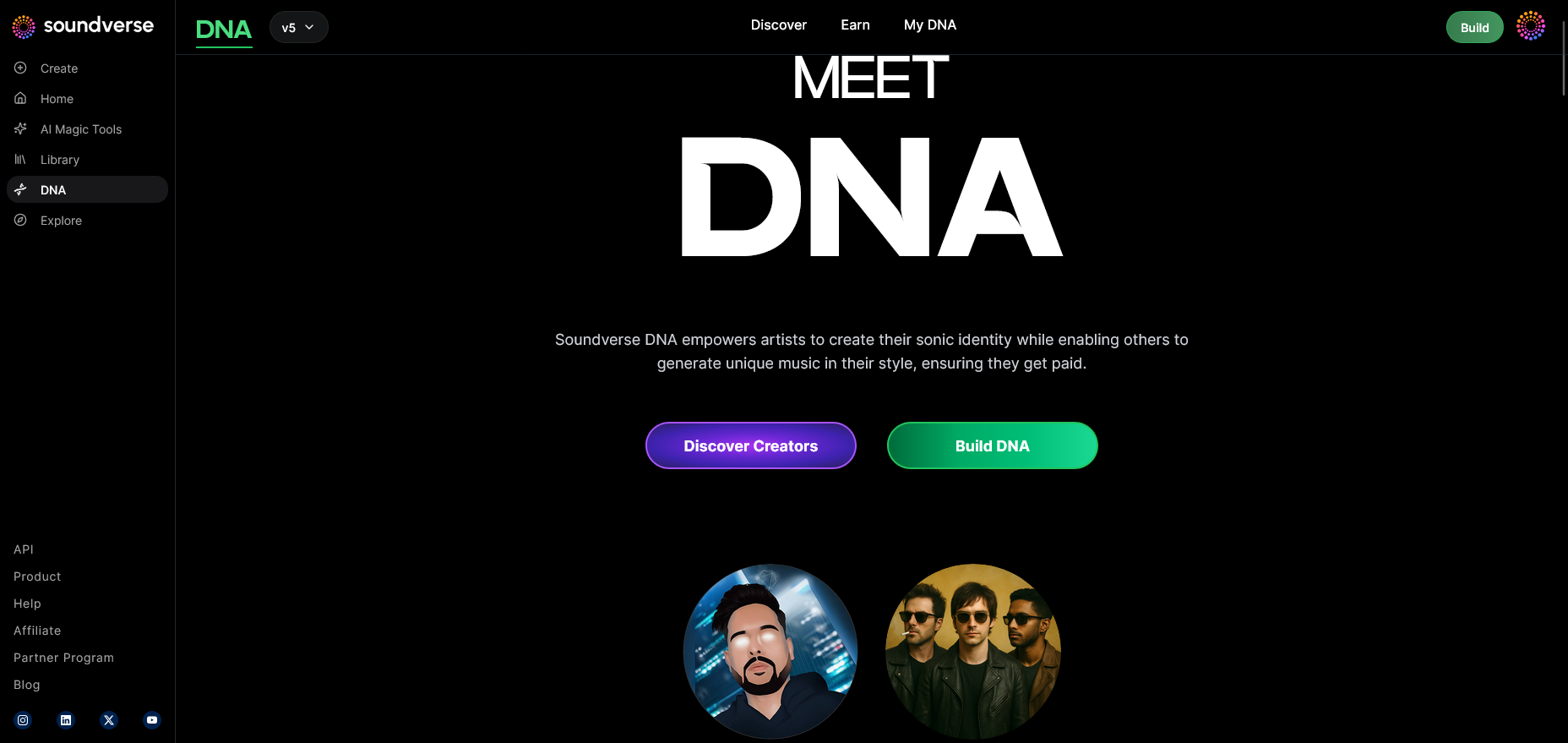
Once logged into Soundverse, select DNA mode. This serves as the foundation for catalog generation—an area dedicated to developing unique musical DNA models trained on approved styles or your previous works.
Step 2: Dashboard
Your dashboard, labeled My DNA, lists all previously created DNA models. It’s your central management hub for catalog organization, allowing easy previews, edits, or category grouping according to genres and emotion tags.
Step 3: Creator Profile
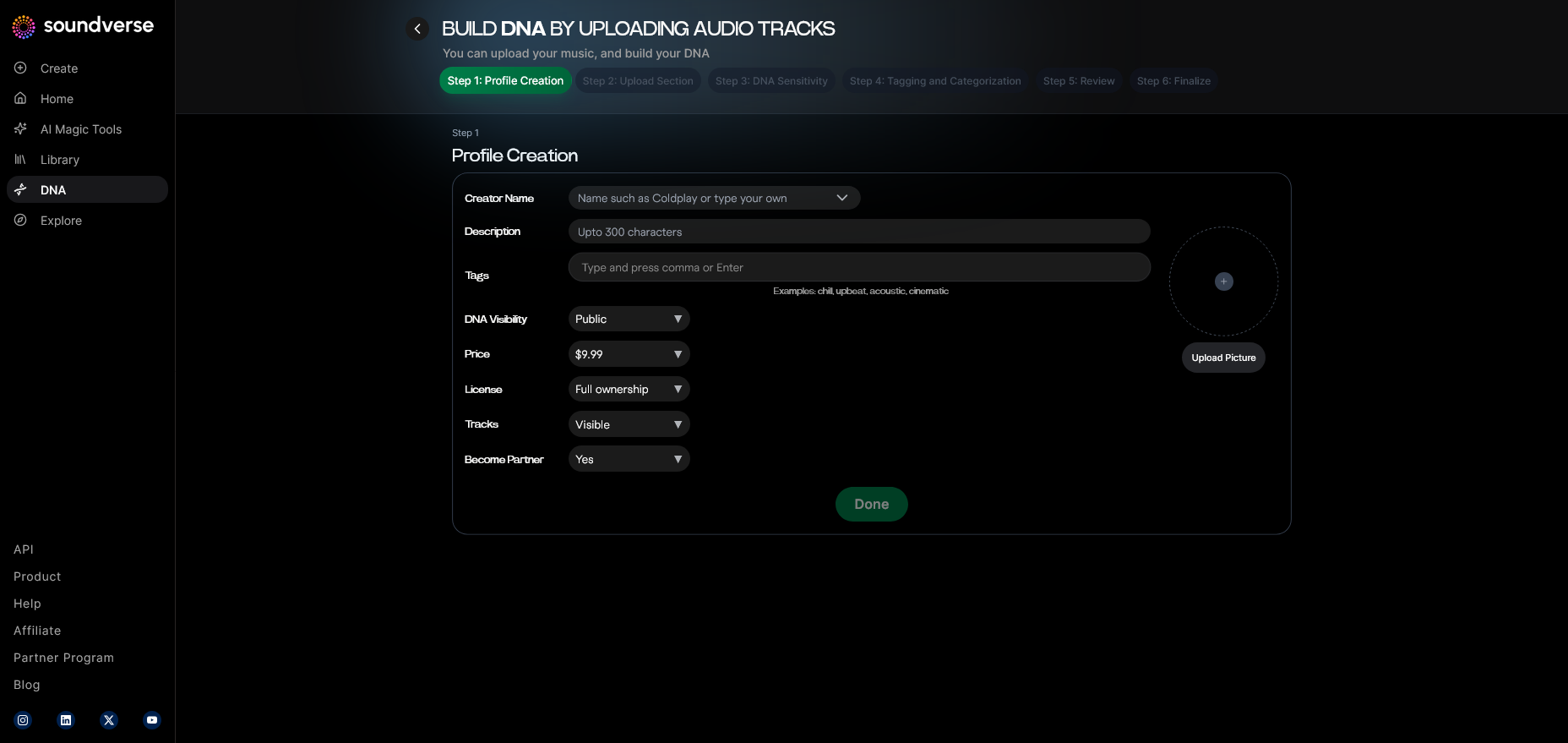
Set up your artist page and metadata. Include your brand name, genre preferences, and description. This ensures every track generated under your DNA remains associated with verified profile data.
Step 4: DNA Type Selection
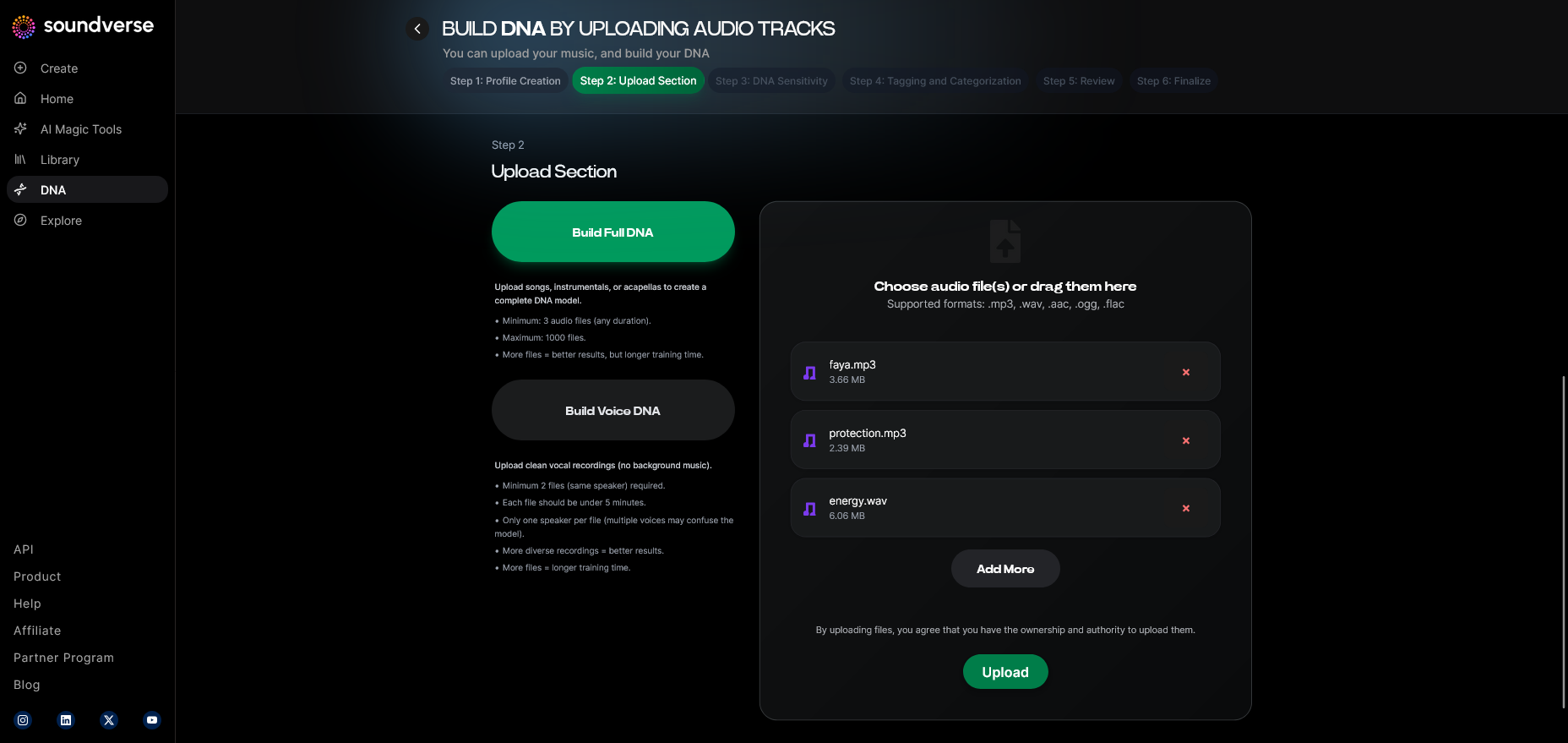
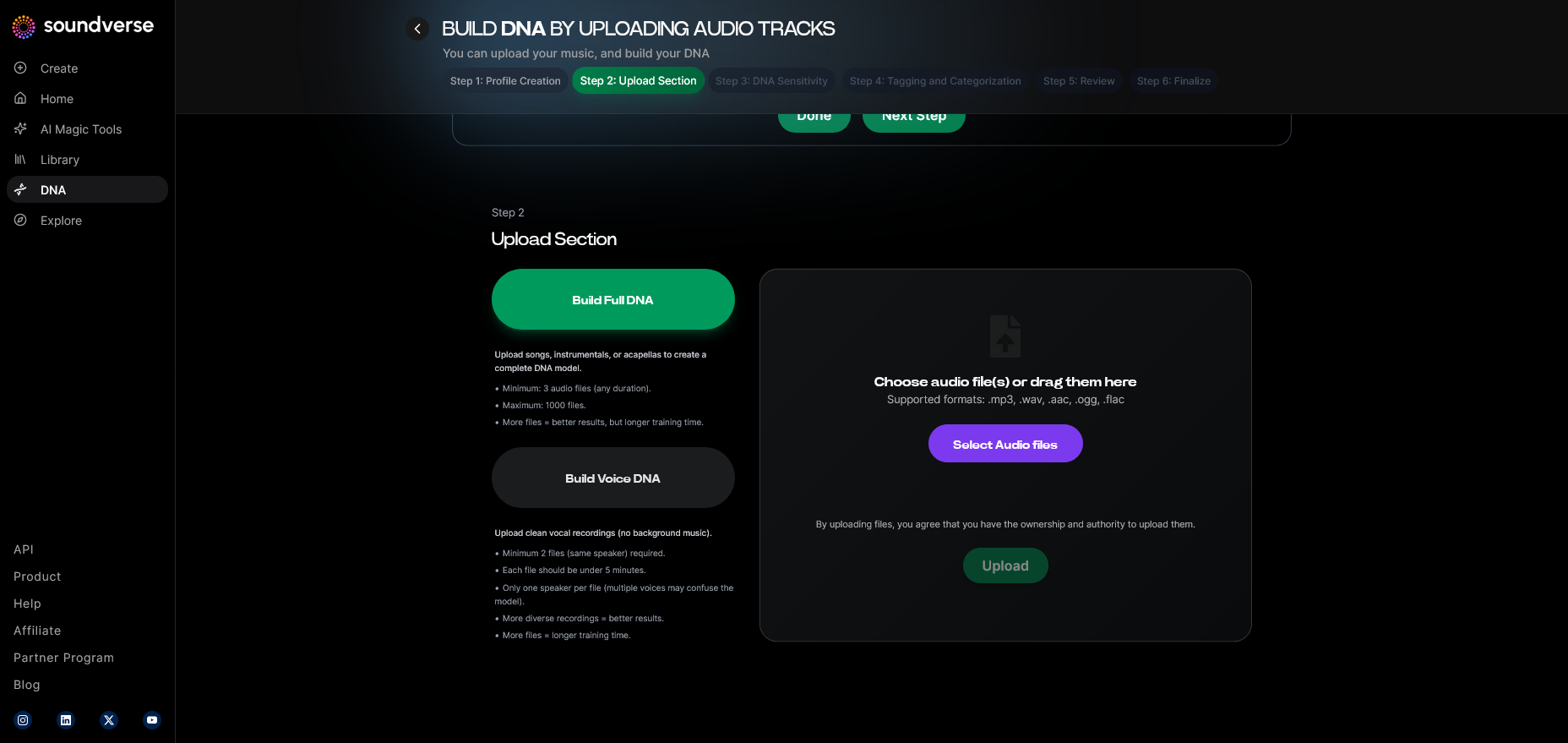
Choose between Full DNA (song and instrumentals) or Voice DNA (vocal timbre and style). Full DNA helps build an entire catalog sound, while Voice DNA focuses on vocal matching.
Step 5: Upload Files
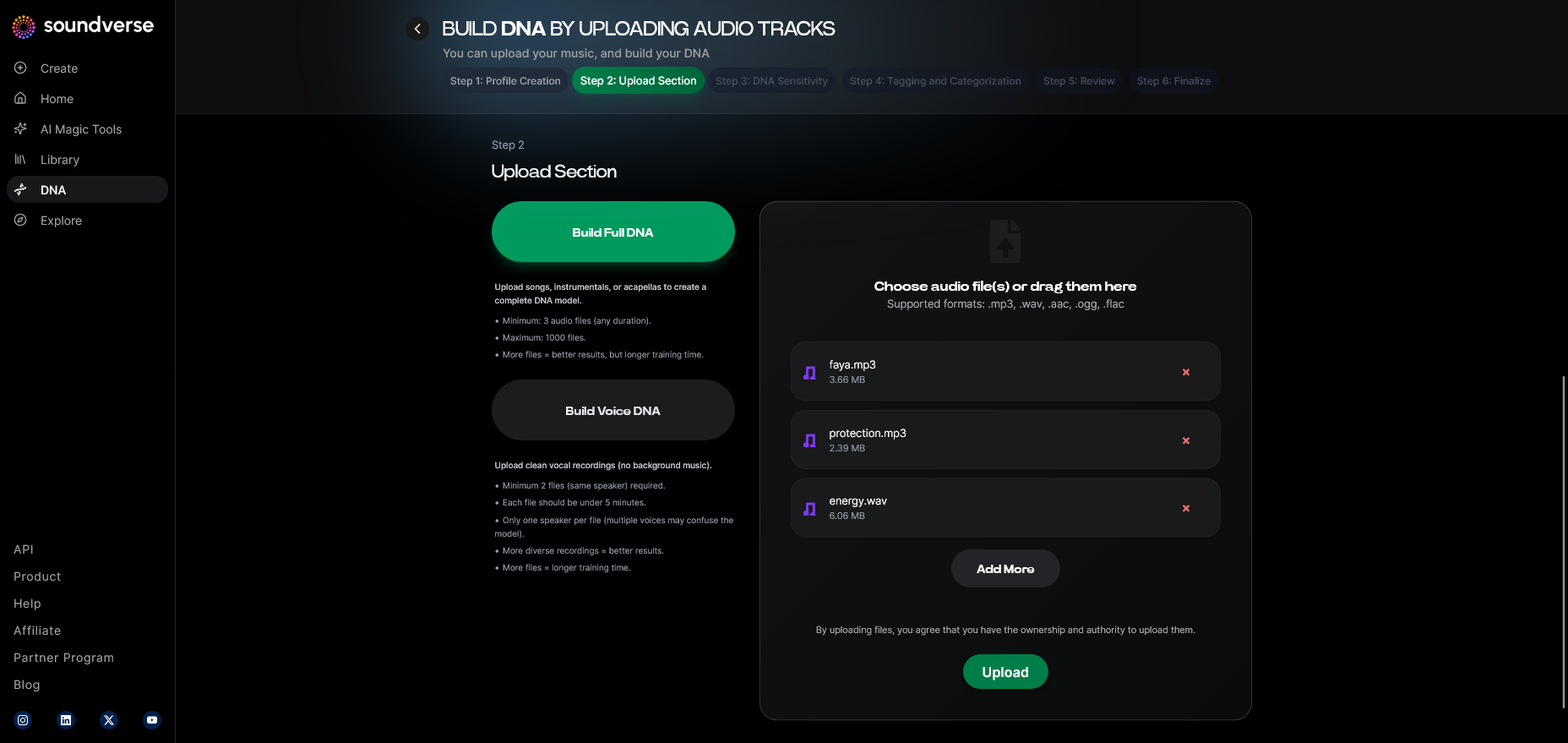
Upload your reference audio files—songs, stems, or samples licensed under your ownership or through the Soundverse Content Partner Program. The system processes these to train your DNA model.
Step 6: Sensitivity Setting
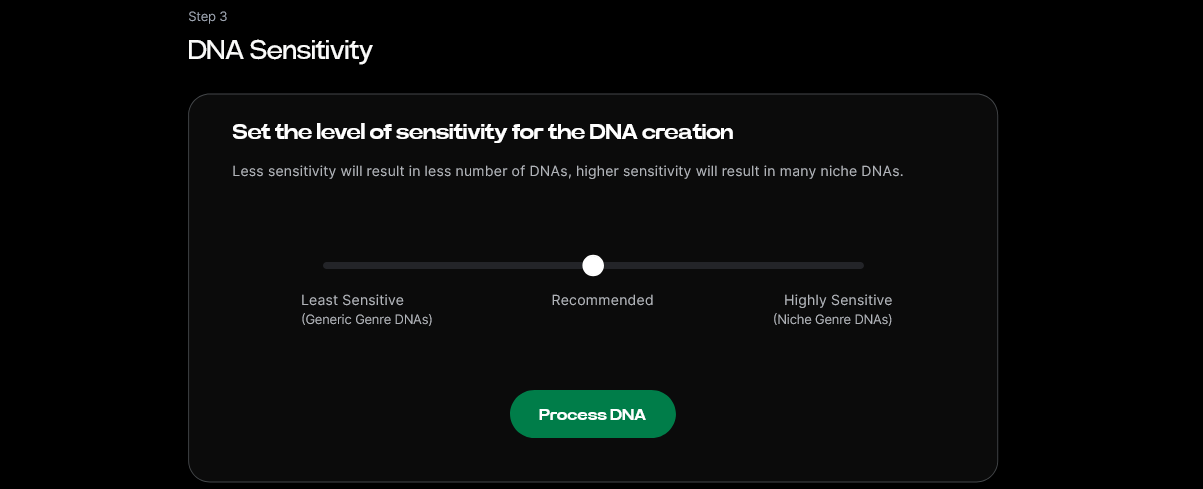
Adjust the Sensitivity Selector, determining how closely future generations adhere to your source material. Low sensitivity yields flexible outputs, while high sensitivity ensures tight adherence to your style.
Step 7: Auto Tagging
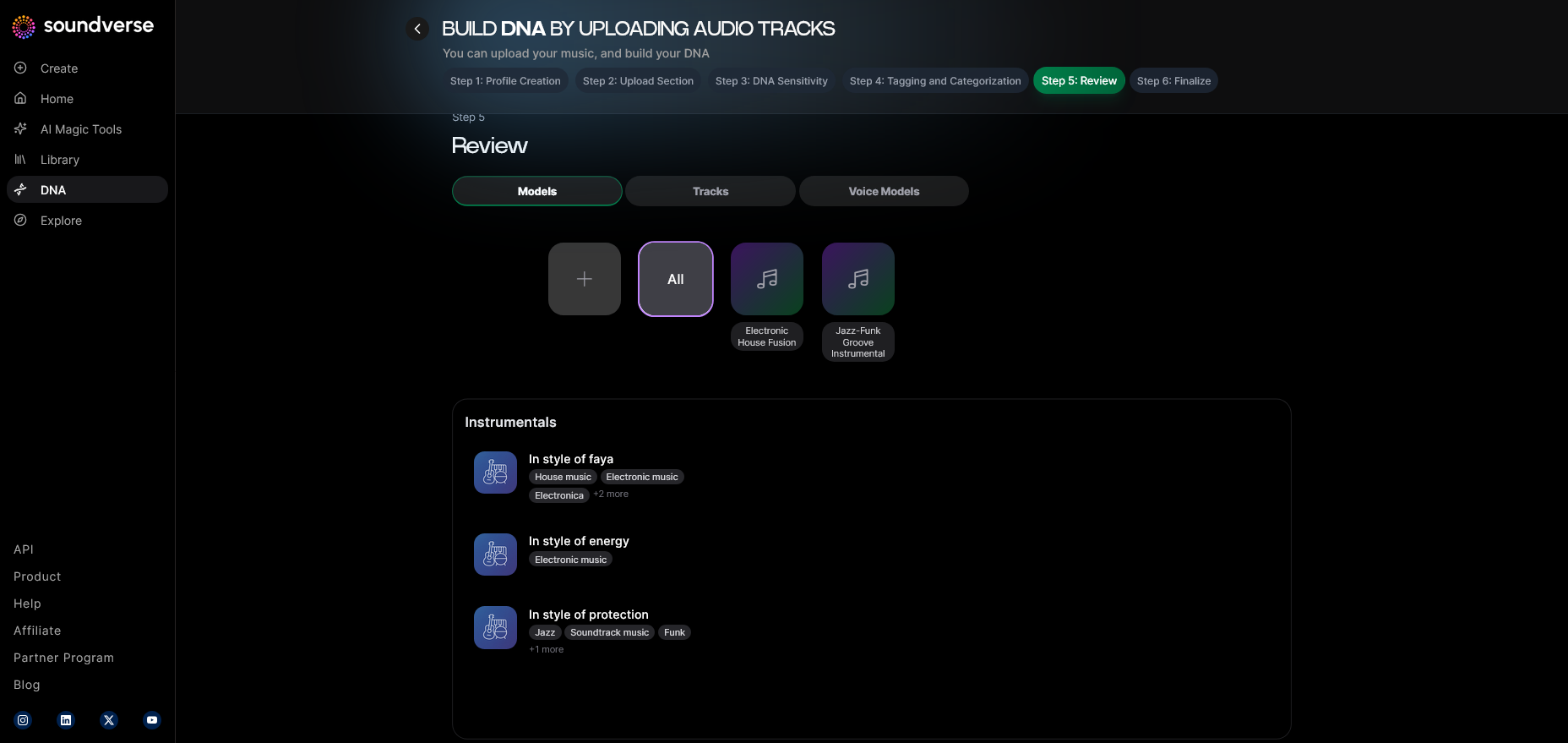
Soundverse automatically tags your uploads with metadata—genre, mood, tempo, instrument type—enhancing searchability and assisting with catalog automation.
Step 8: Review & Publish
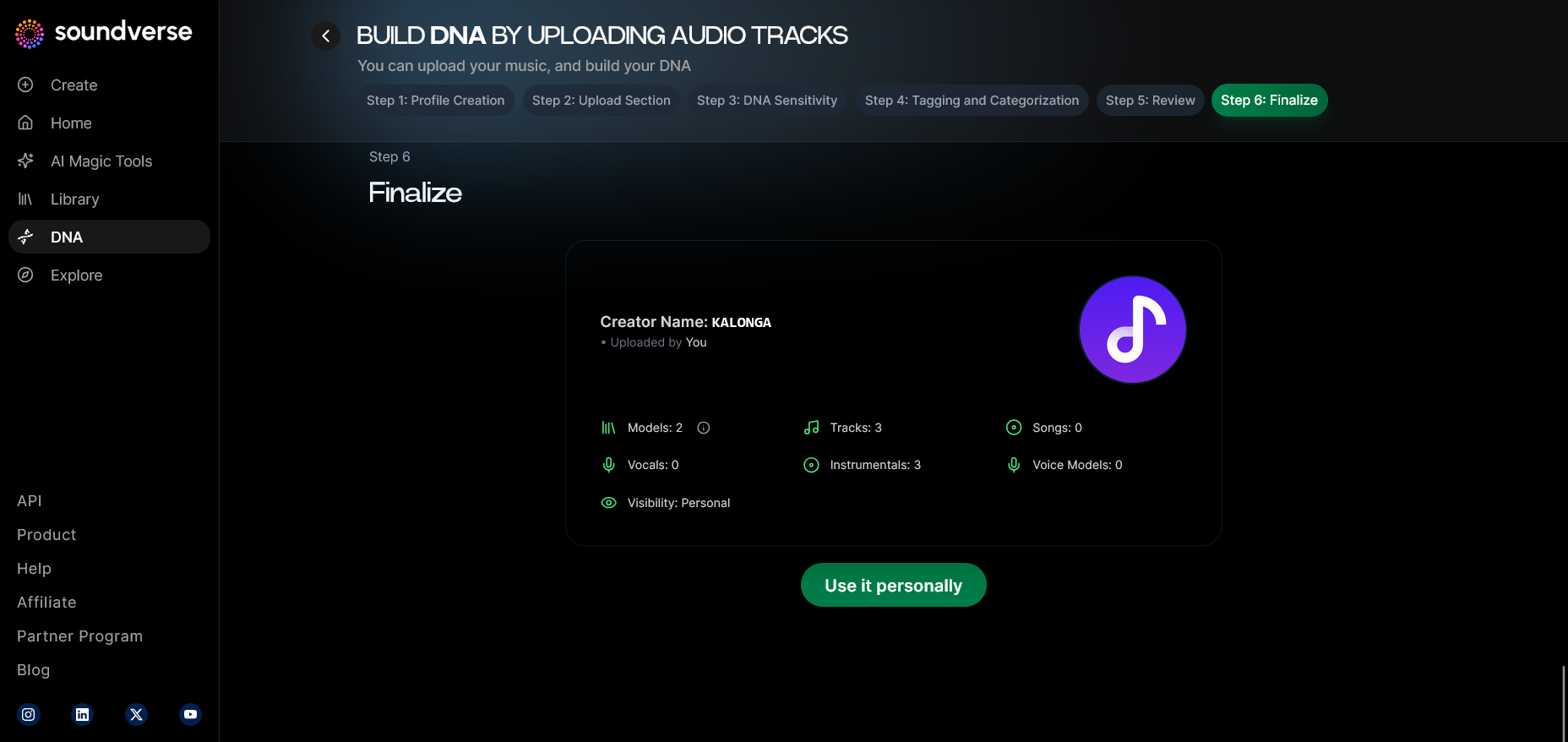
Check all details before publishing your model to your private workspace or the DNA Marketplace. Publishing ensures that generated tracks maintain consistent attribution chains.
Step 9: Generation Panel
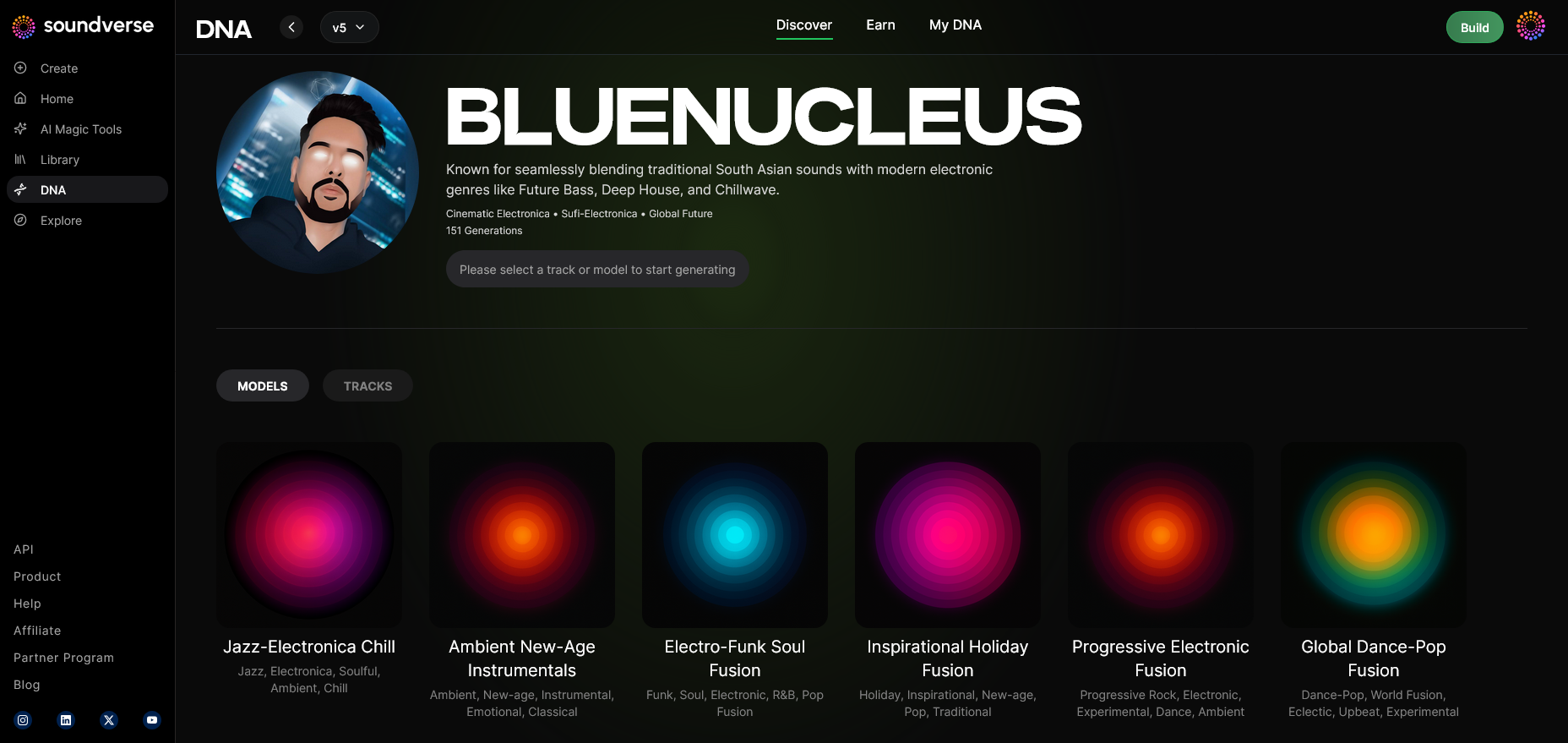
Switch to the generation panel where you can initiate new track creation using your DNA. Input style prompts or select genre filters (pop, ambient, jazz, EDM) to guide output.
Step 10: Model-Based Mode
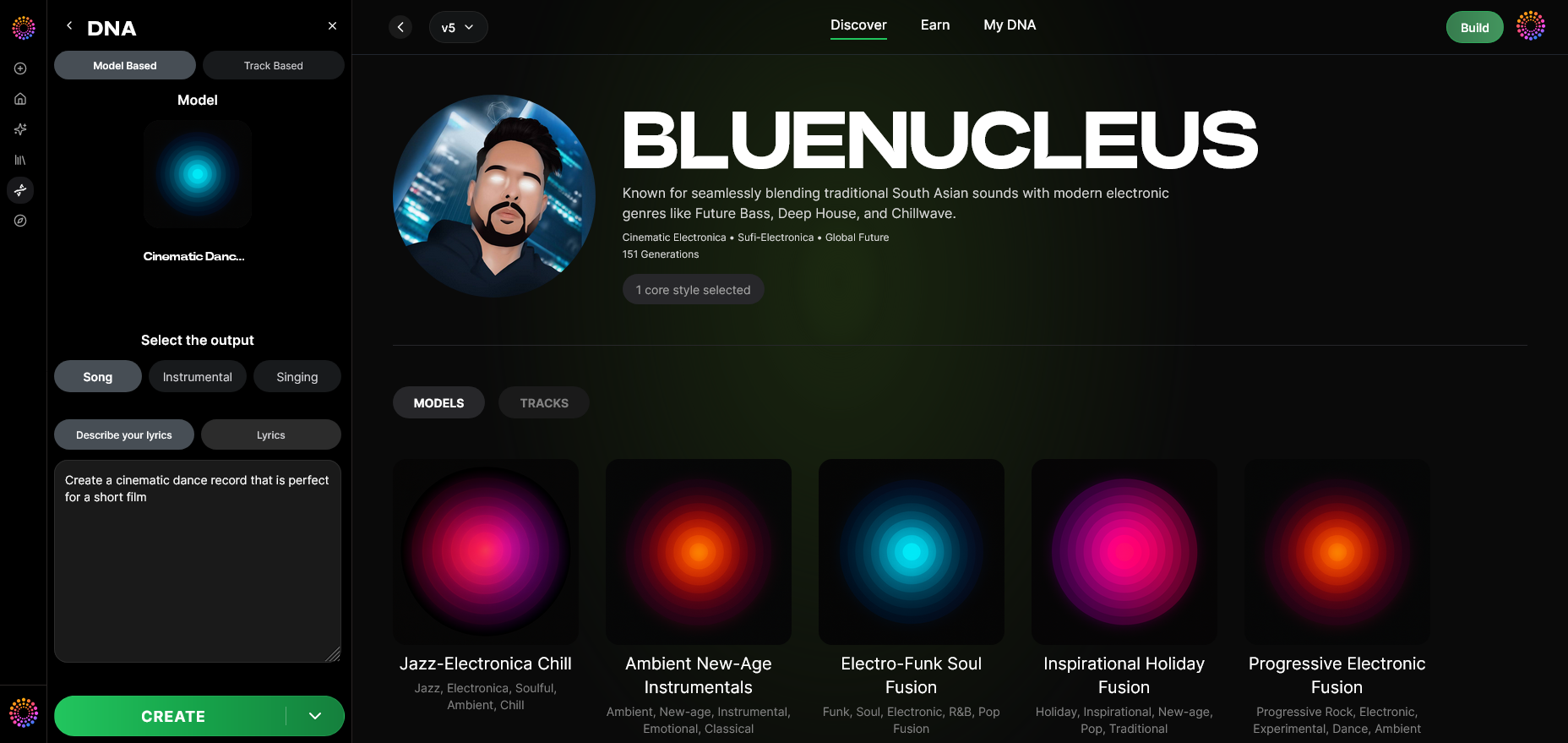
Toggle on model-based mode to ensure generated music is derived directly from your trained DNA instead of general models.
Step 11: Output Type
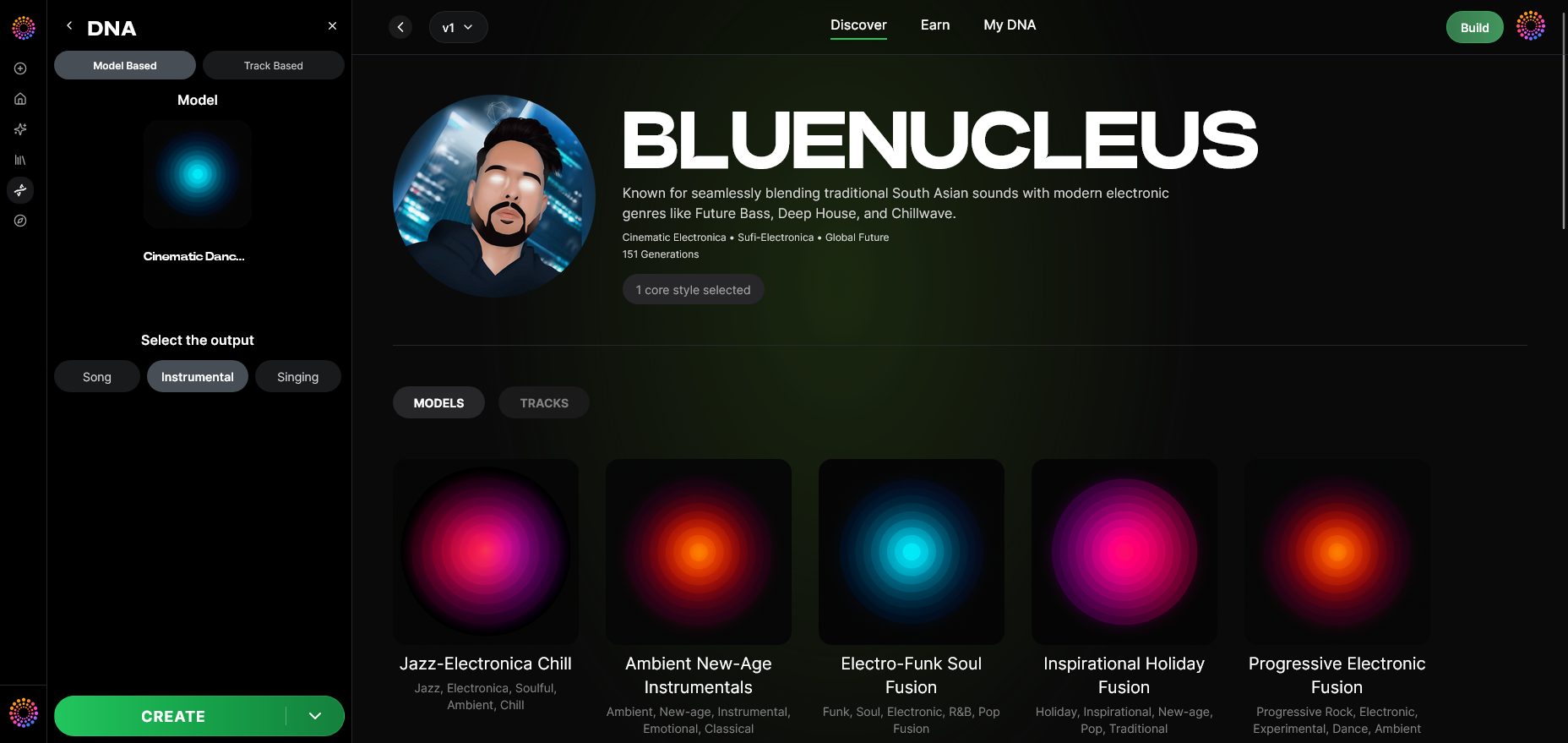
Choose whether the result will be a Song Instrumental or a Singing output, depending on your need for catalog diversity.
Step 12: Prompt Type
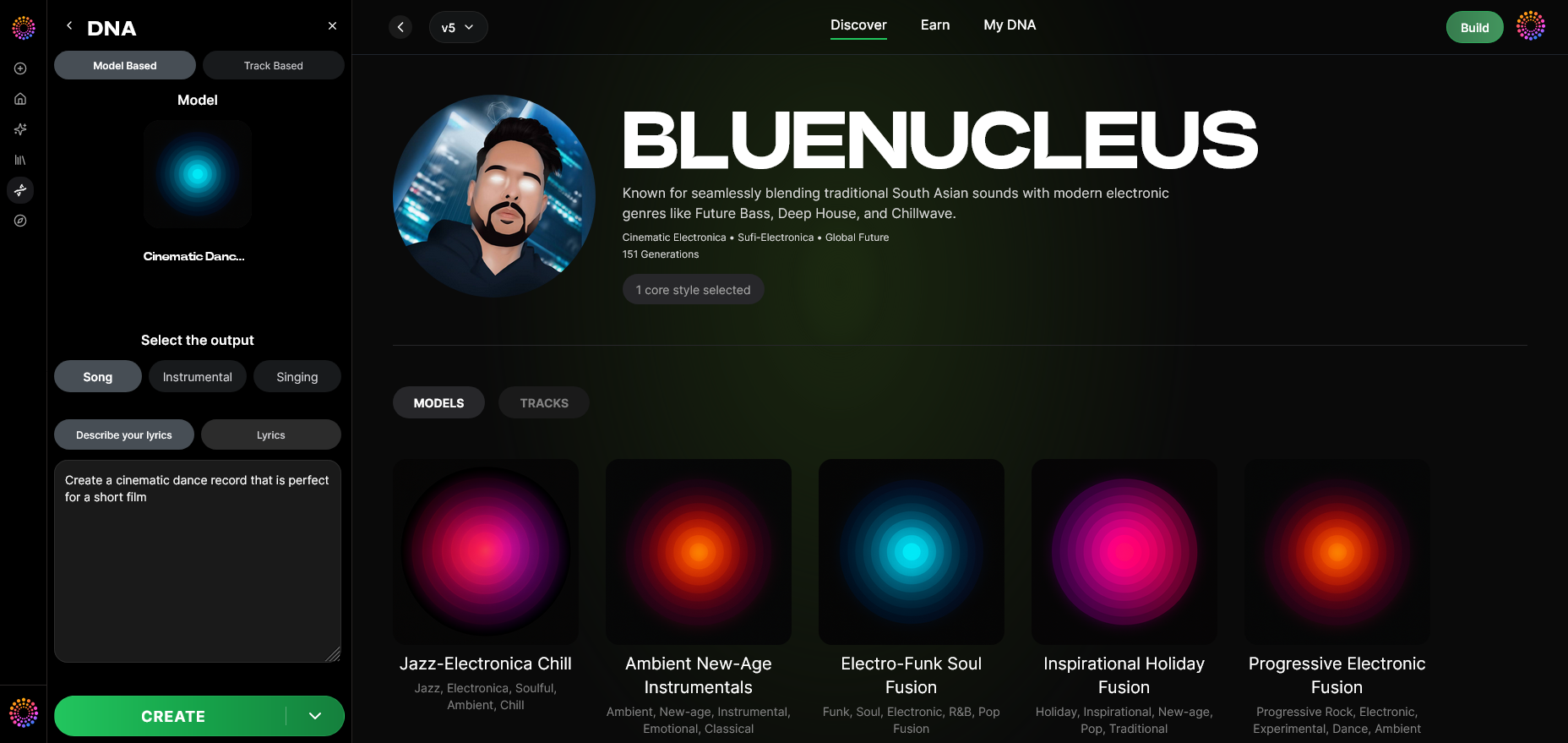
Select between textual or mood-based prompt input methods. For example, you may enter “ethereal ambient track for film teaser” or pick a preset emotion tag.
Step 13: Generation Complete
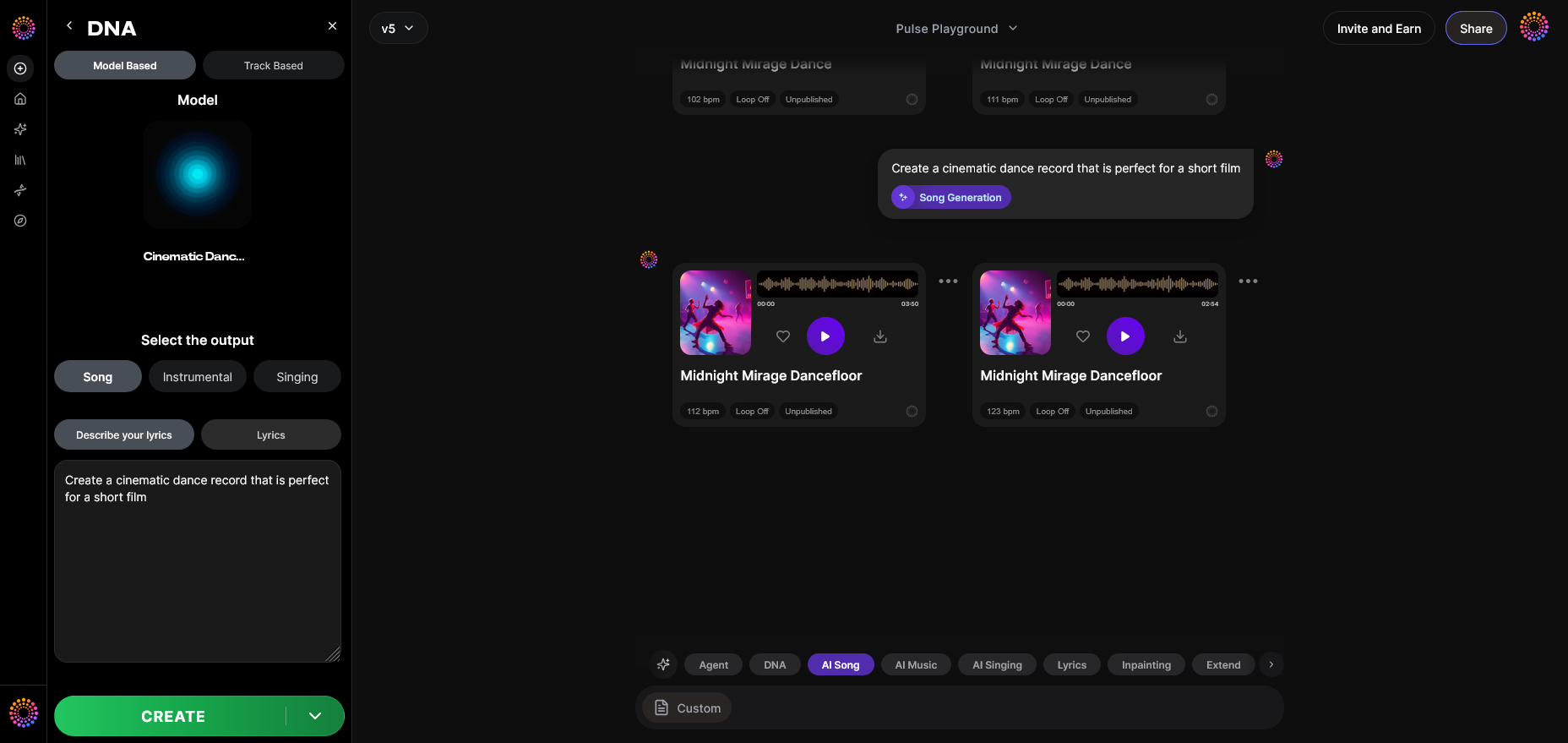
Once generation is done, Soundverse produces a playable preview asynchronously—meaning it processes results before playback without live previewing.
Step 14: Export Options
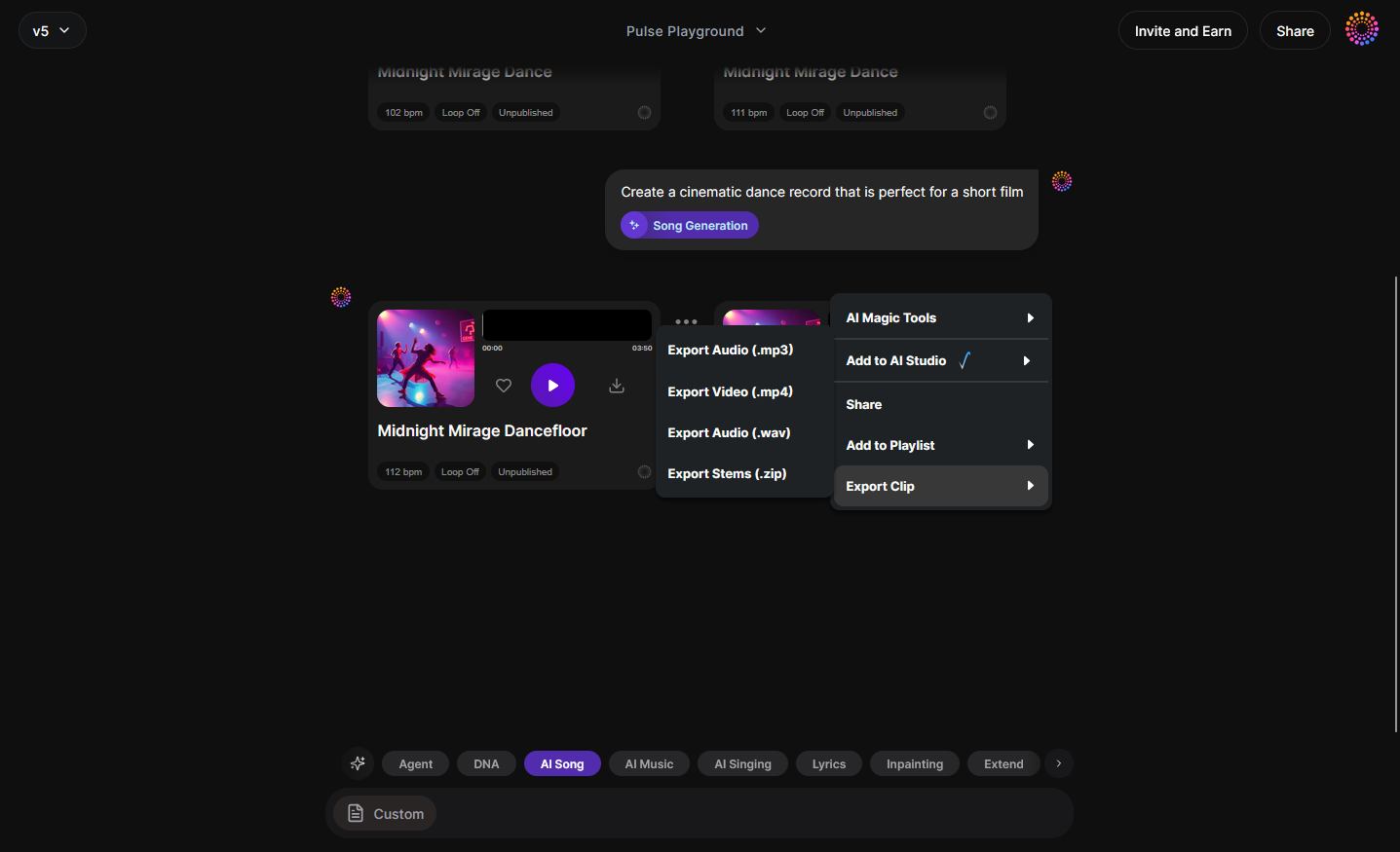
Choose export format—high-quality WAV or MP3—and metadata embedding preferences. Each export includes automatic attribution handled via Soundverse Trace.
Step 15: Track-Based Mode
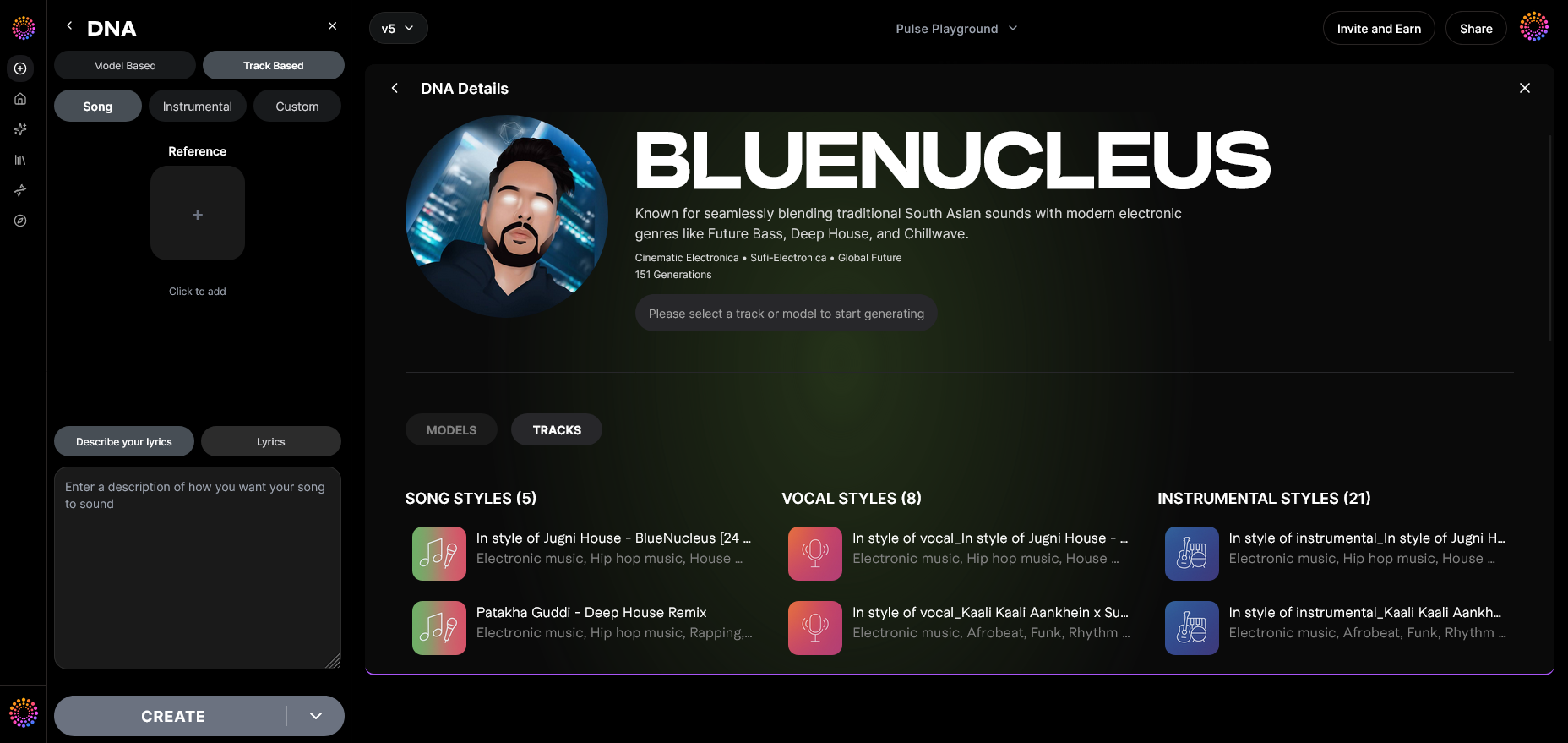
Use Track-Based Mode to recreate catalog entries in similar style clusters. This function is particularly useful for building multiple tracks within one genre for streaming optimization.
Step 16: Style Selection
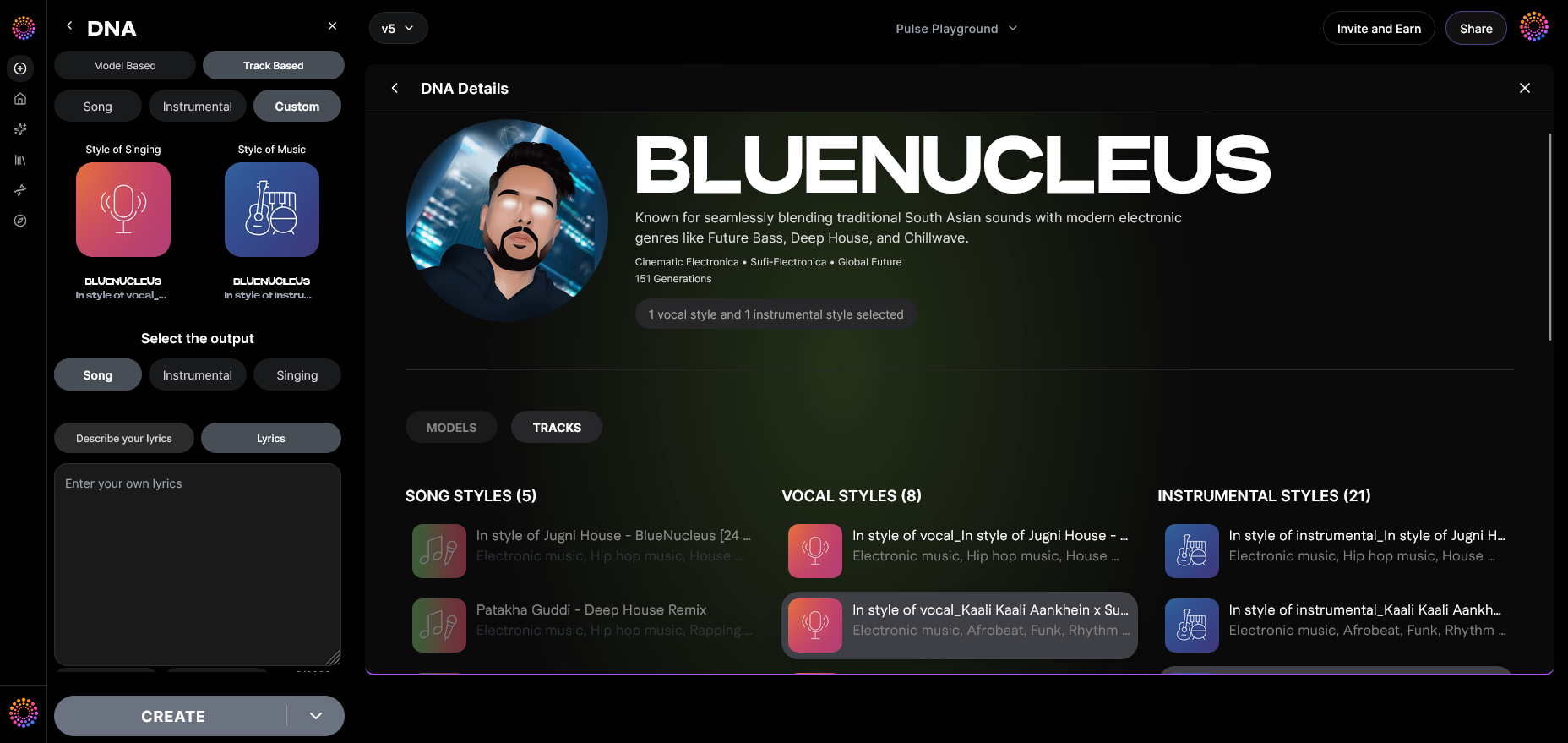
Fine-tune your catalog’s genre attributes: vibe, instrumentation, production complexity. The more specific your selection, the stronger your catalog identity.
Step 17: Lyrics Input
If generating songs, add text prompts for lyrics. The system integrates written content ethically without using any copyrighted material.
Step 18: Model-Based Singing
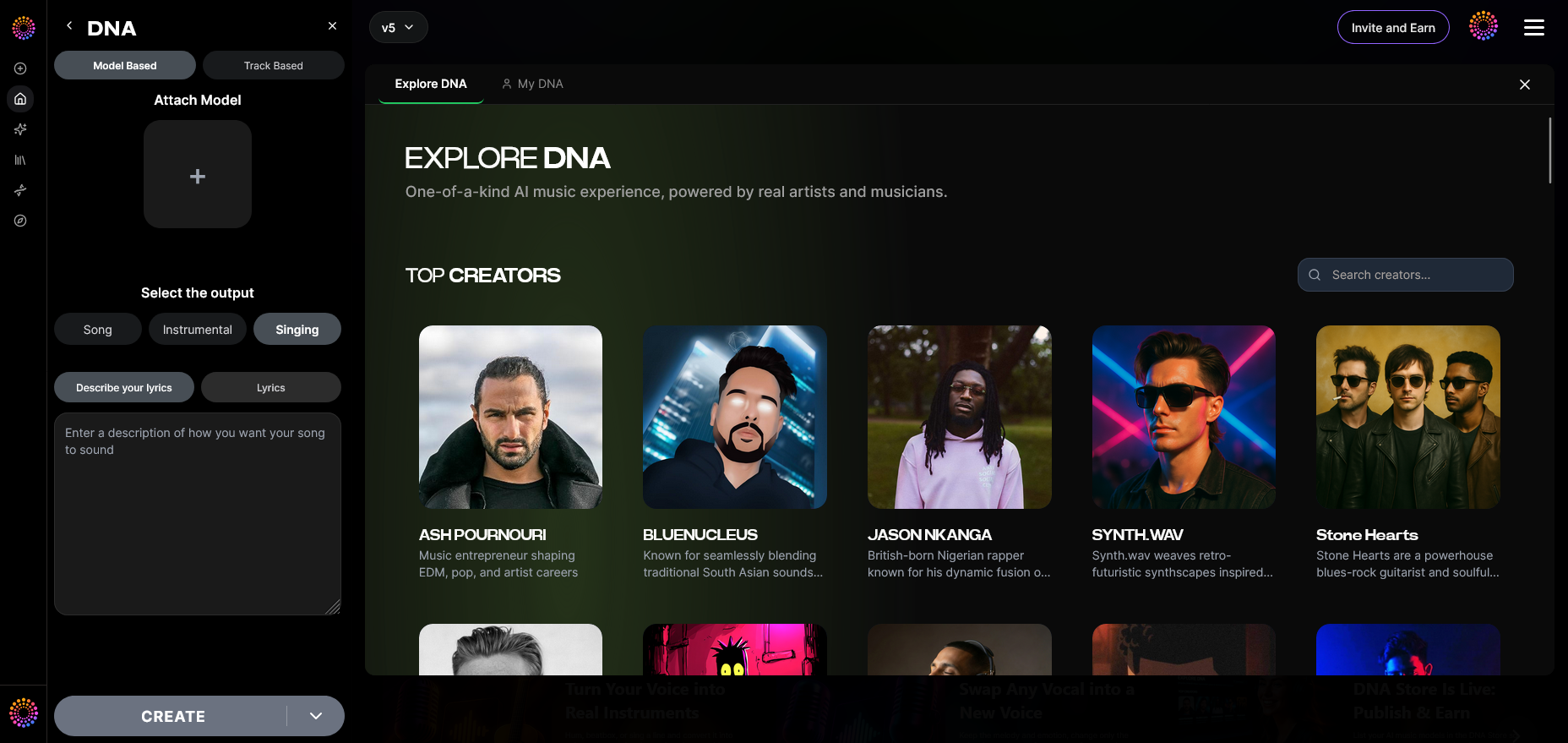
Switch to model-based singing for vocal track generation using Voice DNA. This creates consistent vocal tone without real-time voice-swapping.
Step 19: Attach Model
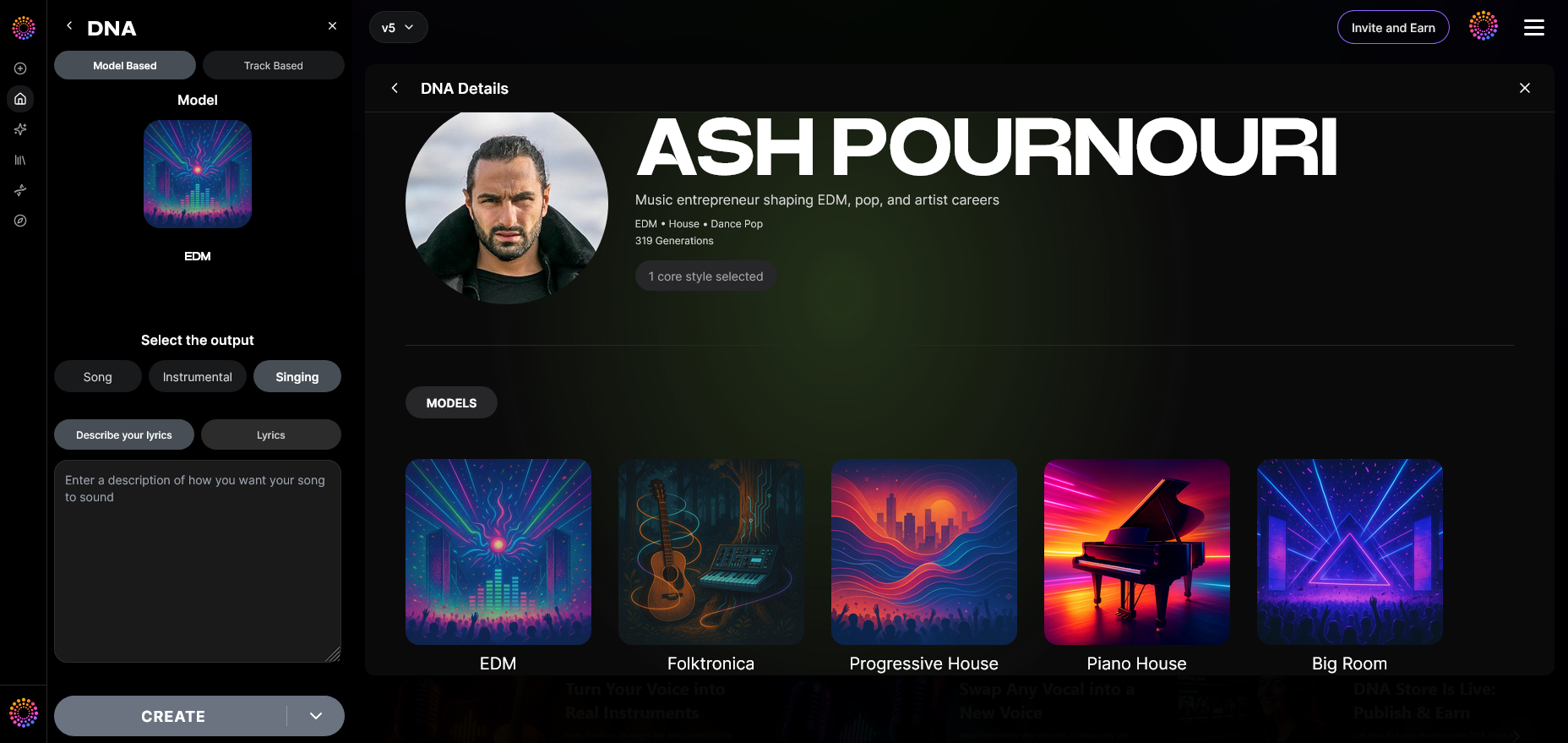
Attach your pre-trained DNA model to new projects so output remains connected with your catalog styles.
For a deeper dive, watch our guide on how to make music or explore tab tutorial from the Soundverse YouTube series to see catalog creation in action.
Pro Tips for Scaling Your AI Music Catalog
- Automate metadata: Leverage auto-tagging for better playlist discovery.
- Cluster eras intelligently: Use Sensitivity Selector to organize by sound evolution (early work vs. current release style).
- Use Soundverse Trace: Embed smart attribution and protect copyright integrity efficiently.
- Monetize creatively: Publish your DNA in the Marketplace for recurring royalties.
- Blend AI tools: Combine DNA generation with arrangement features as explored in Soundverse AI Magic Tools.
Expanding Your Creative Potential
Creating music catalogs with AI is only part of the transformation underway in 2026. Tools such as Soundverse Assistant, available through the Soundverse affiliate program, make it easy to preview content scenarios, genre adaptability, and collaborative generation with other AI tools.
To explore diverse AI music workflows, check out resources like Generate AI Music With Soundverse Text to Music and Music Industry Trends to understand evolving production models.
Start Building Your AI Music Catalog Today
Unlock the power of AI to create endless musical possibilities. Generate, organize, and publish your custom catalog effortlessly with Soundverse’s advanced AI music tools.
Related Articles
- How AI-Generated Music Is Transforming the Music Industry: Explore how AI is reshaping creativity, workflow, and collaboration across the modern music landscape.
- Soundverse Assistant: Your AI Music Co-Producer: Discover how Soundverse Assistant helps you refine, mix, and expand your musical projects intelligently.
- The Benefits of Composing with an AI Music Generator: Learn the advantages of using AI tools to streamline creativity and save time while producing high-quality tracks.
- AI Music Generator and Human Composers: A Future Together: Understand how AI and human artistry are joining forces to shape the future of music composition.
Here's how to make AI Music with Soundverse
Video Guide

Here’s another long walkthrough of how to use Soundverse AI.
Text Guide
- To know more about AI Magic Tools, check here.
- To know more about Soundverse Assistant, check here.
- To know more about Arrangement Studio, check here.
Soundverse is an AI Assistant that allows content creators and music makers to create original content in a flash using Generative AI.
With the help of Soundverse Assistant and AI Magic Tools, our users get an unfair advantage over other creators to create audio and music content quickly, easily and cheaply.
Soundverse Assistant is your ultimate music companion. You simply speak to the assistant to get your stuff done. The more you speak to it, the more it starts understanding you and your goals.
AI Magic Tools help convert your creative dreams into tangible music and audio. Use AI Magic Tools such as text to music, stem separation, or lyrics generation to realise your content dreams faster.
Soundverse is here to take music production to the next level. We're not just a digital audio workstation (DAW) competing with Ableton or Logic, we're building a completely new paradigm of easy and conversational content creation.
TikTok: https://www.tiktok.com/@soundverse.ai
Twitter: https://twitter.com/soundverse_ai
Instagram: https://www.instagram.com/soundverse.ai
LinkedIn: https://www.linkedin.com/company/soundverseai
Youtube: https://www.youtube.com/@SoundverseAI
Facebook: https://www.facebook.com/profile.php?id=100095674445607
Join Soundverse for Free and make Viral AI Music

We are constantly building more product experiences. Keep checking our Blog to stay updated about them!