How to Add Your Own Sound to TikTok in 2026: The Complete Creator Guide
Learn how to add your own sound to TikTok using Soundverse DNA for custom, copyright-safe tracks.
How to Add Your Own Sound to TikTok
As TikTok continues to dominate the short-form video landscape in 2026, sound remains the core of the platform’s creative magic. Songs, voiceovers, or even quirky background tracks can define a video’s virality. But what if you want to use your own original sound—not just what’s trending or available in TikTok’s library? This comprehensive guide shows you exactly how to add your own sound to TikTok, generate music that fits your brand identity, and do it copyright-safely.
Why Adding Your Own Sound to TikTok Matters in 2026

Trends move fast, and the TikTok algorithm now prioritizes originality and authenticity. Using your own sound—whether that means custom music, voice samples, or a personalized jingle—signals uniqueness. Influencers, brands, and creators who use original or AI-generated music achieve higher storytelling freedom and avoid copyright strikes. In 2026, with the rise of AI content tools and user-generated media, learning how to upload or create your own TikTok sound is essential.
What Are TikTok Sounds?
TikTok sounds are the backbone of every video. They can include:
- Music from TikTok’s official library.
- Recording directly within the TikTok app.
- Uploaded audio files from your phone.
- Original tracks produced externally (like on Soundverse).
When you add your own sound to TikTok, you take full control over creative expression. You can turn your voice, beats, or brand tone into reusable sound assets that others can remix and share. Learn more from Adobe’s guide on making a sound on TikTok.
How to Make Custom TikTok Sounds with Soundverse Soundverse DNA
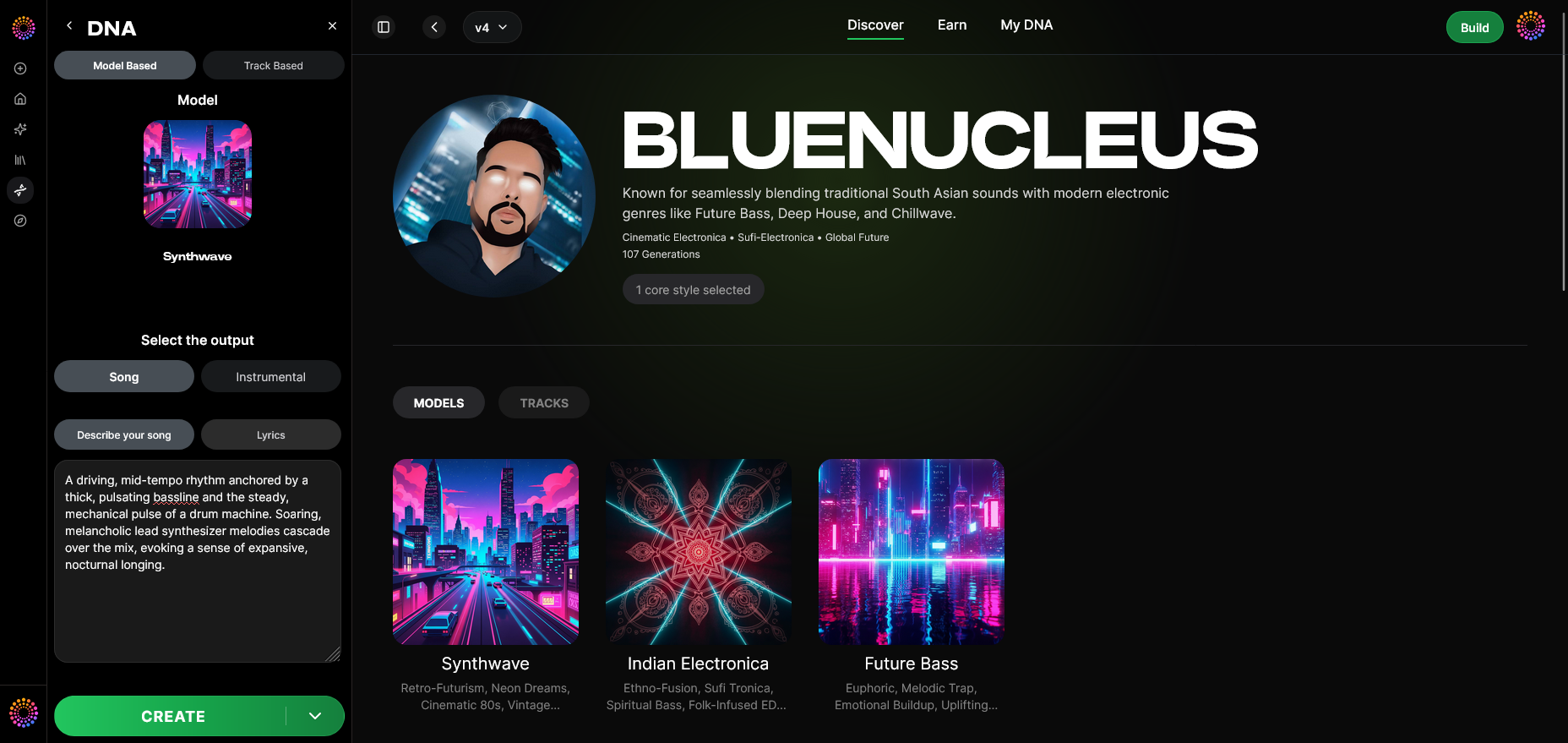
To create professional-quality, original, and copyright-safe sound for TikTok, Soundverse offers Soundverse DNA, an advanced AI music generation system designed for artists, influencers, and creators.
Soundverse DNA Overview:
Soundverse DNA is trained on licensed catalogs, making every generated sound ethically valid and royalty-free. It analyzes “sonic identities” — unique style signatures based on artist DNA. You can clone a music style, maintain consistent brand sound, or even monetize your artistic DNA.
Core Capabilities:
- Full DNA (Songs/Instrumentals): Generate full songs or instrumental loops.
- Voice DNA: Create vocals with a specific timbre or character.
- DNA Marketplace: License or sell your sound style.
- Sensitivity Selector: Adjust how closely your sound matches certain eras or moods.
- Private Mode: Work securely and privately when developing signature tracks.
This tool helps creators bypass copyright pitfalls effortlessly. When you use Soundverse DNA to craft your custom TikTok sound, every piece is automatically verified as safe for public use and distribution.
Step-by-Step: How to Add Your Own Sound to TikTok Using Soundverse DNA
This process ensures you create a unique and copyright-safe sound ready for uploading.
Step 1: Overview — Understand DNA Mode
Start by exploring the DNA generation feature inside Soundverse. In DNA Mode, you can build your sound identity using your influences, vocal recordings, or instrumental examples. This foundation helps the AI generate tracks that truly reflect your style.
Step 2: Dashboard — Access ‘My DNA’ Management Panel
Log in to your Soundverse dashboard. Navigate to ‘My DNA,’ where all your musical identities and models are stored. This centralized view lets you manage previous creations or start new ones for fresh TikTok content.
Step 3: Creator Profile — Set Up Your Artist Identity
Before creating new music, define your creator profile. Adding your name, brand tone, or musical genre ensures that every generated output aligns with your content theme—whether it’s cinematic storytelling or fast-paced dance edits.
Step 4: DNA Type Selection — Choose ‘Full DNA’ or ‘Voice DNA’
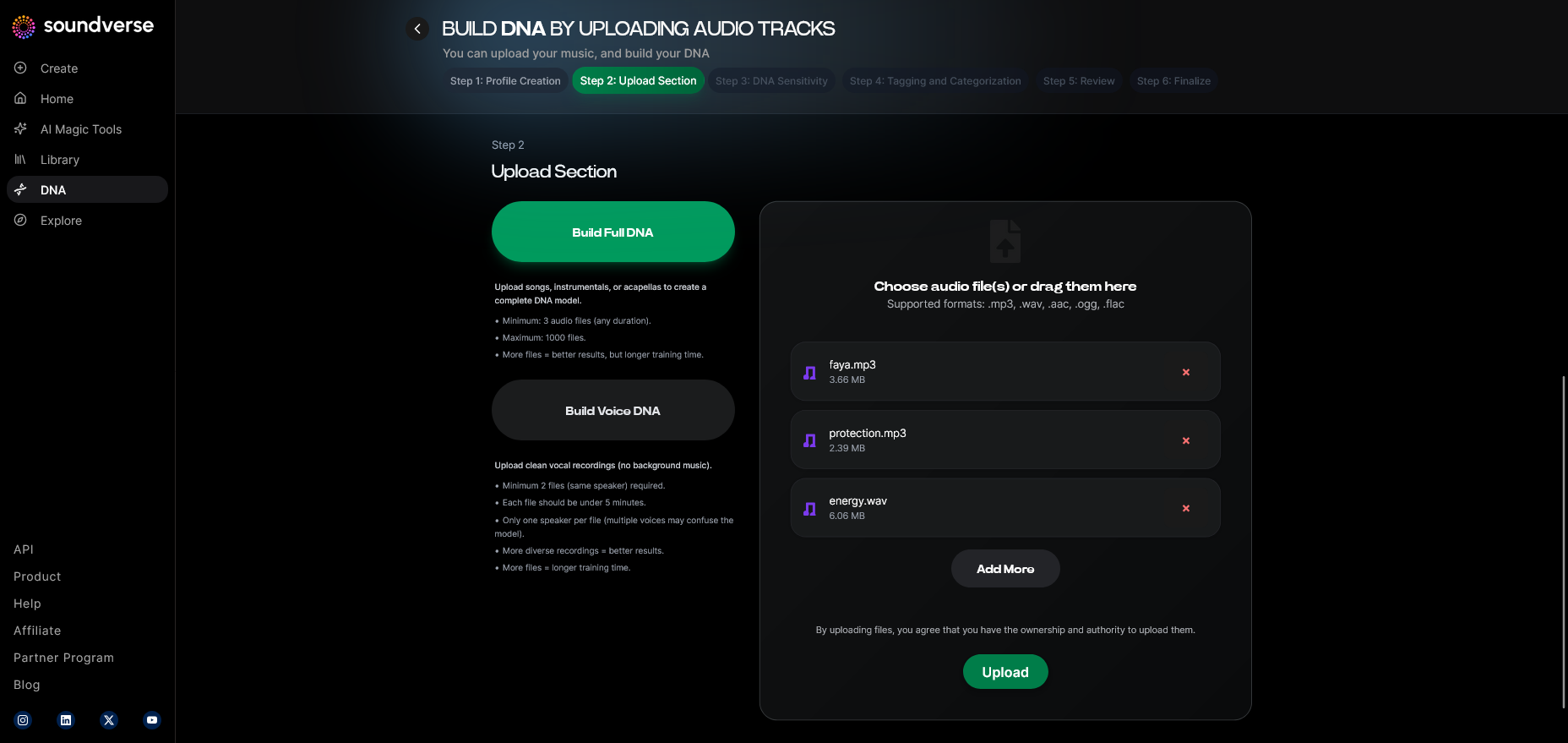
Decide whether you want a complete song or a vocal-based version. For TikTok videos, many creators combine short instrumentals with custom voice DNA snippets, creating memorable sound bites.
Step 5: Upload Files — Provide Your Audio Reference
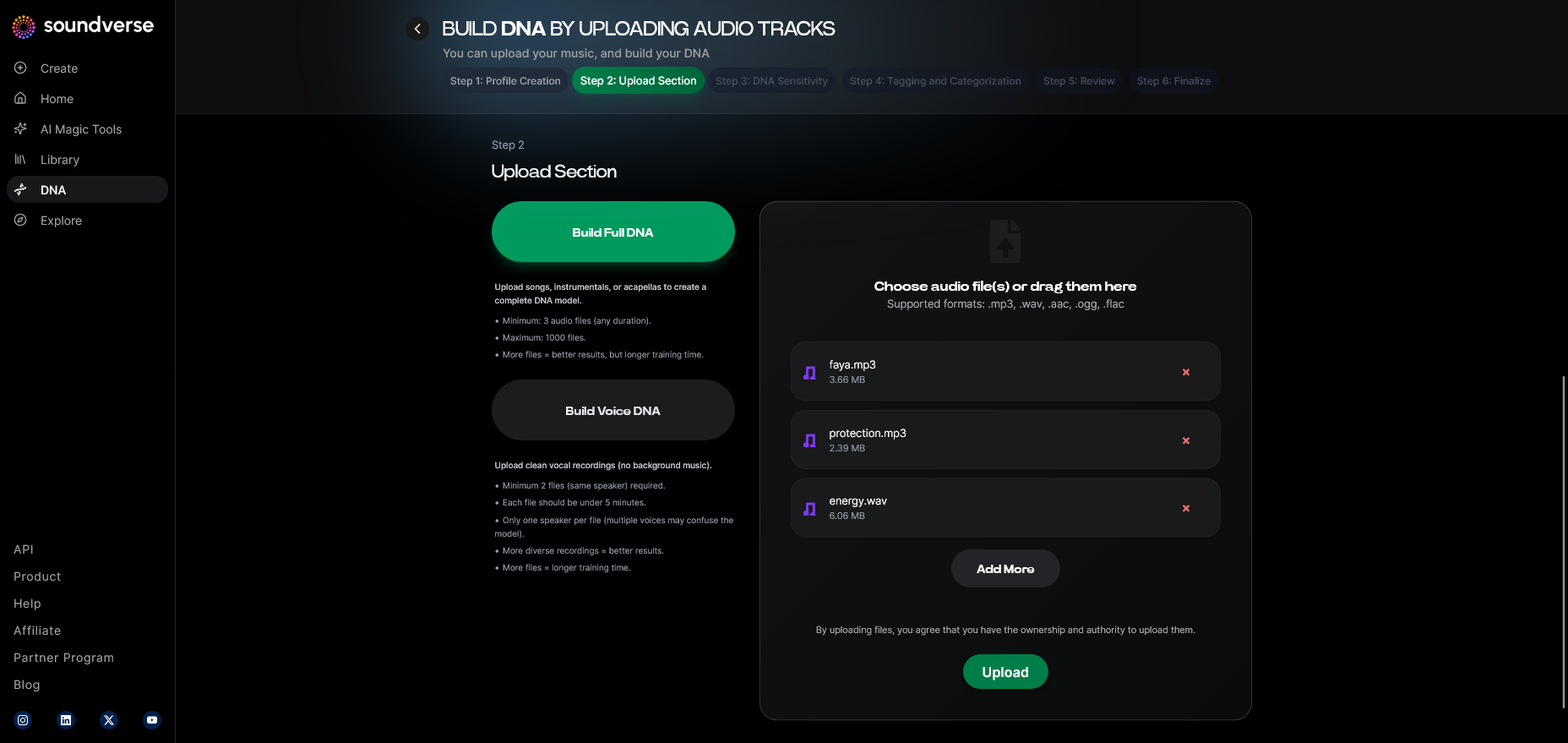
Upload samples, stems, or short recordings that reflect your target sound. These references help Soundverse learn your sonic fingerprint. You can use this for brand jingles, intros, or a trendy music loop.
Step 6: Sensitivity Setting — Fine-Tune the Model’s Responsiveness
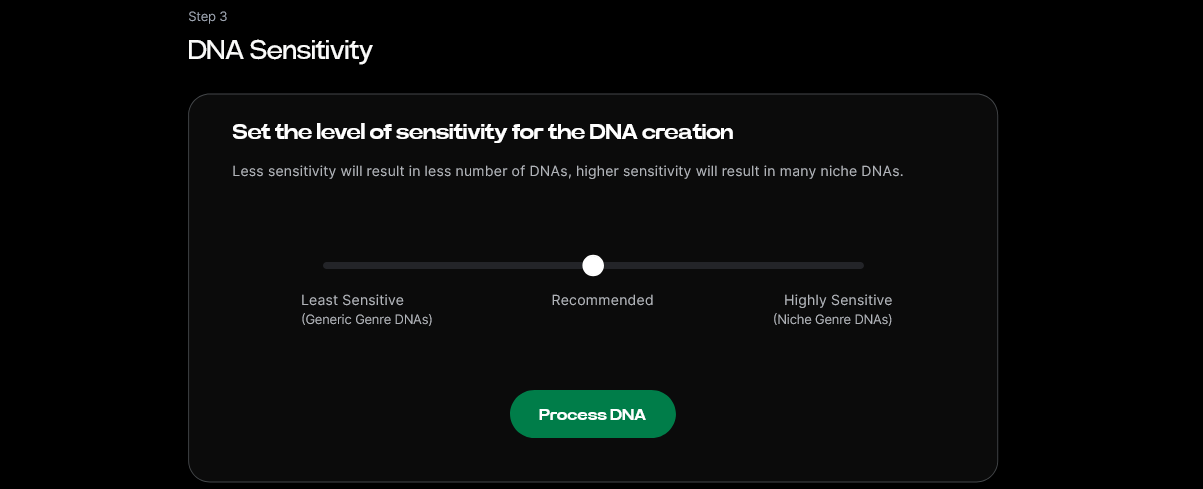
Use the sensitivity slider to define how strongly your generated output should resemble your references. A high sensitivity will sound closer to your existing style; a lower setting allows more experimental variation.
Step 7: Auto Tagging — Generate Metadata Automatically
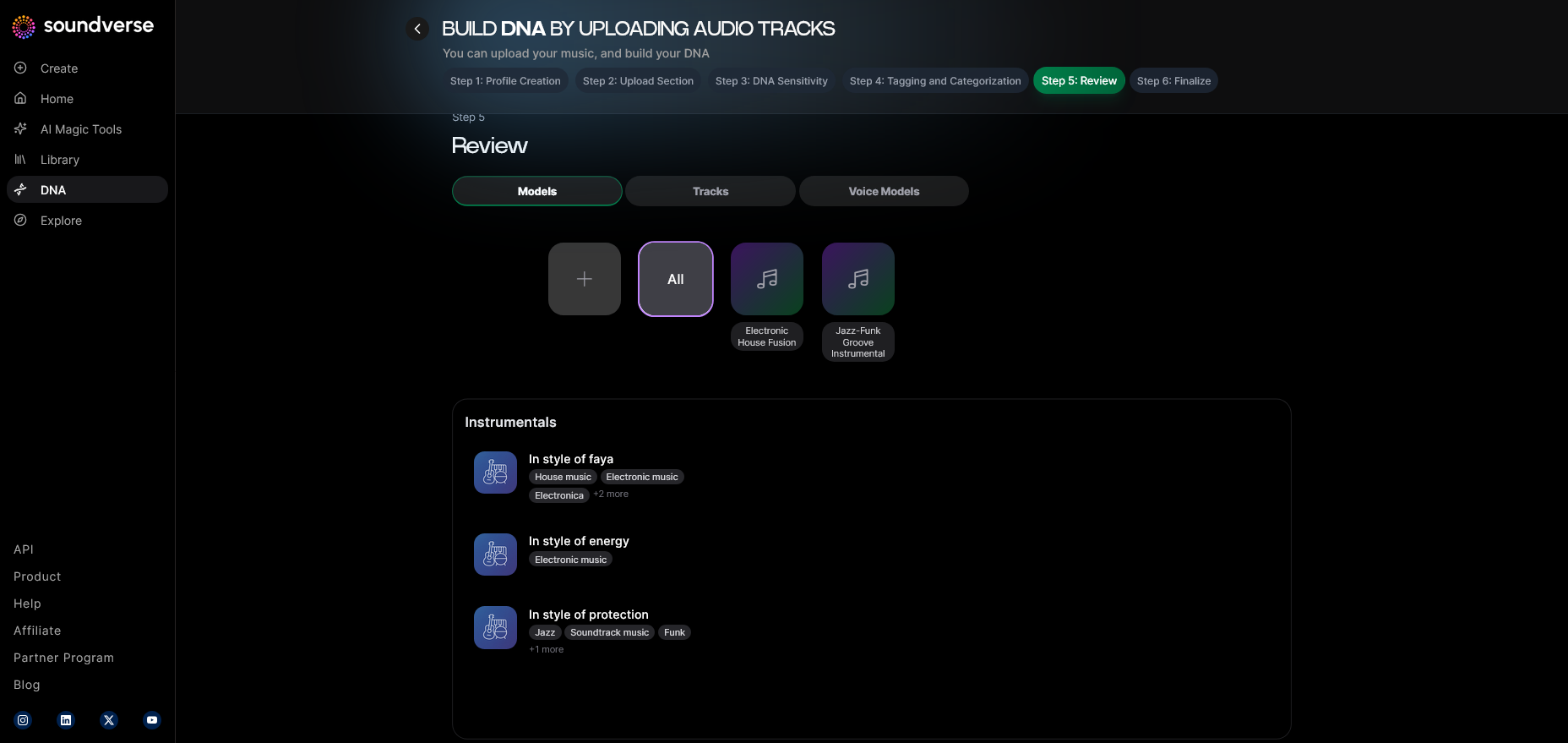
Soundverse automatically tags your DNA creation with genre, tempo, and mood. This makes it easier to find the right vibe when exporting or organizing future TikTok uploads.
Step 8: Review & Publish — Finalize Your DNA Model
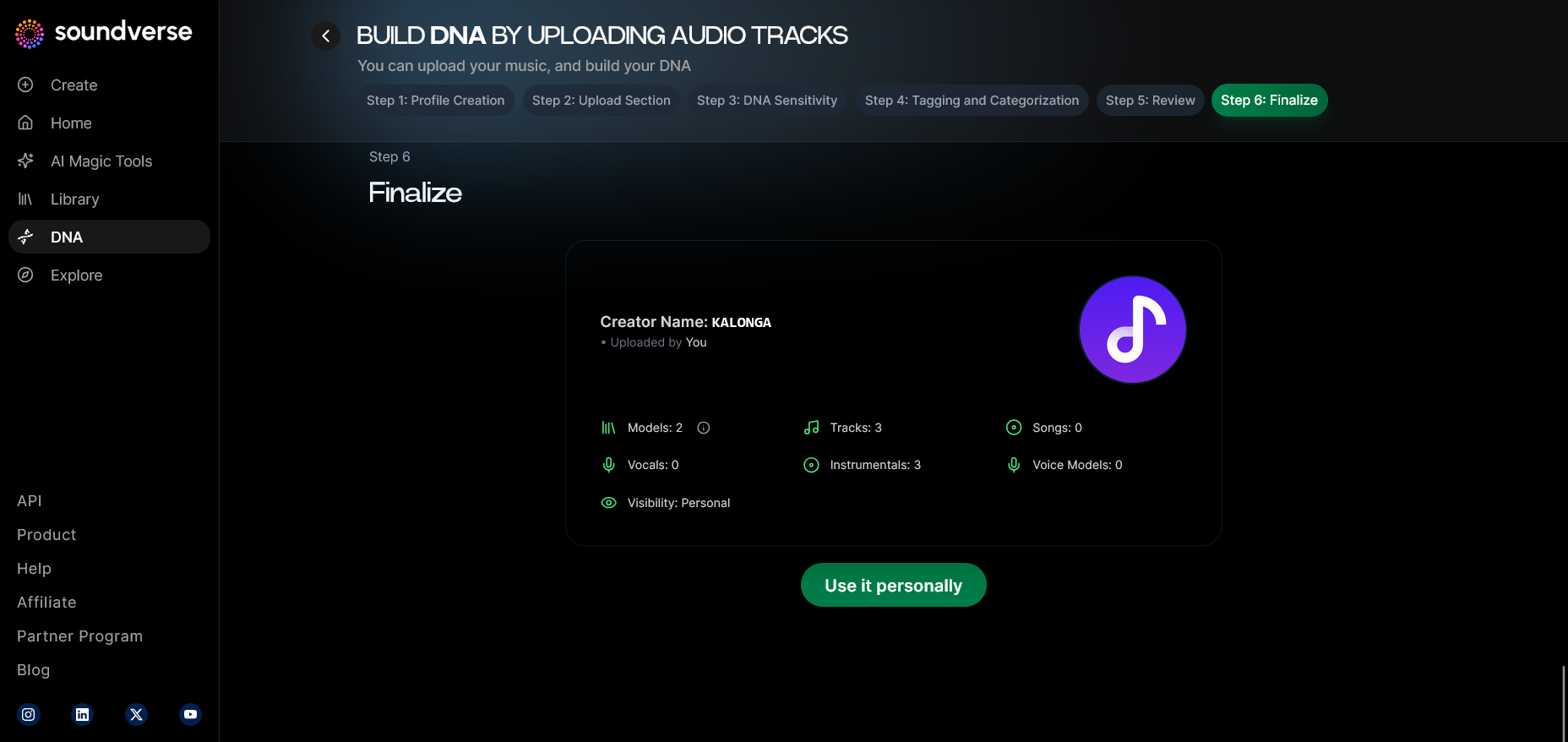
Once satisfied, review the generated previews within your dashboard. Publish your sound to activate your DNA model for future generations.
Step 9: Generation Panel — Open the DNA Music Generator
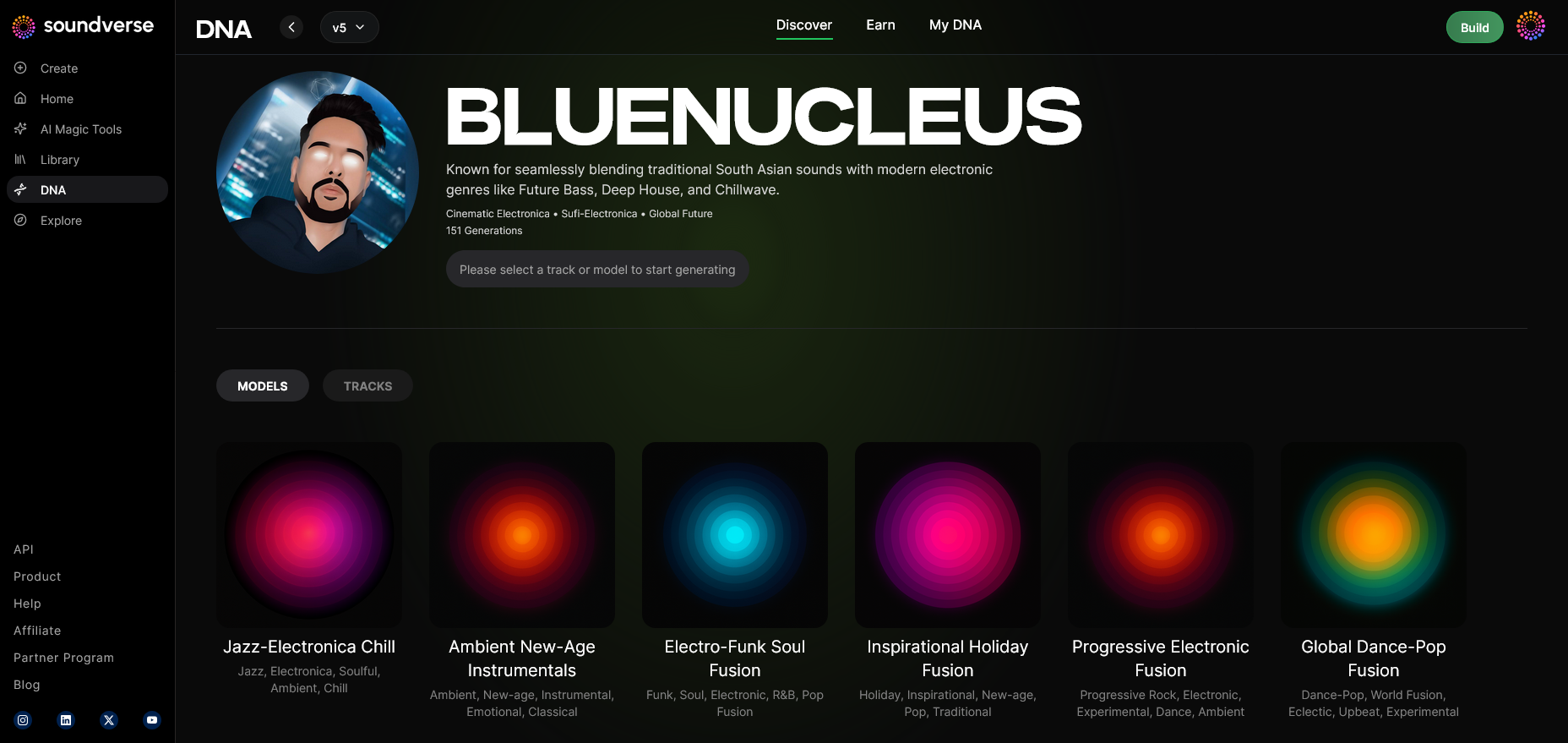
Head over to the Generation Panel, where you can start producing actual music using your DNA model. You can choose from text prompts or style presets to shape your TikTok sound. For a deeper dive, watch our guide on how to make music or explore tab walkthrough.
Step 10: Model-Based Mode — Use Creator DNA for Generation
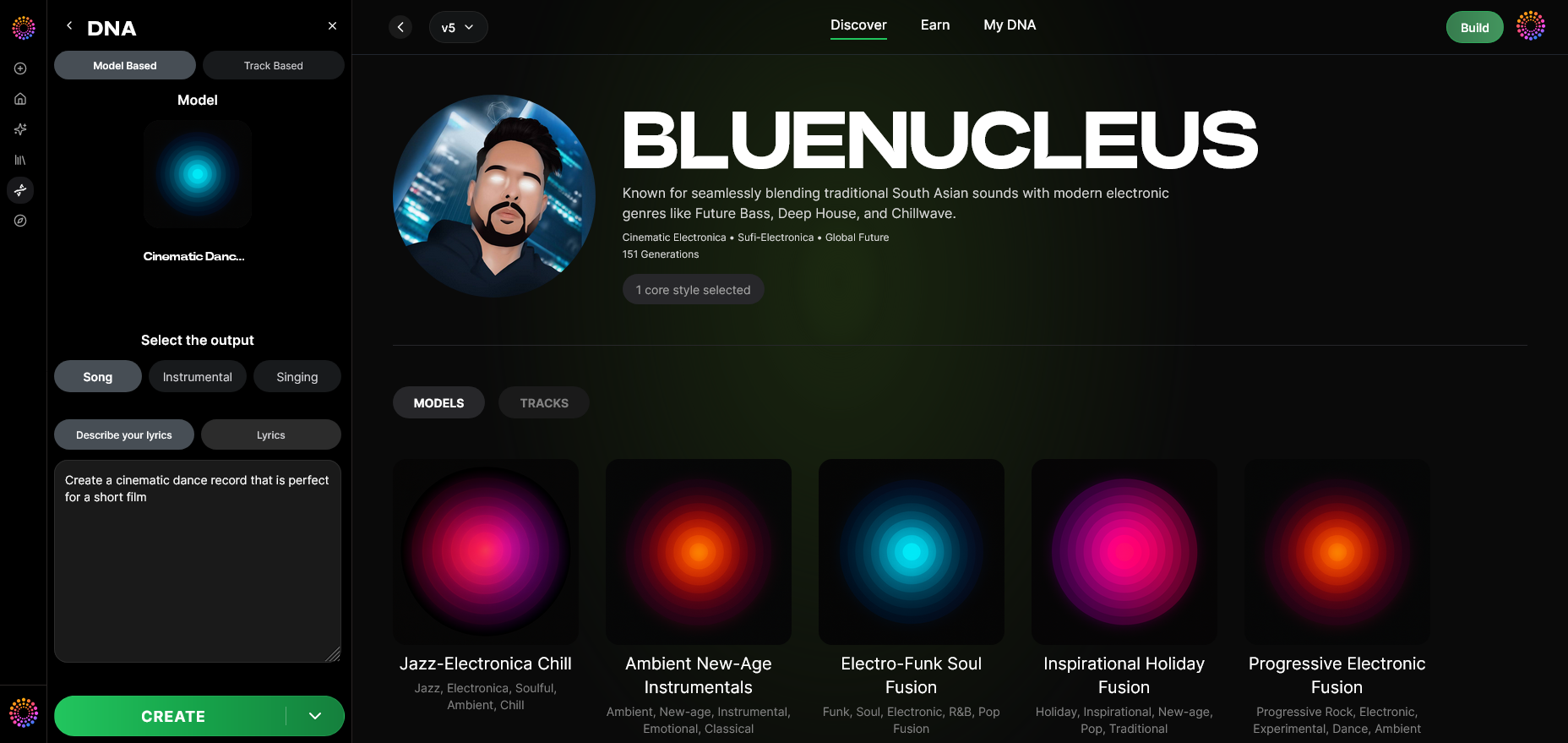
Enable model-based mode to make Soundverse use your new DNA profile directly. This ensures a cohesive sonic identity across all generated TikTok tracks.
Step 11: Output Type — Select Song or Instrumental
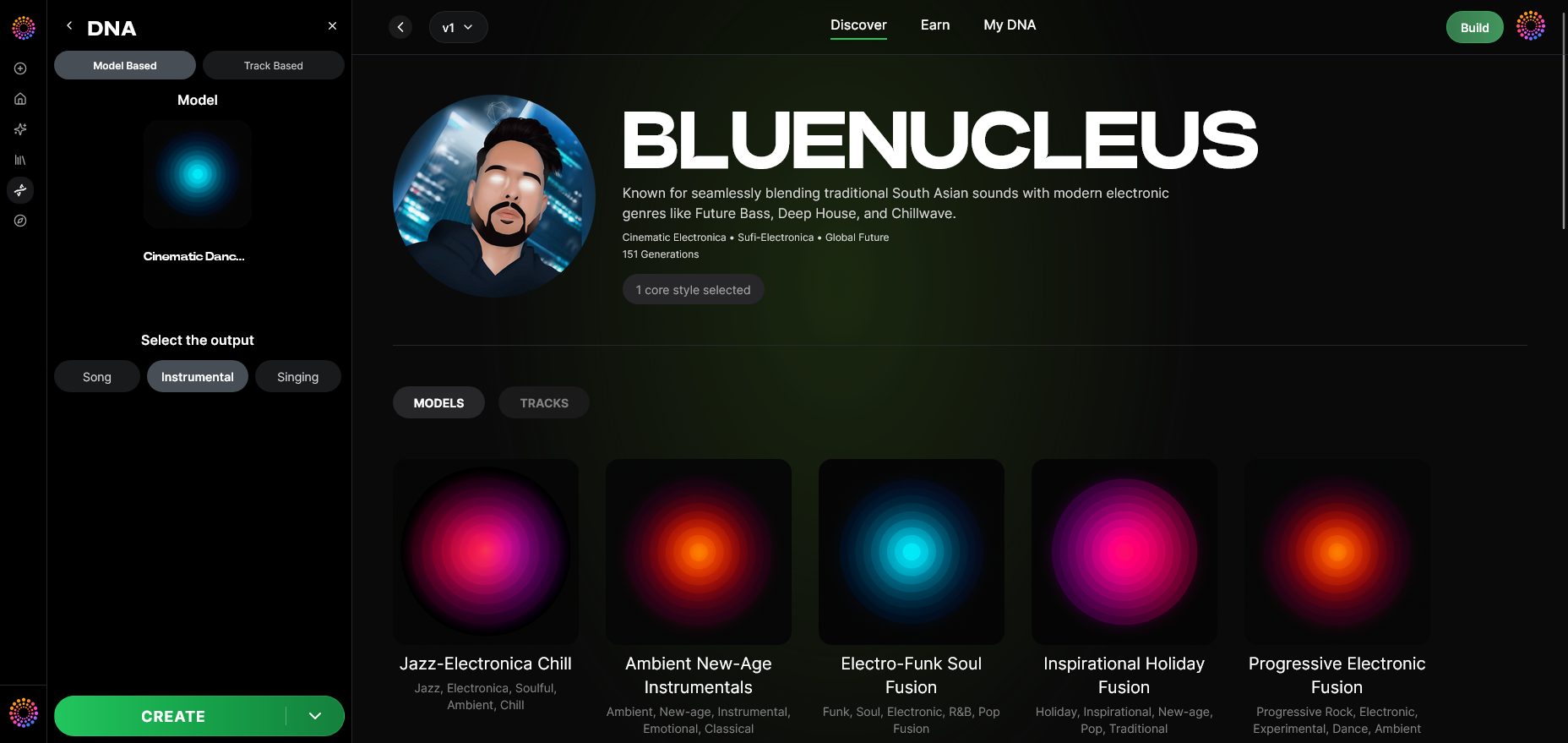
For TikTok uploads, short instrumentals or song snippets under 60 seconds perform best. Select based on your video theme—e.g., upbeat instrumental for dance clips or soft vocals for lifestyle content.
Step 12: Prompt Type — Choose Your Creative Input
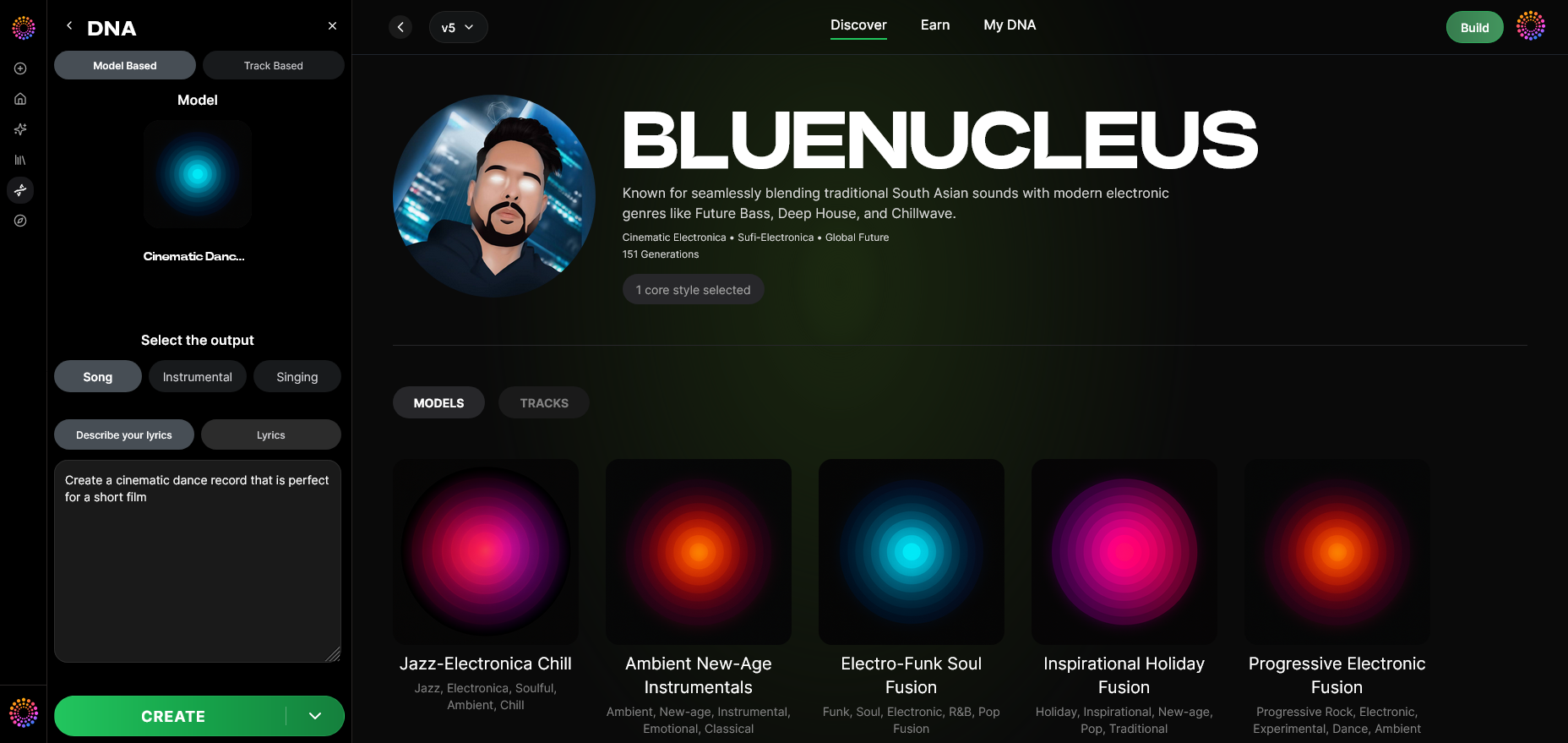
Write a short text prompt describing the sound mood: “chill summer vibe” or “energetic pop beat.” Soundverse uses your prompt in combination with your DNA model.
Step 13: Generation Complete — Review Generated Sound
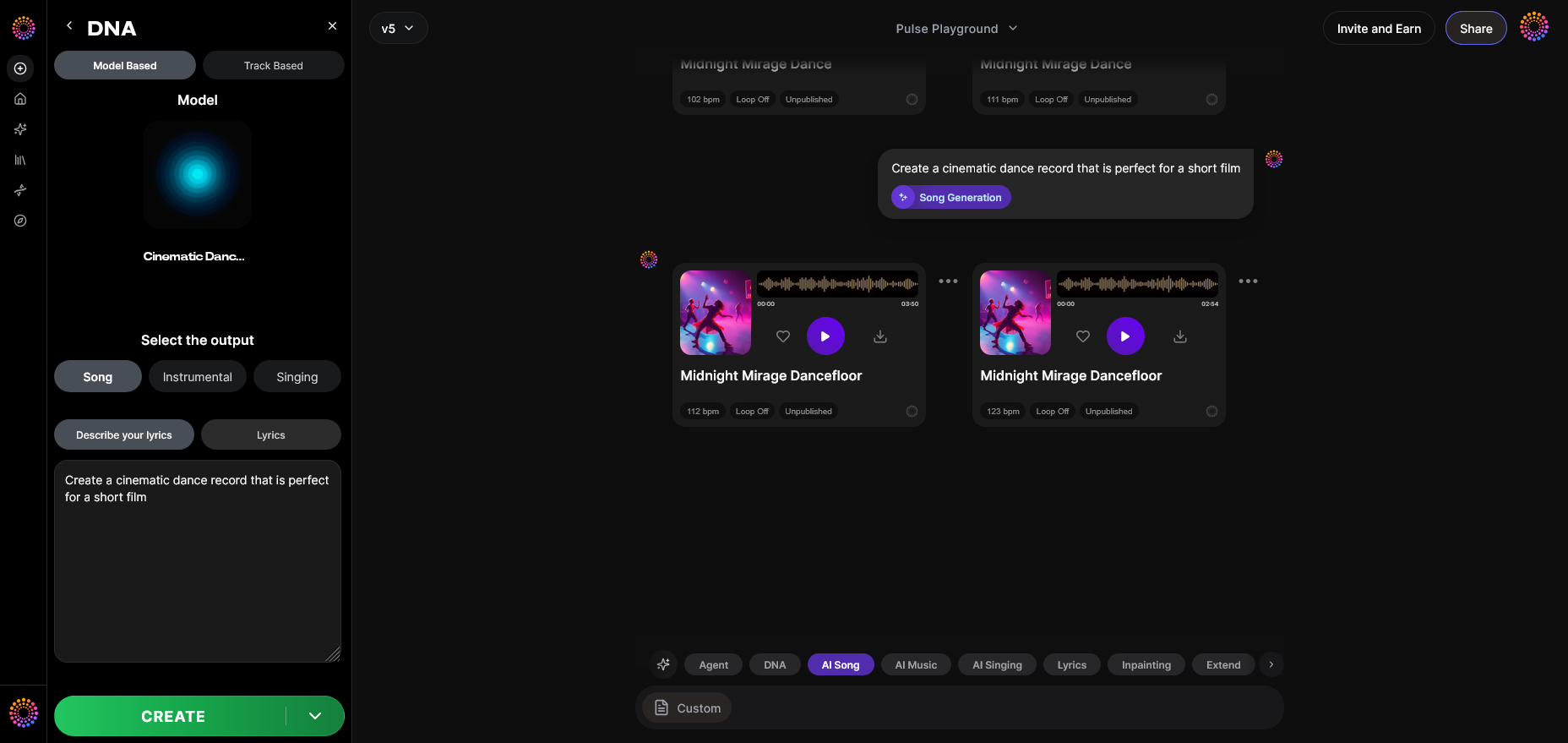
After processing, Soundverse presents the final sound results. You can preview outputs and choose your best take.
Step 14: Export Options — Download Your TikTok Sound
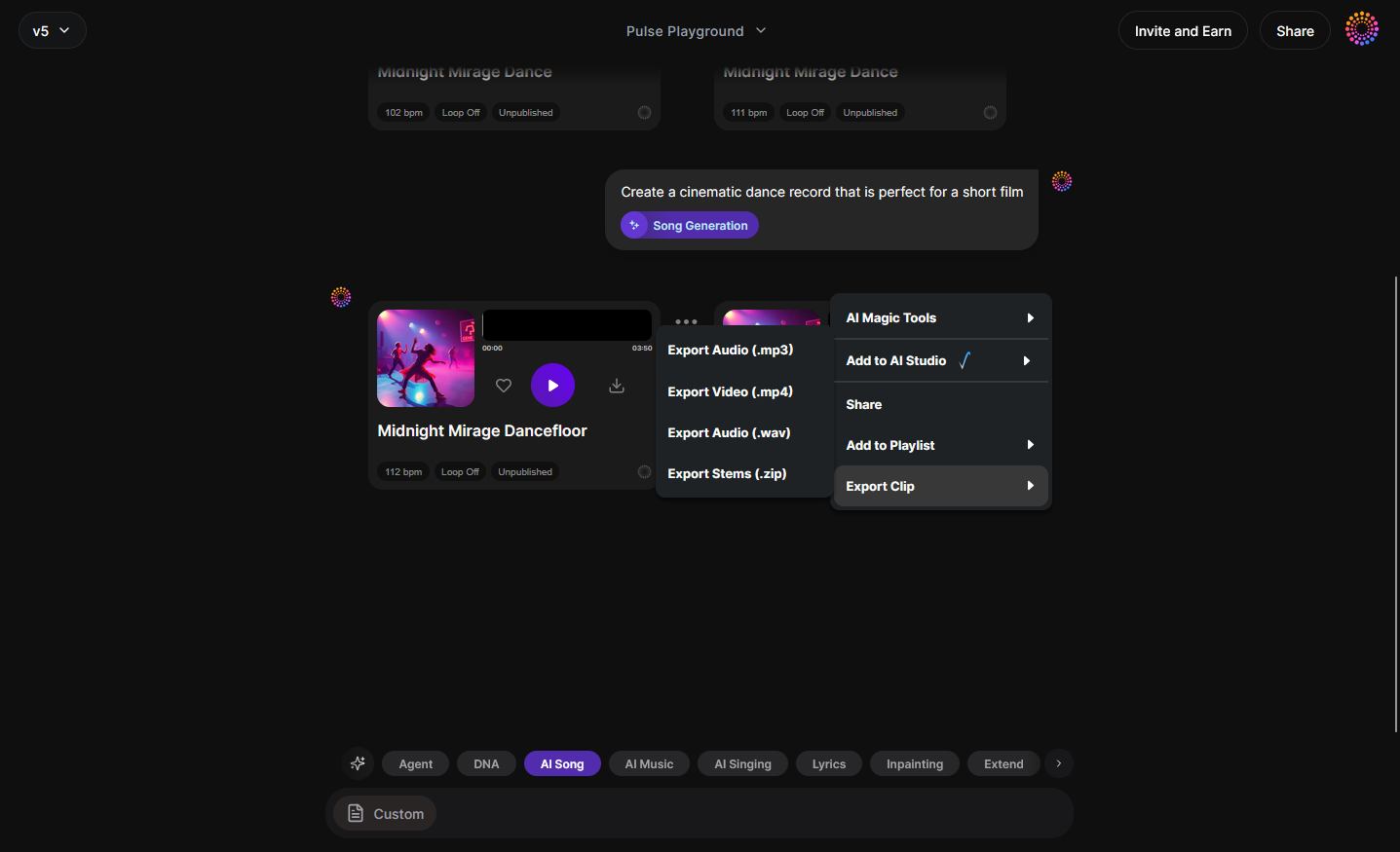
Export the track in MP3 or WAV format. Store it on your device so you can upload directly to TikTok.
Step 15: Track-Based Mode — Generate Alternate Versions
Experiment with track-based mode for variations. This helps you produce multiple TikTok-friendly versions optimized for different trends or video tones.
Step 16: Style Selection — Adjust Musical Parameters
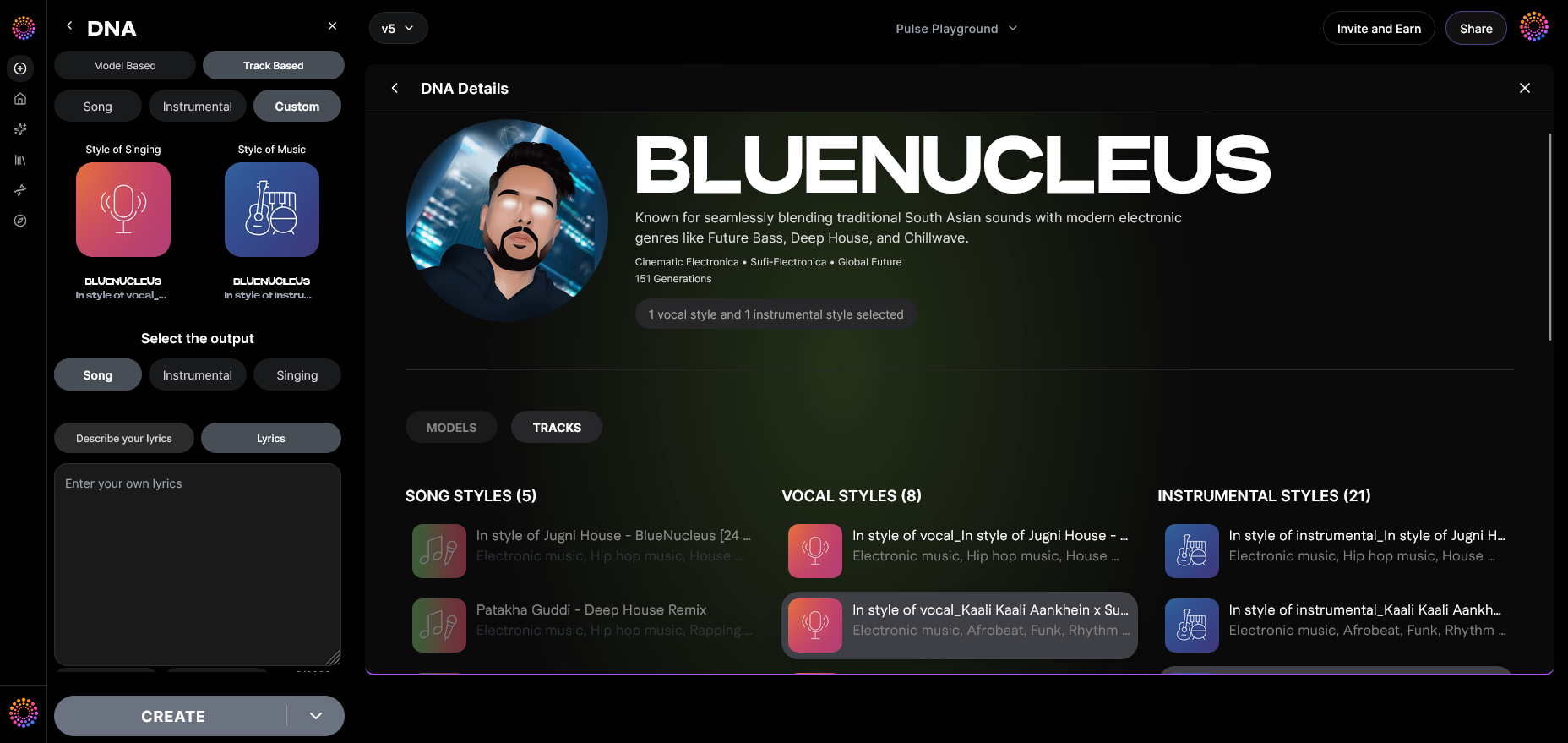
Choose genre, tempo, key, and vibe. In 2026, trending TikTok sounds often favor rhythmic beats and catchy hooks. Adapt your style accordingly.
Step 17: Lyrics Input — (Optional) Add Text for AI Singing
If you want custom lyrical snippets or meme-style vocals, enter brief lyric text. Soundverse creates AI-sung versions using your Voice DNA.
Step 18: Model-Based Singing — Activate for Vocal Performance
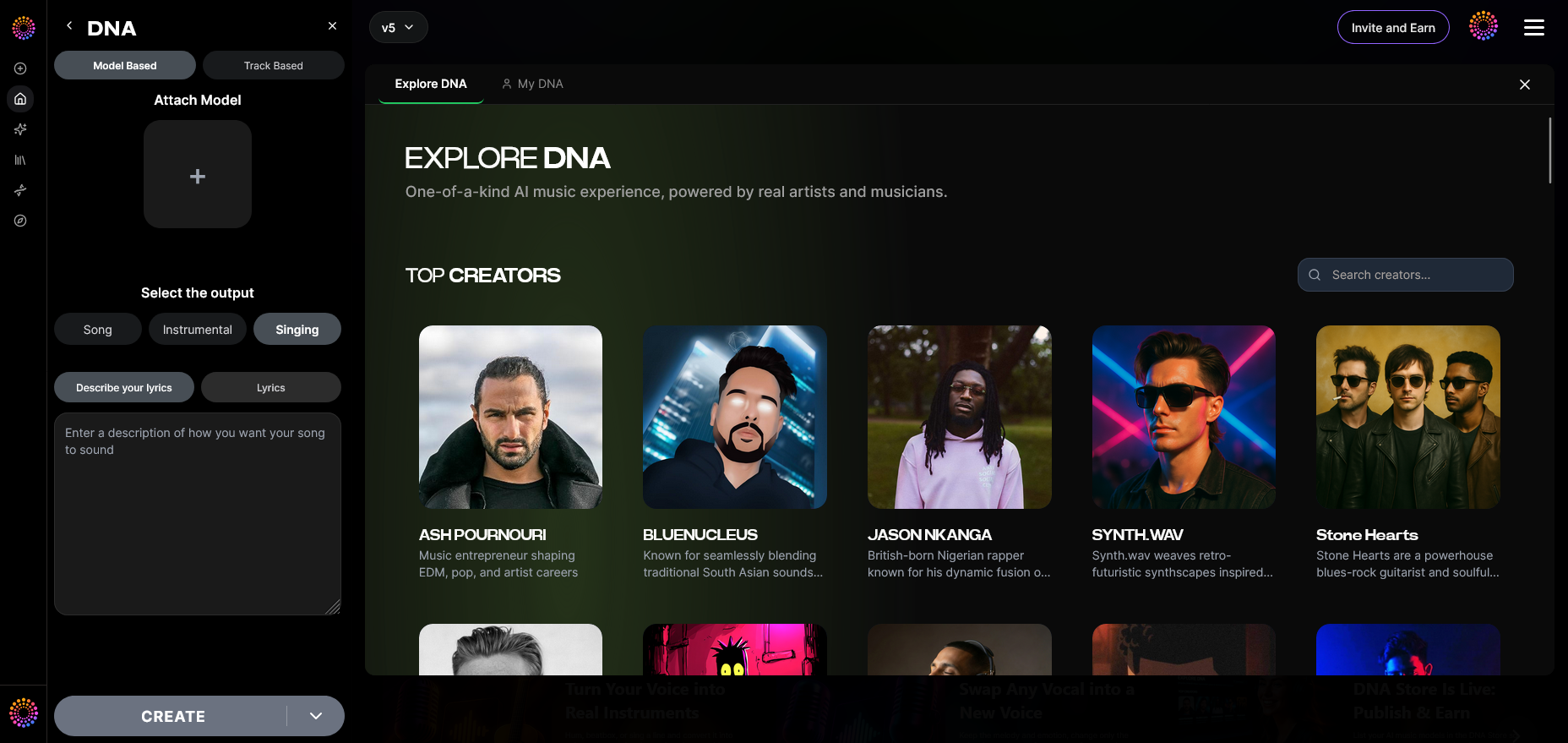
Enable model-based singing to generate vocals matching your preferred timbre. Perfect for short chorus clips or tagline melodies.
Step 19: Attach Model — Finalize Your DNA Link
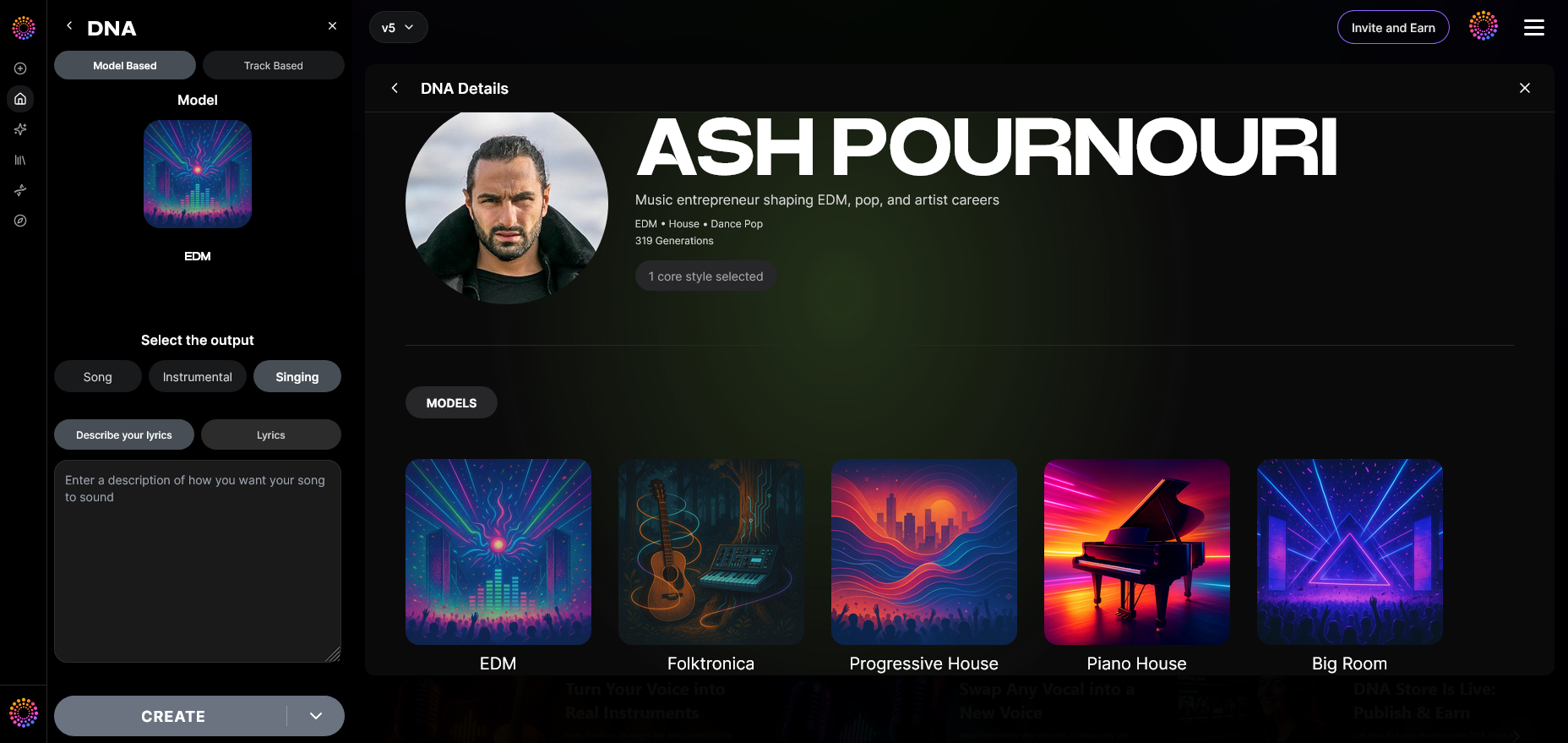
Attach the DNA model before exporting so that the track references your signature style. You can later monetize it via the Soundverse DNA Marketplace.
How to Upload Your Custom Sound to TikTok
Once you’ve generated your unique track with Soundverse, uploading it is straightforward:
- Open TikTok and start a new video.
- Tap ‘Add Sound,’ then select ‘My Sounds.’
- Upload your exported audio track.
- Trim and sync it with your video.
- Publish your post and mark your sound as ‘original audio.’
You can cross-check this process with SocialBee’s guide or SocialRails tutorial for extra tips.
Your followers can now use and remix your sound in their videos, automatically expanding your creative reach.
Pro Tips for Successful TikTok Sound Uploads
- Keep the audio duration under 60 seconds for optimal engagement.
- Focus on catchy intros—the first three seconds determine scroll behavior.
- Use royalty-free or AI-generated music only. Tools like Soundverse prevent copyright strikes.
- Tag your sound creatively; add descriptive name and mood.
- Encourage followers to use your original audio—this boosts visibility. Check how to make your own sound or create custom TikTok sound tutorials for visual references.
Related Reading for TikTok Creators
To deepen your skills in AI-powered music creation, explore these guides:
- Generate AI Music with Soundverse Text-to-Music
- Soundverse AI Magic Tools: Create Content Quickly with AI
- Music Industry Trends
- Best Suno Alternative – Soundverse AI Free Sign-Up
Why Soundverse is the Best Choice for Custom TikTok Sounds
In 2026’s creator economy, authenticity drives engagement. Soundverse’s ethical AI framework eliminates copyright risk while giving you tools to scale your personal sonic brand. Unlike open-source generators that scrape data unethically, Soundverse is trained only on licensed catalogs. That’s why influencers, artists, and marketers trust it for professional TikTok music production.
By using Soundverse DNA, you’re not just uploading a sound—you’re shaping your TikTok signature. Whether you’re building viral content or reinforcing brand identity, your creative voice stays protected and monetizable.
Create and Upload Your Own Sound with AI Precision
Turn any idea into a unique track for TikTok or other platforms using Soundverse’s AI music generator. Craft personalized sounds that stand out and boost engagement instantly.
Start Creating with Soundverse
Related Articles
- Generate AI Music with Soundverse Text-to-Music — Discover how to turn simple text prompts into full-fledged songs using Soundverse’s advanced AI music generation technology.
- Enhancing YouTube Content with Royalty-Free and Copyright-Free Music Using Soundverse AI — Learn how to elevate your videos with safe and high-quality music tracks created through Soundverse’s royalty-free AI engine.
- What Are Song Stems and Why Do You Need Them — Explore the importance of song stems for mixing, editing, and customizing tracks in your own content or social posts.
- Soundverse AI Magic Tools: Create Content Quickly with AI — Get an inside look at Soundverse’s suite of AI tools designed to help you create custom music and sound effects in minutes.
Here's how to make AI Music with Soundverse
Video Guide

Here’s another long walkthrough of how to use Soundverse AI.
Text Guide
- To know more about AI Magic Tools, check here.
- To know more about Soundverse Assistant, check here.
- To know more about Arrangement Studio, check here.
Soundverse is an AI Assistant that allows content creators and music makers to create original content in a flash using Generative AI.
With the help of Soundverse Assistant and AI Magic Tools, our users get an unfair advantage over other creators to create audio and music content quickly, easily and cheaply.
Soundverse Assistant is your ultimate music companion. You simply speak to the assistant to get your stuff done. The more you speak to it, the more it starts understanding you and your goals.
AI Magic Tools help convert your creative dreams into tangible music and audio. Use AI Magic Tools such as text to music, stem separation, or lyrics generation to realise your content dreams faster.
Soundverse is here to take music production to the next level. We're not just a digital audio workstation (DAW) competing with Ableton or Logic, we're building a completely new paradigm of easy and conversational content creation.
TikTok: https://www.tiktok.com/@soundverse.ai
Twitter: https://twitter.com/soundverse_ai
Instagram: https://www.instagram.com/soundverse.ai
LinkedIn: https://www.linkedin.com/company/soundverseai
Youtube: https://www.youtube.com/@SoundverseAI
Facebook: https://www.facebook.com/profile.php?id=100095674445607
Join Soundverse for Free and make Viral AI Music

We are constantly building more product experiences. Keep checking our Blog to stay updated about them!