How to Add Your Own Music to TikTok in 2026: Complete Creator’s Guide
Learn how to add your own music to TikTok using Soundverse DNA to create custom, copyright-safe audio for your videos.
How to Add Your Own Music to TikTok
If you're a TikTok creator in 2026, chances are you want your videos to sound unique. TikTok’s built-in sound library is massive, but if you want to stand out, learning how to add your own music to TikTok or upload custom audio to TikTok is essential. This skill lets creators, musicians, and brands share original sounds that reflect their identity, bypass copyright complications, and build sonic branding.
In this complete tutorial, we’ll walk through everything you need to know to make and upload original sounds, and show how Soundverse DNA makes the process secure, ethical, and fast.
Why adding your own music to TikTok matters in 2026
TikTok’s creative ecosystem in 2026 has matured beyond trends and dances. Musicians are using it to launch albums, brands are crafting custom jingles, and influencers use signature tracks to reinforce consistency across posts. TikTok is now a discovery engine for original audio.
However, traditional uploading can cause issues: copyrighted background music can lead to muted videos or takedowns. Using AI platforms like Soundverse ensures your soundtrack is copyright-safe and personalized. According to How to Add Music to TikTok: A Step-by-Step Guide and ZIPDJ’s TikTok music upload guide, methods for adding music vary, but ethically created and licensed audio ensures durability and branding across content.
How to make your TikTok sound with Soundverse DNA
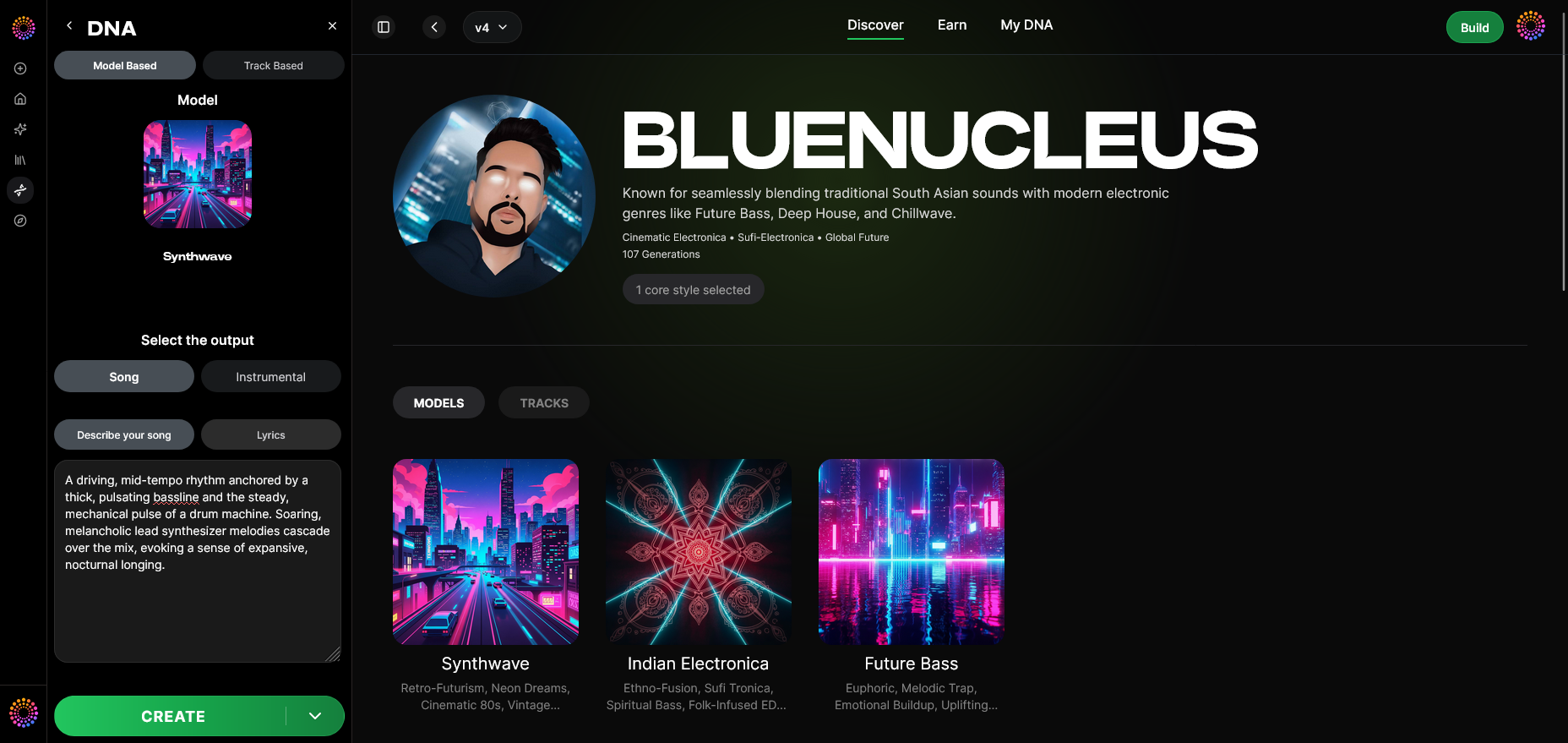

Before diving into TikTok-specific steps, we’ll cover how Soundverse helps you create original tracks designed for the platform.
Soundverse DNA is an artist-trained AI system that generates copyright-safe music based on sonic identity models. It’s built on licensed catalogs, letting artists monetize their sound while giving users the ability to generate tracks that reflect consistent branding.
Key capabilities:
- Full DNA (Songs/Instrumentals): Train on your musical identity to create instrumentals or full songs.
- Voice DNA (Vocal timbre/style): Clone or license vocal traits ethically for use in your content.
- DNA Marketplace: License artist DNAs to fans for creating style-matched tracks.
- Sensitivity Selector: Cluster your musical catalog into eras or vibes.
- Private Mode: Co-create music securely without exposing your base models.
Soundverse DNA bridges the gap between creativity and legality, ensuring that every sound you generated is ready for commercial platforms like TikTok.
For a deeper dive, watch our guide on how to make music or explore the Soundverse Deep House tutorial for genre inspiration.
Step-by-Step: How to add your own music to TikTok using Soundverse DNA
Step 1: Overview
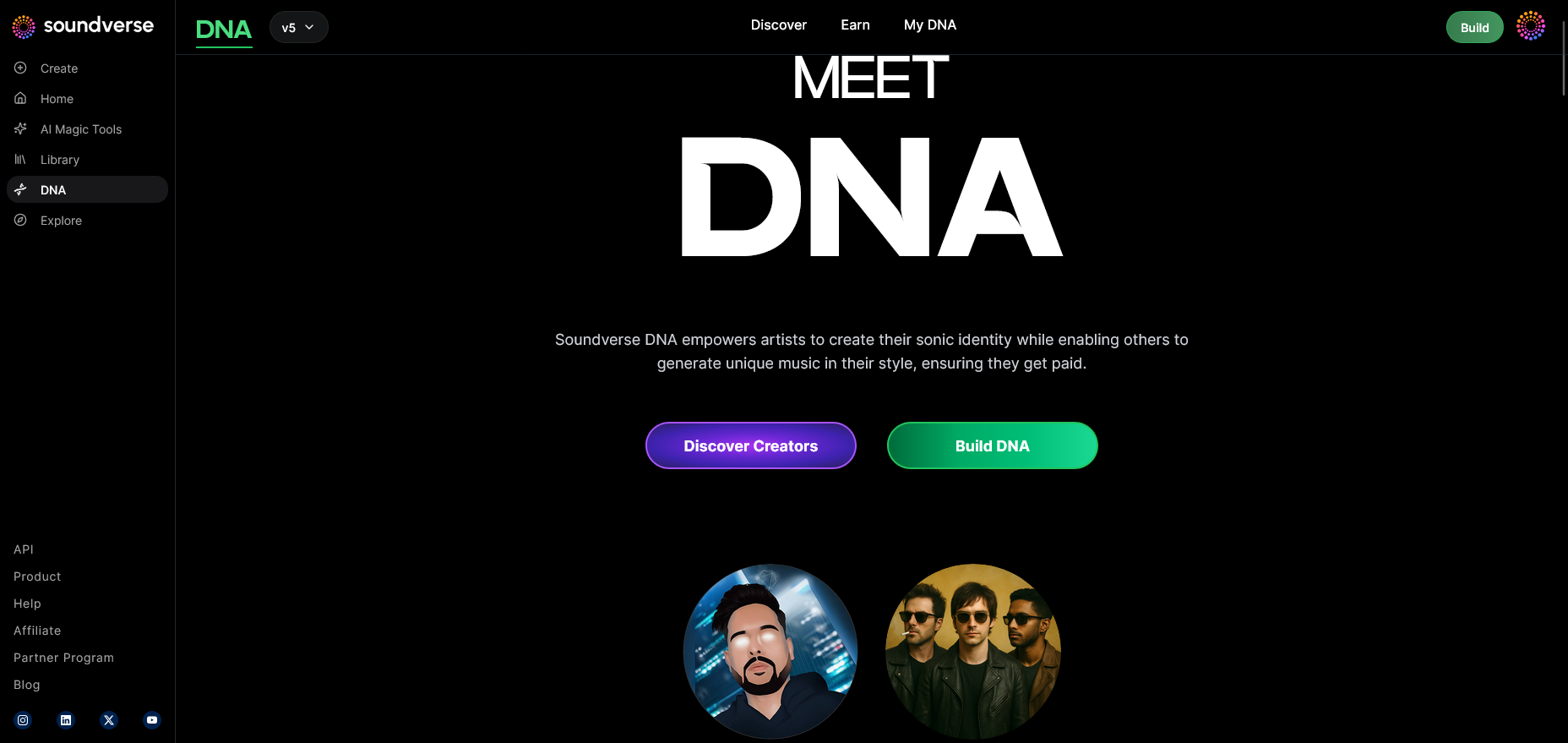
Get familiar with DNA Mode—the section dedicated to building your personal or artist DNA. This mode handles your full workflow, from sound creation to copyright-safe output.
Step 2: Dashboard
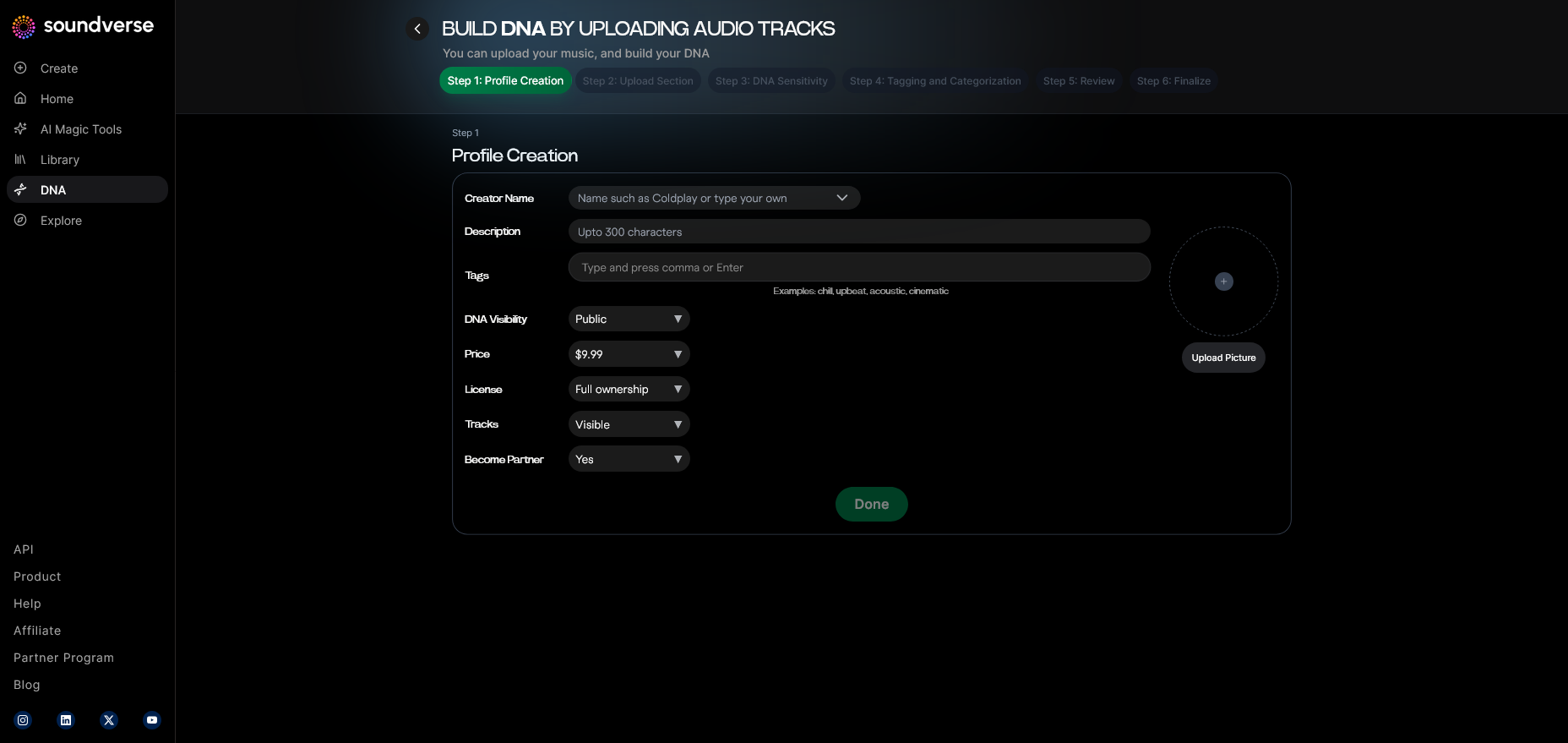
Open your DNA Management Dashboard. Here you’ll oversee your models, track generations, and manage licenses. This centralized space keeps your creative assets organized before exporting to TikTok.
Step 3: Creator Profile
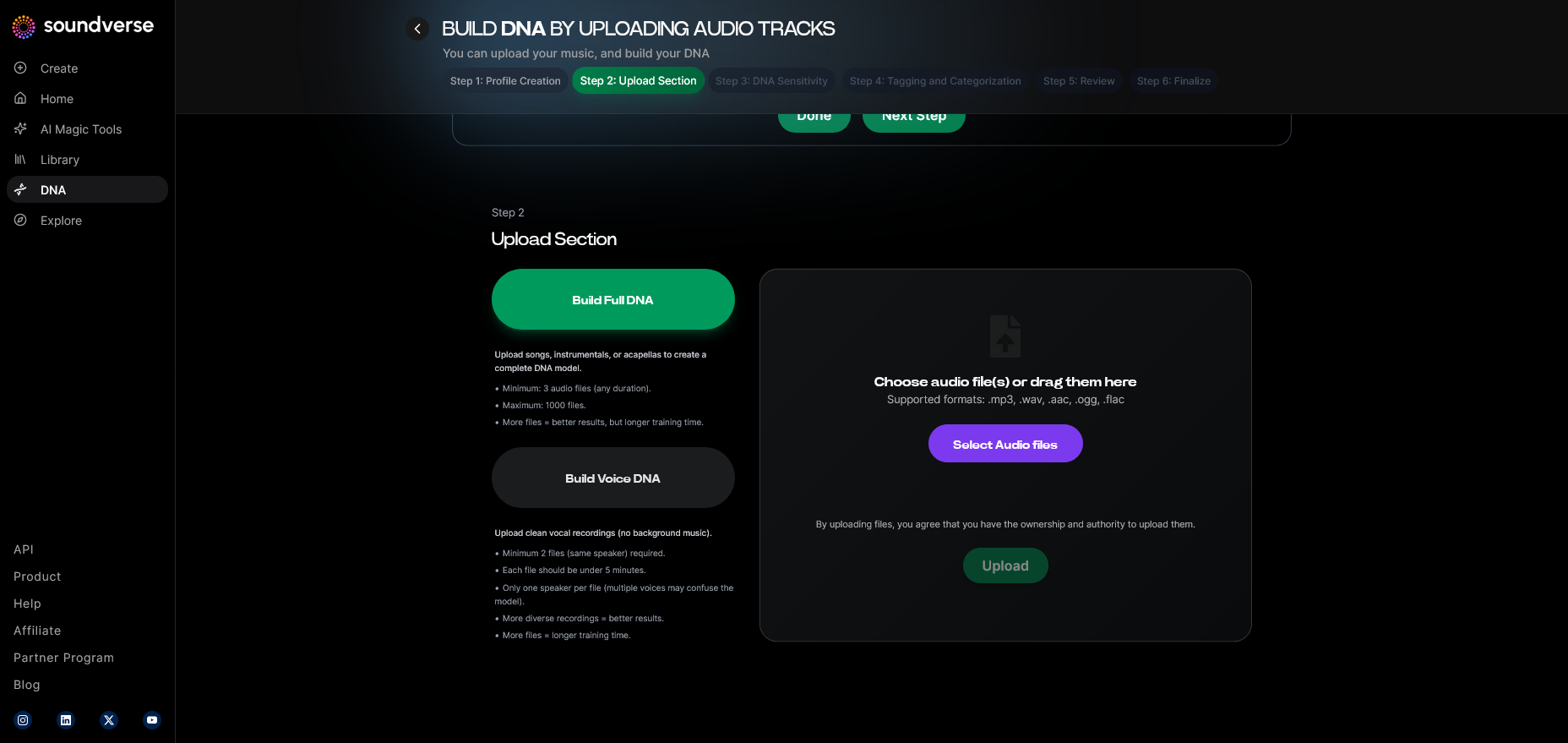
Set up your creator profile with metadata like genre, vibe, and audiovisual branding info. This ensures every generated track fits your TikTok persona.
Step 4: DNA Type Selection
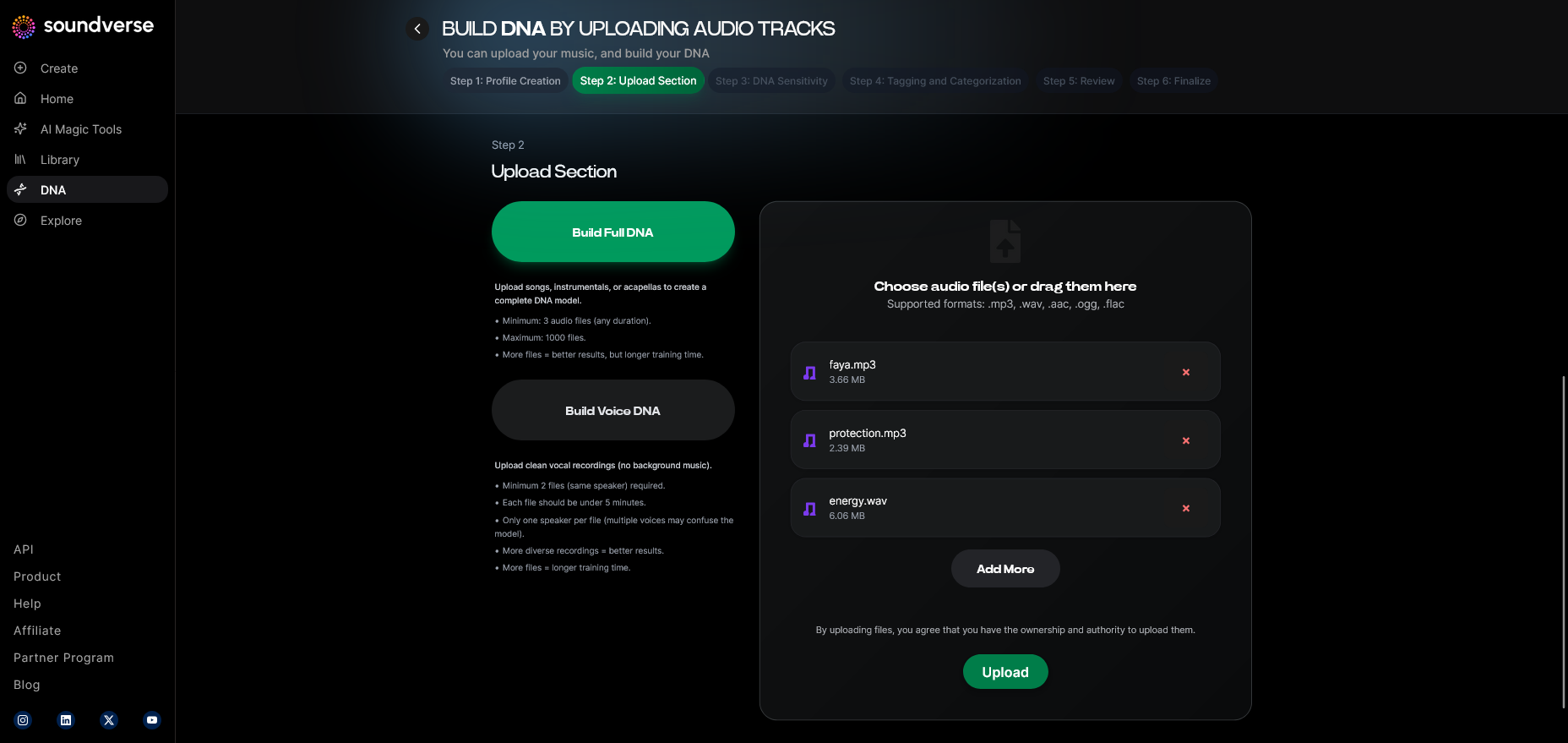
Choose between Full DNA (for songs or instrumentals) or Voice DNA (for vocal sound generation). Most TikTok creators start with Full DNA to create background tracks, while artists often use Voice DNA for branded music snippets.
Step 5: Upload Files
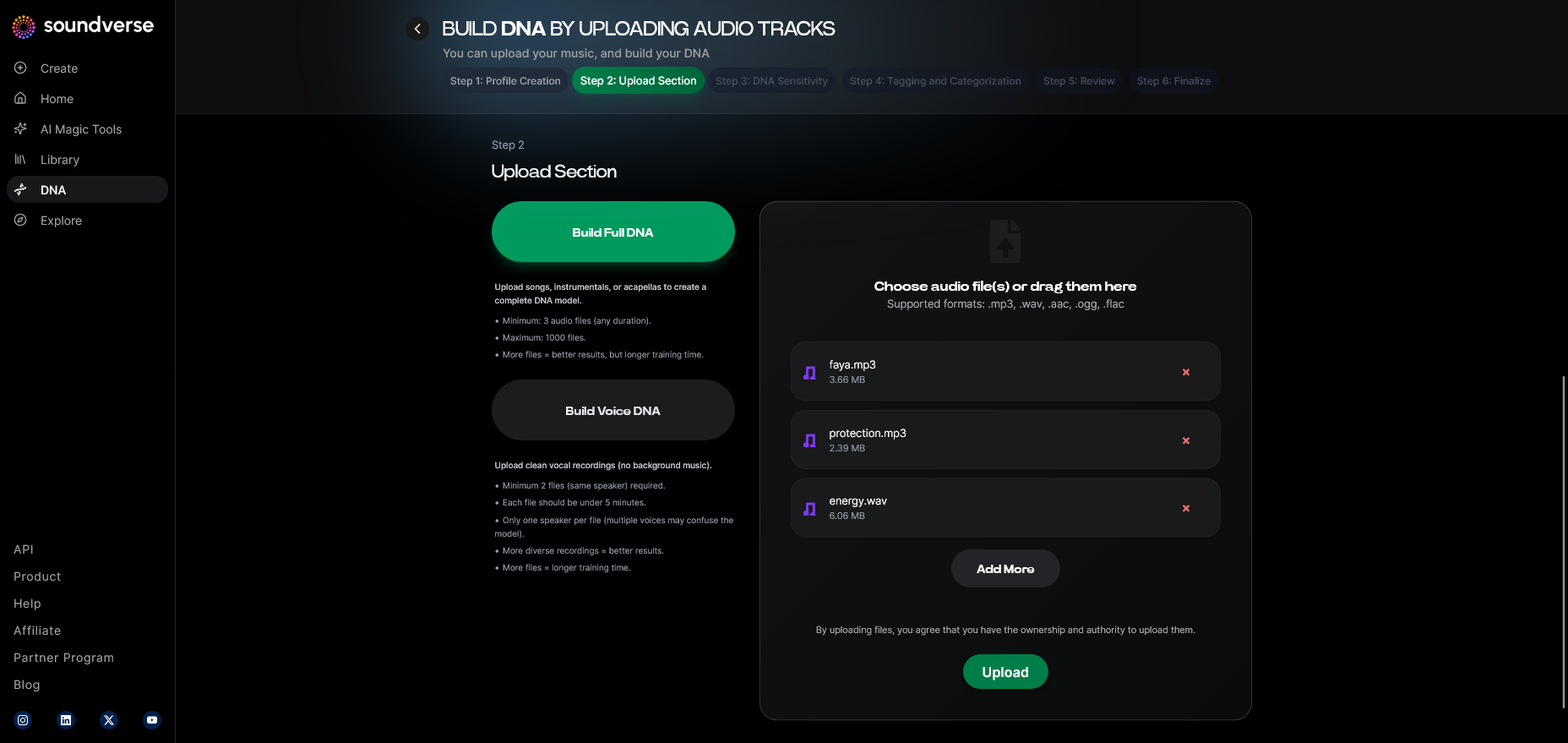
Upload sample audio that represents your style—instrumentals, vocals, or full tracks. This forms the foundation for DNA training.
Step 6: Sensitivity Setting
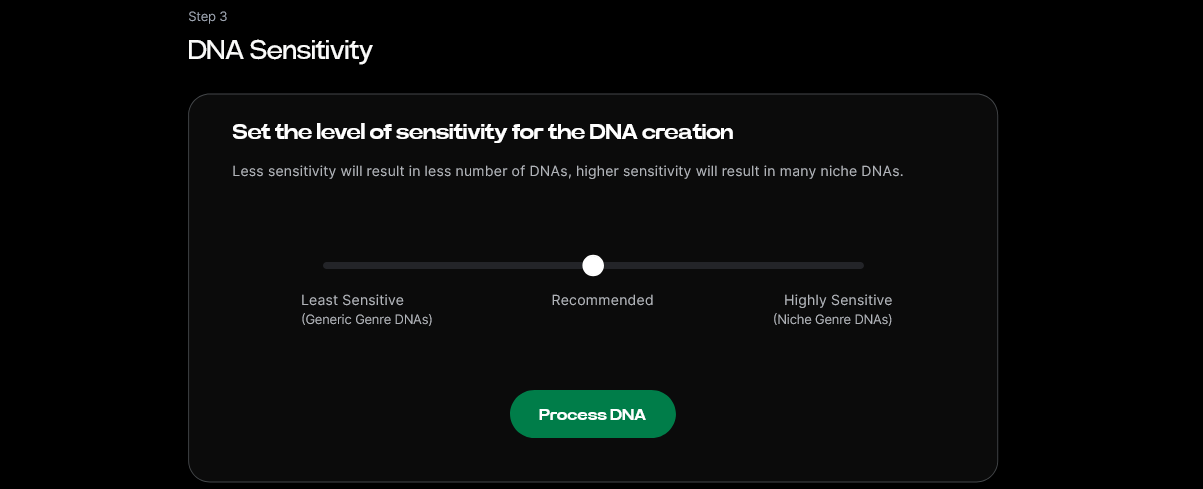
Use the slider to adjust how closely new generations match your samples. Lower sensitivity allows more creative diversity; higher values replicate your existing vibe accurately—perfect for a consistent TikTok brand sound.
Step 7: Auto Tagging
Soundverse auto-generates metadata tags describing genre, tempo, and mood for your DNA model, simplifying search and future content creation.
Step 8: Review & Publish
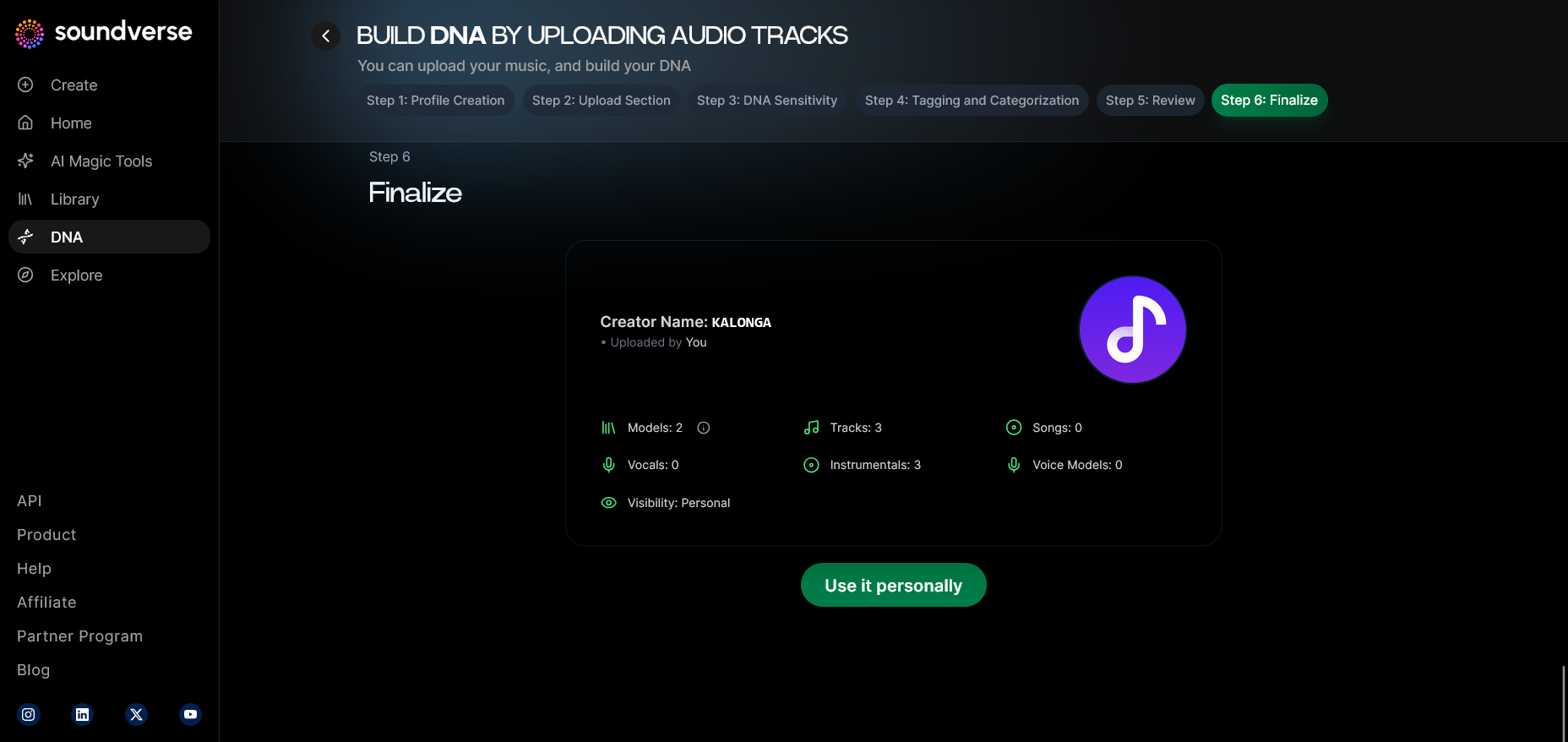
Review the generated descriptive data and confirm your DNA for publishing. Once published, your model is ready for AI generation and future tracks.
Step 9: Generation Panel
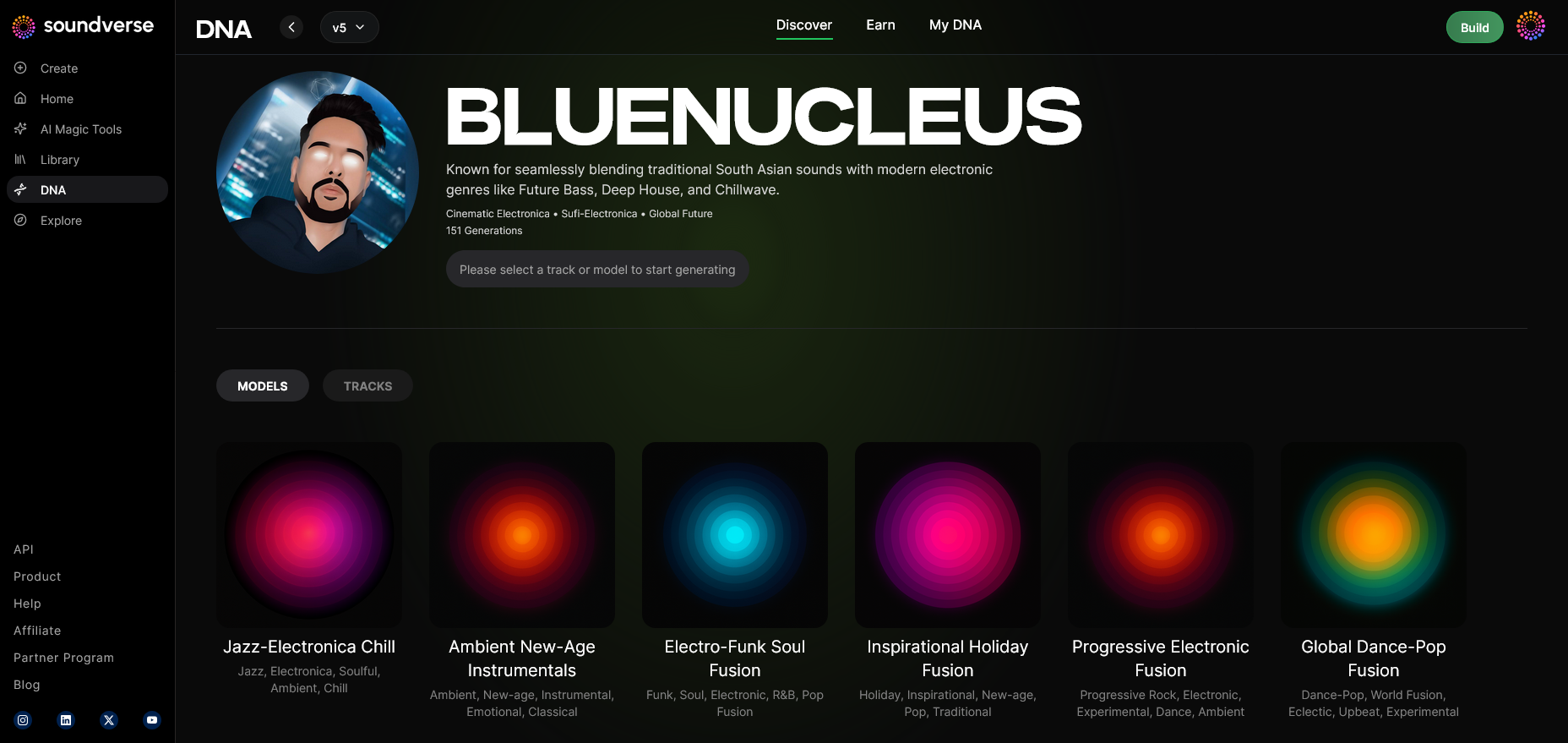
Enter the DNA Music Generation interface, where you can generate custom songs. You’ll define the vibe, energy, and instrument layout.
Step 10: Model-Based Mode
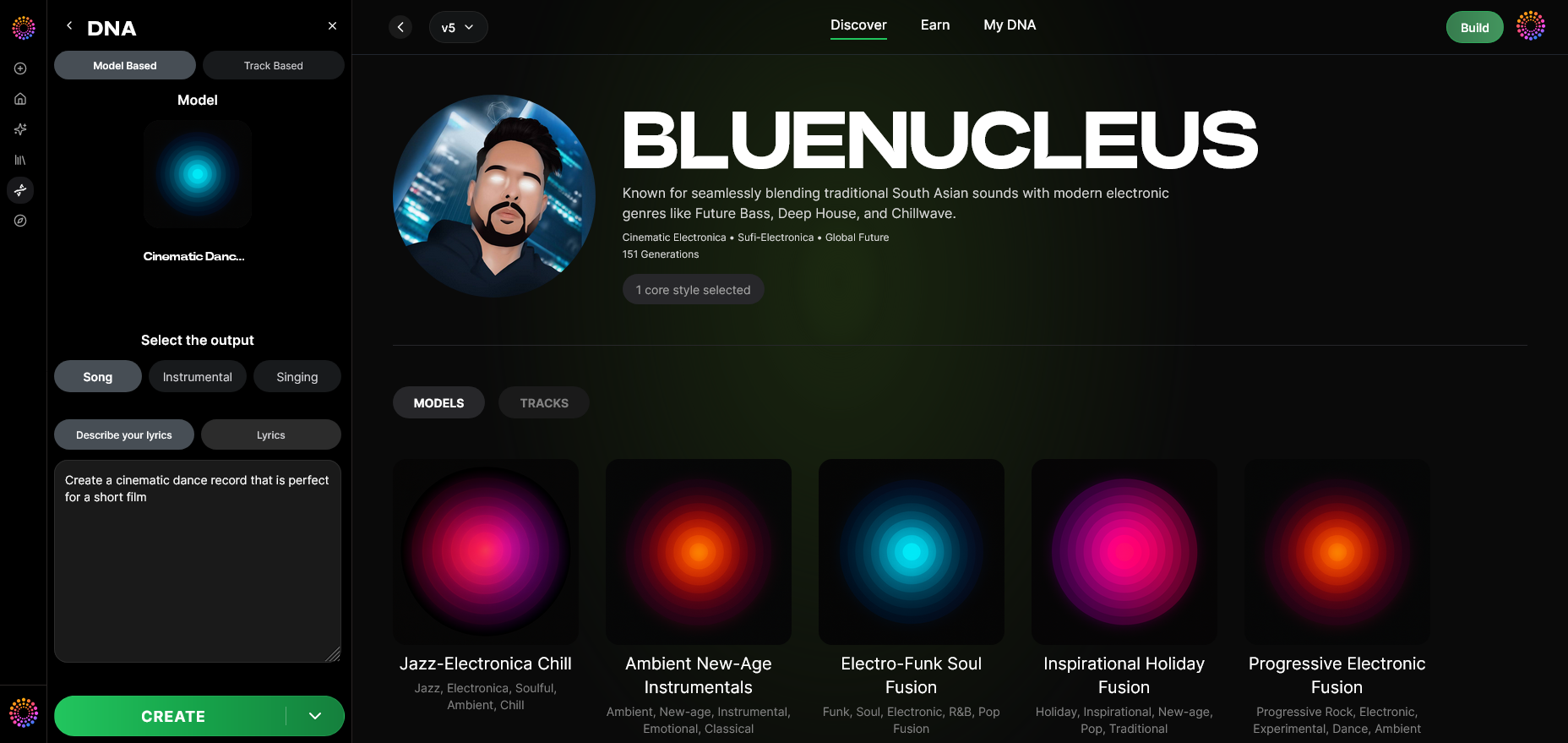
Switch to model-based generation to keep your outputs aligned with your trained DNA. This ensures recognizable sonic identity across TikTok videos.
Step 11: Output Type
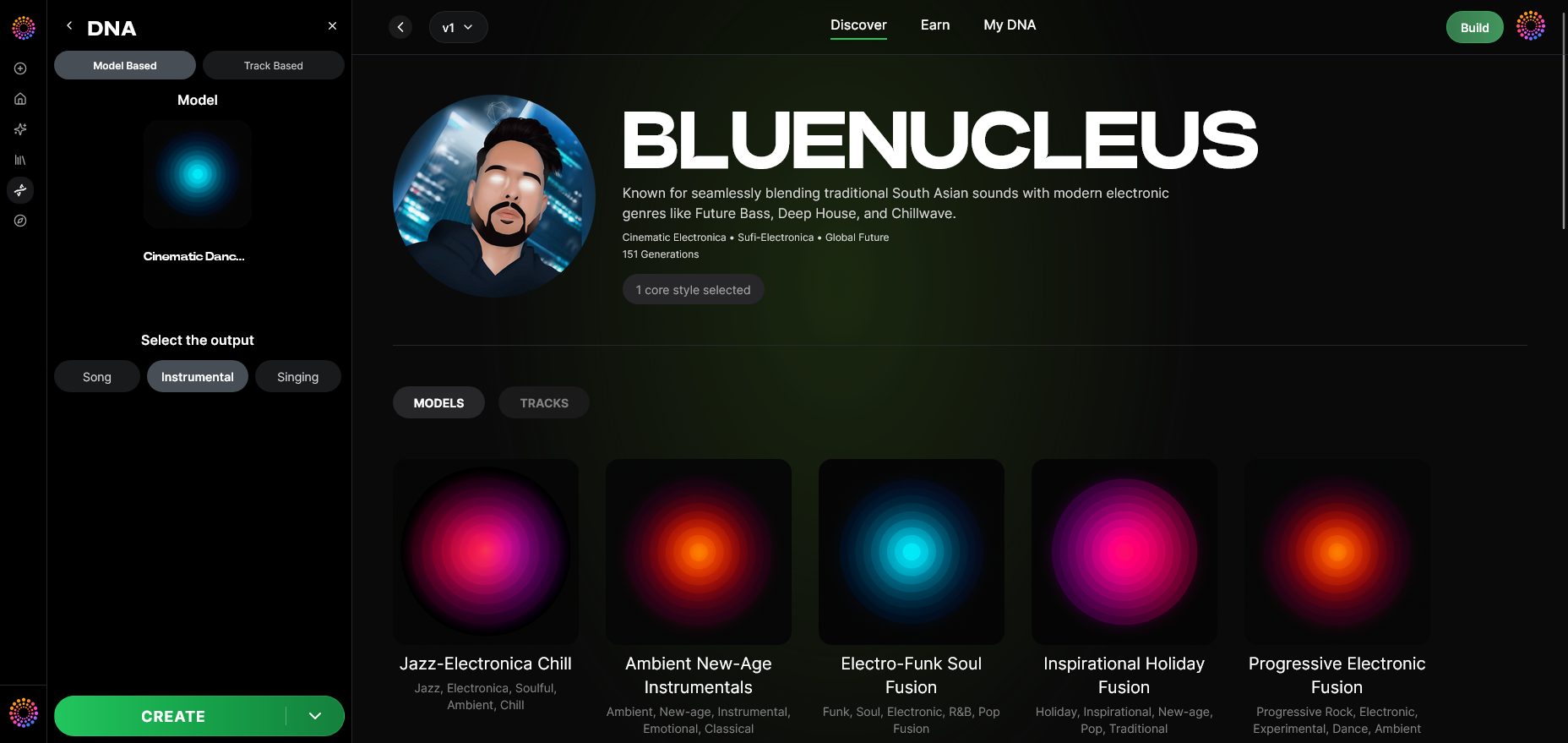
Decide if you want Song + Vocals or Instrumental only. Instrumentals work better for TikTok sound beds; vocals are useful for branded jingles or challenges.
Step 12: Prompt Type
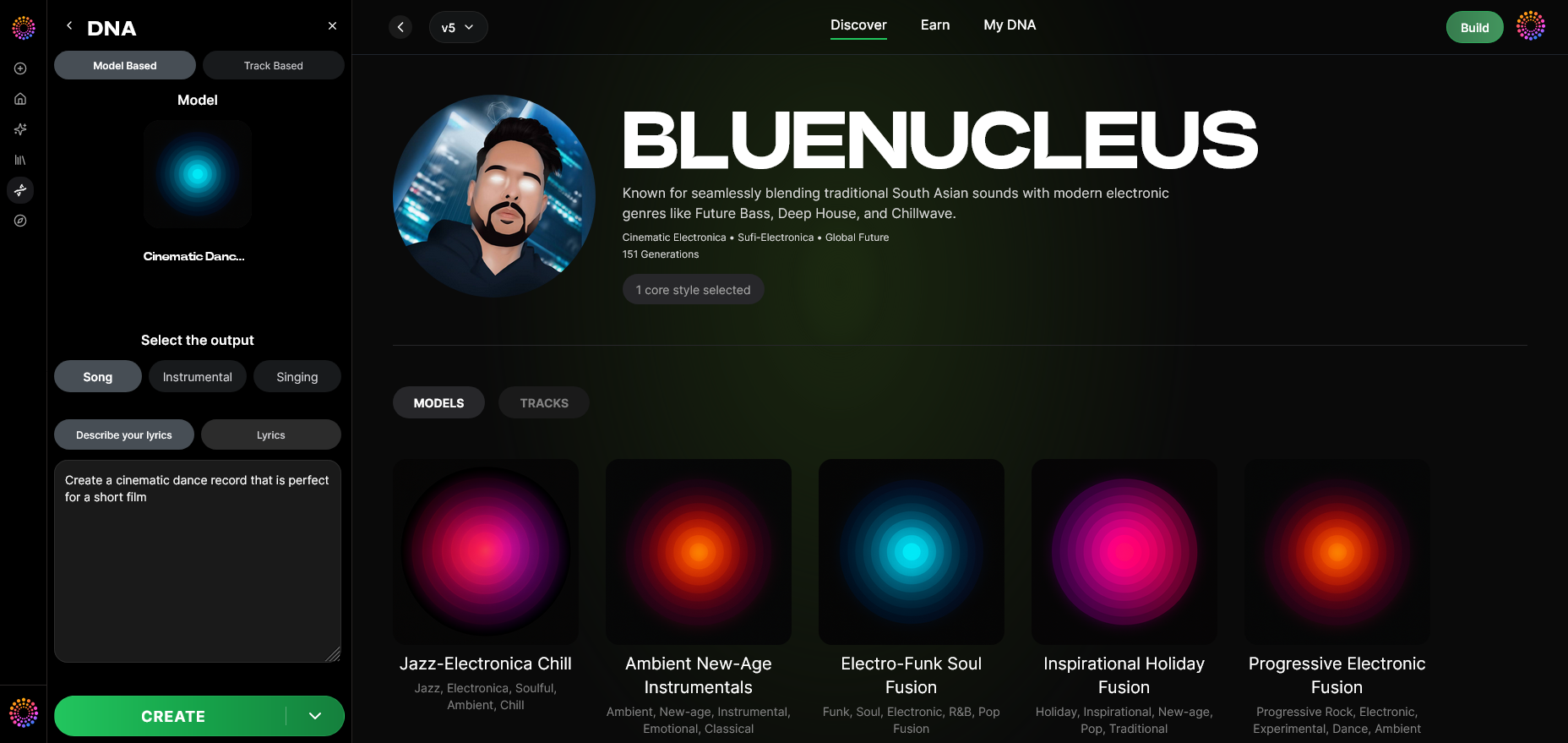
Enter your prompt—such as “energetic lofi beat for early morning TikTok vlog.” The system synchronizes your DNA traits with this description to generate sound.
Step 13: Generation Complete
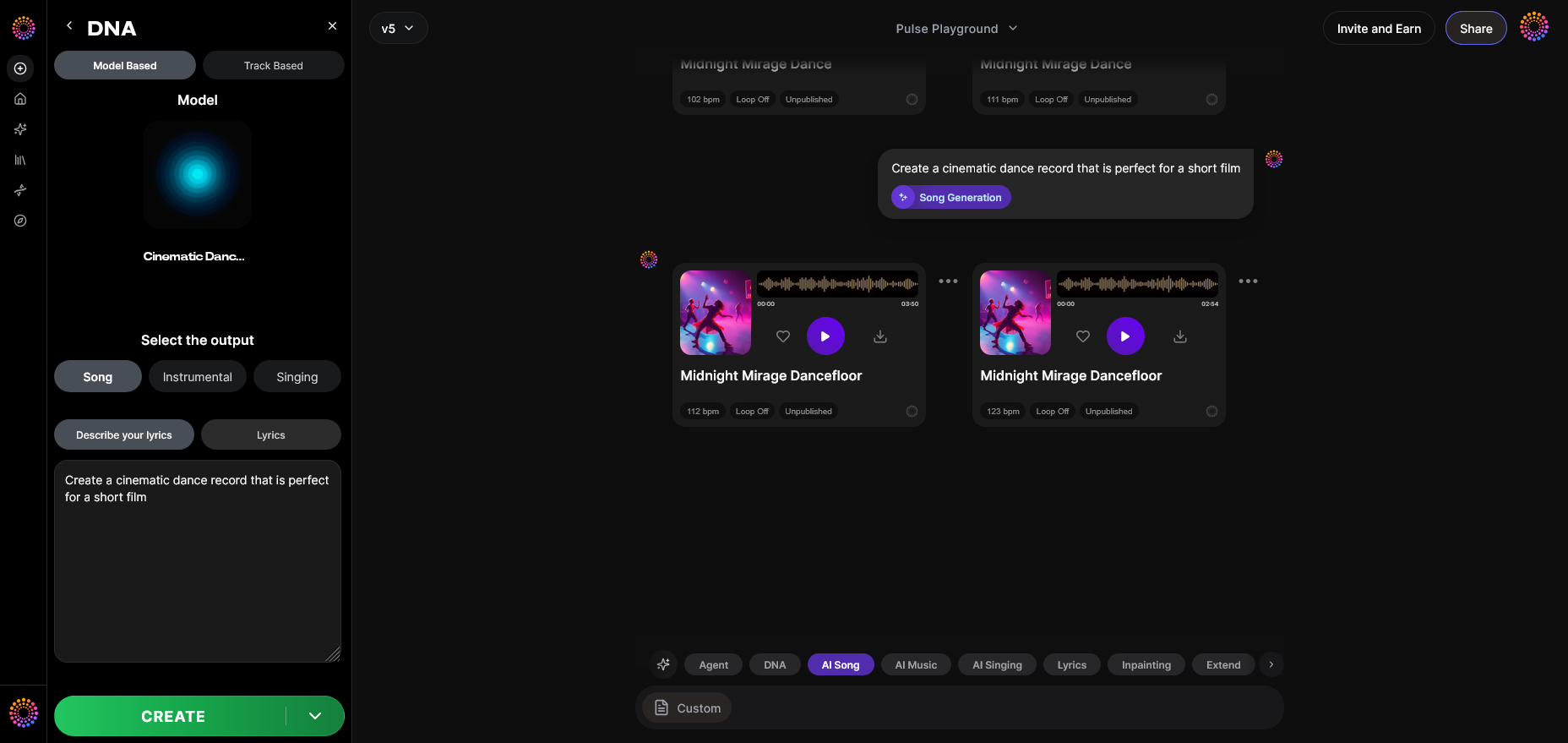
Once processed asynchronously, Soundverse displays the final track version. You can listen, approve, and select export preferences.
Step 14: Export Options
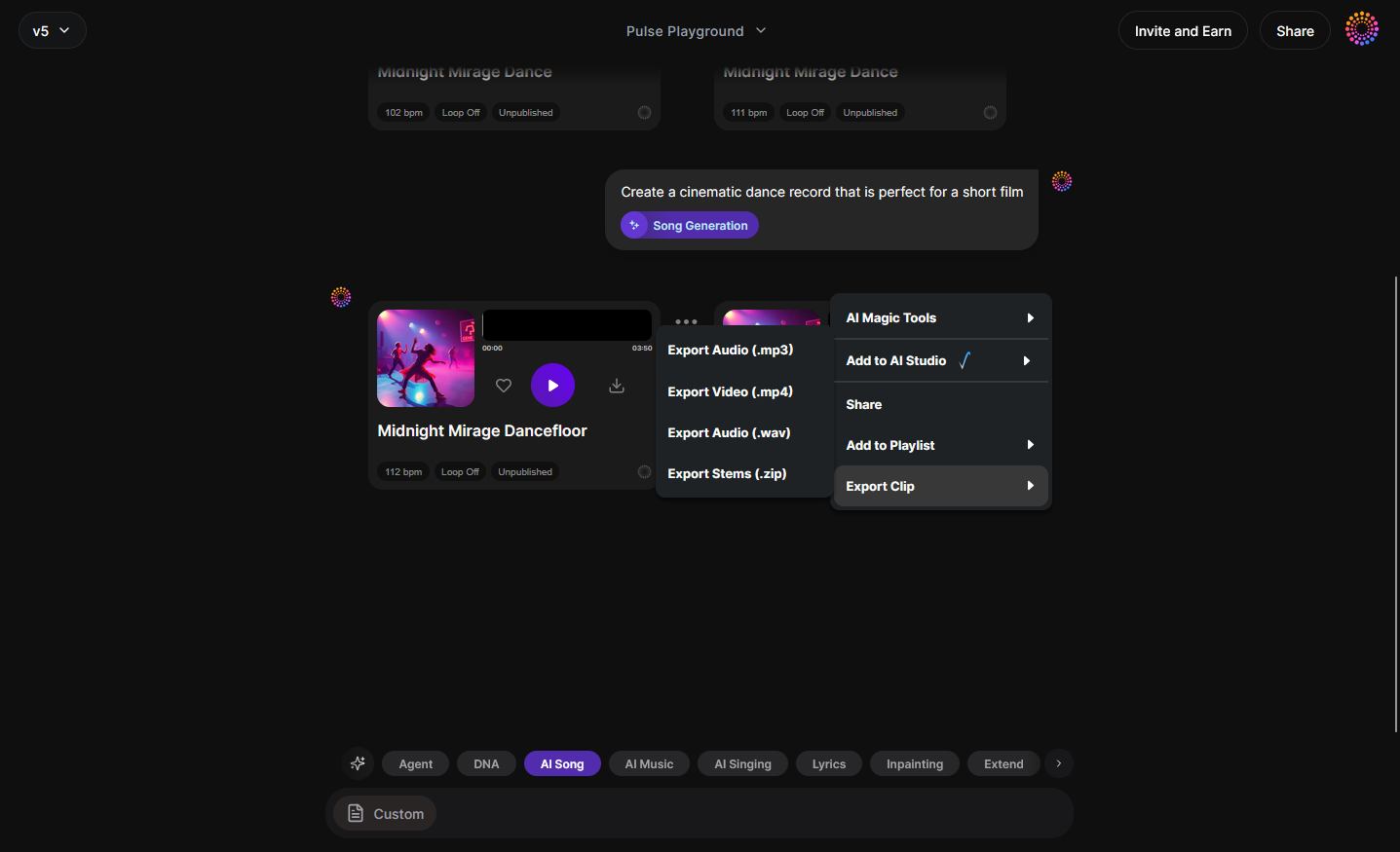
Export your generated TikTok-ready audio in MP3 or WAV format. You can then trim or edit externally for perfect sync alignment.
Step 15: Track-Based Mode
Alternative mode allowing generation directly from existing track stems—ideal for remixing previous viral content.
Step 16: Style Selection
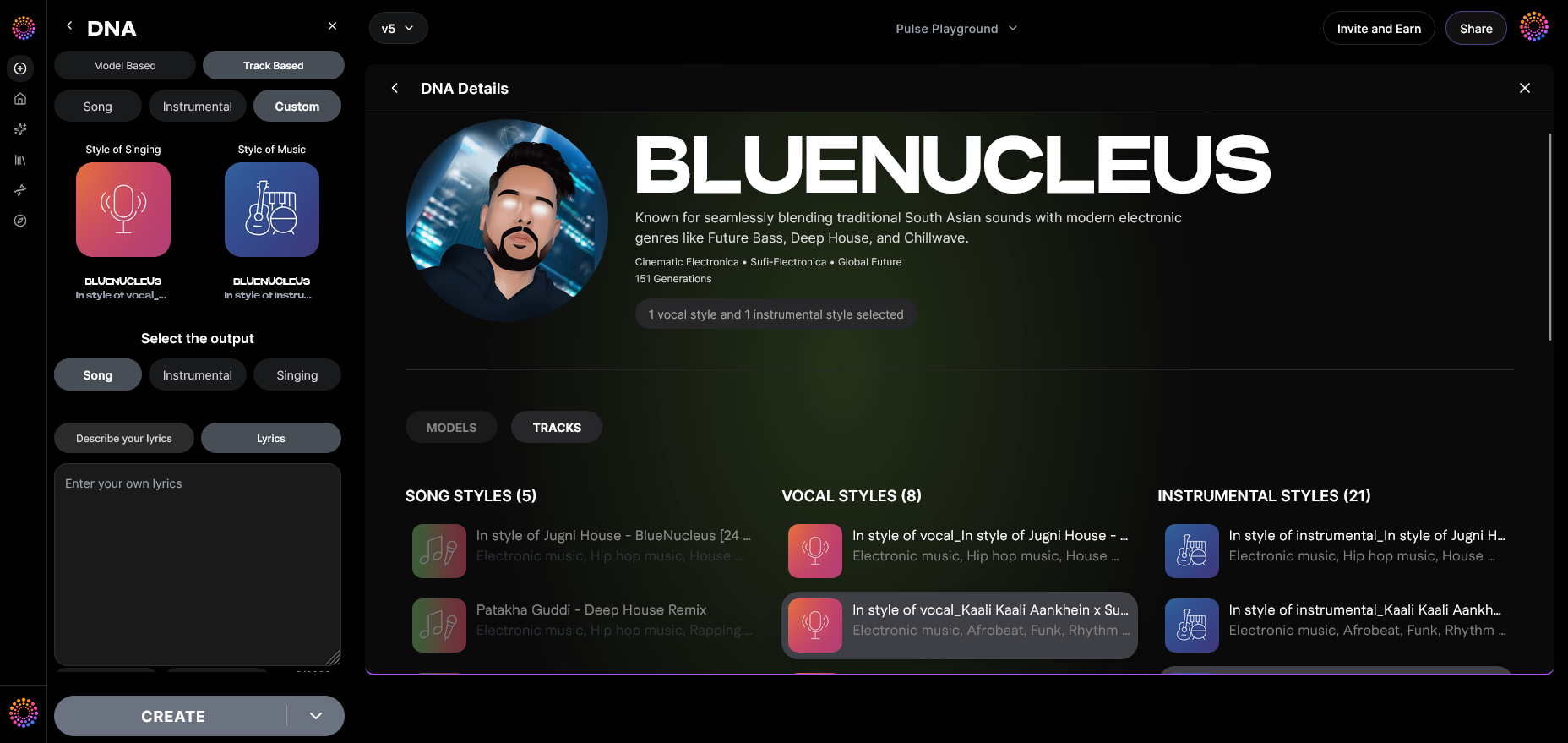
Choose parameters such as mood (energetic, chill), tempo, and instrumentation style before generation. TikTok short videos usually perform best with 60–90 BPM background loops.
Step 17: Lyrics Input
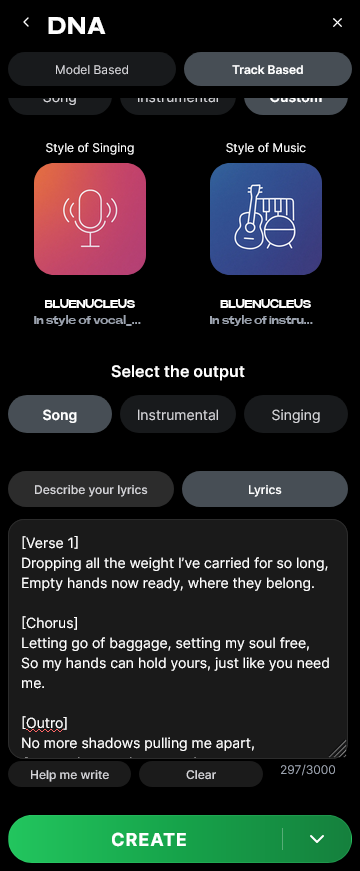
If your DNA includes vocals, enter short lyric text to match your tone. The AI creates melody and arrangement automatically.
Step 18: Model-Based Singing
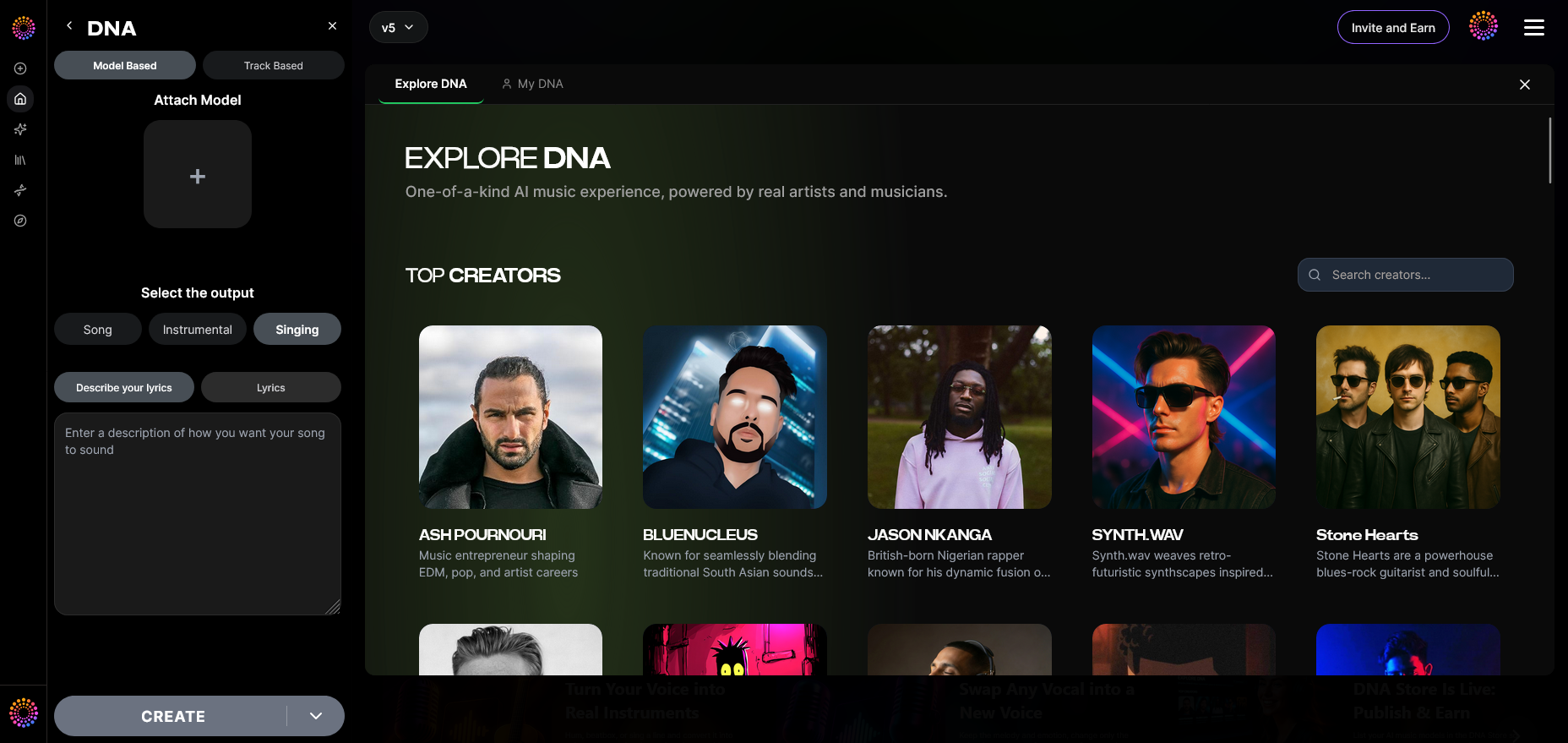
Generate singing output with your DNA voice textures or any licensed model available on the marketplace.
Step 19: Attach Model
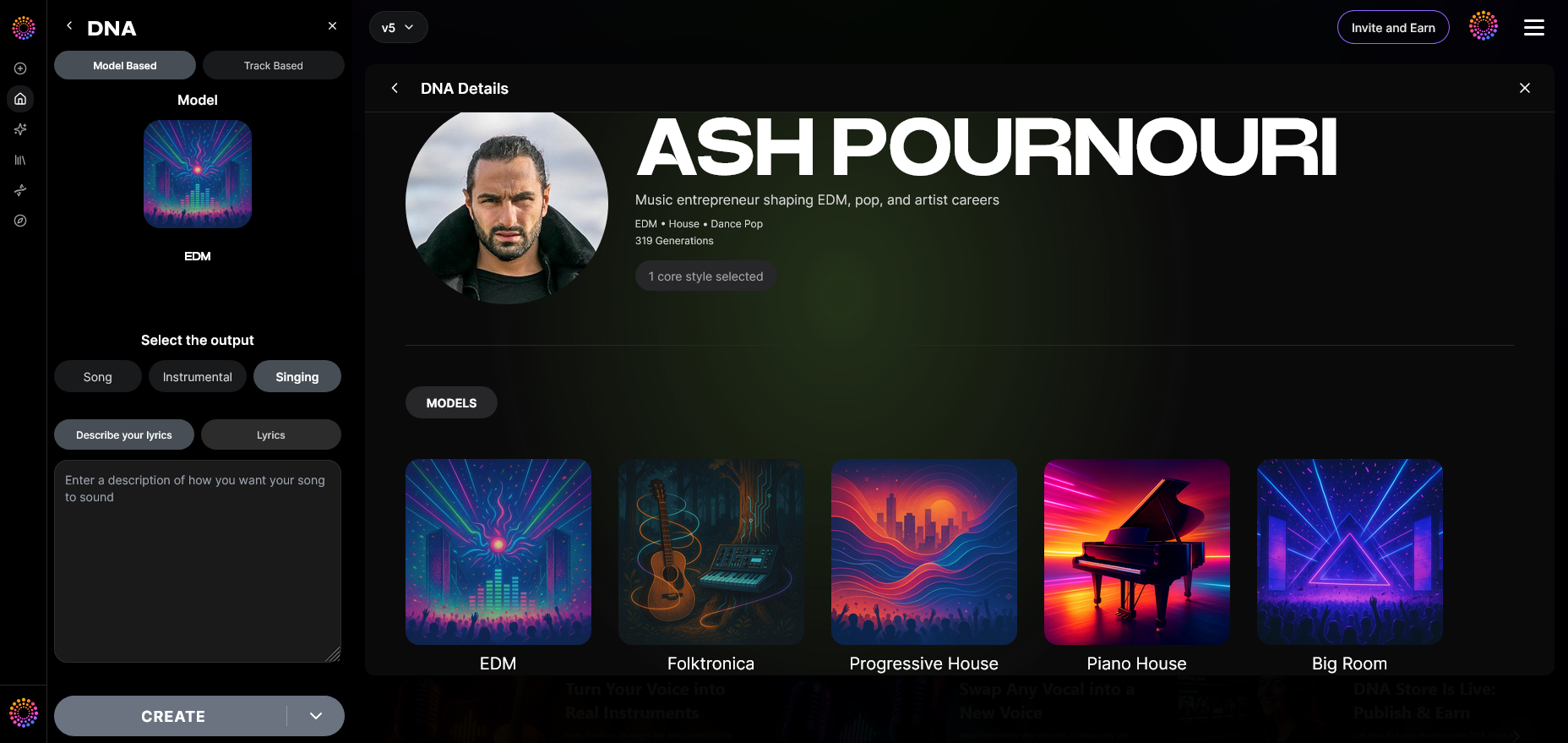
Before exporting, attach the model ID for copyright tracking. This confirms legal alignment for platforms like TikTok, YouTube Shorts, and Instagram Reels.
How to upload your Soundverse track to TikTok
After creating your track:
- Export the final file.
- Open TikTok and create a new post.
- Tap “Add sound,” then “Upload.”
- Select your Soundverse track.
- Adjust clip duration, volume, and alignment with your video timing.
- Post and tag your sound so other users can use it too.
As demonstrated in several tutorials like How to Make Your Own Sound on TikTok 2026 and How to Make your Own Sound on TikTok, using original audio allows full creative control over your upload. This method ensures you control both your creative sound and legal rights.
Pro Tips for creating viral TikTok sounds in 2026
- Keep it short—15 seconds is ideal for loop-friendly hooks.
- Use recognizable motifs—repetition makes your sound memorable.
- Balance volume—TikTok compresses audio, so normalize levels.
- Think in trends—check current AI music trends to stay relevant.
- Licensing clarity—always use Soundverse-generated or legally cleared audio.
Learn from other creators experimenting with AI content like this guide about faceless video creation or explore how to create country music with Soundverse for genre inspiration.
For variety, also review Soundverse’s AI Magic Tools if you want fast generative workflows.
Why Soundverse DNA is the ideal solution for TikTok creators
Creators need copyright-safe, on-brand sounds. Soundverse DNA delivers legally cleared music generation using licensed training catalogs—unlike public scraping AI systems. You can:
- Monetize your musical identity.
- Keep a cohesive sonic brand.
- Generate infinite variations safely.
Whether you’re forming a campaign soundtrack, producing intros, or shaping remix templates, Soundverse ensures every upload to TikTok aligns with 2026’s copyright rules and algorithmic recommendations.
Start Creating Custom Beats for Your TikTok Today!
Generate unique, royalty-free music with AI and make your TikTok content stand out. No musical skills required—Soundverse helps you craft perfect sounds in minutes.
Try Soundverse Free
Related Articles
- Generate AI Music with Soundverse Text-to-Music — Learn how to turn simple text prompts into stunning, AI-generated tracks that fit any social media vibe.
- Enhancing YouTube Content with Royalty-Free and Copyright-Free Music Using Soundverse AI — Discover how royalty-free AI music can elevate your YouTube videos and keep your content safe from copyright strikes.
- Navigating the World of Royalty-Free and Copyright-Free Music Using Soundverse AI — Find out how to secure the right tracks for your creative projects while avoiding copyright issues.
- What AI Can Generate Songs — Explore how AI is shaping the future of music creation and what tools can help you compose original tracks.
Here's how to make AI Music with Soundverse
Video Guide

Here’s another long walkthrough of how to use Soundverse AI.
Text Guide
- To know more about AI Magic Tools, check here.
- To know more about Soundverse Assistant, check here.
- To know more about Arrangement Studio, check here.
Soundverse is an AI Assistant that allows content creators and music makers to create original content in a flash using Generative AI.
With the help of Soundverse Assistant and AI Magic Tools, our users get an unfair advantage over other creators to create audio and music content quickly, easily and cheaply.
Soundverse Assistant is your ultimate music companion. You simply speak to the assistant to get your stuff done. The more you speak to it, the more it starts understanding you and your goals.
AI Magic Tools help convert your creative dreams into tangible music and audio. Use AI Magic Tools such as text to music, stem separation, or lyrics generation to realise your content dreams faster.
Soundverse is here to take music production to the next level. We're not just a digital audio workstation (DAW) competing with Ableton or Logic, we're building a completely new paradigm of easy and conversational content creation.
TikTok: https://www.tiktok.com/@soundverse.ai
Twitter: https://twitter.com/soundverse_ai
Instagram: https://www.instagram.com/soundverse.ai
LinkedIn: https://www.linkedin.com/company/soundverseai
Youtube: https://www.youtube.com/@SoundverseAI
Facebook: https://www.facebook.com/profile.php?id=100095674445607
Join Soundverse for Free and make Viral AI Music

We are constantly building more product experiences. Keep checking our Blog to stay updated about them!