How to Add Rythm Bot to Discord in 2026: Complete Music Bot Setup Guide
Learn how to add Rythm bot to Discord, set it up for perfect server music, and explore Rythm bot commands in 2026.
How to Add Rythm Bot to Discord
Adding music functionality to a Discord server has always been a top priority for community managers and gaming groups. One of the most iconic names in this space is the Rythm bot—a music bot designed to bring synchronized, high-quality sound directly into your server voice channels. As the year 2026 continues to redefine how communities interact, knowing how to add Rythm bot to Discord is an essential skill for maintaining engagement and entertainment.
Why Discord Server Music Matters in 2026
In 2026, Discord remains a central hub for gamers, creative communities, students, and global workgroups. With more servers using music bots to encourage participation, background tunes have become part of the community vibe. From collaborative playlists to study sessions, Discord server music has evolved beyond simple streaming—it’s now a digital experience shaped by intelligent automation and integrated tools.
What Is Rythm Bot and Why It’s Still Relevant
Rythm bot earned its reputation as one of the most reliable Discord music bots because of its seamless performance, straightforward setup, and robust set of commands. Although several bots emerged between 2024 and 2025, few matched Rythm’s consistent audio quality and community-tested features. In 2026, updated implementations and hosting options keep Rythm functional for private servers and self-hosted instances, ensuring users can still enjoy synchronized playback without copyright interruptions.

How to make Discord Music Setup Easier with Soundverse Agent
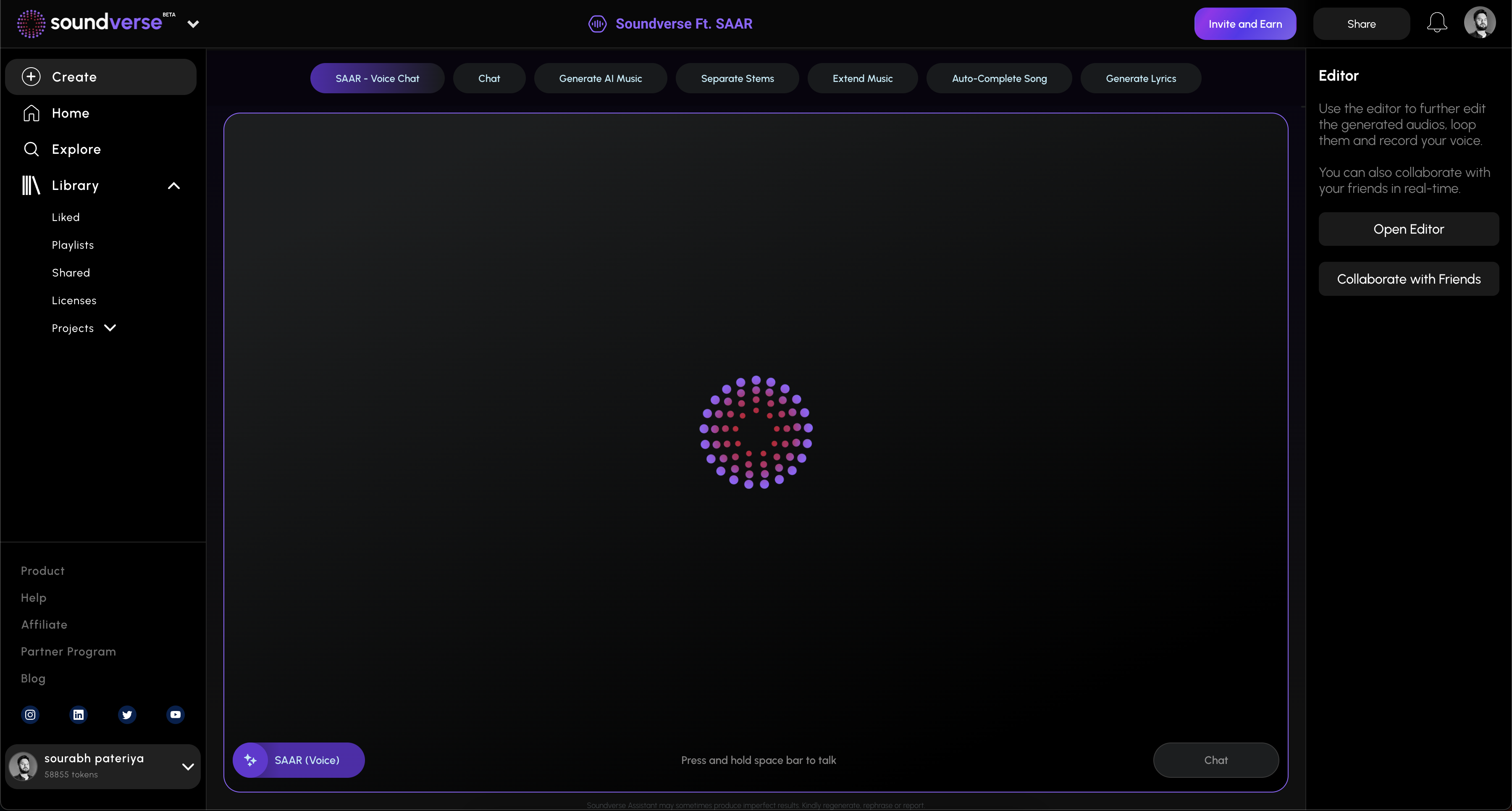
Soundverse, a leading AI-powered music creation platform, offers a powerful feature called Agent—a conversational AI music assistant that goes beyond conventional bot management. The Agent isn’t a Discord bot itself but a workflow controller capable of generating custom music you can later play on Discord through bots like Rythm.
Soundverse Agent uses multi-step reasoning and contextual memory to understand complex prompts such as “create a chill track for my server” or “generate an EDM intro for my streaming community.” The tool orchestrates underlying workflows automatically, including generating, separating, and extending music stems. Beginners use Agent to create music without technical knowledge, while producers employ it to automate tasks like sample generation and arrangement refinement.
Core capabilities include:
- Multi-step tool orchestration for creating complete tracks
- Voice input support for hands-free composition
- Contextual memory to remember previous musical directions
- Cross-tool automation to manage workflows involving generation, separation, and export
Once you generate custom audio, you can easily upload it to Discord and queue it with Rythm bot commands. This synergy between AI-generated tracks and bot delivery gives your community fresh, copyright-safe audio that fits any vibe.
For example, you might first use Soundverse Agent to create ambient background music. Then, through Rythm bot, stream it directly to your study group’s voice channel. Learn more about Soundverse’s AI music creation capabilities in similar guides like how to create healing meditation music with Soundverse AI or how to create EDM with Soundverse AI. For a deeper dive, watch our guide on creating Deep House music and how to make music with Soundverse.
Step 1: Overview
To add Rythm bot to Discord in 2026, begin by visiting the official Rythm website or verified hosting repository. If the bot has migrated to a self-hosted system, download or fork the latest version according to Discord’s bot development documentation. Ensure you have Administrator permissions on the server.
Step 2: Reference Audio
This step involves testing reference audio once your server bot is added. Invite Rythm using an OAuth2 authorization link generated through the Discord Developer Portal. Under permissions, select “Connect,” “Speak,” and “Use Slash Commands.” After authorization, join your server and confirm that Rythm appears in the member list.
Step 3: Attach Button
Open the Rythm bot settings or dashboard (depending on hosting setup). Inside the interface, locate the attachment options that let you specify playlists or music sources. Many users prefer connecting Rythm to YouTube or Spotify streaming URLs, ensuring you comply with Discord’s music bot policies introduced in late 2025.
Step 4: Submit Request
Once the bot is online, use slash commands such as /play song_name or /join to start playback. Rythm will automatically queue the requested audio source and join the associated voice channel. If your music source is AI-generated (for example, from Soundverse Agent), you can upload the file to a public platform before linking it.
Step 5: Review Output
Monitor how the bot interacts with the channel. Playback should be synchronized with no latency. Discord’s improved audio coupling features (rolled out mid-2025) ensure more consistent voice channel fidelity. If you notice stutters, adjust your server’s voice region or bandwidth priorities.
Step 6: Refine Conversation
Use Rythm’s additional commands to refine your playlist. The 2026 update supports dynamic command chaining—for example, /skip, /pause, /resume, and /volume adjustments. Server admins can enable role-based permissions for music control to avoid spam or conflicting commands.
Step 7: Advanced Controls
Advanced settings allow integration with external tools. Developers can connect Rythm with an API key to automate music playback based on community votes, Twitch alerts, or script responses. This feature aligns perfectly with creative scenarios where Soundverse Agent-generated songs play at specific intervals or events.
Step 8: Export Options
If you manage recorded server sessions, use bots or third-party tools to export chat transcripts or playlist histories. While Rythm bot primarily focuses on playback, maintaining export logs helps track popular music themes for future community planning.
Step 9: New Conversation
When starting fresh server music setups, clear the queue and initiate new sessions with /clear followed by /playlist create. This ensures each event begins smoothly without overlapping songs.
Pro Tips for Discord Music Administration
- Balance permissions so Rythm does not compete with other bots for voice bandwidth.
- Keep playlists short to maintain interaction rather than passive listening.
- If integrating Soundverse AI music, export clean audio in MP3 or WAV format for seamless streaming.
- Regularly check Discord bot compliance updates—after mid-2025, several platforms adjusted policies for copyrighted content.
Explore other related insights in articles like how AI-generated music is transforming the music industry and best AI music generator top picks and review.
Final Thoughts
Adding Rythm bot to Discord in 2026 is more than a routine setup—it’s about building connection through music. When combined with the creative potential of Soundverse Agent, server administrators can produce original music tailored to their audience. Whether you run a gaming hub, study group, or professional community, integrating high-quality AI tracks with smart server tools creates an immersive digital atmosphere where conversation and creativity harmonize effortlessly.
To explore how Soundverse Agent can help you make custom tracks for your Discord sessions, visit Soundverse Assistant – your AI music co-producer and learn how multi-step reasoning streamlines modern music generation workflows.
By understanding both the technical and creative sides of Discord music bot setup, your server can turn casual listening into an experience users remember long after the session ends.
Start Creating Music Smarter with Soundverse AI
Save time and unleash creativity by generating custom, royalty-free music with Soundverse’s advanced AI. Perfect for Discord creators, streamers, and musicians looking to level up their sound.
- Enhancing YouTube Content with Royalty-Free and Copyright-Free Music Using Soundverse AI: Learn how to elevate your YouTube videos using high-quality, copyright-safe music crafted by AI.
- Navigating the World of Royalty-Free and Copyright-Free Music Using Soundverse AI: Discover the best ways to find and use royalty-free tracks for personal and commercial projects.
- Generate AI Music with Soundverse Text-to-Music: Turn your ideas into fully produced tracks instantly using Soundverse’s text-to-music feature.
- Soundverse AI Magic Tools: Create Content Quickly with AI: Explore Soundverse’s suite of AI tools designed to help musicians and creators build tracks efficiently.
Here's how to make AI Music with Soundverse
Video Guide

Here’s another long walkthrough of how to use Soundverse AI.
Text Guide
- To know more about AI Magic Tools, check here.
- To know more about Soundverse Assistant, check here.
- To know more about Arrangement Studio, check here.
Soundverse is an AI Assistant that allows content creators and music makers to create original content in a flash using Generative AI.
With the help of Soundverse Assistant and AI Magic Tools, our users get an unfair advantage over other creators to create audio and music content quickly, easily and cheaply.
Soundverse Assistant is your ultimate music companion. You simply speak to the assistant to get your stuff done. The more you speak to it, the more it starts understanding you and your goals.
AI Magic Tools help convert your creative dreams into tangible music and audio. Use AI Magic Tools such as text to music, stem separation, or lyrics generation to realise your content dreams faster.
Soundverse is here to take music production to the next level. We're not just a digital audio workstation (DAW) competing with Ableton or Logic, we're building a completely new paradigm of easy and conversational content creation.
TikTok: https://www.tiktok.com/@soundverse.ai
Twitter: https://twitter.com/soundverse_ai
Instagram: https://www.instagram.com/soundverse.ai
LinkedIn: https://www.linkedin.com/company/soundverseai
Youtube: https://www.youtube.com/@SoundverseAI
Facebook: https://www.facebook.com/profile.php?id=100095674445607
Join Soundverse for Free and make Viral AI Music

We are constantly building more product experiences. Keep checking our Blog to stay updated about them!