How Producers Can Use Soundverse DNA as an AI Co-Producer in 2026
Learn how to use Soundverse DNA as your AI co-producer for music creation, sound design, and workflow automation in 2026.
How Producers Can Use Soundverse DNA as an AI Co-Producer
In 2026, the line between human creativity and artificial intelligence in music production has evolved into a dynamic partnership. Music producers around the world are turning to tools that understand and complement their artistic style, and at the center of this shift is Soundverse DNA. This system is more than an AI tool—it’s an AI co-producer capable of representing sonic identities, allowing users to co-create with AI while preserving artistic integrity and ethical standards.
As demand for efficient AI music production tools grows, Soundverse has redefined what it means to collaborate with machines. Gone are the days of generic AI-generated loops; Soundverse DNA makes it possible to generate music based on real artist-trained data while ensuring copyright-safe results.
What is Soundverse DNA and Why is it a Game-Changer in AI Music Production?
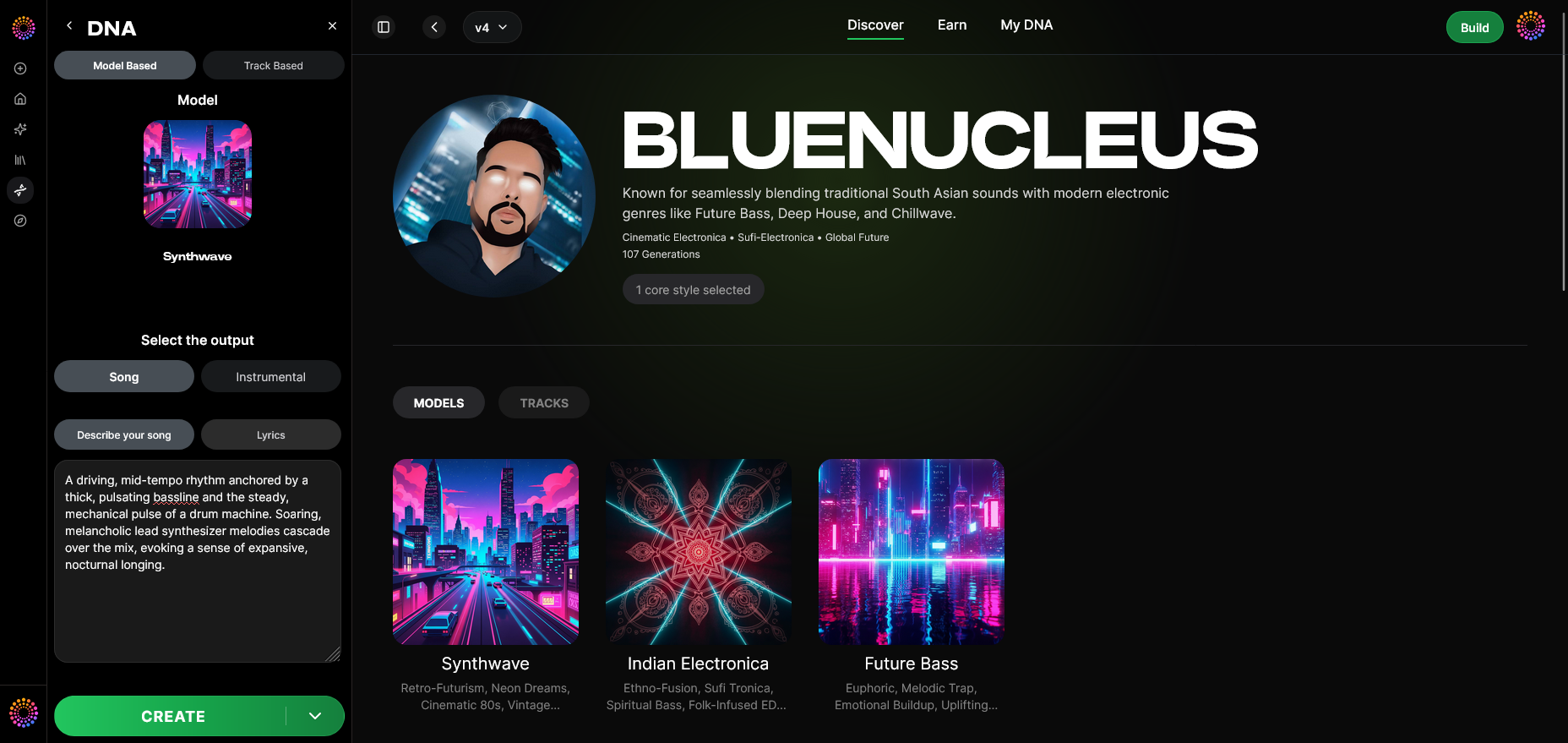
Soundverse DNA is an artist-trained AI music generation system that can replicate and expand unique musical styles, or what the platform calls "sonic identities." Unlike many AI systems that mimic music through large-scale, unlicensed data scraping, Soundverse DNA operates within an ethical AI music framework. It exclusively uses licensed catalogs, ensuring that every generated piece is legally safe and that original artists are fairly compensated.
In practice, producers can either develop their own DNA model—representing their sound, voice, or production aesthetic—or leverage existing DNA models from the DNA Marketplace. This marketplace enables creators to license, collaborate, and monetize their sonic style as explored in How Soundverse DNA is Powering the 2026 Audio Economy.
Core Capabilities of Soundverse DNA
- Full DNA: Recreate complete compositions or instrumentals that match a specific sonic signature.
- Voice DNA: Generate vocals in the timbre and performance style of a recorded artist model.
- DNA Marketplace: License existing DNA models or make your own available for monetization.
- Sensitivity Selector: Cluster your sonic catalog into eras or variations, letting you control stylistic precision.
- Private Mode: Securely generate and co-create without exposing projects to public use.
Together, these features form a toolkit that functions as an AI co-producer, helping musicians maintain consistency and accelerate production workflows.
How Can Producers Use Soundverse DNA as Their AI Co-Producer?

Soundverse DNA acts as a multi-layered creative partner. Whether you are a solo musician or part of a production house, the system integrates seamlessly with your process. Let’s explore how producers can practically apply it in 2026.
Step 1: Overview — Understanding DNA Mode
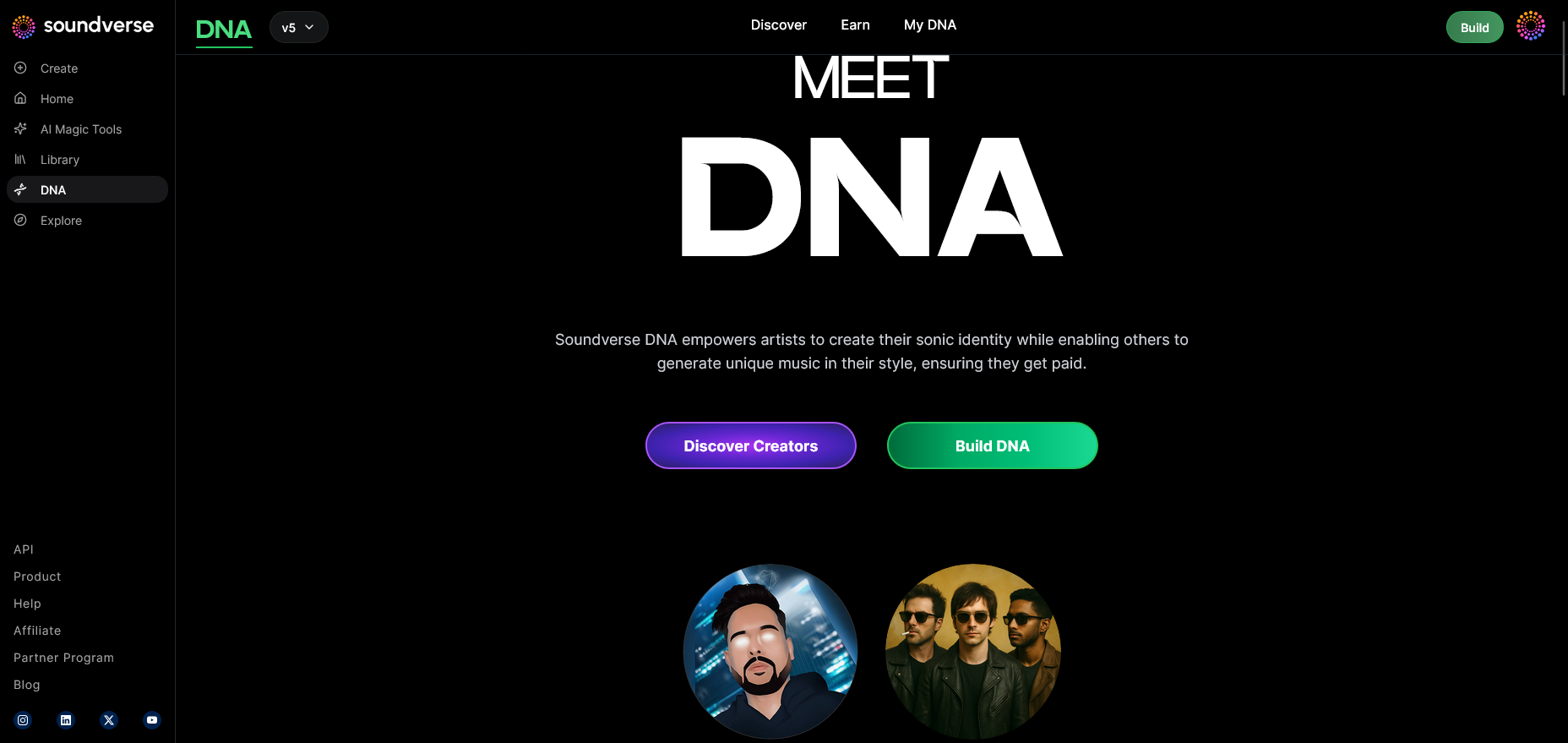
In DNA Mode, Soundverse offers a dedicated environment where musicians define or apply a sonic fingerprint. The overview screen provides a clear summary of your active DNA profiles, showing how each model is trained and what use cases it's licensed for. This step grounds you in what your AI collaborator can authentically produce.
Step 2: Dashboard — Managing Your DNA Library
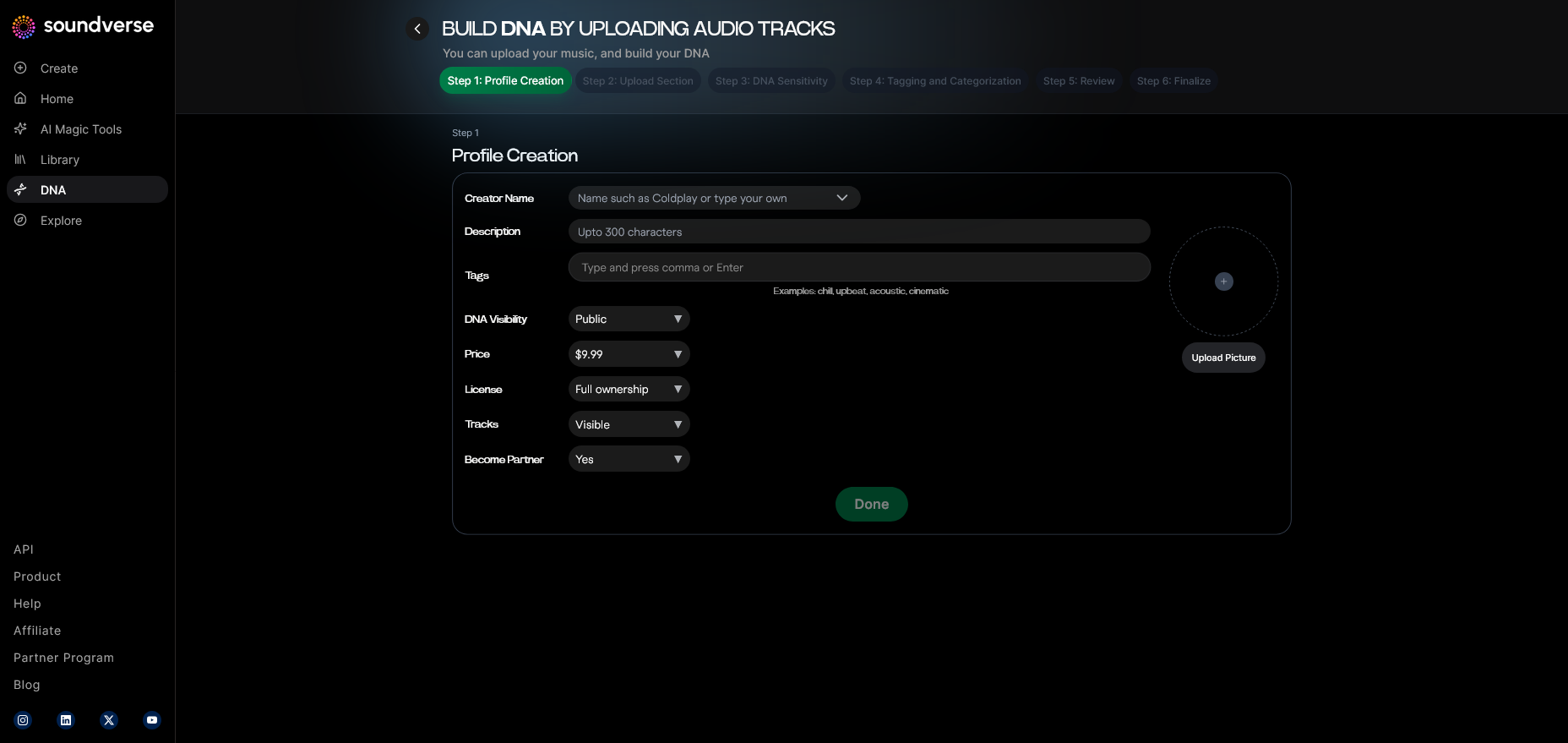
The My DNA Dashboard acts as your creative command center. Here you can organize multiple DNA models, monitor their monetization stats, and access integrated tools such as the Arrangement Studio for post-generation editing or Agent, Soundverse’s conversational AI assistant. The dashboard supports quick toggling between models depending on the project.
Step 3: Creator Profile — Setting Up Your Creative Identity
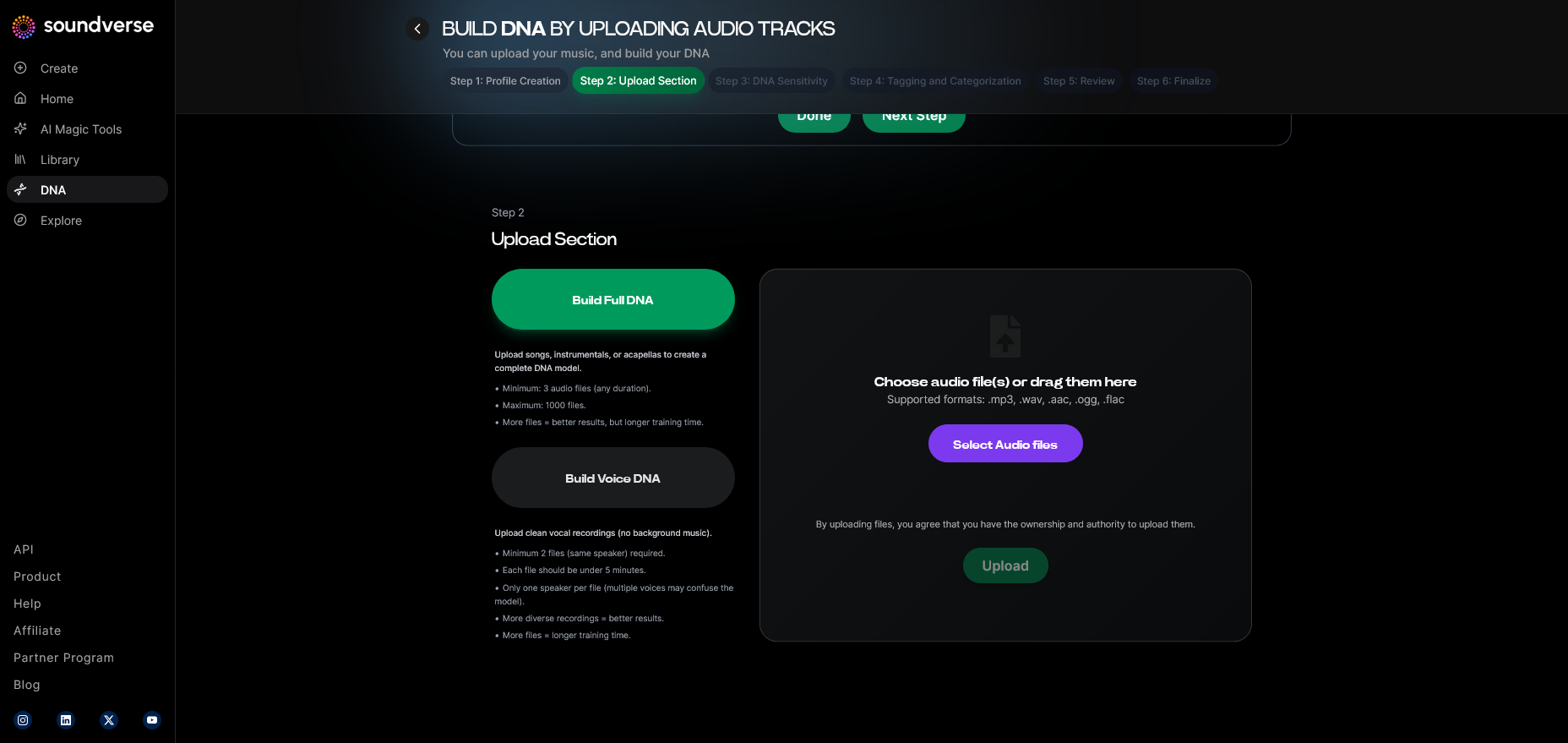
Producers begin by configuring their Creator Profile. This connects artist details with licensing preferences, ensuring the DNA model can attribute royalties accurately. Your artist profile also helps train future iterations of your sound and contributes to transparency in the Soundverse ecosystem.
Step 4: DNA Type Selection — Full vs. Voice DNA
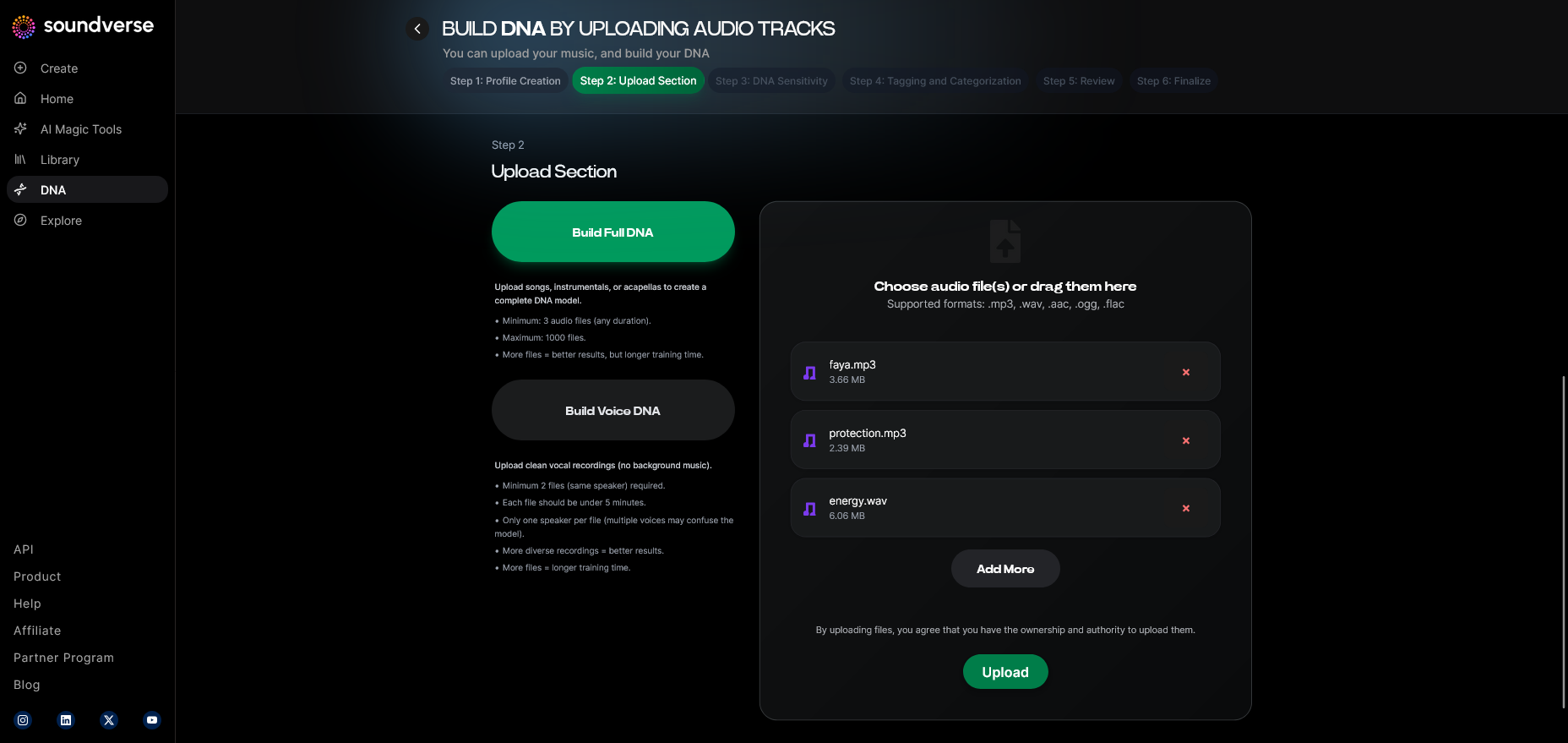
Soundverse DNA offers two core types: Full DNA (covering instrumentals and compositions) and Voice DNA (focused on vocal style and timbre). Full DNA is ideal for producers aiming to replicate or evolve their production sound, while Voice DNA benefits vocalists or producers seeking AI harmony layers or backing vocals with a consistent tone.
Step 5: Upload Files — Feeding the System
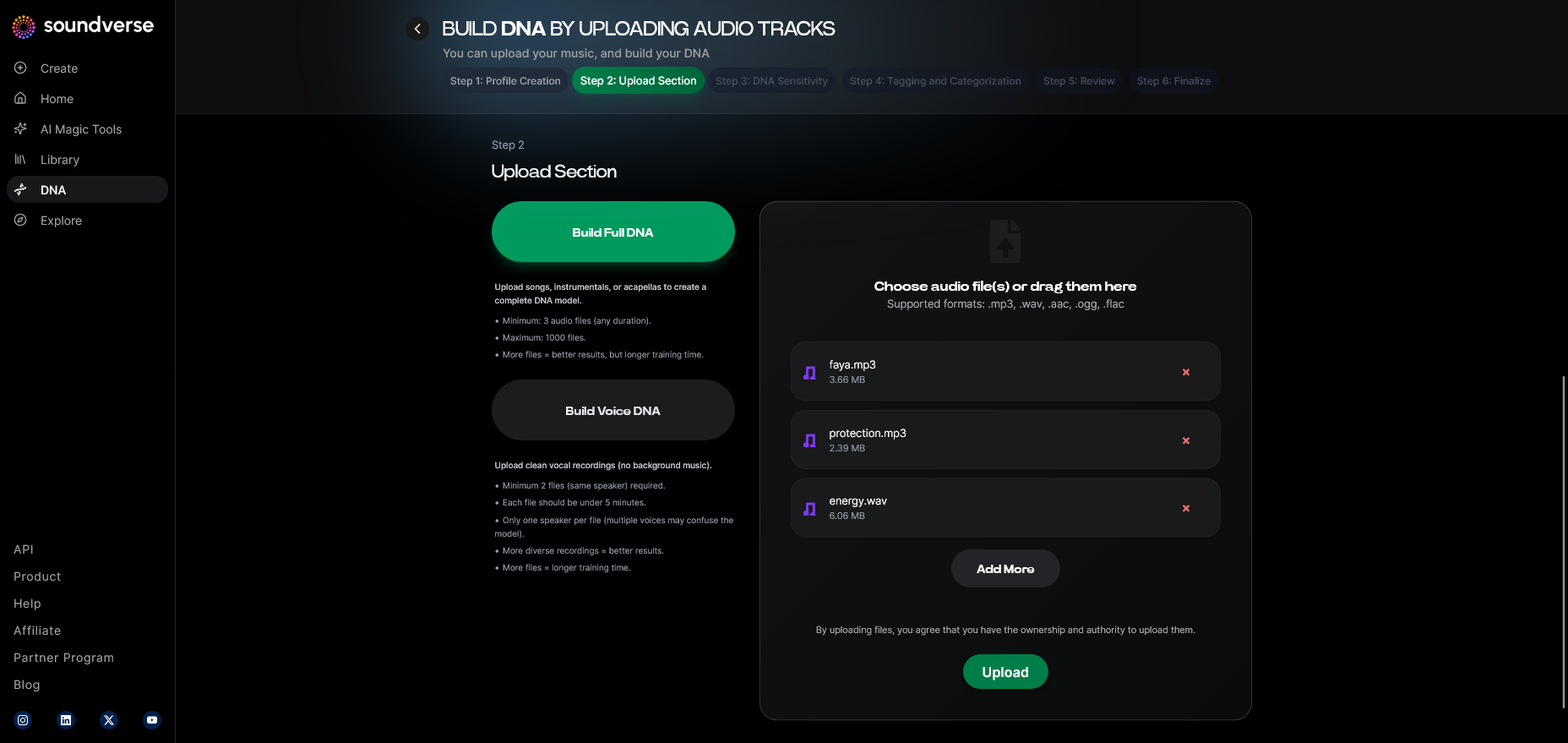
To create a custom DNA, you upload high-quality audio files. The system processes them asynchronously—there’s no live transformation. Instead, it analyzes tone, rhythmic traits, and textural identifiers, ensuring your DNA model reflects authentic production details.
Step 6: Sensitivity Setting — Curating Your Model’s Range
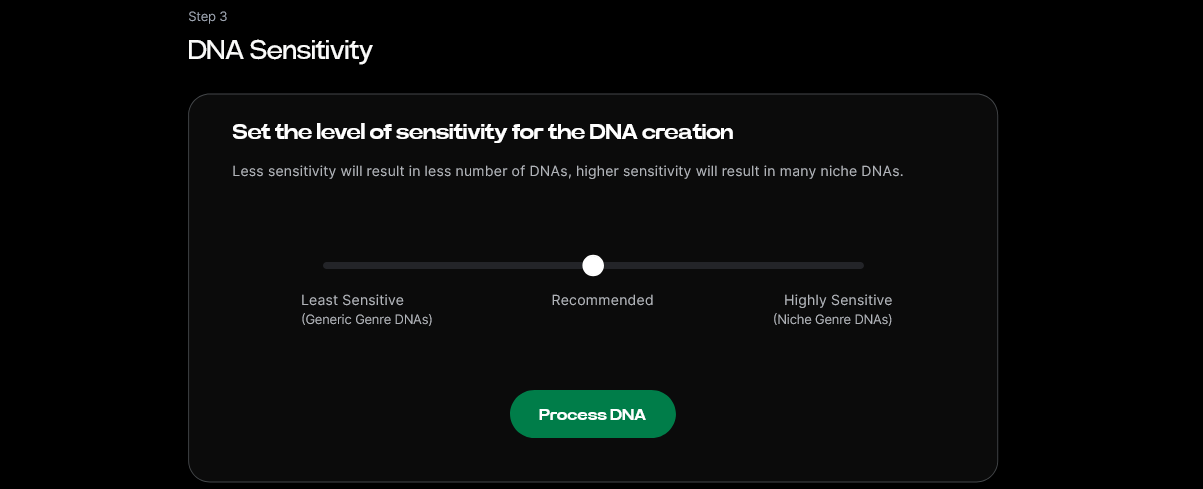
The Sensitivity Selector allows you to fine-tune how strictly your DNA model adheres to the source. For example, you can cluster styles into different eras or moods, letting your AI co-producer generate music that stays true to a particular creative phase.
Step 7: Auto Tagging — Metadata That Works for You
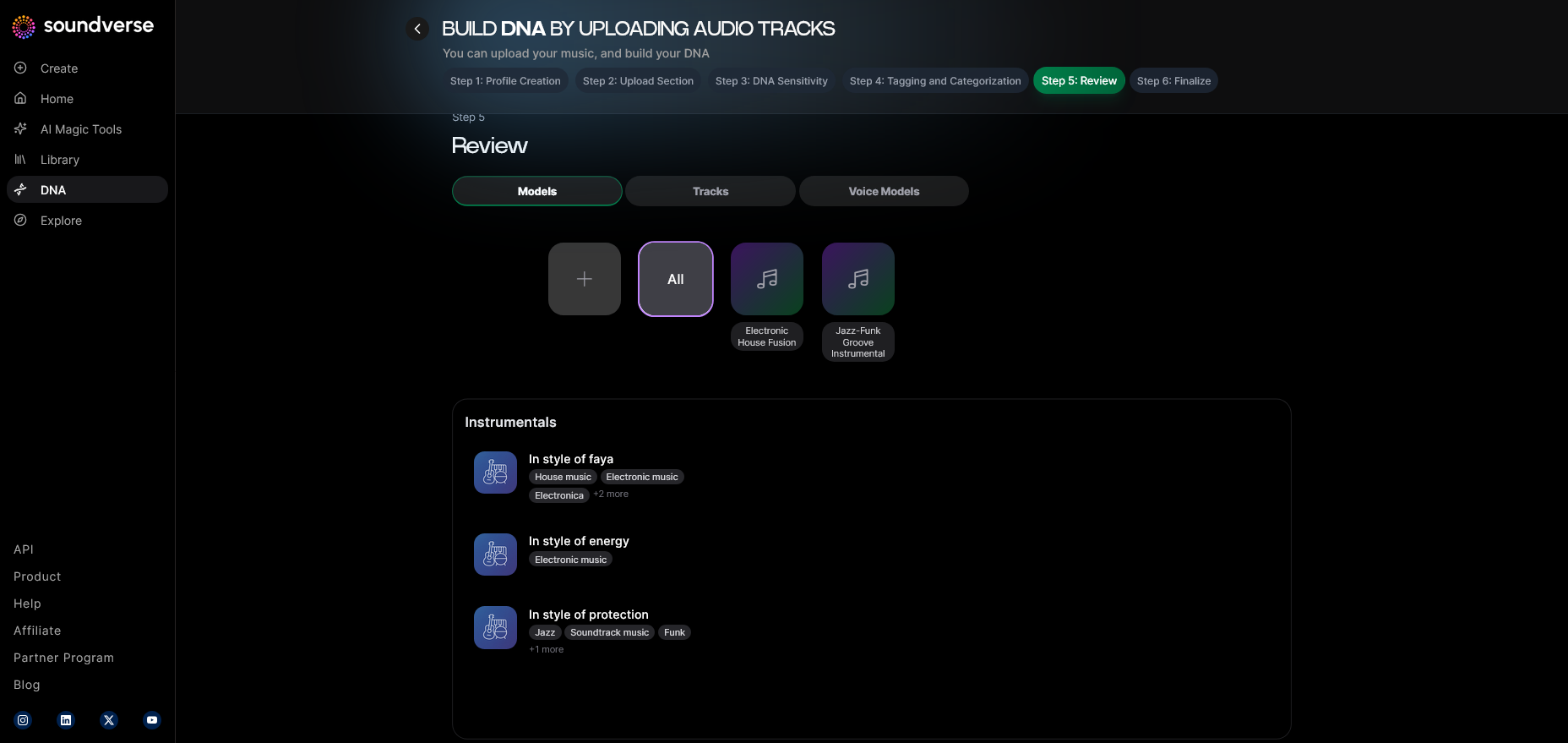
Once audio files are uploaded, Soundverse automatically tags your samples with metadata for genre, mood, key, and tempo. This auto-tagging system speeds up searchability and helps your co-producer suggest the most compatible sound combinations.
Step 8: Review & Publish — Your DNA Goes Live
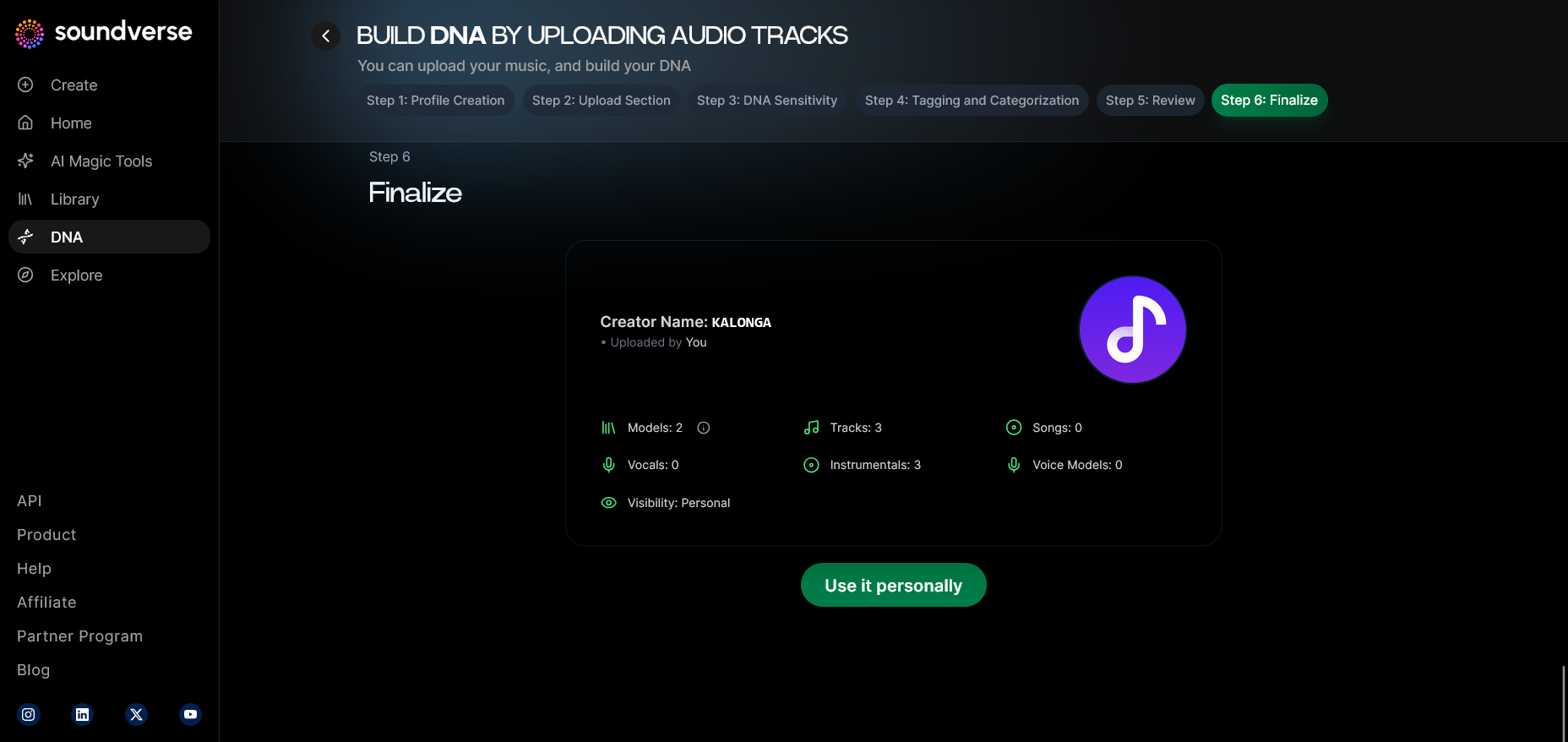
Before your DNA model is live, you review the metadata, tags, and license settings. Once published, your profile becomes available for either private use or marketplace listing. This stage finalizes your model as a legitimate creative asset.
Step 9: Generation Panel — The Co-Creation Space
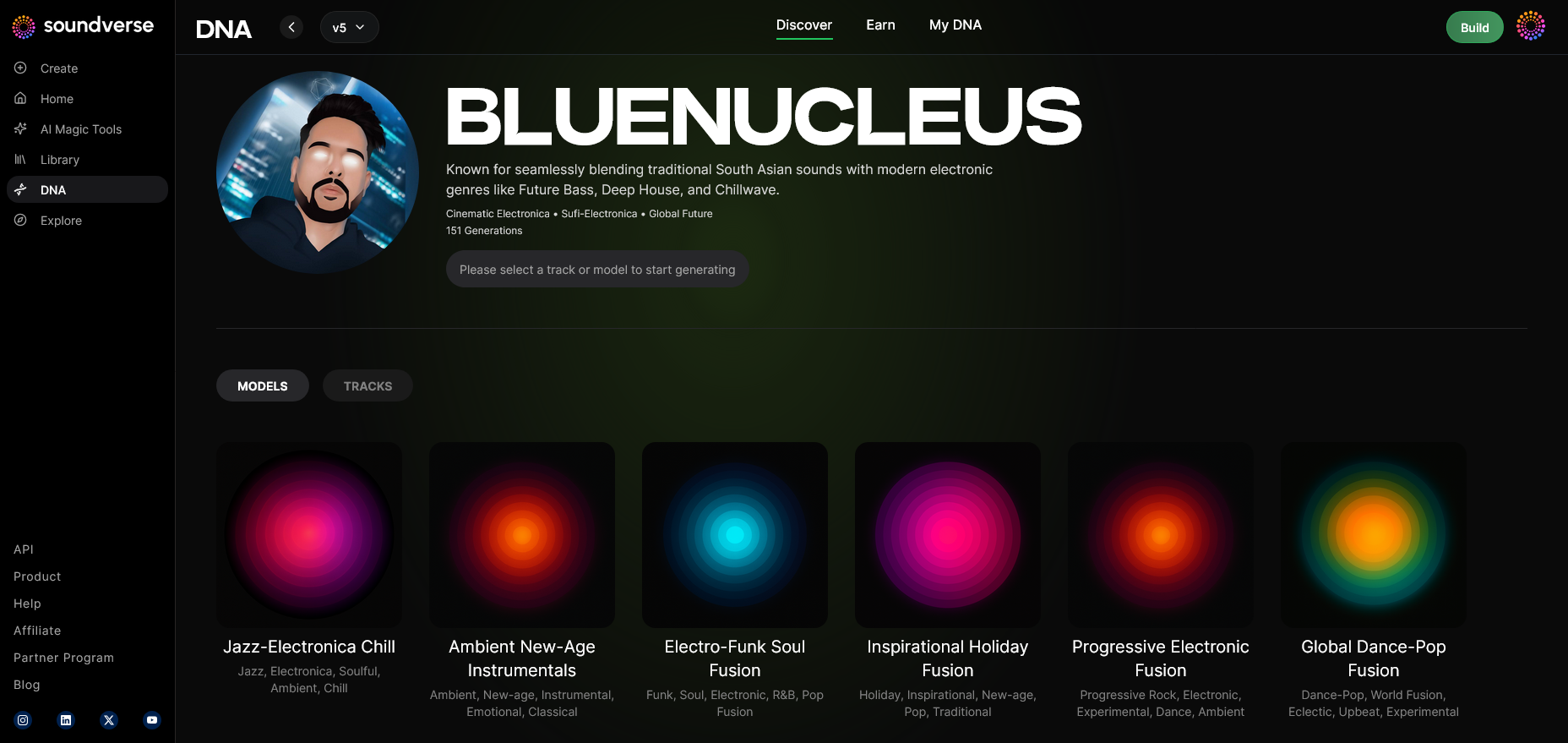
Here is where your AI co-producer comes to life. In the Generation Panel, you can prompt your DNA model to produce music based on descriptive inputs. Producers might request, “Create an ambient piece in my 2023 film-score style,” and the model assembles a unique, royalty-safe piece.
Step 10: Model-Based Mode — Leveraging Pre-Trained DNA
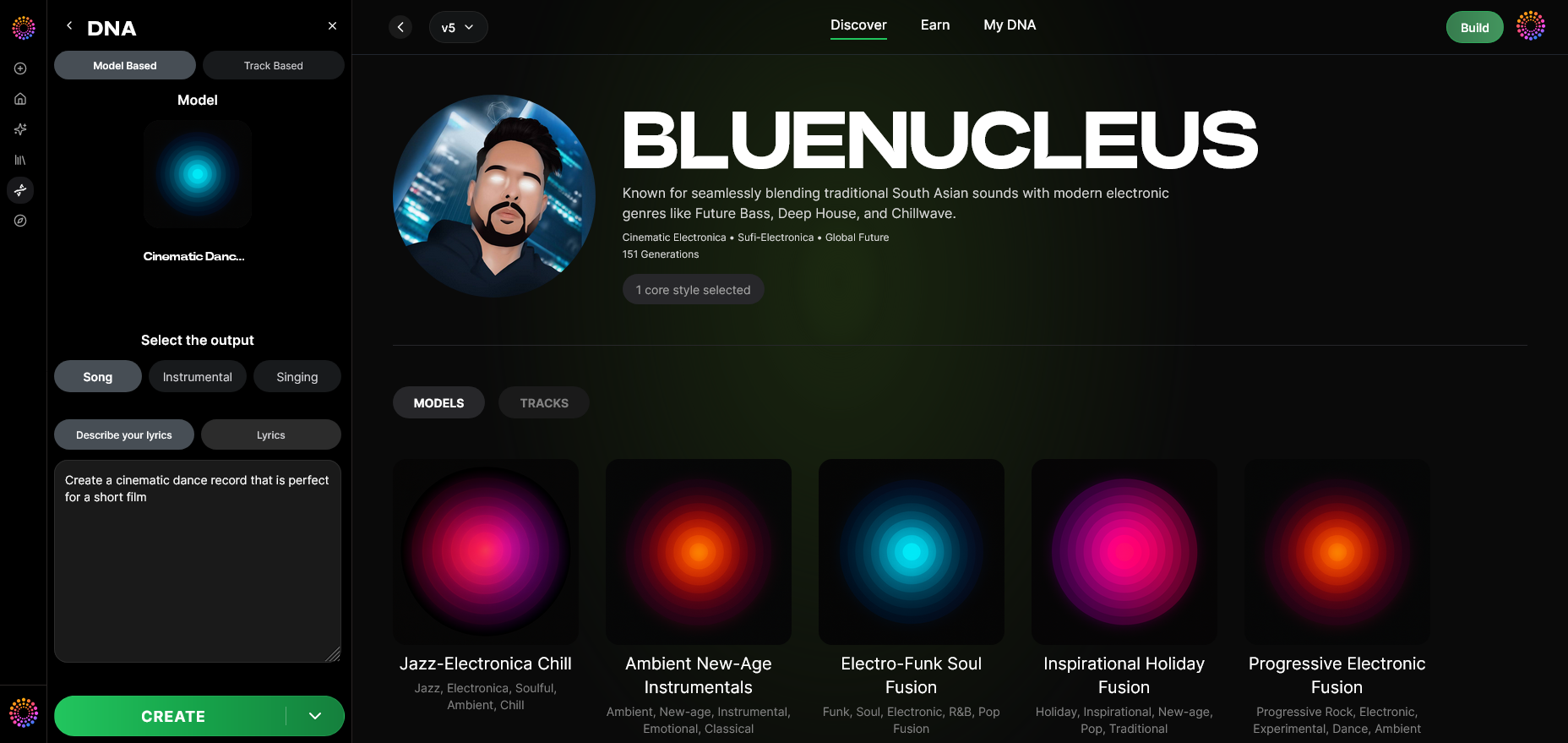
Rather than crafting new DNA, producers can activate Model-Based Mode, where they attach pre-trained models to projects. This is perfect for those who want to work with artist-approved sonic templates available through the Soundverse Marketplace.
Step 11–14: Output, Prompt, and Export Workflow
Users can select between Song and Instrumental outputs (Step 11) and decide how to prompt the system (Step 12), whether through text, referential audio, or descriptive mood keywords. Once generation is complete (Step 13), producers can explore export options (Step 14) to integrate the results seamlessly into DAWs or upload them into the Arrangement Studio for refinement. For visual learners, watch our Soundverse Tutorial Series - 9. How to Make Music or Make Deep House Music tutorial to see the workflow in action.
Applying Soundverse DNA in Real Producer Workflows
1. Rapid Song Ideation: Producers can quickly test multiple arrangement ideas without setting up complex sessions. You might create a base layer using DNA generation, then refine it in Arrangement Studio.
2. Sonic Branding and Consistency: For producers managing multiple artists or content creators, utilizing the same DNA model guarantees brand consistency across tracks or campaigns.
3. Ethical Collaboration: Every use of a DNA model contributes back to its original creator. This loop of authenticity preserves artistic ethics while addressing copyright concerns that have plagued earlier AI music systems.
4. Workflow Automation: When connected with Soundverse Agent, users can automate repetitive production tasks like stem separation, reference matching, and arrangement structuring. For example, integrating features from Soundverse AI Magic Tools or the Stem Separation AI Magic Tool further streamlines production.
Pro Tips for Using Soundverse DNA as a Co-Producer
- Experiment with sensitivity: Use lower sensitivity for genre-blending and higher sensitivity for brand consistency.
- Combine multiple DNAs: Blend two or more DNA models for hybrid styles.
- Leverage Arrangement Studio: After generating, refine track structures or transitions interactively.
- Stay ethical: Use DNA Marketplace models for legitimate collaborations instead of imitation.
For added inspiration, explore guides such as How to Create Country Music with Soundverse AI or Generate AI Music with Soundverse Text-to-Music to see how producers adapt AI workflows to various genres.
Why 2026 is the Perfect Time to Adopt AI Co-Producers
After years of skepticism in 2024 and 2025, the 2026 music market has embraced AI tools as legitimate creative partners. The evolution of AI in sound design means producers now expect AI not as replacements, but as collaborators. Tools like Soundverse DNA represent this maturity—balancing innovation with creative control.
Start Producing Smarter with Soundverse DNA
Unlock your creative potential by letting Soundverse DNA co-produce tracks with you. Streamline your workflow, generate endless ideas, and take your production quality to new heights.
Related Articles
- Soundverse Assistant: Your AI Music Co-Producer — Discover how Soundverse Assistant helps musicians and creators co-produce better music with smart, AI-driven collaboration.
- Soundverse Introduces Stem Separation AI Magic Tool — Learn how Soundverse’s Stem Separation tool helps you isolate and remix tracks effortlessly using advanced AI.
- AI Music Generator and Human Composers: A Future Together — Explore how AI and human creativity can merge to shape the next era of professional music production.
- How an AI Music Generator Inspires Creative Fusion — See how AI tools like Soundverse empower producers to blend genres and create entirely new audio experiences.
Here's how to make AI Music with Soundverse
Video Guide

Here’s another long walkthrough of how to use Soundverse AI.
Text Guide
- To know more about AI Magic Tools, check here.
- To know more about Soundverse Assistant, check here.
- To know more about Arrangement Studio, check here.
Soundverse is an AI Assistant that allows content creators and music makers to create original content in a flash using Generative AI. With the help of Soundverse Assistant and AI Magic Tools, our users get an unfair advantage over other creators to create audio and music content quickly, easily and cheaply. Soundverse Assistant is your ultimate music companion. You simply speak to the assistant to get your stuff done. The more you speak to it, the more it starts understanding you and your goals. AI Magic Tools help convert your creative dreams into tangible music and audio. Use AI Magic Tools such as text to music, stem separation, or lyrics generation to realise your content dreams faster. Soundverse is here to take music production to the next level. We're not just a digital audio workstation (DAW) competing with Ableton or Logic, we're building a completely new paradigm of easy and conversational content creation.
TikTok: https://www.tiktok.com/@soundverse.ai
Twitter: https://twitter.com/soundverse_ai
Instagram: https://www.instagram.com/soundverse.ai
LinkedIn: https://www.linkedin.com/company/soundverseai
Youtube: https://www.youtube.com/@SoundverseAI
Facebook: https://www.facebook.com/profile.php?id=100095674445607
Join Soundverse for Free and make Viral AI Music

We are constantly building more product experiences. Keep checking our Blog to stay updated about them!