AI Music Videos for Creators Without Video Editing Skills
Create stunning AI music videos without editing skills using the Soundverse AI Music Generator.
AI Music Videos for Creators Without Video Editing Skills
In 2026, artificial intelligence continues to revolutionize creative production, and nowhere is this more visible than in the world of music videos. For independent musicians, content creators, and social media talents, creating visually compelling music videos often meant mastering complex video editing software. But the rise of the AI music video maker has changed everything. Today, even beginners without editing experience can produce professional-level videos in minutes, blending sound and visuals automatically through machine learning.
Why Are AI Music Video Makers So Popular in 2026?

The demand for short-form video content exploded across platforms like TikTok, Instagram Reels, and YouTube Shorts. Every musician and creator is expected to accompany their tracks with high-quality visuals to stay relevant. However, traditional video editing takes hours and often requires expensive software such as Adobe Premiere or Final Cut Pro.
Enter AI video creation tools — they handle everything from generating beats, matching visuals to music, and applying motion and filters based on rhythm. Automated tools democratize creativity by allowing anyone to make stunning content without deep technical skills. According to the latest music industry trends, over 65% of creators in 2026 rely on AI-assisted workflows for their videos and songs.
What Is an AI Music Video Maker?
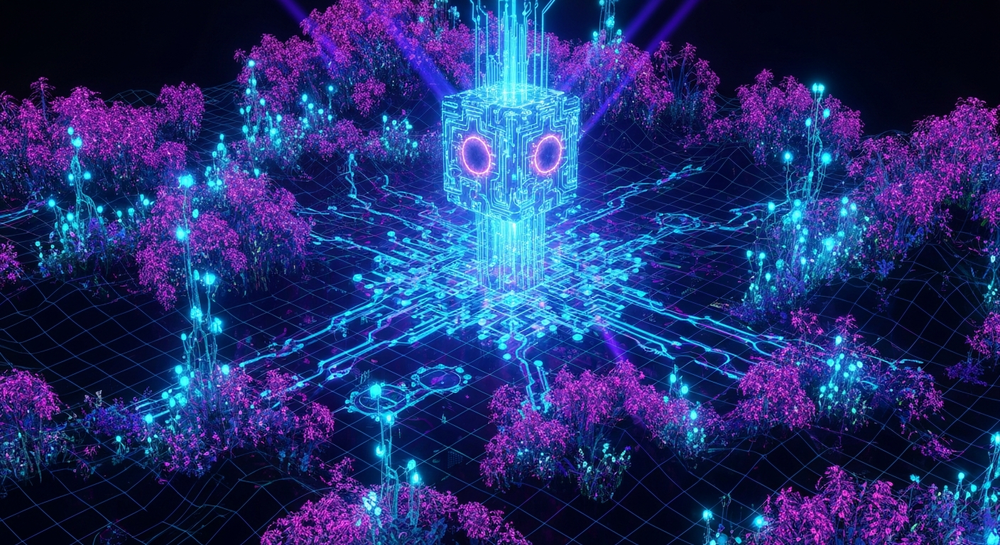
An AI music video maker automatically syncs generated or imported music with visuals. Users can input a prompt like “lofi sunset vibe” or “cinematic dark pop scene,” and the system interprets tone, tempo, and texture to produce visuals that enhance the song’s atmosphere.
These tools integrate beginner video AI capabilities—pre-trained algorithms that understand pacing, mood, and genre—to reduce creative barriers. Instead of worrying about cuts, transitions, and overlays, users simply describe what they want, and the AI handles the composition.
Most AI video tools today also support automatic video editing, which ensures every beat drop aligns with visual motion. For musicians who care about storytelling but lack the editing expertise, an AI-powered workflow provides a perfect balance between automation and artistic control.
How Does AI Video Creation Help Musicians?
For musicians, visuals are no longer optional; they are essential for marketing, storytelling, and audience engagement. Whether it’s a lyric visualizer, abstract animation, or a full cinematic experience, creativity now extends beyond the ears to the eyes.
Musicians traditionally hired editors or videographers to create their music videos. Now, AI provides self-service options like music video generators that can:
- Auto-sync visuals to rhythm: The AI analyzes beats and emotional tone, choosing appropriate colors, transitions, or lighting.
- Reduce production cost: What once cost hundreds or thousands per video can now be done for free or at a fraction of the cost.
- Boost storytelling: AI allows personalization—creators can describe the narrative and let machine learning interpret it visually.
- Create fast prototype videos: Perfect for sharing teasers, previews, or test content on social platforms.
For instance, if a musician creates a lo-fi beat using a text-to-music model, they can instantly pair it with visuals—rainy-window effects, cozy ambience, or street timelapse—to create a ready-to-publish package. For a deeper dive, watch our guide on creating Deep House music.
What Are the Key Benefits of Using a Beginner Video AI Tool?
Beginners benefit the most from AI video creation tools because they eliminate manual processes like cutting footage or syncing transitions. Here’s why they’re transformative in 2026:
- No editing experience required: The AI interprets prompts and applies automatic video editing suitable for the chosen music style.
- Template-free creativity: Instead of rigid templates, creators describe the feeling, genre, or vibe, and AI delivers unique visuals.
- Scalable for content series: Once the video style is set, creators can replicate it for new releases or recurring content.
- Time efficiency: Generating a 60-second clip can take fewer than 5 minutes.
Some creators even combine these video tools with music generation engines for a full-stack experience — a concept that leads us directly to Soundverse.
How to Make AI Music Videos with Soundverse AI Music Generator
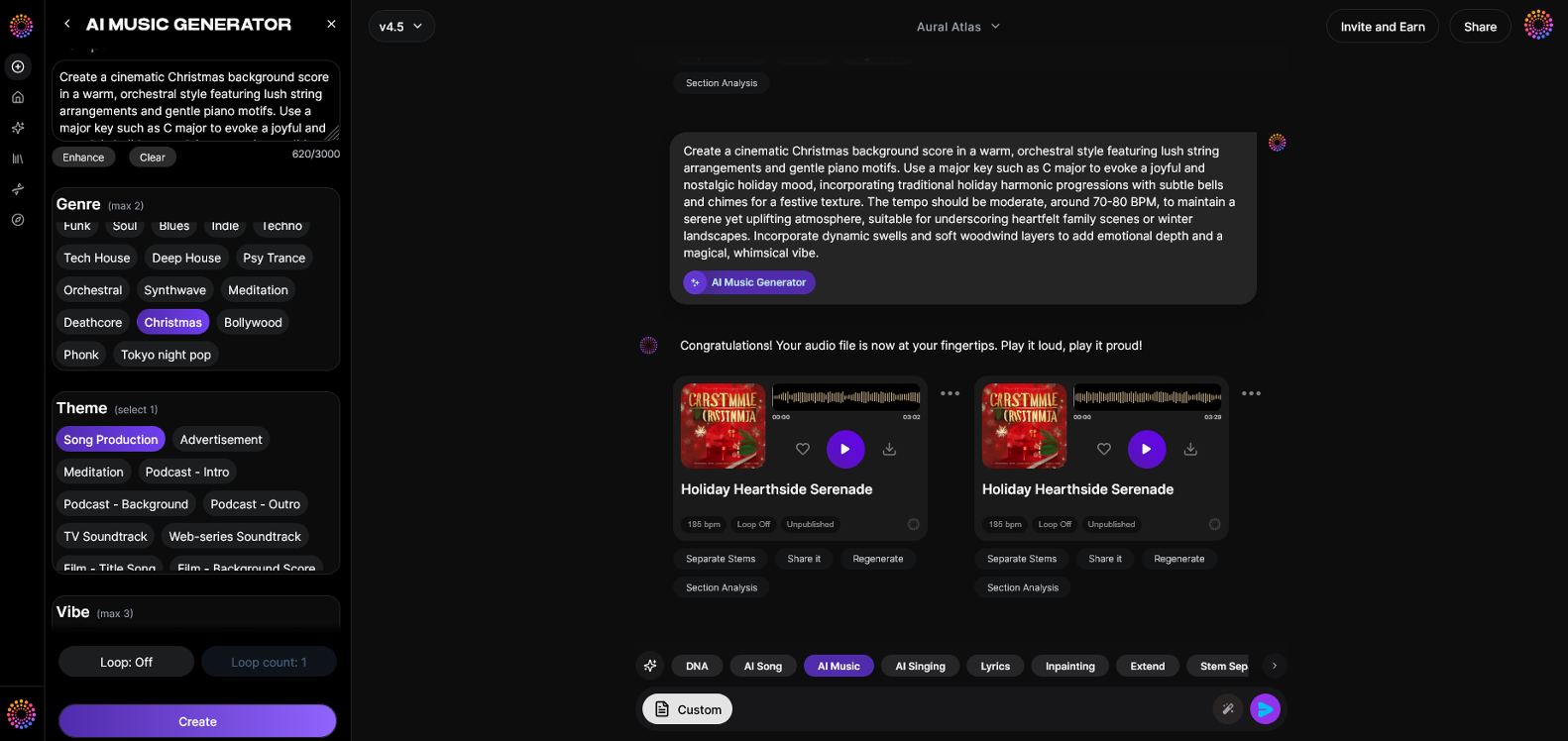
Soundverse offers the AI Music Generator, a powerful tool designed for creators who want to make original instrumental tracks from text prompts. It’s ideal for pairing with video visuals created by AI or existing footage.
Official Description: The AI Music Generator lets you create fully produced instrumental music from text prompts. It excels at background tracks, beats, and soundscapes without vocals, ideal for looping and syncing with visuals.
Core Capabilities:
- Text-to-music generation: Describe the style, mood, or instrument, and the AI composes accordingly.
- Loop Mode: Generate seamless loops for continuous playback without interruption.
- Detailed control: Refine your track by setting genre, tempo, or emotional tone.
- Model options (V4 and V5): Choose the AI generation model for different sound textures and quality improvement.
Primary Use Cases:
- Video background music
- Game soundtracks and ambient loops
- Meditation and wellness sessions
- Commercial and advertising sound design
Here’s how you can make your own AI music video using Soundverse:
Step 1: Feature Overview
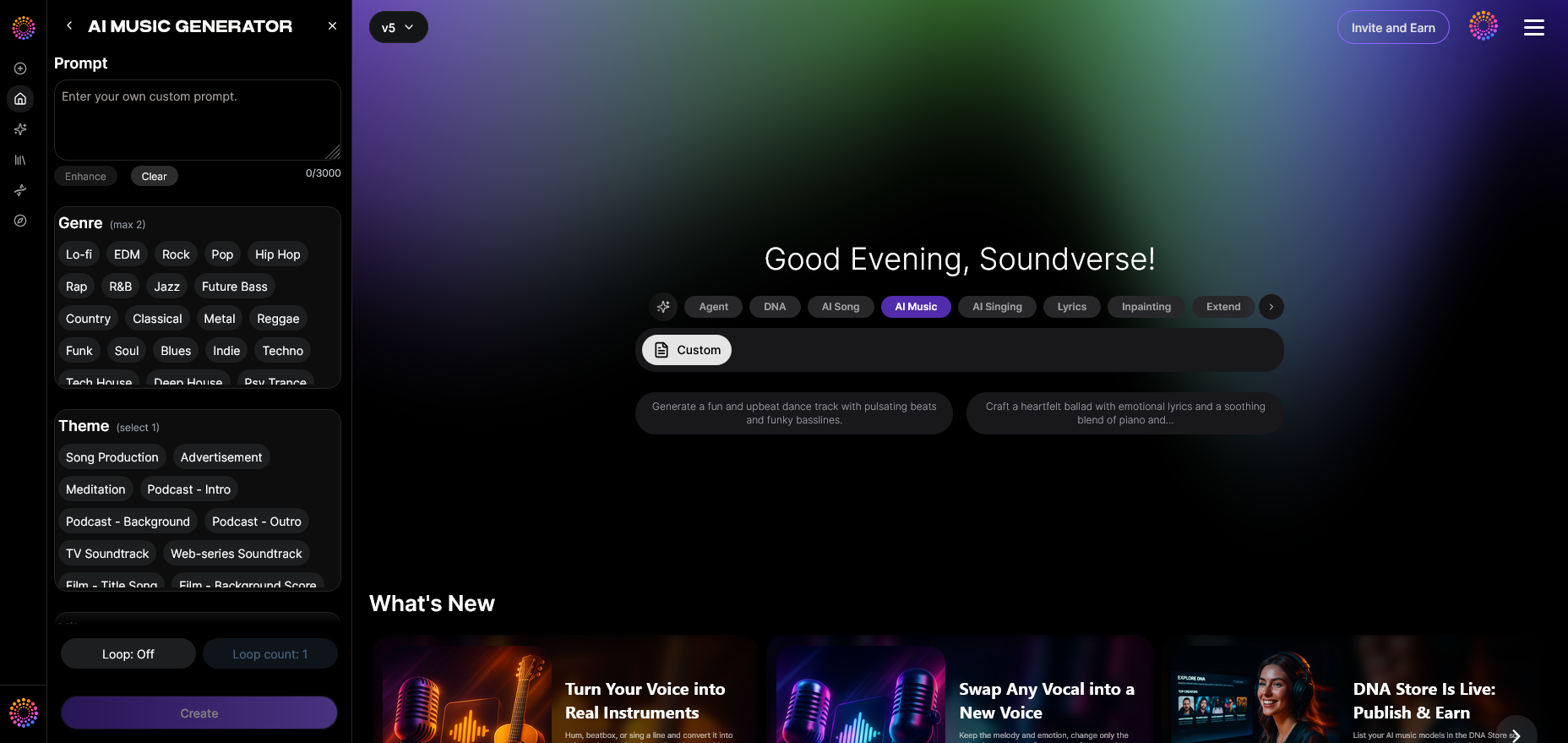
Access the AI Music Generator from the main menu on your Soundverse dashboard. This is your primary tool for crafting instrumentals from text prompts. It’s seamlessly integrated with other modules, so you can use the same composition later with visuals or vocals.
Step 2: Description Input
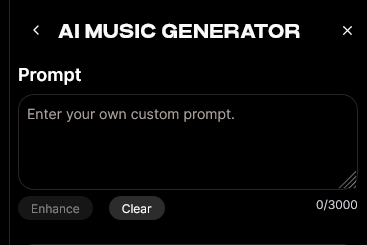
Type a short prompt such as “energetic EDM drop with futuristic synths” or “ambient chillhop with electric piano.” The AI interprets these instructions and prepares to generate music matching the description.
For more prompt inspiration, check resources like 100 text-to-music prompts to find creative direction.
Step 3: Style & Duration
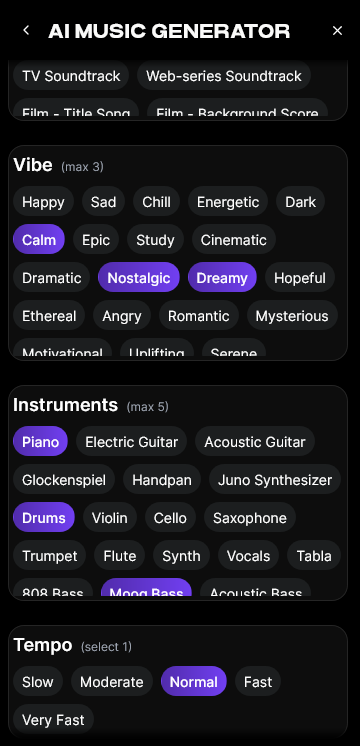
Select your desired duration, genre, and model version (V4 or V5). V5 typically offers more detailed sound instruments, while V4 is great for quicker generation or experimental blends.
Step 4: Generation
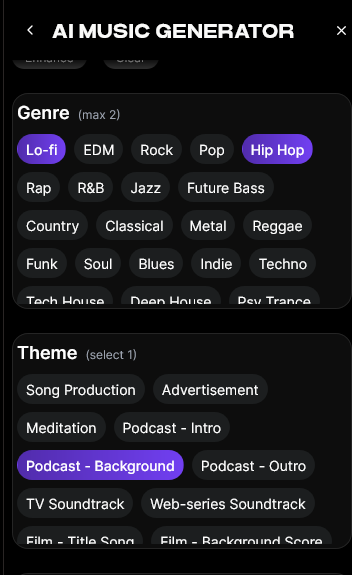
Click “Generate.” The AI will produce a fully mixed, instrumental piece based on your input. This process is asynchronous — meaning you’ll receive a notification or see a finished track once it’s processed.
Step 5: Export Options
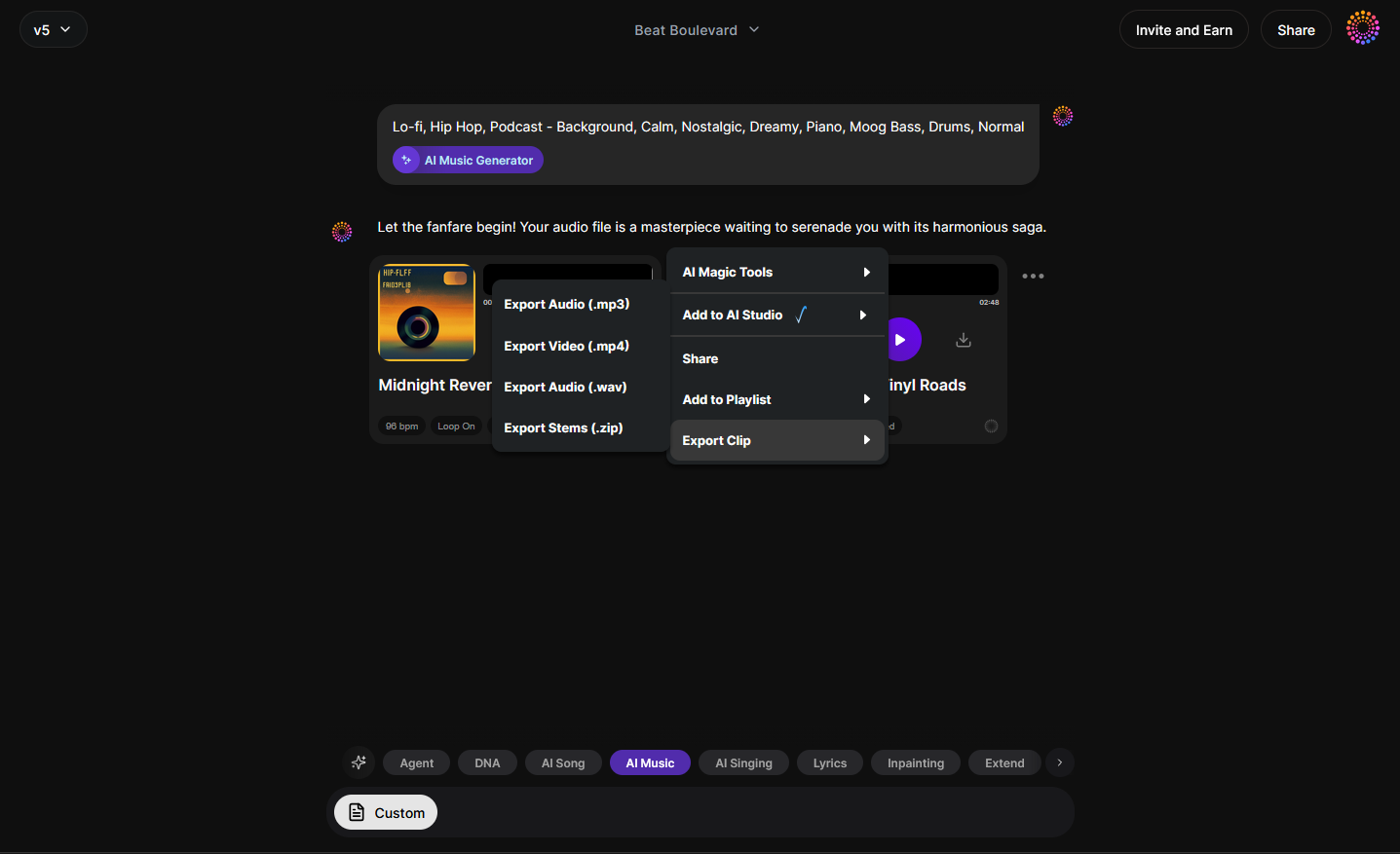
Once the track is ready, you can download or export it. Musicians can loop the instrumental using Loop Mode for seamless background playback. Pair it with your desired visuals generated by your favorite video AI tool, and your project is complete.
For more tutorials on specific genres, see examples like How to Create EDM with Soundverse AI or How to Create Jazz Music with Soundverse AI. For beginners, watch our how to make music tutorial from the Soundverse channel.
Combining AI Music and AI Visuals for a Full Creative Workflow
Creating an AI music video often involves merging two types of AI tools: one for sound generation and one for visual production. The Soundverse ecosystem integrates perfectly with your visual workflow by providing creative control over the audio foundation.
You can use the Soundverse Agent, an intelligent assistant that coordinates AI tools automatically — from generating tracks to adjusting tempo or filtering mood. Pair that with third-party tools for motion and imagery, and you have a robust creative pipeline.
Additionally, Soundverse includes features like Extend Music, which allows you to continue a track seamlessly. Perfect for creators who need longer video versions of their compositions.
For instance, a musician could:
- Generate a base beat using the Soundverse AI Music Generator.
- Use the Agent to refine the mood toward cinematic or minimalistic themes.
- Extend the track to fit a specific video length.
- Pair it with visuals created by an AI video generator — and voila, a fully realized music video.
Pro Tips for Creators Using AI Video Tools in 2026
- Use narrative-driven prompts: Describe emotions and settings instead of genres only. For example, “reflective urban night” will yield more meaningful output than “hip-hop beat.”
- Leverage Loop Mode: Especially for social content, loops provide seamless playback that enhances viewer engagement.
- Experiment with stems: If you want more control in the mix, check out Soundverse stem separation AI Magic Tool.
- Stay consistent with brand identity: Colors, moods, and sounds should align with your artist brand.
For an in-depth tour of Soundverse features, see the Explore tab tutorial.
Create Stunning AI Music Videos Today!
Turn your music into captivating visuals effortlessly with Soundverse’s AI music video maker. No editing skills needed—just your creativity and a few clicks to bring your track to life.
Related Articles
- Soundverse AI Revolutionizing Music Creation for New Age Content Creators: Discover how Soundverse’s suite of AI tools empowers creators to produce professional-quality music and videos effortlessly.
- Enhancing YouTube Content with Royalty-Free and Copyright-Free Music Using Soundverse AI: Learn how to boost your YouTube videos with royalty-free music generated instantly through Soundverse AI.
- Creating a Faceless Valentine’s Day Video Message with Free AI Tools: Explore creative ways to use AI visuals and music to make personalized video messages without showing your face.
- The Role of AI Music in Film and Television: Find out how AI-generated music is shaping soundtracks and visual storytelling across media industries.
Here's how to make AI Music with Soundverse
Video Guide

Here’s another long walkthrough of how to use Soundverse AI.
Text Guide
- To know more about AI Magic Tools, check here.
- To know more about Soundverse Assistant, check here.
- To know more about Arrangement Studio, check here.
Soundverse is an AI Assistant that allows content creators and music makers to create original content in a flash using Generative AI.
With the help of Soundverse Assistant and AI Magic Tools, our users get an unfair advantage over other creators to create audio and music content quickly, easily and cheaply.
Soundverse Assistant is your ultimate music companion. You simply speak to the assistant to get your stuff done. The more you speak to it, the more it starts understanding you and your goals.
AI Magic Tools help convert your creative dreams into tangible music and audio. Use AI Magic Tools such as text to music, stem separation, or lyrics generation to realise your content dreams faster.
Soundverse is here to take music production to the next level. We're not just a digital audio workstation (DAW) competing with Ableton or Logic, we're building a completely new paradigm of easy and conversational content creation.
TikTok: https://www.tiktok.com/@soundverse.ai
Twitter: https://twitter.com/soundverse_ai
Instagram: https://www.instagram.com/soundverse.ai
LinkedIn: https://www.linkedin.com/company/soundverseai
Youtube: https://www.youtube.com/@SoundverseAI
Facebook: https://www.facebook.com/profile.php?id=100095674445607
Join Soundverse for Free and make Viral AI Music

We are constantly building more product experiences. Keep checking our Blog to stay updated about them!