Professional AI Audio Mastering Services With Unlimited Exports: How to Sign Up
Compare each professional AI audio mastering service with unlimited exports, from eMastered to Waves and Masterchannel, plus how to sign up and test first.
To sign up for a professional AI audio mastering service that offers unlimited exports, start with eMastered, Masterchannel or Waves Online Mastering Pro: each sells a subscription with unlimited masters or downloads. LANDR Studio puts unlimited mastering inside a distribution bundle. Hear one of your own songs in a free preview, where offered, before you pay.
We checked every plan below on each company's own site on 7 November 2026. Prices and plan names change often, so treat the figures as a snapshot and confirm them at checkout.
What "unlimited exports" means at an AI mastering service
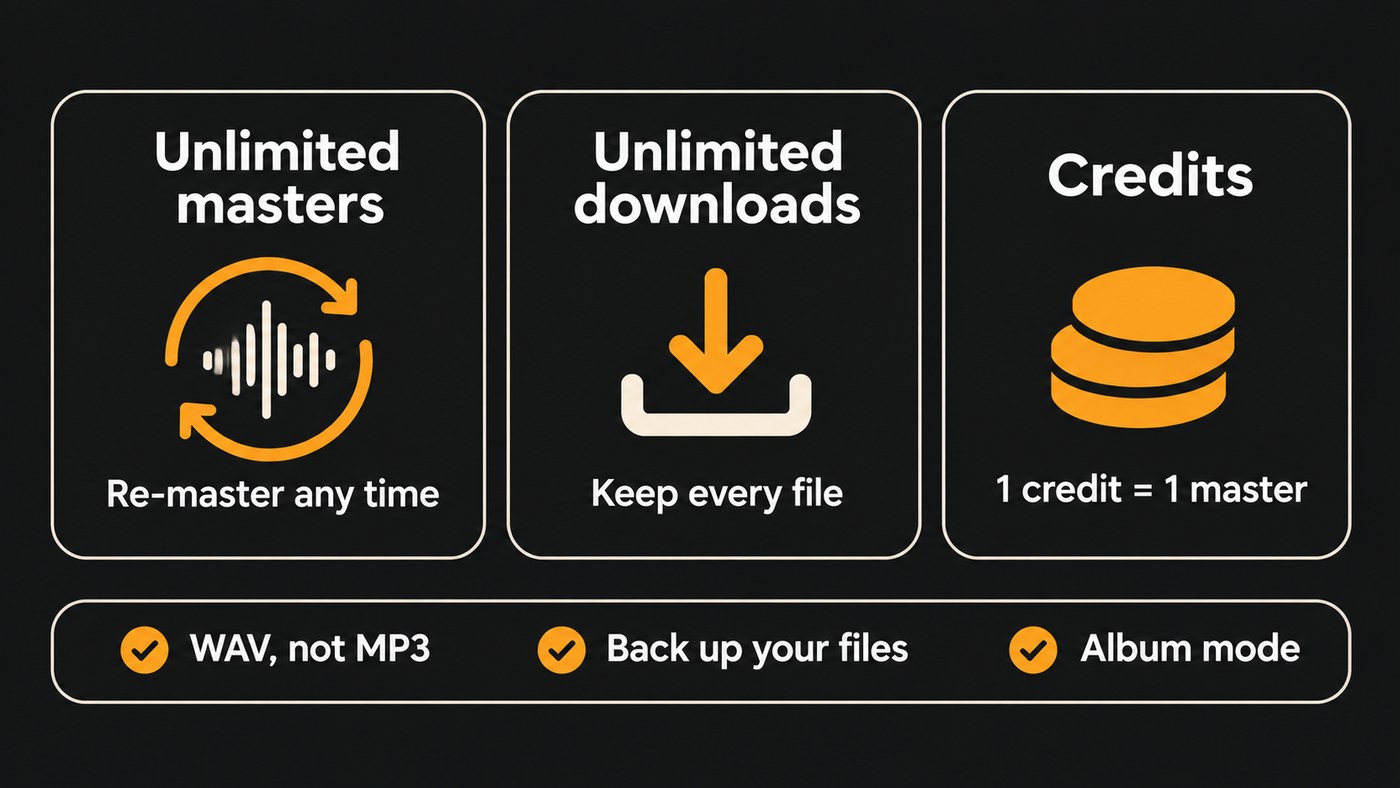
"Unlimited" appears on a lot of pricing pages, and it covers different things at each one. Before you pay for a year, find out which of these you're buying:
- Unlimited masters. You can run as many songs, and as many versions of each song, through the engine as you like.
- Unlimited downloads. You can keep every finished file. Some services let you master for free and charge only when you download.
- Credits. Each master uses a credit, and the top tier removes the cap for the length of the plan.
Three more details decide whether "unlimited" helps you in practice:
- Format. For a release, download a WAV, not an MP3. Waves lists 16- or 24-bit WAV at up to 96 kHz, and eMastered offers WAV and HD WAV.
- Storage. Masterchannel's plan comparison lists six months of cloud storage, so back up every master you download.
- Album handling. If you release EPs, look for a mode that masters several songs together so they sit at a consistent level.
Professional AI audio mastering services with unlimited exports
eMastered
eMastered says its engine was made by Grammy-winning engineers and is powered by AI. Its model suits careful buyers: you can master and preview unlimited tracks for free and pay only when you want to download. A subscription then gives you unlimited masters and unlimited downloads, as MP3, WAV or HD WAV.
The controls go beyond a single loudness slider. You can upload a reference track for the engine to learn from, adjust mastering strength, EQ, stereo width and volume, master an album of 2 to 20 tracks for a consistent sound, or upload stems for stem mastering. If stems are new to you, our guide to what audio stems are explains how producers use them.
Billing comes as Monthly, Yearly, or Yearly paid monthly. Read the last one carefully: eMastered describes it as a full year of service billed monthly, with no early cancellation. Its refund promise applies within 14 days of purchase if you've downloaded fewer than 4 tracks.
Good fit: artists who want to hear the result before paying, and anyone who masters to a reference track.
Masterchannel
Masterchannel, now at master.channel, builds its masters around the sound profiles of named engineers, Simon Hestermann and Wez Clarke. Its pricing page listed three plans on yearly billing:
- Artist: $15 a month, billed as $180 a year, for masters across all your projects and consistent albums and EPs.
- Professional: $19 a month, billed as $228 a year. It adds Wez Clarke's profile and lets you tweak the sound after mastering.
- Partner: $79 a month, billed as $948 a year, for multiple users and white-labeling.
Each tier includes everything in the one below it, and the plan comparison lists unlimited projects, EP and album mastering, bulk mastering and unlimited mastering downloads among its features. You can also play masters in lossless quality with optional loudness normalization, which stops a louder version from fooling your ears.
One catch: Masterchannel refunds within 14 days of a subscription payment only if you haven't used the system in that time. In practice there's no trial period, so subscribe once your mix is ready.
Good fit: EP and album releases, and artists who like the idea of a named engineer's sound profile.
Waves Online Mastering Pro
Waves sells online mastering by credits. Its pricing page listed:
- Single credits at $3.99, packs of 5 for $17.45 and packs of 15 for $44.85.
- Online Mastering Standard, an annual subscription with 36 credits a year, for $71.64.
- Online Mastering Pro, an annual subscription with unlimited credits, for $169.99.
Upload a track and you get a 30-second preview free. Finished files come as WAV or MP3 at 44.1, 48, 88.2 or 96 kHz, 16 or 24 bit. Waves supports stereo tracks only, so bounce a stereo mix first. Its mastering options cover style, tone and reference.
Good fit: producers who already use Waves plugins, and anyone who wants to start pay-per-track and move to unlimited once the volume justifies it.
LANDR Studio
LANDR's homepage lists unlimited AI mastering in LANDR Studio, including the LANDR Mastering Plugin for your DAW, alongside unlimited distribution. Choose it if you want mastering and the release step on one bill. If you only need masters, the three specialists above keep things simpler.
Subscription plans for AI-powered audio mastering tools for your tracks
Here's how the plans compare:
- Lowest yearly cost: Waves Online Mastering Pro, with unlimited credits, at $169.99 a year, and Masterchannel Artist at $180 a year. Masterchannel's page doesn't show which tier carries each feature, so confirm unlimited downloads on your plan at checkout.
- Pay as you go: Waves credits from $3.99 a track. eMastered lets you preview as many masters as you like before you pay to download.
- Mastering plus release tools: LANDR Studio, and eMastered's Studio subscription, which adds distribution, stem separation and VST plugins.
- Mastering inside your studio: LANDR's DAW plugin, or Mastering One in Soundverse AI Studio (covered below).
Run the numbers against your release plan. At Waves' single-credit price, the $169.99 Pro plan costs the same as about 43 individual masters. Five singles a year, each mastered three times while you fix the mix, is 15 masters, and a 15-credit pack at $44.85 covers that. Release an album and a few singles with revisions, and unlimited starts to win.
How to sign up for an AI mastering service and test it first
- Prepare a test mix. Bounce a 24-bit WAV of your best-mixed song, with no limiter on the master bus.
- Pick a reference. Choose a released track in your genre with the sound you're after.
- Create a free account. eMastered gives free previews of full masters, and Waves gives a free 30-second preview. With Masterchannel, treat the first payment as the commitment.
- Compare at matched loudness. A louder master usually sounds better for the first ten seconds. Turn the master down to your mix's level, or use loudness-normalized playback where it's offered. Spotify's guidance for artists is to "Target the loudness level of your master at -14dB integrated LUFS" and to keep true peak below −1 dB.
- Mind the ceiling if you go louder. Spotify adds: "If your master is louder than -14dB integrated LUFS, keep True Peak below -2dB to avoid extra distortion."
- Try two settings. Change one thing at a time: intensity, EQ or reference. Pick the version where the vocal and kick feel right.
- Choose your billing. Monthly costs more but lets you stop; yearly costs less but commits you. Read the refund terms of the exact plan.
- Download WAVs and back them up. Keep the mix, the master and a note of the settings in one folder per song.
- Set a renewal reminder a week before the plan renews, so you decide on purpose.
What unlimited AI mastering can't fix
An AI audio mastering service polishes a finished mix. Working from a stereo file, it can't rebalance a buried vocal, tame a harsh hi-hat that lives on one track, or fix a bass note that clashes with the chord. If every service hands back the same problem, go back to the mix. Our comparison of automated vs professional AI mixing covers what automation handles well.
For a big-budget release, vinyl, or a song that keeps fighting the limiter, a human mastering engineer is worth the money. An engineer can also send notes on what to change in the mix.
After mastering, the release runs on its own timeline: see music distributors that support fast-track releases.
Where Soundverse fits
Soundverse is an AI music platform that takes you from idea to audience, and its mastering lives inside AI Studio, a multitrack studio in your browser. You can import a finished mix (MP3, WAV, OGG, M4A or AAC) or build the song there, then run Mastering One: pick a genre and a loudness target from Club −7 to Broadcast −23 LUFS, and it listens to two seconds of your mix and sets its own controls. Mix One, Mastering One and the Analysis One meters, which include LUFS and true peak, run on every plan at no token cost.
Exports follow your plan. Free exports MP3, while Creator and above add WAV (44.1 to 96 kHz, up to 32-bit float) and stems, with an optional loudness target and true-peak normalizing to −1 dBTP. Export is blocked for projects longer than 15 minutes or with more than 24 tracks. Plans on the pricing page can be upgraded, downgraded or cancelled at any time. Licensing is set by plan: the Free plan is for personal use, and the Creator plan comes with a royalty-free license.
This video shows Mix One and Mastering One mixing and mastering a track by genre inside AI Studio.
FAQ
Is an unlimited AI mastering plan worth it if I release one single a month? It depends on how many versions you make. Twelve singles at three versions each is 36 masters, exactly the 36 credits in Waves' Standard plan, so a capped plan can cover a monthly release. Move to unlimited once you master albums or re-master often.
Can I cancel and keep my masters? Files you've downloaded stay on your drive, but cloud copies may not: Masterchannel lists six months of storage. Some plans lock you in for a year, such as eMastered's yearly plan paid monthly.
Which file should I download for my distributor? Download a 24-bit WAV for the release and keep MP3s for quick sharing. Check the master with a loudness meter before you upload, aiming for about −14 LUFS integrated with true peak below −1 dB.
Do AI mastering services handle albums and EPs? Several do. eMastered masters 2 to 20 tracks together for a consistent sound, and Masterchannel lists EP and album mastering in its plans. Listen to the songs back to back before you download.
Sign up for Soundverse free and master your next song in AI Studio. More guides on the Soundverse blog.
