Agent One, the AI agent for music: make, remix and polish songs by chatting
How Soundverse Agent One plans and runs the right tools for you: make songs, remix them, create music videos, then open everything in AI Studio. Lite, Standard and Pro modes explained.
Quick answer: Agent One is the AI agent at the heart of Soundverse. Tell it what you want to make and it figures out how: it plans the steps, picks the right tools, runs them in the right order and hands you the result. Songs, remixes, music videos, stems, cover art and more, all from one conversation. It comes in three modes (Lite, Standard and Pro), and anything it makes opens in AI Studio when you want to edit by hand.
Introducing Soundverse Agent One, the AI agent for music.
What Agent One does
Most AI music tools do one thing. Agent One connects all of them. You don't need to know which tool to use or in what order: you say what you want, and Agent One does the work step by step, with you in control.
In the launch video, Agent One makes a song from scratch, remixes it into a new genre and turns it into a full music video, all just by asking.
What you can ask for
- Make a song. Describe the genre, mood, story and vocals, and Agent One writes and produces it.
- Remix it. Turn your song into lo-fi, EDM, rock, Bollywood or any style you want.
- Make a music video. Agent One creates visuals that match your song, with lip sync.
- Keep going. Ask for changes in the same chat: "make the chorus bigger" or "swap the vocal".
- Bring your own files. Type @ to reference your songs, images and earlier creations.
- Open in AI Studio. Edit every section on a full timeline when you want more control.
Three modes, one agent
| Mode | Best for |
|---|---|
| Lite | Quick ideas, short tasks and rapid experiments |
| Standard | The everyday mode: a balance of speed and quality for most songs and edits |
| Pro | Complex, multi-step creations like full songs with music videos, with deeper reasoning and planning |
You can switch modes any time from the chat box.
From chat to AI Studio
Chatting gets you a full track fast. When you want to shape it yourself, send it straight into AI Studio: tweak the stems, swap sections, layer vocals and build out the visuals, without leaving Soundverse.
I made a song by chatting, then edited it in AI Studio.
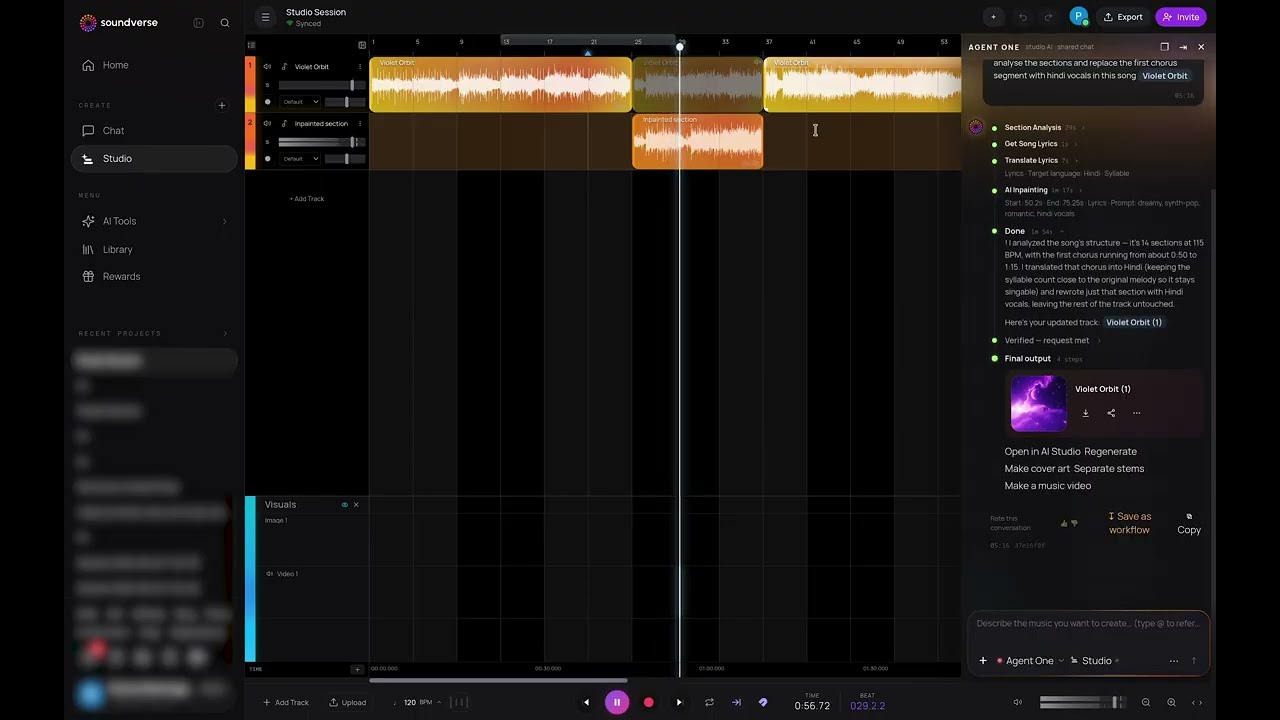
No DAW, no music theory and no studio are needed: just your idea and a chat window.
Example: background music for your videos
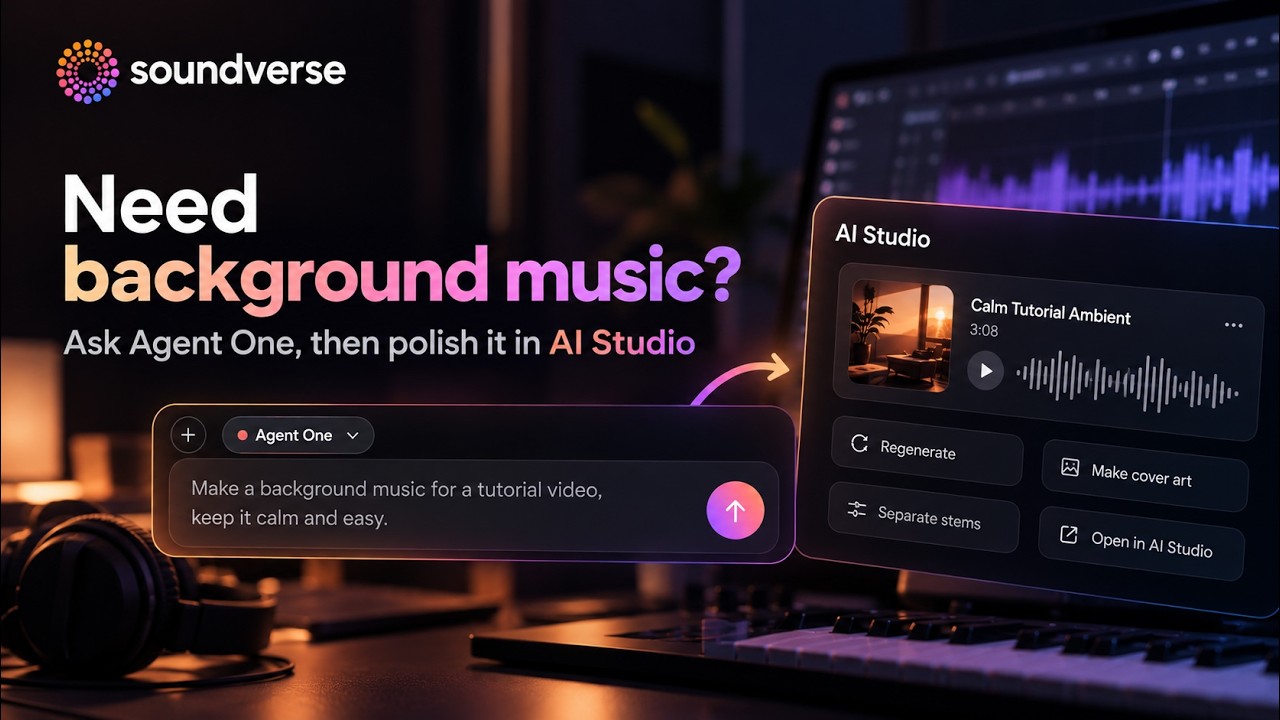
Background music for reels, vlogs, podcasts or ads shouldn't take hours. Describe the vibe in plain language, like "calm lo-fi for a study vlog" or "upbeat corporate track, 60 seconds, no vocals", and Agent One generates the track.
Need background music? Ask Agent One, then polish it in AI Studio.
How to do it
- Sign up at soundverse.ai and open Agent One.
- Describe the background music you want: mood, genre, length and instruments.
- Generate and listen.
- Click Open in AI Studio to extend it, swap instruments, adjust the tempo, add or remove stems, and export exactly the length you need.
- Export and drop it into your video.
How to use Agent One
- Open Soundverse and start a chat with Agent One.
- Choose your mode: Lite, Standard or Pro.
- Describe what you want to create.
- Watch Agent One plan and run each step.
- Ask for changes, or open the project in AI Studio to edit it yourself.
- Export, share or release your creation.
Prompts to try
- "Write and produce a chill indie pop song about a road trip at sunset, female vocal."
- "Remix my last song into lo-fi, then make a music video for it."
- "Make a 60-second upbeat corporate track with no vocals for a product ad."
- "@ my song Sunset Drive: make the chorus bigger and swap the vocal to male."
Who it's for
- Artists and producers who want to move from idea to release faster.
- Creators making music and video content every day.
- Anyone who knows what they want to hear but not which tool makes it.
FAQ
What is Agent One?
Soundverse's AI agent for music. You describe what you want, and it plans the steps, picks the tools and runs them for you.
What's the difference between Lite, Standard and Pro?
Lite is fast and simple; Standard balances speed and quality for most work; Pro adds deeper reasoning and planning for complex, multi-step jobs.
Can I use my own files?
Yes. Type @ in the chat to reference your songs, images and earlier creations.
Can I edit what Agent One makes?
Yes. Ask for changes in the same chat, or open the project in AI Studio and edit it on a timeline.
Do I need music theory or a DAW?
No. Describe what you want in plain words.
Try it
Open Agent One, describe one song, and keep talking until it sounds the way you hear it. More on the agent: the Agent One feature page and the Agent One docs.
