Edit & enhance · Free
Give a vocal a finished sound with one preset
Pick a preset chain of EQ, compression, saturation, delay and reverb, and adjust it with five sliders. 1 token a minute of vocal, on every plan.
1,000 free tokens to start · No card needed · Cancel paid plans anytime
Do more with AI Vocal Effects on Creator — from $9.99/mo, or ₹399/mo in India. 4,000 tokens a month. Billed $119.88 a year, or $12.49 month to month.
What you get
A finished sound fast
One preset runs a full studio chain on your vocal, from the first filter to the final limiter.
Tuned to the song
Five sliders set the compression, brightness, reverb, delay and saturation without touching a knob.
Room to breathe
Reverb and delay tails ring out after the last word instead of being cut off.
Who it's for
Singers
Hear your vocal with a finished sound without setting up a plug-in chain.
Producers
Get a quick vocal sound to build the mix around, then fine-tune it.
Podcasters
Give a spoken track a polished, consistent sound with the Transparent preset.
Beginners
Learn what a pop, intimate or lo-fi vocal chain sounds like on your own voice.
When to use it
- A clean vocal sounds flat and dry
- You want a pop, intimate, wide or lo-fi vocal sound
- A hook needs delay and reverb
- You want a quick vocal sound to mix against
- You'd rather move a slider than set up a chain
What you can make with it
A pop vocal
Run Modern Pop on a clean lead vocal for a radio sheen.
A close, intimate vocal
Use Intimate for an acoustic or bedroom-pop song.
A big lead
Pick Wide Lead for a chorus that fills the stereo field.
A lo-fi vocal
Use Lo-fi for a warm, filtered vocal over a chill beat.
More space
Turn on Customize and raise Reverb and Delay for an airy hook.
A clean spoken track
Use Transparent on a voice-over for polish without a new character.
Screenshots
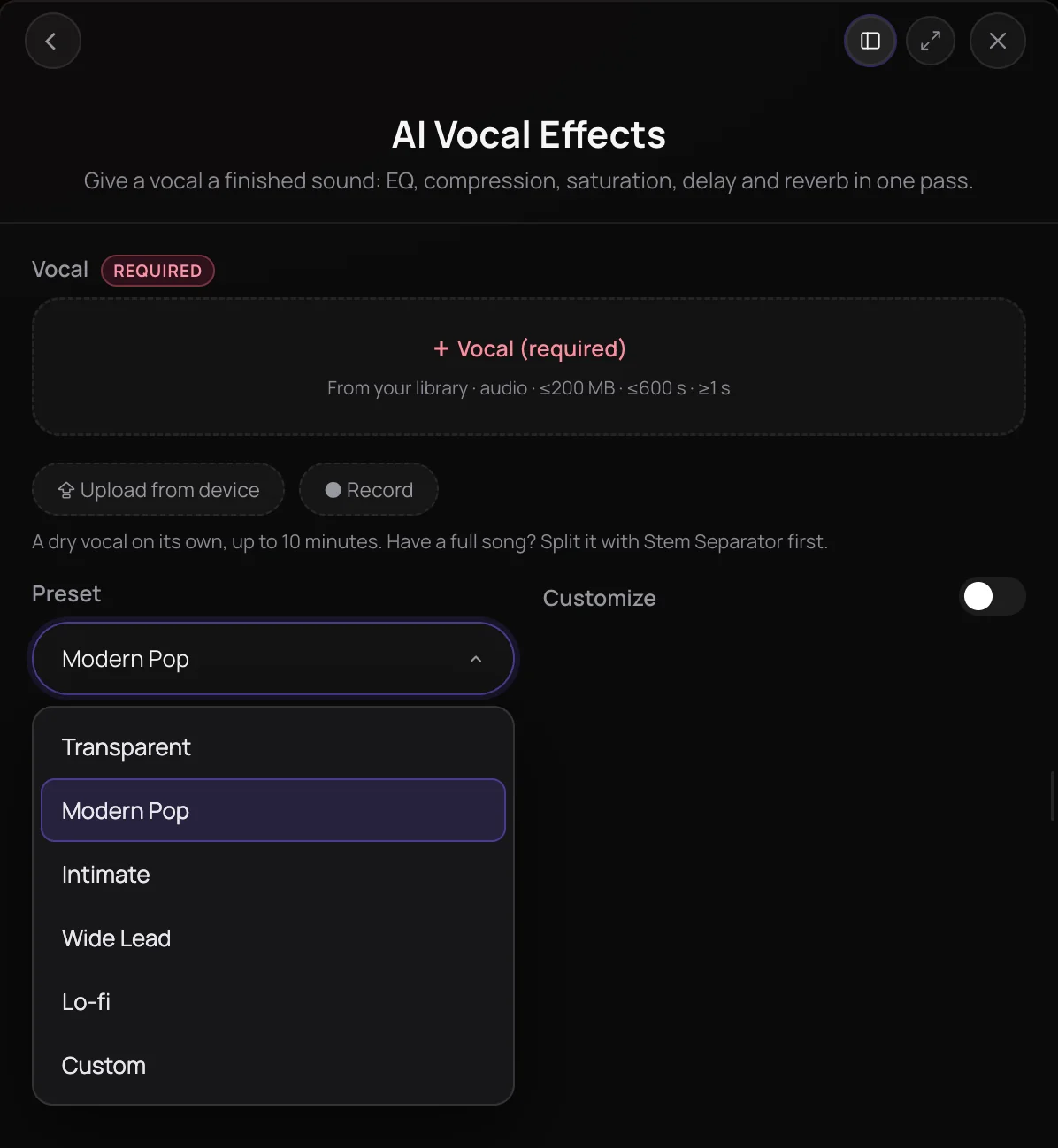
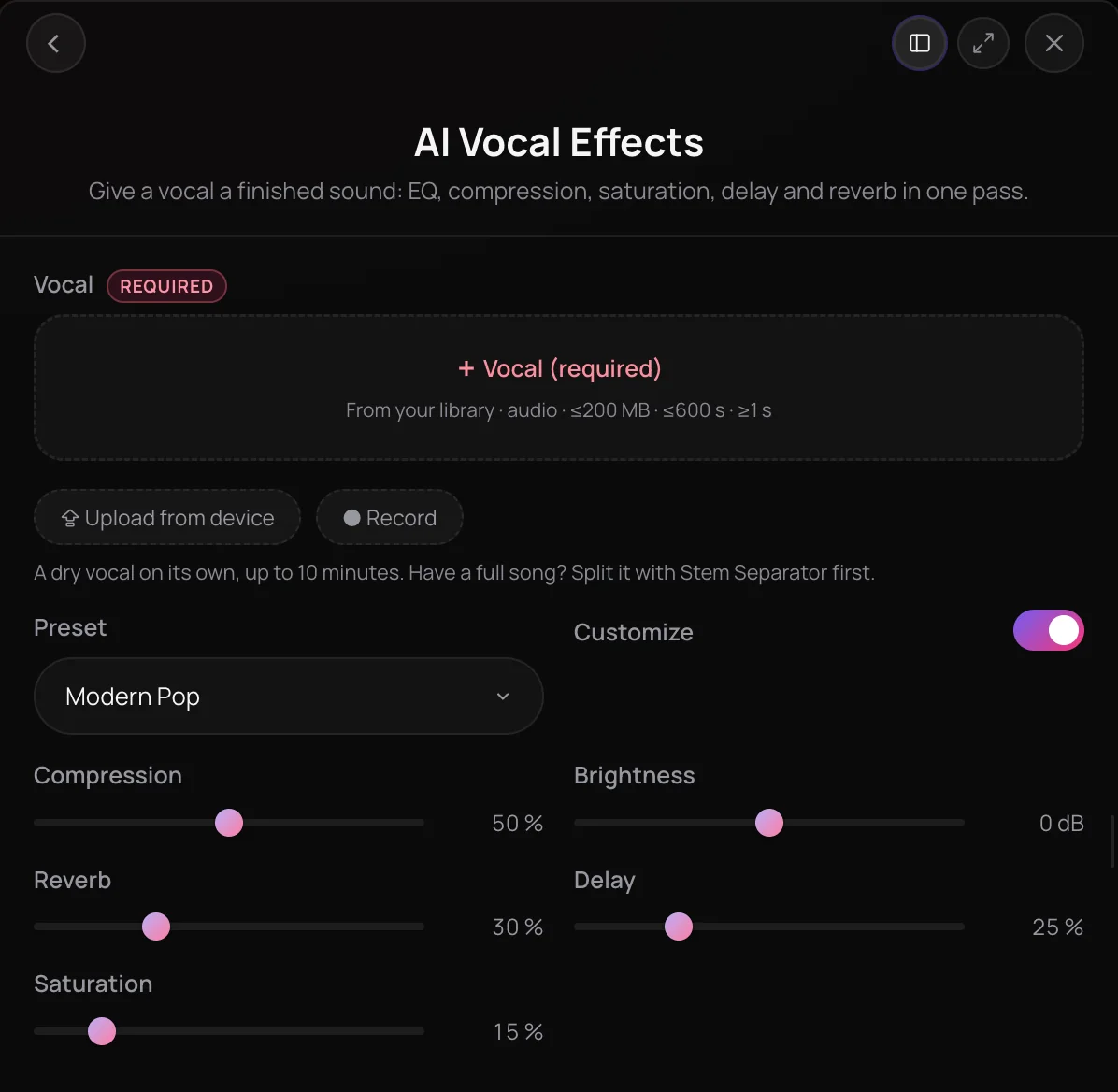
AI Vocal Effects is Soundverse's vocal effects chain. Pick a preset and your vocal goes through a full chain of studio effects, such as Modern Pop's high-pass filter, compression, presence EQ, saturation, chorus, delay, reverb and limiter. Customize adjusts the preset with five sliders, and Custom builds the sound from the sliders alone. You get the processed vocal as a new file, with reverb and delay tails left to ring out. It's for singers and producers who want a finished vocal sound fast.
What you can do
The presets
Each is a full chain, ending in a limiter.
Transparent
A high-pass filter, light compression and a gentle limiter: polish without a new character.
Modern Pop
The default: compression, presence EQ, a bright top, saturation, chorus, a short delay and reverb.
Intimate
Compression, subtle EQ and a short reverb, for a close vocal.
Wide Lead
Heavy chorus, a large reverb and a longer delay, for a big lead.
Lo-fi
A low-pass filter, saturation, a small reverb and a little less level, for a warm, dusty vocal.
Customize
Five sliders that move the preset's chain.
Compression
How hard the vocal is compressed, from 0 to 100%.
Brightness
The top end, from −6 dB to +6 dB.
Reverb, Delay and Saturation
How much of each you hear, from 0 to 100%. Turning one up adds it if the preset has none.
How it works
Open AI Vocal Effects
Choose AI Vocal Effects in the Vocal Production section of AI Tools.
Add the vocal
Pick a vocal from your Library, upload one or record it in the panel: WAV, MP3, M4A or FLAC, up to 10 minutes. A clean, dry vocal takes effects best.
Pick a preset
Choose Transparent, Modern Pop, Intimate, Wide Lead or Lo-fi. Turn on Customize to adjust compression, brightness, reverb, delay and saturation, or pick Custom to start from the sliders.
Apply and listen
Click Apply Effects. The processed vocal arrives in your chat and is saved to your Library, with a list of the effects it applied.
Why use AI Vocal Effects
A full chain in one click
Each preset is a complete studio chain, from the first filter to the final limiter, set up for a vocal.
Five presets, one per mood
Transparent for a light polish, Modern Pop for a radio sheen, Intimate for close, Wide Lead for big and Lo-fi for warm.
Adjust without the knobs
Five sliders move the chain for you: more compression, a brighter top, more reverb, delay or saturation.
Tails that ring out
Reverb and delay are allowed to finish after the last word instead of being cut off.
What it costs
Works on the Free plan. New accounts get 1,000 free tokens, enough for about 333 3-minute vocals.
- Add effects to a 3-minute vocal: 3 tokens at 1 token a minute (about $0.01 on Creator, or ₹0 in India).
A vocal is charged for its real length, with a one-minute minimum, and the total is rounded up to a whole token. Before a run, the panel shows its price for your vocal, or the rate a minute until the vocal's length is known.
Running the same vocal with the same settings again soon after returns the earlier result, and nothing is charged.
Creator $12.49 a month, or $9.99 a month billed yearly ($119.88 a year) · Pro $31.24 a month, or $24.99 a month billed yearly ($299.88 a year) · Max from $72 a month, or $60 a month billed yearly ($720 a year).
In India (PayU): Creator ₹499 a month, or ₹399 a month billed yearly (₹4,788 a year) · Pro ₹1,299 a month, or ₹1,039 a month billed yearly (₹12,468 a year) · Max from ₹2,999 a month, or ₹2,399 a month billed yearly (₹28,788 a year).
Prices outside India are in US dollars, billed through Stripe; in India they are in rupees, billed through PayU. Monthly tokens reset each month and don't roll over.
Good to know
One solo vocal
Start from a vocal on its own, 1 second to 10 minutes long. For effects on a full song, use Apply Effect.
Effects only
It doesn't remove noise, tune or re-time. AI Vocal Producer does all of those, plus effects, in one run.
Frequently asked questions
Is AI Vocal Effects free?
AI Vocal Effects works on every Soundverse plan, including Free, and each run uses tokens: 1 a minute of vocal, with a one-minute minimum, so a 3-minute vocal costs 3 tokens. The panel shows the price for your vocal before you run it. Soundverse is free to sign up, and new accounts get 1,000 free tokens.
How good do AI Vocal Effects presets sound?
The presets use standard studio processing: filters, EQ, compression, saturation, chorus, delay, reverb and a limiter, set up for a vocal. They work best on a clean, dry vocal, so clean a noisy take with AI Vocal Cleaner first. Start from the preset closest to your song and adjust it with Customize.
Can I use the processed vocal commercially?
On the Free plan, what you make on Soundverse is for personal use. Paid plans add a commercial license; the Pricing page lists what each plan covers. AI Vocal Effects processes a vocal you bring, so you need the rights to the recording.
What can't AI Vocal Effects do?
It adds effects to one solo vocal and returns the vocal alone, not mixed with a beat. It doesn't remove noise, tune or re-time the vocal; AI Vocal Cleaner, AI Autotune and AI Vocal Quantizer do those. For effects on a full song or other audio, use Apply Effect. A vocal can be 1 second to 10 minutes long.
What is AI Vocal Effects?
AI Vocal Effects is a Soundverse tool that gives a vocal a finished sound with a preset chain of studio effects, such as EQ, compression, saturation, chorus, delay and reverb, adjustable with five sliders. It saves the processed vocal as a new file in your Library.
What's in each AI Vocal Effects preset?
Transparent is a high-pass filter, light compression and a gentle limiter. Modern Pop, the default, adds presence EQ, a bright top, saturation, chorus, a short delay and reverb. Intimate is compression, subtle EQ and a short reverb. Wide Lead is a heavy chorus, a large reverb and a longer delay. Lo-fi filters the highs and adds saturation and a small reverb.
What do the Customize sliders change?
Compression sets how hard the vocal is compressed, Brightness raises or lowers the top end by up to 6 dB, and Reverb, Delay and Saturation set how much of each effect you hear. If the preset has no delay or reverb, turning it up adds one. Custom starts from the sliders alone.
How is AI Vocal Effects different from Apply Effect?
AI Vocal Effects is made for a solo vocal: one preset chain built for voices, with sliders to adjust it. Apply Effect works on other audio, such as a full song or a beat, and chains the effects you pick, in the order you pick them.
Ready to give your vocal its sound?
Add a clean vocal, pick a preset and adjust it, and get back a finished-sounding vocal.
