How to Use Soundverse DNA to Create a Private AI Music Model in 2026
Learn how to build your own private AI music model using Soundverse DNA in 2026.
Using Soundverse DNA to Create a Private AI Music Model
In 2026, the world of AI music creation has reached a level of sophistication where artists, producers, and AI developers demand more control over their creative identity. With privacy, ethics, and personalization at the forefront, Soundverse DNA—an artist-trained AI music generation system—emerges as the leading solution for building a private AI music model. If you’ve been exploring tools for personalized sound generation or seeking a custom music model that mirrors your sonic fingerprint, this guide will walk you through how to use Soundverse DNA effectively.
Why Build a Private AI Music Model in 2026?
As AI continues to redefine the creative industries, privacy and authorship are becoming critical themes. Traditional AI music models often rely on public datasets or unlicensed works, raising ethical and legal questions. In contrast, a private AI music model gives creators autonomy: your sound, your data, your control.
Private models offer several benefits:
- Data Security: Your audio files and sound signatures remain confidential.
- Brand Consistency: Generate sound textures and compositions that always align with your brand identity.
- Monetization Opportunities: Artists can license their DNA models to fans or collaborators.
- Ethical Integrity: Models are trained exclusively on approved or owned content, ensuring copyright compliance.
These benefits are especially crucial in 2026, where the lines between AI-generated and human-made music have blurred, making ethical frameworks like the Ethical AI Music Framework more vital than ever.
What Is the Soundverse DNA AI Music Model?
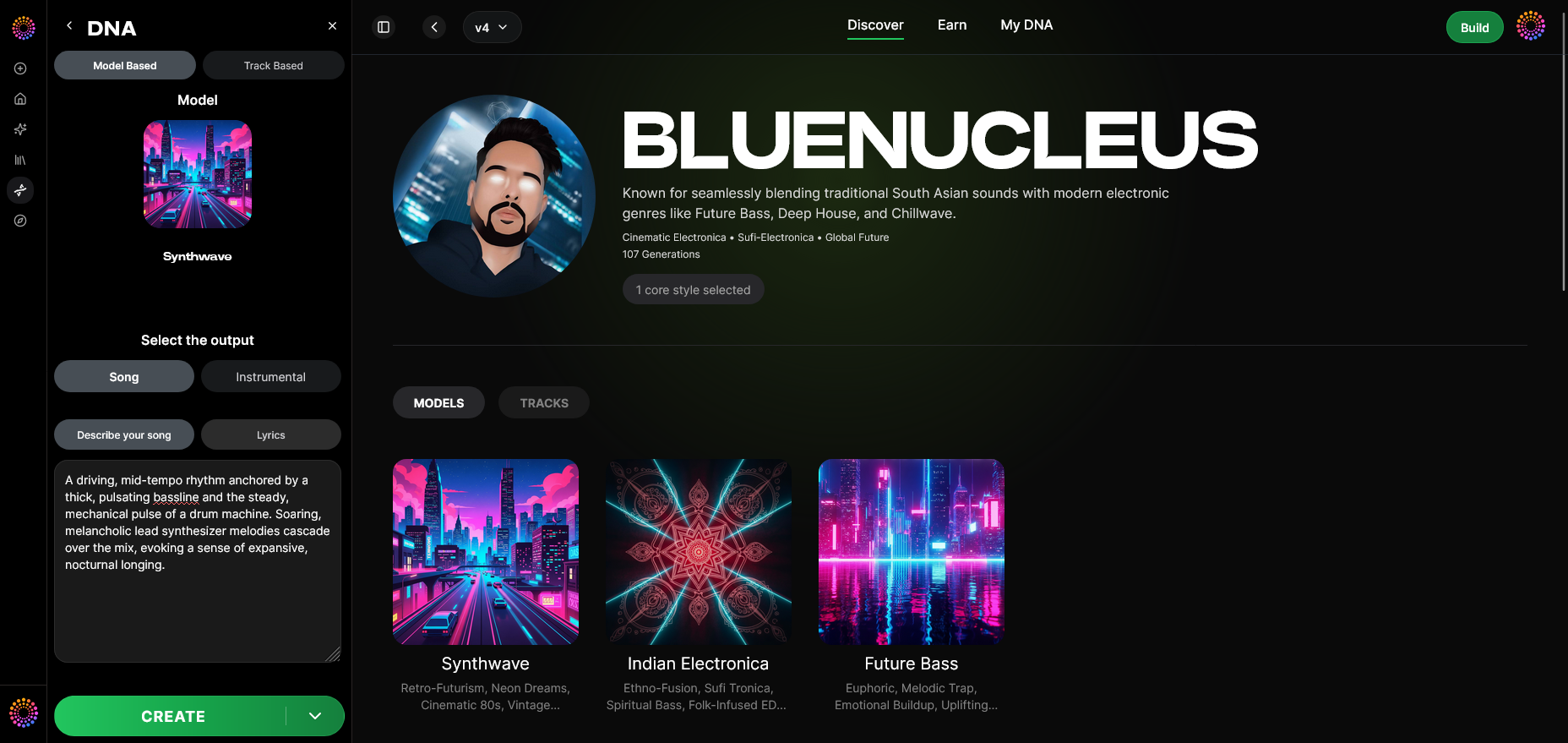
Soundverse DNA is a system designed to analyze and replicate the sonic identity of artists or producers. The AI learns from an artist’s licensed catalog—everything from their instrumentals to their vocal style—creating a signature model that produces music true to their DNA. Unlike generic AI engines, Soundverse DNA creates distinct sound profiles that are consistent and copyright-safe.
Core Capabilities of Soundverse DNA:
- Full DNA – Trains on full songs and instrumentals to capture complete musical DNA.
- Voice DNA – Focuses on voice tone, phrasing patterns, and singing style.
- DNA Marketplace – Enables artists to license their AI model to others for ethical and monetized collaborations.
- Sensitivity Selector – Allows control over how much the model stays true to specific eras or stylistic clusters of your music.
- Private Mode – Provides secure, collaborative co-creation inside a controlled environment.
Soundverse DNA’s architecture ensures that human creativity remains central, while the AI accelerates experimentation, ideation, and production.

How to Make Your Private AI Music Model with Soundverse DNA
Creating a private AI music model with Soundverse DNA involves a structured workflow that emphasizes both technical setup and ethical practice. Below is a complete step-by-step method to guide you through the process.
Step 1: Overview
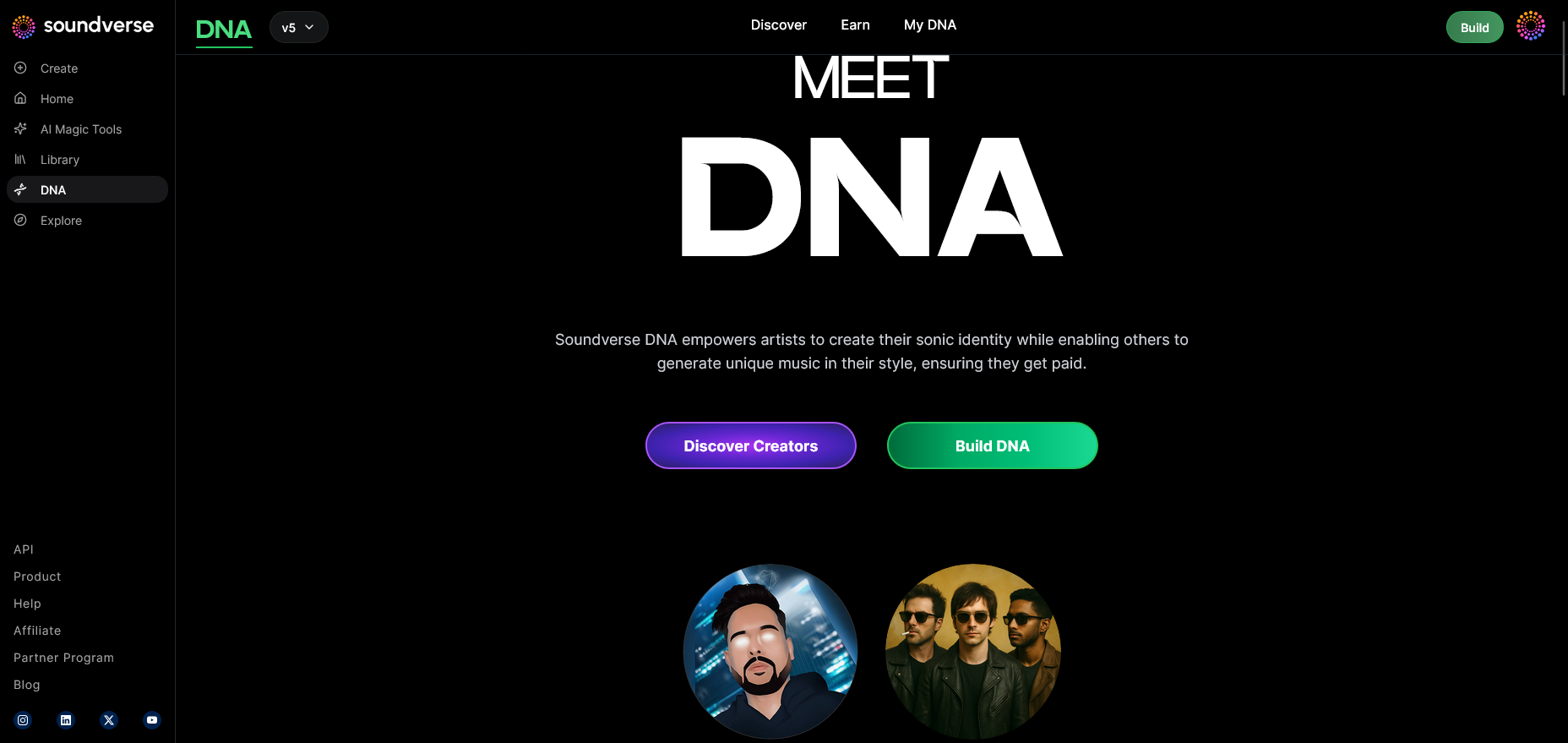
Begin by exploring the DNA mode overview inside Soundverse’s dashboard. This section introduces how audio data is processed, segmented, and transformed into a model that mirrors your artistic DNA.
Step 2: Dashboard
Log in to your Soundverse account and open My DNA Management Dashboard. Here, you can monitor past DNA models, track usage analytics, and control license visibility.
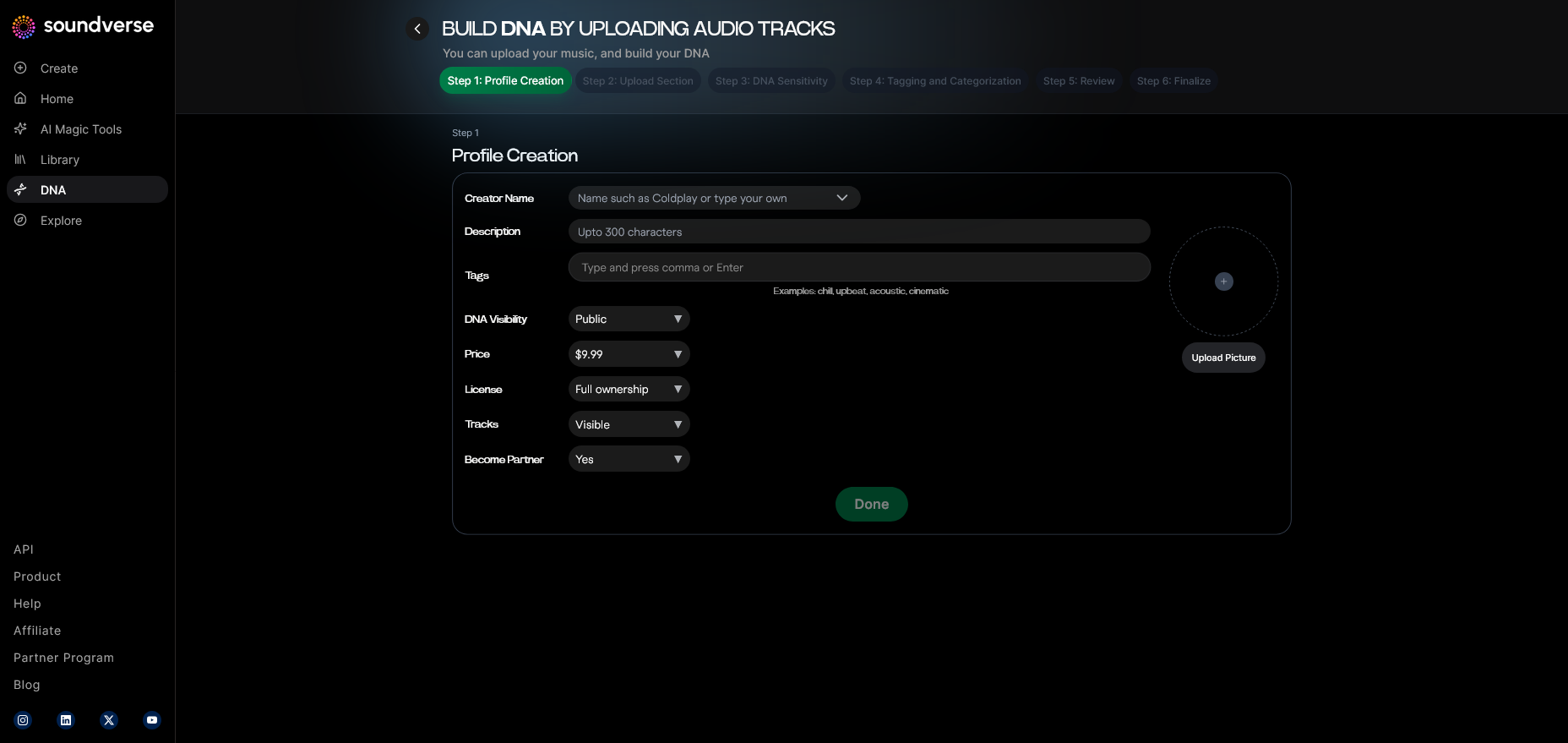
Step 3: Creator Profile
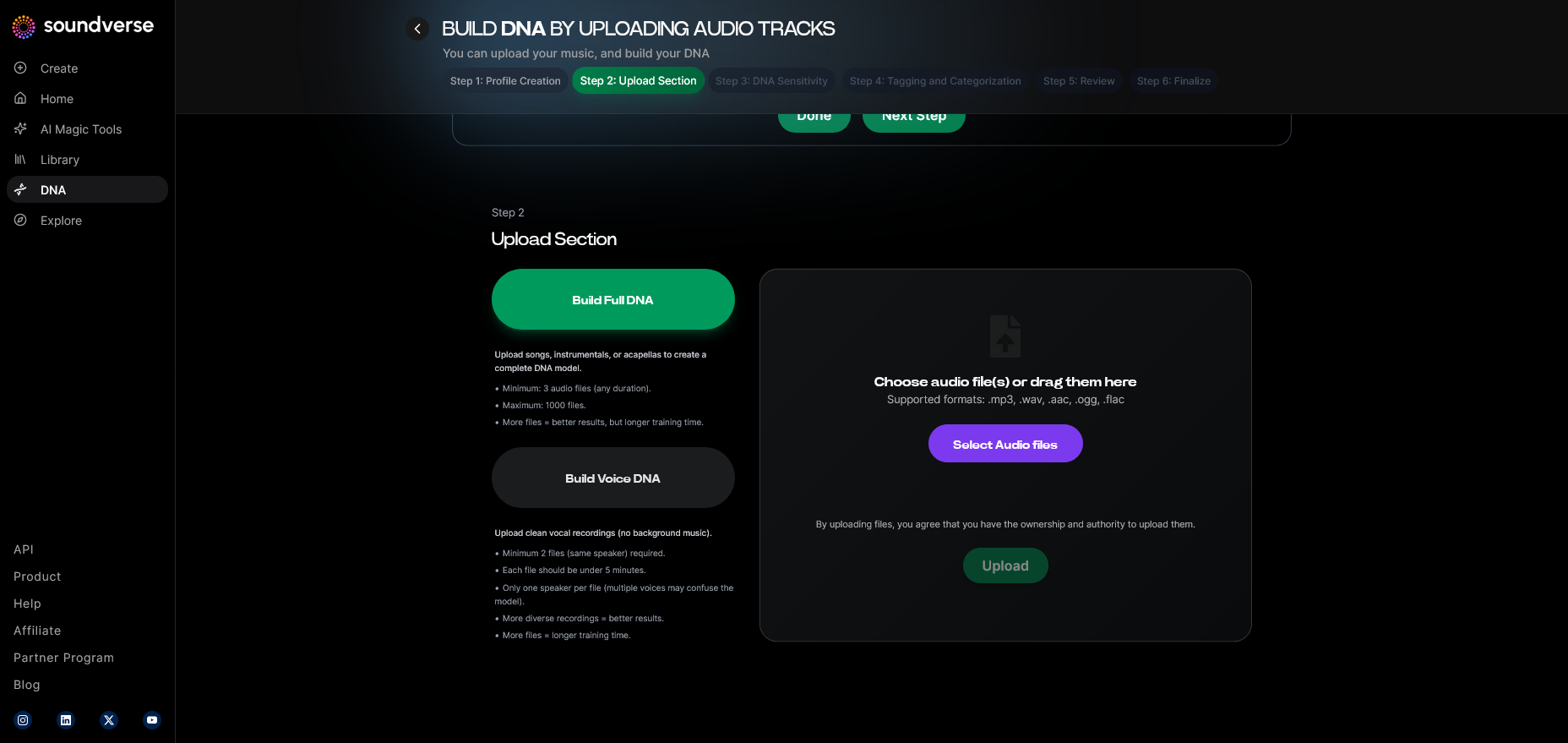
Next, set up your Creator Profile Interface. This includes your artistic name, genre focus, and rights declaration, ensuring that any uploaded audio is licensed and ethically sourced.
Step 4: DNA Type Selection
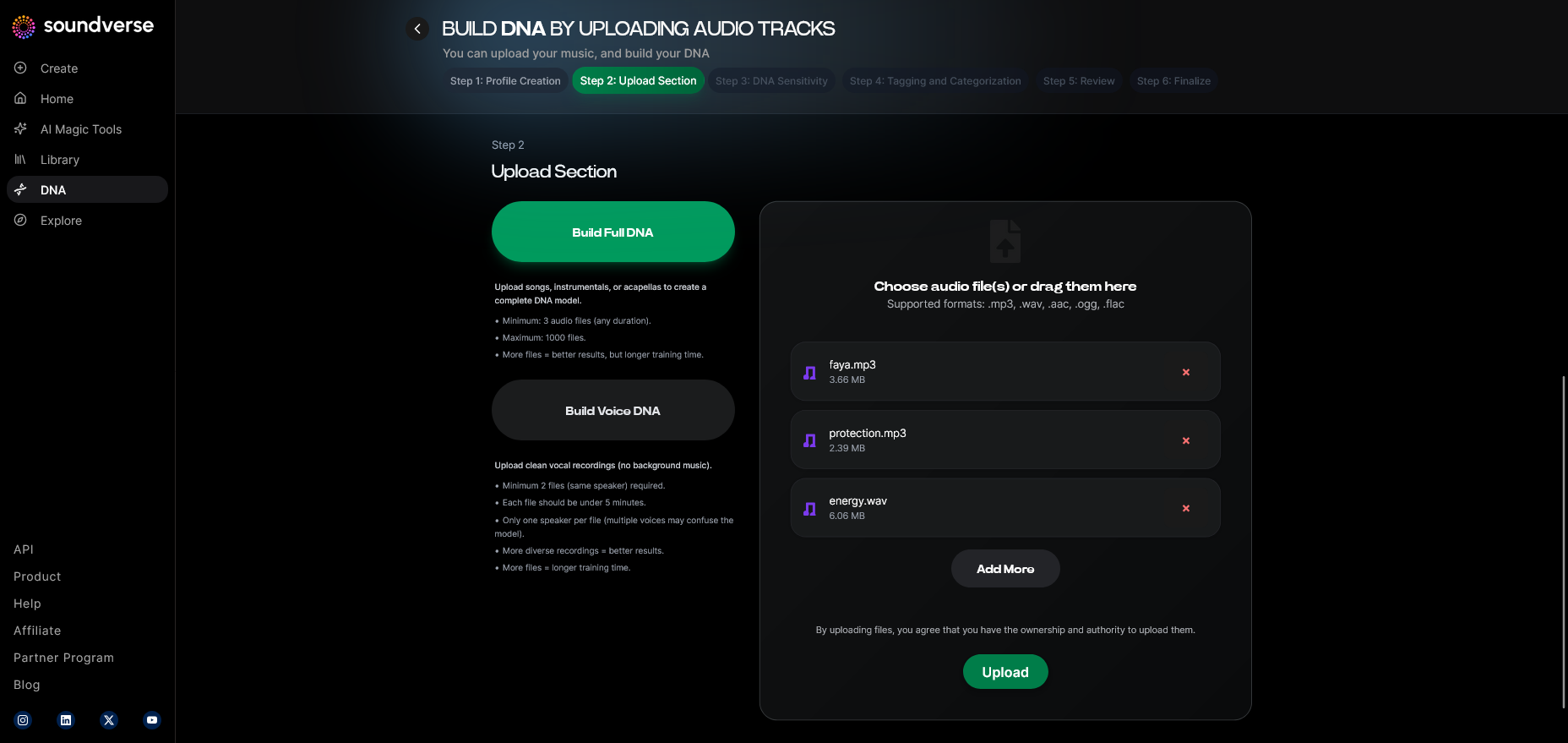
Choose your training mode:
- Full DNA for entire compositions or instrumentals.
- Voice DNA for vocal tonal modeling and timbre. You can combine both types later to create a full-spectrum representation of your sound.
Step 5: Upload Files
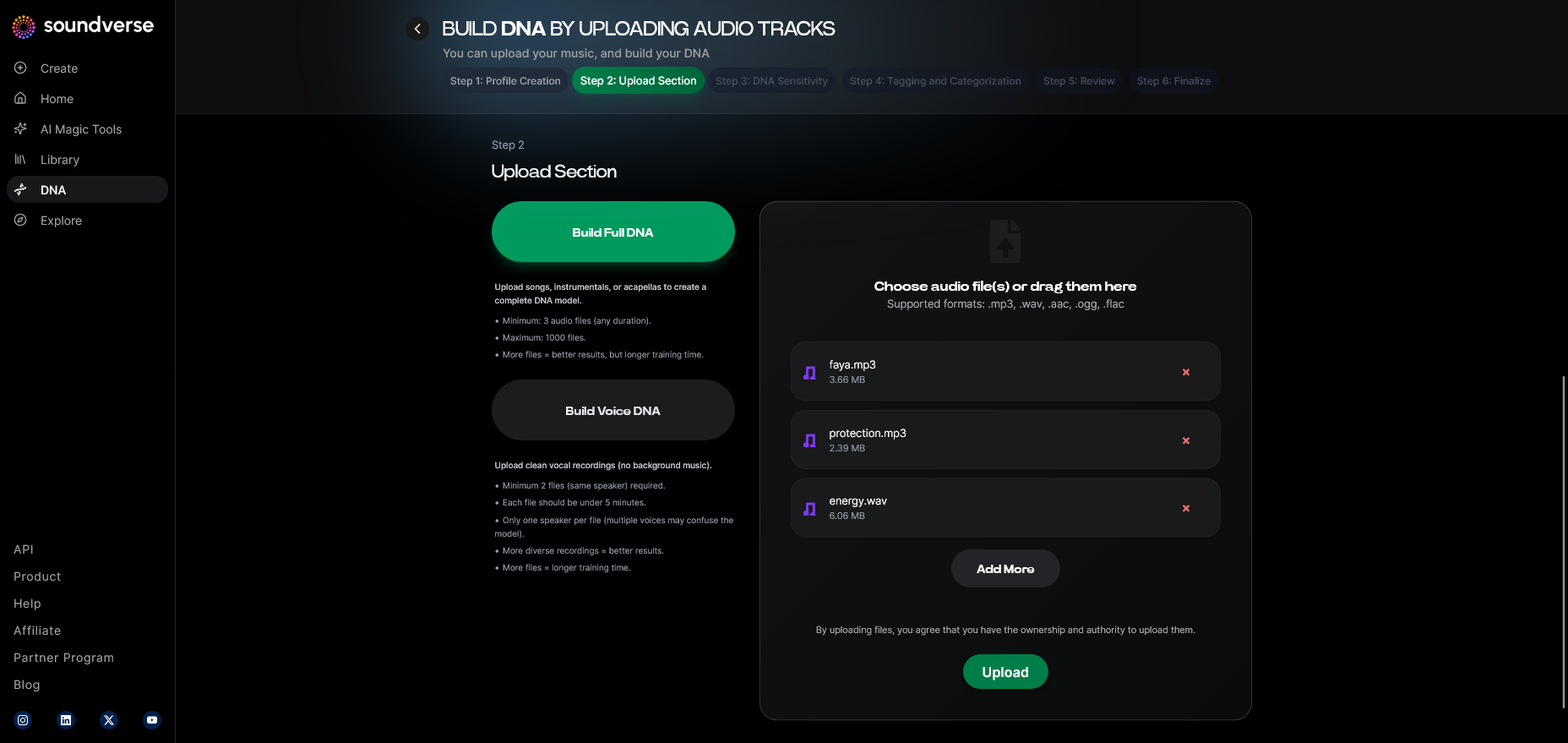
Navigate to the Audio File Upload Interface and import your source material. Accepted formats include WAV, MP3, or AIFF, depending on your dataset. Ensure these uploads are clean, full-length, and contain metadata for smoother auto-tagging later.
Step 6: Sensitivity Setting
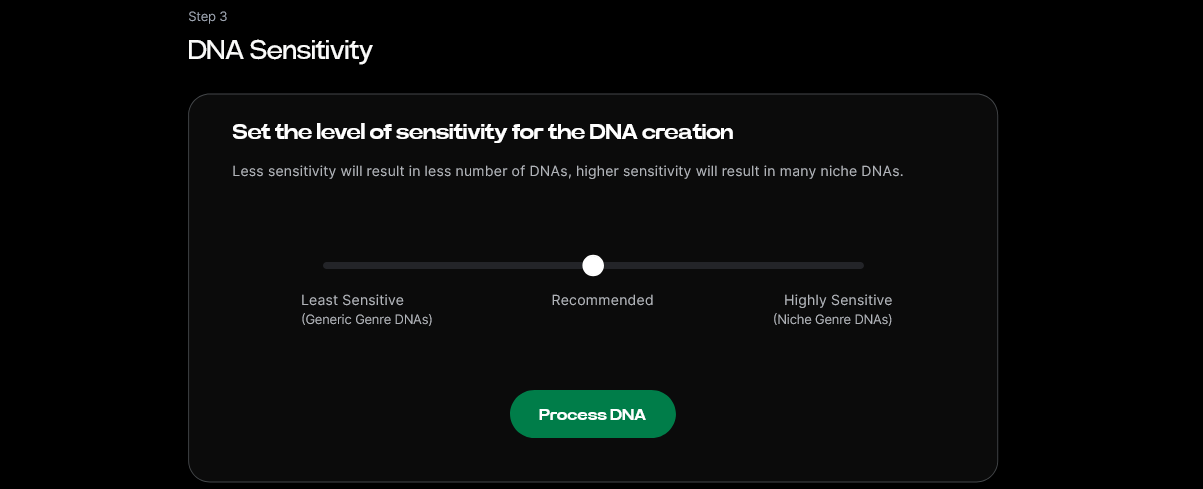
Adjust the Sensitivity Selector to fine-tune how closely the new compositions match your original style. This customization enables an AI to reflect either your entire career arc or specific creative phases.
Step 7: Auto Tagging
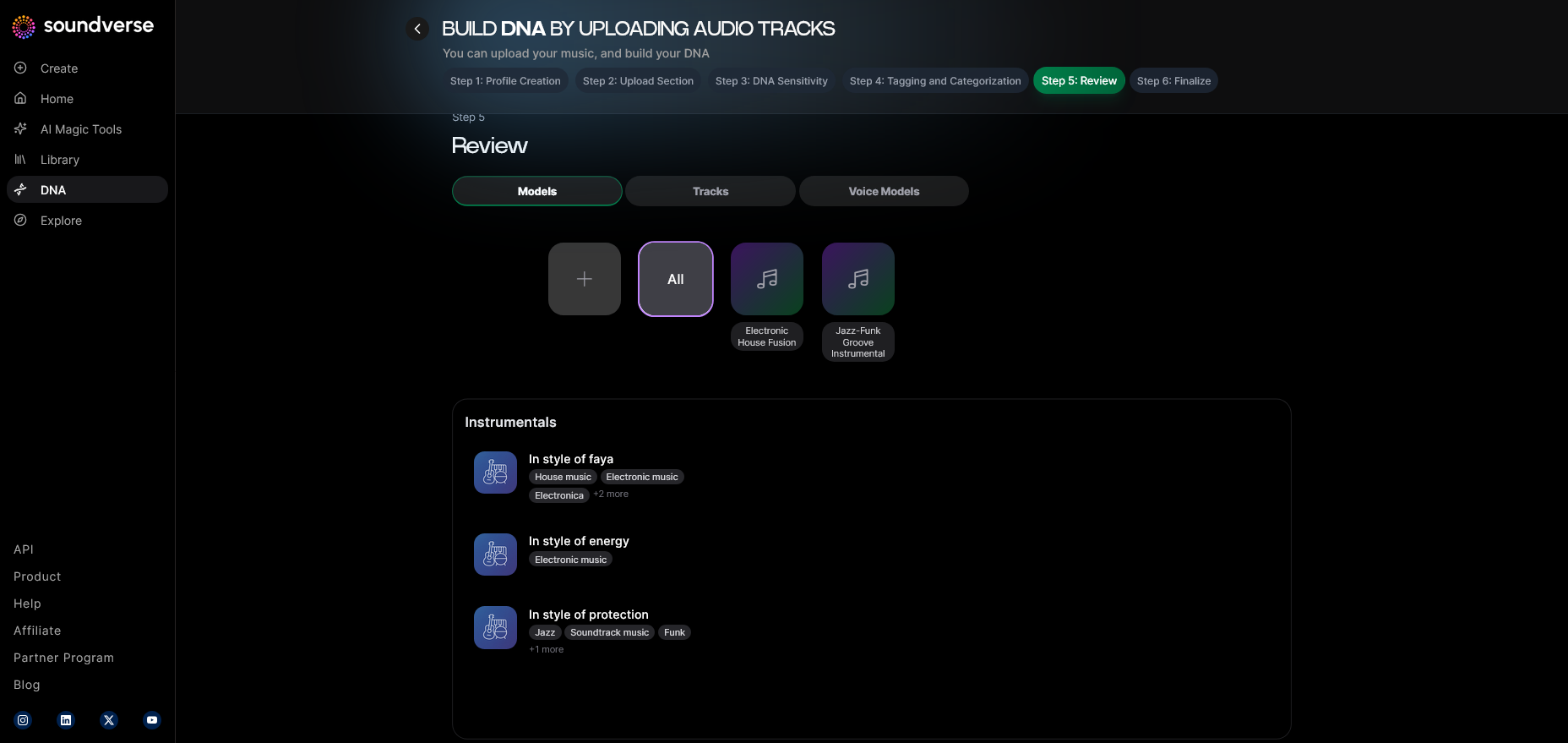
Soundverse’s Automatic Metadata Tag Generation instantly categorizes your files by genre, mood, tempo, and era, helping the model understand contextual nuances.
Step 8: Review & Publish
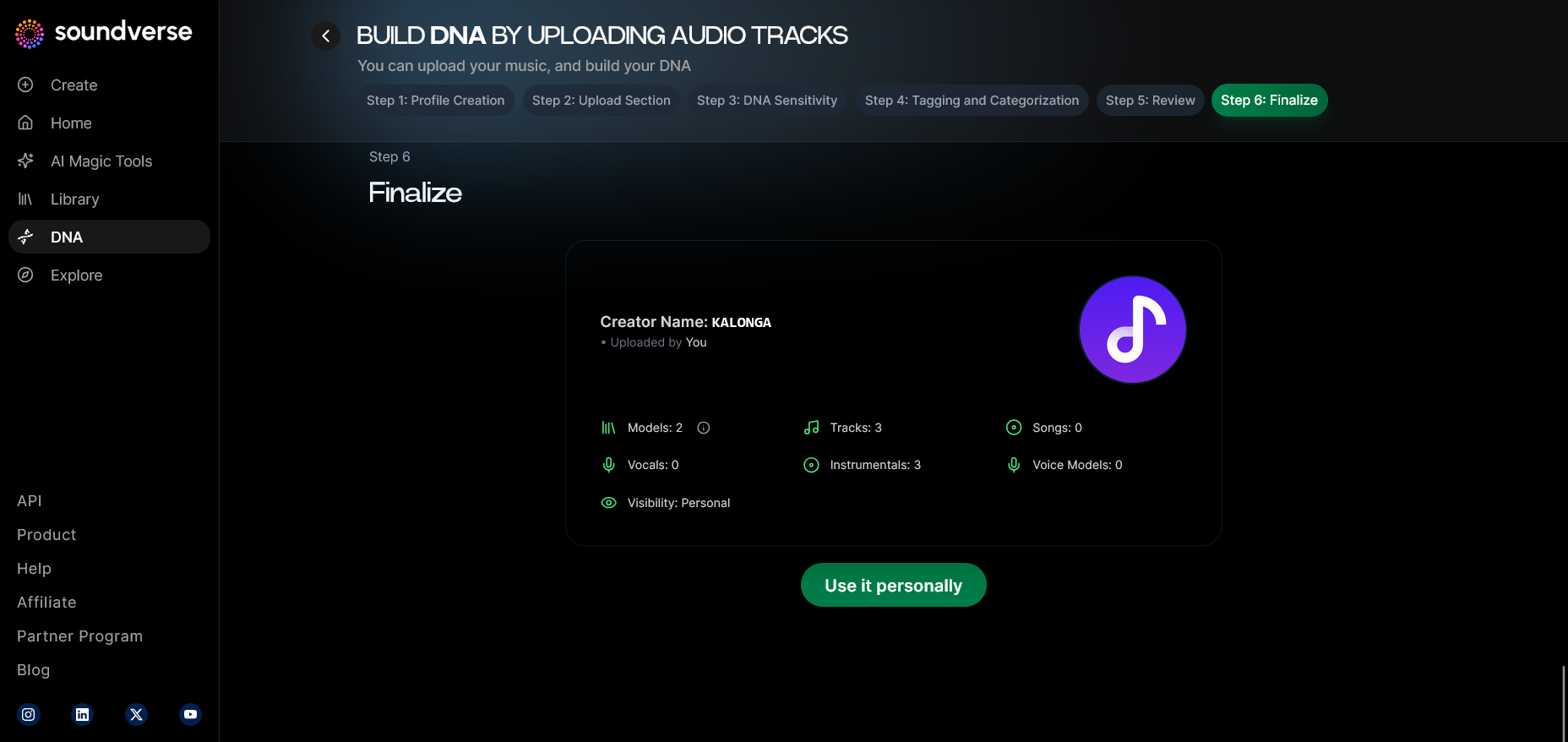
Before publishing the model, use the Review & Publish feature to verify dataset integrity, ensure proper tagging, and confirm licensing details. Once certified, your DNA profile becomes ready for internal generation or marketplace use.
Step 9: Generation Panel
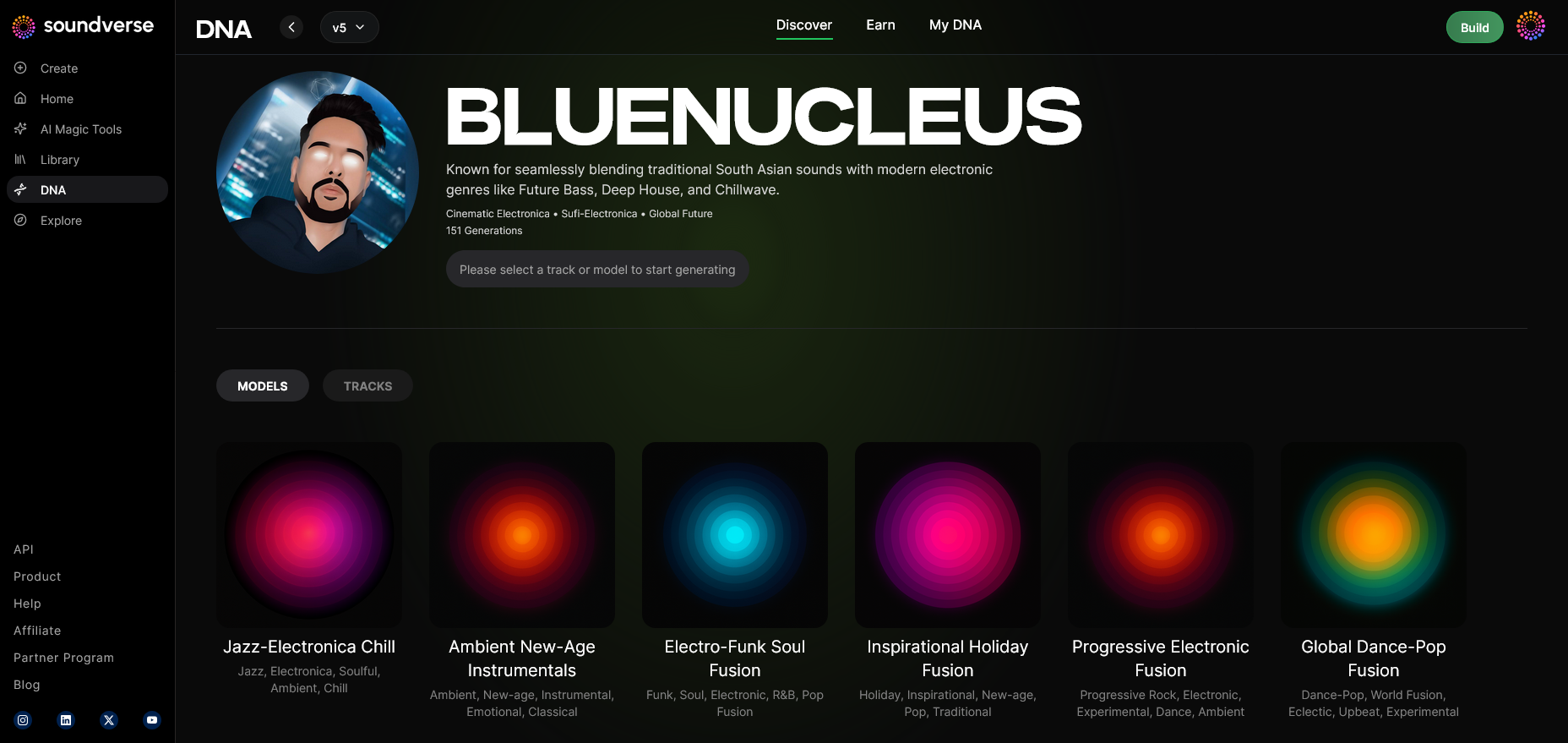
After publishing, navigate to the DNA Music Generation Interface. Here, you can start creating music using prompts that instruct the AI to compose in the idioms of your DNA model.
Step 10: Model-Based Mode
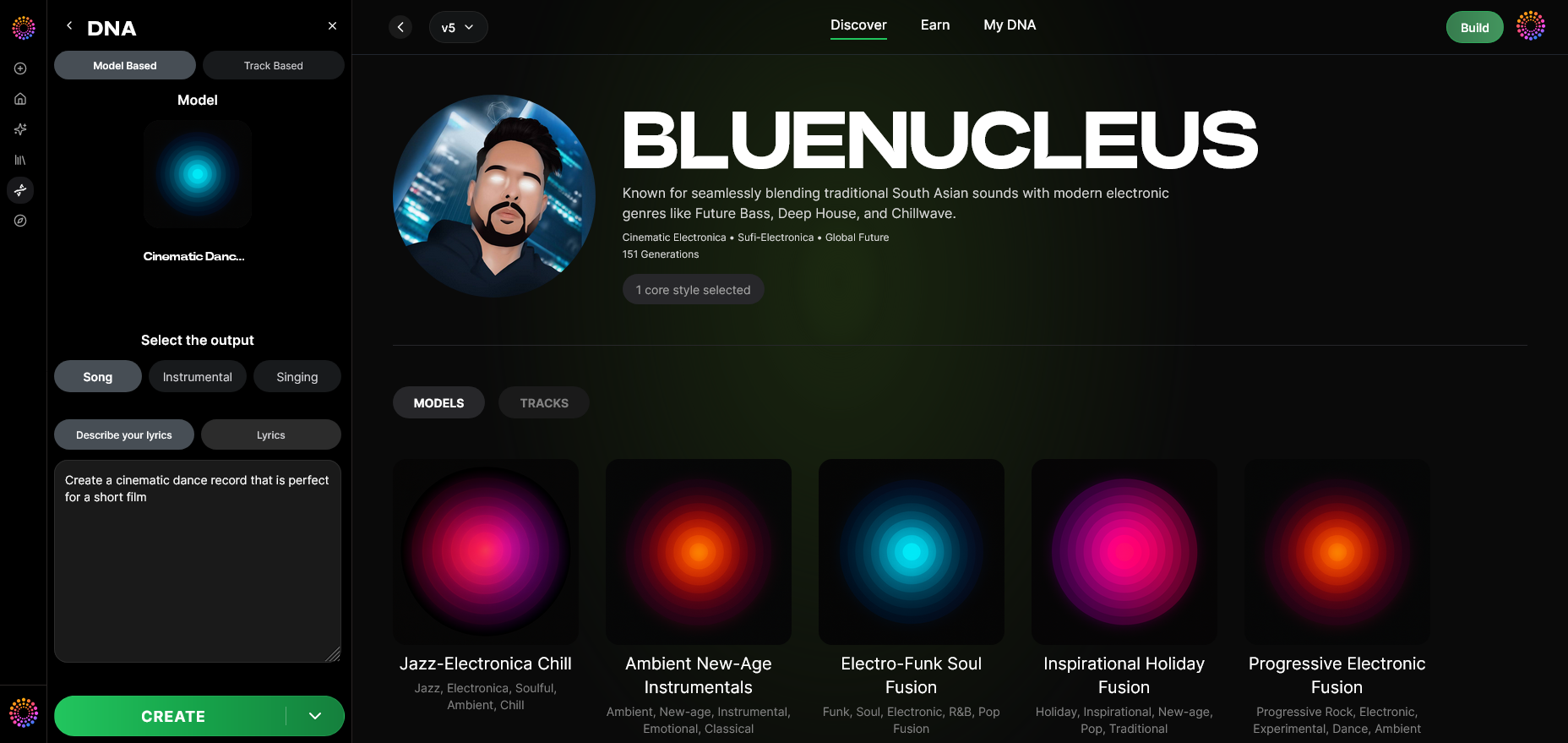
Enable Model-Based Mode to ensure that your private DNA, rather than a global dataset, is handling the generation. This keeps your model secured from public sharing.
Step 11: Output Type
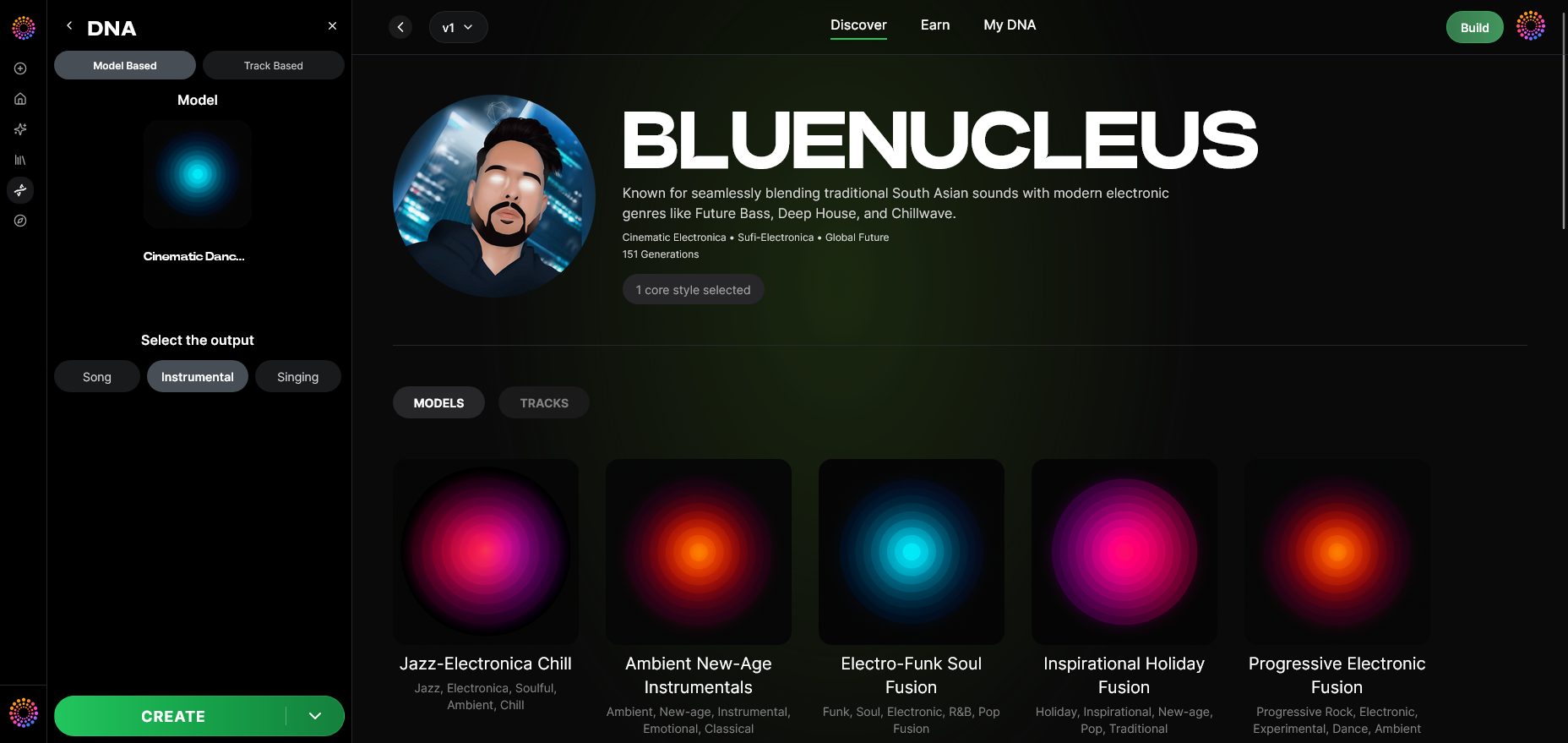
Choose between Song Instrumental or Singing output. The system leverages Full DNA for instrumentals and Voice DNA for vocal replication.
Step 12: Prompt Type
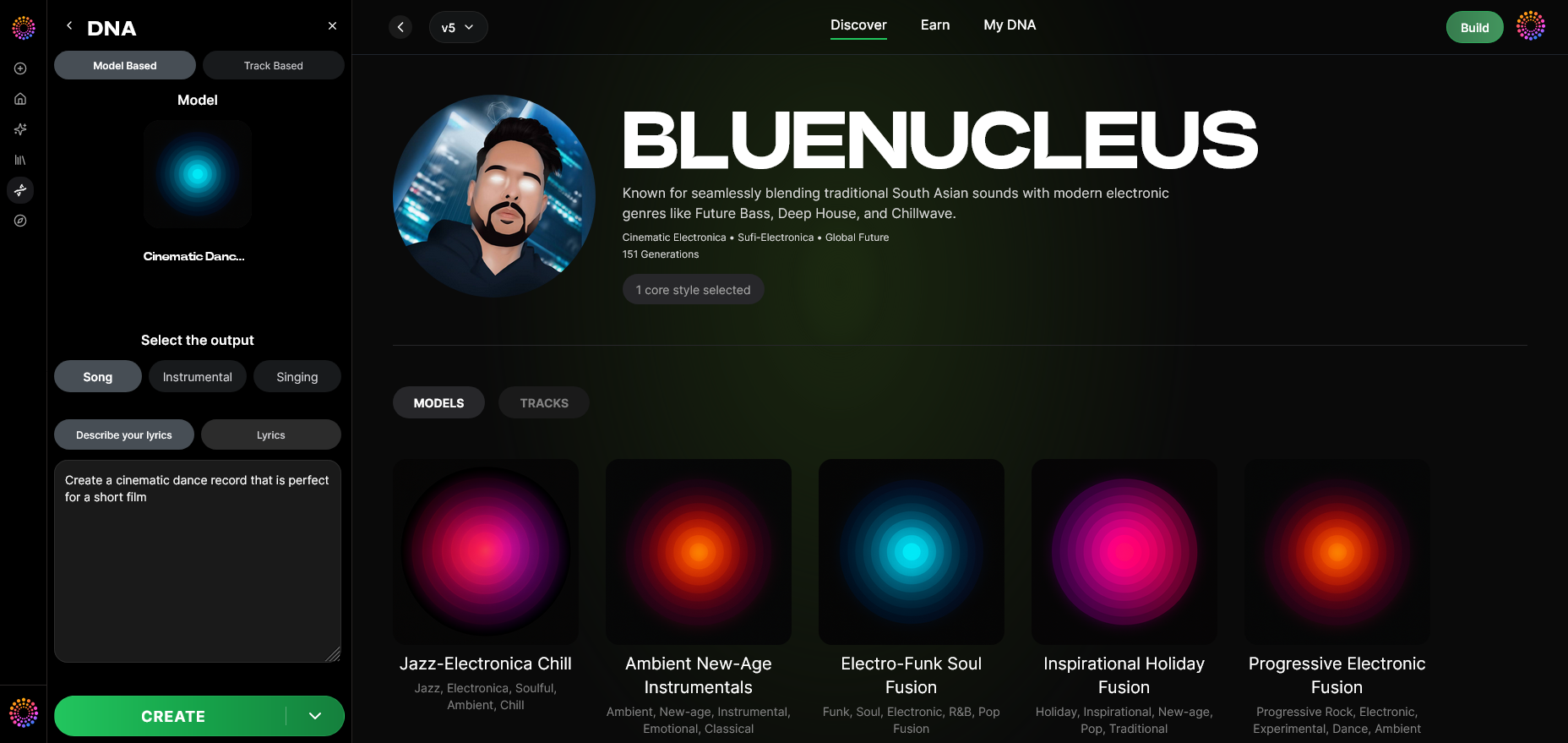
Select the best input method—either text prompt, reference audio, or mood-based tags—to guide your generation results.
Step 13: Generation Complete
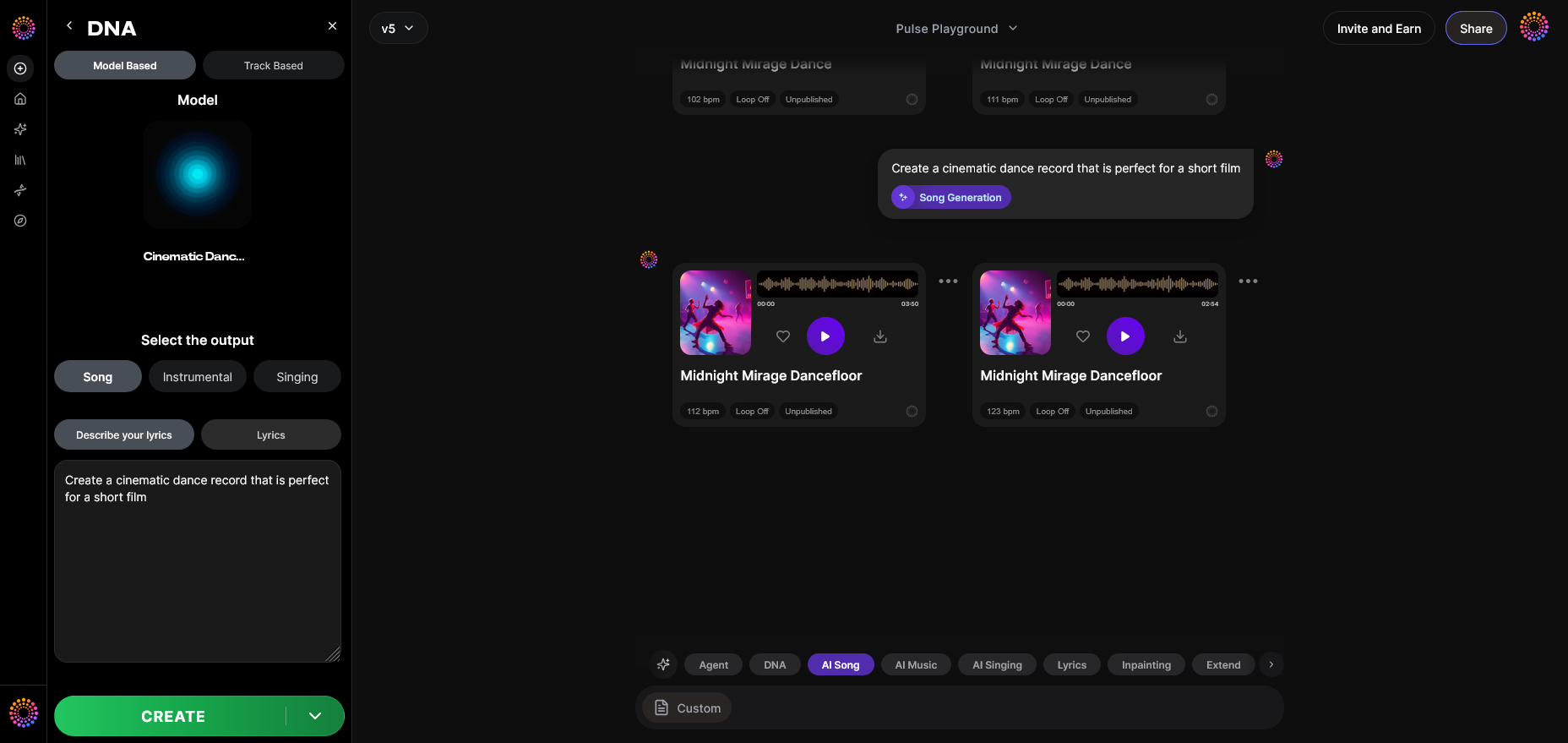
Once processed, the output will appear in the Completed Generation Display. From there, you can audit the results for creative alignment and sound consistency.
Step 14: Export Options
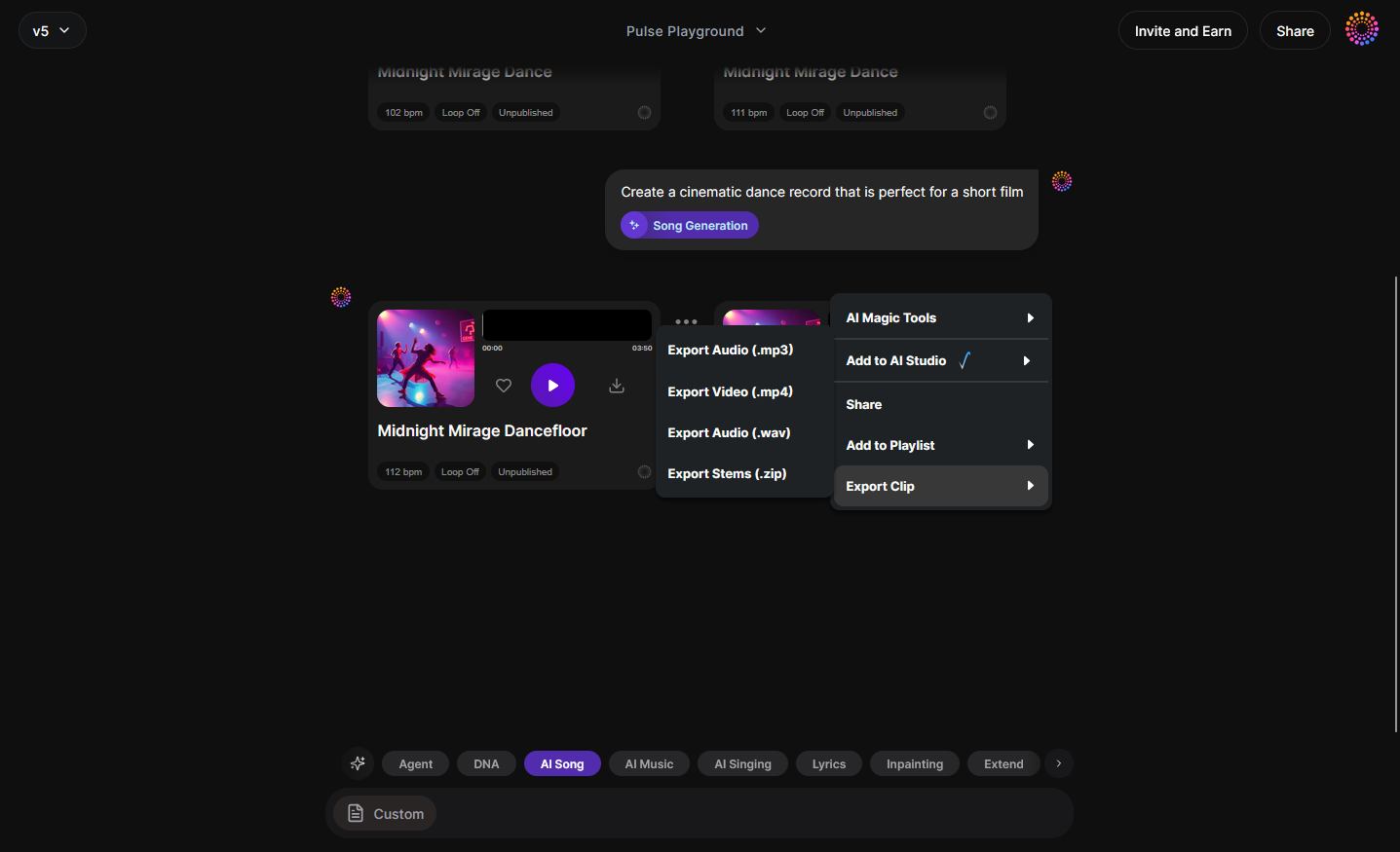
Use the Track Export Menu to export your results in your preferred file format. Soundverse Trace automatically embeds rights and attribution metadata, ensuring traceability and protection.
For practical demonstrations, watch our Soundverse Tutorial Series – How to Make Music and Soundverse Tutorial Series – Explore Tab.
Pro Tips for Maximizing Soundverse DNA’s Private AI Music Potential
- Cluster by Era – When using the Sensitivity Selector, cluster your music into creative phases (e.g., early, mid, experimental). This helps the AI produce more genre-consistent results.
- Integrate with Trace – Leveraging Soundverse Trace boosts legal transparency for every generated track.
- Monetize responsibly – List your DNA in the Marketplace with clear usage rights. Artists who license their DNA often generate passive royalties while maintaining control.
- Experiment with Prompts – Use text prompts inspired by emotional cues or scenarios to get unique results, as explained in Generate AI music with Soundverse Text-to-Music.
- Explore Genre Crossovers – Combine multiple DNAs to create hybrid tracks, similar to how creators use Soundverse in tutorials like How to Create EDM with Soundverse AI.
- For genre-focused guides, explore our Deep House tutorial on YouTube.
Ethical and Legal Safeguards for AI Music Creation in 2026
Soundverse aligns with the Ethical AI Music Framework, which ensures that all audio used in training comes from licensed or consented sources. Every generation embeds transparent attribution and royalty triggers through the platform’s Content Partner Program, securing fair value distribution.
As debates around AI copyright intensify in 2026, Soundverse’s transparent infrastructure demonstrates how AI can coexist with artist rights, preventing data misuse and maintaining trust in the creative ecosystem.
Build Your Custom AI Music Model Today
Leverage Soundverse DNA to create a private AI music model tailored to your creative style. Generate, refine, and own your musical identity—all powered by next-generation AI technology.
Start Creating with Soundverse DNA
- Soundverse Introduces Stem Separation AI Magic Tool – Discover how Soundverse’s AI stem separation tool lets you isolate or remix parts of any track effortlessly.
- Soundverse Assistant: Your AI Music Co-Producer – Find out how Soundverse Assistant enhances your creative workflow by intelligently guiding your music production process.
- AI Music Generator and Human Composers: A Future Together – Explore how AI tools complement human artistry to shape the next wave of innovative music creation.
- How AI-Generated Music Is Transforming the Music Industry – Understand the impact of AI-generated music on modern production, licensing, and the creative economy.
Here's how to make AI Music with Soundverse
Video Guide

Here’s another long walkthrough of how to use Soundverse AI.
Text Guide
- To know more about AI Magic Tools, check here.
- To know more about Soundverse Assistant, check here.
- To know more about Arrangement Studio, check here.
Soundverse is an AI Assistant that allows content creators and music makers to create original content in a flash using Generative AI.
With the help of Soundverse Assistant and AI Magic Tools, our users get an unfair advantage over other creators to create audio and music content quickly, easily and cheaply.
Soundverse Assistant is your ultimate music companion. You simply speak to the assistant to get your stuff done. The more you speak to it, the more it starts understanding you and your goals.
AI Magic Tools help convert your creative dreams into tangible music and audio. Use AI Magic Tools such as text to music, stem separation, or lyrics generation to realise your content dreams faster.
Soundverse is here to take music production to the next level. We're not just a digital audio workstation (DAW) competing with Ableton or Logic, we're building a completely new paradigm of easy and conversational content creation.
TikTok: https://www.tiktok.com/@soundverse.ai
Twitter: https://twitter.com/soundverse_ai
Instagram: https://www.instagram.com/soundverse.ai
LinkedIn: https://www.linkedin.com/company/soundverseai
YouTube: https://www.youtube.com/@SoundverseAI
Facebook: https://www.facebook.com/profile.php?id=100095674445607
Join Soundverse for Free and make Viral AI Music

We are constantly building more product experiences. Keep checking our Blog to stay updated about them!