How to Build an AI Music Model for Your Band Using Soundverse DNA
Learn how to use Soundverse DNA to build an ethical, artist-trained AI music model for your band or project in 2026.
Using Soundverse DNA to Build an AI Model for a Band or Project
In 2026, musicians and producers are no longer asking whether artificial intelligence can create music—they’re asking how to build their own AI music model that reflects their unique sound. Between the rise of ethical frameworks for AI training data and the massive improvements in creative control tools, creating an AI-driven band model is now an achievable milestone for modern artists.
Using Soundverse DNA, bands can train AI systems on their own licensed catalogs, generate consistent and copyright-safe tracks, and even earn royalties when fans or collaborators use their style. This guide walks you step-by-step through how to build an AI music model for your band or creative project using Soundverse’s state-of-the-art tools.
What Makes Soundverse DNA the Core of Modern AI Music Projects?
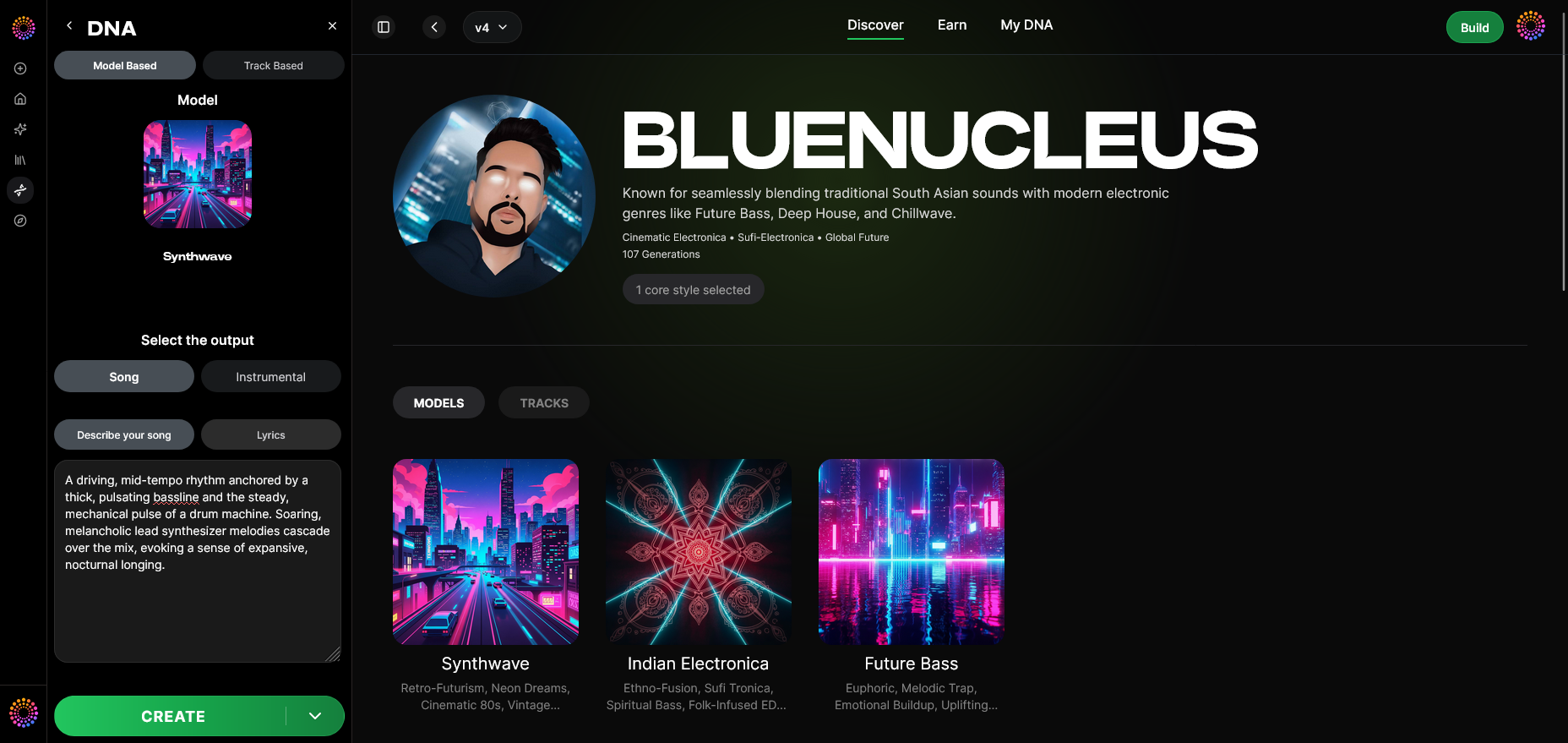
At its center, Soundverse DNA is an artist-trained AI system that captures a musician’s sonic identity. Rather than relying on scraped or unlicensed data, Soundverse builds models directly from artist-approved catalogs. That means every sound your model generates is both legally clean and faithfully representative of your music.
Soundverse DNA offers two main types of AI modeling:
- Full DNA: Generates complete songs and instrumentals replicating the musical style, arrangement logic, and emotional tone of a band or artist.
- Voice DNA: Focuses on the vocal timbre, style, and phrasing patterns for producing singing parts in the original performer’s voice.
It solves many of the ethical and creative limitations of conventional tools by offering:
- DNA Marketplace: A space where artists can license their AI model and earn revenue when fans or brands use their sonic identity.
- Sensitivity Selector: Organize the model by era or style, so you can produce sounds matching specific phases of your career.
- Private Mode: Secure collaboration where AI models stay in your control.
This foundation allows any artist or band to unify creativity, monetization, and protection under one intelligent framework.
Why Build an AI Model for a Band or Project in 2026?
1. Consistent Sonic Branding
For content creators, streamers, and music collectives, maintaining a brand sound is critical. An AI music model ensures your sound remains coherent across albums, projects, or even AI-generated ads.
2. Faster Music Production
Bands using AI-powered songwriting tools can now produce new ideas within minutes, saving creative energy for live performance and narrative development.
3. New Monetization Channels
In 2026, AI music projects aren’t just for experimentation—they’re profitable ecosystems. Artists can license their AI models, creating rare collectibles for fans or generating recurring income through usage fees.
4. Collaboration Without Boundaries
By combining AI with music AI tools, artists from around the world can co-create—mixing styles and genres without the need for physical studio sessions.
For more on how AI is transforming music production, explore how AI-generated music is transforming the industry.
How to Build an AI Music Model for a Band Using Soundverse DNA
Soundverse offers a streamlined 14-step workflow that makes model creation logical and artist-friendly. Here’s how to do it.
Step 1: Overview
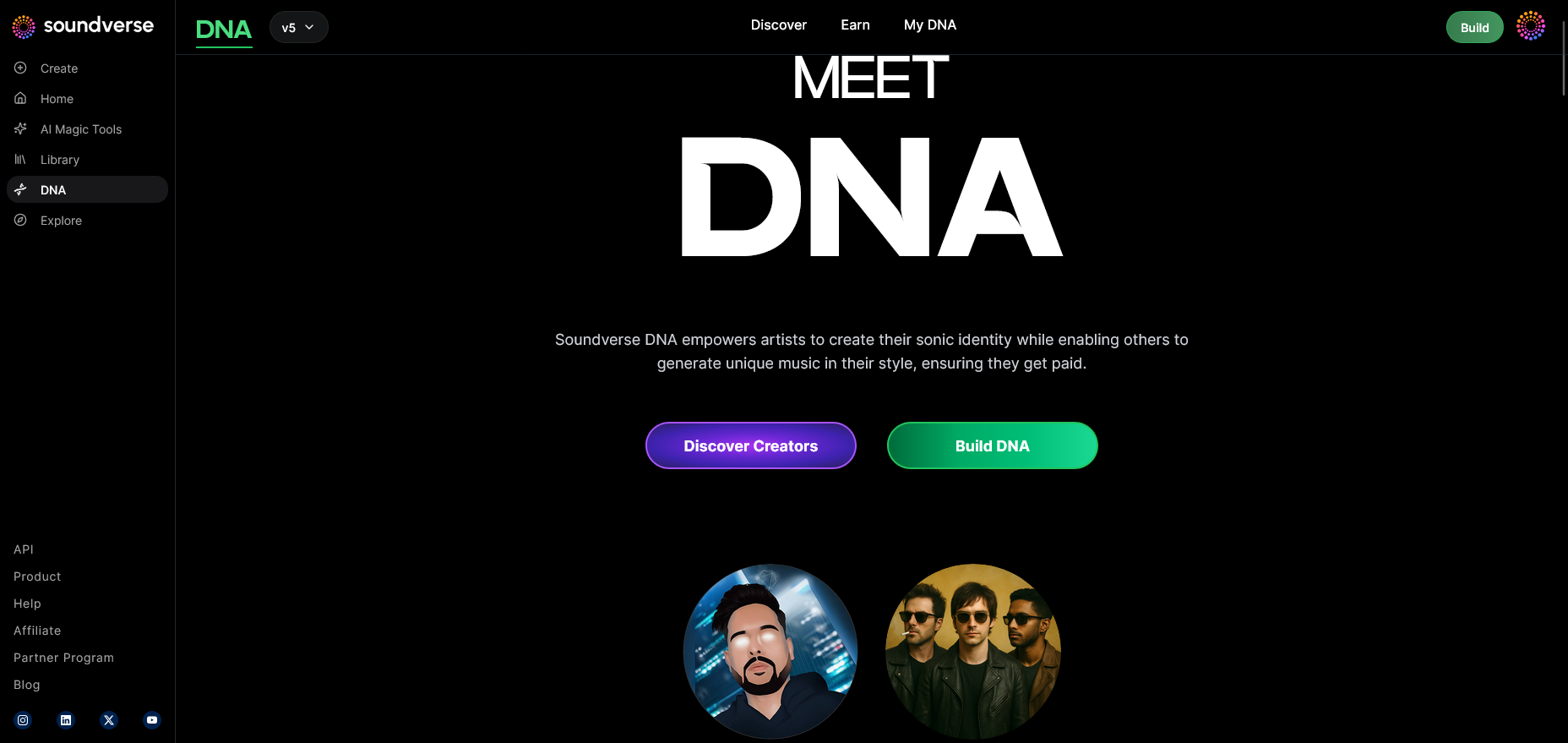
Enter the DNA mode feature overview. This panel explains how DNA-based generation works, its licensing boundaries, and privacy settings.
Step 2: Dashboard
Visit your My DNA dashboard to manage existing models or begin new ones. This is your command center for all DNA assets.
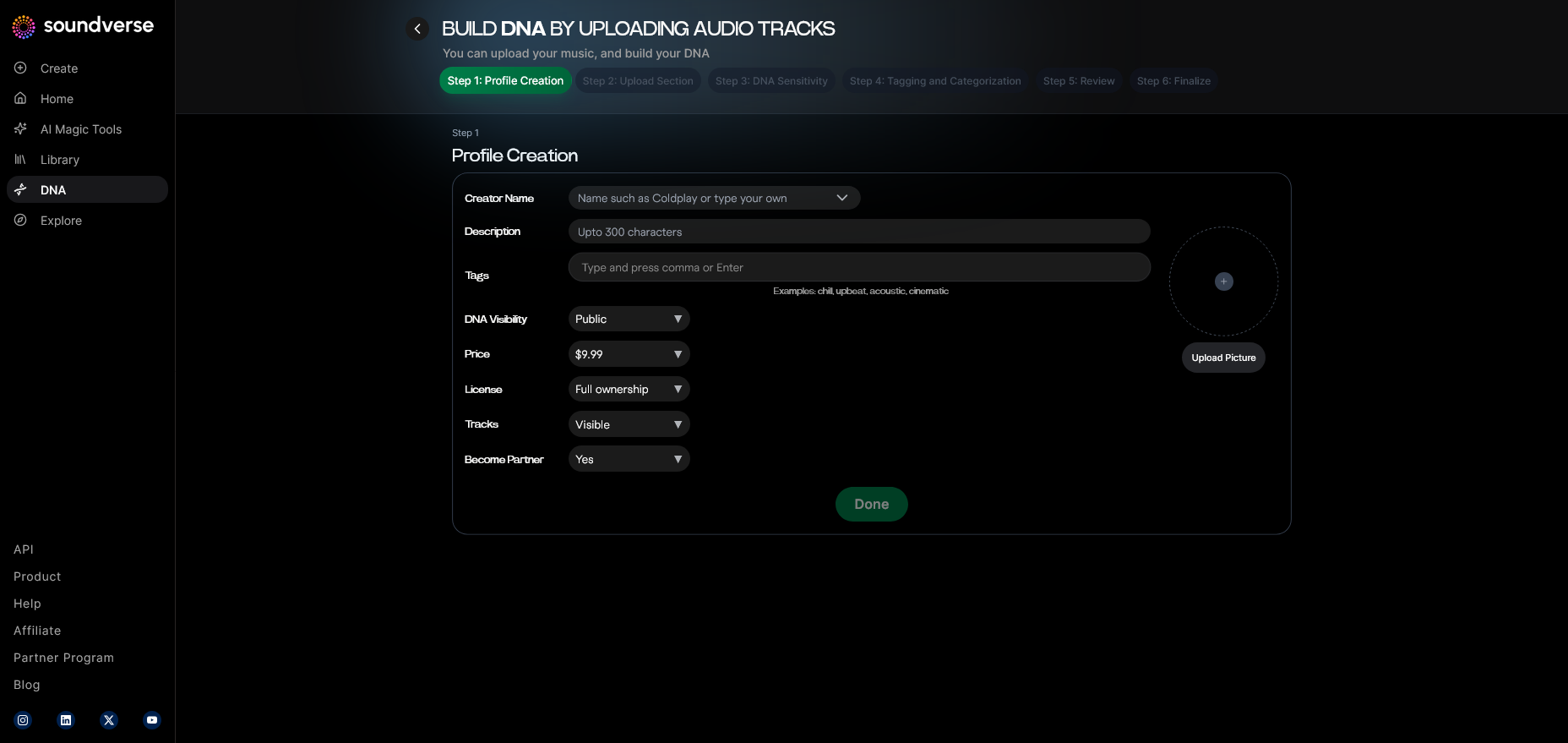
Step 3: Creator Profile
Customize your creator profile—this is where you define your band’s identity, music genres, and brand imagery. Artists often include album artworks or descriptive metadata here.
Step 4: DNA Type Selection
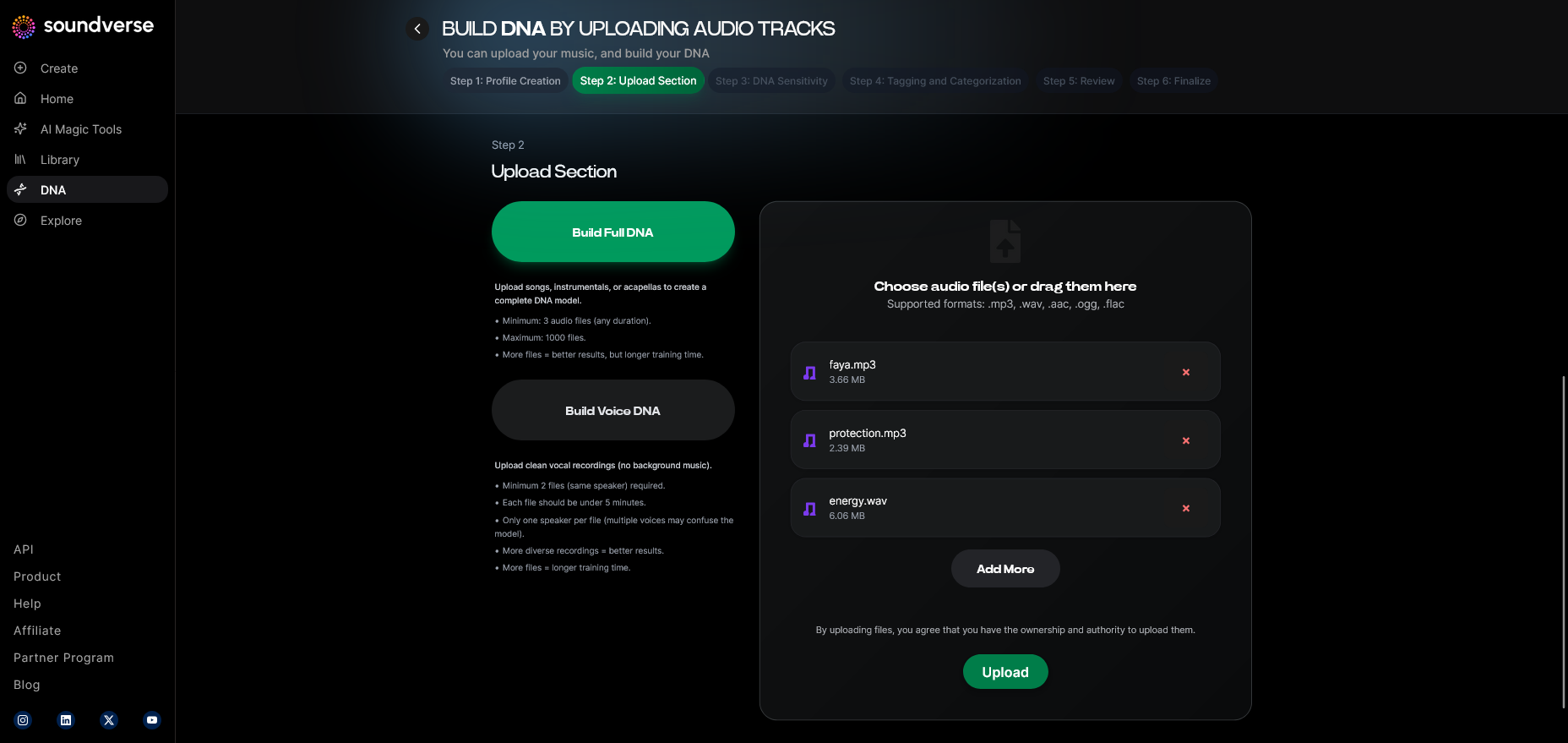
Choose between Full DNA or Voice DNA depending on your use case. Bands typically start with Full DNA to capture group compositions.
Step 5: Upload Files
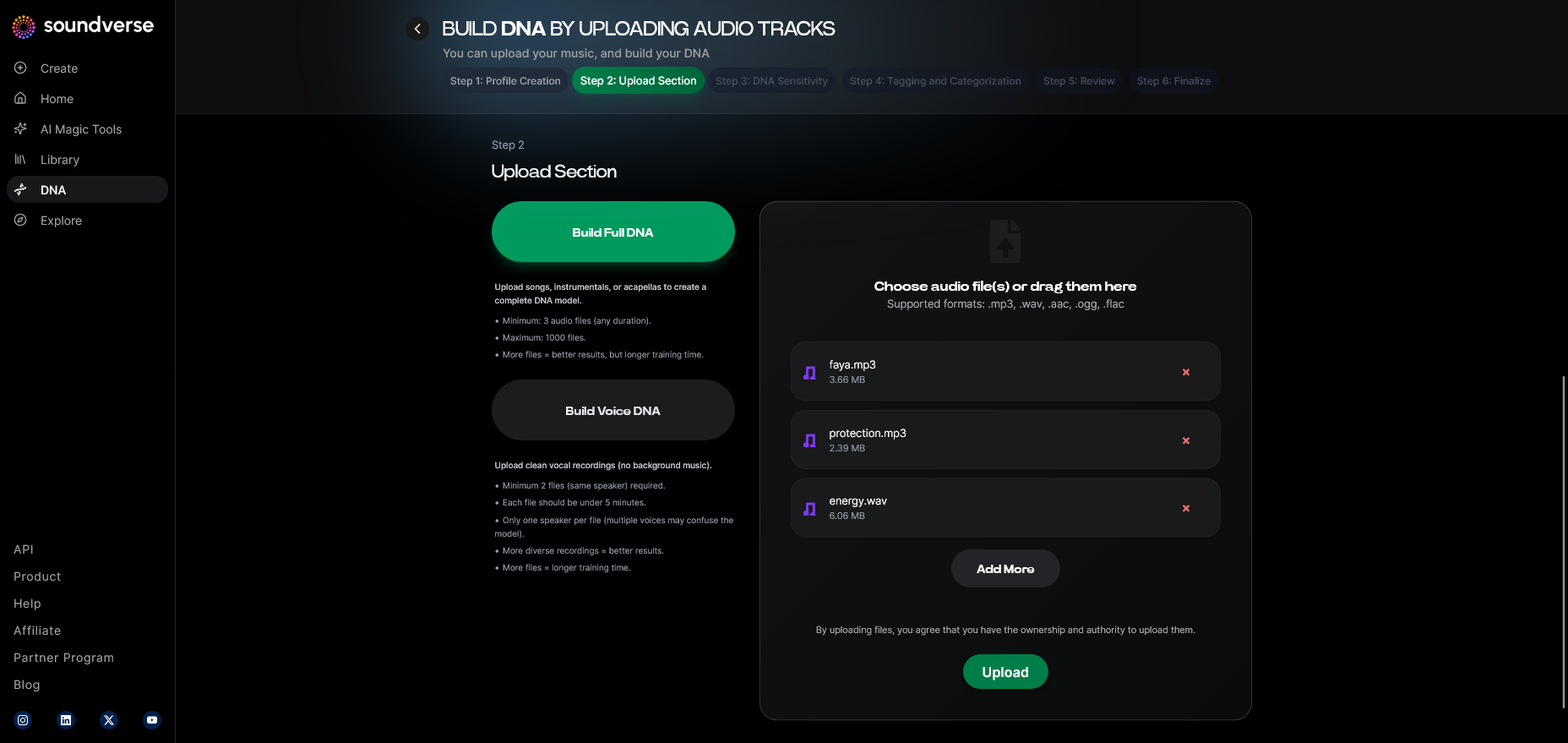
Upload high-quality audio samples or multitrack stems from your licensed catalog. This forms the learning base for the AI model.
Step 6: Sensitivity Setting
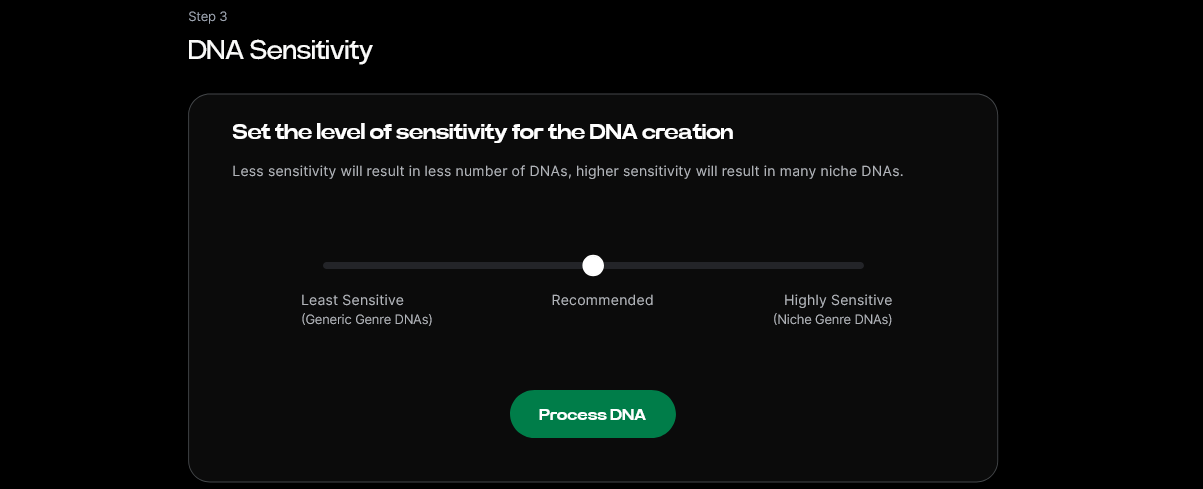
Adjust the Sensitivity Selector to cluster specific sonic eras—perhaps your 2024 debut EP versus your 2025 live recordings.
Step 7: Auto Tagging
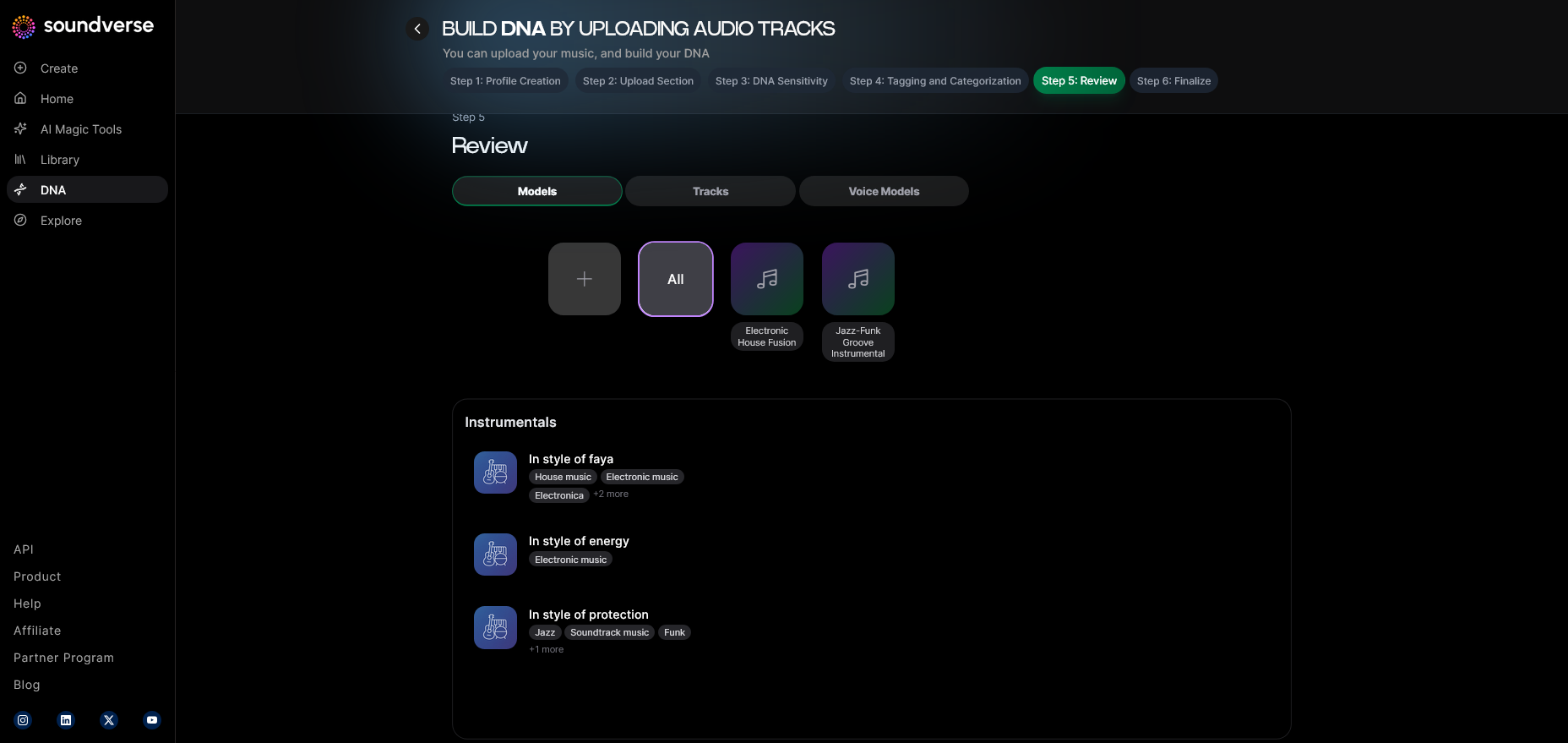
Soundverse’s Auto Tagging feature analyzes your uploads and adds metadata such as genre, BPM, mood, and instrument type.
Step 8: Review & Publish
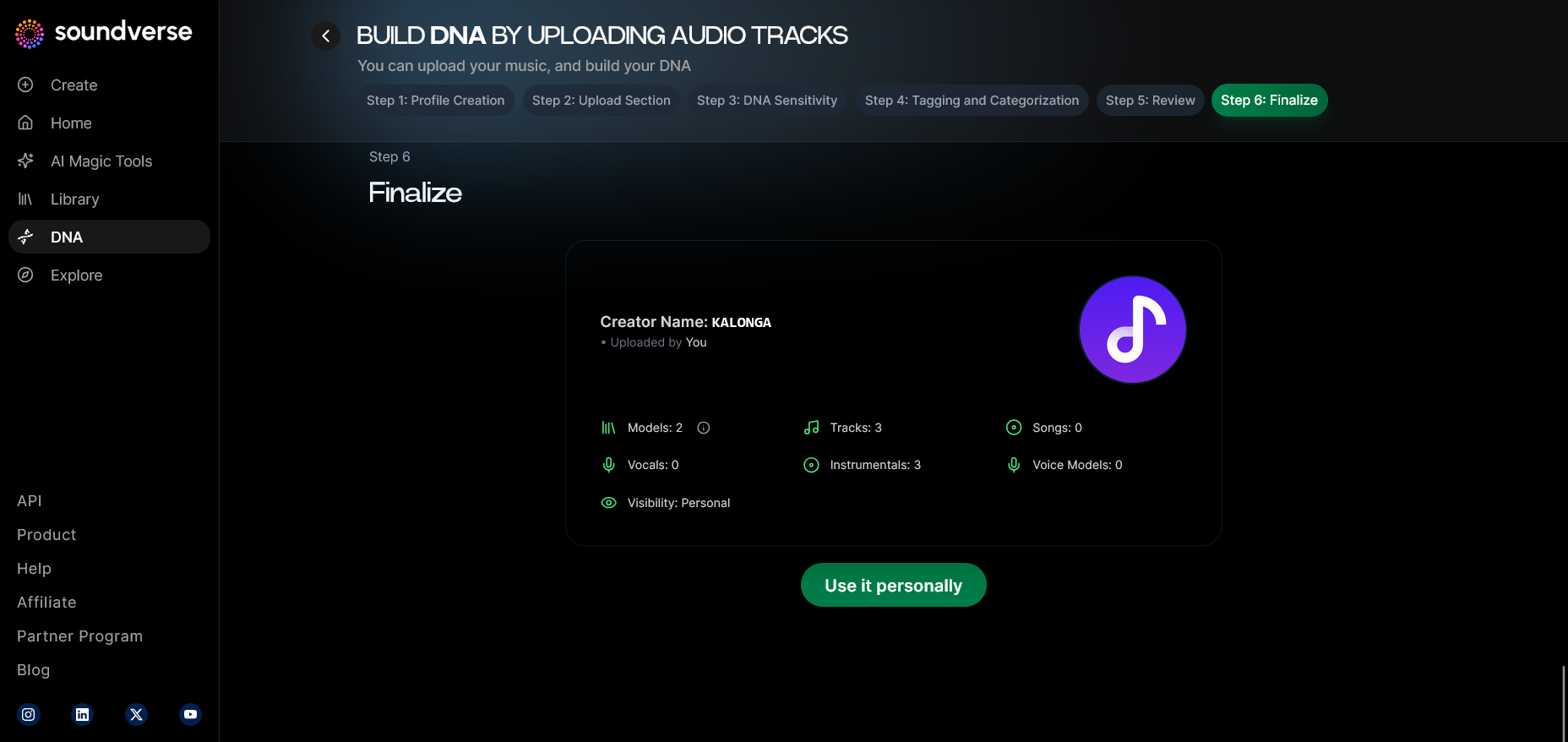
Before publishing your DNA model privately or to the public DNA Marketplace, review all licensing details and authorize your asset rights.
Step 9: Generation Panel
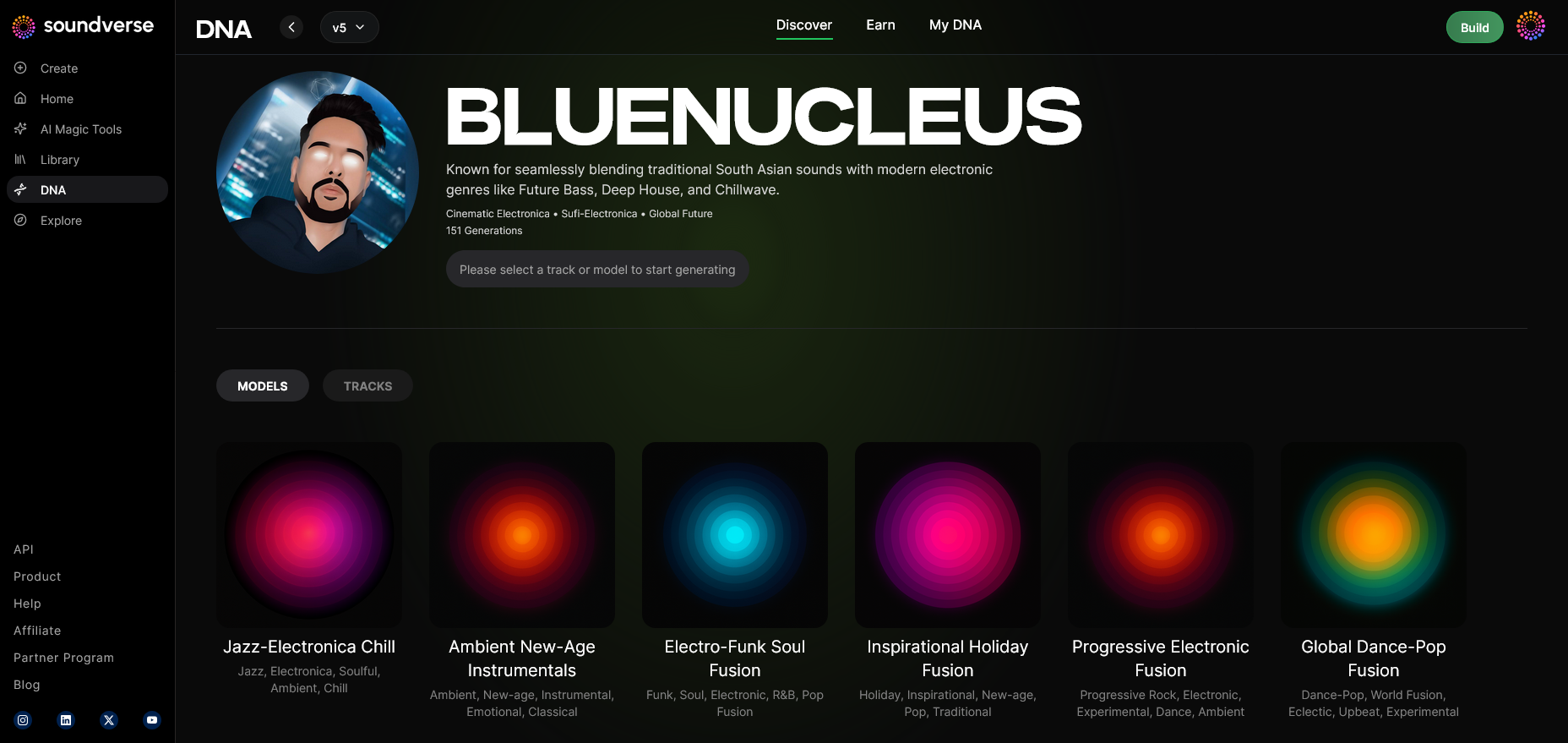
Access the DNA Music Generation interface to start producing tracks. You can input textual prompts describing mood or energy.
Step 10: Model-Based Mode
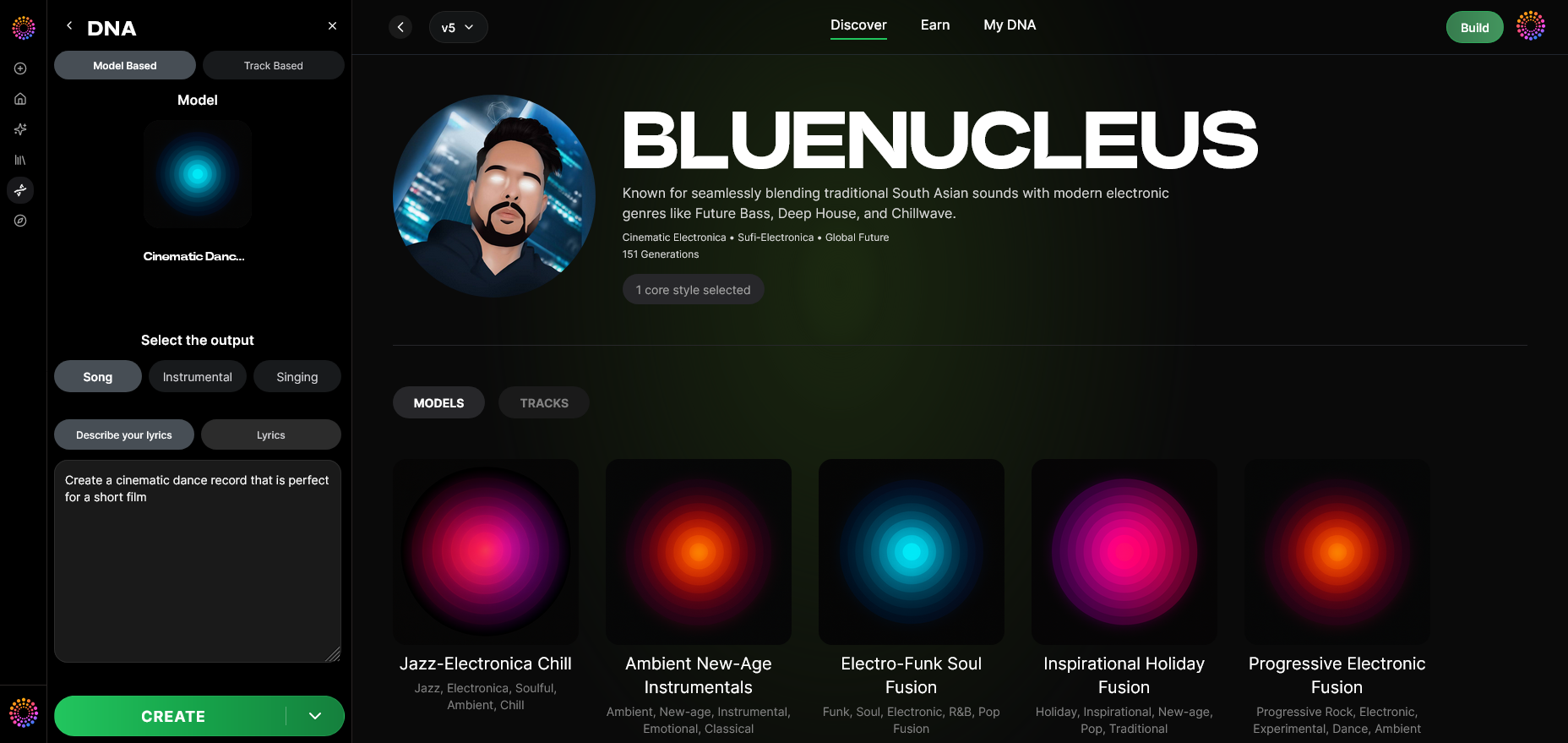
Toggle Model-Based Mode to ensure your AI uses the newly created DNA model for composition.
Step 11: Output Type
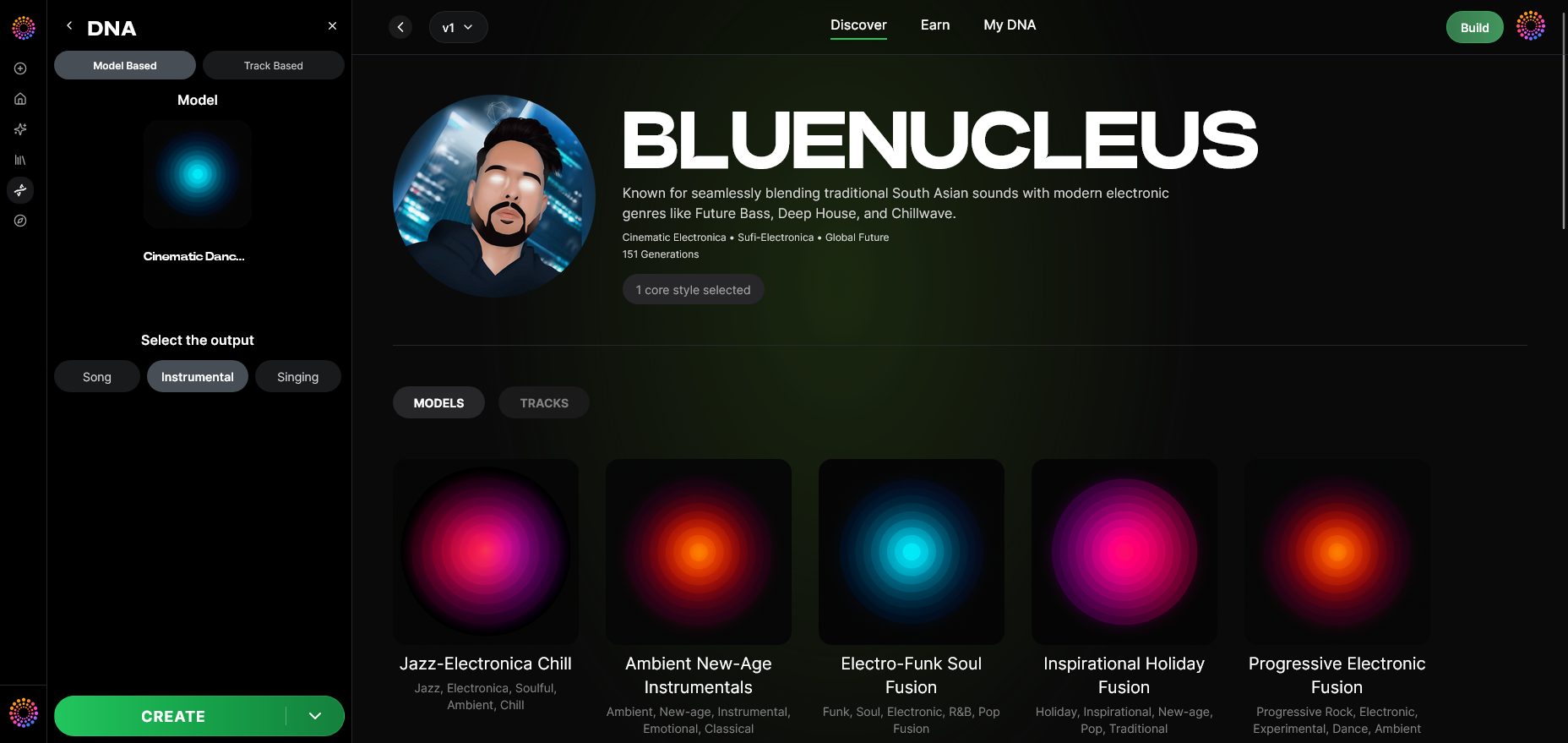
Select the desired result—instrumental or full vocal production.
Step 12: Prompt Type
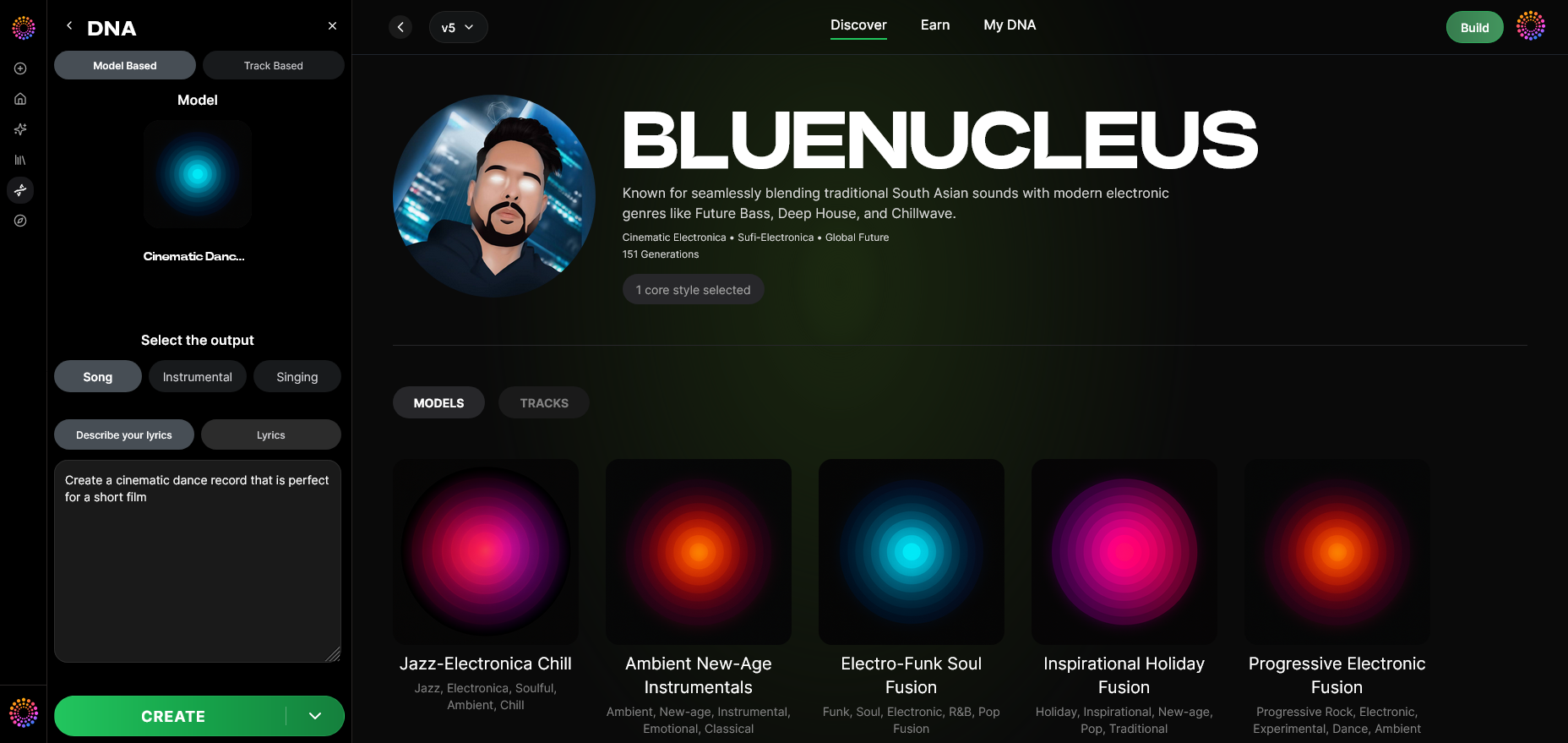
Choose between text, audio reference, or template-based generation.
Step 13: Generation Complete
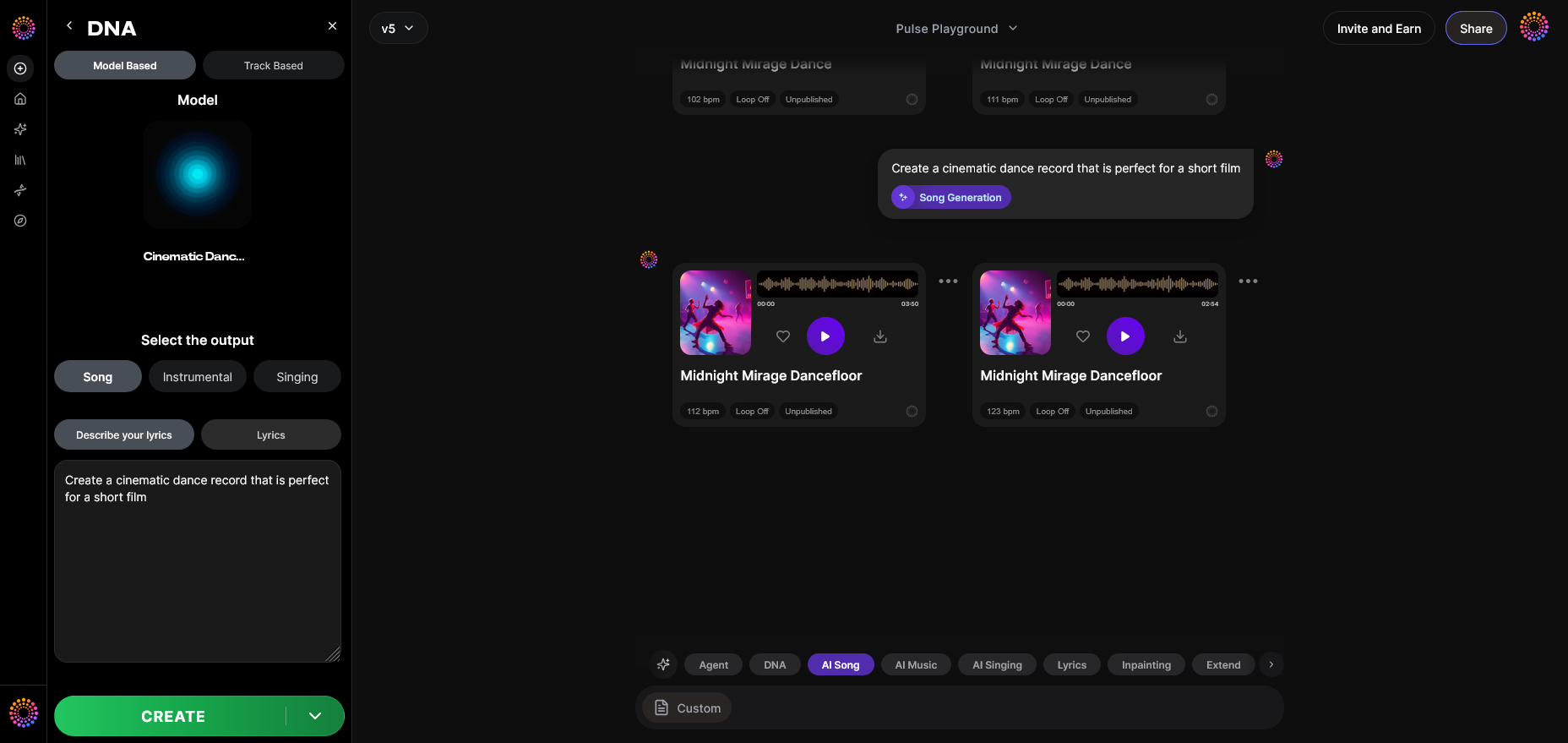
Once processed, your AI-generated track appears in the dashboard with attribution and metadata.
Step 14: Export Options
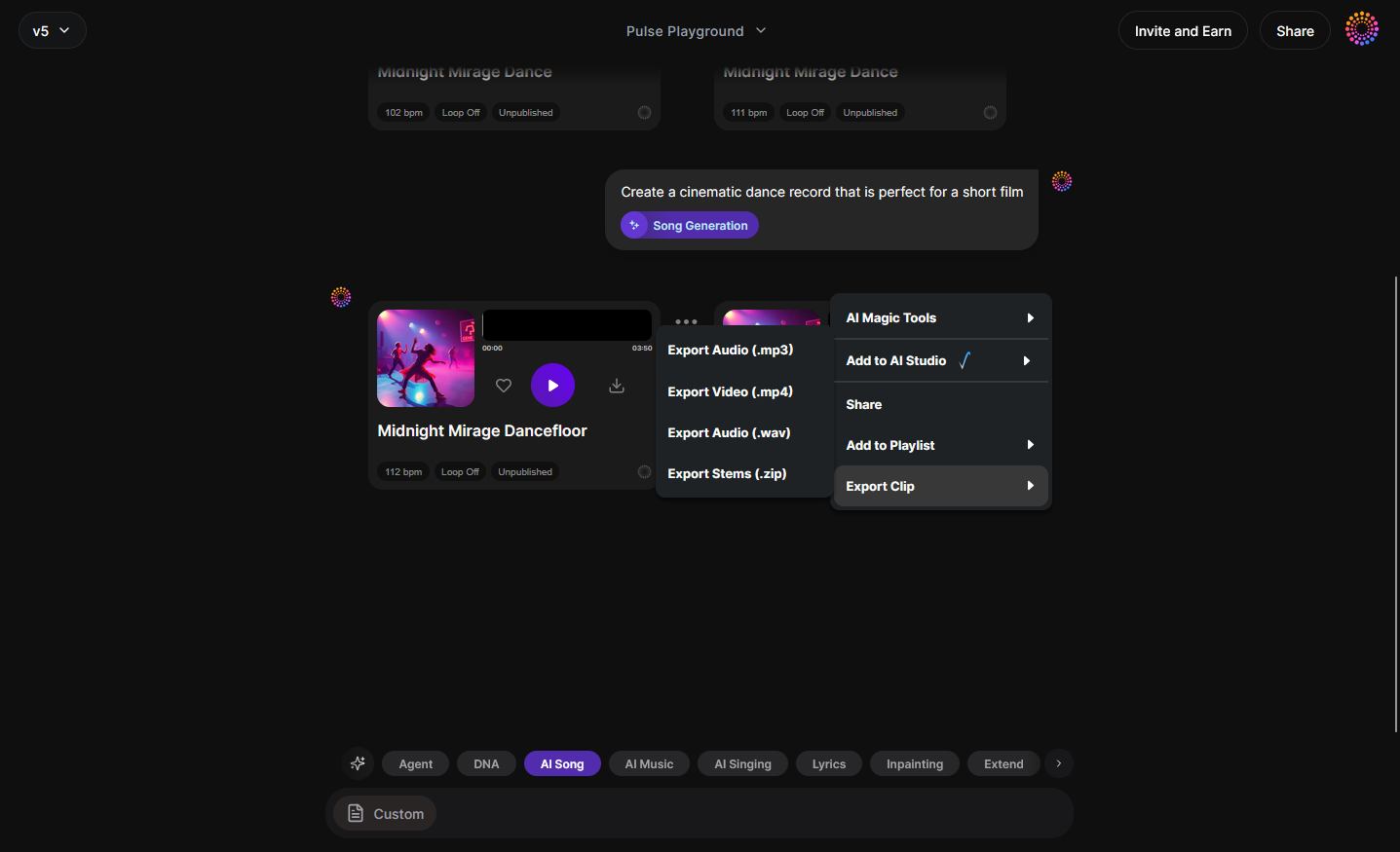
Export in WAV, MP3, or stem-separated formats for direct DAW integration, just like Soundverse’s AI Magic Tool for stem separation.
For a deeper dive, watch our guide on creating Deep House music or explore the Explore Tab overview from the Soundverse Tutorial Series.
How to Make AI Music Models Even More Useful for Bands
Use Private Mode for Secure Collaboration
Keep your AI models private while co-producing with internal members or label partners. This mode ensures data and creative IP remain in your control.
Leverage the DNA Marketplace
Turn your band’s style into a licensable digital asset. Fans or brands can use your sound with full legal backing, ensuring recurring royalties.
Integrate Ethical AI Frameworks
Connect your model to the Ethical AI Music Framework and Soundverse Trace to guarantee transparent attribution and compliant compensation for all contributors.
Experiment With Era-Based Sensitivity
Divide your catalog by years or styles to let fans generate new music inspired by your different sonic identities—like early acoustic works vs. mature electronic phases.
For further inspiration, see how an AI music generator inspires creative fusion.
Advanced Tips for AI‑Powered Songwriting in 2026
- Define Clear Data Boundaries: Train only on songs owned or licensed by your band.
- Use Reference Prompts Wisely: Text prompts like “dreamy indie with lo‑fi drums” or “anthemic rock chorus” yield strong stylistic matches.
- Iterate with Micro‑Models: Multiple smaller DNA models can give more control than one massive dataset.
- Collaborate Cross‑Genre: You can combine your model with other creators via the Content Partner Program.
- Monitor Attribution: Always verify that your model’s track exports include Soundverse Trace metadata before distribution.
To dive deeper into creative AI workflows, check how to create EDM with Soundverse AI and how to make AI‑generated music.
How to Make an AI Music Model with Soundverse DNA
When you use Soundverse DNA, you don’t just create a sound clone—you build an ecosystem of ethical creativity. Designed for professional musicians, Soundverse DNA integrates all parts of the creative process:
- Dataset Transparency: Built using The Ethical AI Music Framework.
- Attribution Security: Embedded tracing via Soundverse Trace.
- Revenue Integration: Automatic royalty assignment from the DNA Marketplace.
With this transparent infrastructure, Soundverse DNA is currently the benchmark for artists seeking to balance creativity and control. It empowers users to:
- Generate copyright-safe, stylistically consistent music.
- Co‑create confidently using verified data.
- Unlock recurring monetization streams.
Start Building Your AI Music Model Today
Unlock the full potential of Soundverse DNA to design, train, and evolve your own AI music model. Create one-of-a-kind sounds, styles, and projects that reflect your artistic identity.
Related Articles
- Soundverse Assistant: Your AI Music Co-Producer — Discover how the Soundverse Assistant helps you simplify production and creativity through intuitive AI guidance.
- How AI-Generated Music Is Transforming the Music Industry — Explore how AI-generated music is reshaping the soundscape, from indie creators to major record labels.
- The Benefits of Composing with an AI Music Generator — Learn how leveraging AI in composition can boost your creativity and help you produce more efficiently.
- AI Ranks Soundverse’s AI Singer #1: The Ultimate AI Singing Platform Dominating 2025 — Find out why Soundverse’s AI Singer is making waves as the top platform for virtual vocal generation.
Here's how to make AI Music with Soundverse
Video Guide

Here’s another long walkthrough of how to use Soundverse AI.
Text Guide
- To know more about AI Magic Tools, check here.
- To know more about Soundverse Assistant, check here.
- To know more about Arrangement Studio, check here.
Soundverse is an AI Assistant that allows content creators and music makers to create original content in a flash using Generative AI.
With the help of Soundverse Assistant and AI Magic Tools, our users get an unfair advantage over other creators to create audio and music content quickly, easily and cheaply.
Soundverse Assistant is your ultimate music companion. You simply speak to the assistant to get your stuff done. The more you speak to it, the more it starts understanding you and your goals.
AI Magic Tools help convert your creative dreams into tangible music and audio. Use AI Magic Tools such as text to music, stem separation, or lyrics generation to realise your content dreams faster.
Soundverse is here to take music production to the next level. We're not just a digital audio workstation (DAW) competing with Ableton or Logic, we're building a completely new paradigm of easy and conversational content creation.
TikTok: https://www.tiktok.com/@soundverse.ai Twitter: https://twitter.com/soundverse_ai Instagram: https://www.instagram.com/soundverse.ai LinkedIn: https://www.linkedin.com/company/soundverseai Youtube: https://www.youtube.com/@SoundverseAI Facebook: https://www.facebook.com/profile.php?id=100095674445607
Join Soundverse for Free and make Viral AI Music

We are constantly building more product experiences. Keep checking our Blog to stay updated about them!