How to Write Vocal Melodies: A Complete Guide for Songwriters and Singers (2026 Edition)
Learn how to write vocal melodies with AI tools and modern techniques in 2026.
How to Write Vocal Melodies
Writing a powerful and memorable vocal melody is one of the cornerstones of great songwriting. Whether you're a seasoned songwriter, a music producer, or a singer looking to create unique hooks, learning how to write vocal melodies opens the door to building songs that connect emotionally. In 2026, the landscape of melody creation has evolved rapidly thanks to AI-powered tools like Soundverse, which simplify the technical process while allowing artists to focus on their creative intent.
How to make vocal melodies with Soundverse Melody to Song Generator
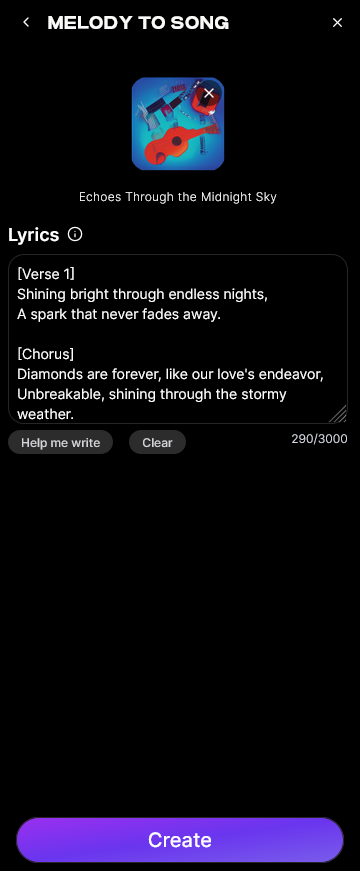
Soundverse’s Melody to Song Generator is a dedicated AI-powered feature designed to convert your raw melodic ideas into fully produced songs. Instead of starting with a blank studio session or fiddling with complex DAW settings, this tool analyzes audio input—such as humming recordings or instrumental melodies—and builds a complete song around that core idea.
Key capabilities of the Melody to Song Generator:
- Audio input analysis: You can upload or record audio containing your melody (like humming into your phone). The AI precisely interprets rhythm, pitch, and contour.
- Lyric input: Optionally provide your own lyrics so Soundverse can structure phrasing and arrangement around them.
- Full arrangement generation: Once your melody and lyrics are uploaded, Soundverse produces a complete arrangement with vocals, instrumentation, and mixing.
Primary use cases include turning quick voice memo sketches into polished tracks, helping instrumentalists create songs with vocals, and recovering old recording ideas that never became full songs.
By 2026, artists have adopted Soundverse as their go-to composition assistant. Similar innovations from Soundverse such as the AI Singing Generator, MIDI to Song Generator, and Similar Singing Generator extend the platform’s creative flexibility by generating professional vocals, interpreting MIDI melody files into full songs, and replicating vocal tones from references. For a deeper dive, watch our guide on creating Deep House music.
Step 1: Access the Melody to Song Generator
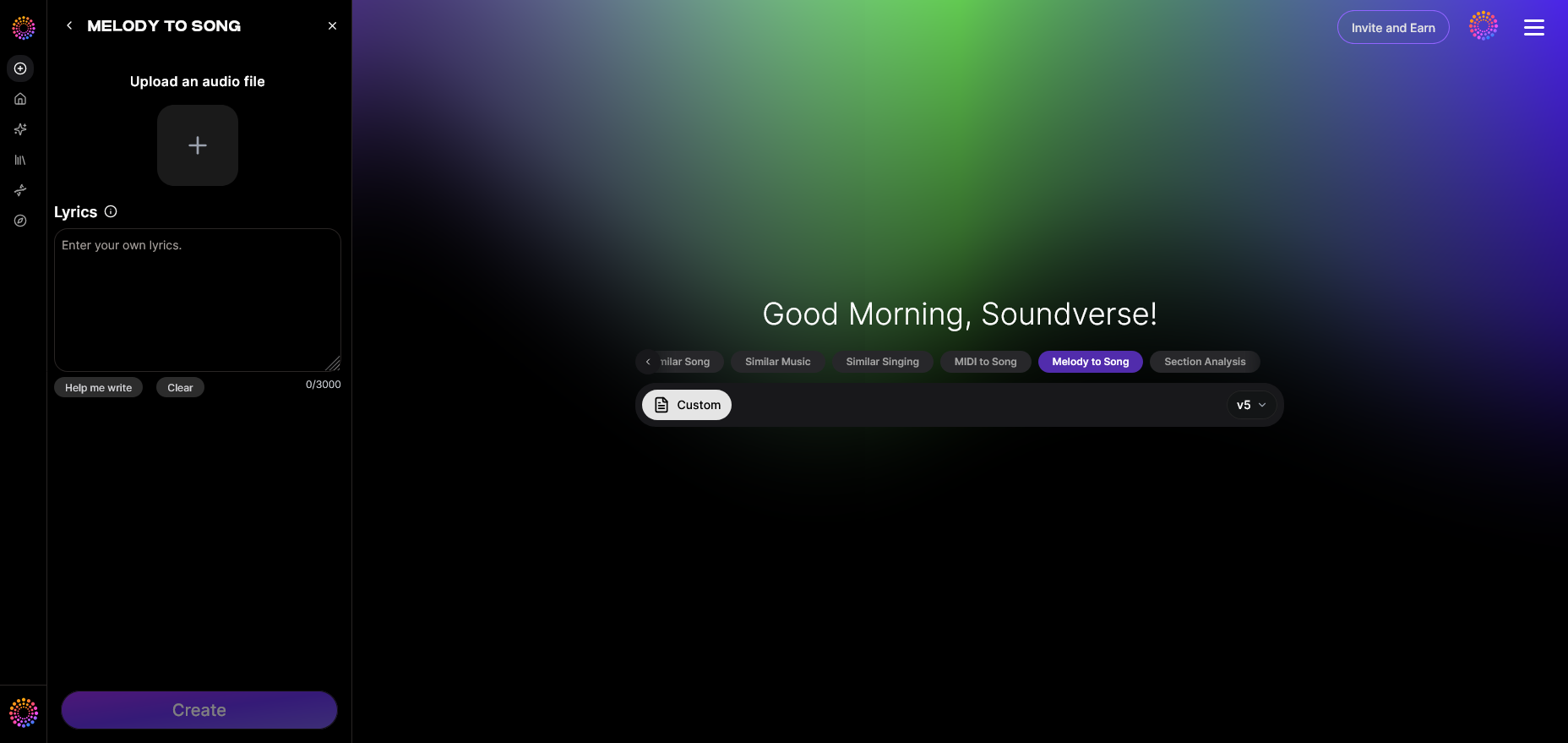
Start by opening Soundverse and selecting the Melody to Song Generator from the main dashboard. This feature is designed for creators who already have a melodic idea—whether you’ve hummed it casually into your phone recorder or performed it on an instrument.
When you access the tool, you’ll see options to record directly in the Soundverse app or upload an existing audio file. Make sure your recording focuses clearly on the melodic phrase so the AI can detect pitch and timing accurately.
Step 2: Record or Upload Your Melody
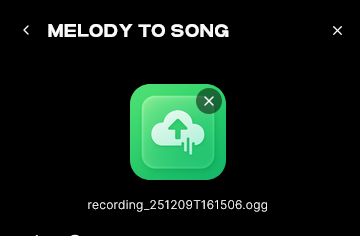

Upload your raw melodic audio or record a quick idea directly. This should be your creative nucleus—the tune that will eventually guide your song’s structure. The AI doesn’t require complex harmonies; a simple single-line melody works perfectly.
Tip: Don’t worry about perfect timing or pitch. The AI algorithm smooths inconsistencies during analysis and interprets the musicality of the idea to create an arrangement that fits stylistically.
Step 3: Enter Optional Lyrics
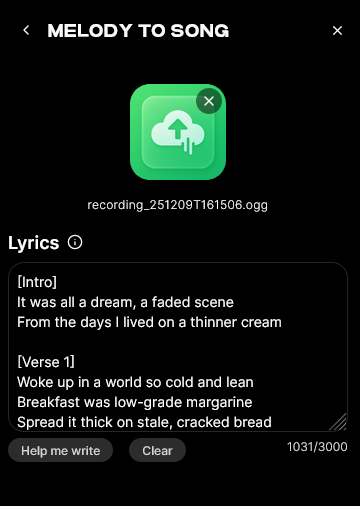
You can type or paste lyrics that you’d like the vocal part to use. This step adds emotional depth to the melody by syncing lyrical phrasing with melodic peaks and valleys. If you choose not to provide lyrics, Soundverse will still generate instrumental and vocal patterns based on melodic emotion.
For more advanced songwriting inspiration, check tips from this article on creating music that evokes a theme or explore more AI-powered composition guides such as Soundverse Arrangement Studio overview.
Step 4: Generate the Full Song with Lyrics and Vocals
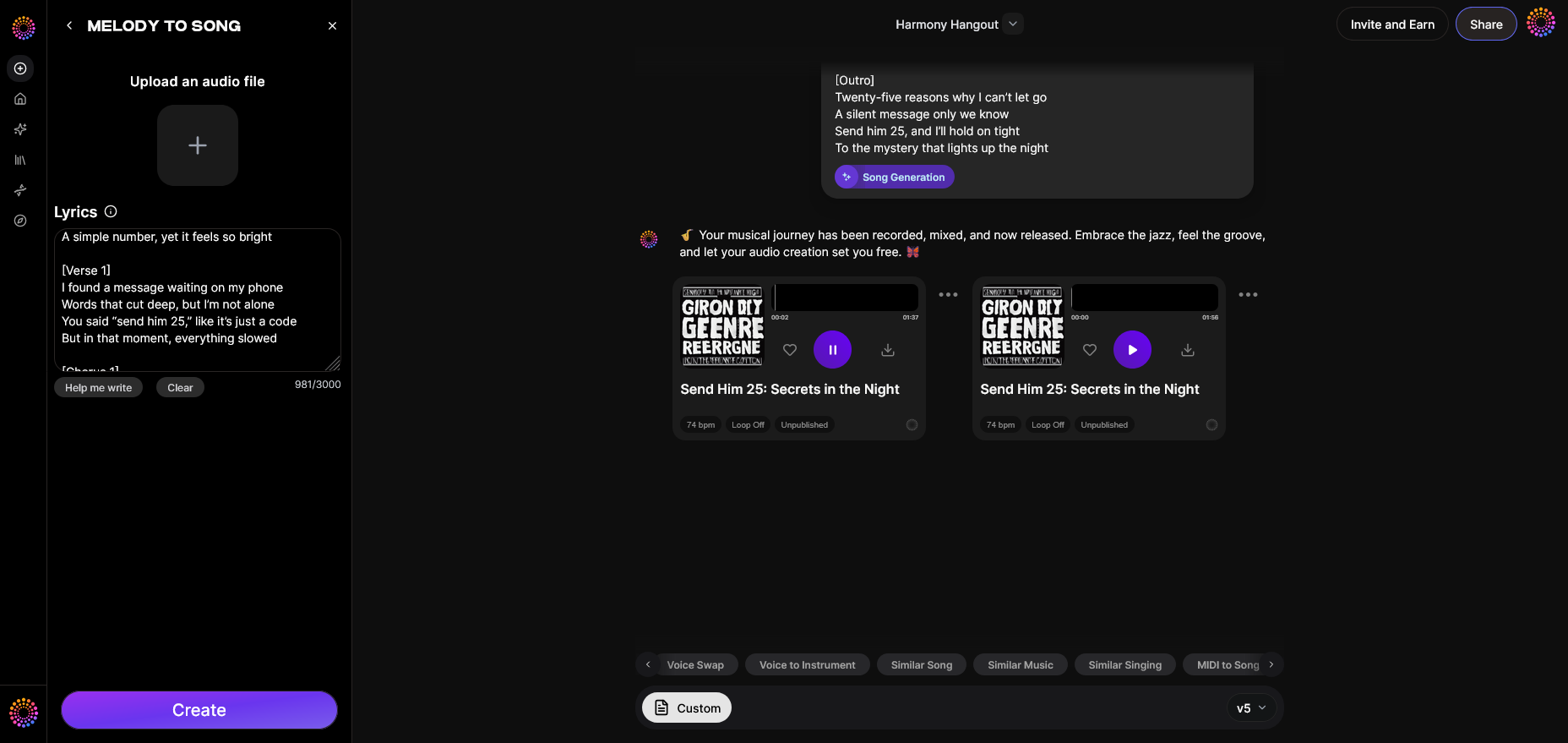
After submitting your melody and lyrics, click Generate. Soundverse will analyze your inputs asynchronously; meaning it processes the recording rather than providing live preview. Once generation completes, you’ll get a downloadable, fully arranged song complete with vocals and instrumentation. Use this as your foundation for further mixing or refining in your preferred DAW.
This process makes learning how to write vocal melodies not only educational but actionable. You develop melodic sense while letting the AI assist with arrangement, instrumentation, and harmony.
What defines a great vocal melody in 2026?
In modern songwriting, especially in 2026, great vocal melodies are characterized by clarity, emotional motion, and memorability. Artists blend traditional scales and modern microtonal or modal transitions inspired by global music influences.
1. Shape and Direction
A melody should tell a story through movement. Ascending sections usually create tension or hope, while descending lines convey release or introspection. You can reference the contrast among today's genres via Music Industry Trends and notice how pop melodies in 2026 now feature dynamic up-and-down motion to capture modern attention spans.
2. Rhythm and Phrasing
Even the most beautiful sequence of notes fails without proper rhythm. Professional melody writers in 2026 rely on syncopated phrasing derived from speech rhythms. Treat your melody like conversational cadence—the pauses, stresses, and rises mimic how people speak emotionally.
3. Harmony Connection
Understand how your melody interacts with harmony. Within Soundverse’s generated arrangements, harmonies automatically fit the contour, helping users study how intervals support emotional arcs. You can manually experiment with harmonizing by doubling your melody at different intervals to create layers before generation.
4. Hook Creation
Hooks dominate modern music. To create vocal hooks, repeat short phrases or motifs through pitch pattern variations. AI tools now help suggest hook repetition by analyzing popular melodic contour styles.
Professional vocal melody writing tips for 2026
Here are expert vocal melody writing tips practiced by top singers and songwriters globally:
- Start simple: A melody doesn’t need complexity; memorable songs often use fewer than seven unique notes.
- Use call-and-response: Alternate melodic phrases for tension-building.
- Experiment with range: Try shifting parts of melody across low and high registers to add intensity.
- Analyze old songs: Compare melodic movements from past decades to today’s dynamic approaches.
- Record ideas often: Keep capturing voice memos—Soundverse helps revive those ideas instantly.
- Trust emotion: If the melody evokes feeling during humming, it’s promising.
You can expand mastering melody composition techniques by reading How AI-Generated Music Is Transforming the Music Industry for broader context on how computational creativity supports melody crafting.
Melody composition techniques using Soundverse and AI tools
AI technology in 2026 assists with creative composition without replacing human ingenuity. Tools like Soundverse integrate various modes of melody processing:
- The AI Singing Generator transforms written lyrics into sung versions using stylistic presets, from traditional ballads to whispering tones.
- The MIDI to Song Generator gives producers the ability to translate MIDI melodies into fully arranged compositions.
- The Similar Singing Generator allows artists to maintain consistent vocal identity across projects, a common need for character-based content creators.
This ecosystem helps refine songwriting for singers—letting vocalists focus on expressive delivery while AI builds supporting musical structure.
If you want to learn genre-specific composition, explore guides like How to Create Country Music with Soundverse AI or How to Create EDM with Soundverse AI, both demonstrating how melody generation adjusts stylistically per genre. For more creation insights, see our video overview of how to make music.
Pro Tips: Enhancing your melodies beyond the basic structure
Once you generate your song, refine it further:
- Adjust timing of syllables to hit on rhythmic accents.
- Layer harmonies using Soundverse’s AI Singing Generator to simulate background vocals.
- Analyze pitch transitions; slight bends or slides make digital vocals feel more human.
- Experiment with arrangement genres—Soundverse offers filters by theme or vibe, detailed in this article about genre-based generation.
Start Composing Beautiful Vocal Melodies with Soundverse AI
Transform your musical ideas into professional-quality vocal lines with just a few clicks. Soundverse empowers you to generate harmonies, stems, and melodies faster than ever before.
- How an AI Music Generator Inspires Creative Fusion: Discover how AI-powered tools are redefining creativity and helping artists experiment with genre-blending vocal and instrumental styles.
- Generate AI Music with Soundverse Text-to-Music: Learn how to turn your text prompts into expressive melodies and full tracks using Soundverse’s revolutionary text-to-music engine.
- The Benefits of Composing with AI Music Generator: Explore why musicians are embracing AI-assisted composition to boost creativity and optimize their songwriting process.
- AI Music Generator and Human Composers: A Future Together: Investigate how human emotion and AI technology can combine to create powerful vocal melodies and original works.
Here's how to make AI Music with Soundverse
Video Guide

Here’s another long walkthrough of how to use Soundverse AI.
Text Guide
- To know more about AI Magic Tools, check here.
- To know more about Soundverse Assistant, check here.
- To know more about Arrangement Studio, check here.
Soundverse is an AI Assistant that allows content creators and music makers to create original content in a flash using Generative AI. With the help of Soundverse Assistant and AI Magic Tools, our users get an unfair advantage over other creators to create audio and music content quickly, easily and cheaply. Soundverse Assistant is your ultimate music companion. You simply speak to the assistant to get your stuff done. The more you speak to it, the more it starts understanding you and your goals. AI Magic Tools help convert your creative dreams into tangible music and audio. Use AI Magic Tools such as text to music, stem separation, or lyrics generation to realise your content dreams faster. Soundverse is here to take music production to the next level. We're not just a digital audio workstation (DAW) competing with Ableton or Logic, we're building a completely new paradigm of easy and conversational content creation.
TikTok: https://www.tiktok.com/@soundverse.ai
Twitter: https://twitter.com/soundverse_ai
Instagram: https://www.instagram.com/soundverse.ai
LinkedIn: https://www.linkedin.com/company/soundverseai
Youtube: https://www.youtube.com/@SoundverseAI
Facebook: https://www.facebook.com/profile.php?id=100095674445607
Join Soundverse for Free and make Viral AI Music

We are constantly building more product experiences. Keep checking our Blog to stay updated about them!