How to Write a Song Using an AI Song Generator in 2026
Learn how to write a song using an AI song generator with Soundverse’s step-by-step guide for 2026.
How to Write a Song Using an AI Song Generator
In 2026, writing music has transformed from a mysterious, time-consuming process into something accessible to anyone with creativity and an idea. Thanks to AI-integrated music creation software, songwriting is no longer reserved for professionals with expensive gear. If you’ve ever wondered how to write a song generator-driven composition leveraging artificial intelligence, you’re in the right place.
The rise of AI music generators and songwriting tools has democratized music production, allowing aspiring musicians and producers to create complete, polished songs from simple text prompts or lyrics. This article will walk you through exactly how to write a song using an AI song generator — focusing specifically on Soundverse’s advanced platform designed for lyric-based, prompt-driven song generation.
Why use an AI Song Generator to write a song in 2026?
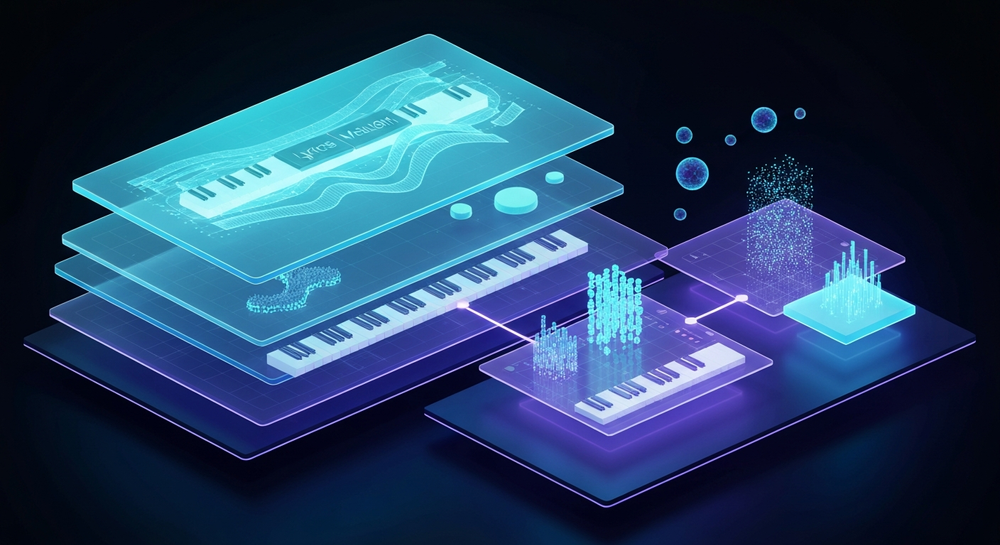
AI songwriting tools have evolved enormously since their early versions in 2024 and 2025. Today, in 2026, these generators handle every part of music creation: lyrics, melody, arrangement, and even professional-level mixing. Instead of spending weeks composing, artists can draft ideas and hear a full mix in minutes.
For creators building YouTube content, podcasts, or social media posts, automatic song generators offer fast solutions for background music and jingles. Meanwhile, serious songwriters use them to develop demos and prototypes that guide studio production. Whether you’re experimenting with a new genre or creating a birthday gift song, AI music generators make songwriting intuitive and fun.
How to make a song with Soundverse AI Song Generator

Soundverse’s AI Song Generator is at the center of this innovation. It turns lyric text or brief descriptions into complete songs with AI vocals and layered instrumentals. This system operates through a multi-stage pipeline: lyrical analysis, melody crafting, arrangement generation, and mixing.
Soundverse offers multiple modes tailored to your workflow:
- Describe Your Song Mode: Type a description like “a dreamy pop track about summer love,” and the AI handles everything.
- Custom Mode: Input your own lyrics and tweak genre or language preferences.
- Reference Audio Support: Upload your melody, vocal demo, or instrumental file. The generator learns from it.
- Quick Style Selection: Choose from Pop, EDM, Rock, Jazz, Metal, and more.
Primary use cases include songwriting demos, content for YouTube or social media, personalized gifts, and multilingual music for global creators. Soundverse integrates seamlessly with related features like the AI Lyrics Writer, which helps structure lyrics, and the Melody to Song Generator, which converts melodies into full arrangements.
If you've ever experimented with text-to-music in Soundverse's Generate AI Music feature, you’ll recognize that it follows a similarly intuitive workflow. For a deeper dive, watch our guide on creating Deep House music.
Step 1: Feature Overview

To start, access Soundverse’s AI Song Generator from the main menu. Once inside, you can choose whether you want to write a song from scratch using prompts or develop existing lyrics. This interface is streamlined so that even newcomers quickly understand the music creation flow.
Step 2: Lyrics Input
Enter or paste your lyrics into the lyric field. Soundverse supports multiple languages, so creators can craft songs for diverse audiences. If you don’t have lyrics ready, you can activate the integrated Help Me Write feature powered by the AI Lyrics Writer, which will automatically generate song structure (verse, chorus, bridge) based on tone or mood.
For lyric inspiration, check Soundverse’s how to make good rap lyrics article, which explains how to capture emotion and rhythm across any genre.
Step 3: Style Selection

Next, select your preferred genre or musical style. You can pick from options like Pop, EDM, Rock, Jazz, Country, or Metal. This step ensures your song aligns with your vision while influencing tempo, instrumentation, and harmony profiles.
When you need help deciding on style, refer to music industry trends to discover what genres are resonating in 2026.
Step 4: Configuration
Here, fine-tune the generation parameters. You can set vocal tone, arrangement density, or variation intensity. Use this stage to define whether you want an acoustic vibe or a high-energy electronic mix. Soundverse processes these details to personalize the audio results without needing technical mixing skills.
For deeper understanding of mixing tools, take a look at Soundverse introduces stem separation AI magic tool. It shows how AI separates instruments for easier post-processing.
Step 5: Generation

After setup, click Generate Song. Soundverse’s AI composers get to work asynchronously, synthesizing vocals, instruments, and the final structure. You don’t have to wait inside the app; your notification arrives once the generation finishes. Each rendition offers a complete mix that can be replayed immediately. You can also watch our tutorial on how to make music for generation insights.
Step 6: Generation Complete

Once the song is processed, Soundverse displays the finished audio with playback controls and waveform visualization. You can listen to different takes or re-run the generation with refined prompts. Many creators run several attempts to experiment with nuances of tone or arrangement.
Step 7: Export Results

Finally, download your generated track in multiple formats. Soundverse supports standard options like WAV, MP3, and stems. Exporting allows musicians to import the composition into mixing software for mastering or share directly on social platforms.
Pro Songwriting Tips when using an AI music generator
- Start with clear intention: Even AI tools thrive on strong creative direction. Define mood, tempo, and lyrical message before generation.
- Refine lyrics for rhythm: Ensure your lyric syllable count fits melody phrasing—AI generators perform better when rhythmically balanced.
- Experiment with variations: Don’t settle for one result. Test multiple styles (Pop vs. EDM) to find the perfect arrangement.
- Leverage multilingual features: Soundverse supports 10+ languages; global creators can reach broader audiences.
- Blend AI with human touch: Use generated versions as demos, then record your vocals or instrument layers to personalize.
These strategies echo Soundverse’s mission described in Soundverse AI revolutionizing music creation for new age content creators, emphasizing collaboration between human creativity and AI technology. For exploratory creatives, watch our video on the "Explore" tab.
Why using Soundverse stands out among competitors
Many AI songwriting systems exist in 2026—like Mubert and Soundraw. However, Soundverse leads due to its integrated creative environment combining lyric generation, melody conversion, vocal synthesis, and multilingual rendering all in one seamless workflow.
Where others focus on static loops or instrumental-only creation, Soundverse’s multi-stage pipeline takes you from text description to a complete, mixed song. It doesn’t require complex setup or expertise, making it ideal for beginners exploring AI-assisted composition or professionals needing fast vocal demos.
For comparison resources, check Mubert alternatives Soundverse and Soundraw alternative articles that explain performance differences and use cases.
Start Creating Your Own AI-Generated Songs Today!
Unleash your creativity with Soundverse’s AI song generator. Instantly craft melodies, lyrics, and full compositions tailored to your style—no musical background required.
Try Soundverse Free
Related Articles
- What AI Can Generate Songs: Explore how different AI platforms turn text prompts into complete songs across genres.
- Generate AI Music with Soundverse Text-to-Music: Learn how Soundverse transforms your ideas into music using text-to-music technology.
- The Benefits of Composing with AI Music Generator: Discover how AI composition tools streamline music creation and boost inspiration for creators.
- How an AI Music Generator Inspires Creative Fusion: See how AI tools spark new musical directions by blending genres and innovative sounds.
Here's how to make AI Music with Soundverse
Video Guide

Here’s another long walkthrough of how to use Soundverse AI.
Text Guide
- To know more about AI Magic Tools, check here.
- To know more about Soundverse Assistant, check here.
- To know more about Arrangement Studio, check here.
Soundverse is an AI Assistant that allows content creators and music makers to create original content in a flash using Generative AI.
With the help of Soundverse Assistant and AI Magic Tools, our users get an unfair advantage over other creators to create audio and music content quickly, easily and cheaply.
Soundverse Assistant is your ultimate music companion. You simply speak to the assistant to get your stuff done. The more you speak to it, the more it starts understanding you and your goals.
AI Magic Tools help convert your creative dreams into tangible music and audio. Use AI Magic Tools such as text to music, stem separation, or lyrics generation to realise your content dreams faster.
Soundverse is here to take music production to the next level. We're not just a digital audio workstation (DAW) competing with Ableton or Logic, we're building a completely new paradigm of easy and conversational content creation.
TikTok: https://www.tiktok.com/@soundverse.ai
Twitter: https://twitter.com/soundverse_ai
Instagram: https://www.instagram.com/soundverse.ai
LinkedIn: https://www.linkedin.com/company/soundverseai
Youtube: https://www.youtube.com/@SoundverseAI
Facebook: https://www.facebook.com/profile.php?id=100095674445607
Join Soundverse for Free and make Viral AI Music

We are constantly building more product experiences. Keep checking our Blog to stay updated about them!