How to Work with Rock or Metal Music: A Complete Guide for 2026 Producers
Learn rock and metal music production techniques and how Soundverse AI helps you create professional tracks.
How to Work with Rock or Metal Music
Rock and metal music production have always represented the essence of raw emotion and technical mastery. From the crunch of distorted guitars to the punchy thump of kick drums, these genres thrive on precision, energy, and authenticity. As we move through 2026, the evolution of tools and workflows has made working with rock and metal more accessible to producers across every skill level. Whether you are capturing the power of a live band or shaping an AI-generated anthem, understanding the nuances behind rock and metal production will help you create high-impact, studio-quality tracks.
Why Is Rock and Metal Music Production Different?
Rock and metal music stand apart due to their dynamic complexity and emotional intensity. A simple recording session often involves dozens of microphones, layers of guitars, and a deep focus on tone shaping. Unlike electronic genres that depend heavily on synthetic textures, rock and metal rely on organic energy — performances that capture real movement and aggression.
In 2026, rock and metal have undergone another surge in popularity thanks to the revival of analog sound blending with digital innovation. Many producers combine traditional rock music techniques with modern AI workflows to achieve massive results without needing huge recording budgets. You can explore more on this topic through Recording & Mixing Modern Rock & Metal, which discusses the rise of hybrid analog-digital trends.
What Are the Core Elements of a Strong Rock or Metal Mix?
For rock and metal tracks to sound authentic, certain elements must be meticulously handled during production:
- Guitars: The centerpiece of the genre. Heavy guitar tones require balance between distortion, clarity, and spatial placement. Doubling guitars, panning them hard left and right, and using multi-amp setups are timeless rock music techniques.
- Drums: Metal recording tips often emphasize capturing real aggression from drum hits. Layering triggered samples under acoustic drums creates consistency without losing organic tone. Learn more from How to Mix Metal Sessions - iZotope, which explains how to make your guitars and drums cut effectively.
- Vocals: Gritty or melodic vocals are the emotional core. Producers should use compression and delay carefully to keep vocals powerful without masking the instrumentation.
- Bass: The low end glues guitars and drums together. Mixing heavy guitar layers with solid bass ensures punch and definition.
- Ambience: Reverb and room tone help simulate live concert energy while maintaining clarity.
How to Set Up a Studio for Rock or Metal Production
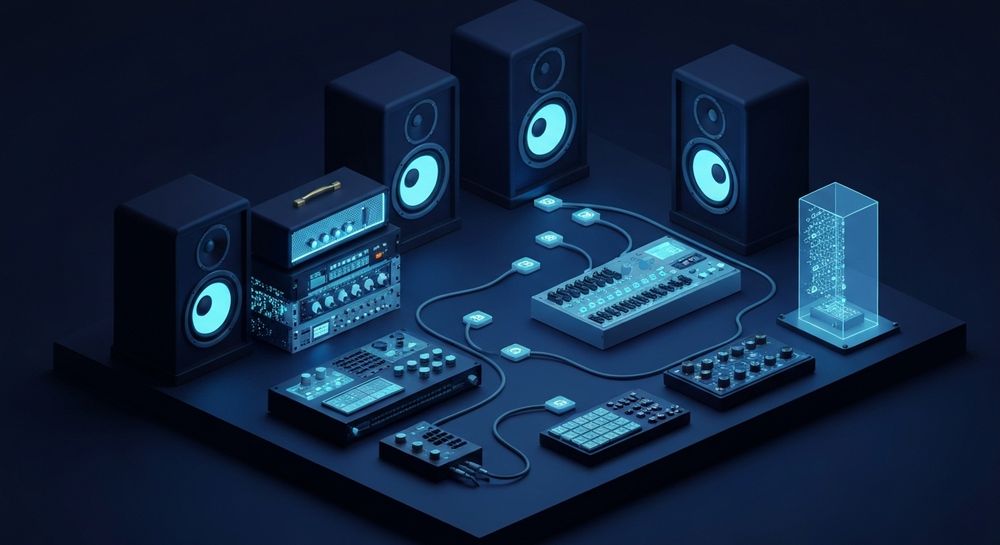
A good studio setup for metal doesn’t have to be extravagant—it just needs efficiency and acoustically treated space. Begin by investing in critical items:
- High-gain amplifiers or amp simulators with cabinet impulse responses.
- Dynamic microphones such as the SM57 for guitar cabs and toms.
- Audio interfaces with low latency for live tracking.
- Monitoring system that translates well across consumer speakers.
Many new producers use hybrid setups, recording real instruments while leveraging tools like AI music generators for experimentation. It’s especially common to layer AI-created textures behind live performances—a method that has become a trend among independent artists by 2026. Discover workflow examples from Tips, Tricks and Best Practices for Recording Heavy Music in 2026.
How to Make Rock and Metal Music with Soundverse AI Song Generator

Soundverse’s AI Song Generator empowers creators to craft full-scale rock or metal songs using text prompts or uploaded lyrics. This intelligent system operates through a multi-stage pipeline that covers lyrics understanding, melody writing, arrangement, and final mixing—all processed asynchronously.
Key Capabilities Helping Rock and Metal Producers
- Describe Your Song Mode: Perfect for those who want to prompt ideas like “hard-hitting metal anthem with melodic chorus.” The AI generates instrumentals and vocals accordingly.
- Custom Mode: Lets you input lyrics manually and select parameters matching your band’s style or project vibe.
- Reference Audio Support: Upload your singing or guitar playing to ensure stylistic consistency between AI-generated parts and your own performance.
- Quick Style Selection: Includes established genre templates like Rock, Punk, and Metal, offering immediate access to genre-appropriate tones and rhythms.
For producers new to collaboration, Soundverse provides creative efficiency. By 2026, users rely on its system to generate song drafts before heading into real recording sessions — particularly useful for vocal prototyping and songwriting demos. For a related workflow tutorial, check out the Soundverse Tutorial Series - 9. How to Make Music.
Step 1: Feature Overview

Begin by accessing the AI Song Generator from the Soundverse main menu. It’s part of the central creative workflow that unifies lyric input and music generation.
Step 2: Lyrics Input
Enter or paste your lyrics into the dialogue box. You can write about rebellion, passion, or introspection—classic rock and metal themes. Soundverse will interpret emotional tone and rhythmic flow when generating music.
Step 3: Style Selection

Choose “Rock” or “Metal” among the genre options. Selecting the right style activates specific arrangements—like double bass drums for metal or driven electric guitars for rock.
Step 4: Configuration

Set generation parameters such as tempo, vocal intensity, and instrumentation depth. You can decide whether the track should feature a gritty or clean vocal approach and how dense the rhythmic layers should become.
Step 5: Generation

Click Generate Song. Soundverse’s asynchronous engine composes instrumentals and AI vocals, merging both into a unified production. No real-time preview is involved; it processes inputs first, then reveals the full result.
Step 6: Generation Complete

Once the result appears, you’ll see the finalized song ready for review. It includes professionally mixed components suitable for online publishing or collaboration with live musicians.
Step 7: Export Results

Export songs in multiple file formats (e.g., WAV, MP3). You can then load instrument stems into your digital audio workstation to extend, remix, or re-record elements using traditional gear.
Advanced Rock and Metal Production Tips for 2026
After generating a foundation with Soundverse, refine your production using proven modern approaches:
- Layer Recorded Guitars: Combine AI-generated guitar tones with your own recordings to achieve spatial depth.
- Use AI Singing Generator for harmonies or alternate vocal textures. This tool can handle experimental styles like whisper screaming without losing clarity.
- Integrate Soundverse DNA: If you want consistent sonic identity across your releases, Soundverse DNA lets you generate music based on licensed artist-style data—ensuring copyright safety.
- Employ Stem Separation Tools: Reference soundverse-introduces-stem-separation-ai-magic-tool for isolating vocals or drum tracks from demos.
Collaboration and Workflow
Working with bands means managing personalities and vision. Communicate clearly about tone, arrangement, and performance. Use AI-generated demos as reference points rather than replacements. Tools such as generate-ai-music-with-soundverse-text-to-music make pre-production faster.
For songwriters transitioning into metal, pairing AI creation with group rehearsal bridges creativity with performance authenticity. In 2026, hybrid workflows are normal: AI handles structural sketches while human musicians add nuance and emotion. Explore additional examples from The Formula For Metal Bands Succeeding In 2026 - YouTube.
Pro Tips for Mixing Heavy Guitar and Vocals
- EQ Before Compression: Start with subtractive EQ to remove harsh frequencies around 4–6 kHz before applying compression. Learn advanced techniques from Mastering Heavy Metal Songs: The Ultimate Guide.
- Parallel Processing: Duplicate guitar tracks to blend tight distortions with smoother, dynamic layers.
- Automation for Impact: Automate intro and outro sections to emphasize groove changes typical of modern progressive metal.
- Referencing: Always test mixes on headphones, monitors, and car systems to ensure translation.
To refine your career in modern music production, explore related reads such as soundverse-ai-revolutionizing-music-creation-for-new-age-content-creators, music-industry-trends, and create-metal-music-with-ai.
Create Powerful Rock and Metal Tracks with AI
Transform your riffs and beats into full-fledged songs using Soundverse’s advanced AI music tools—perfect for heavy guitar tones, driving drums, and studio-quality production.
Related Articles
- Create Metal Music with AI: Discover how Soundverse can help you build explosive metal tracks with precise riffs and dynamic arrangements.
- How to Create EDM with Soundverse AI: Learn to produce high-energy EDM using AI-driven music generation tools for seamless composition.
- The Role of AI Music in Film and Television: Explore how AI-generated music is reshaping the soundscapes of modern visual entertainment.
- Soundverse AI Revolutionizing Music Creation for New-Age Content Creators: See how Soundverse empowers creators to compose professional music effortlessly using AI innovation.
Here's how to make AI Music with Soundverse
Video Guide

Here’s another long walkthrough of how to use Soundverse AI.
Text Guide
- To know more about AI Magic Tools, check here.
- To know more about Soundverse Assistant, check here.
- To know more about Arrangement Studio, check here.
Soundverse is an AI Assistant that allows content creators and music makers to create original content in a flash using Generative AI.
With the help of Soundverse Assistant and AI Magic Tools, our users get an unfair advantage over other creators to create audio and music content quickly, easily and cheaply.
Soundverse Assistant is your ultimate music companion. You simply speak to the assistant to get your stuff done. The more you speak to it, the more it starts understanding you and your goals.
AI Magic Tools help convert your creative dreams into tangible music and audio. Use AI Magic Tools such as text to music, stem separation, or lyrics generation to realise your content dreams faster.
Soundverse is here to take music production to the next level. We're not just a digital audio workstation (DAW) competing with Ableton or Logic, we're building a completely new paradigm of easy and conversational content creation.
TikTok: https://www.tiktok.com/@soundverse.ai
Twitter: https://twitter.com/soundverse_ai
Instagram: https://www.instagram.com/soundverse.ai
LinkedIn: https://www.linkedin.com/company/soundverseai
Youtube: https://www.youtube.com/@SoundverseAI
Facebook: https://www.facebook.com/profile.php?id=100095674445607
Join Soundverse for Free and make Viral AI Music

We are constantly building more product experiences. Keep checking our Blog to stay updated about them!