How to Train Your Voice to Sing: Complete Voice Training for Singing Guide (2026)
Learn how to train your voice for singing and improve vocal control with Soundverse.
How to Train Your Voice to Sing
Aspiring singers in 2026 know that voice training for singing is more than just practicing scales — it’s about developing vocal control, endurance, confidence, and a distinct artistic identity. Whether you dream of performing live or producing songs from your studio, understanding how to improve your singing voice begins with structured technique, proper warm-ups, and smart technological support like Soundverse DNA.
Why is Voice Training for Singing Essential in 2026?
Voice training enhances tone, range, breath control, and emotional delivery. In a music landscape now dominated by hybrid human-AI collaborations, the ability to express genuine emotion through voice matters more than ever. As seen in recent music industry trends, audiences crave authentic artistry — even in AI-assisted production.
Training your singing voice allows you to:
- Develop consistent tone quality.
- Expand vocal range without strain.
- Strengthen diaphragm and breath control.
- Gain control over vibrato and dynamics.
- Build stamina for live or studio sessions.
Every professional singer underscores one truth — great singing starts with proper technique and disciplined preparation.

How to Make Voice Training for Singing with Soundverse DNA
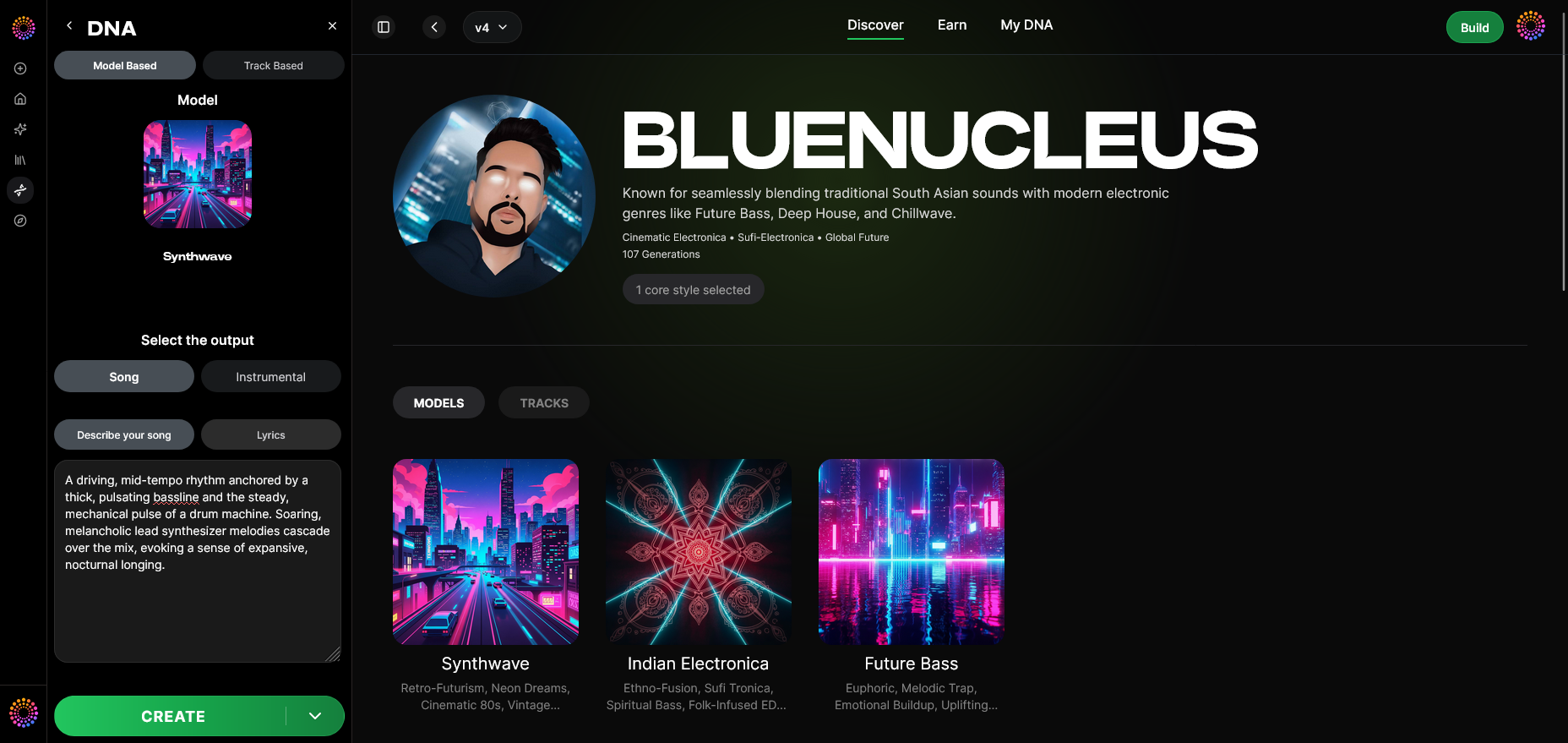
Soundverse DNA, an artist-trained AI music generation system, helps singers and creators capture, enhance, and reproduce vocal performance styles ethically. This unique system trains only on licensed catalogs, allowing artists to license or monetize their unique sonic identity without violating copyright norms.
What Soundverse DNA Does
Soundverse DNA offers:
- Full DNA: Create instruments, arrangements, and melody style that match your personal artistry.
- Voice DNA: Model your vocal timbre and signature singing style.
- DNA Marketplace: License your voice DNA to others safely.
- Sensitivity Selector: Adjust how your sound responds to genre or emotional nuances.
- Private Mode: Secure your co-creation sessions or custom data.
For singers, Soundverse isn’t simply a generator — it’s a companion in the artistic training process. You can craft a voice model that mirrors your tone and build songs that align with your vocal growth goals. When combined with tools like the Similar Singing Generator or AI Singing Generator, you can test harmonized performances, generate demo vocals, or compare tone development over time.
To get started, you’ll use the official Soundverse interface flow:
Step 1: Overview
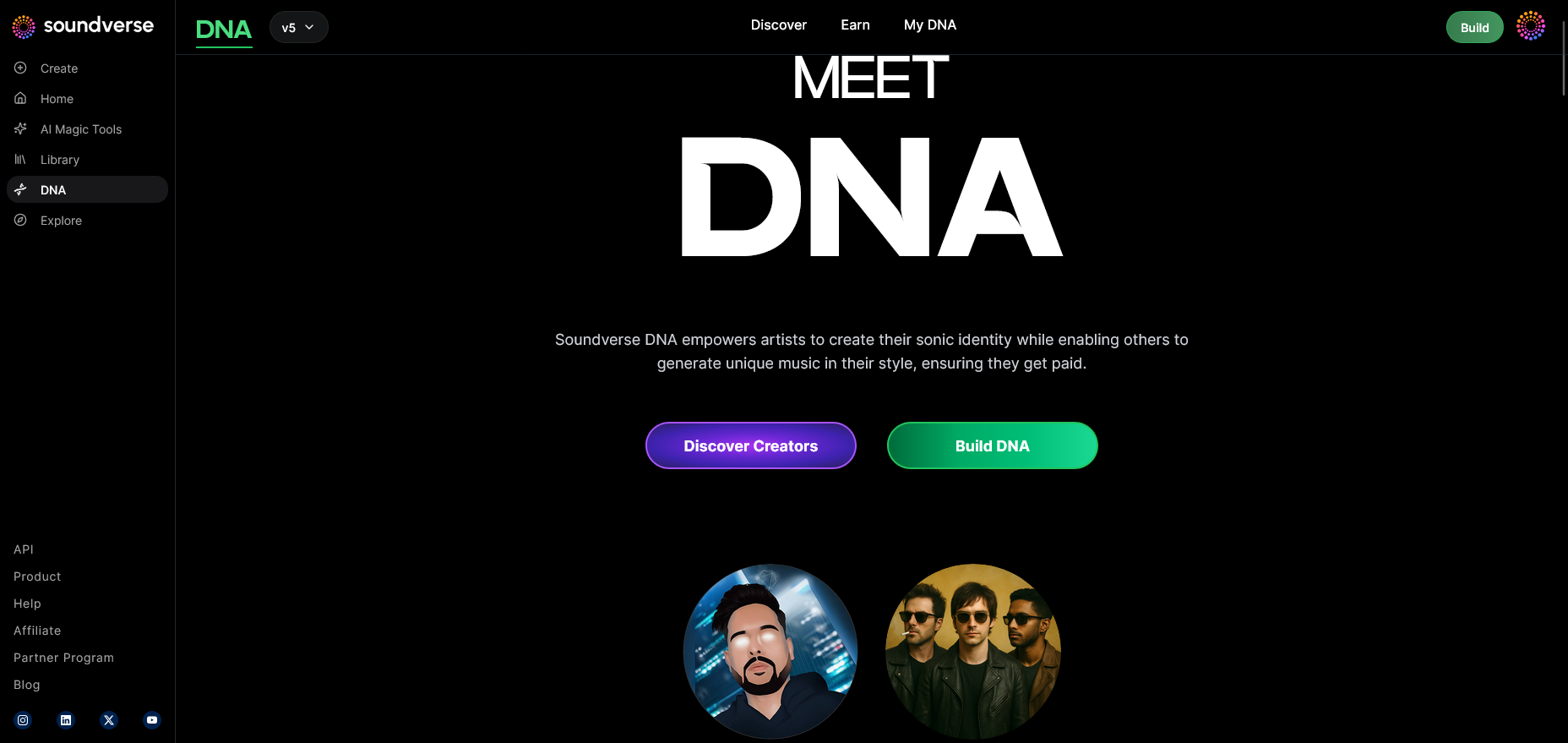
Begin in the DNA Mode overview section, which introduces the fundamentals — Full DNA vs. Voice DNA. Singers typically start with Voice DNA to focus on tonal training and identity replication.
Step 2: Dashboard
Navigate to the 'My DNA' management dashboard. This hub stores your model data, generated tracks, and history of vocal experiments.
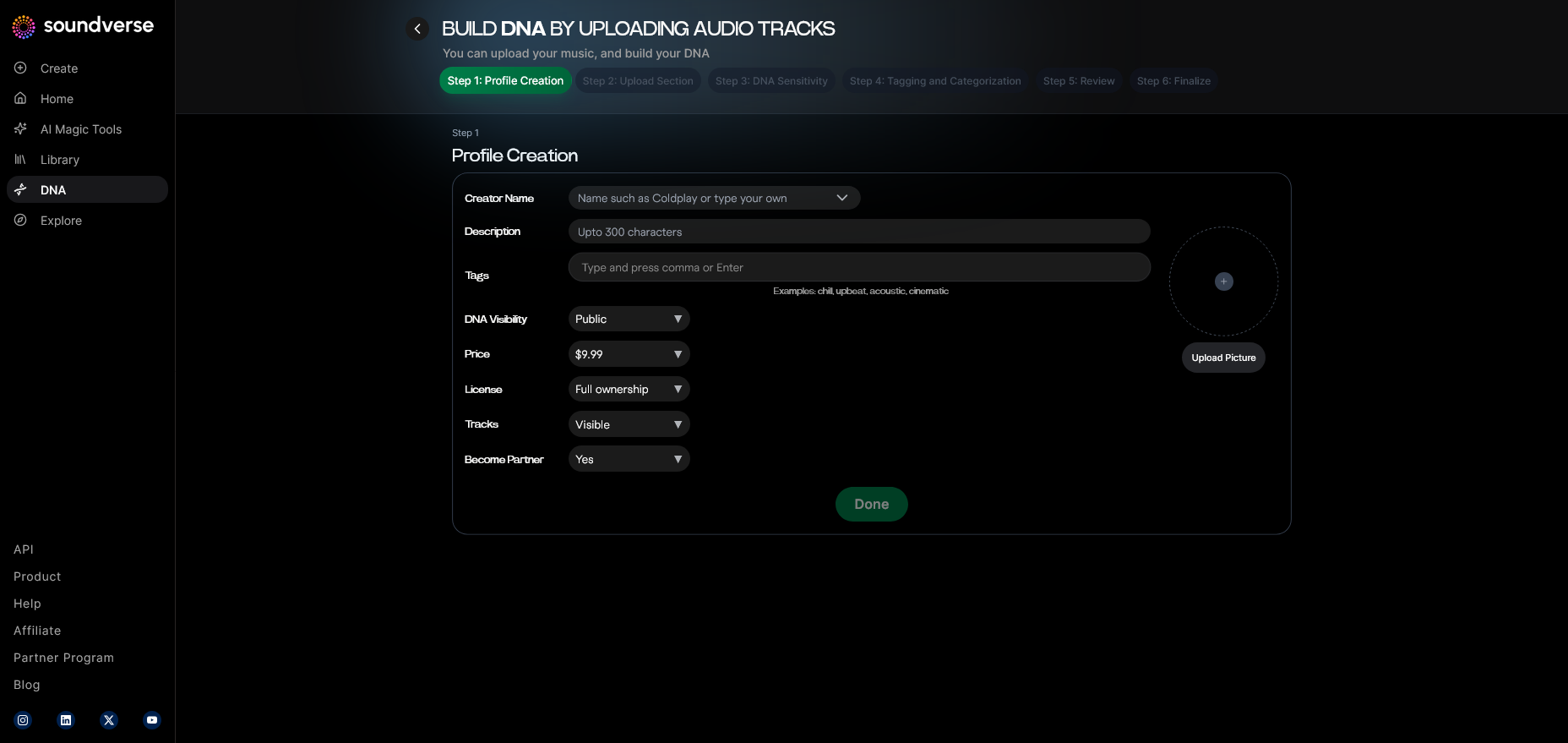
Step 3: Creator Profile
Set up your artist identity, including genre preferences and vocal attributes. This ensures that your Soundverse profile aligns with your singing goals.
Step 4: DNA Type Selection
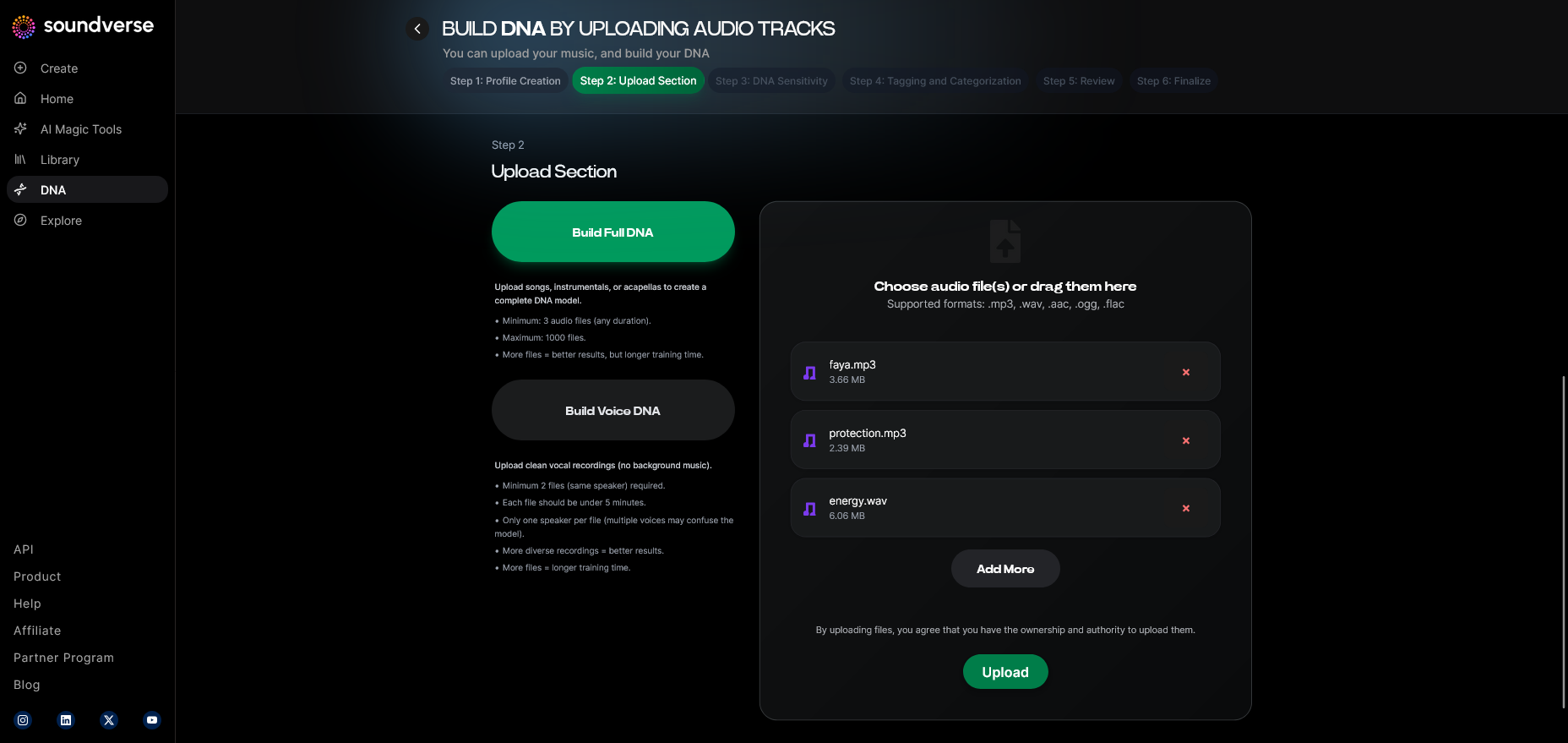
Choose Voice DNA. This mode allows you to record samples of your singing voice (uploaded files, not live input) for AI modeling.
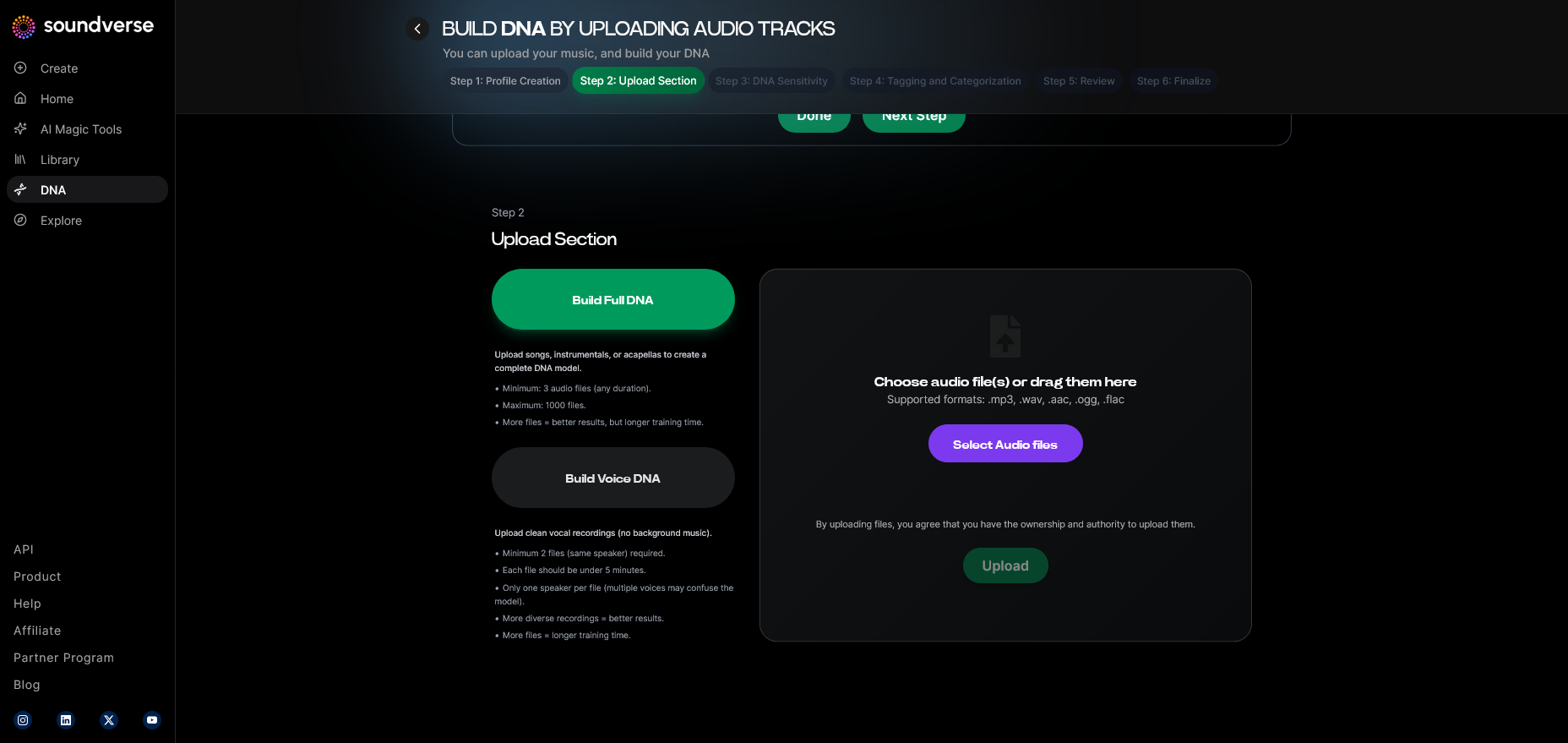
Step 5: Upload Files
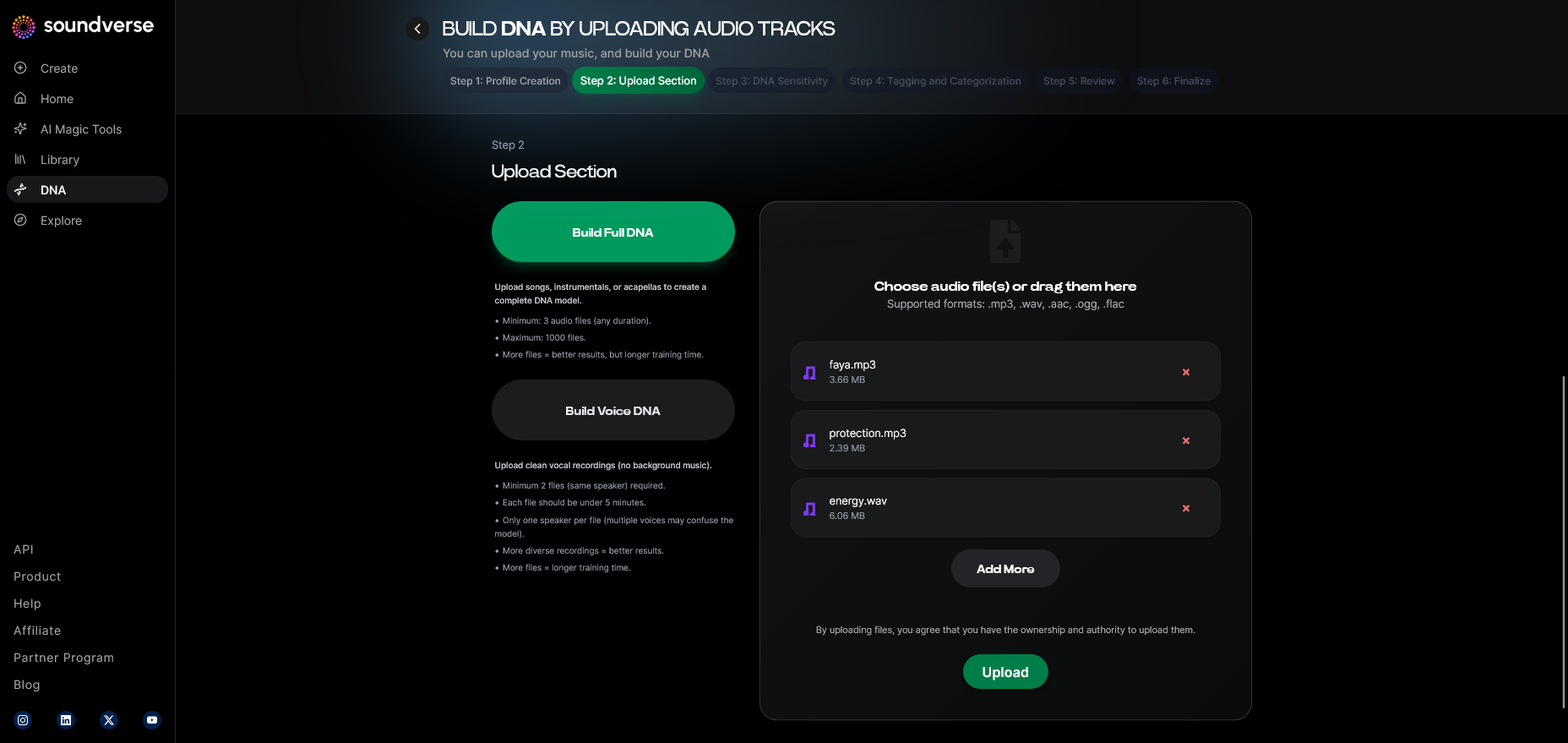
Upload vocal samples that represent your tone and range. Include warm-up scales, sustained notes, or snippets of songs that showcase your clarity and dynamic range.
Step 6: Sensitivity Setting
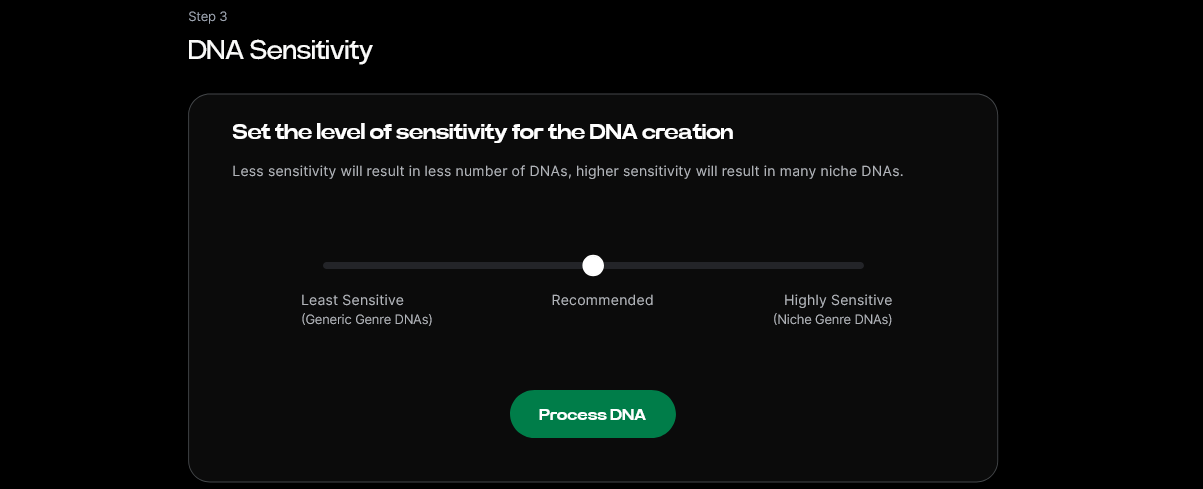
Adjust your sensitivity slider. A higher sensitivity focuses on expressive nuance, ideal for emotional singing; lower sensitivity produces more consistent tone across tracks.
Step 7: Auto Tagging
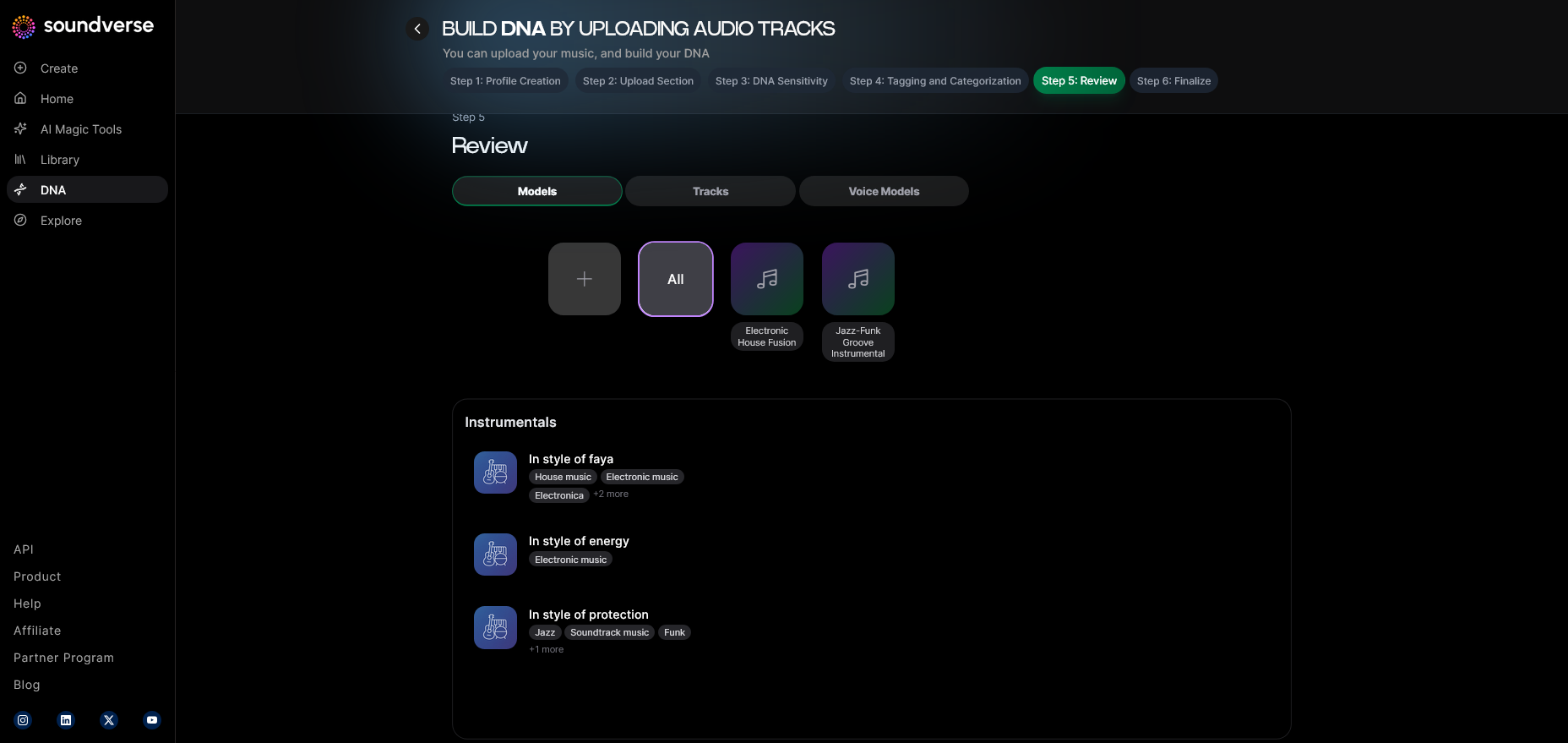
Soundverse automatically tags metadata, such as vocal character, genre affinity, and emotional energy. This step streamlines tracking your progress.
Step 8: Review & Publish
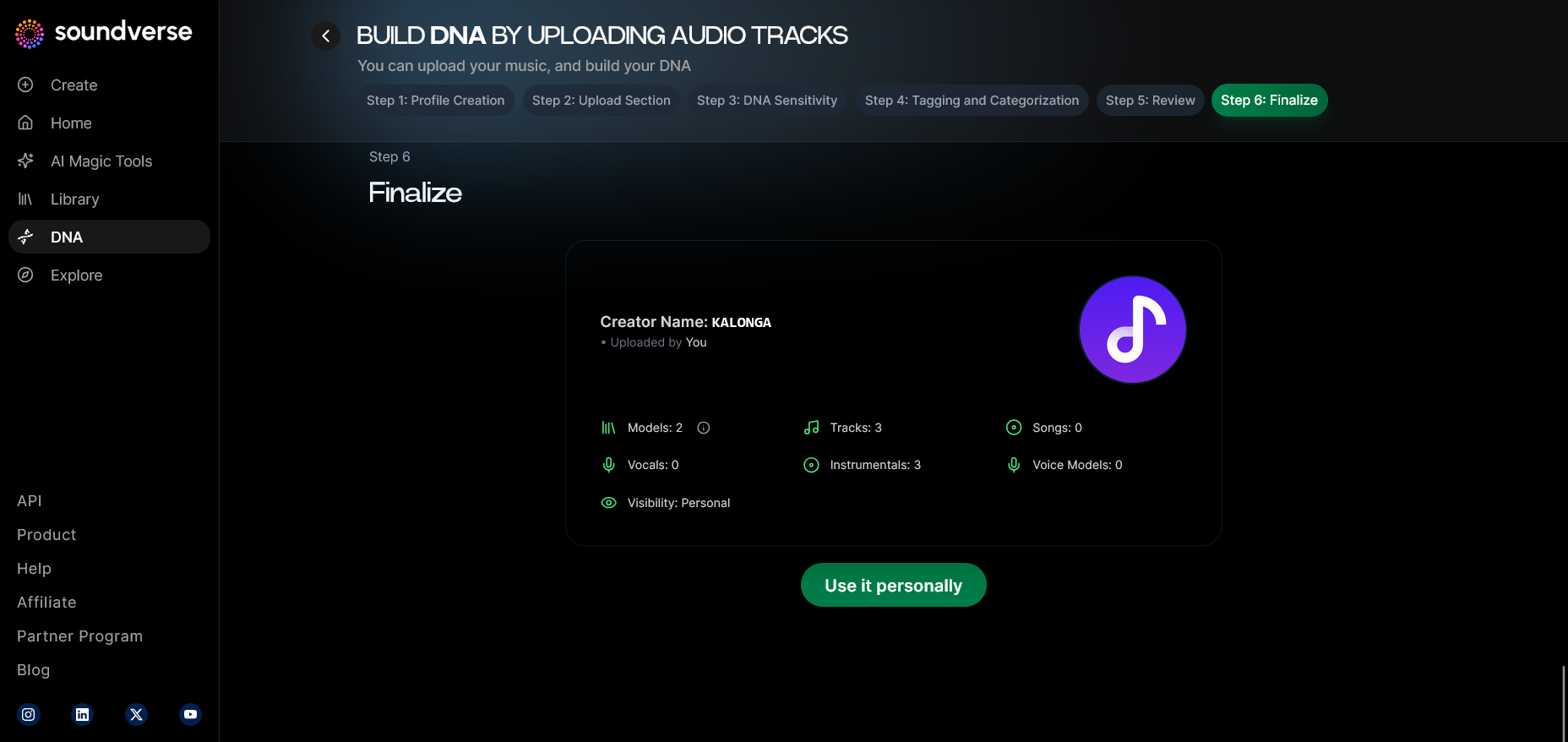
After confirming your model attributes, publish your DNA. This enables future generation and testing of vocal replicas safely within your account.
Step 9: Generation Panel
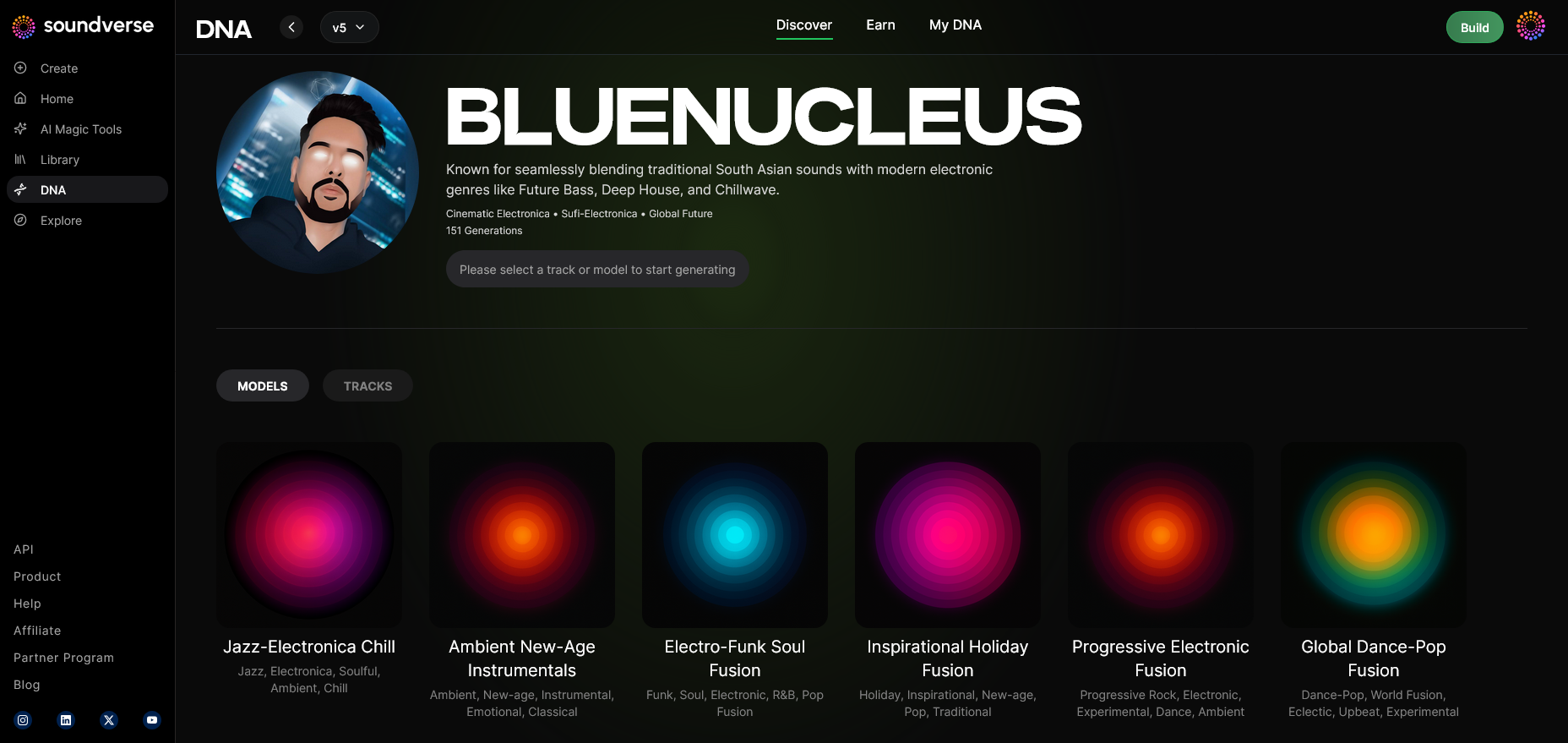
Access the generation panel to test voice playback using your trained model. You can generate a new vocal track using prompts or lyrics you’ve written.
Step 10: Model-Based Mode
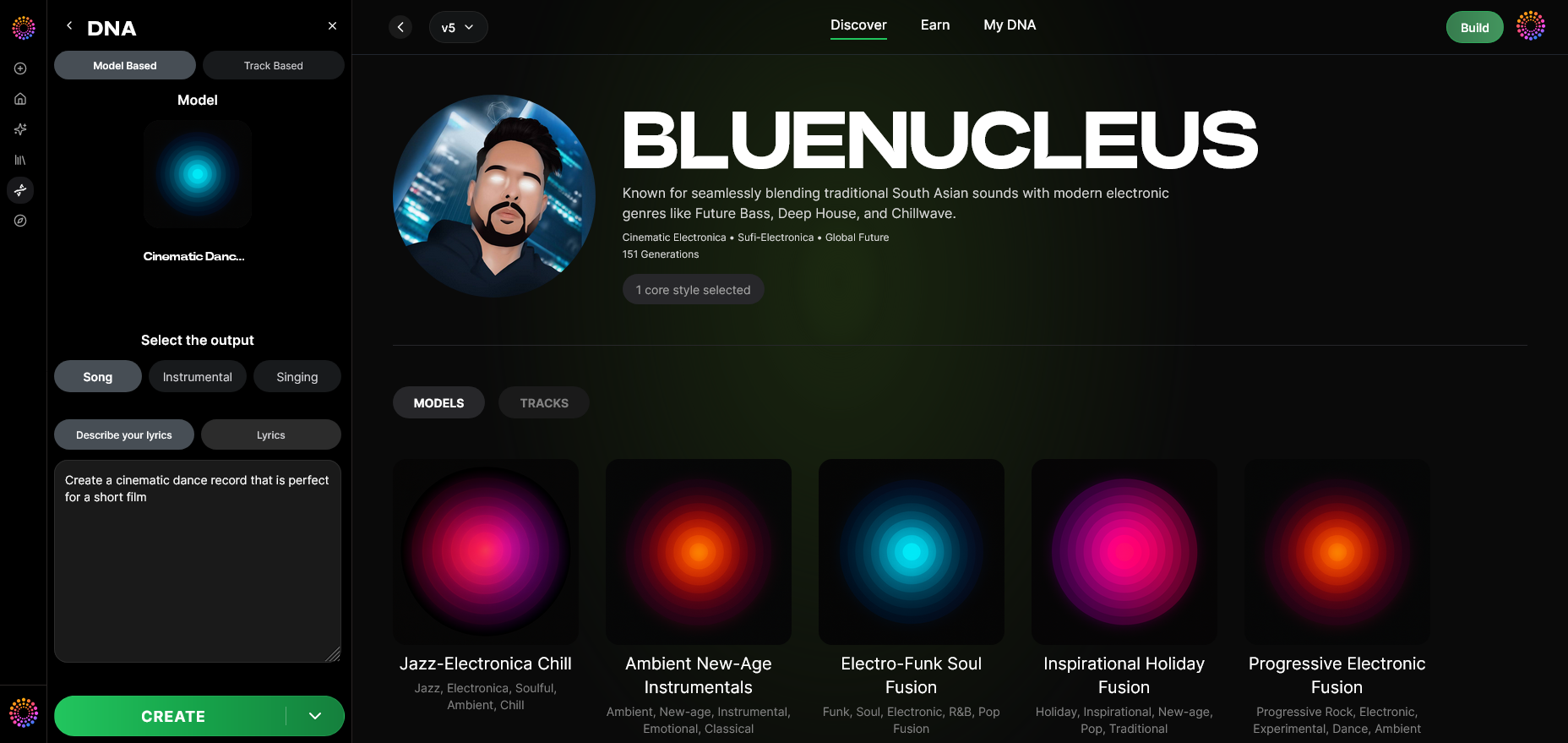
Toggle into model-based generation mode. This instructs the system to apply your DNA model to generated vocals.
Step 11: Output Type
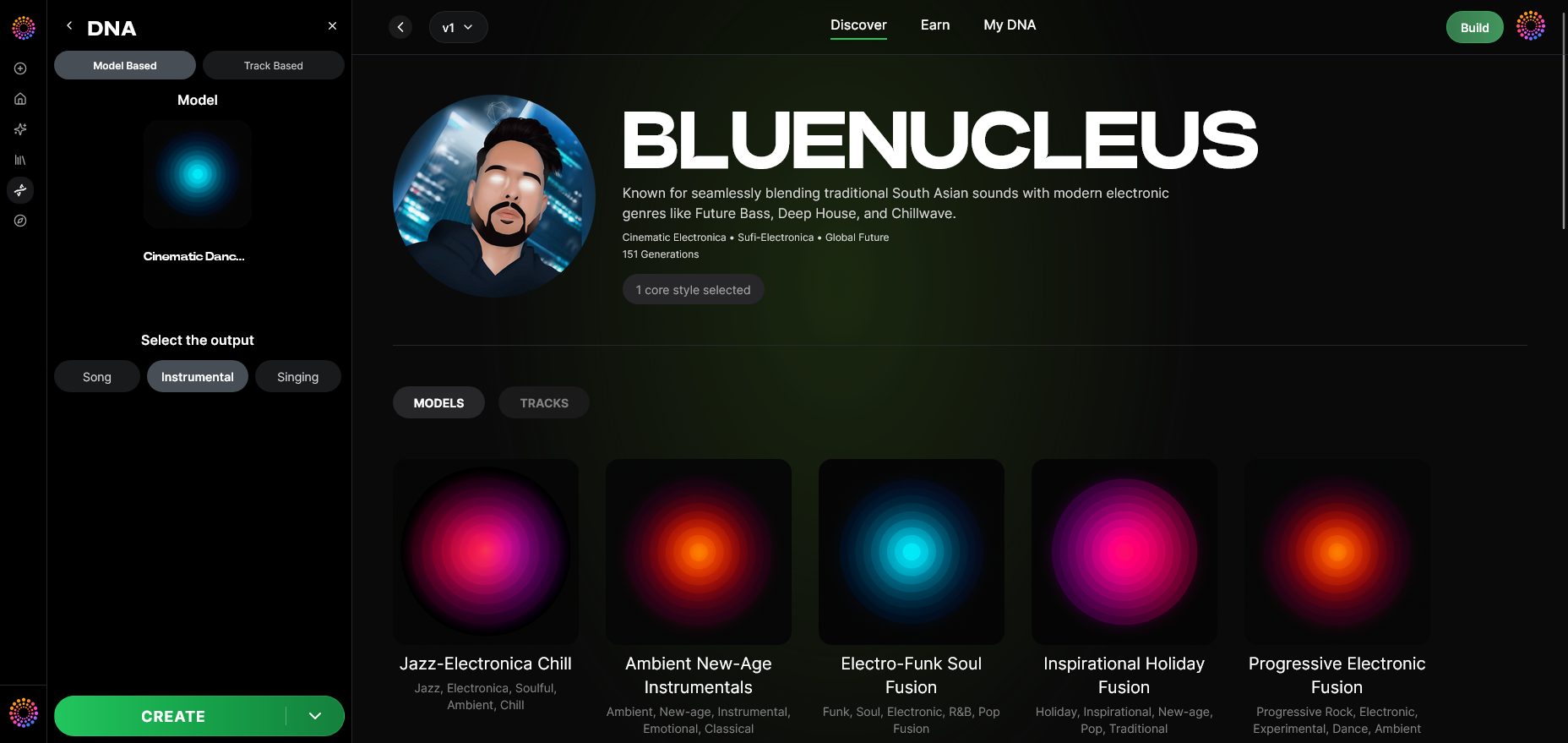
Choose ‘Singing’ as your output type. This defines that the system should render vocal lines instead of instrumentals.
Step 12: Prompt Type
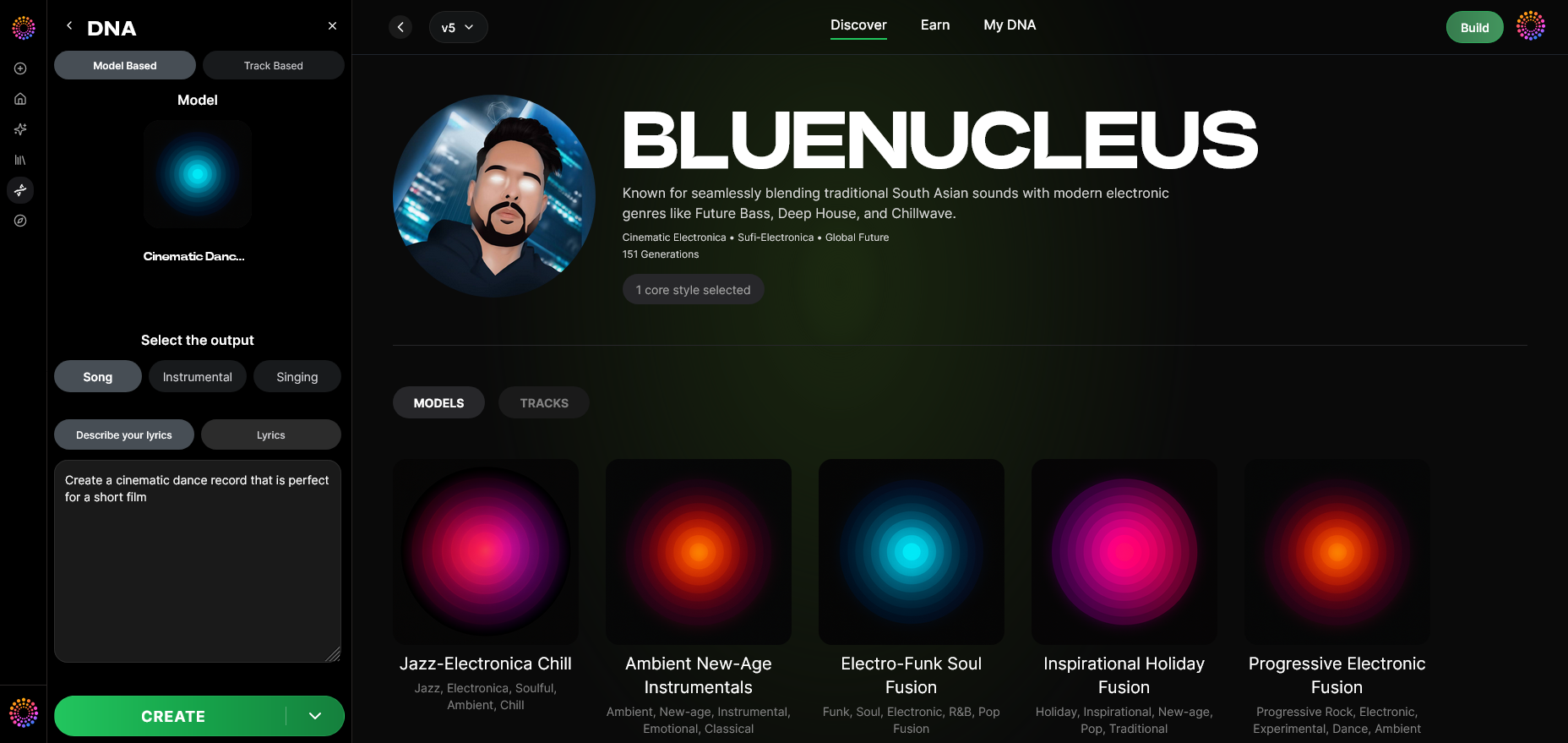
Select prompt input — like descriptive text or lyric text. You may type emotional intent (“soft ballad tone, rich resonance”) to control delivery.
Step 13: Generation Complete
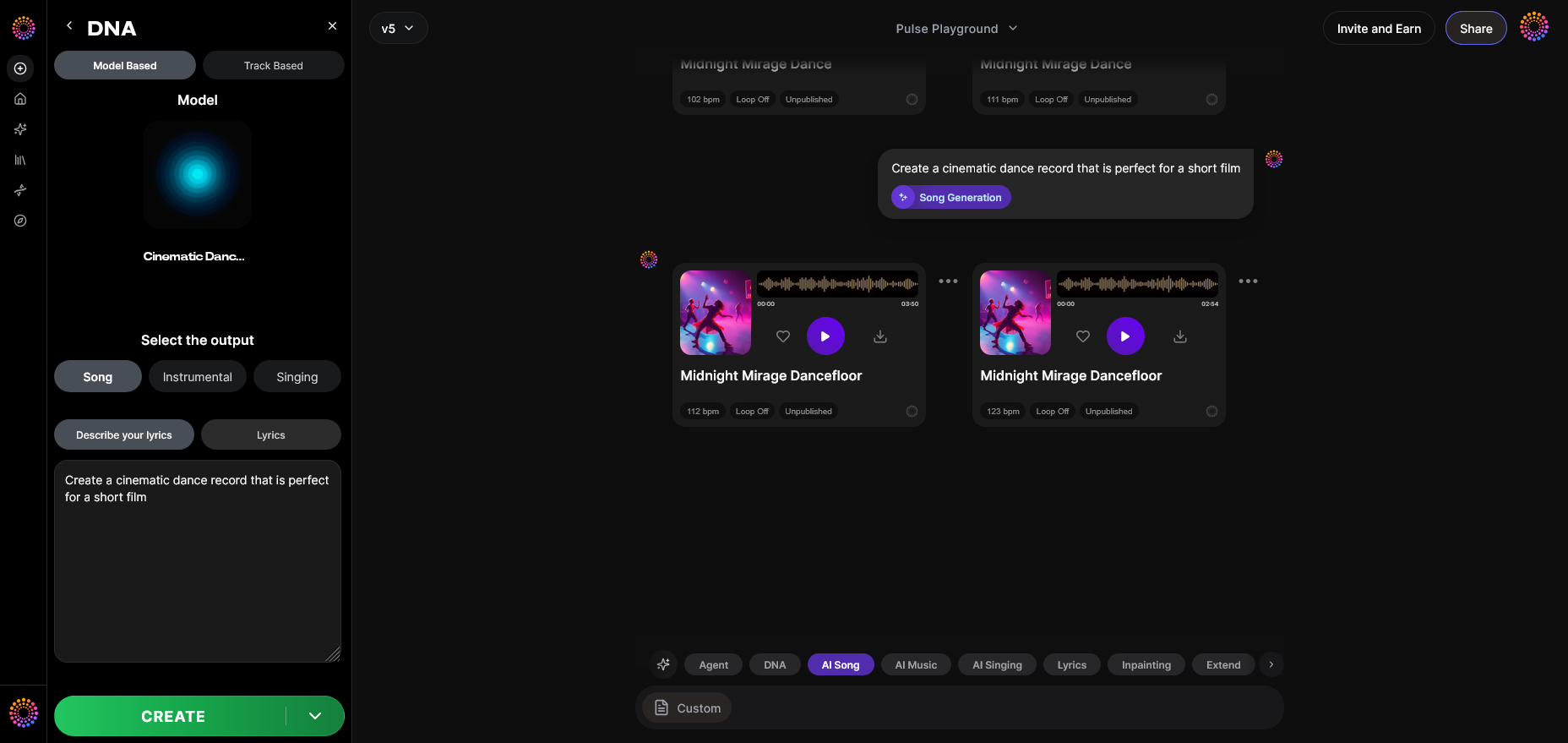
Once the process finishes, you’ll receive an AI-rendered singing track in your personal tone style.
Step 14: Export Options
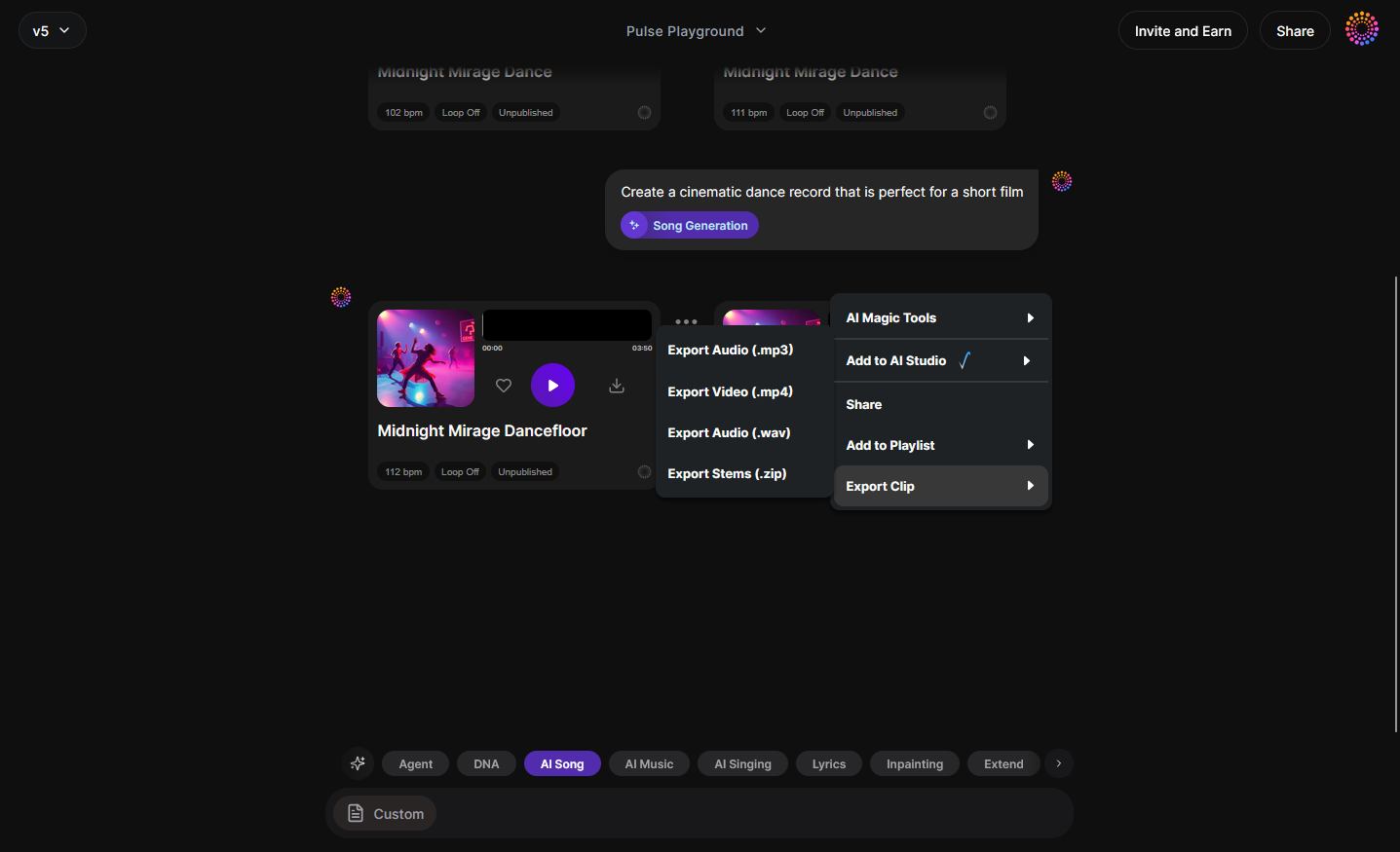
Export generated singing tracks for practice or content use. These files help you analyze phrasing, pitch precision, and breathing technique.
Step 15–19: Advanced Customization
Use advanced modes — Track-Based, Style Selection, Lyrics Input, Model-Based Singing, and Attach Model — to further refine how your AI-assisted voice outputs adapt across genres like jazz or country. See related genre-specific guides and EDM training with AI for inspiration. For a deeper look at the creative process, explore our Soundverse Tutorial Series - How to Make Music.

What Vocal Exercises for Beginners Work Best?
Before recording samples or practicing with Soundverse, beginners should develop physical awareness:
- Breathing Control: Practice diaphragmatic breathing as seen in 5 Essential Vocal Exercises Every Singer Should Practice Daily. Place a hand on your stomach — inhale deep, expanding the abdomen.
- Lip Trills & Sirens: These warm up the voice gently without strain.
- Scales Practice: Start with simple major scales using comfortable vowel sounds.
- Pitch Matching: Use digital tuners or AI singing tools to verify pitch accuracy.
- Resonance Awareness: Experiment with chest vs. head voice to build tonal diversity.
These exercises prepare your voice for longer sessions, ensuring strength and flexibility.
Which Voice Control Techniques Improve Results?
Developing voice control involves mastering consistency — maintaining stability across high and low notes.
- Balance airflow with gentle onset of vocal sound.
- Train in slow tempo vocalization to reduce strain.
- Record yourself using AI-enhanced feedback to hear difference in tone.
In 2026, many artists combine human training with Soundverse testing sessions to measure how vibrato, phrasing, and intensity translate digitally. This AI-assisted feedback accelerates improvement.
You can read how such hybrid approaches reshape vocal artistry in AI music transformation insights or explore techniques for ethical AI sound creation.
How Do Singing Lessons Complement AI Voice Training?
While AI tools can model tone and generate feedback, human coaches ensure precise emotional interpretation. Combining AI and physical lessons offers balanced growth:
- Teachers guide proper posture and breathing.
- AI analysis helps repeat precise phrasing.
- Hybrid sessions help achieve artistic consistency for studio and stage.
This synergy, now popular in 2026’s digital studios, makes the learning curve shorter while maintaining authenticity.
Vocal Warm-Ups: How They Integrate into Daily Training
Daily vocal warm-ups remain vital. Even as AI tools provide feedback, your body must stay physically ready. Start each practice with:
- Gentle humming at mid-range.
- Sliding scales upward and downward.
- Shoulder relaxations and hydration routines.
Keep sessions moderate; avoid fatigue. Warm-ups paired with Soundverse playback can train your ear to recognize subtle tonal improvement.
Pro Tips for Aspiring Singers
- Stay hydrated; vocal cords thrive on moisture.
- Record frequently; never underestimate playback learning. Learn effective tracking via Singing Success: Vocal Training.
- Try virtual collaborations — use your Soundverse DNA to co-create songs securely in Private Mode.
- Stay legally safe. With licensed models, Soundverse guarantees copyright-free generation comparable to its royalty-free sound workflows.
Start Creating Music with Your Trained Voice Today
Turn your vocal progress into real music with Soundverse’s AI-powered tools. Generate original tracks, experiment with genres, and bring your voice training journey to life.
Create with Soundverse AI
Related Articles
- Soundverse Introduces Stem Separation AI Magic Tool: Discover how Soundverse’s stem separation technology lets you isolate and remix vocals effortlessly.
- AI Ranks Soundverse’s AI Singer #1: The Ultimate AI Singing Platform Dominating 2025: Learn why Soundverse’s AI Singer is revolutionizing vocal creation and redefining the future of music performance.
- Soundverse Assistant: Your AI Music Co-Producer: Explore how Soundverse Assistant simplifies music creation and enhances your vocal tracks through AI collaboration.
- Generate AI Music with Soundverse Text-to-Music: Learn how to generate custom AI music using simple text prompts—and match sound perfectly with your vocal performances.
Here's how to make AI Music with Soundverse
Video Guide

Here’s another long walkthrough of how to use Soundverse AI.
Text Guide
- To know more about AI Magic Tools, check here.
- To know more about Soundverse Assistant, check here.
- To know more about Arrangement Studio, check here.
Soundverse is an AI Assistant that allows content creators and music makers to create original content in a flash using Generative AI.
With the help of Soundverse Assistant and AI Magic Tools, our users get an unfair advantage over other creators to create audio and music content quickly, easily and cheaply.
Soundverse Assistant is your ultimate music companion. You simply speak to the assistant to get your stuff done. The more you speak to it, the more it starts understanding you and your goals.
AI Magic Tools help convert your creative dreams into tangible music and audio. Use AI Magic Tools such as text to music, stem separation, or lyrics generation to realise your content dreams faster.
Soundverse is here to take music production to the next level. We're not just a digital audio workstation (DAW) competing with Ableton or Logic, we're building a completely new paradigm of easy and conversational content creation.
TikTok: https://www.tiktok.com/@soundverse.ai
Twitter: https://twitter.com/soundverse_ai
Instagram: https://www.instagram.com/soundverse.ai
LinkedIn: https://www.linkedin.com/company/soundverseai
Youtube: https://www.youtube.com/@SoundverseAI
Facebook: https://www.facebook.com/profile.php?id=100095674445607
Join Soundverse for Free and make Viral AI Music

We are constantly building more product experiences. Keep checking our Blog to stay updated about them!