How to Train Your Voice to Sing: A Complete 2026 Guide for Beginners
Learn how to train your voice to sing beautifully in 2026 with Soundverse DNA and expert vocal exercises.
How to Train Your Voice to Sing
Introduction
Learning how to sing is one of the most rewarding creative pursuits, and in 2026, voice training for singing has become more accessible than ever. Whether you dream of performing on stage, recording music, or simply improving your confidence while singing, understanding your voice and training it effectively is key. This guide explores how to train your voice to sing better, with practical steps, beginner-friendly vocal exercises, and expert singing techniques designed to help you improve steadily.
Modern technology, especially AI-driven platforms like Soundverse, has revolutionized how singers hone their craft. Beginners can now use tools to simulate their progress, practice tone control, and even generate sample vocals for reference. Still, before any technology can help, the foundation lies in understanding your instrument—your voice.

How to Make Voice Training for Singing with Soundverse DNA
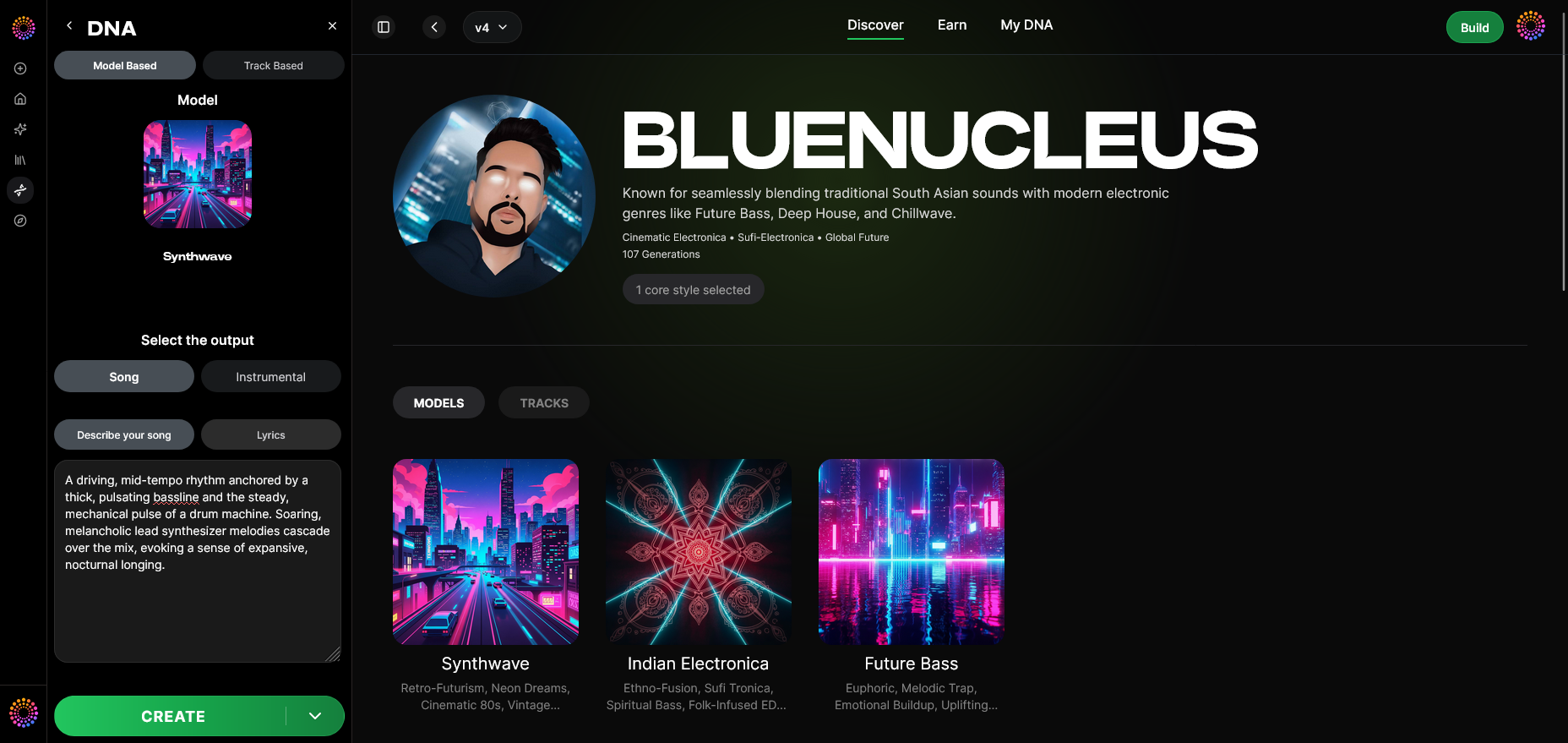
Soundverse DNA is the cornerstone of Soundverse’s music creation ecosystem, and it can directly support artists in vocal improvement through its unique capabilities. This artist-trained AI music generation system creates original music based on specific sonic identities. That means singers can generate legally safe tracks matching their vocal timbre or desired aesthetic without worrying about copyright issues.
Here’s how Soundverse DNA supports voice training for singing:
- Voice DNA: This capability allows singers to model their vocal timbre and style. By doing so, you can analyze your singing performance and generate consistent vocal representations for study and improvement.
- Full DNA: Ideal for those creating complete tracks, enabling you to pair instrumentals with your trained voice style for practice.
- Sensitivity Selector: You can cluster your music or vocal samples into eras or emotional ranges, helping refine distinct singing moods.
- Private Mode: All co-creations remain secure, letting beginners practice privately as they grow.
- DNA Marketplace: Once your style matures, you can monetize by licensing your vocal identity to fans or other creators.
By working within the Soundverse DNA framework, singers can create tracks that match their evolving voice, monitor progress, and even experiment with new genres, similar to other guides such as How to Create Jazz Music with Soundverse AI and How to Create Country Music with Soundverse AI. For additional exploration, watch our Soundverse Tutorial Series - 9. How to Make Music and Soundverse Tutorial Series - 8. "Explore" Tab videos.

Step 1: Overview — Understanding Voice Training
Your singing voice is a muscle system involving your vocal folds, breath support, and resonance cavities. Voice training for singing strengthens these components through regular and structured exercises. The goal isn’t just to sing louder—it’s to sing smarter.
Step 2: Dashboard — Setting Up a Practice Routine
Before you can track progress with tools like Soundverse DNA, create your personal dashboard (a daily or weekly routine). Set aside 20 to 30 minutes per day dedicated to vocal warm-ups and simple melodies. Consistency is crucial; your vocal muscles adapt best through steady repetition over weeks.
Step 3: Creator Profile — Knowing Your Vocal Identity
Every singer has a unique vocal DNA. Identify your vocal type—soprano, alto, tenor, or baritone—and your vocal range. Use pattern-identifying tools to find where your voice naturally sits comfortably. Understanding your profile helps focus on realistic improvement goals.
Step 4: DNA Type Selection — Choose Your Vocal Focus
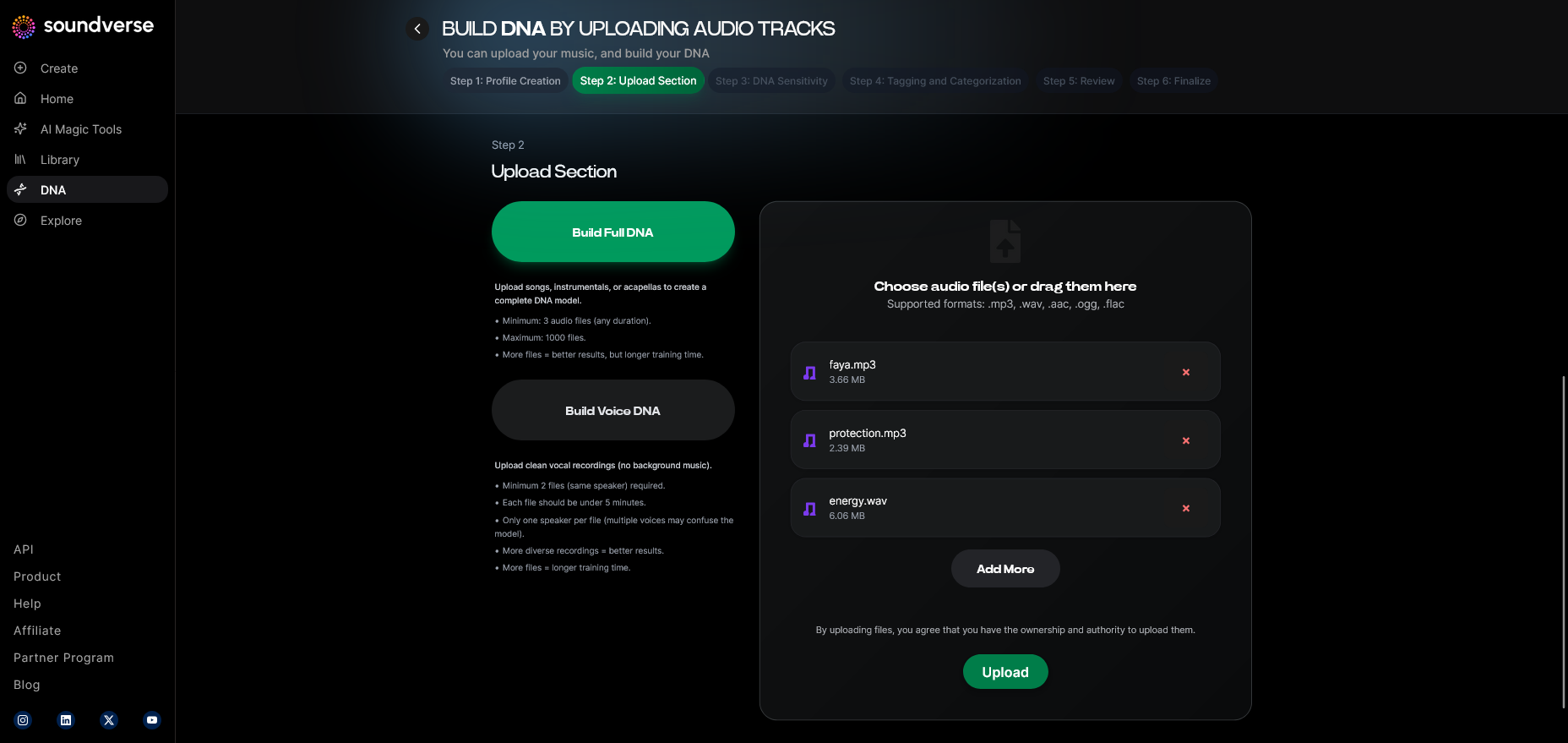
Decide what kind of singing you want to pursue: pop, jazz, classical, or experimental vocal textures. In the Soundverse interface, this is comparable to selecting Voice DNA for focused vocal practice. Your vocal DNA determines your desired singing style development.
Step 5: Upload Files — Record and Review Yourself
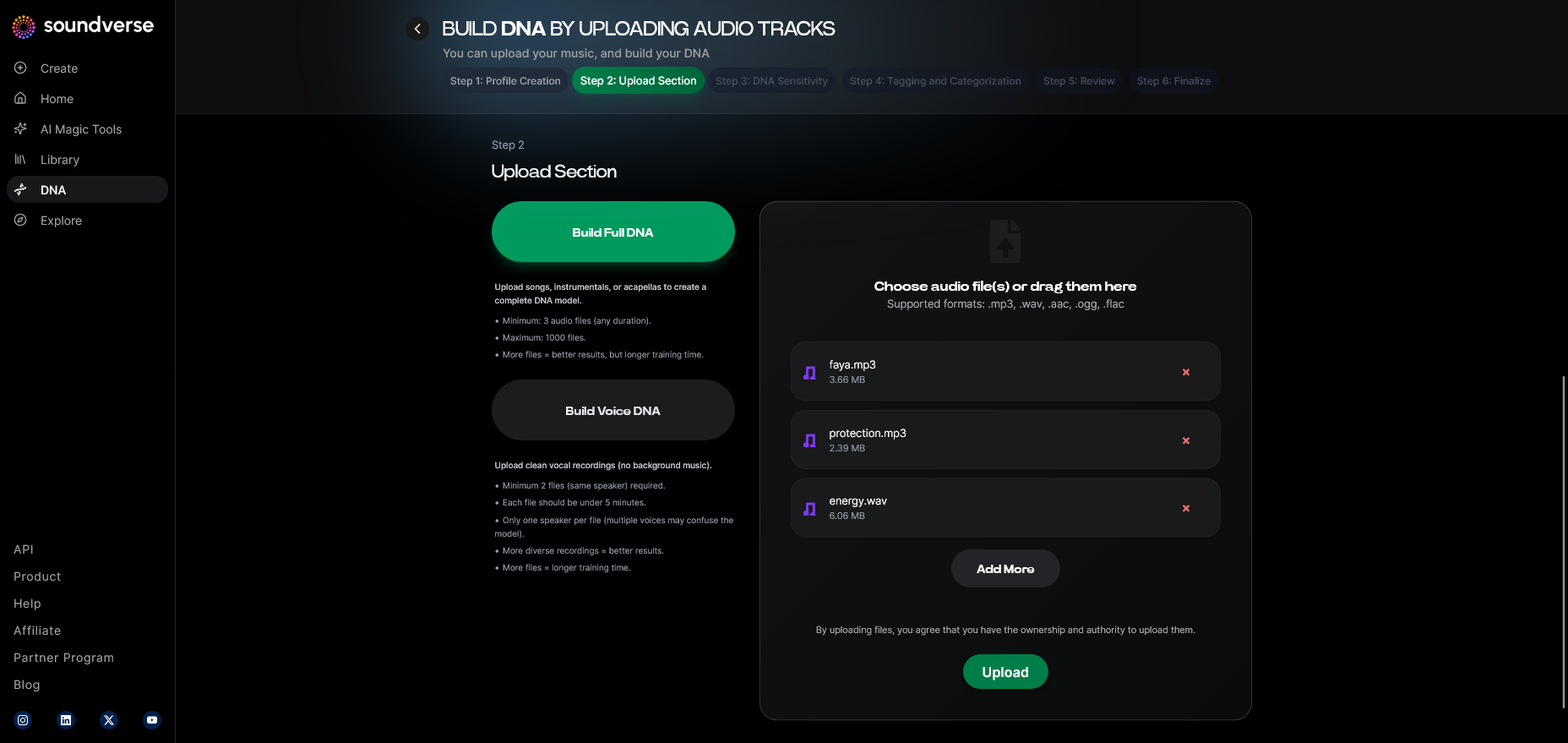
Record yourself singing scales, songs, or vocal exercises. Upload them into a feedback system or AI-assisted analyzer (like Soundverse’s generation modes). Reviewing yourself objectively leads to faster improvement than relying solely on subjective listening.
Step 6: Sensitivity Setting — Adjust Vocal Challenge Levels
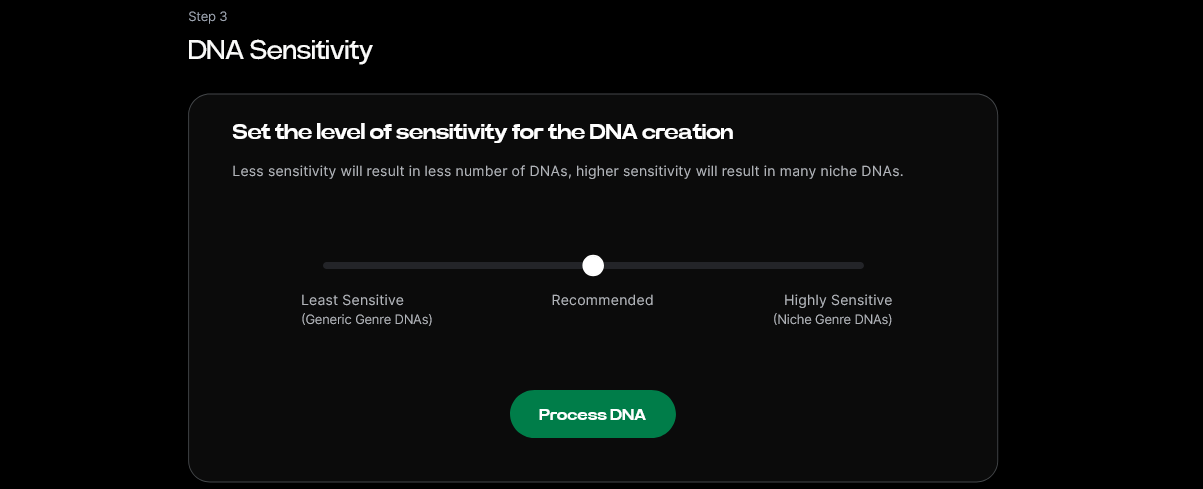
Gradually increase the difficulty of exercises. Move from basic scales to arpeggios or dynamic range work. Soundverse’s Sensitivity Selector concept mirrors this principle—fine-tuning how intensely your vocal patterns challenge you.
Step 7: Auto Tagging — Track Your Progress
Categorize your recordings (e.g., warm-up, high notes, emotional delivery). Keep notes—what felt easy, what strained. Tagging your progress ensures you can evaluate growth week by week.
Step 8: Review & Publish — Share or Evaluate Results
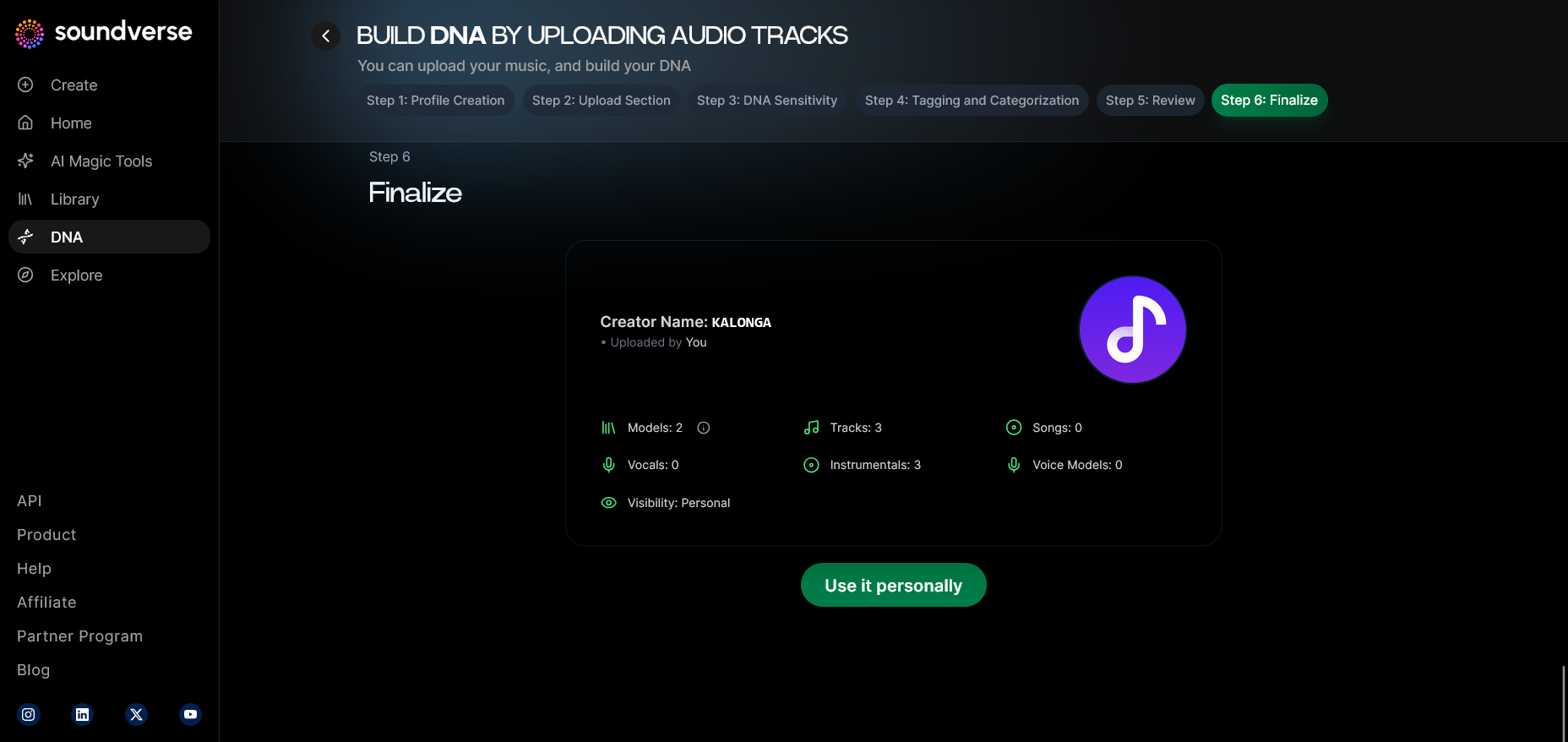
Once you’re comfortable, share recordings with mentors or generate feedback versions through Soundverse-like systems. This helps identify tone clarity and resonance balance.
Step 9: Generation Panel — Apply Feedback to Practice
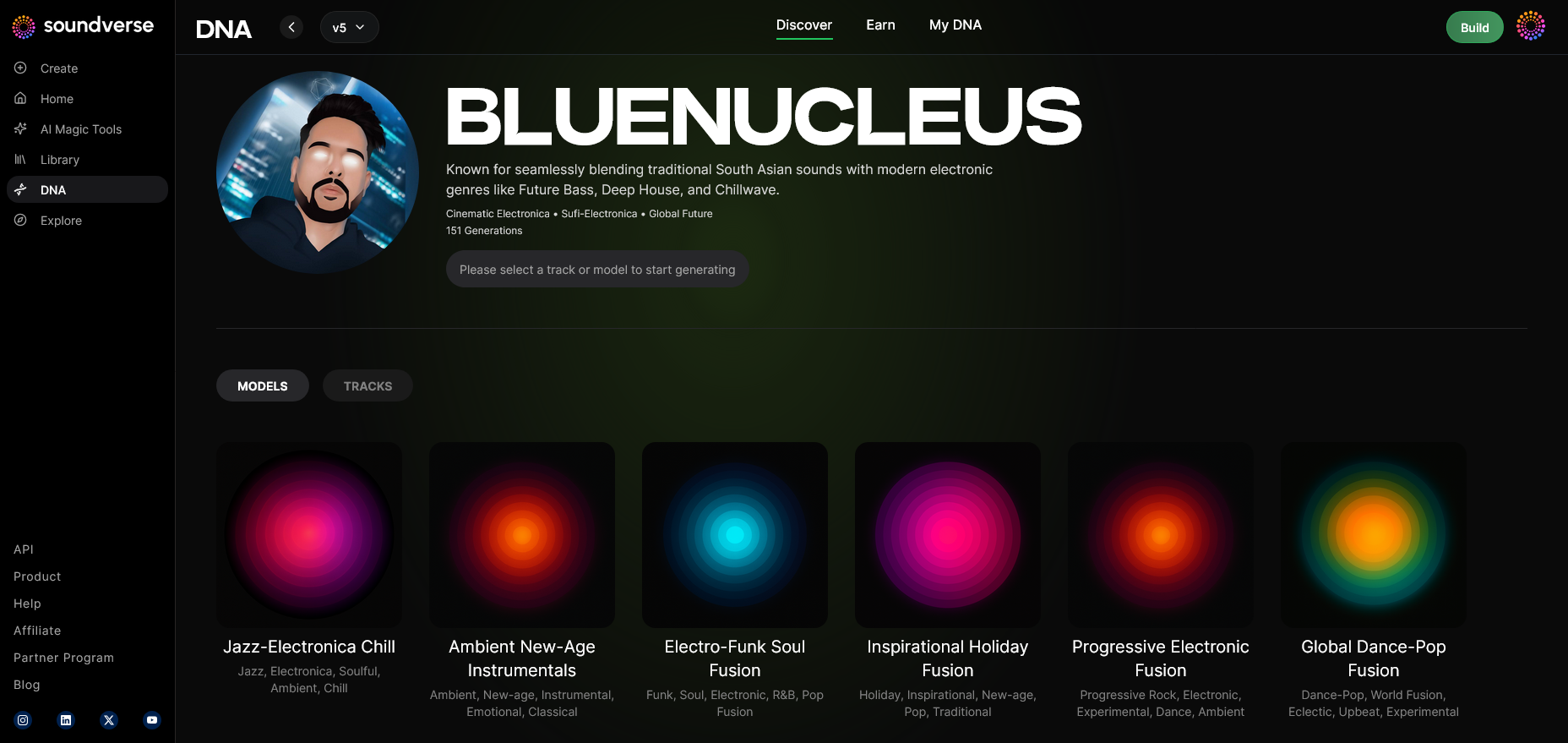
In practical terms, use feedback to guide your next practice set. Adjust breath control, articulation, or vowel clarity based on analysis to build steady improvement over time.
Step 10: Model-Based Mode — Learn from Other Voices
Listening is learning. Study professional singers matching your genre using ethical platforms or Soundverse-generated references. This fosters stylistic awareness without imitation. For a genre example, watch our Soundverse Tutorial Series - 10. Make Deep House Music.
Step 11: Output Type — Different Ways to Practice Singing
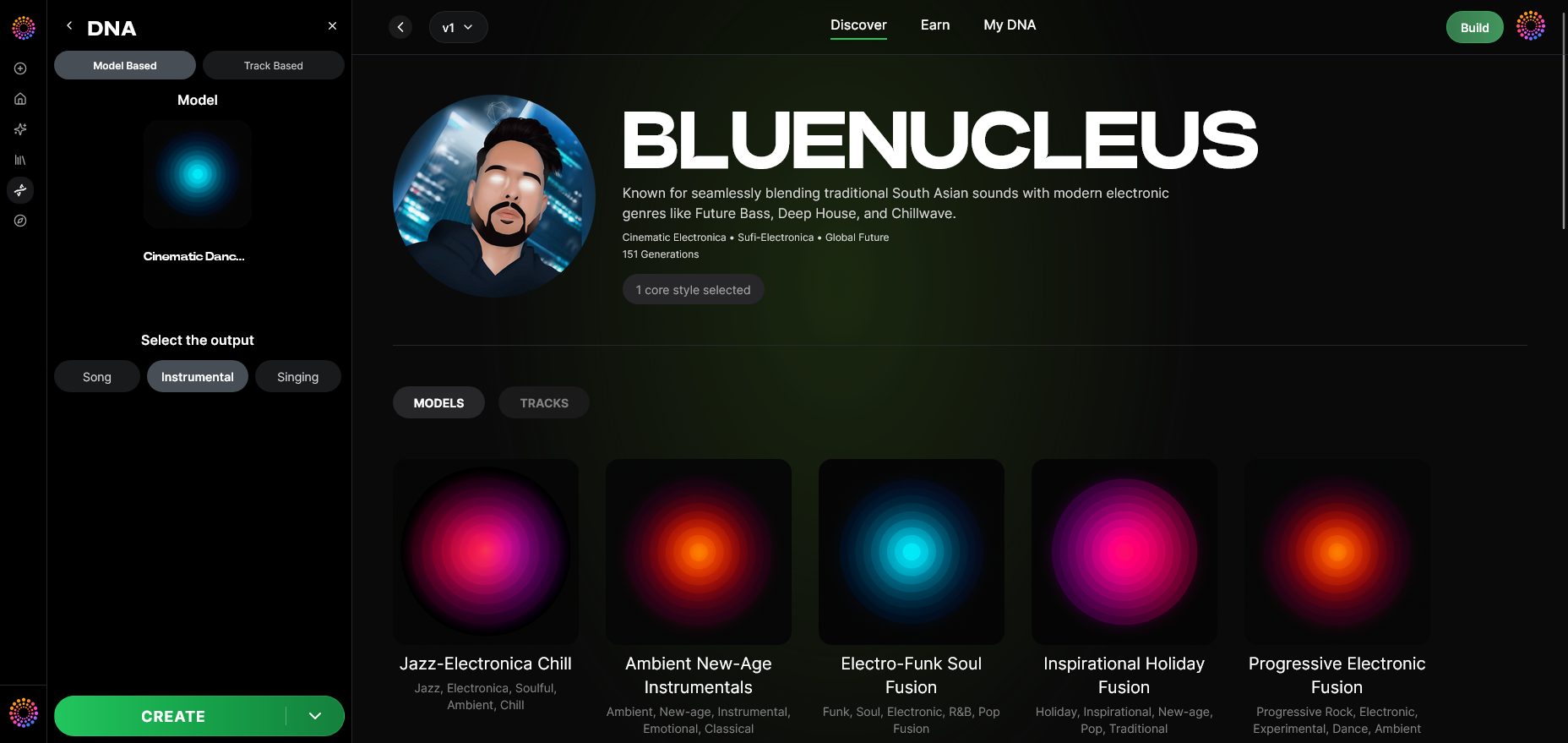
Try singing with instrumentals, acapella, or simple piano accompaniment. Each format challenges you differently. For practice variety, experiment with backing tracks created using AI platforms such as Soundraw Alternative or Generate AI Music with Soundverse Text-to-Music.
Step 12: Prompt Type — Vocal Exercises for Beginners
If you’re new, start with simple vocal exercises for beginners:
- Lip trills and humming: Warm up without strain.
- Scales and arpeggios: Improve pitch consistency.
- Breath control drills: Inhale deeply and sing short phrases.
- Vowel exercises: Practice open vowels to strengthen resonance. Doing these regularly improves tone and builds endurance.
Step 13: Generation Complete — Monitor Your Vocal Growth
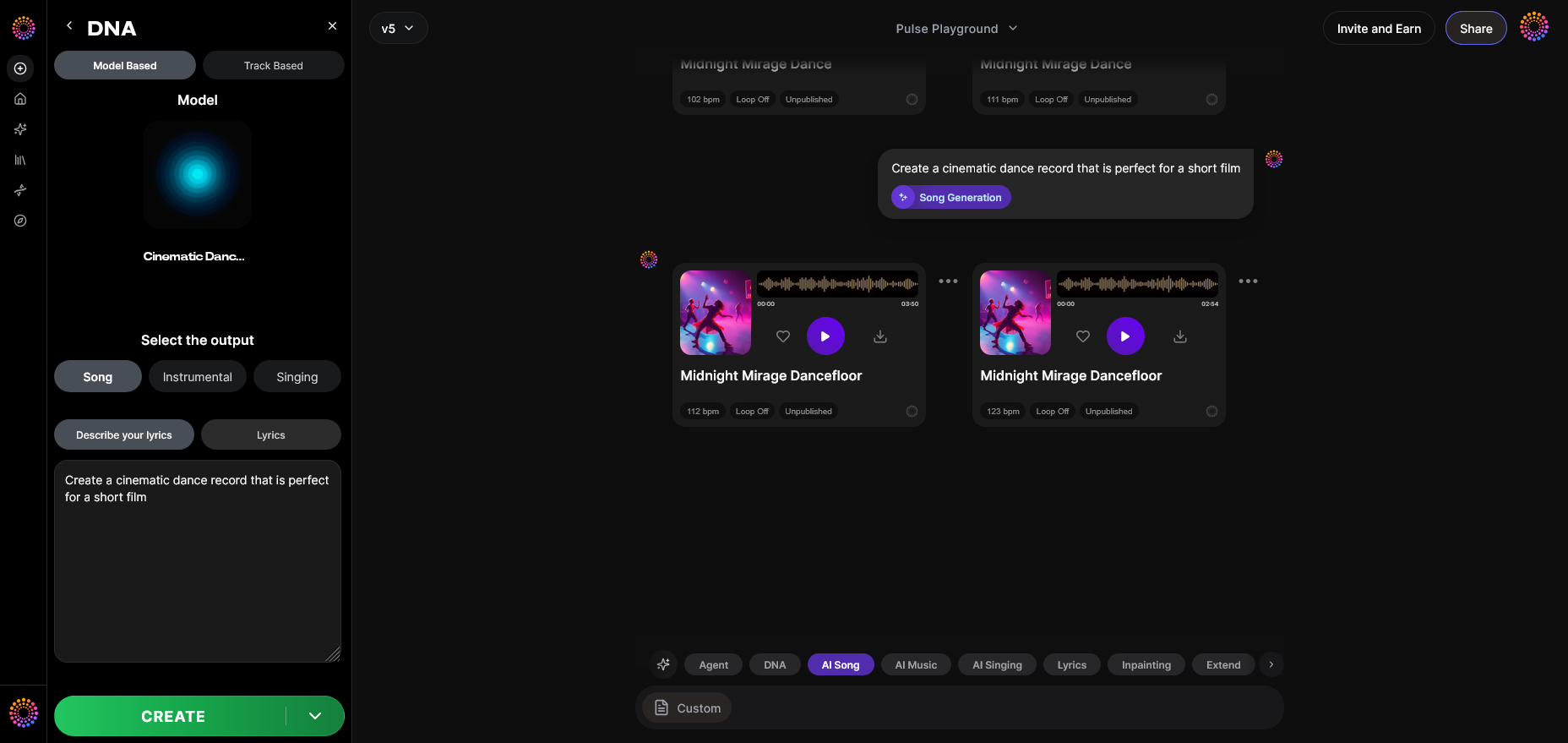
After several weeks, reassess. Compare early recordings to current ones—the improvement will be noticeable. Measure your progress by clarity, tone stability, and emotional expression.
Step 14: Export Options — Take Your Skills Online
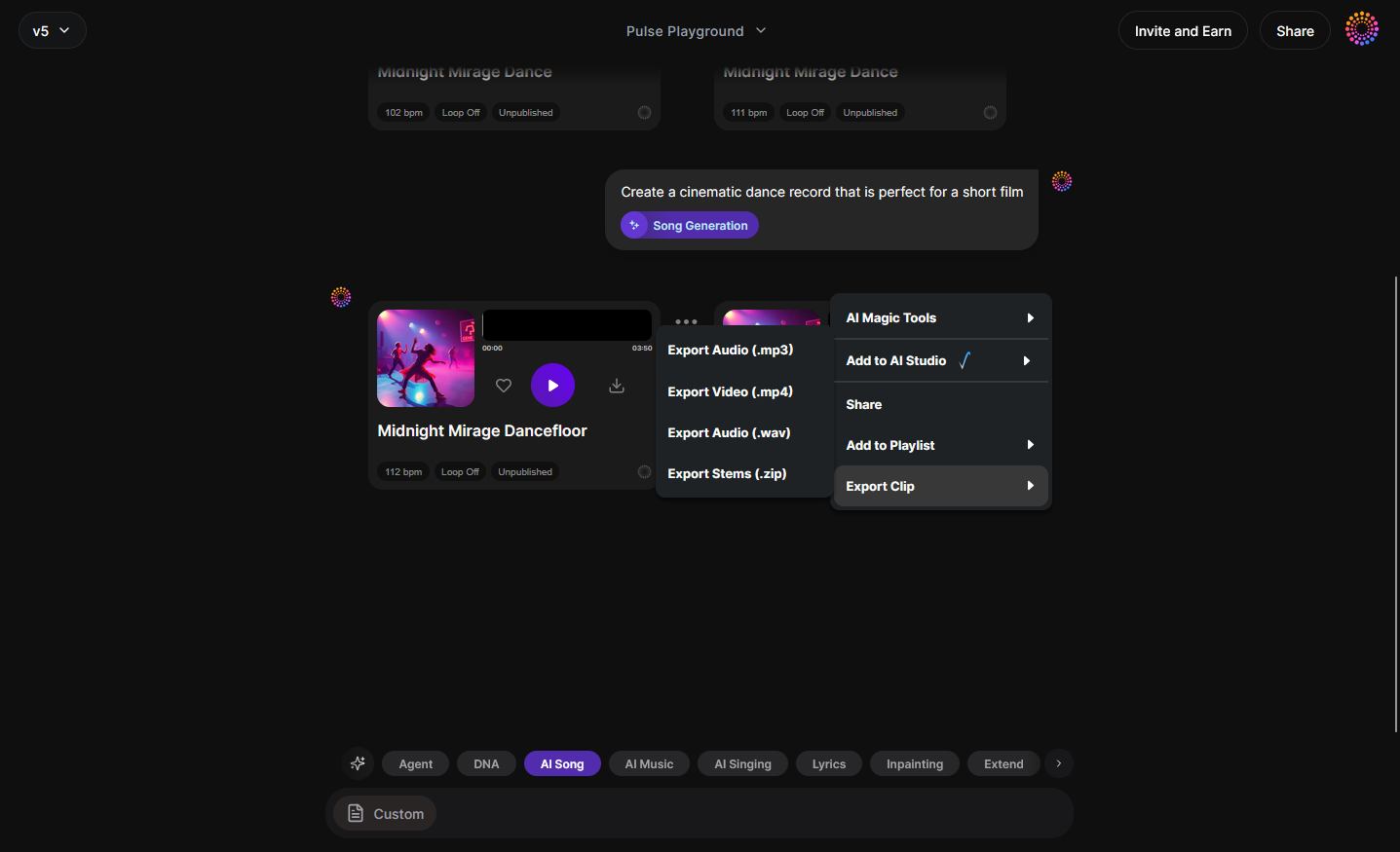
Once you’ve trained your voice effectively, consider uploading your work or collaborating with other musicians. Platforms like Soundverse enable professional-quality generation of your vocal creations in safe, monetizable formats.
Step 15: Track-Based Mode — Practice with Custom Tracks
Create custom tracks to match your vocal range and singing goals. Singing over tailored instrumentals trains your ear, rhythm, and emotional dynamics.
Step 16: Style Selection — Experiment with Genres
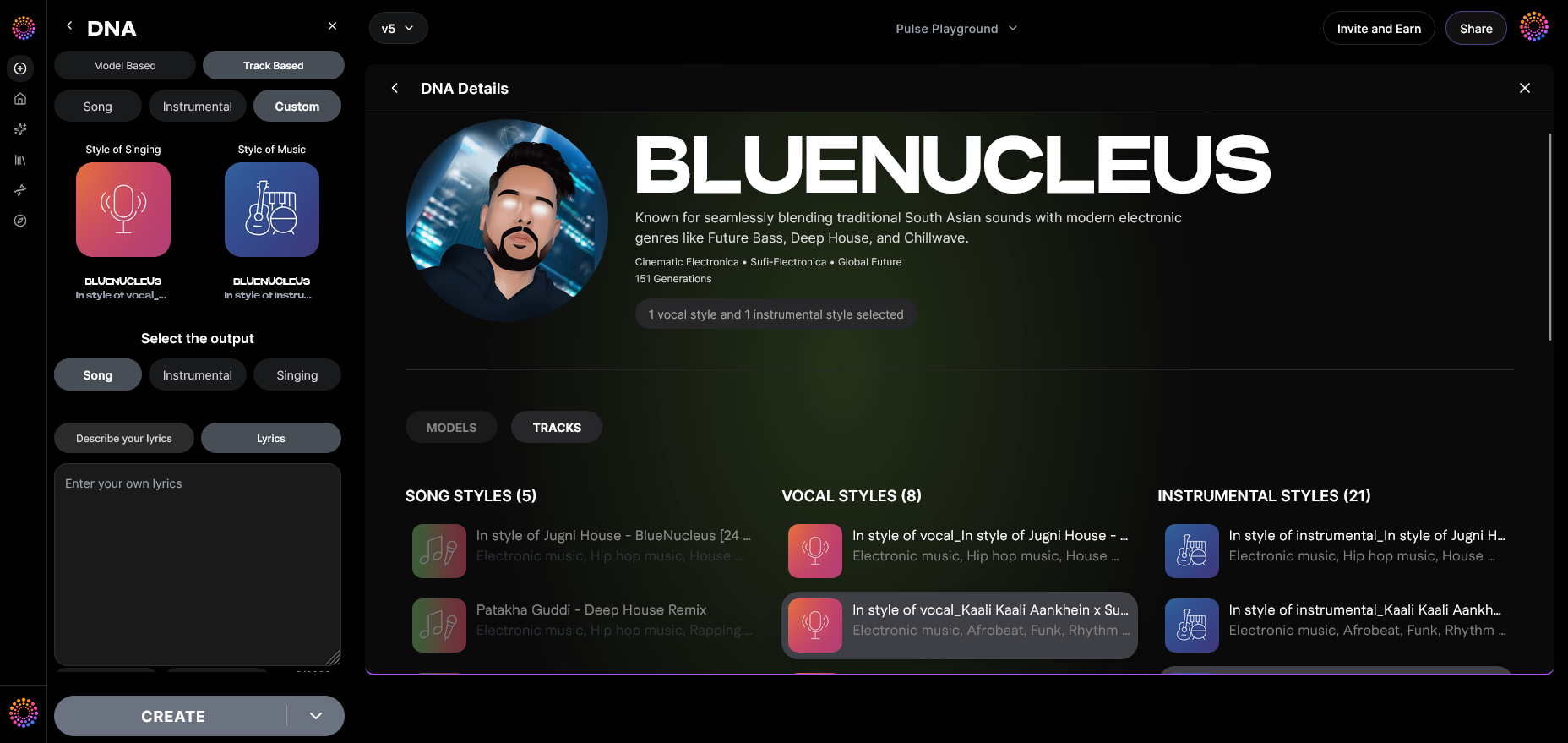
Test your vocal adaptability. Sing across styles—pop, blues, electronic. Doing so improves flexibility and understanding of tonal dynamics. Many AI-assisted guides, such as How AI Music Generated is Transforming the Music Industry, highlight this trend in 2026.
Step 17: Lyrics Input — Phrase Dynamics
While practicing, focus on emotion delivery. Read lyrics aloud first, focusing on phrasing, then translate feeling into melody. This helps you connect emotionally with your material.
Step 18: Model-Based Singing — Study Comparison Versions
Use reference models or mentors’ performances to adapt your vocal patterns. AI tools allow generation of singing in similar tone profiles—use it for learning, not imitation.
Step 19: Attach Model — Personalized Learning System
Attach your own vocal model (conceptually, via consistent recording) to track improvements. This helps maintain identity across all future singing exercises.
Pro Tips for Learning to Sing Better in 2026
- Warm Up Daily: Always prepare your voice before singing. Doing so prevents strain and builds muscle control.
- Stay Hydrated: Vocal cords require moisture; drink water frequently.
- Avoid Shouting or Overuse: Rest when needed.
- Record Every Session: Listening helps identify weak points.
- Experiment with AI Assistance: Modern singers use systems like Soundverse to access creative feedback safely.
In 2026, combining traditional practice with modern AI tools results in accelerated improvement. You can easily go from beginner to confident performer with focused daily practice.
Start Creating Your AI-Powered Singing Journey Today
Unlock your vocal potential with Soundverse — generate backing tracks, refine your voice, and compose original music effortlessly. Train your voice and bring your songs to life using intuitive AI tools.
Get Started Free
Related Articles
- AI Ranks Soundverse’s AI Singer #1: The Ultimate AI Singing Platform Dominating 2025 — Discover how Soundverse’s AI singer is redefining vocal creation and performance for artists worldwide.
- Soundverse Assistant: Your AI Music Co-Producer — Learn how the Soundverse Assistant helps refine your vocal tracks and simplify music creation.
- What AI Can Generate Songs — Explore the different AI tools capable of creating vocals, lyrics, and melodies for your next music project.
- Generate AI Music with Soundverse Text-to-Music — Turn your ideas into fully produced tracks using Soundverse’s text-to-music generation technology.
Here's how to make AI Music with Soundverse
Video Guide

Here’s another long walkthrough of how to use Soundverse AI.
Text Guide
- To know more about AI Magic Tools, check here.
- To know more about Soundverse Assistant, check here.
- To know more about Arrangement Studio, check here.
Soundverse is an AI Assistant that allows content creators and music makers to create original content in a flash using Generative AI.
With the help of Soundverse Assistant and AI Magic Tools, our users get an unfair advantage over other creators to create audio and music content quickly, easily and cheaply.
Soundverse Assistant is your ultimate music companion. You simply speak to the assistant to get your stuff done. The more you speak to it, the more it starts understanding you and your goals.
AI Magic Tools help convert your creative dreams into tangible music and audio. Use AI Magic Tools such as text to music, stem separation, or lyrics generation to realise your content dreams faster.
Soundverse is here to take music production to the next level. We're not just a digital audio workstation (DAW) competing with Ableton or Logic, we're building a completely new paradigm of easy and conversational content creation.
TikTok: https://www.tiktok.com/@soundverse.ai
Twitter: https://twitter.com/soundverse_ai
Instagram: https://www.instagram.com/soundverse.ai
LinkedIn: https://www.linkedin.com/company/soundverseai
Youtube: https://www.youtube.com/@SoundverseAI
Facebook: https://www.facebook.com/profile.php?id=100095674445607
Join Soundverse for Free and make Viral AI Music
 We are constantly building more product experiences. Keep checking our Blog to stay updated about them!