How to Train a Genre-Specific AI Music Model With Soundverse DNA
Learn AI music model training using Soundverse DNA to build genre-specific AI systems ethically and effectively in 2026.
How to Train a Genre-Specific AI Music Model With Soundverse DNA
In 2026, genre-focused artificial intelligence is reshaping music creation. Producers and developers are seeking tools that enable precise AI music model training—models capable of emulating specific genres, from smooth jazz to aggressive metal—while maintaining ethical standards. Soundverse DNA stands out as a system that not only facilitates genre-specific AI model creation but also ensures artists' rights and consistent sonic identity.
Soundverse has rapidly become a leading AI music platform, known for the way it bridges creative freedom and ethical AI. In this guide, you’ll learn exactly how to train a genre-specific AI music model using Soundverse DNA.
Why Is Genre-Specific AI Music Model Training Important in 2026?
The music industry in 2026 thrives on personalization. Streaming platforms, video creators, and game studios are demanding niche audio experiences. Instead of one-size-fits-all AI music generation, producers now need tools that understand genre nuances—tempo, harmony, instrumentation, and vocal rhythm.
Genre-specific AI enables:
- Authentic stylistic replication: Models trained on jazz, EDM, or hip-hop comprehend genre-specific patterns.
- Faster production workflows: AI can generate beats, melodies, and vocal styles that fit a genre with minimal editing.
- Ethical innovation: Properly trained models respect licensing and monetization agreements.
To see how this genre-based approach is influencing the music landscape, explore Music Industry Trends in 2026.
How to Make Genre-Specific AI Music Models With Soundverse DNA

Soundverse DNA is the foundation of Soundverse’s ethical AI ecosystem. It’s an artist-trained AI music generation system that synthesizes sound from licensed catalogs to produce original, copyright-safe compositions. For developers and producers, it’s the central tool for creating genre-specific AI models ethically.
What Is Soundverse DNA?
Soundverse DNA allows creators to model specific sonic identities and styles—whether an artist’s entire sound catalog or just a vocal texture. Its structure is divided into different capabilities:
- Full DNA: Captures complete instrumentals or song structures, ideal for modeling entire genres.
- Voice DNA: Focuses on vocal timbre and phrasing—critical for those training vocal genre models like country or soul.
- DNA Marketplace: A platform where artists can license their DNA models, earning royalties when others generate tracks using that sound.
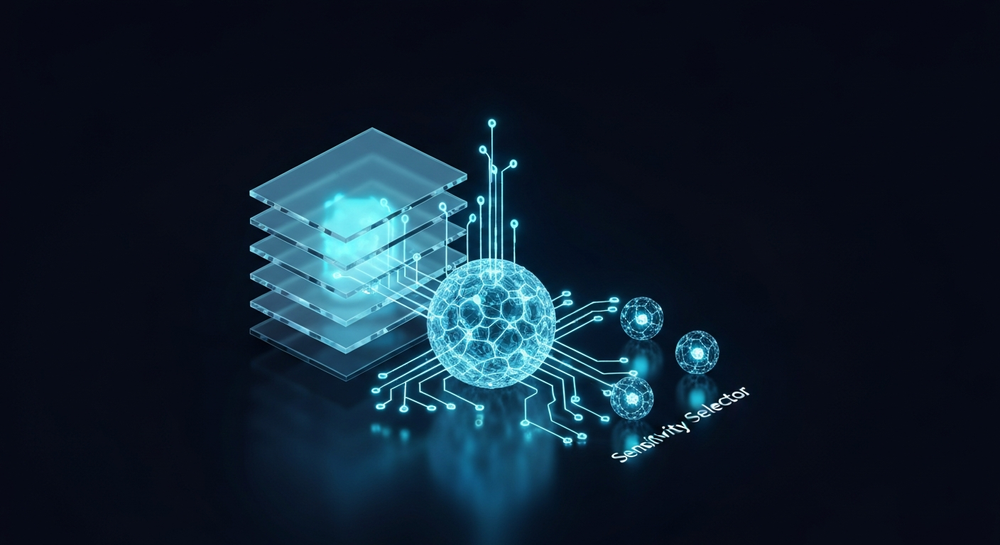
- Sensitivity Selector: Segments an artist’s catalog into different eras or moods, perfect for fine-tuning jazz eras or EDM subgenres.
- Private Mode: Enables secure, closed-ended co-creation for studios or developers working on exclusive projects.
The result is a complete end-to-end ethical AI music composition ecosystem built for real musicians and researchers.
Step-by-Step: How to Train a Genre-Specific AI Music Model Using Soundverse DNA
Step 1: Overview
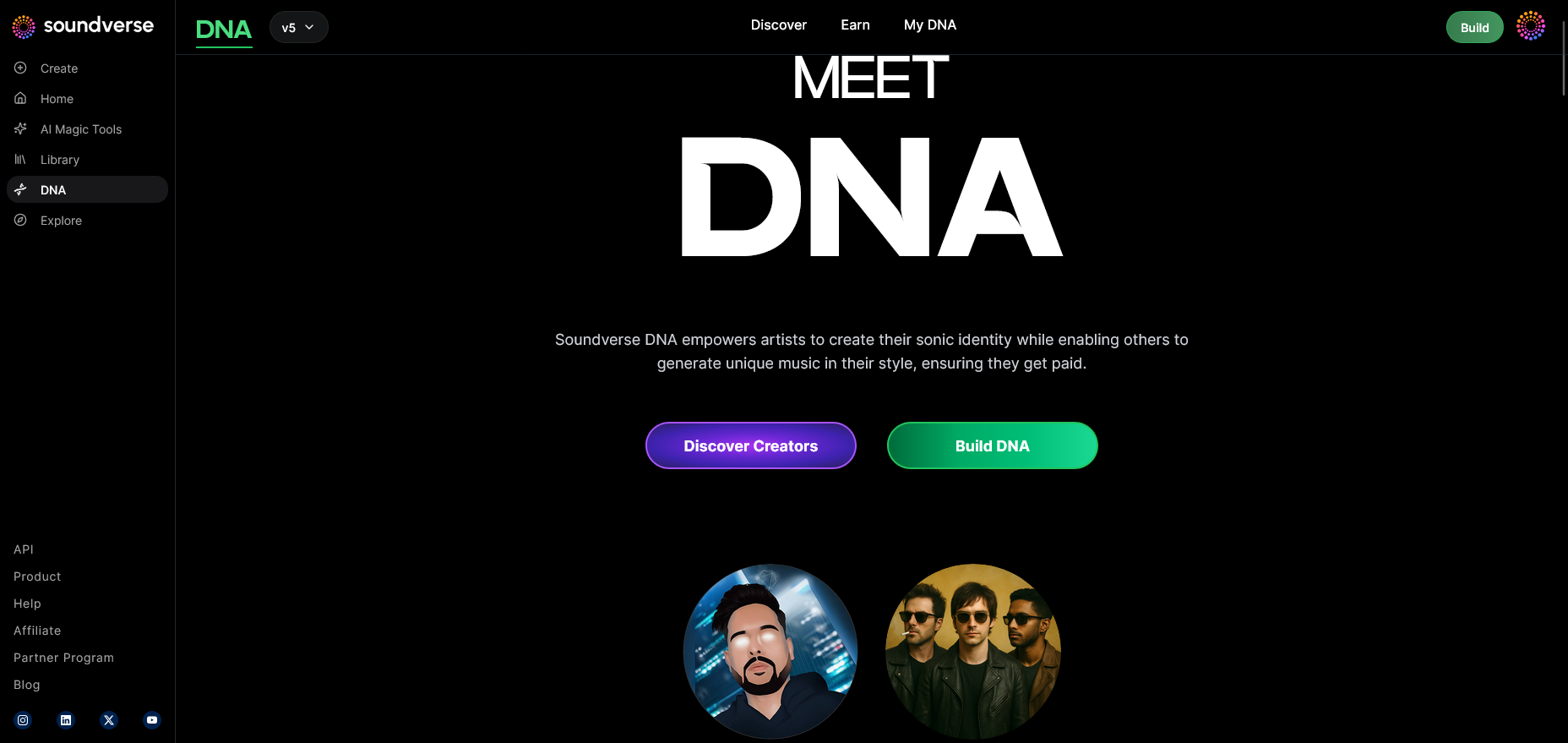
In the DNA mode feature overview, familiarize yourself with Soundverse’s visual dashboard where you can manage artist DNA, genre settings, and project types. This is your first step toward genre-aligned model training.
Step 2: Dashboard
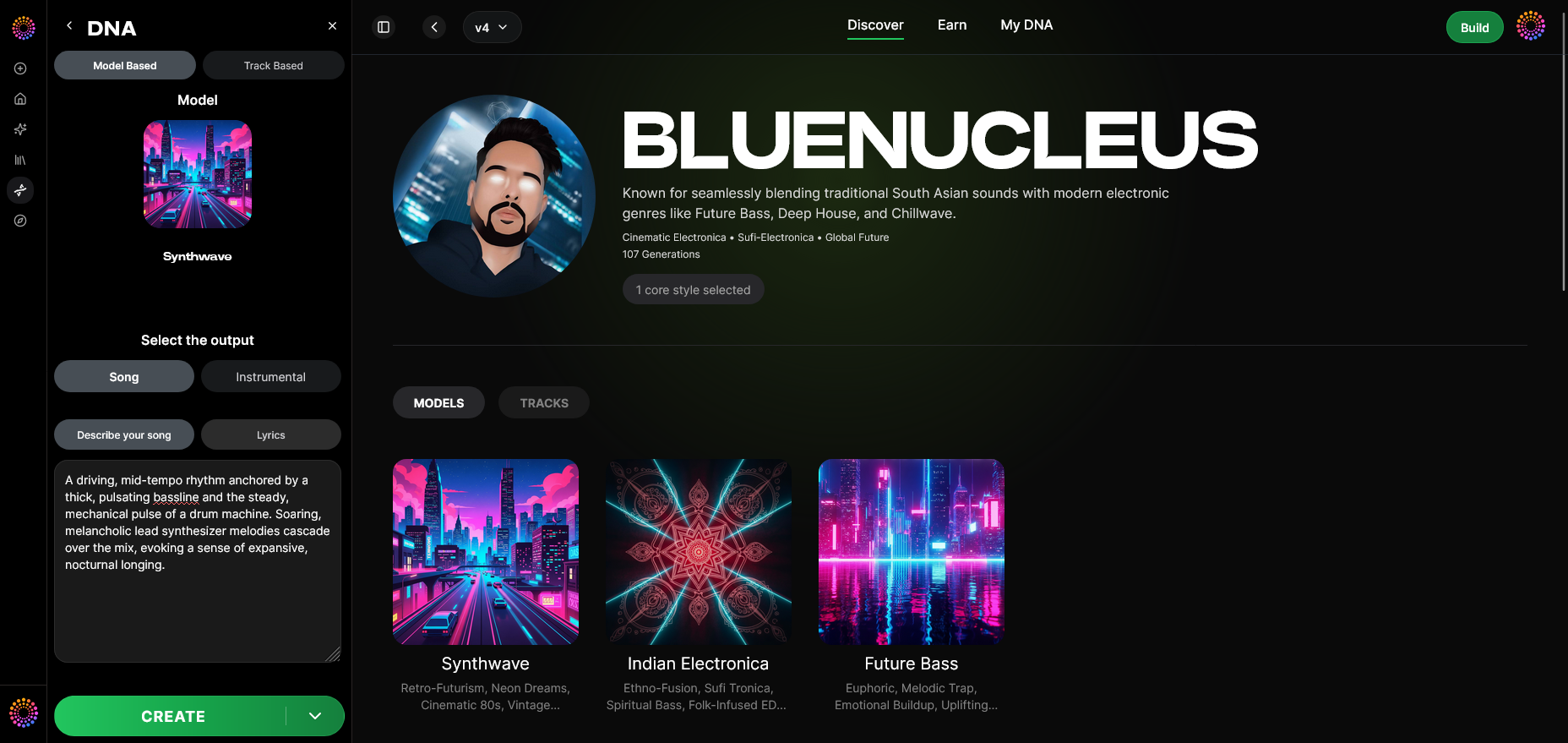
Access the My DNA Management Dashboard. Here, you’ll find existing models, genre presets, and licenses. It’s where developers monitor ongoing training sessions and dataset inputs.
Step 3: Creator Profile
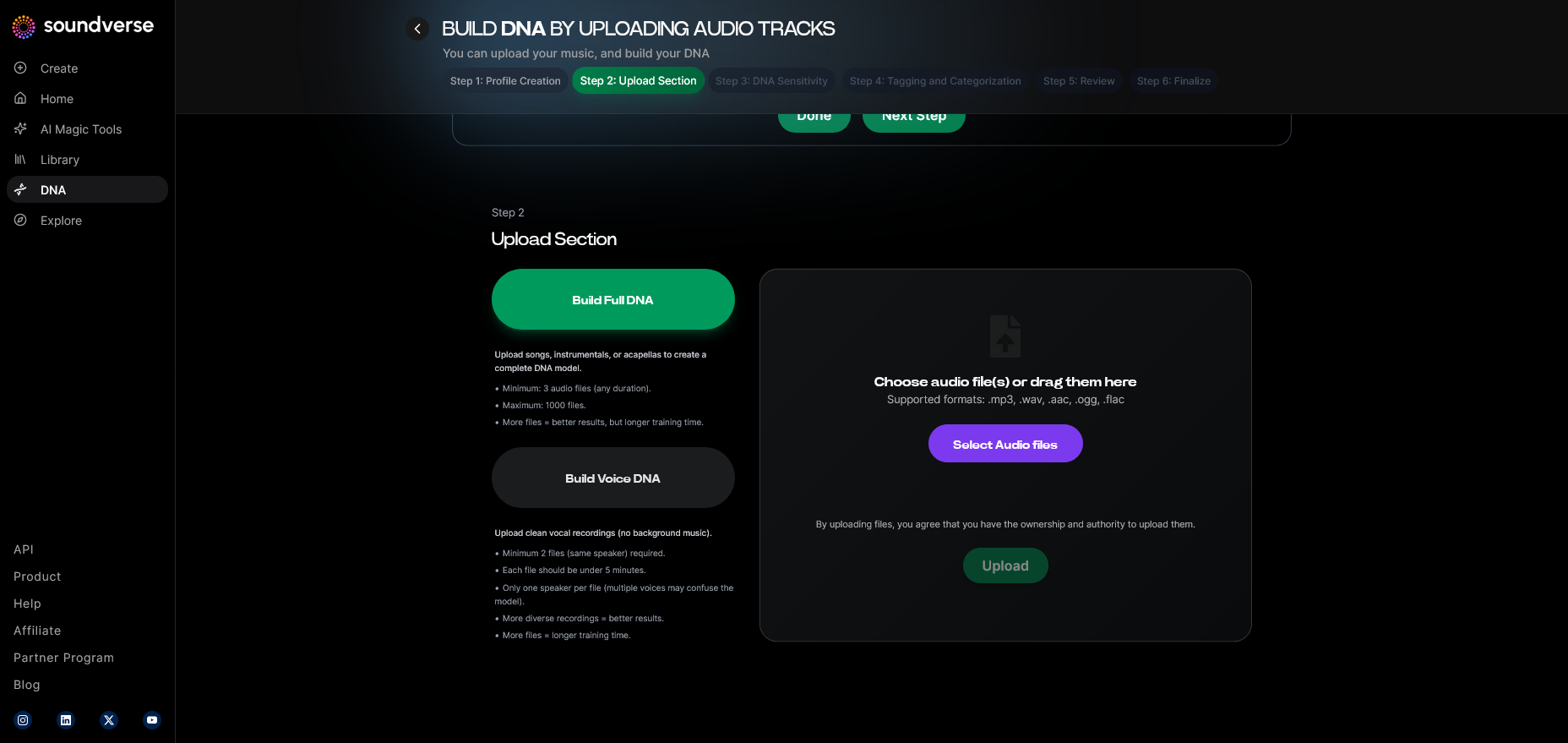
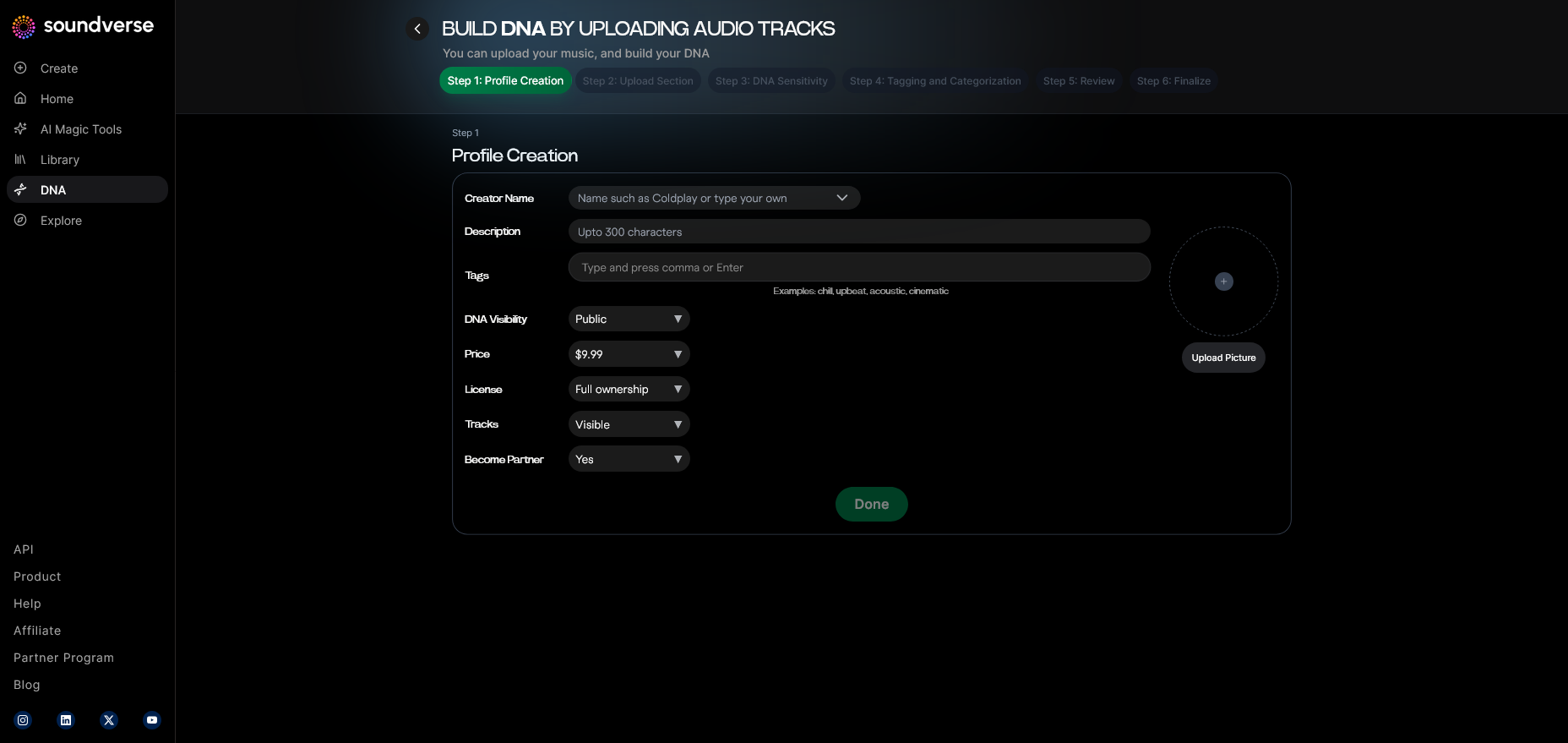
Before any training begins, you must configure your Creator Profile. Add basic metadata like your name, genre preference, and licensing options. This ensures the AI associates your DNA model with an identifiable artist or artist-approved dataset.
Step 4: DNA Type Selection
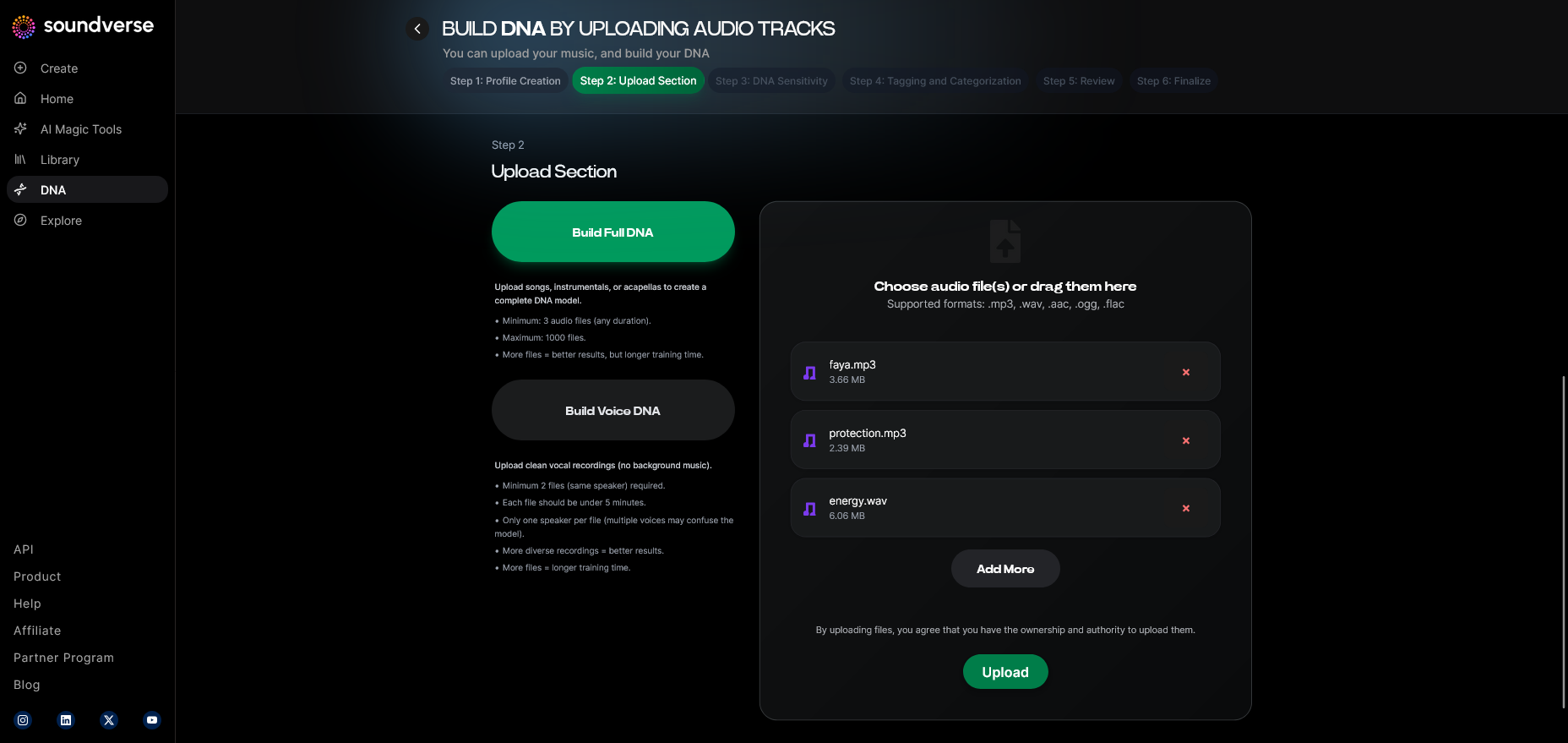
Choose between Full DNA and Voice DNA depending on the training scope. If you’re building a hip-hop instrumental model, Full DNA is ideal. If your focus is vocal timbre modeling, use Voice DNA.
Step 5: Upload Files
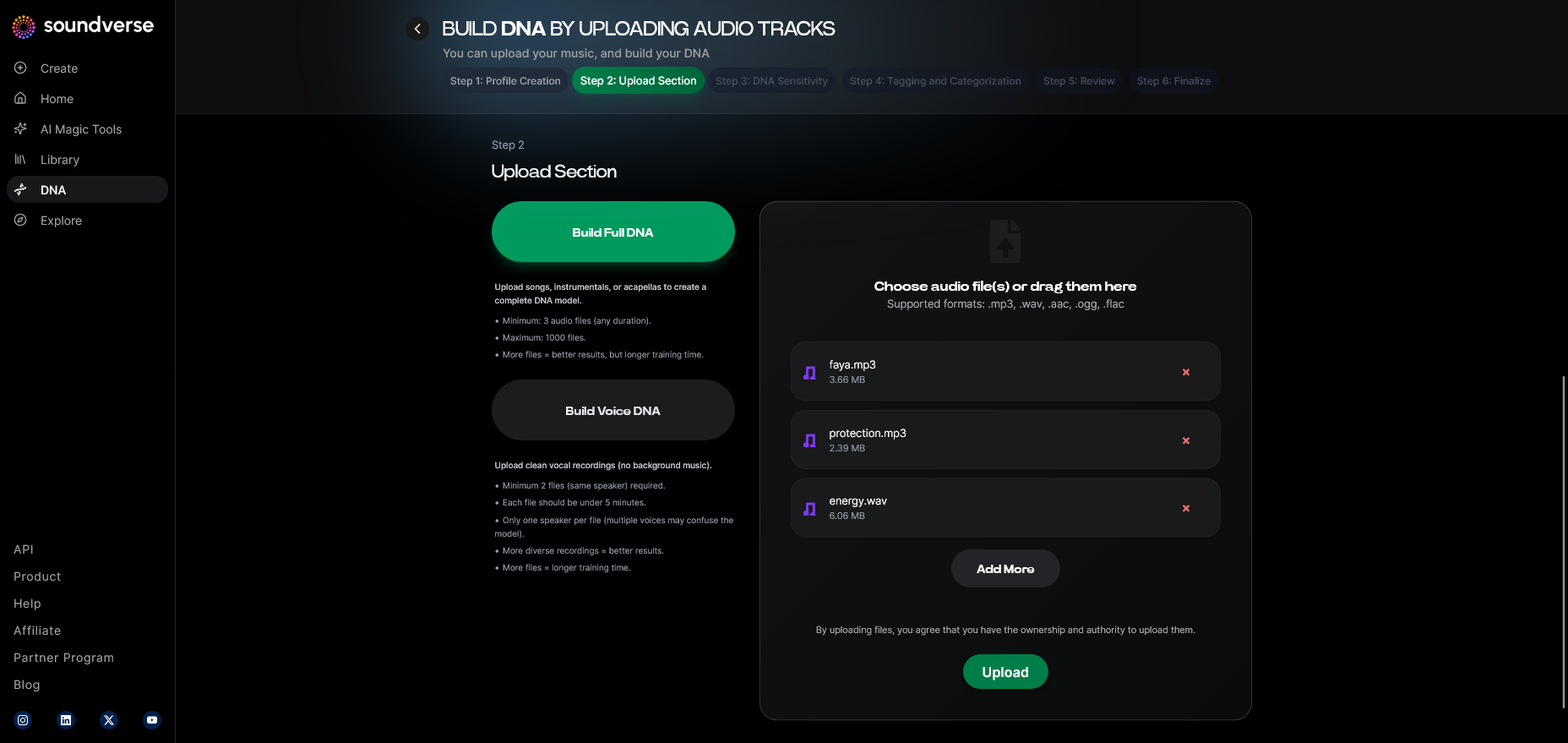
Upload your licensed audio reference material—songs, stems, or instrumental samples. Soundverse DNA only accepts consented uploads, preserving ethical AI principles. For reference, check how AI stem separation aids model preparation.
Step 6: Sensitivity Setting
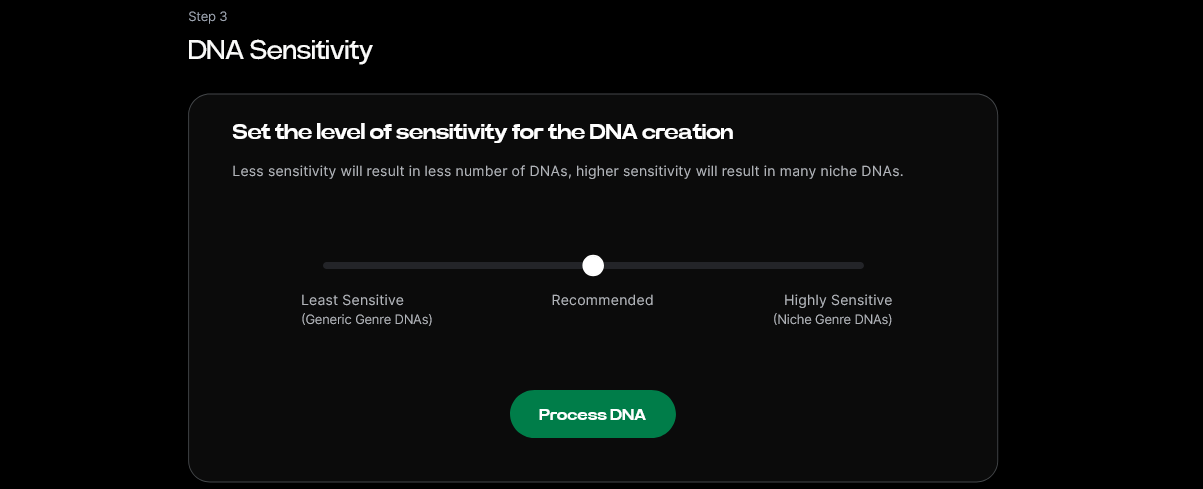
The Sensitivity Selector lets you define how tightly the AI should adhere to genre conventions. A higher sensitivity means stricter genre replication; lower sensitivity allows for creative blending. For genres like EDM, strong sensitivity helps maintain rhythmic pulse, while ambient genres may benefit from flexibility.
Step 7: Auto Tagging
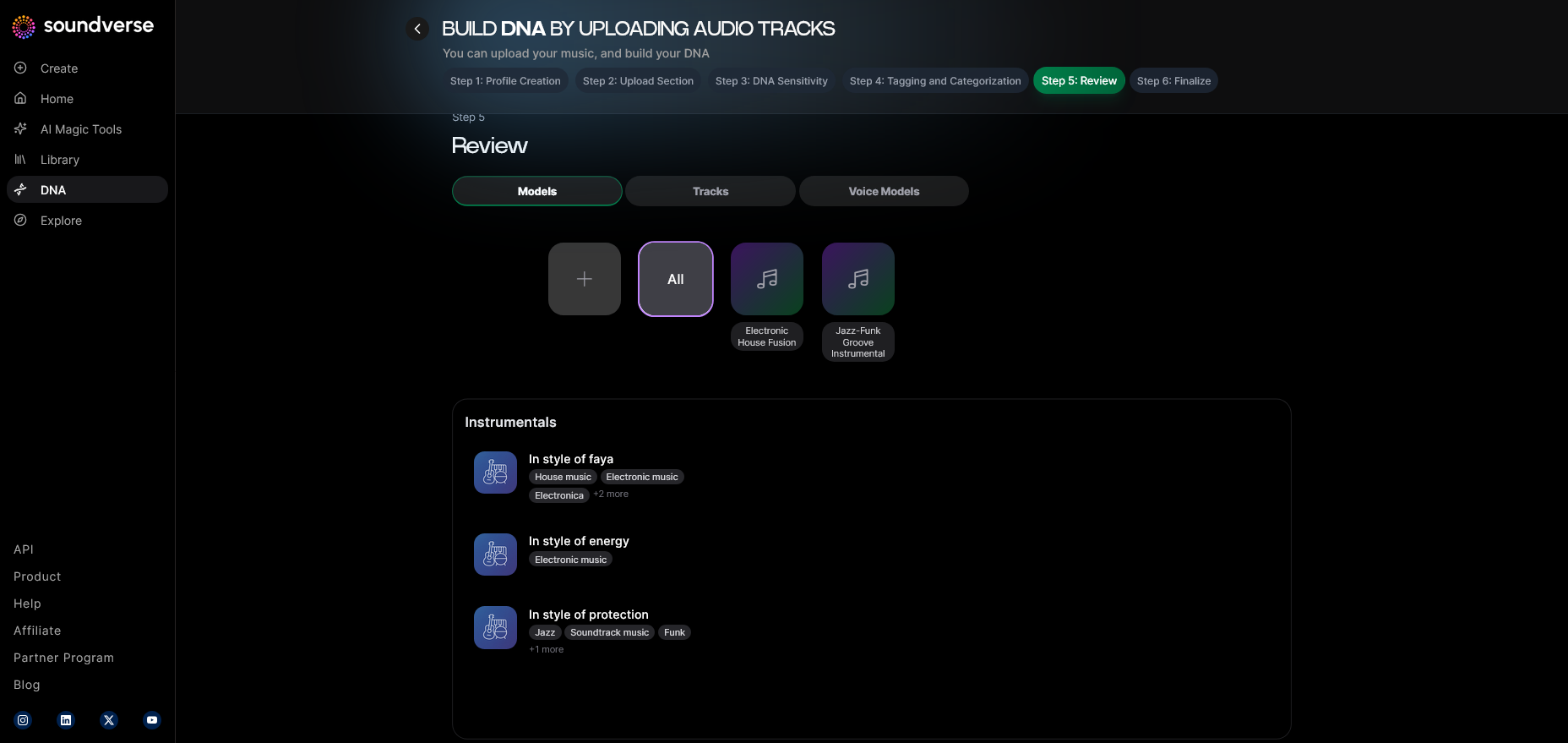
Soundverse automatically tags your uploaded files with metadata such as BPM, key, and sub-genre. This auto-tagging accelerates training, allowing the AI to precisely cluster data into meaningful genre categories.
Step 8: Review & Publish
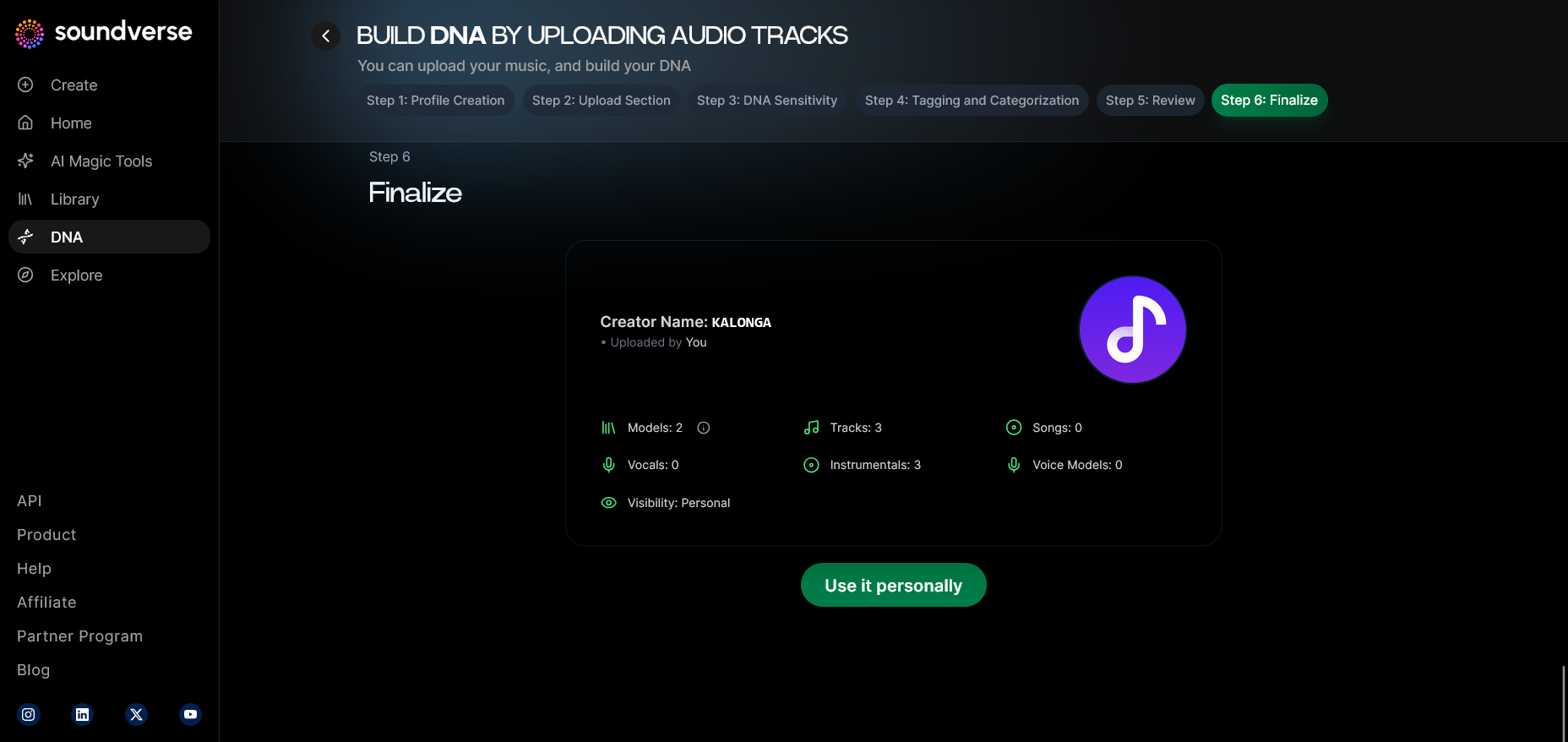
Once data tagging and sensitivity adjustments are complete, review the metadata, sound summaries, and licensing options. Then, publish your DNA model internally or to the DNA Marketplace, depending on your project’s privacy needs.
Step 9: Generation Panel
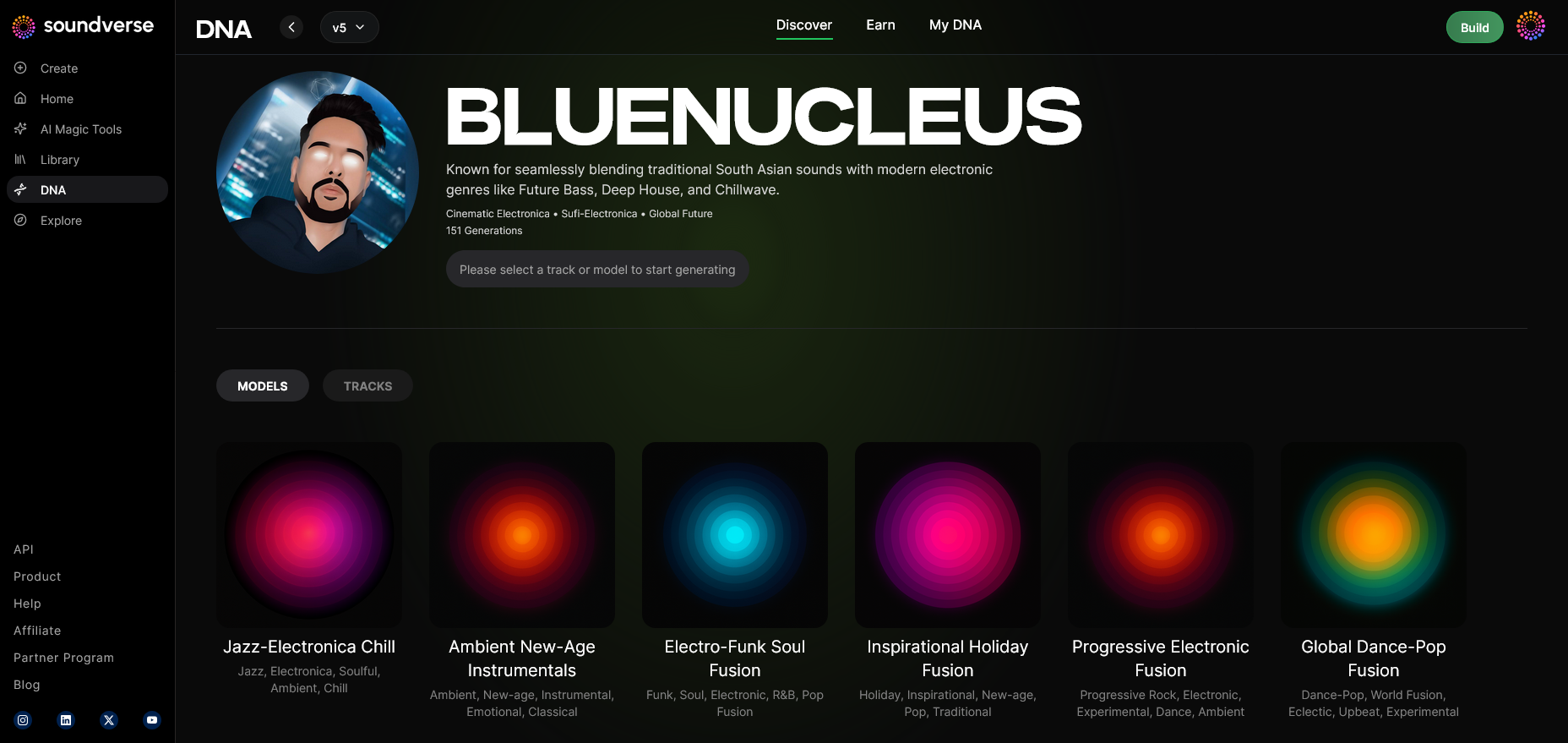
Access the DNA Music Generation Interface, where you can now test your genre-specific AI model. Enter prompts describing your target sound, such as “lofi jazz instrumental” or “aggressive bass-heavy trap”. For a deeper dive, watch our guide on creating Deep House music or the Soundverse Tutorial Series: How to Make Music.
Step 10: Model-Based Mode
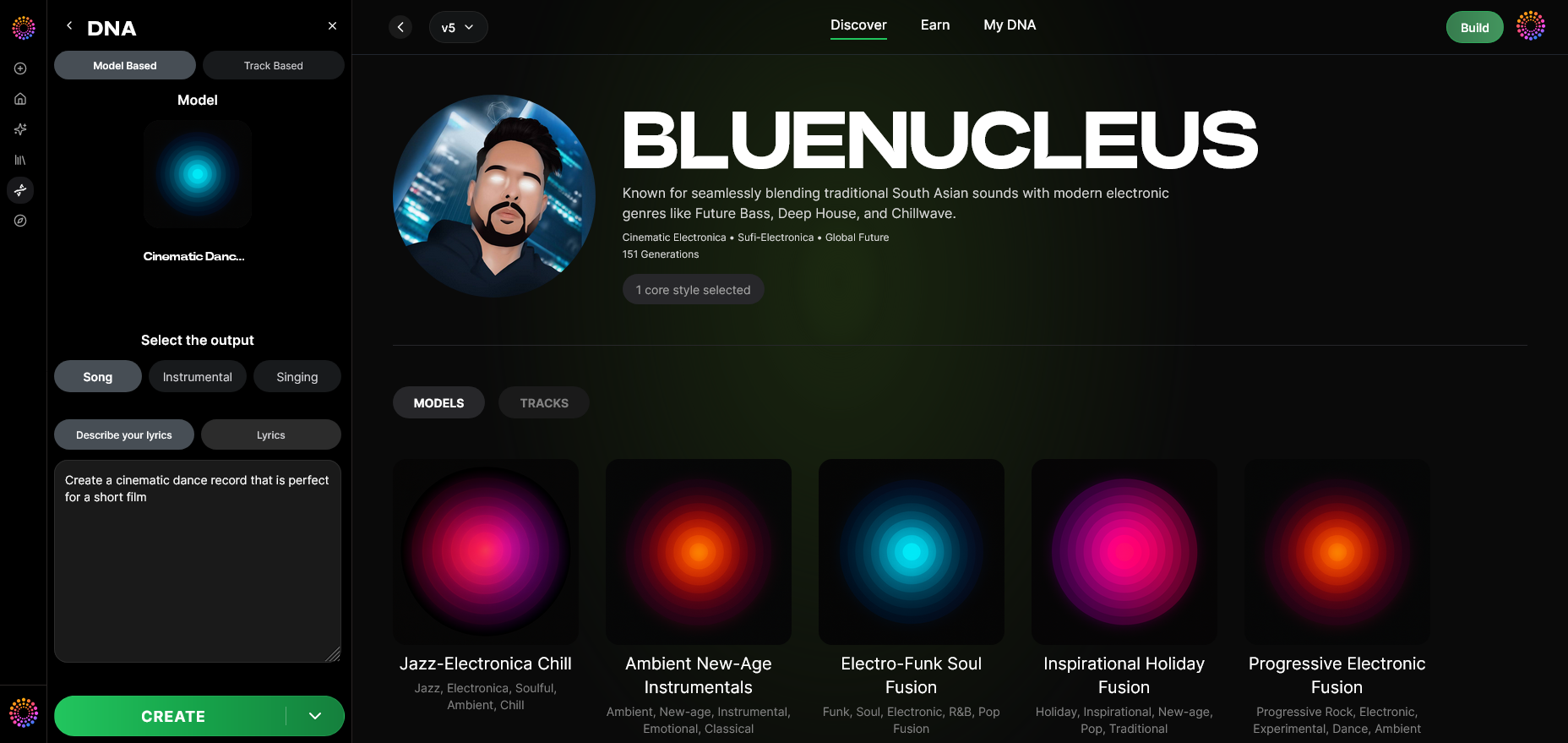
Switch to Model-Based Mode to focus on generation driven by your trained DNA rather than generic AI algorithms. This unleashes your genre-tuned identity.
Step 11: Output Type
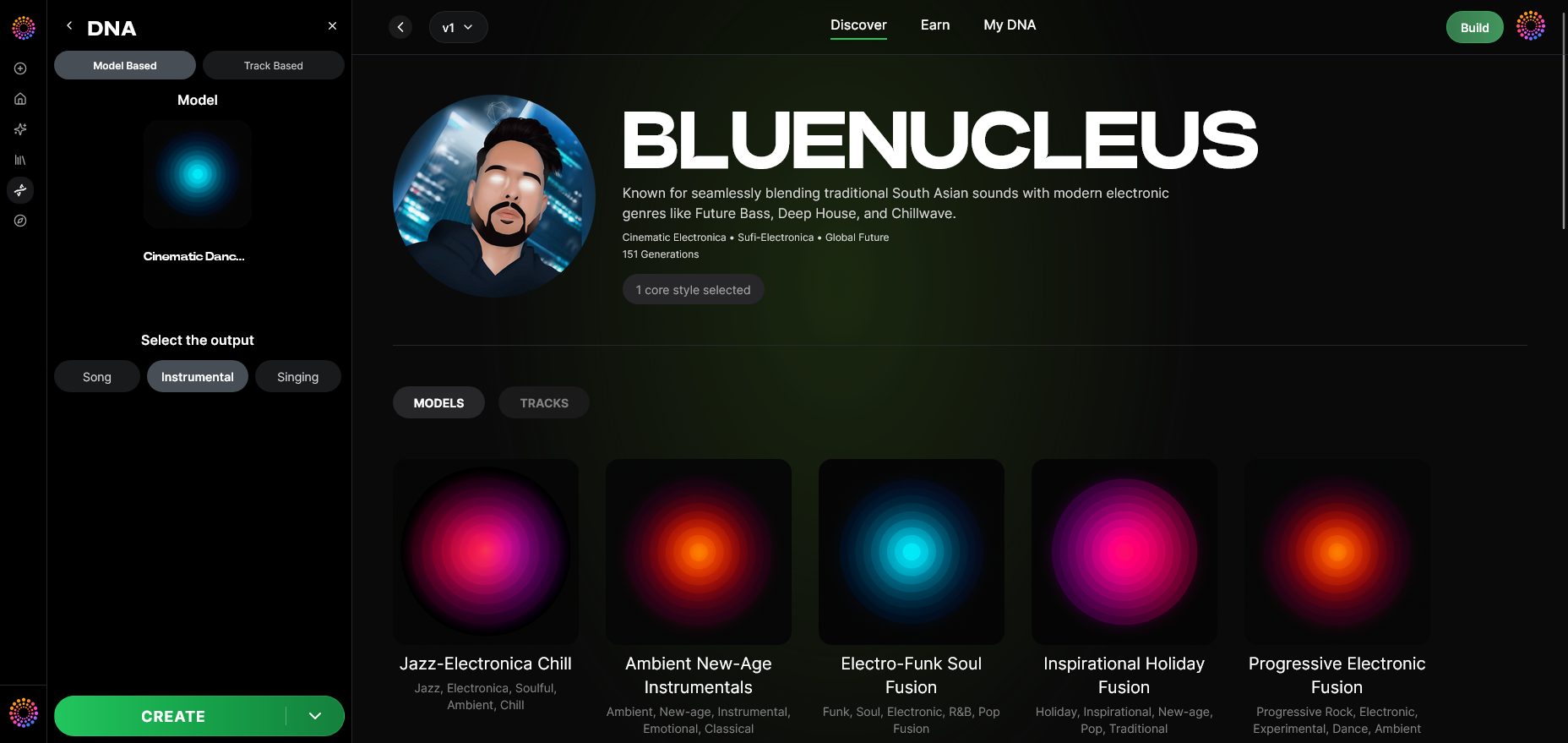
Select between Song Instrumental or Singing Output. For example, if training an R&B model, both instrumentals and vocals might be relevant. EDM producers may focus only on instrumentals.
Step 12: Prompt Type
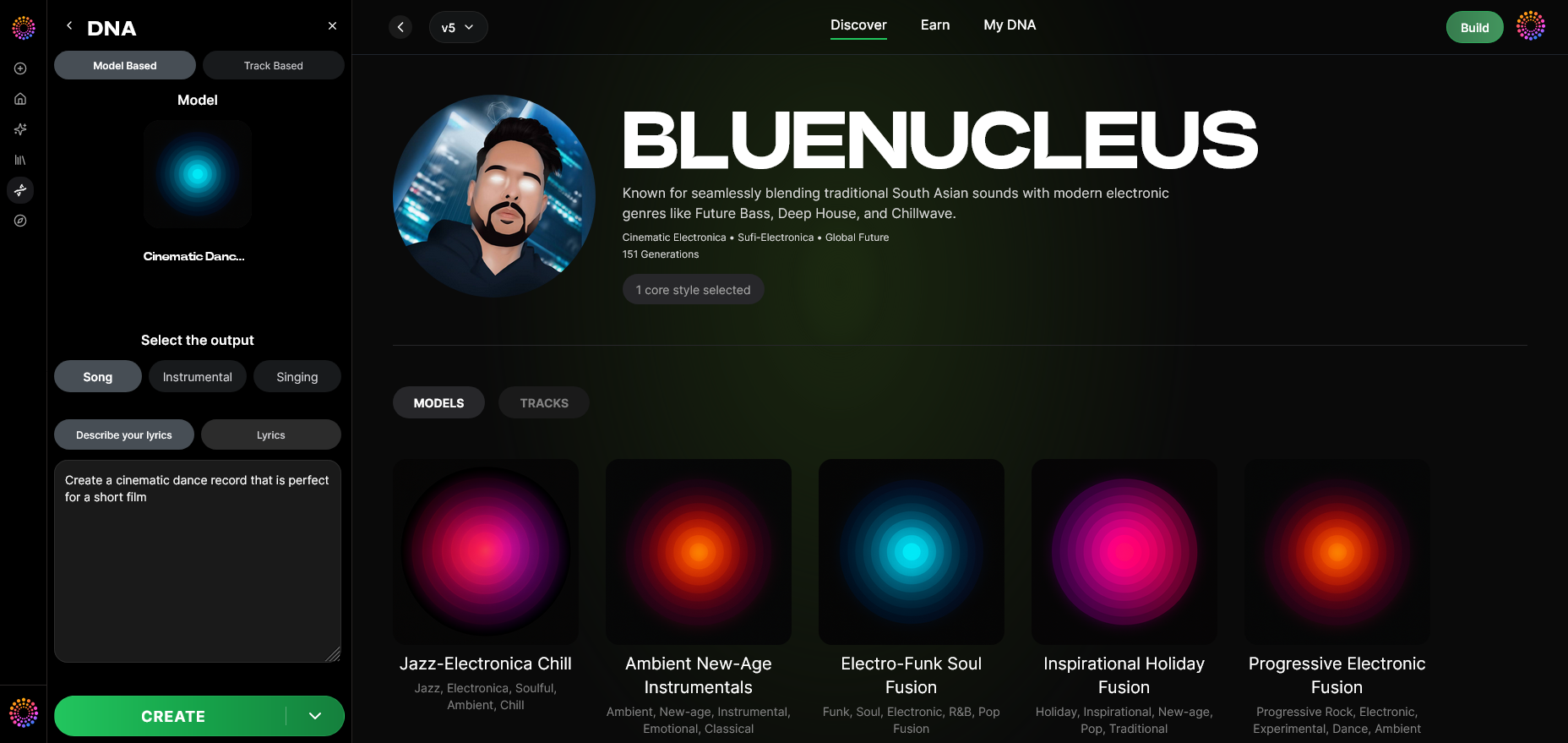
Choose your preferred input method—text, mood tags, or themes. Soundverse supports descriptive inputs like “1970s soul ballad” to trigger era-specific production.
Step 13: Generation Complete
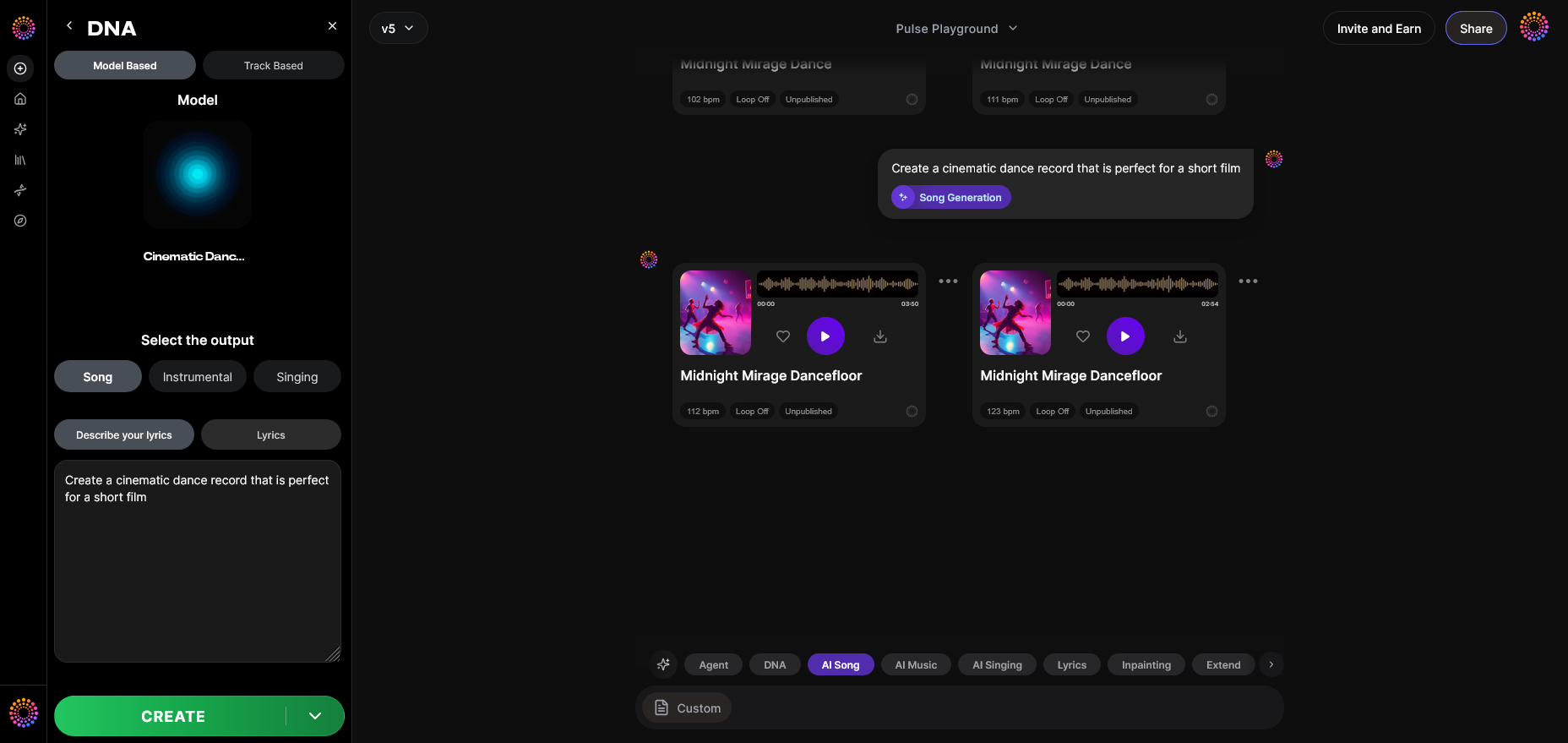
Once processing finishes, your track appears in the results display. You can analyze composition structure, tone, and energy to confirm genre fidelity.
Step 14: Export Options
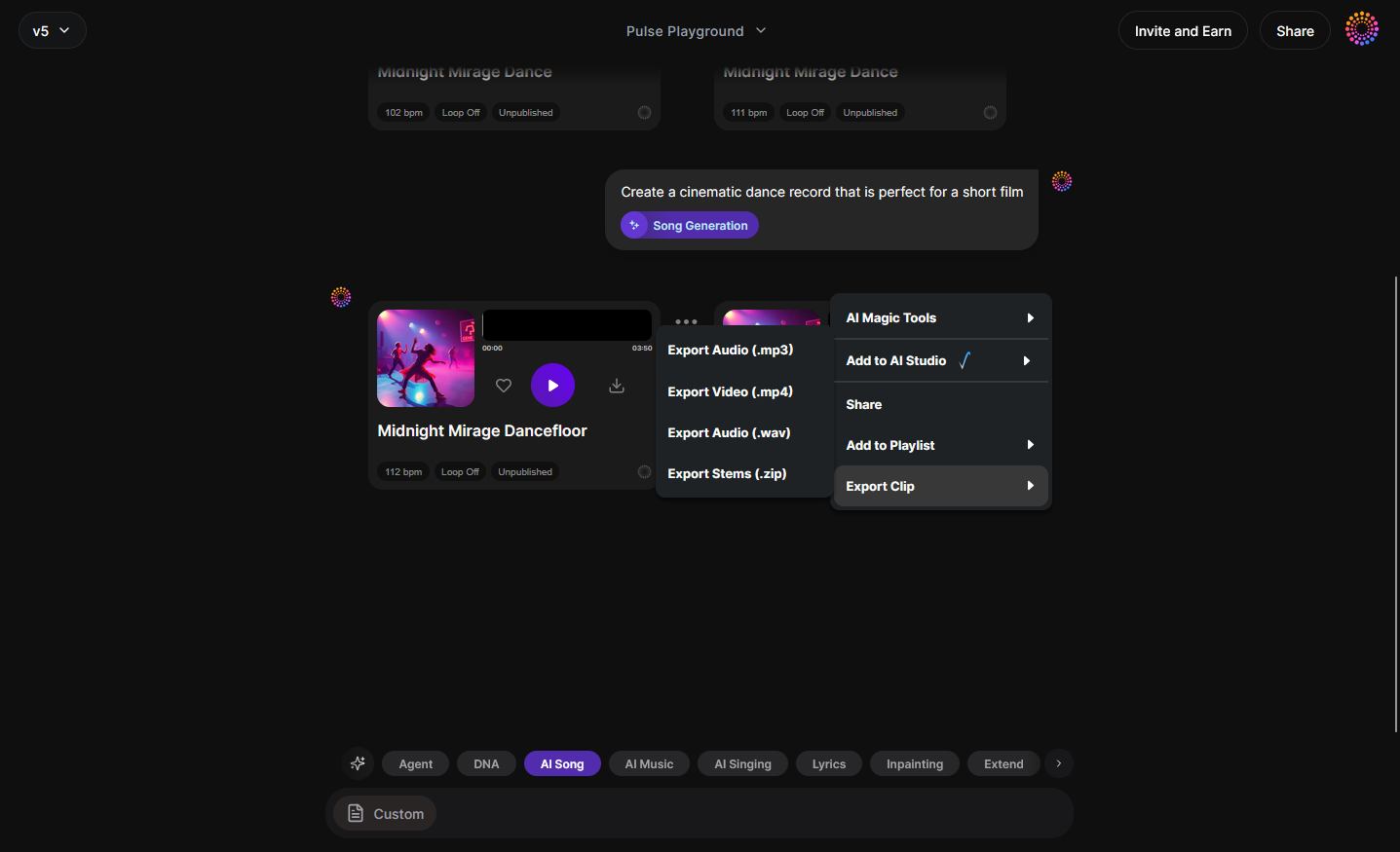
Finally, export your generated tracks. Choose from WAV, MP3, or project-stem formats. For more specialized uses, visit Generate AI Music with Soundverse Text-to-Music to understand prompt optimization.
Step 15: Track-Based Mode
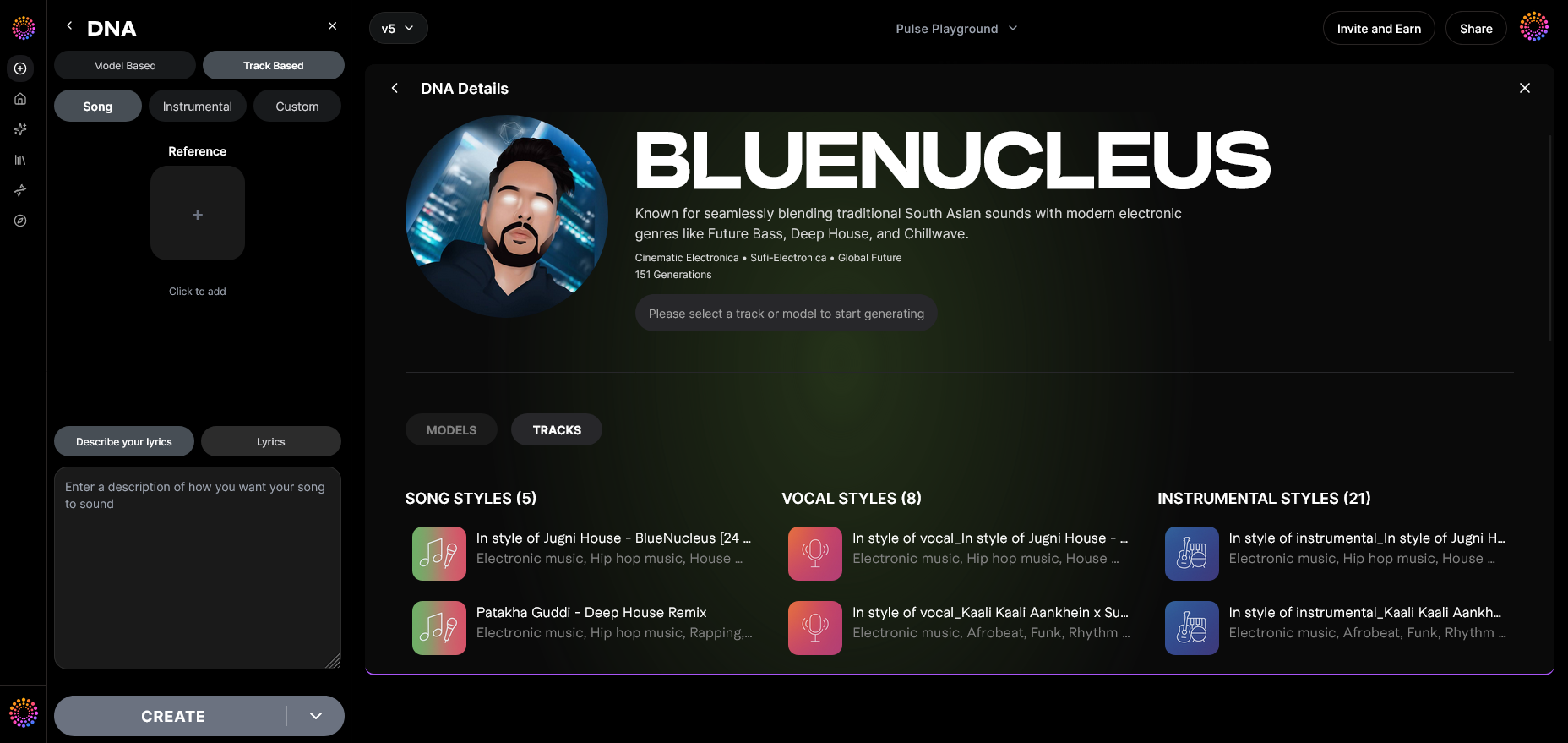
If desired, toggle Track-Based Mode to produce new songs structurally similar to selected training tracks.
Step 16: Style Selection
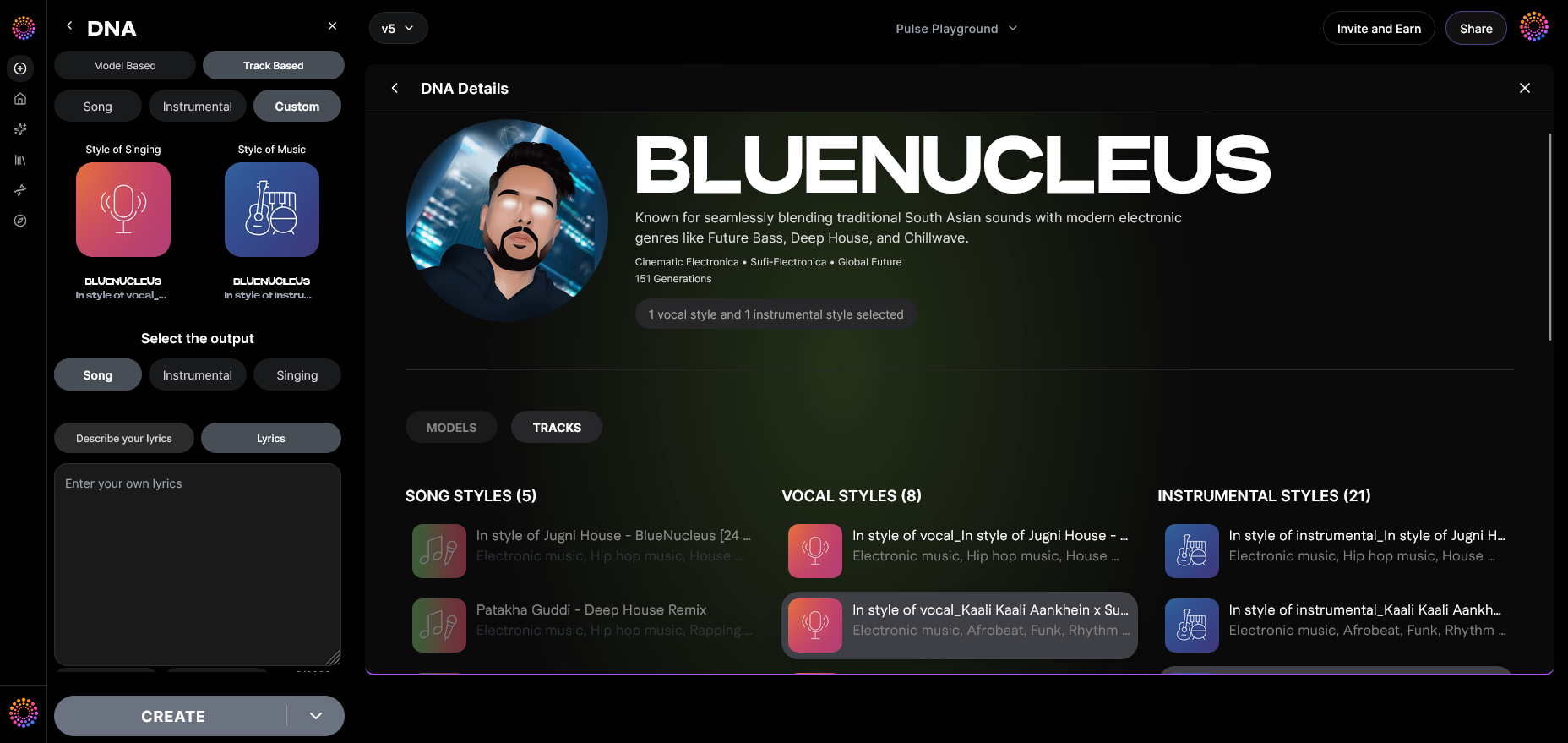
Fine-tune stylistic elements—instrument choices, tempo ranges, harmonic structures—to reinforce genre integrity.
Step 17: Lyrics Input
Add your own lyrics text via the Lyrics Input Field for vocal-style models. The system ensures accurate phrasing fit for the chosen genre.
Step 18: Model-Based Singing
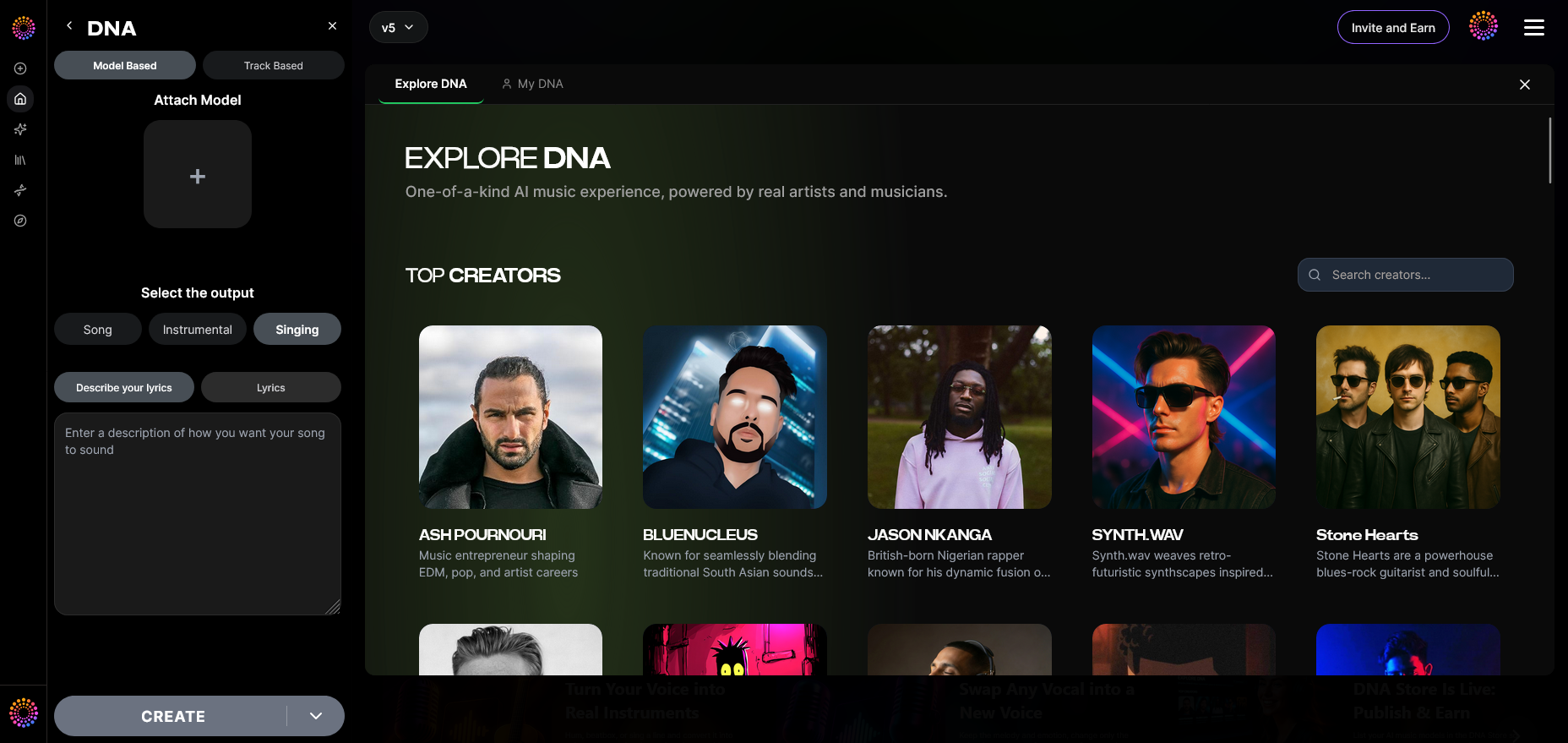
Activate Model-Based Singing Mode to generate AI vocals consistent with your trained genre or artist style.
Step 19: Attach Model
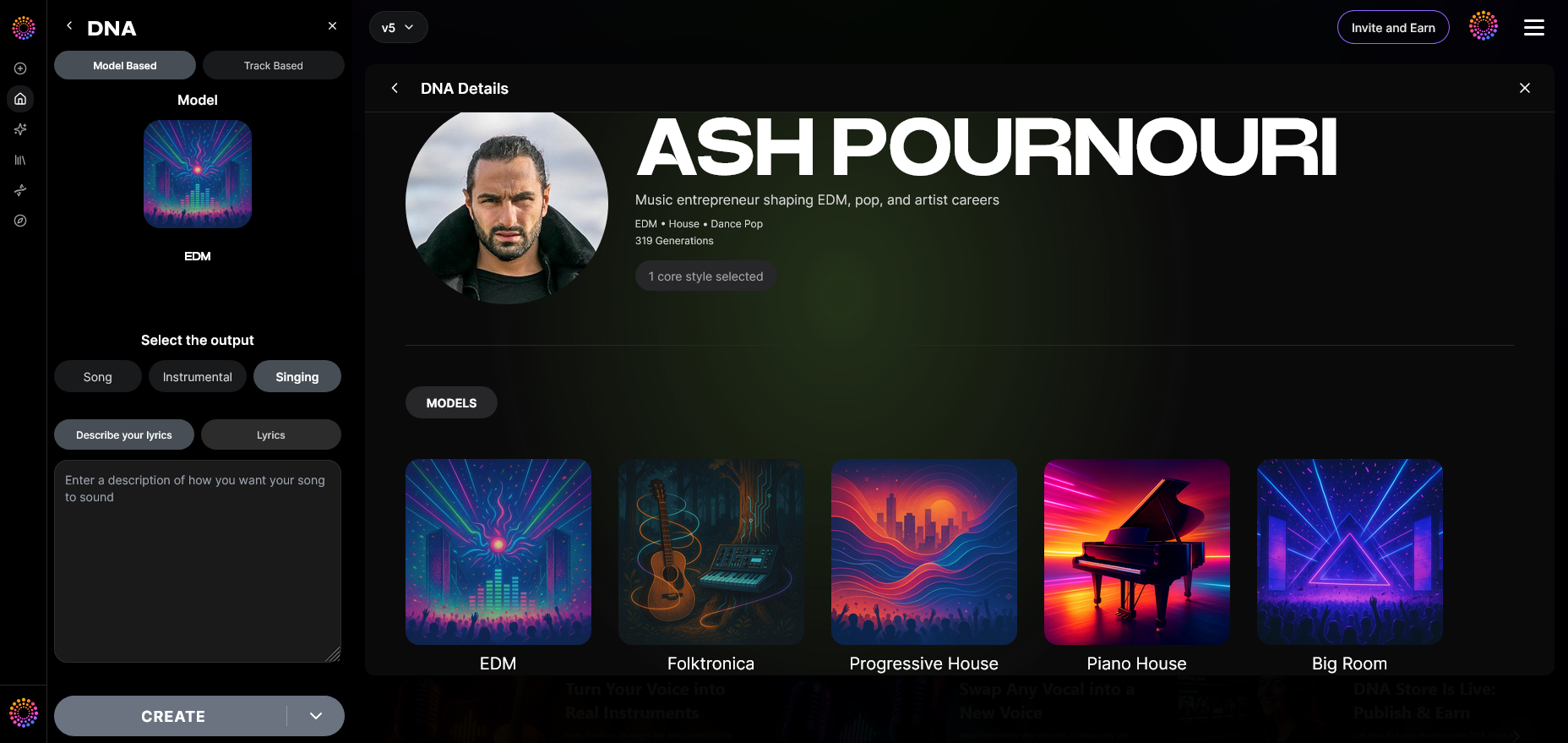
Finally, Attach Pre-Trained DNA Models for hybrid use—combine rock-style instrumentation with soulful vocal DNA, for example. This supports innovative, cross-genre experimentations.
Pro Tips for Perfecting Genre-Specific AI Training
- Curate the right dataset: The more genre-consistent your sources, the more accurate the resulting model.
- Use concise prompts: Broad terms confuse the neural network; detailed descriptions yield better alignment.
- Monitor trend shifts: Genre definitions evolve quickly. Stay updated through AI Music Industry transformations.
- Blend models creatively: Combine different DNA models to create hybrid genres responsibly.
- Exploit the DNA Marketplace: Monetize your trained model by offering genre versions to other creators.
Advancing Machine Learning for Music With Soundverse DNA
The machine learning for music domain continues to gain depth in 2026. Soundverse leverages transparent, ethical pipelines known as the Ethical AI Music Framework, backed by Soundverse Trace for trust and attribution. These ensure that every AI audio generation outcome can be reliably traced back to its dataset origin.
The Content Partner Program provides producers with new ways to earn royalties by licensing genre-specific datasets for AI model training. It’s a paradigm that transforms data contribution from a silent exchange into an active revenue source.
To learn more about genre-specific creations, explore How to Create Jazz Music with Soundverse AI or How to Create Country Music with Soundverse AI.
Start Training Your Own AI Music Model Today
Unlock the power of Soundverse DNA to train and customize AI models for any genre. Experience faster, genre-specific creation with precision, flexibility, and full creative control.
Related Articles
- How to Make AI-Generated Music: Explore step-by-step methods to generate high-quality AI music using Soundverse’s intuitive tools.
- Soundverse AI Revolutionizing Music Creation for New-Age Content Creators: Discover how Soundverse AI empowers modern creators with intelligent music generation capabilities.
- What AI Can Generate Songs?: Learn about the AI models that can efficiently compose original songs across multiple genres.
- Generate AI Music with Soundverse Text-to-Music: Turn your ideas into music instantly with Soundverse’s advanced text-to-music technology.
Here's how to make AI Music with Soundverse
Video Guide

Here’s another long walkthrough of how to use Soundverse AI.
Text Guide
- To know more about AI Magic Tools, check here.
- To know more about Soundverse Assistant, check here.
- To know more about Arrangement Studio, check here.
Soundverse is an AI Assistant that allows content creators and music makers to create original content in a flash using Generative AI. With the help of Soundverse Assistant and AI Magic Tools, our users get an unfair advantage over other creators to create audio and music content quickly, easily and cheaply. Soundverse Assistant is your ultimate music companion. You simply speak to the assistant to get your stuff done. The more you speak to it, the more it starts understanding you and your goals. AI Magic Tools help convert your creative dreams into tangible music and audio. Use AI Magic Tools such as text to music, stem separation, or lyrics generation to realise your content dreams faster. Soundverse is here to take music production to the next level. We're not just a digital audio workstation (DAW) competing with Ableton or Logic, we're building a completely new paradigm of easy and conversational content creation.
TikTok: https://www.tiktok.com/@soundverse.ai
Twitter: https://twitter.com/soundverse_ai
Instagram: https://www.instagram.com/soundverse.ai
LinkedIn: https://www.linkedin.com/company/soundverseai
Youtube: https://www.youtube.com/@SoundverseAI
Facebook: https://www.facebook.com/profile.php?id=100095674445607
Join Soundverse for Free and make Viral AI Music

We are constantly building more product experiences. Keep checking our Blog to stay updated about them!