How to Sing in Mixed Voice: A Step-by-Step Guide for Better Vocal Control (2026 Edition)
Learn how to sing in mixed voice with simple steps, expert singing tips, and AI training tools.
How to Sing in Mixed Voice
Singing in mixed voice is one of the most sought-after vocal skills among singers in 2026, especially those aiming to achieve smooth transitions between registers and powerful yet controlled tone. If you've ever struggled with breaking between your chest and head voice, learning how to sing in mixed voice could be the key to unlocking your full vocal potential. This guide explains what mixed voice is, how to train it effectively, and how Soundverse’s powerful AI Singing Generator can help you master it through tailored vocal practice.
What Is Mixed Voice and Why Does It Matter in 2026?
Mixed voice is a balanced blend between chest voice (the strong, resonant tone we use for lower notes) and head voice (the lighter, airy tone used for higher notes). Singers use it to bridge their range seamlessly without strain or sudden shifts in tone. In 2026, vocal instructors and professional singers emphasize mixed voice technique not only in pop and rock but also across genres like R&B, jazz, and even electronic styles. It is often described as a blend between full voice and falsetto in tonal intensity, giving singers expressive control over their entire range.
By combining resonance, breath support, and vocal placement, mixed voice enables singers to extend their range, add emotional depth, and achieve dynamic expression. Whether you’re experimenting with modern vocal textures or working toward smoother transitions, mastering this technique makes your performances sound more professional and effortless.
How Mixed Voice Technique Has Evolved Since 2024
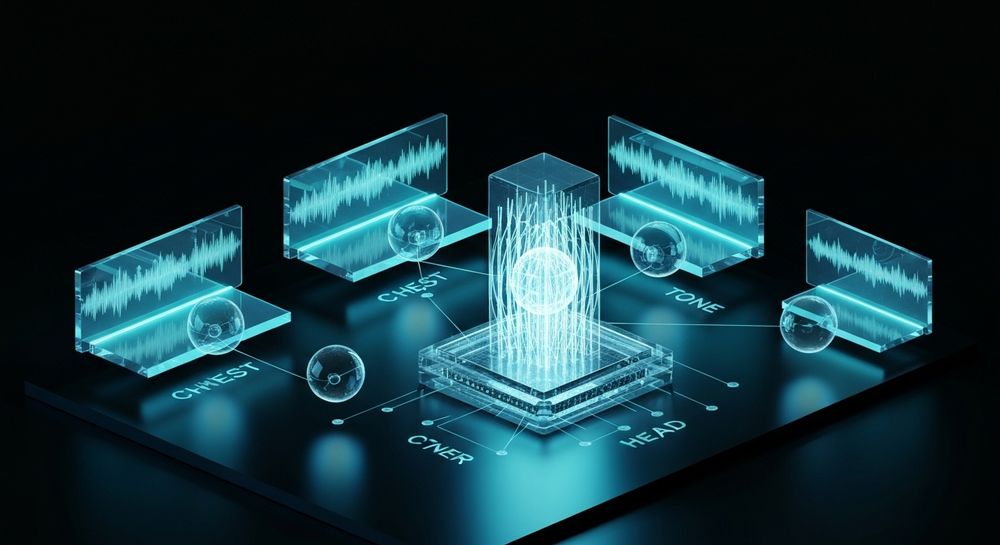
Between 2024 and 2025, vocal training apps started integrating AI-driven feedback systems. Now in 2026, platforms like Soundverse have gone further by generating acapella performances that allow you to analyze specific vocal styles—from chest-dominant power singing to head-dominant falsetto blends. These AI-generated references help beginners develop an ear for resonance placement and vocal balance. Mixed voice, as defined by most voice teachers, is not a separate register but a technique used to smooth out breaks.
The modern approach encourages singers to understand how their voice feels rather than just how it sounds. By experimenting with both registers and guided exercises, singers cultivate better voice control and stamina. For visual learners, check out our tutorial on how to make music with Soundverse AI or explore the “Explore” tab walkthrough from our YouTube channel for hands-on practice inspiration.

How to Make Mixed Voice Training Easier with Soundverse AI Singing Generator

Soundverse’s AI Singing Generator helps singers explore mixed voice dynamics through AI-rendered singing references. It generates professional-quality acapella vocals from any text or lyrics. This means you can create training tracks for specific vocal parts, compare tonal differences, and hear how AI executes the perfect blend of chest and head registers.
Soundverse Core Features You’ll Use:
- Text-to-Singing Functionality: Type the lyrics or vocal exercise lines you want to hear.
- Diverse Style Support: Includes genres like Pop, Rock, Rap, Opera, and ASMR, letting you study how different vocal tones shift across styles.
- Reference Audio Matching: Upload your voice or favorite singer’s sample to get style-matched singing.
- Clean Acapella Output: Receive pure isolated vocals—ideal for ear training and vocal analysis.
Soundverse serves as your AI-powered coach, making it possible to study nuanced vocal behaviors like breath control or dynamic resonance. Once you’ve trained your ear using AI examples, you can record, compare, and refine your technique more efficiently.
Step 1: Access AI Singing Generator

Go to Soundverse’s main dashboard and select the AI Singing Generator. This tool turns input text into authentic vocal performances with clear tonal detail.
Step 2: Lyrics/Text Input

Enter lyrics or specific vocal exercise phrases such as scales, vowel patterns, or custom training lines. This helps generate accurate examples that match your learning focus.
Step 3: Voice Selection

Choose from multiple styles that represent various singing techniques: powerful chest voice, light head voice, or balanced mixed tones. This step allows you to compare tonal blending and select suitable voice models.
Step 4: Generate Singing Vocals

When ready, click Generate to process your input. Soundverse will create an acapella performance demonstrating the resonance and blend you want to emulate.
Step 5: Download Vocals

After generation, download the vocals and play them during your practice sessions. Use these AI examples to mimic phrasing, pitch transitions, and breath management.
Step-by-Step Guide: How to Sing in Mixed Voice Naturally
Now that you have your AI reference tracks, it’s time to train practically.
- Warm Up Both Registers: Start with gentle humming, lip trills, and sirens that connect low and high notes smoothly. Focus on breath flow and relaxation.
- Identify Your Break Point: Find where your voice naturally shifts from chest to head. This is your bridge area—the main zone for mixed voice work. Remember, the bridge is where you should be singing in a mixed voice.
- Practice Slow Slides: Move between registers slowly on vowels like “ah,” “oo,” and “ee.” Keep your tone even and smooth.
- Balance Resonance: Use chest support but maintain forward resonance like head voice. Imagine the sound placed in your mask area (around nose and cheekbones).
- Monitor Breath Support: Keep airflow steady. Don’t push; instead, engage your diaphragm for consistent tone.
- Record and Compare Using AI Tracks: Listen to your recordings beside Soundverse-generated samples for pitch and tone consistency.
- Increase Difficulty: As control improves, sing songs that challenge your mix region to build confidence. A great way is to practice flipping between head and chest voice without transition.
For more inspiration on improving creative flow, explore how AI-generated music is transforming the industry or learn from Soundverse’s stem separation AI magic tool for deeper audio analysis.
Expert Singing Tips for Better Voice Control
Voice control for singers extends beyond technique—it's about awareness and patience. Here are some professional insights relevant for 2026:
- Avoid Forcing Volume: Mixed voice isn’t about power; it’s about balance.
- Maintain Hydration: Your vocal folds need moisture for flexibility.
- Rest Regularly: Overtraining can create fatigue, affecting your mix stability.
- Study AI-Generated Voices: Soundverse and similar tools allow you to observe resonance distribution and dynamic phrasing.
You can deepen your musical understanding by exploring related articles like music industry trends in 2026 or finding the right AI music generator alternative for practice.
How Other Soundverse Tools Support Your Vocal Development
Alongside the AI Singing Generator, Soundverse offers:
- Similar Singing Generator: Matches emotional tone and delivery—ideal for creating consistent vocal references.
- Voice Swap: Replaces vocals with different models (such as celebrity or custom DNA voices) while preserving timing and expression.
These tools complement your vocal training routine. For example, you can record your mixed voice attempts, process them with Voice Swap, and analyze how other voices perform your phrasing naturally. Many creators also watch the Deep House Music tutorial to learn dynamic mixing and tonal balance techniques transferable to vocals.
Pro Tips for Mixed Voice Mastery in 2026
- Integrate tech-driven feedback loops into your practice routine.
- Use Soundverse’s acapella outputs to visualize spectral balance.
- Aim for daily incremental growth; avoid large jumps in range work.
- Record weekly progress and share with your vocal coach or peers.
Start Creating Your Perfect Vocal Mix with Soundverse AI
Discover how Soundverse helps you shape your sound, from soft harmonies to powerful mixed voice performances. Create custom vocal tracks and elevate your singing with intelligent, intuitive AI assistance.
Related Articles
- How to Create Jazz Music with Soundverse AI — Learn how to use Soundverse AI to compose smooth, soulful jazz arrangements that enhance your vocal tone and style.
- Generate AI Music with Soundverse Text-to-Music — Explore how Soundverse’s text-to-music tool lets you generate custom instrumentals and backing tracks for your singing practice.
- Soundverse Assistant: Your AI Music Co-Producer — Find out how Soundverse’s AI Assistant can guide your creative process, from vocal blends to full song arrangements.
- The Benefits of Composing with AI Music Generator — Discover how AI-powered composition tools can boost productivity and complement your vocal performances.
Here's how to make AI Music with Soundverse
Video Guide

Here’s another long walkthrough of how to use Soundverse AI.
Text Guide
- To know more about AI Magic Tools, check here.
- To know more about Soundverse Assistant, check here.
- To know more about Arrangement Studio, check here.
Soundverse is an AI Assistant that allows content creators and music makers to create original content in a flash using Generative AI. With the help of Soundverse Assistant and AI Magic Tools, our users get an unfair advantage over other creators to create audio and music content quickly, easily and cheaply. Soundverse Assistant is your ultimate music companion. You simply speak to the assistant to get your stuff done. The more you speak to it, the more it starts understanding you and your goals. AI Magic Tools help convert your creative dreams into tangible music and audio. Use AI Magic Tools such as text to music, stem separation, or lyrics generation to realise your content dreams faster. Soundverse is here to take music production to the next level. We're not just a digital audio workstation (DAW) competing with Ableton or Logic, we're building a completely new paradigm of easy and conversational content creation.
TikTok: https://www.tiktok.com/@soundverse.ai
Twitter: https://twitter.com/soundverse_ai
Instagram: https://www.instagram.com/soundverse.ai
LinkedIn: https://www.linkedin.com/company/soundverseai
Youtube: https://www.youtube.com/@SoundverseAI
Facebook: https://www.facebook.com/profile.php?id=100095674445607
Join Soundverse for Free and make Viral AI Music

We are constantly building more product experiences. Keep checking our Blog to stay updated about them!