How to Remove Vocals from Music in 2026: A Complete Guide
Learn how to remove vocals from a song using Soundverse Stem Separator and create karaoke-ready instrumentals.
How to Remove Vocals from Music
Removing vocals from a song has become one of the most sought-after techniques for musicians, producers, and creatives in 2026. Whether you’re building a karaoke track, isolating instrumentals for remixing, or cleaning up samples for studio use, advanced AI tools have revolutionized the process. This comprehensive guide will walk you through everything you need to know to remove vocals from music professionally, efficiently, and with precision.
Why Do Musicians Want to Remove Vocals from Songs?
There are many practical reasons music creators want to strip vocals from their tracks. For performers, instrumental versions of popular songs serve as karaoke or live performance backing tracks. Producers often use instrumental samples for remixes without the distraction of vocals. In educational settings, isolated instrumentals help students study arrangement and production techniques. Furthermore, playlist curators love fresh instrumental edits that reframe familiar tunes in a new light.
What Common Methods Are Used to Remove Vocals from Songs?
Before advanced AI tools became mainstream in 2025, creators relied on simple phase cancellation or EQ-based methods. These approaches tried to reduce frequencies where vocals sat, but often degraded the entire mix. By 2026, however, vocal remover software powered by deep learning has become the standard. These programs analyze the spectral content of audio, recognize vocal patterns, and separate stems without compromising quality.
Top modern approaches include:
- Spectral Editing: Uses frequency analysis to distinguish vocals from instrumental elements.
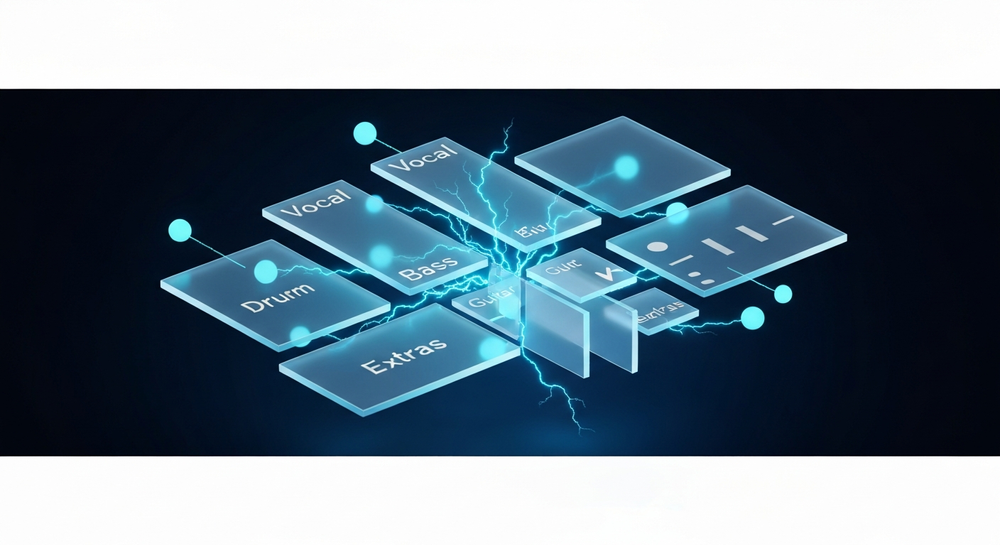
- Stem Separation: Isolates tracks into multiple stems — vocals, drums, bass, and others — for independent manipulation.
- AI-Powered Audio Editing: Employs machine learning models trained on millions of songs to identify and extract vocals cleanly.
Each method offers its own level of control, but AI stem separation is now considered the gold standard for most applications. Options like Ultimate Vocal Remover (UVR) and BandLab Splitter are commonly highlighted, while tools such as Remusic and PhonicMind also illustrate the variety available. For more detailed comparisons, check out LANDR’s list of AI stem splitters.

How to Make Vocal Removal Work with Soundverse Stem Separator

Soundverse provides a highly efficient and professional-grade way to remove vocals from songs using its Stem Separator feature. This advanced tool dissects mixed audio into up to six individual editable stems — Vocals, Drums, Bass, Guitar, Accompaniment, and more. It’s designed for remixing, sampling, karaoke track creation, and educational analysis.
Core capabilities include:
- Six-stem separation for deeper editing and remixing versatility.
- Support for multiple inputs: upload from file, URL, or even direct recording.
- High-quality isolation for clean instrumental results without artifacts.
Soundverse’s asynchronous workflow ensures precision: upload your track, allow the engine to process it, then download the separated stems. There’s no real-time preview or live monitoring, guaranteeing that all outputs are fully processed before playback.
Using Soundverse, musicians can create karaoke-ready versions or isolate specific instruments for learning and experimentation. For instance, a producer might extract only the bass and drums to rebuild their own remix. Educational studios can analyze mixes for sound design training. These practical applications make the Stem Separator central to many modern production workflows.
For a deeper dive into working efficiently with Soundverse, watch our tutorial on making music in Soundverse or explore the Deep House creation walkthrough.
Step 1: Upload Interface

Begin by opening Soundverse and navigating to the Stem Separator module. You’ll see an intuitive upload interface where you can choose your input method. You may upload an audio file (such as MP3 or WAV), paste a URL to a streaming source, or record directly within Soundverse. This flexibility suits professionals and hobbyists alike.
Step 2: Additional References

Optionally, Soundverse allows reference audio uploads. This step is useful when you want to match the tone, style, or arrangement of the target instrumentals. For example, connecting a reference mix helps ensure the separation aligns with your production preferences.
Step 3: Results Display

After processing, you’ll see the separated stems visualized within the results interface. Each stem — vocals, drums, bass, guitar, accompaniment, and additional instruments — can be previewed and analyzed individually. This visualization supports educational use cases or remixing projects by revealing the structure of the original mix.
Step 4: Download Stems

Once satisfied, download individual stems or the complete instrumental package. For karaoke track creation, simply exclude the vocal stem and render only the music components. Producers may choose to export specific parts like drums or bass to use in external audio workstations.
What Are the Best Audio Editing Tools in 2026?
2026 has seen remarkable improvements across the audio editing landscape. Tools that focus on AI-driven separation, enhancement, and restoration are now essential. Here are a few notable options in addition to Soundverse:
- LALAL.AI – Popular for quick vocal separation using deep learning algorithms.
- PhonicMind – Offers both instrumental and karaoke extraction with solid quality.
- Moises.ai – A collaborative music practice app featuring stem separation and tempo control.
Though each has its merits, Soundverse stands out for offering both stem separation and cross-functional AI tools integrated within one ecosystem. For creators already exploring AI music generation, Soundverse ensures smooth transition from editing to creation.
Pro Music Editing Tips for Isolating Instrumentals
To get the cleanest instrumentals possible in 2026, follow these best practices:
- Start with high-quality audio: Use lossless formats like WAV for the most accurate separation.
- Pre-clean your tracks: Remove background noise or reverb before separation for optimum clarity.
- Compare output using headphones: Professional monitoring helps detect subtle artifacts.
- Layer and blend: If minor vocal remnants persist, layer your isolated instrumentals with supplemental backing to mask inconsistencies.
- Use additional Soundverse tools: The Inpainting tool can fix imperfections or regenerate sections that contain residual vocal traces.
Going Beyond Vocal Removal – Creative Applications
Once vocals are out, possibilities expand. You can:
- Create karaoke tracks: Combine instrumentals with lyrics visuals for studio-quality karaoke.
- Remix and resample: Use stems as new raw materials in digital audio workstations.
- Educational breakdowns: Teach mixing classes by analyzing isolated tracks.
- Sound experiments: Pair extracted instrumentals with AI tools to create entirely new compositions.
Soundverse even integrates with complementary creative modules like Voice to Instrument, which transforms vocal input (humming or singing) into instrumental sounds such as Guitar, Sitar, Drums, or Flute. This synergy between vocal transformation and stem separation makes Soundverse a comprehensive environment for producers and educators. For deeper creative inspiration, explore guides like How to Create Country Music with Soundverse AI or How to Create Jazz Music with Soundverse AI. These articles detail how AI-driven workflows amplify genre exploration.
How Soundverse Helps You Master Karaoke Track Creation
By 2026, karaoke production has shifted completely to digital-first workflows. Traditional studio isolation is no longer needed; AI handles that. Soundverse’s Stem Separator delivers the most precise stem separation quality, ensuring the music remains clean and professional. Once you remove vocals using Soundverse, you can integrate your instrumentals directly into live performance setups or interactive karaoke systems. Creators can also pair results with the Soundverse Assistant, which helps organize stems automatically within your workspace. Even for content creators who are building faceless music experiences, Soundverse makes it possible to transform familiar tracks into fresh compositions without violating copyright boundaries. You can learn more about these evolving trends in music industry shifts.
Start Removing Vocals with AI Today!
Effortlessly isolate or remove vocals from any song with Soundverse’s advanced stem separation tool. Create clean instrumentals and remixes in seconds—no studio setup required.
Try Soundverse Free
Related Articles
- Soundverse Introduces Stem Separation AI Magic Tool – Discover how Soundverse’s stem separation technology lets you split vocals and instrument tracks with precision for seamless editing.
- What Are Song Stems and Why Do You Need Them – Learn what song stems are and how they enhance your remixing and audio editing workflow using AI tools.
- Enhancing YouTube Content with Royalty-Free and Copyright-Free Music Using Soundverse AI – Upgrade your YouTube videos with high-quality, royalty-free background music generated by Soundverse’s AI music creator.
- Soundverse AI Revolutionizing Music Creation for New-Age Content Creators – Explore how Soundverse is empowering creators to produce, edit, and remix music instantly with AI-driven tools.
Here's how to make AI Music with Soundverse
Video Guide

Here’s another long walkthrough of how to use Soundverse AI.
Text Guide
- To know more about AI Magic Tools, check here.
- To know more about Soundverse Assistant, check here.
- To know more about Arrangement Studio, check here.
Soundverse is an AI Assistant that allows content creators and music makers to create original content in a flash using Generative AI. With the help of Soundverse Assistant and AI Magic Tools, our users get an unfair advantage over other creators to create audio and music content quickly, easily and cheaply. Soundverse Assistant is your ultimate music companion. You simply speak to the assistant to get your stuff done. The more you speak to it, the more it starts understanding you and your goals. AI Magic Tools help convert your creative dreams into tangible music and audio. Use AI Magic Tools such as text to music, stem separation, or lyrics generation to realise your content dreams faster. Soundverse is here to take music production to the next level. We're not just a digital audio workstation (DAW) competing with Ableton or Logic, we're building a completely new paradigm of easy and conversational content creation.
TikTok: https://www.tiktok.com/@soundverse.ai
Twitter: https://twitter.com/soundverse_ai
Instagram: https://www.instagram.com/soundverse.ai
LinkedIn: https://www.linkedin.com/company/soundverseai
Youtube: https://www.youtube.com/@SoundverseAI
Facebook: https://www.facebook.com/profile.php?id=100095674445607
Join Soundverse for Free and make Viral AI Music

We are constantly building more product experiences. Keep checking our Blog to stay updated about them!