How to Optimize Music for Hybrid Earbuds: A Complete 2026 Guide
Discover how to optimize music for hybrid earbuds using AI and Soundverse tools in this 2026 step-by-step guide.
How to Optimize Music for Hybrid Earbuds
The rise of hybrid earbuds and transformable listening devices has changed how audiophiles and sound engineers shape audio experiences in 2026. These multi mode audio devices can seamlessly switch between in-ear, on-ear, and even ambient playback styles. To fully harness their capabilities, you need to understand how to optimize music for hybrid earbuds with precision.
This guide explores the science behind hybrid headphone audio optimization, why transformable earbuds demand specialized mixes, and how Soundverse’s Similar Music Generator empowers creators to produce perfectly tuned tracks for this modern listening environment.
Why Does Audio Optimization Matter for Hybrid Earbuds in 2026?
Hybrid earbuds have evolved dramatically since 2024. Initially focused on portability, they now prioritize adaptability. Whether you are listening in noise-cancelling mode on a commute or open-air transparency during a jog, the listening context changes drastically. Each mode introduces variable acoustic challenges that demand unique mastering techniques.
Optimizing music for hybrid earbuds means tailoring the frequencies, dynamics, and imaging to sound immersive across all configurations. Engineers must consider how drivers behave when switching between sealed and open modes and how digital signal processing (DSP) shifts tonal balance.
For audiophiles, multi mode audio provides the ultimate flexibility. But for music creators, it presents a mixing puzzle: how to deliver tracks that remain consistent whether played in spatial, surround, or transparency mode. By adjusting composition and mastering approaches, creators can future-proof their work for hybrid headphone playback. Modern hybrid models like half in earbuds bring the perfect blend of ambient sound and isolation, shaping how modern mastering approaches are built for adaptability. Additionally, innovations in hybrid ANC from best 2026 wireless headphones underline how noise control translates directly to mixing precision.
How to Make Optimized Music for Hybrid Earbuds with Soundverse Similar Music Generator
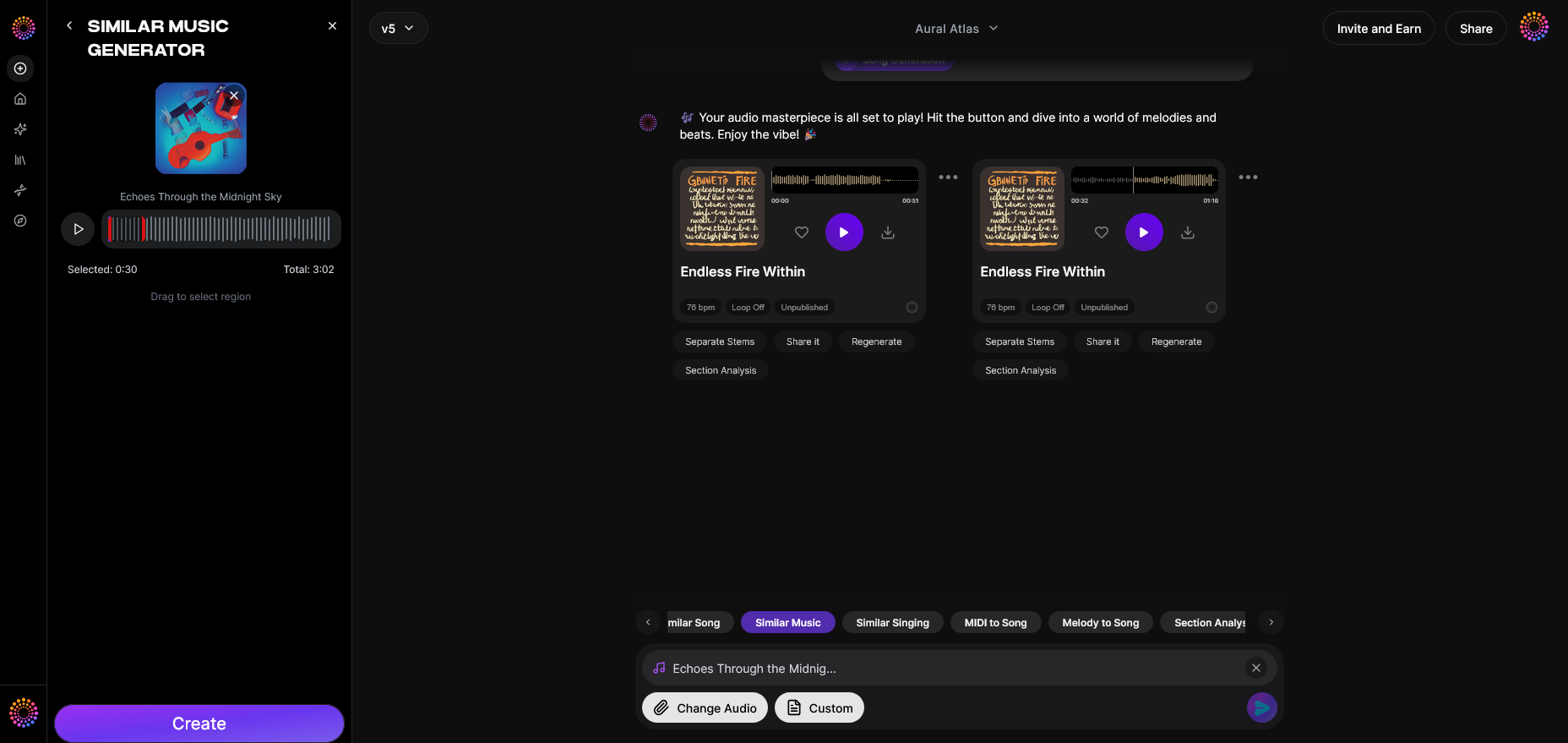
Soundverse’s Similar Music Generator offers an innovative path to achieve perfect symmetry between composition and playback adaptability. As the industry leader in AI-driven music tools, Soundverse allows creators to generate instrumental compositions that match a reference track’s tempo, mood, and key. This is crucial when customizing music for devices like hybrid earbuds, where tonal balance and spatial design matter most.
Feature Overview: The Similar Music Generator produces original instrumental compositions inspired by a reference track. It analyzes the musical DNA—tempo, key, and emotional contour—and generates stylistically aligned outputs. The core capabilities include instrumental style transfer, detailed musical analysis, and reference-based loop creation.
Primary Use Cases: It’s ideal for film or TV scoring, creating game environment themes, or even podcast intros and outros. More importantly, its precision allows engineers to test musical variations across different playback environments, ensuring consistent acoustics across multi mode systems.
For a hands-on demonstration, you can also watch our Soundverse tutorial on making music.
Step 1: Feature Overview — Access Similar Music Generator
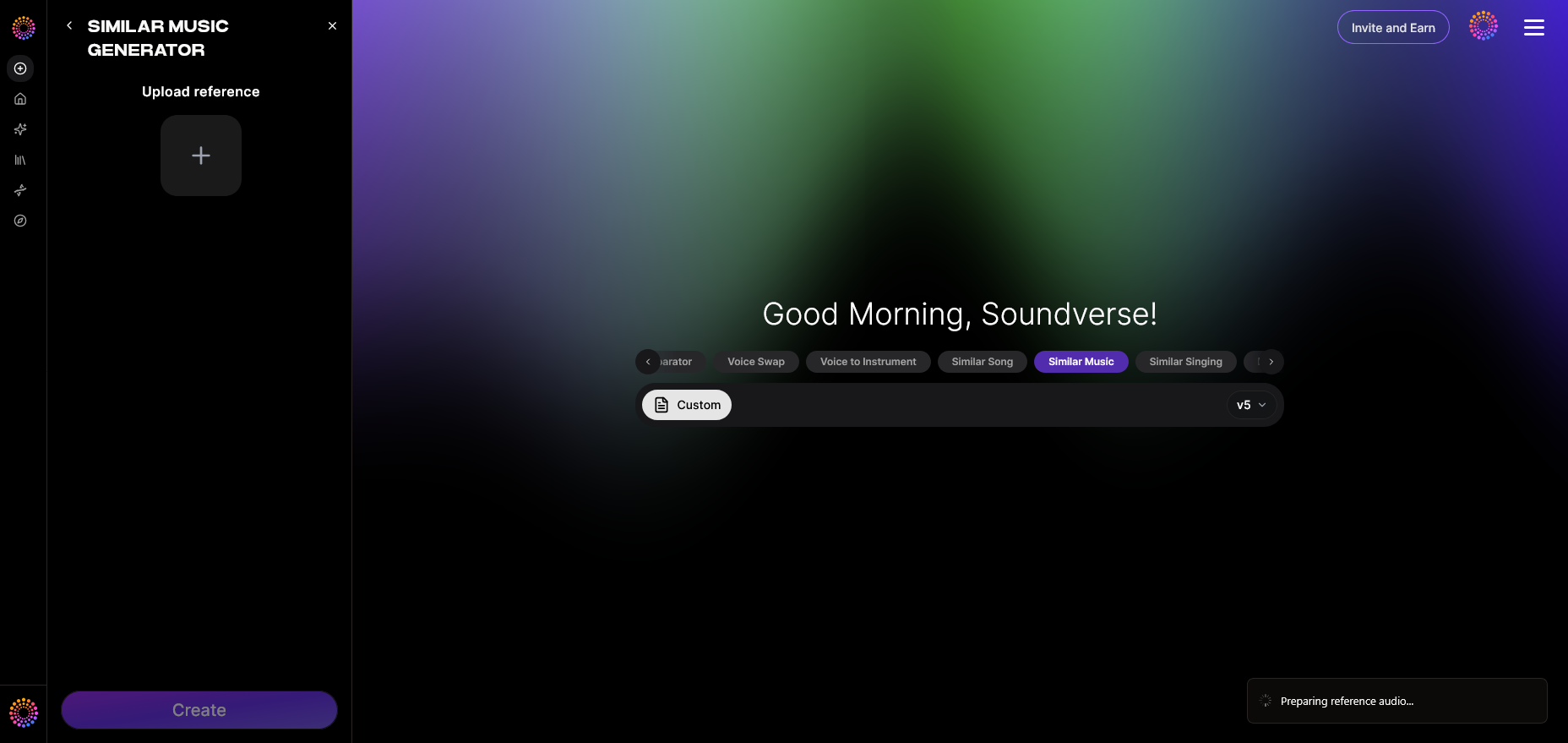
To start optimizing music, you first need to access the Similar Music Generator within Soundverse’s interface. After logging into your Soundverse account, navigate to the AI Magic Tools section. Here, select Similar Music Generator, which initiates the workflow to create new instrumental compositions suited for hybrid headphone testing.
Step 2: Reference Selection — Upload a Reference Music Track
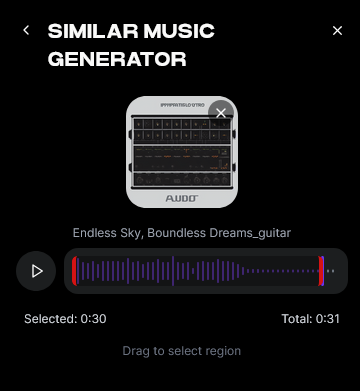
Upload a piece of music that reflects the tonal and spatial qualities you aim for in hybrid playback. This can be a professionally mixed song or a master you previously created. The AI analyzes this track’s tempo, rhythm structure, and timbral profile, preparing to replicate the desired sonic character.
Step 3: Generation — Produce Music in a Similar Style
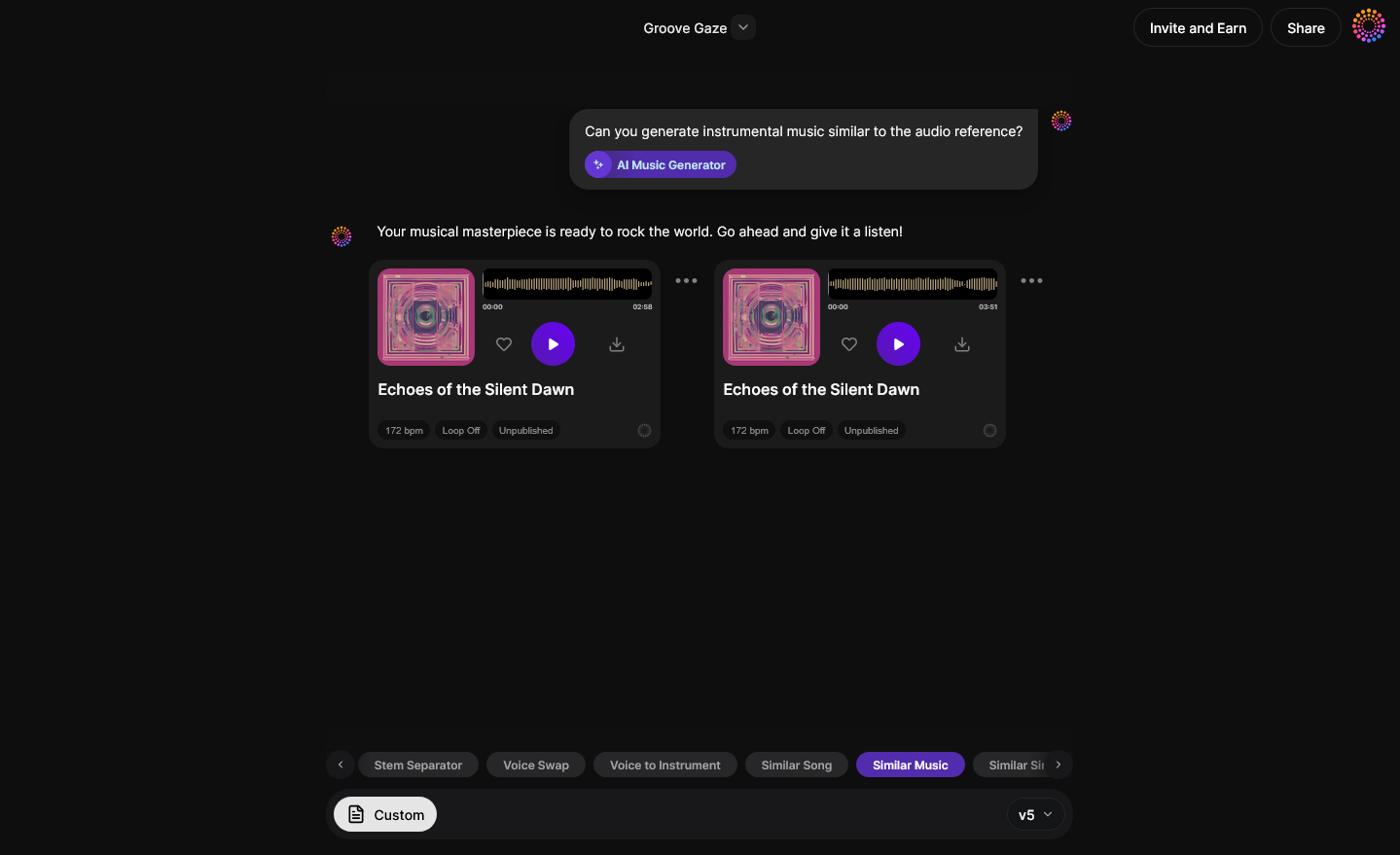
Once uploaded, Soundverse processes your reference asynchronously. The system interprets rhythmic signatures, harmonic structures, and overall mood, then generates a new instrumental composition inspired by the original. This helps ensure similar audio dynamics suitable for various hybrid earbud modes.
Step 4: Download Music — Export Generated Instrumental
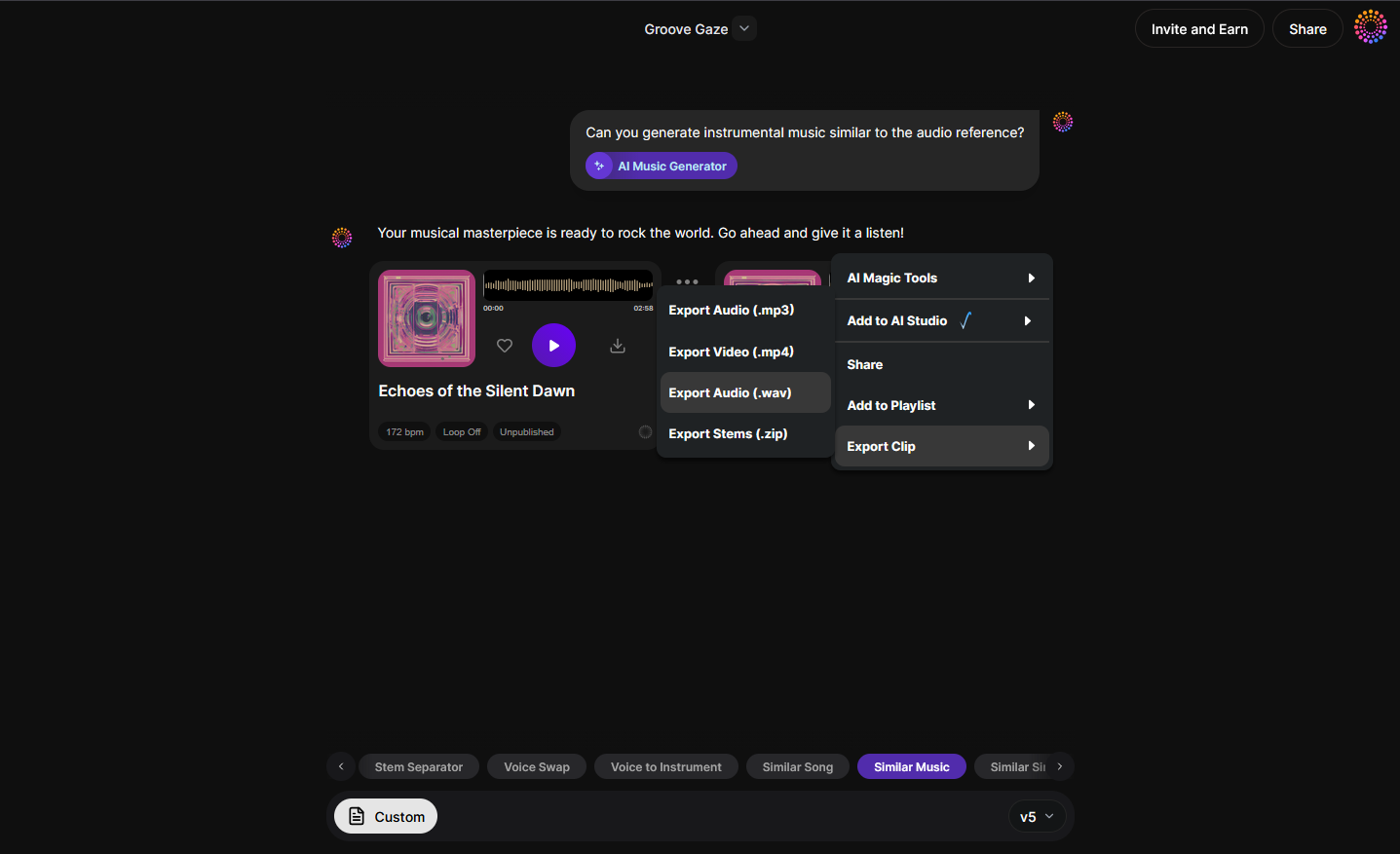
When the generation completes, download your new composition. You can then test it across different hybrid headphones and transformable earbuds to verify playback consistency. Use frequency analyzers or A/B listening in playback modes to ensure equal tonal representation.
What Mixing Strategies Work Best for Hybrid Headphones?
Hybrid headphones vary in how they distribute sound depending on mode, so mixing must adapt. Use these insights:
- Frequency Prioritization: Emphasize midrange clarity between 1–3 kHz. This ensures vocals and instruments remain consistent whether the earbuds switch to ambient or closed mode.
- Spatial Calibration: Simulate playback through open and sealed environments, then balance stereo width accordingly.
- Dynamic Adaptation: Avoid excessive compression; dynamic variance improves perceived realism when mode switching occurs.
- Cross-Mode Mastering: Apply multi mode mastering techniques—rendering separate mixes for closed, open, and transparency profiles.
- Transformable Earbud Testing: Always run final masters through transformable earbuds to verify accuracy across transformation states.
For deeper technical insights, you can explore related guides such as How to Create EDM with Soundverse AI, Soundverse Introduces Stem Separation AI Magic Tool, and Generate AI Music with Soundverse Text-to-Music. These articles expand on complementary features that enrich your mastering workflow.
For even deeper learning, watch our tutorial on exploring Soundverse’s AI tools.
Pro Tips for Perfect Audio Optimization Across Hybrid Devices
- Understand Each Mode’s DSP Influence: Hybrid earbuds often employ dynamic equalization. Calibrate mixing decisions to maintain consistent tonal balance across DSP profiles.
- Use Reference Loops: With Soundverse’s reference-based loop creation, generate test loops to evaluate perceived loudness and clarity per listening mode.
- Apply Inpainting for Micro Adjustments: Soundverse’s Inpainting tool can surgically modify track details—correcting segments without disturbing the full mix.
- Leverage Section Analysis: Automatically detect intros, choruses, or bridges, which helps isolate problem areas during playback testing.
- Preserve Spatial Depth: Many hybrid models feature adaptive spatial rendering. Avoid collapsing stereo width in mastering, but maintain balance for sealed modes.
Enhance Your Music Experience with Soundverse AI
Create, refine, and optimize your tracks for hybrid earbuds using Soundverse’s intelligent audio tools. Unlock crystal-clear sound and professional results effortlessly.
Start Optimizing Now
Related Articles
- Soundverse Introduces Stem Separation AI Magic Tool: Discover how Soundverse’s stem separation feature lets creators isolate vocals and instruments for perfect mixing and mastering.
- Enhancing YouTube Content with Royalty-Free and Copyright-Free Music Using Soundverse AI: Learn how to elevate your YouTube videos with high-quality, copyright-free tracks generated through Soundverse AI.
- The Benefits of Composing with AI Music Generator: Explore how AI-powered composition streamlines the music creation process while boosting creativity and productivity.
- How AI-Generated Music is Transforming the Music Industry: Understand the revolutionary impact of AI in reshaping how music is created, produced, and consumed worldwide.
Here's how to make AI Music with Soundverse
Video Guide

Here’s another long walkthrough of how to use Soundverse AI.
Text Guide
- To know more about AI Magic Tools, check here.
- To know more about Soundverse Assistant, check here.
- To know more about Arrangement Studio, check here.
Soundverse is an AI Assistant that allows content creators and music makers to create original content in a flash using Generative AI.
With the help of Soundverse Assistant and AI Magic Tools, our users get an unfair advantage over other creators to create audio and music content quickly, easily and cheaply.
Soundverse Assistant is your ultimate music companion. You simply speak to the assistant to get your stuff done. The more you speak to it, the more it starts understanding you and your goals.
AI Magic Tools help convert your creative dreams into tangible music and audio. Use AI Magic Tools such as text to music, stem separation, or lyrics generation to realise your content dreams faster.
Soundverse is here to take music production to the next level. We're not just a digital audio workstation (DAW) competing with Ableton or Logic, we're building a completely new paradigm of easy and conversational content creation.
TikTok: https://www.tiktok.com/@soundverse.ai
Twitter: https://twitter.com/soundverse_ai
Instagram: https://www.instagram.com/soundverse.ai
LinkedIn: https://www.linkedin.com/company/soundverseai
Youtube: https://www.youtube.com/@SoundverseAI
Facebook: https://www.facebook.com/profile.php?id=100095674445607
Join Soundverse for Free and make Viral AI Music

We are constantly building more product experiences. Keep checking our Blog to stay updated about them!