How to Make Your Own AI Singing Voice: A Complete Guide for 2026
Learn how to make your own AI singing voice with Soundverse DNA – the most advanced AI singing voice generator for musicians in 2026.
How to Make Your Own AI Singing Voice
In 2026, musicians, producers, and content creators have new ways to create unique vocal performances using artificial intelligence. An AI singing voice generator lets you produce lifelike singing voices that bring written lyrics to life. Whether you want to create AI singer models that match your voice or design entirely new characters, modern voice synthesis software like Soundverse AI Singing Voice Generator is transforming music creation workflows.
Why Should You Create Your Own AI Singing Voice?
Building a custom vocal AI is more than a creative experiment — it’s a strategic advantage. In the 2026 music industry, AI music generation is now an essential production layer used in studio recordings, film scoring, video content, and independent production. Artists can use an AI singing voice generator to model their own voice, create consistent vocal branding, or collaborate with AI singers trained on licensed styles.
By developing an artificial voice for songs, you can:
- Maintain vocal consistency across projects.
- Preserve your creative identity while exploring new genres.
- Generate vocals even when recording isn’t possible.
- Create original voices for virtual performers, games, or film characters.
- Monetize your sound through AI licensing platforms.
If you want to create AI singer models that reflect your vocal tone, you’ll need a system that supports ethical training and copyright-safe output. That’s where Soundverse DNA comes into play.
How to Make an AI Singing Voice with Soundverse DNA
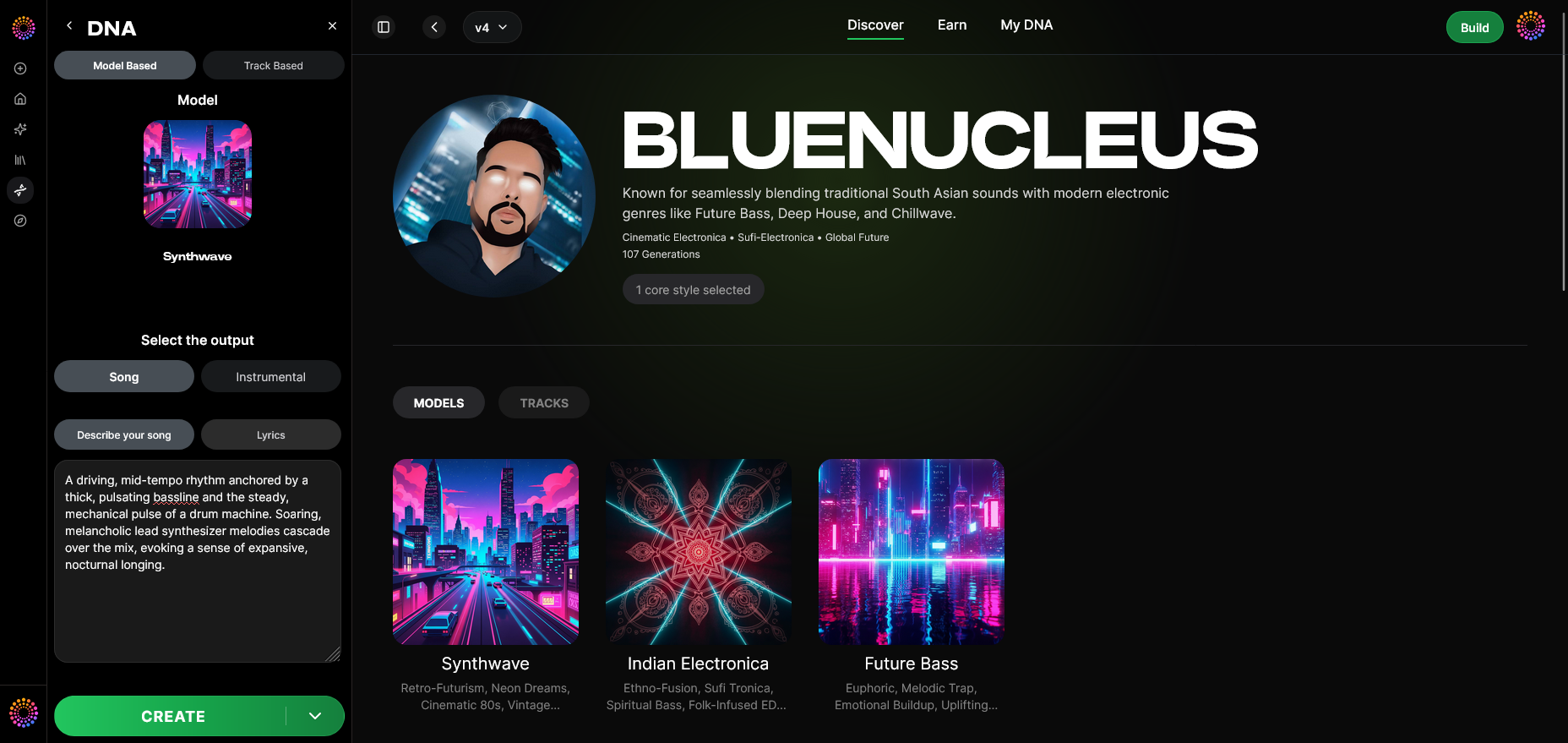
Soundverse DNA is an artist-trained AI music generation system that creates music and singing voices based on specific sonic identities. Instead of scraping public audio data, it uses legally licensed catalogs. This ensures that artists and producers can create custom vocal AI models without risking copyright issues.
Core Capabilities:
- Full DNA (Songs/Instrumentals): Enables generation of complete tracks in your chosen sonic identity.
- Voice DNA (Vocal timbre/style): Focuses on replicating the tonal and stylistic traits of a singer.
- DNA Marketplace: Artists can license their style for fans or collaborators.
- Sensitivity Selector: Allows clustering catalogs by era or sound type, for accurate style reproduction.
- Private Mode: Offers secure co-creation sessions for confidential projects.
Soundverse DNA solves the ethical and creative challenges of voice generation. It provides a platform where both creators and AI technologies collaborate responsibly.
Step 1: Overview
Start in DNA Mode inside Soundverse. This section provides a context overview of what your AI model will do — whether you are building voice DNA for singing or full DNA for instrumentals.
Step 2: Dashboard
Access your My DNA management dashboard, which lists your existing DNA models. This interface lets you organize projects, view past models, and start new training sessions.
Step 3: Creator Profile
Set up your creator profile. This includes essential details such as name, genre focus, and artist description. Your profile connects your identity to every vocal DNA you create.
Step 4: DNA Type Selection
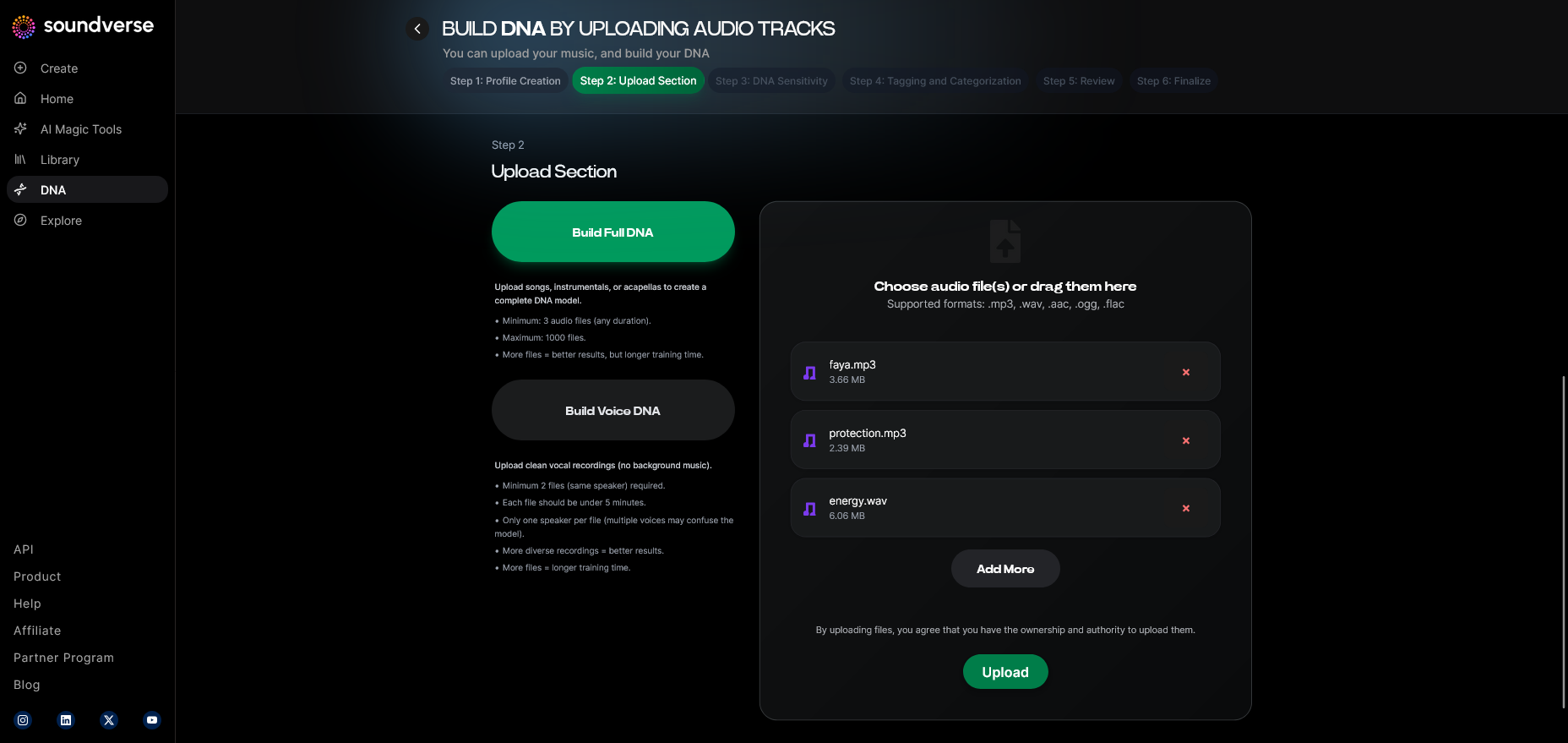
Choose between Full DNA or Voice DNA. For an AI singing voice generator project, select Voice DNA. It ensures the system focuses on replicating your vocal timbre rather than full song structures.
Step 5: Upload Files
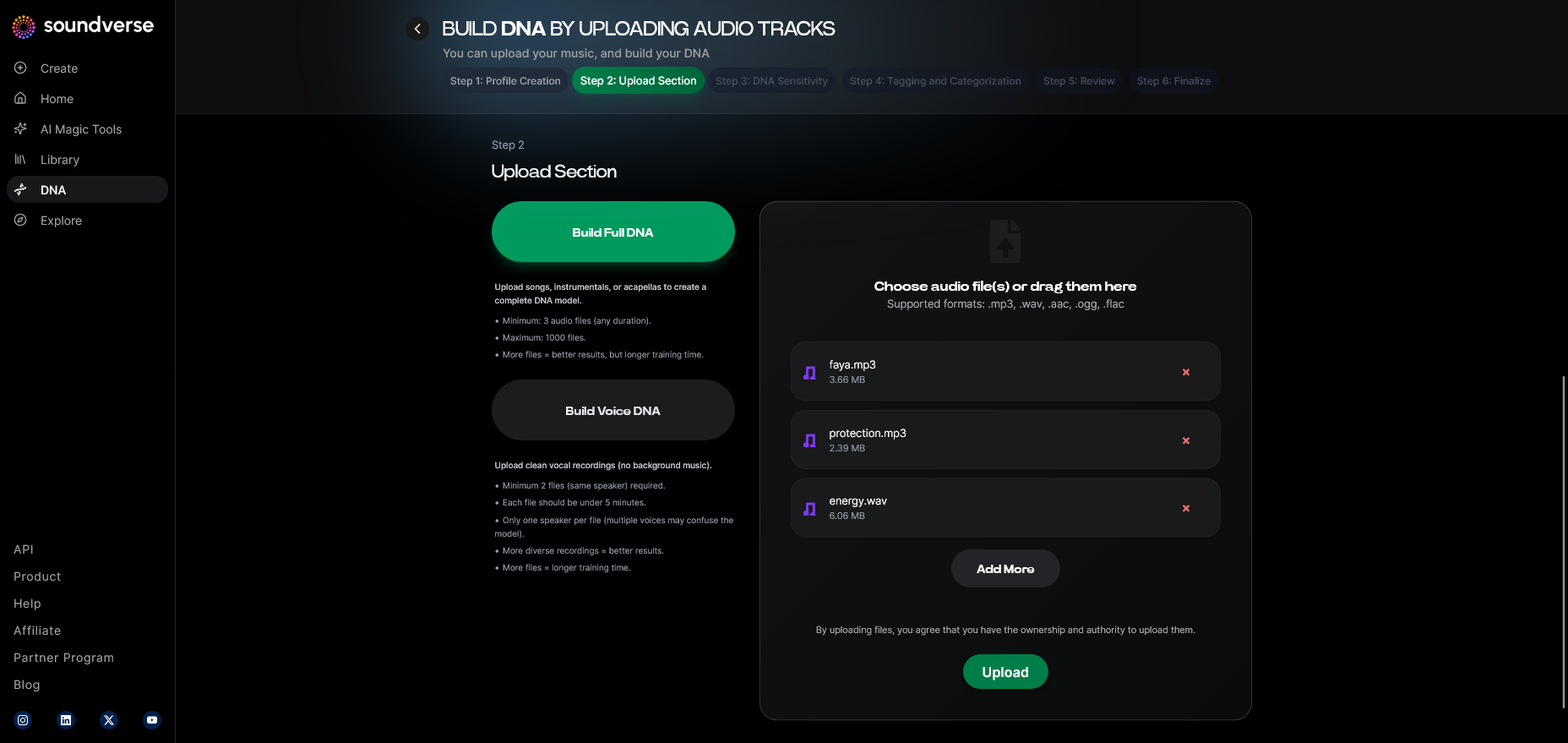
Upload high-quality vocal recordings that represent the emotional range and styles you want to model. The voice synthesis software processes these files asynchronously — there is no real-time monitoring. Once processed, the data becomes the foundation of your custom vocal AI.
Step 6: Sensitivity Setting
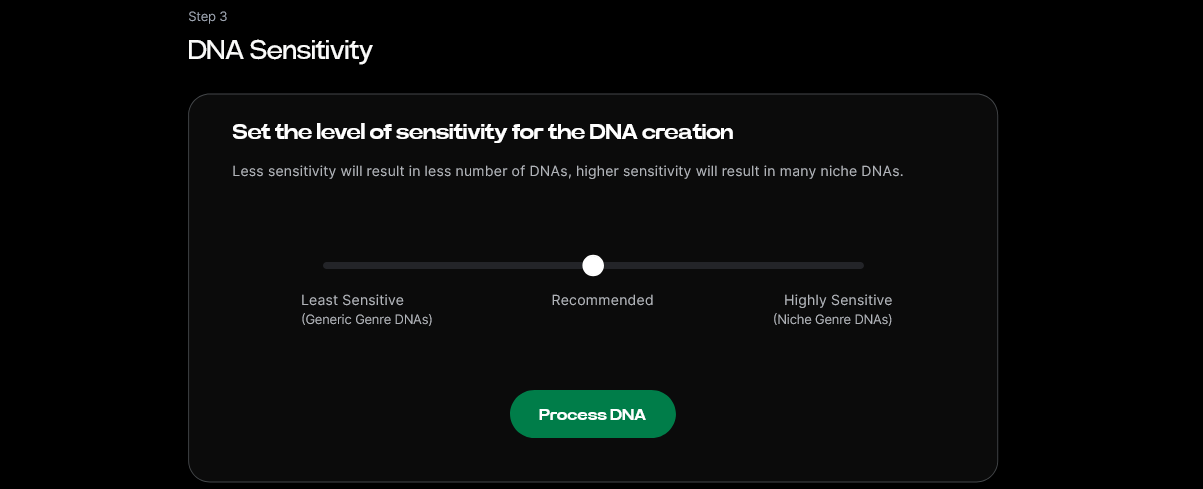
Use the model sensitivity adjustment slider to determine how closely your new vocal DNA should stick to your original style. Lower sensitivity offers flexibility, while higher sensitivity captures precise emotional nuances.
Step 7: Auto Tagging
Soundverse automatically performs metadata tagging based on tonal features, genre, and era. This ensures your model is easily searchable and compatible with future projects.
Step 8: Review & Publish
Before publishing your model, review the details including tags and training accuracy. Once satisfied, publish your DNA to your local workspace or the DNA Marketplace.
Step 9: Generation Panel
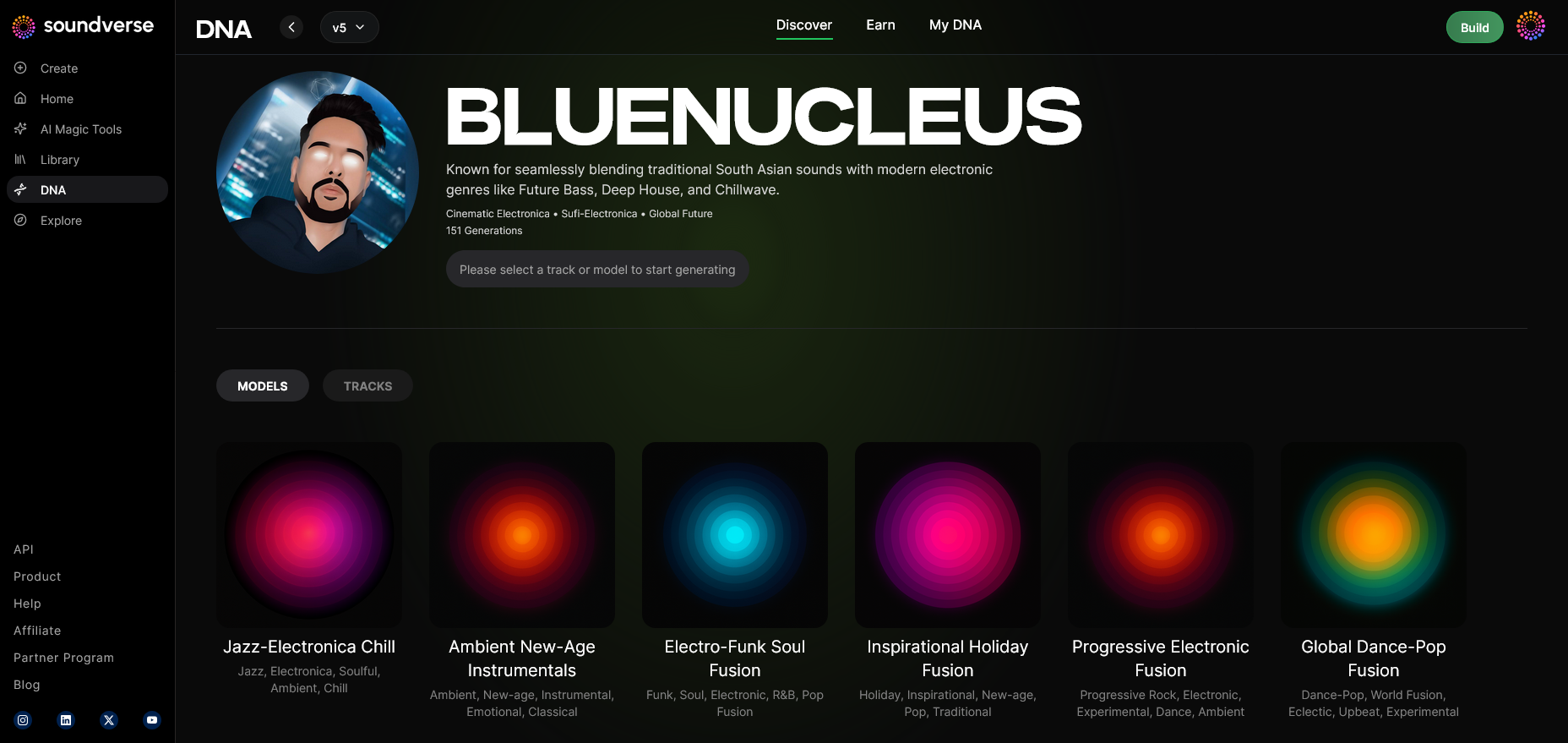
Access the DNA music generation interface, where you can start generating vocal samples based on your newly trained AI model.
Step 10: Model-Based Mode
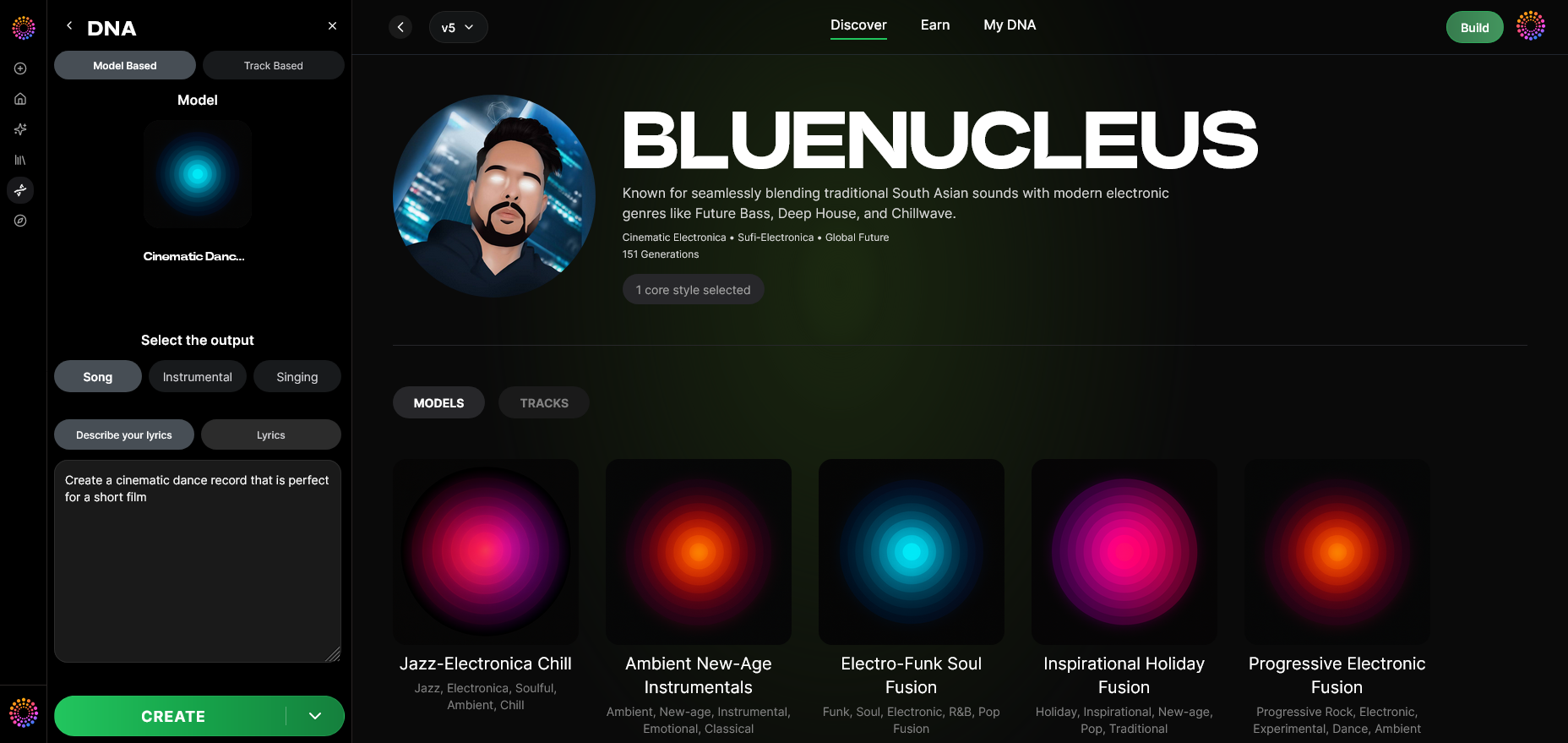
Toggle on model-based generation mode to activate your Voice DNA in creative sessions.
Step 11: Output Type
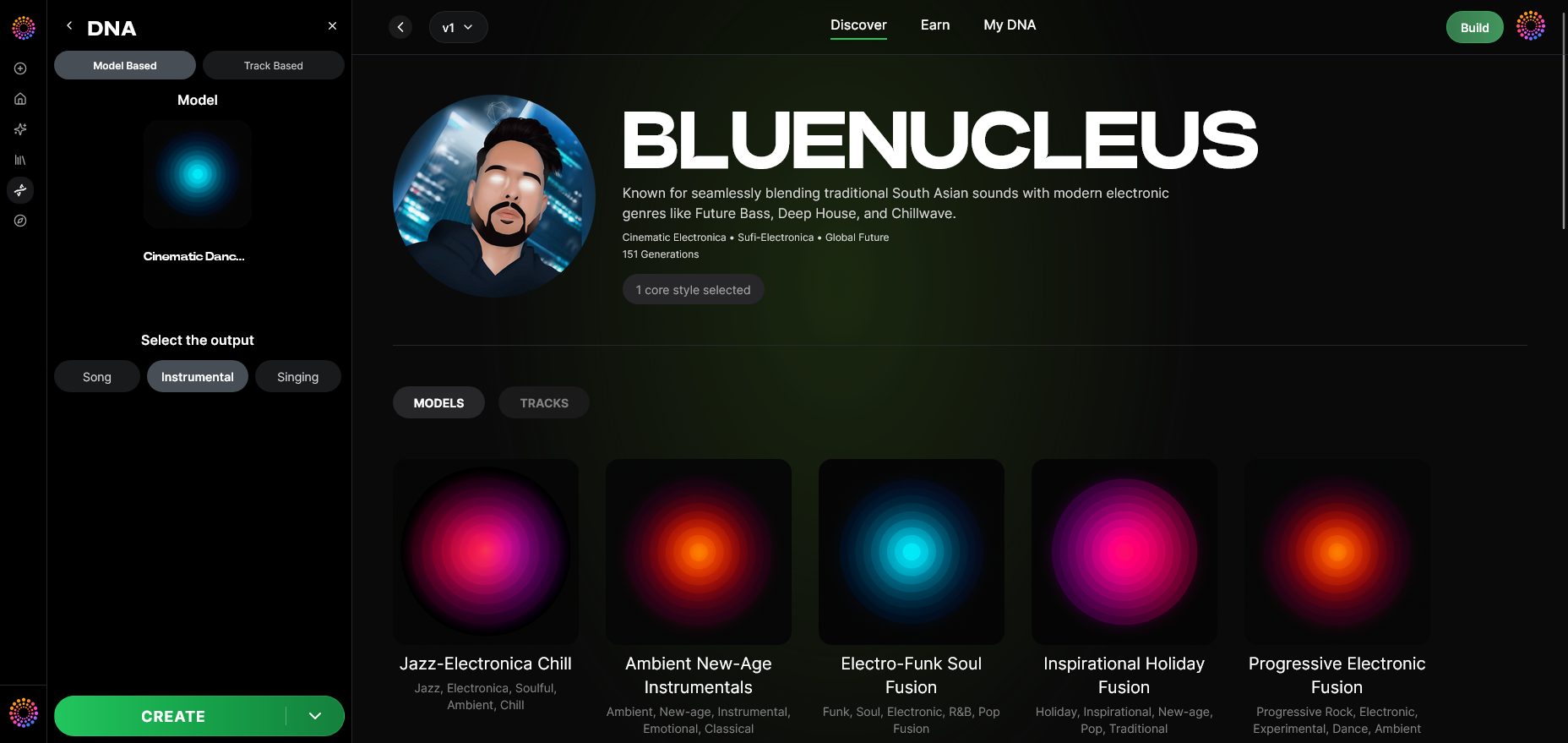
Select Singing as your output type. This option focuses the AI generator on vocal performances suitable for songs.
Step 12: Prompt Type
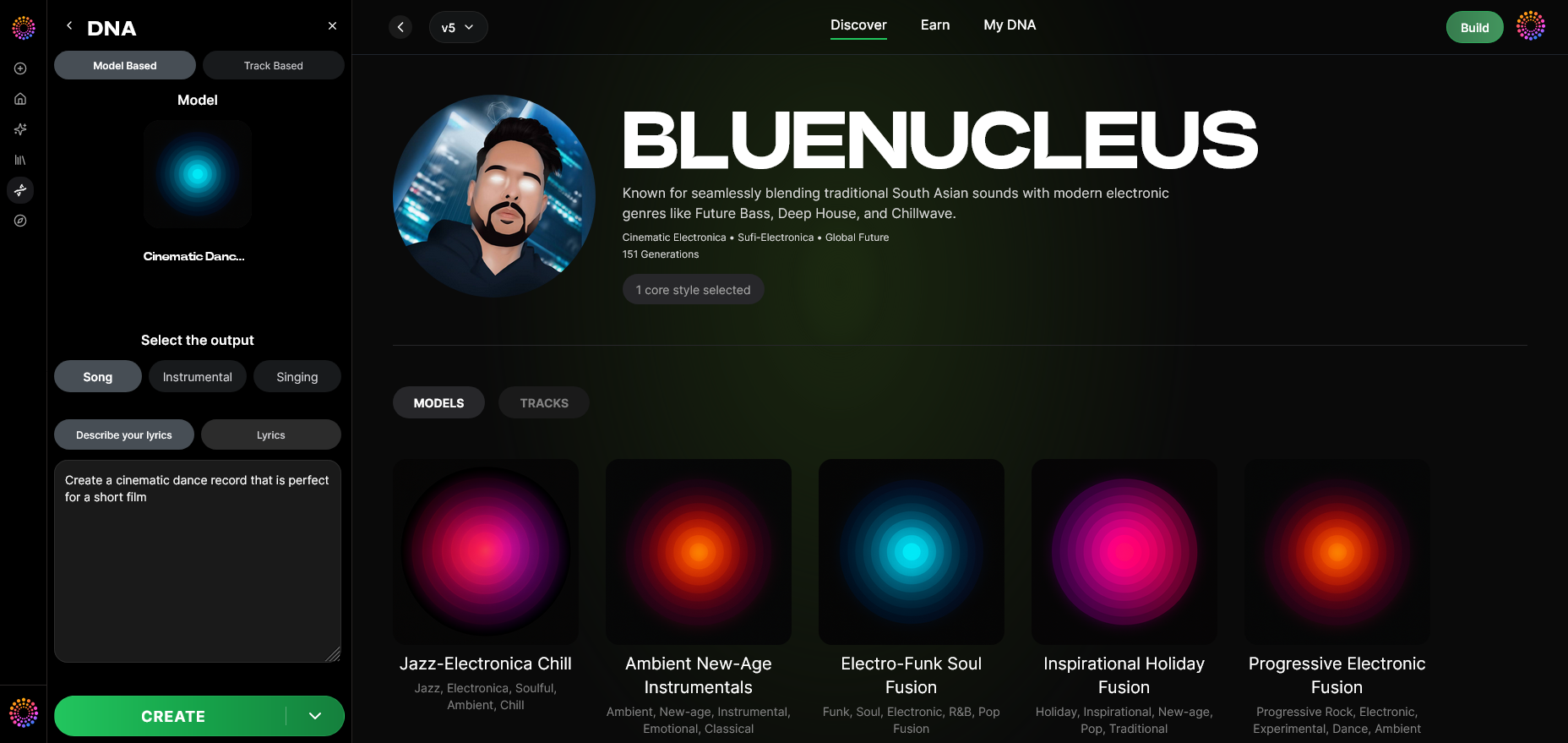
Choose how you’ll instruct the AI — either via lyric text input or descriptive prompts indicating emotion, tone, genre, and delivery style.
Step 13: Generation Complete
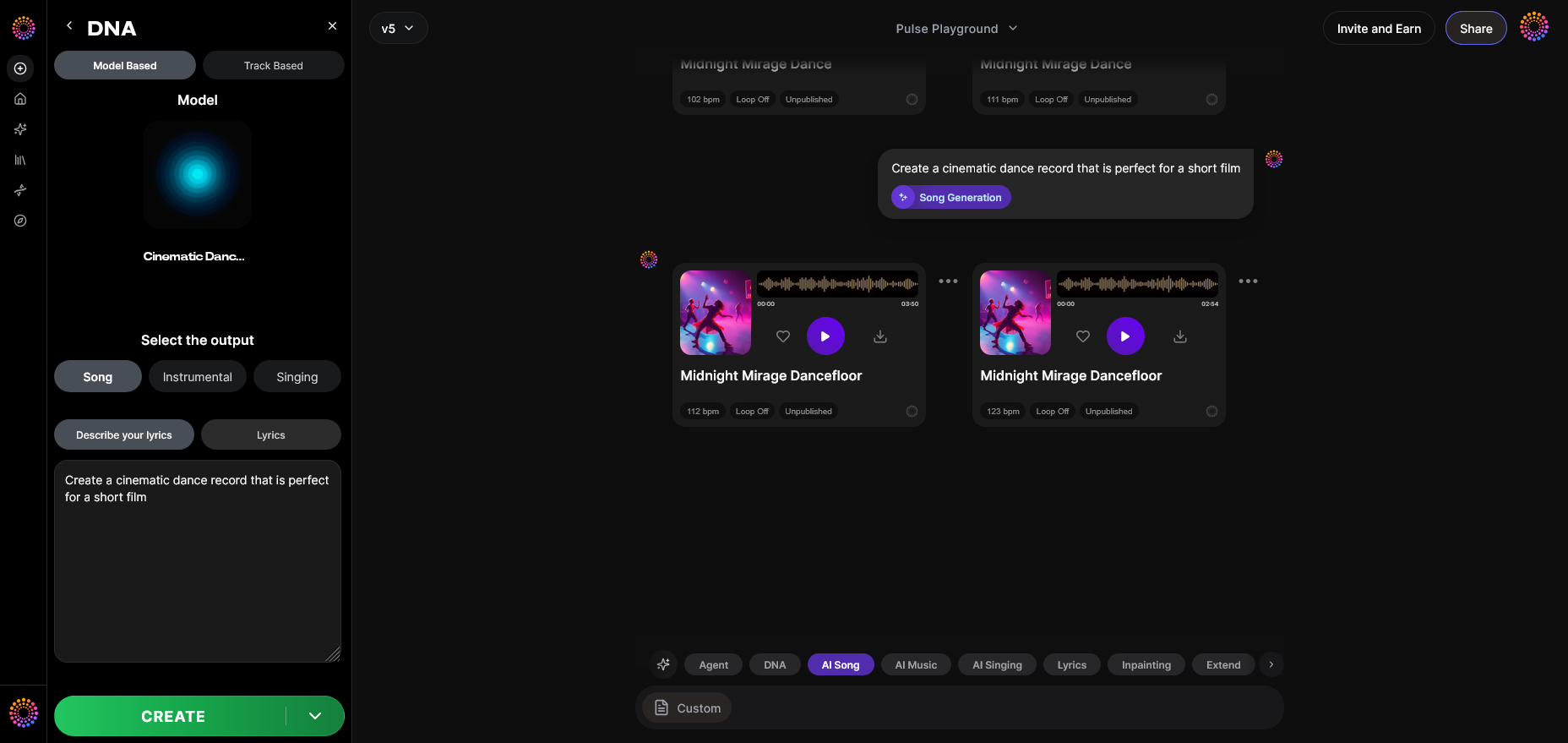
Once processing finishes, your AI singing voice results appear in the generation results display. You can audition, refine, or regenerate parts as needed.
Step 14: Export Options
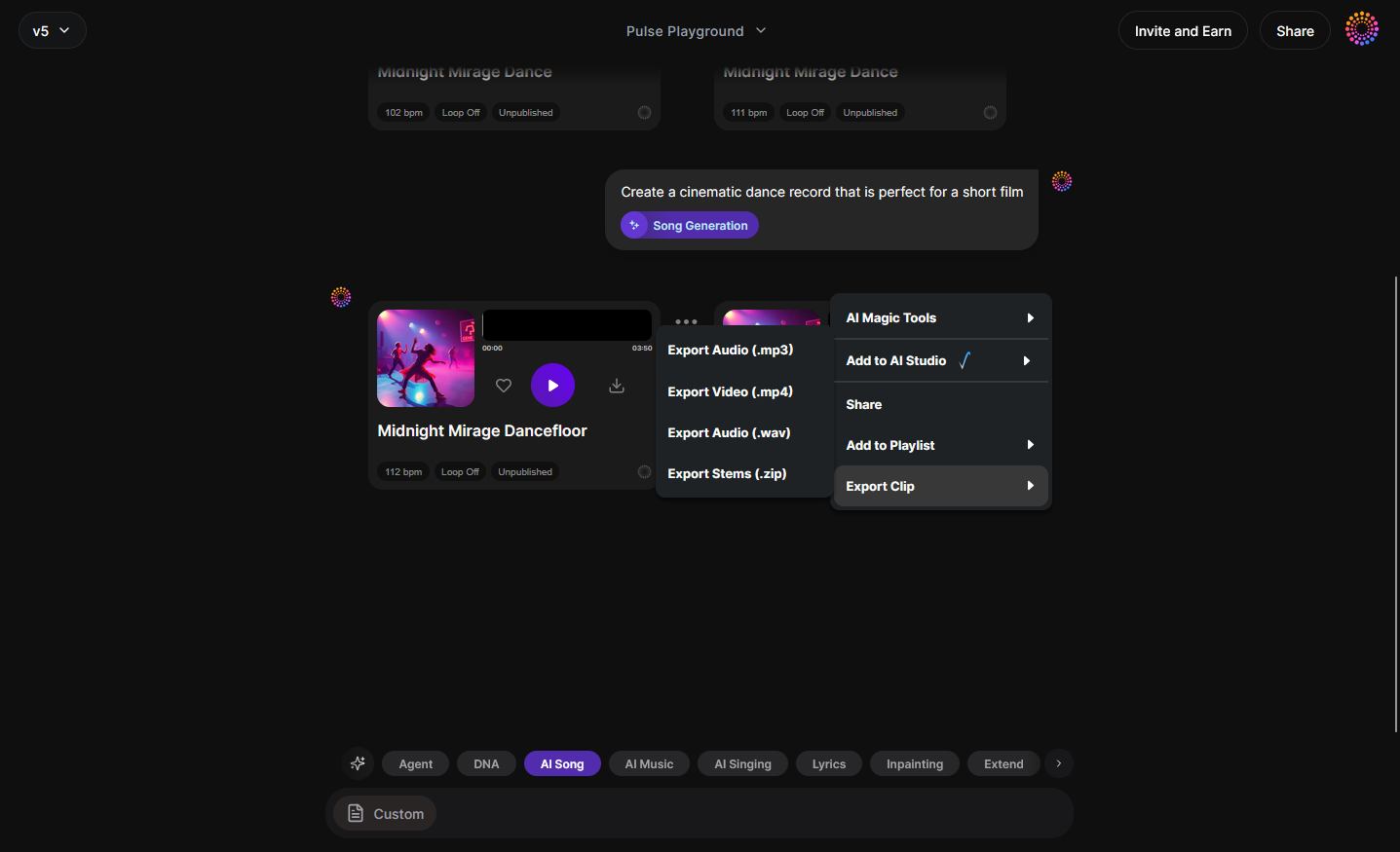
Export your final singing performance as WAV or MP3 through the DNA track export menu. These files can be imported into your DAW or integrated into multimedia projects.
Step 15: Track-Based Mode
If you’re working on a full song, access track-based mode to combine vocals with instrumental inputs.
Step 16: Style Selection
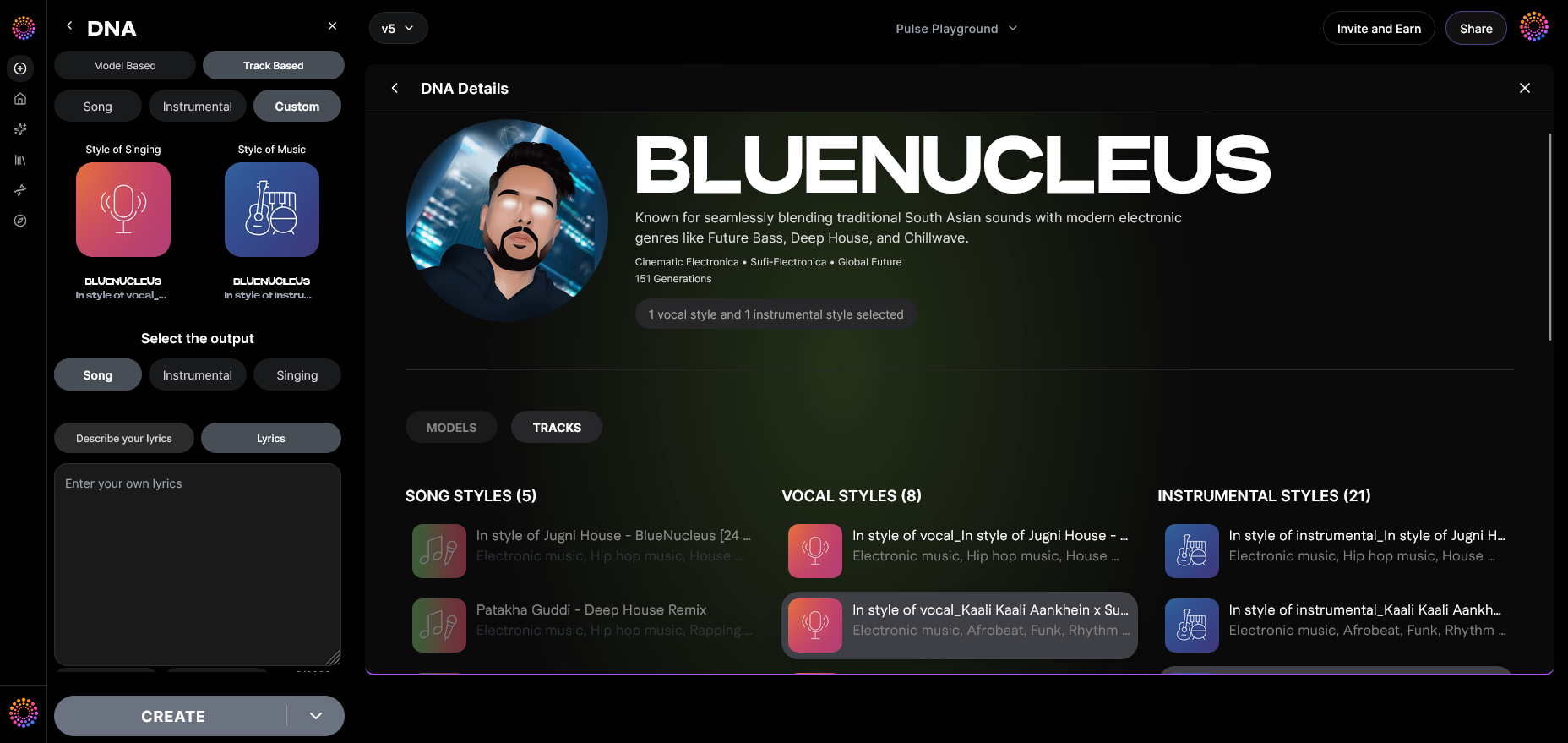
Define the style parameters to match a particular genre or tone. This can range from jazz-inspired vocals to electronic-pop timbres. For inspiration, explore AI music creation trends and learn how professional producers use AI across genres.
Step 17: Lyrics Input
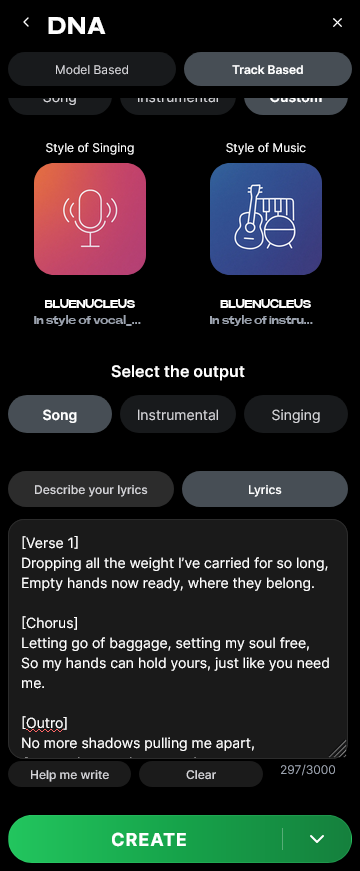
Enter your lyrics directly into the system. You can use plain text or creative descriptions that guide the vocal AI’s delivery. Soundverse DNA then interprets emotional cues to perform the piece naturally.
Step 18: Model-Based Singing
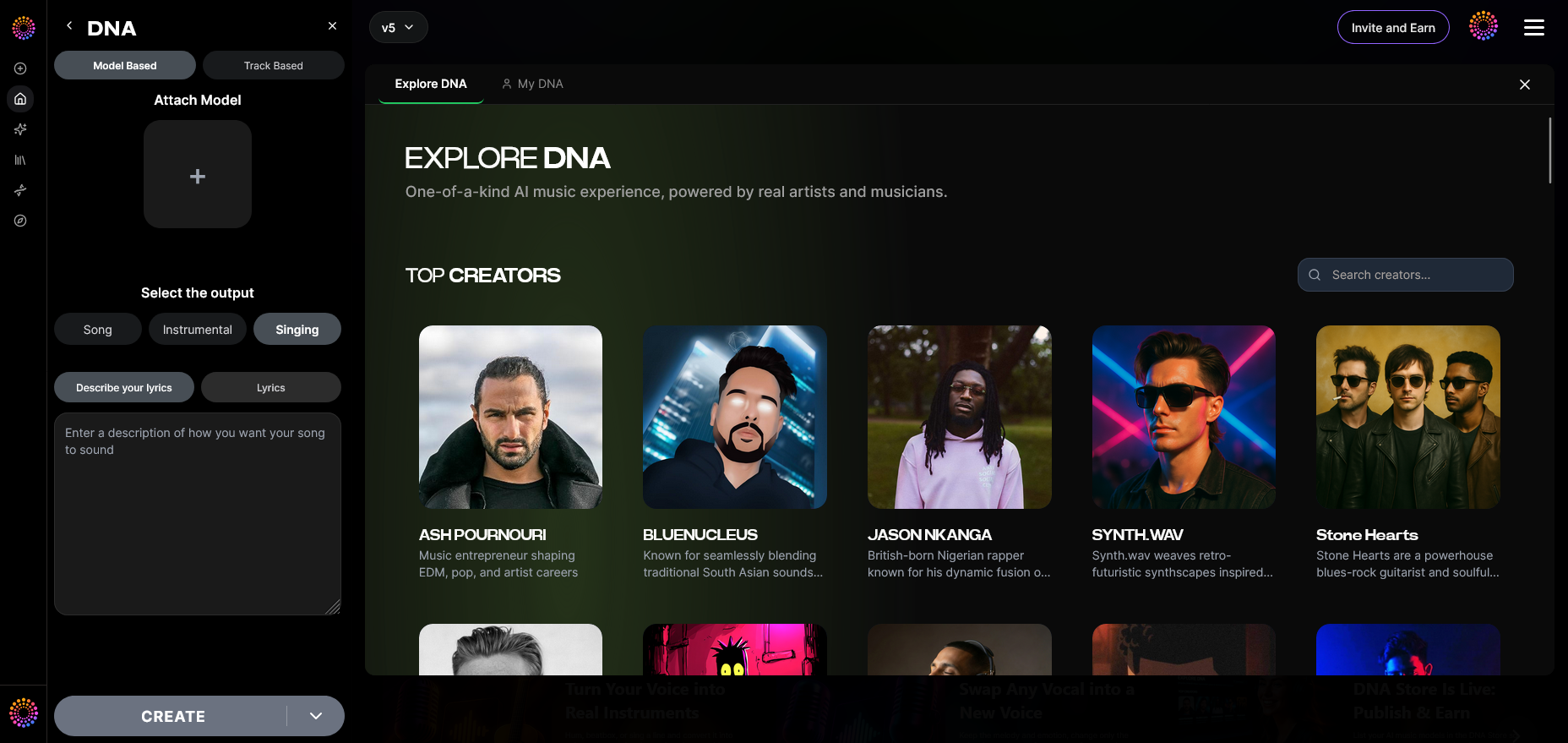
Enable model-based singing mode, ensuring the AI uses your trained Voice DNA for vocal performance generation.
Step 19: Attach Model
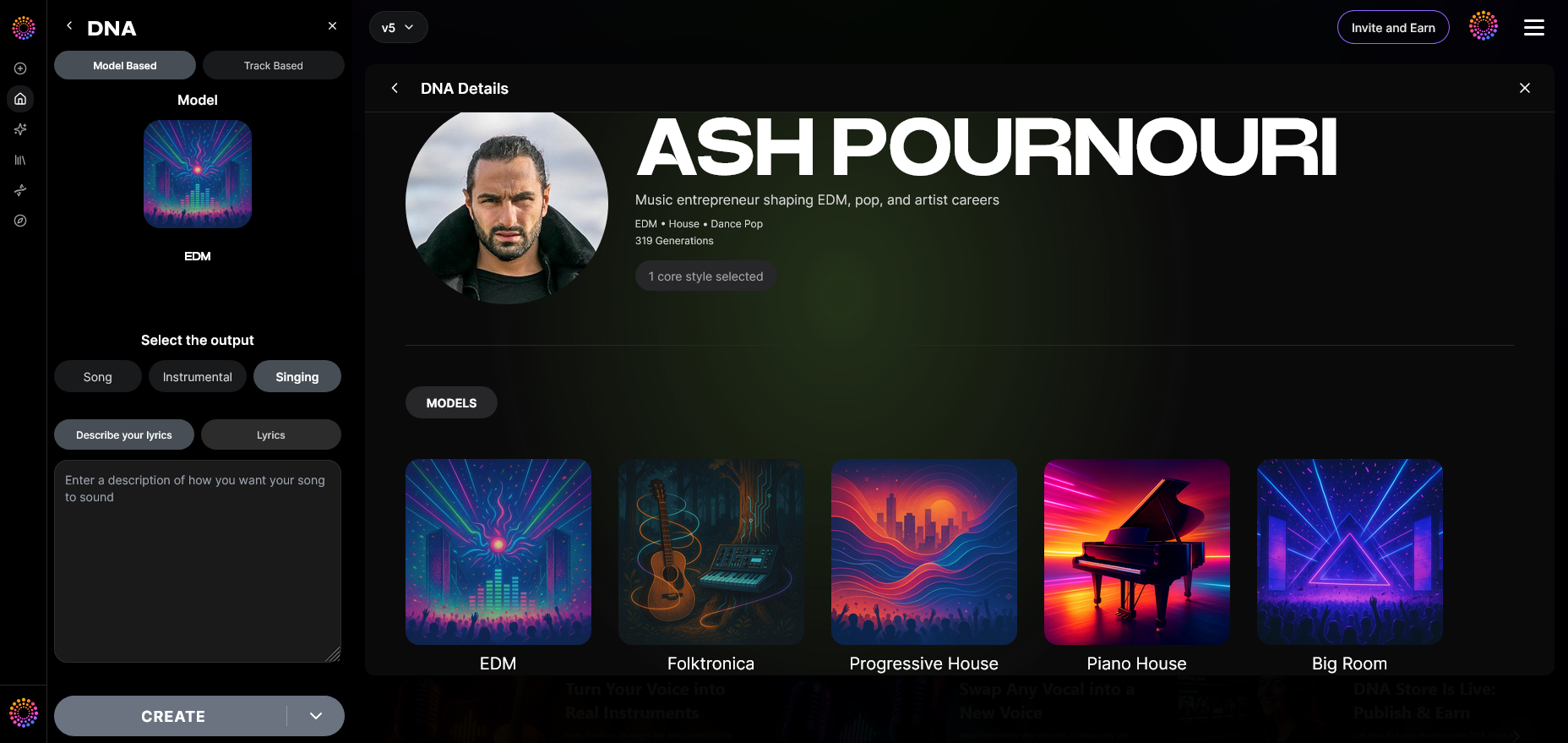
Finally, attach your pre-trained DNA model to the singing generation task. The system uses your voice DNA alongside lyric prompts, producing your personalized AI singer. For a deeper dive, watch our tutorial on how to make music or explore the Soundverse “Explore” tab to learn how your generated vocals integrate seamlessly into projects.
Pro Tips for Crafting a Realistic AI Singer
- Record diverse samples – The more emotional and stylistic variation your training data has, the richer your AI voice will sound.
- Avoid over-processing audio – Keep recordings natural. AI learns subtleties like breath and texture.
- Combine tools – Use Soundverse’s AI Singing Generator to explore vocal textures, or pair with its Voice Swap tool to replace vocals in existing recordings.
- Experiment with sensitivity settings – It helps achieve a balance between originality and accuracy.
- Apply filters and moods – As shown in Soundverse’s music generation filters article, using vibe-based parameters can enhance emotional realism.
Why Soundverse Leads AI Music Creation in 2026
Soundverse continues to outpace other AI music platforms such as Mubert, Soundraw, and Suno. What makes it exceptional is its ethical DNA system that empowers artists rather than replacing them.
Its artist monetization model enables creators to earn when fans use their AI voices, while maintaining total control through Private Mode. This balanced collaboration defines the future of AI music creation.
Soundverse also integrates with advanced composition workflows, enabling stem separation, genre-based generation, and multi-model co-production. As outlined in its AI Assistant overview, it’s becoming an intelligent backbone for studios in 2026.
Start Creating Your Own AI Singing Voice Today!
Unlock the power of Soundverse’s AI singing voice generator and bring your musical ideas to life. Customize voices, styles, and tones to create professional-quality tracks in minutes.
Related Articles
- AI Ranks Soundverse’s AI Singer #1: The Ultimate AI Singing Platform Dominating 2025: Discover why Soundverse’s AI Singer is leading the evolution of AI-generated vocals and redefining vocal creativity.
- Soundverse SAAR: AI Voice Assistant: Learn how Soundverse SAAR helps creators design unique AI voices and streamlines vocal production effortlessly.
- Best Udio Alternative: Soundverse AI Free Sign-Up: Explore how Soundverse stands out as the best Udio alternative for generating music and vocals with advanced AI technology.
- Generate AI Music with Soundverse Text-to-Music: Transform your text into stunning music compositions using Soundverse’s powerful text-to-music generator.
Here's how to make AI Music with Soundverse
Video Guide

Here’s another long walkthrough of how to use Soundverse AI.
Text Guide
- To know more about AI Magic Tools, check here.
- To know more about Soundverse Assistant, check here.
- To know more about Arrangement Studio, check here.
Soundverse is an AI Assistant that allows content creators and music makers to create original content in a flash using Generative AI. With the help of Soundverse Assistant and AI Magic Tools, our users get an unfair advantage over other creators to create audio and music content quickly, easily and cheaply. Soundverse Assistant is your ultimate music companion. You simply speak to the assistant to get your stuff done. The more you speak to it, the more it starts understanding you and your goals. AI Magic Tools help convert your creative dreams into tangible music and audio. Use AI Magic Tools such as text to music, stem separation, or lyrics generation to realise your content dreams faster. Soundverse is here to take music production to the next level. We're not just a digital audio workstation (DAW) competing with Ableton or Logic, we're building a completely new paradigm of easy and conversational content creation.
TikTok: https://www.tiktok.com/@soundverse.ai
Twitter: https://twitter.com/soundverse_ai
Instagram: https://www.instagram.com/soundverse.ai
LinkedIn: https://www.linkedin.com/company/soundverseai
Youtube: https://www.youtube.com/@SoundverseAI
Facebook: https://www.facebook.com/profile.php?id=100095674445607
Join Soundverse for Free and make Viral AI Music

We are constantly building more product experiences. Keep checking our Blog to stay updated about them!