How to Make Phonk Music in FL Studio (2026 Guide for Beginners)
Learn how to make phonk music in FL Studio — drums, samples, mixing, and AI tools explained.
How to Make Phonk Music in FL Studio
Phonk has evolved from an underground internet genre into one of the most distinctive sounds in hip-hop and electronic music. In 2026, its gritty Memphis-inspired loops, distorted 808s, and slowed-down samples continue to dominate social media and streaming platforms. If you’re wondering how to make phonk in FL Studio, this guide will walk you step-by-step through the process — from selecting samples to using modern AI tools like Soundverse to generate professional-quality instrumentals.
What is Phonk and Why is it Still Popular in 2026?
Phonk is a subgenre of hip-hop characterized by lo-fi production, nostalgic sampling from 1990s Memphis rap tapes, vintage drum machines, and eerie melodies. It uses cowbell-heavy drum patterns, dark synths, and often samples old vocal clips or jazz loops filtered through tape distortion. By 2026, the genre has diversified, spawning substyles like Drift Phonk (more upbeat, car-friendly), Classic Phonk (lo-fi and raw), and Jazz Phonk (smooth and nostalgic). Platforms like TikTok and YouTube Shorts continue to promote phonk through driving montages and visual beats, keeping the trend alive among younger producers. Learn more about its roots from Phonk - Wikipedia or What is Phonk Music? The Hip Hop Subgenre to Add Intensity to ....
What Do You Need to Start Making Phonk in FL Studio?
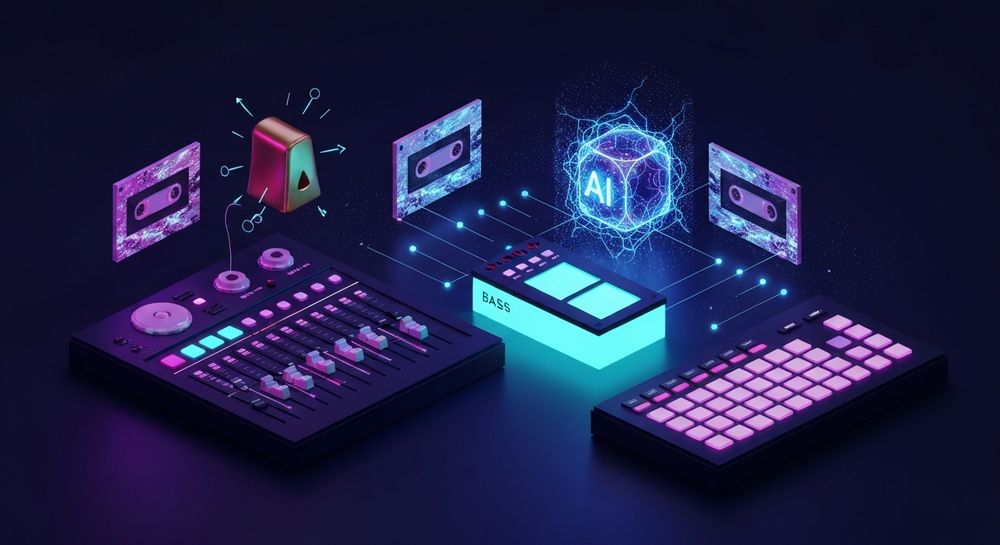
To begin your phonk production journey, all you need is:
- FL Studio (any current version) – This DAW remains popular in 2026 for its intuitive workflow.
- Quality Headphones or Monitors – Accurate bass response is critical for dialing in gritty 808s.
- Sample Packs or Vinyl Clips – Source authentic phonk samples online or create your own lo-fi textures.
- VST Plugins – Tools like RC-20 Retro Color, iZotope Vinyl, and FL Studio’s built-in EQ and distortion plugins are key for adding the classic dusty feel.
How to Make Phonk in FL Studio (Step-by-Step Production Tutorial)
Let’s break down the full process of creating a phonk track from scratch.
Step 1: Choose the Right Samples

Phonk relies heavily on sample selection. Look for:
- Old Memphis vocals or chopped movie dialogue.
- Vintage jazz loops or soul records with melancholic tones.
- Drum one-shots featuring punchy kicks, crisp snares, and the iconic cowbell. You can find these samples from royalty-free collections or online packs. Always ensure copyright-free usage if you plan to publish your music — see navigating royalty-free music with AI tools for deeper insights.
Step 2: Create Authentic Phonk Drum Patterns

Drum programming defines the groove of phonk. Start with:
- Kick on every beat for driving intensity.
- Snare slightly offset to create swing.
- Cowbell as a rhythmic accent.
- Hi-hats in triplet or 1/32 rolls for energy. Distort your drums using Fruity Fast Dist or bitcrusher plugins to mimic analog compression. Experiment with different swing settings to keep that lo-fi bounce intact. If you’re exploring other genres too, check out how to create EDM with Soundverse AI for rhythmic structure comparisons.
Step 3: Build Your Bassline

Phonk basses are often gritty and heavy. Use the 808 from your favorite pack or design your own in FL Studio's 3xOSC or Sytrus. Add saturation and EQ boosting around 40–60 Hz with controlled distortion for punch. Slide notes are popular — they give the bass a melodic and rolling feel often associated with Drift Phonk.
Step 4: Add Melodic Samples

Drag in piano, guitar, or brass samples. Chop and pitch them to lower keys using Edison or SliceX in FL Studio. Use Fruity Reverb, Phaser, or tape emulation effects for vintage character. Sampling and pitch manipulation can make your melodies sound dark and emotive — perfect for classic phonk vibes. To understand how old-school tape saturation created that signature dark phonk texture, check Phonk Music Explained - Universal Music for Creators.
Step 5: Add Lo-Fi Effects and Transitions

The magic of phonk lies in its aesthetic imperfections. Apply:
- Low-pass filtering: Roll off highs for a muffled texture.
- Vinyl crackle and noise: Add subtle background noise.
- Tape wow or flutter: Simulate old cassette warping.
- Automation clips: Fade in and out distortion or muffled EQ sweeps. These techniques give your track that nostalgic sense of age, important in phonk’s sonic identity. Producers in 2026 often mix modern clarity with retro texture, achieving blends that fit streaming quality norms while retaining authenticity.
Step 6: Mixing and Mastering Your Phonk Track
Balancing lo-fi and clean elements requires restraint. Follow these tips:
- Keep the bass wide but controlled.
- Make mid-range frequencies warm.
- Avoid excessive brightening; phonk thrives in darker tonalities. Use multiband compression lightly. Add slight tape saturation to glue elements together. Aim for loudness around -10 LUFS — perfect for platforms like Spotify or TikTok loops. For a quick overview of mastering dynamics in FL Studio, watch our guide on creating Deep House music.
What Are Some Modern Tools for Phonk Production?
By 2026, creators use AI-powered tools to accelerate beat creation. For example:
- Stem Separator tools (like Soundverse’s AI Magic Tool) allow you to split old tracks into drums, bass, and melodies to reuse creatively.
- Extend Music apps make looping effortless for social content.
- AI composition tools, discussed in AI transforming the music industry, enable real-time generation based on text or mood. For more workflow insights, explore the Soundverse Tutorial Series - 9. How to Make Music.
How to Make Phonk Music with Soundverse AI Music Generator

Now that you understand how to craft phonk manually, here’s how Soundverse can simplify your workflow. Soundverse’s AI Music Generator allows users to create instrumental phonk-style beats just by describing them. Unlike traditional DAW composition, the generator produces complete instrumental tracks with looping options — ideal for background use, video creators, or fast ideation.
Step 1: Feature Overview
Access the AI Music Generator from Soundverse’s main menu. This tool helps you produce full instrumental music without vocals.
Step 2: Description Input
Describe your desired sound — for example: “Dark Memphis-inspired phonk beat with heavy 808s, tape distortion, and eerie sample melody.” This text prompt guides the AI to capture your intended style and sound.
Step 3: Style & Duration
Choose the music style (Phonk, Drift Phonk, Lo-Fi Hip-Hop) and set track duration. You can also enable Loop Mode for seamless repetition, perfect for video backgrounds or driving montages.
Step 4: Generation
Soundverse’s engine processes the prompt asynchronously and generates a fully produced instrumental track using its V4 or V5 model capability. Within moments, you receive a complete phonk beat ready for preview and customization.
Step 5: Export Options
Download your generated instrumental music conveniently. You can import it into FL Studio for additional mixing or layering with vocals and samples. This workflow is ideal for content creators, beat makers, and musicians wanting effortless production experiences. Soundverse provides control over mood, tempo, and instrument selection — letting you capture the distinctive phonk sound without starting from scratch. For those who want deeper AI integration, check out related guides like Generate AI Music with Soundverse Text-to-Music or Soundverse Assistant: Your AI Co-Producer for advanced workflow support.
Start Creating Phonk Beats Instantly with Soundverse AI
Generate custom phonk loops, drums, and melodies in seconds using our intelligent text-to-music engine. Perfect for producers who want unique soundscapes without spending hours on sound design.
Try Soundverse Free
Related Articles
- How to Make AI-Generated Music — Learn how to craft complete tracks using AI tools that transform text prompts into music effortlessly.
- How to Create Rap Music with AI — Explore how AI can help you design rap instrumentals and lyrical flows with precision and creativity.
- Generate AI Music with Soundverse Text-to-Music — Discover how to turn simple text prompts into full-on music tracks using Soundverse’s advanced AI generator.
- The Benefits of Composing with AI Music Generator — Find out how AI composition tools are reshaping workflow and creativity for modern music producers.
Here's how to make AI Music with Soundverse
Video Guide

Here’s another long walkthrough of how to use Soundverse AI.
Text Guide
- To know more about AI Magic Tools, check here.
- To know more about Soundverse Assistant, check here.
- To know more about Arrangement Studio, check here.
Soundverse is an AI Assistant that allows content creators and music makers to create original content in a flash using Generative AI. With the help of Soundverse Assistant and AI Magic Tools, our users get an unfair advantage over other creators to create audio and music content quickly, easily and cheaply. Soundverse Assistant is your ultimate music companion. You simply speak to the assistant to get your stuff done. The more you speak to it, the more it starts understanding you and your goals. AI Magic Tools help convert your creative dreams into tangible music and audio. Use AI Magic Tools such as text to music, stem separation, or lyrics generation to realise your content dreams faster. Soundverse is here to take music production to the next level. We're not just a digital audio workstation (DAW) competing with Ableton or Logic, we're building a completely new paradigm of easy and conversational content creation.
TikTok: https://www.tiktok.com/@soundverse.ai
Twitter: https://twitter.com/soundverse_ai
Instagram: https://www.instagram.com/soundverse.ai
LinkedIn: https://www.linkedin.com/company/soundverseai
Youtube: https://www.youtube.com/@SoundverseAI
Facebook: https://www.facebook.com/profile.php?id=100095674445607
Join Soundverse for Free and make Viral AI Music
 We are constantly building more product experiences. Keep checking our Blog to stay updated about them!