How to Make Grammy-Eligible Music Using Soundverse
Step-by-step guide to Grammy-eligible music production using Soundverse DNA in 2026.
How to Make Grammy-Eligible Music Using Soundverse
In 2026, the conversation around AI and music has evolved far beyond novelty. While in 2024 and 2025, artists were experimenting with AI-assisted tools, today creators are focusing on how to make Grammy-eligible music production viable with ethical, transparent systems. Soundverse stands at the center of this transformation, empowering independent artists and producers to create original, high-quality tracks that meet Grammy submission requirements through licensed data and consent-driven technology.
Why does Grammy eligibility matter in 2026?
Earning a Grammy is not only about recognition—it's a validation of both creative and technical excellence. For AI-assisted music, this is especially crucial because the Recording Academy has updated its submission guidelines to emphasize originality, authorship verification, and ethical dataset use. These rules mean any AI-generated track must be sourced from transparent, legally compliant systems. This is where Soundverse’s technology aligns perfectly: it creates copyright-safe outputs based on licensed and attributed catalogs.

How to make Grammy-eligible music with Soundverse Soundverse DNA
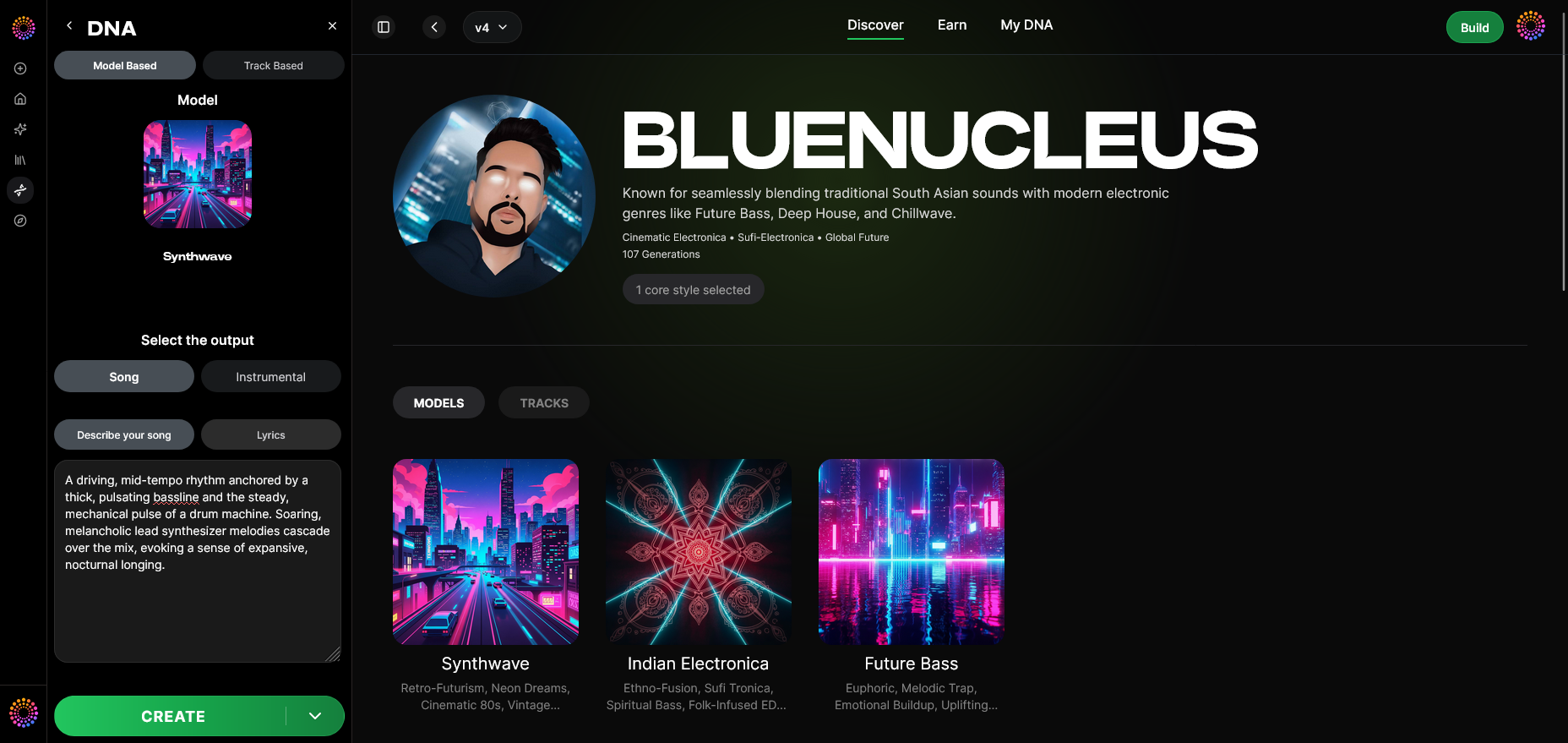
Soundverse DNA is the core music creation engine that enables fully compliant AI-assisted music generation. It’s an artist-trained system that builds and produces music from genuine sonic identities—never scraping unlicensed material. This model ensures that artists owning their DNA can monetize their style, while users generate tracks that are legally and ethically sound. The tool includes several integrated capabilities:
- Full DNA (Songs/Instrumentals): Builds entire compositions from a user’s sound DNA.
- Voice DNA: Reproduces vocal timbre and performance. The process is asynchronous; artists upload and process vocals rather than using live filters.
- DNA Marketplace: Lets creators license their sound to fans or collaborators, receiving recurring royalties through Soundverse’s Content Partner Program.
- Sensitivity Selector: Helps refine tonal and era-based clustering, so songs align stylistically with desired moods.
- Private Mode: Ensures secure, private collaboration between creators and the AI system.
By leveraging these capabilities, independent musicians can maintain creative control while also guaranteeing ethical compliance—an essential mark for Grammy-eligible music production.

Step 1: Overview
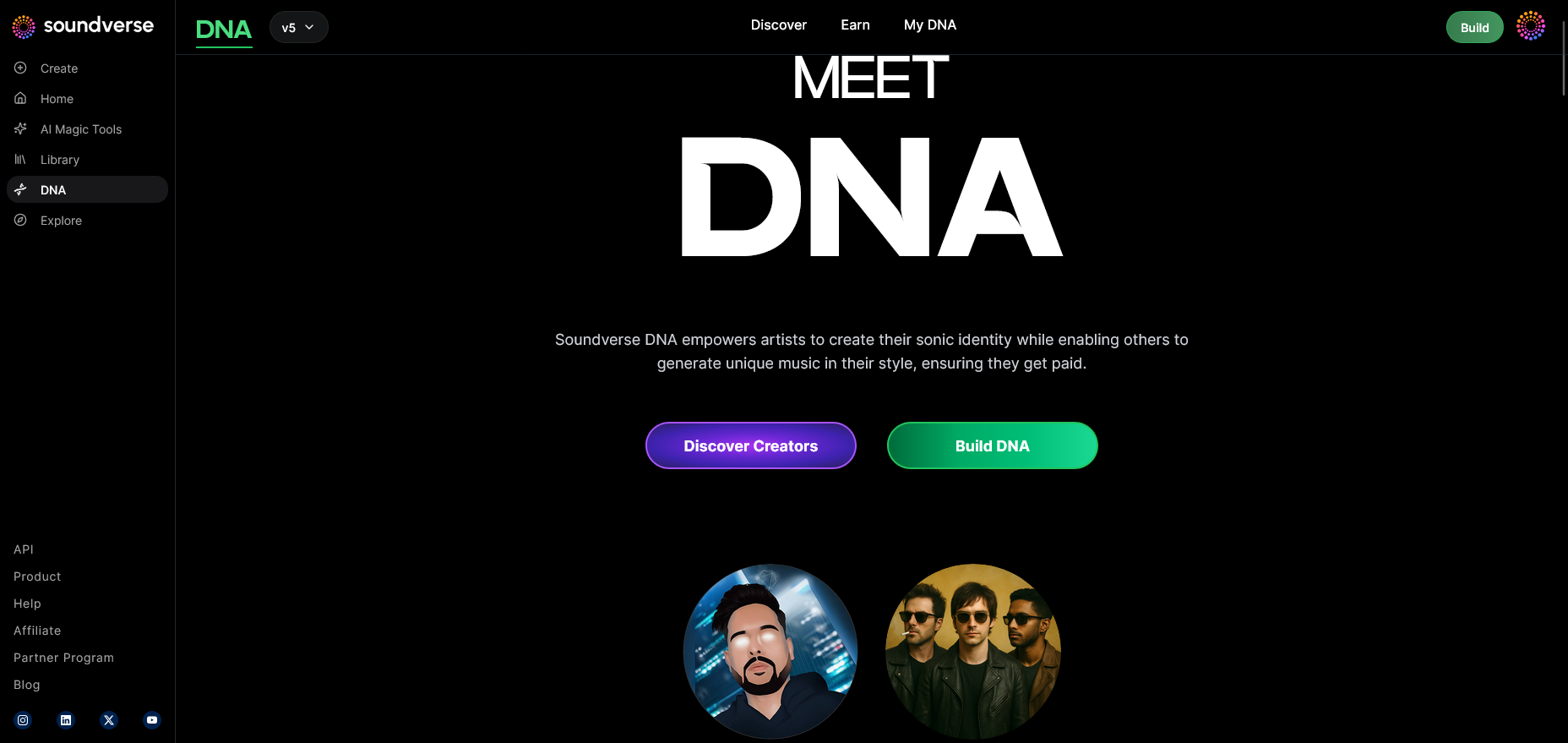
Start by familiarizing yourself with Soundverse DNA mode. This is where you create and manage your personal AI “DNA” — a digital representation of your unique artistic style.
Step 2: Dashboard
Inside the My DNA management dashboard, you can view, edit, and organize your created DNA models. This is the hub for managing the assets that define your sonic signature.
Step 3: Creator Profile
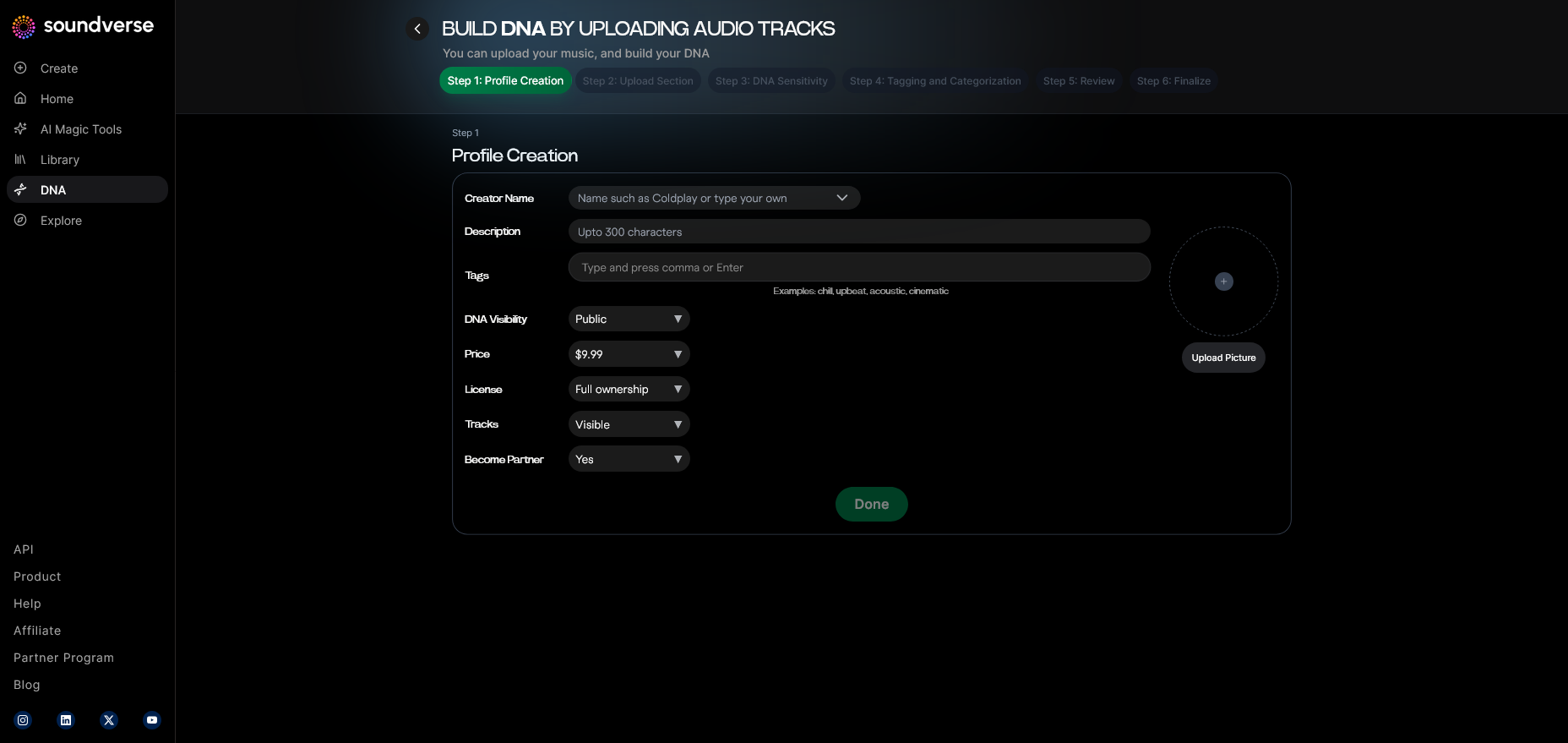
Your Creator Profile setup interface allows you to introduce yourself to the system by adding your name, bio, and relevant genre influences. This information ensures that your music generation aligns with your authentic identity.
Step 4: DNA Type Selection
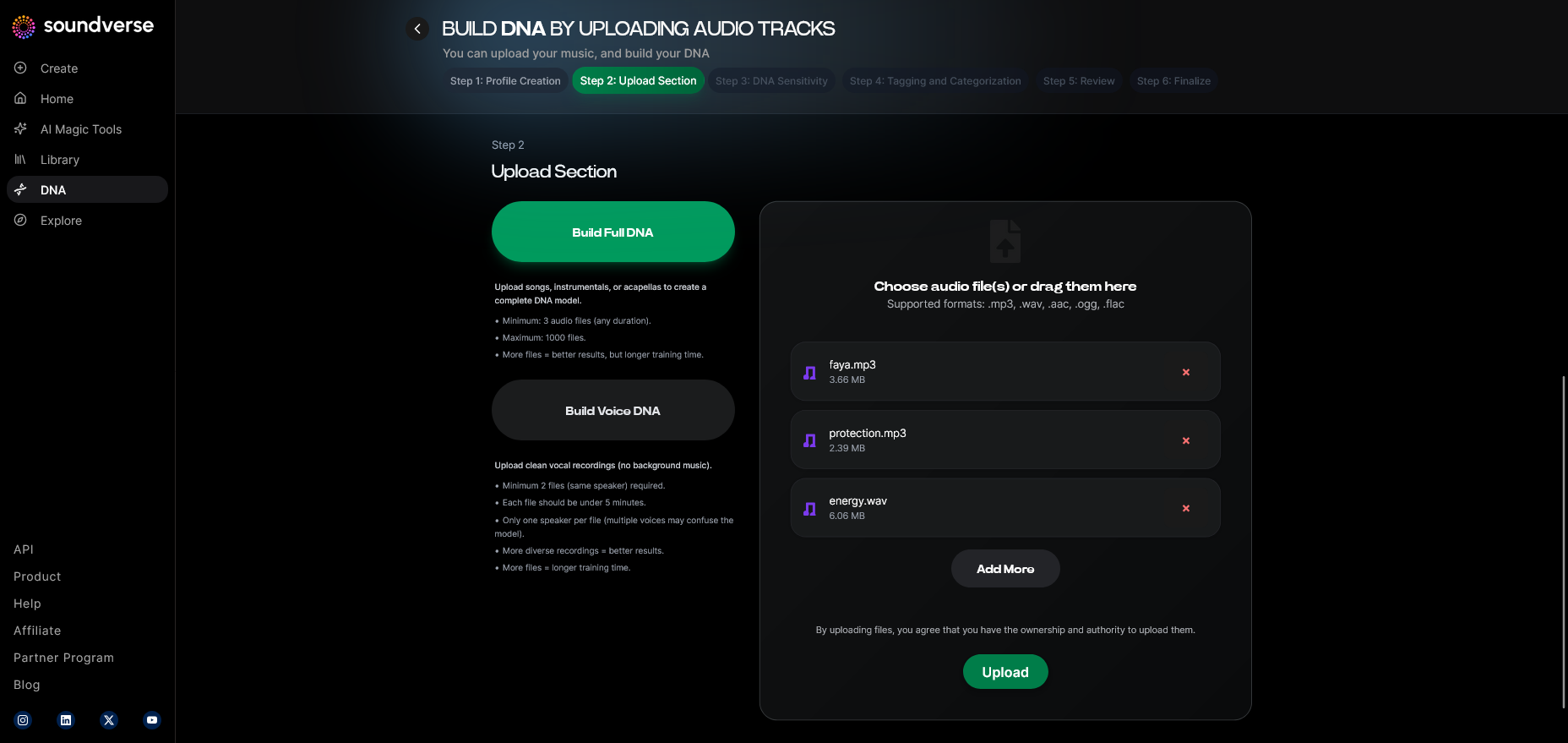
Choose either Full DNA (for entire songs and instrumentals) or Voice DNA (for vocal-centric creation). Full DNA is often preferred for producers, while Voice DNA excels for singers aiming to retain their signature timbre.
Step 5: Upload Files
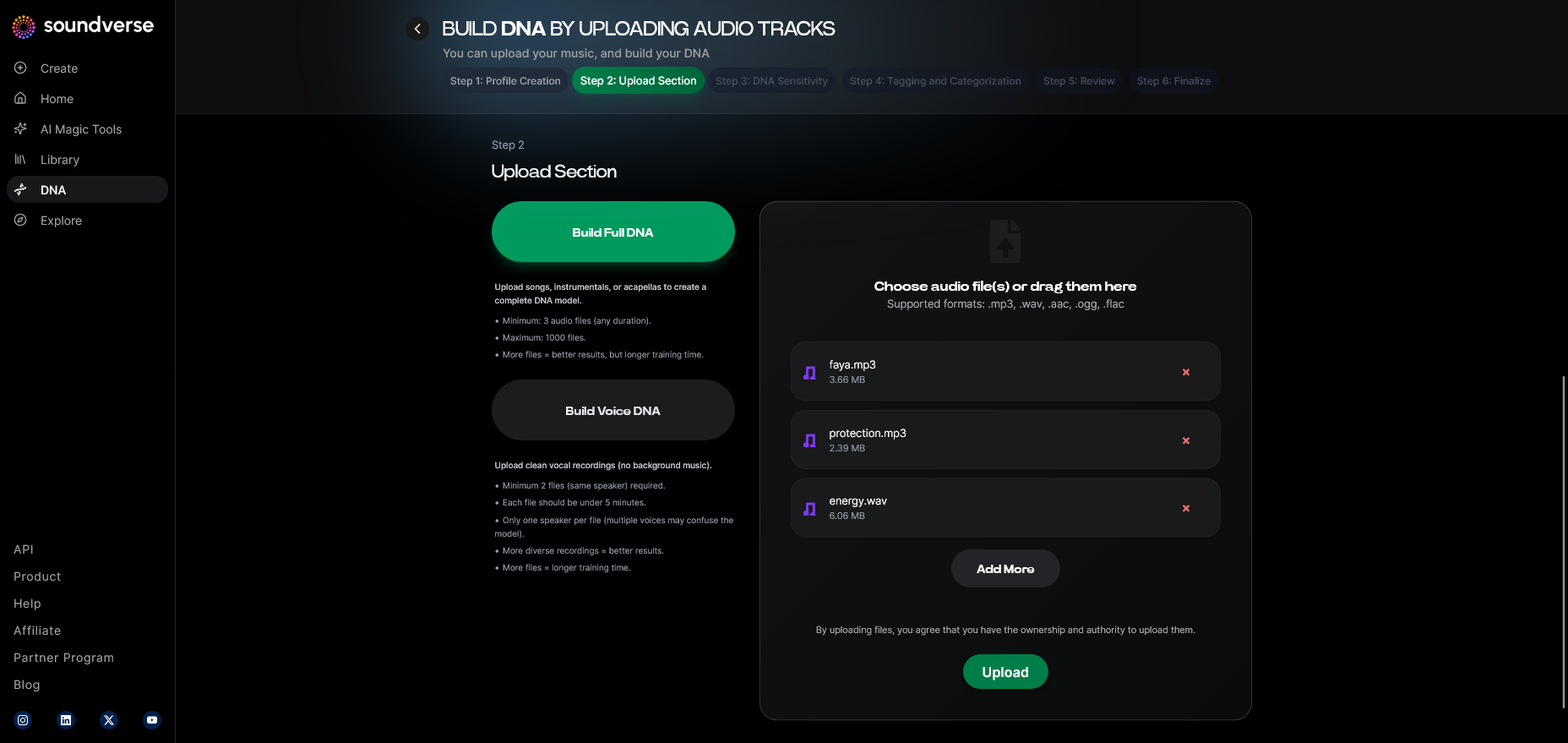
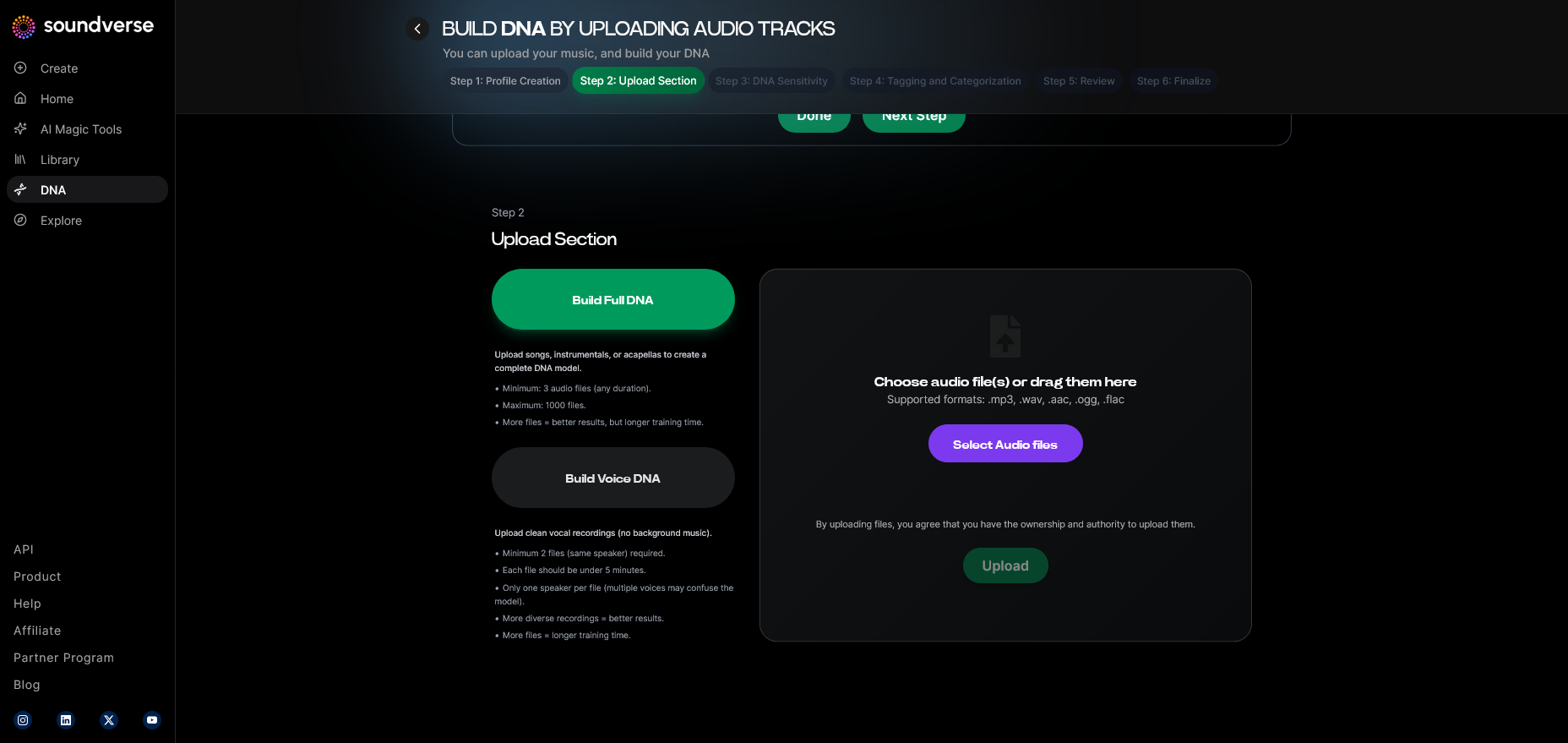
In the Audio file upload interface, upload stems, vocal recordings, or instrumental examples. Remember, Soundverse processes these asynchronously, building a model based on your artistry.
Step 6: Sensitivity Setting
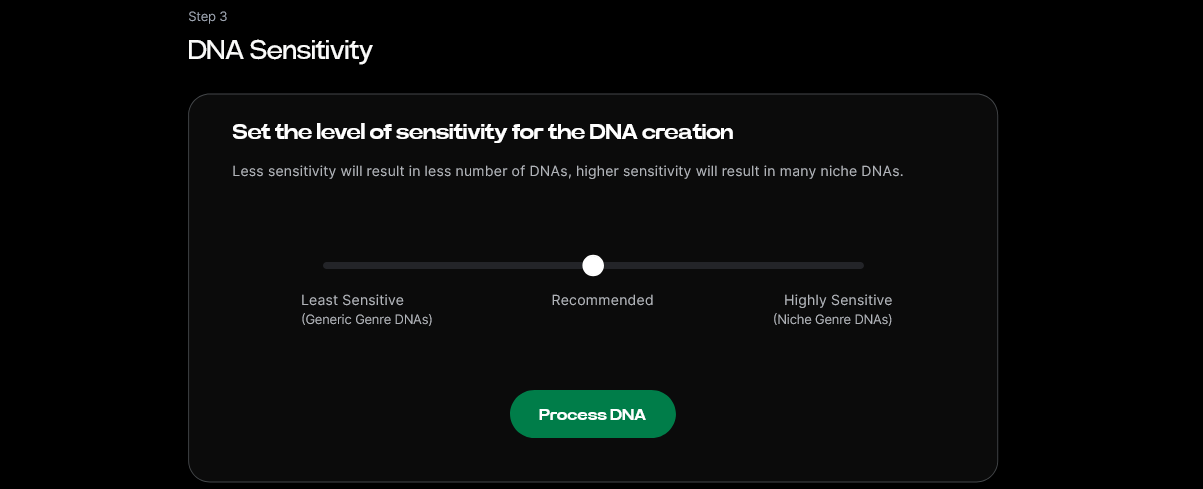
Adjust the model sensitivity slider to control how tightly the system adheres to your sound profile. High sensitivity means more precision to your style; lower values allow creative variance.
Step 7: Auto Tagging
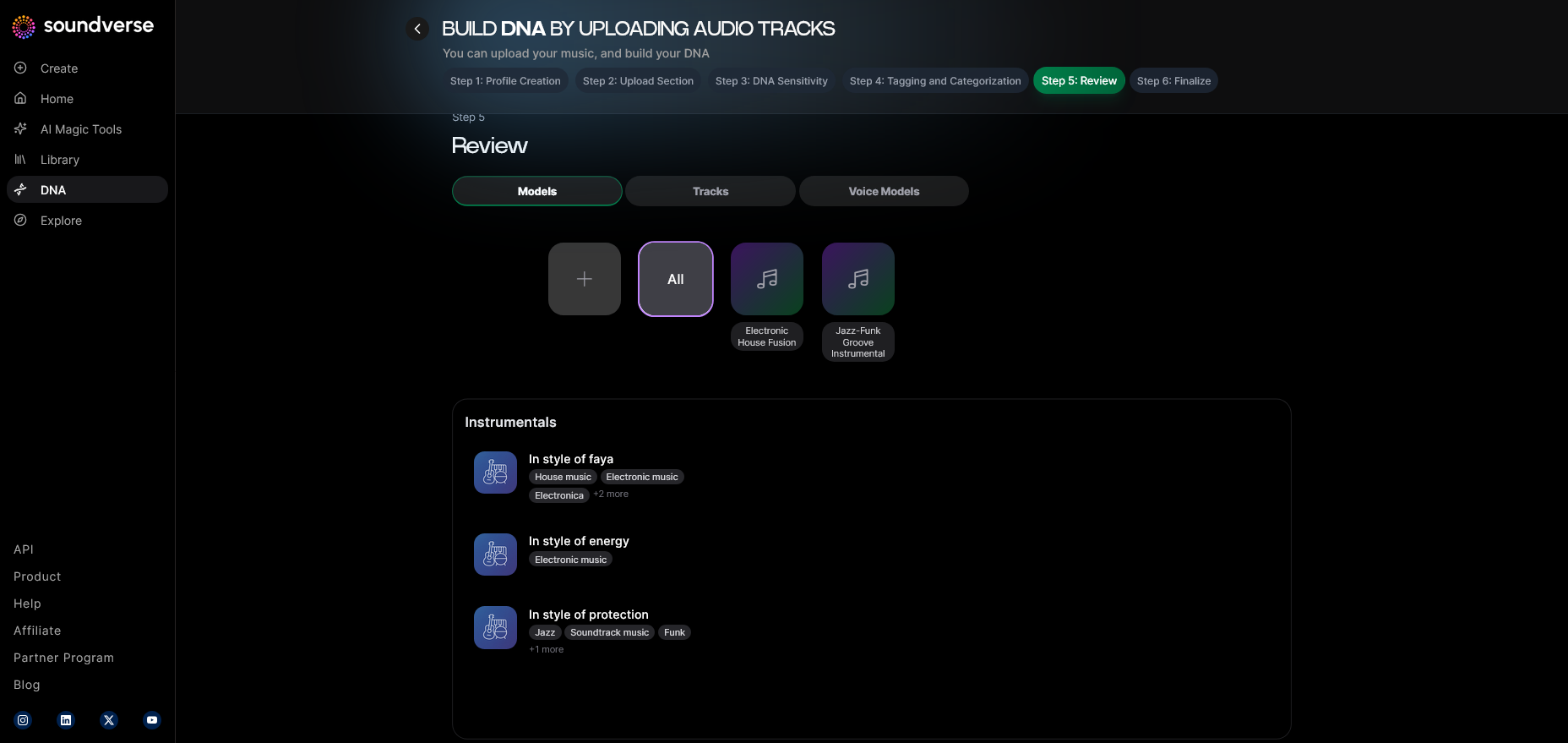
Soundverse automatically generates metadata tags describing your uploaded sounds. These tags help categorize your music by genre, mood, and tempo—data points that are needed for proper submission classification when you enter Grammy consideration.
Step 8: Review & Publish
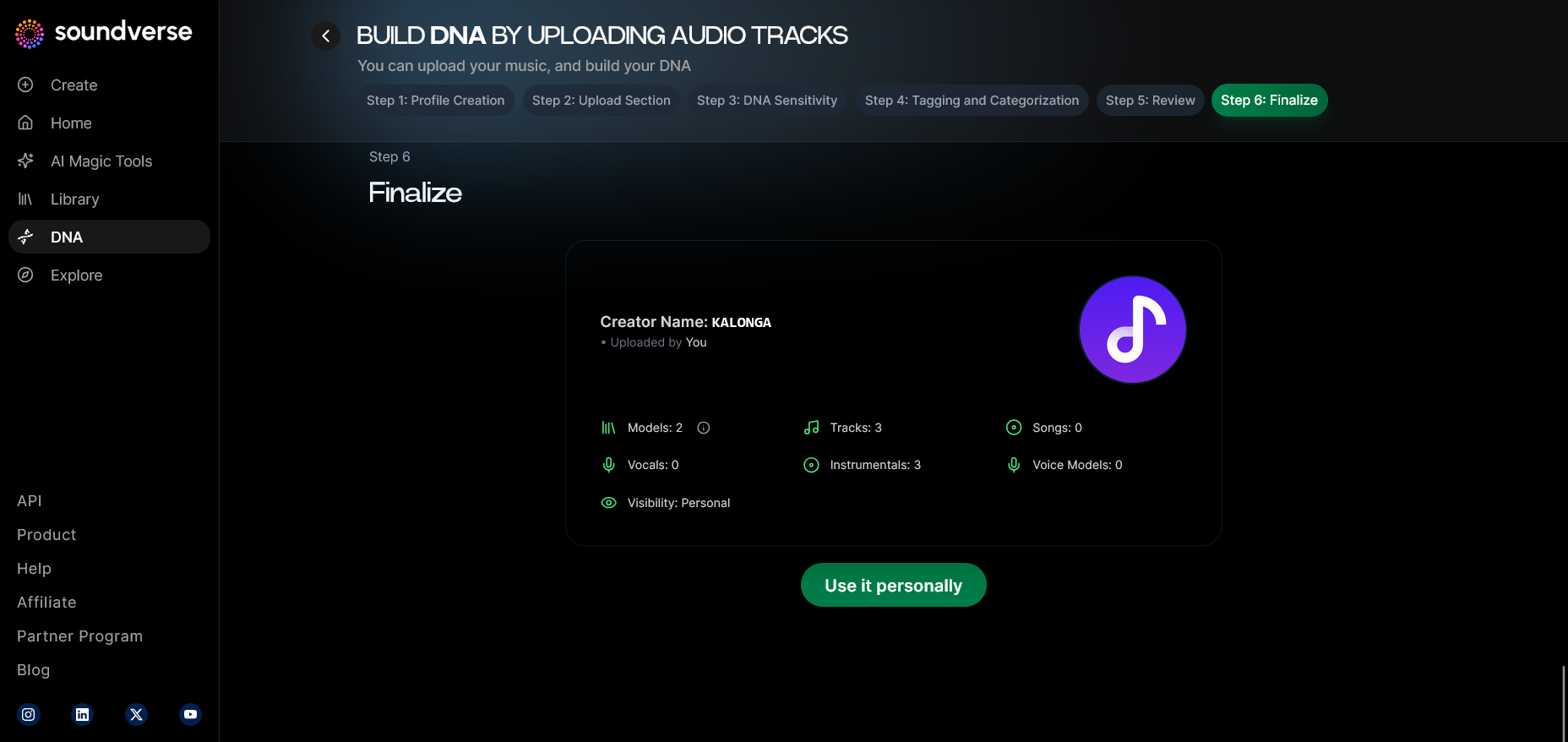
Before activating your DNA, you’ll use the final review screen to confirm model accuracy. Publishing your DNA enters it into your account and, optionally, the DNA Marketplace if you wish to license it.
Step 9: Generation Panel
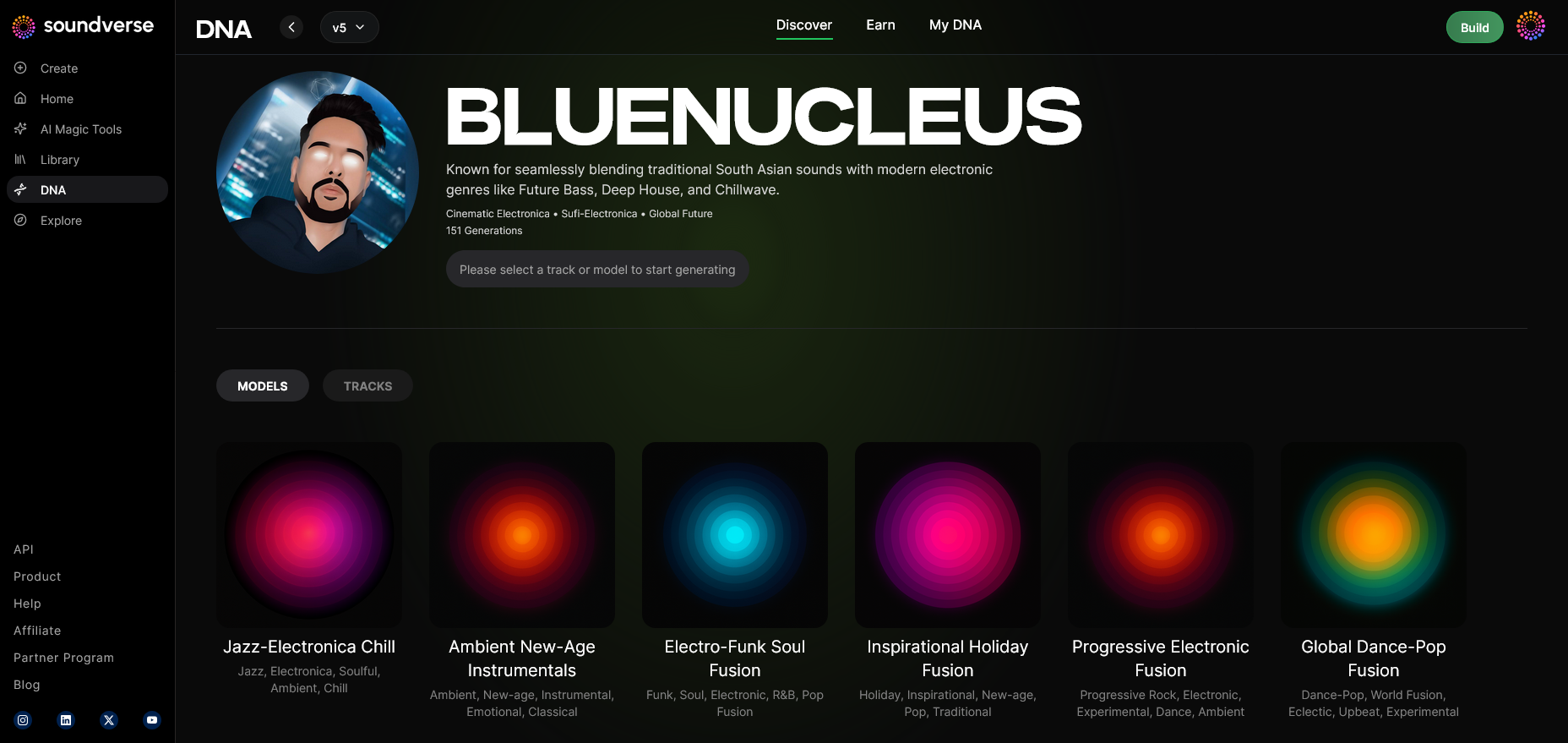
This interface is the heart of DNA music generation, enabling users to prompt the system to produce full songs or instrumentals within the stylistic range of their DNA.
Step 10: Model-Based Mode
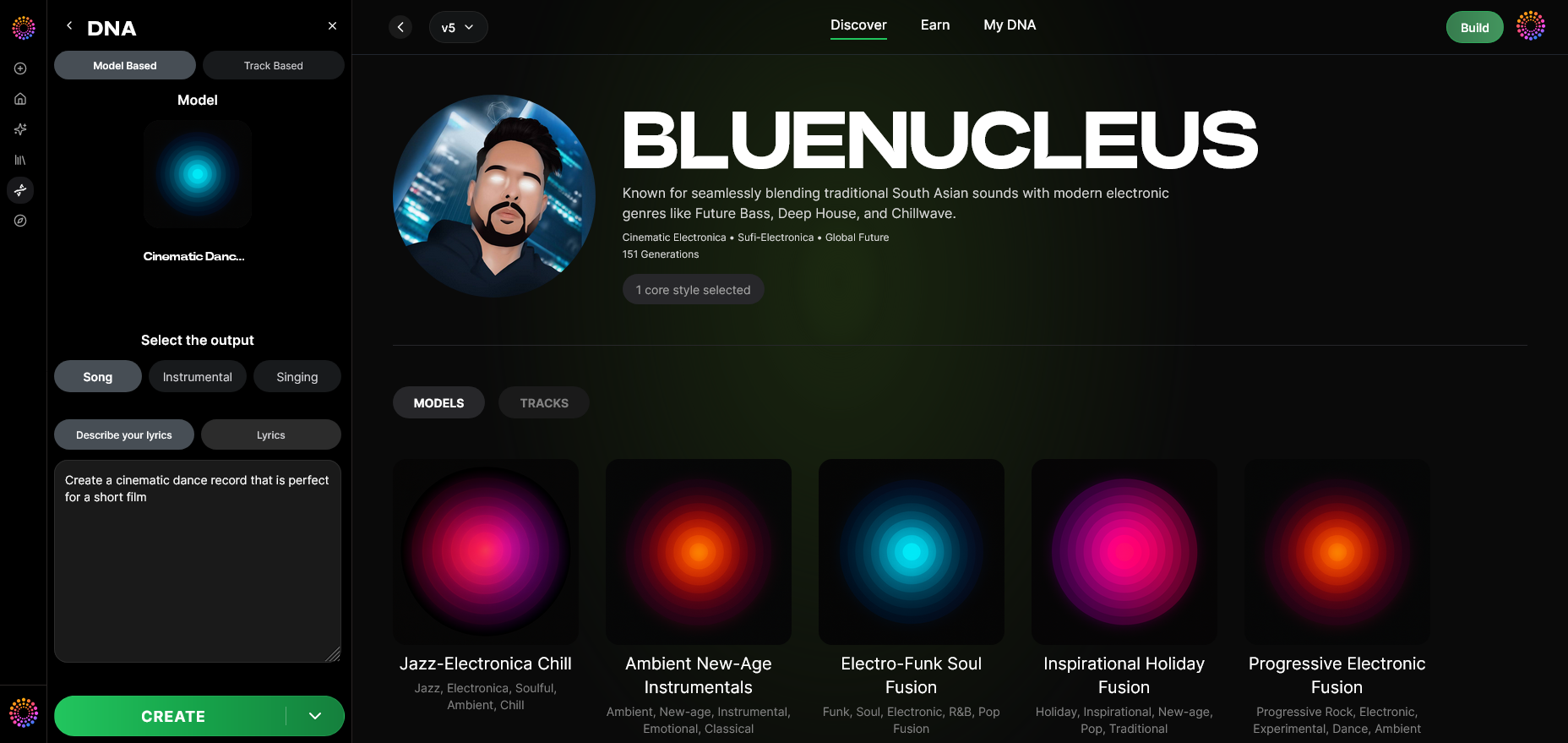
Toggle model-based generation mode to create new tracks entirely trained from your DNA model, ensuring compliance with ethical AI creation guidelines.
Step 11: Output Type
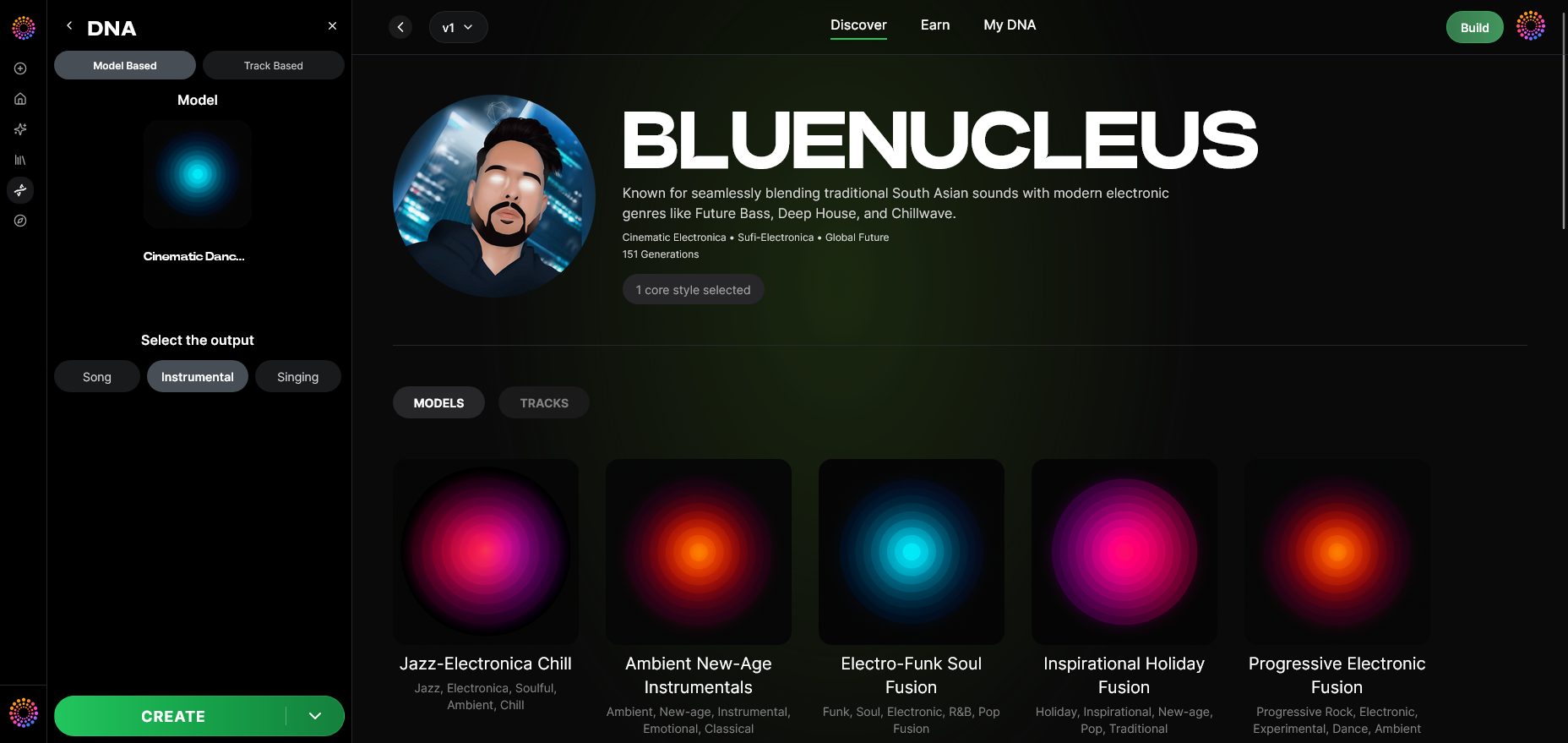
Select whether you want to create a song instrumental or a singing output, depending on the nature of your project.
Step 12: Prompt Type
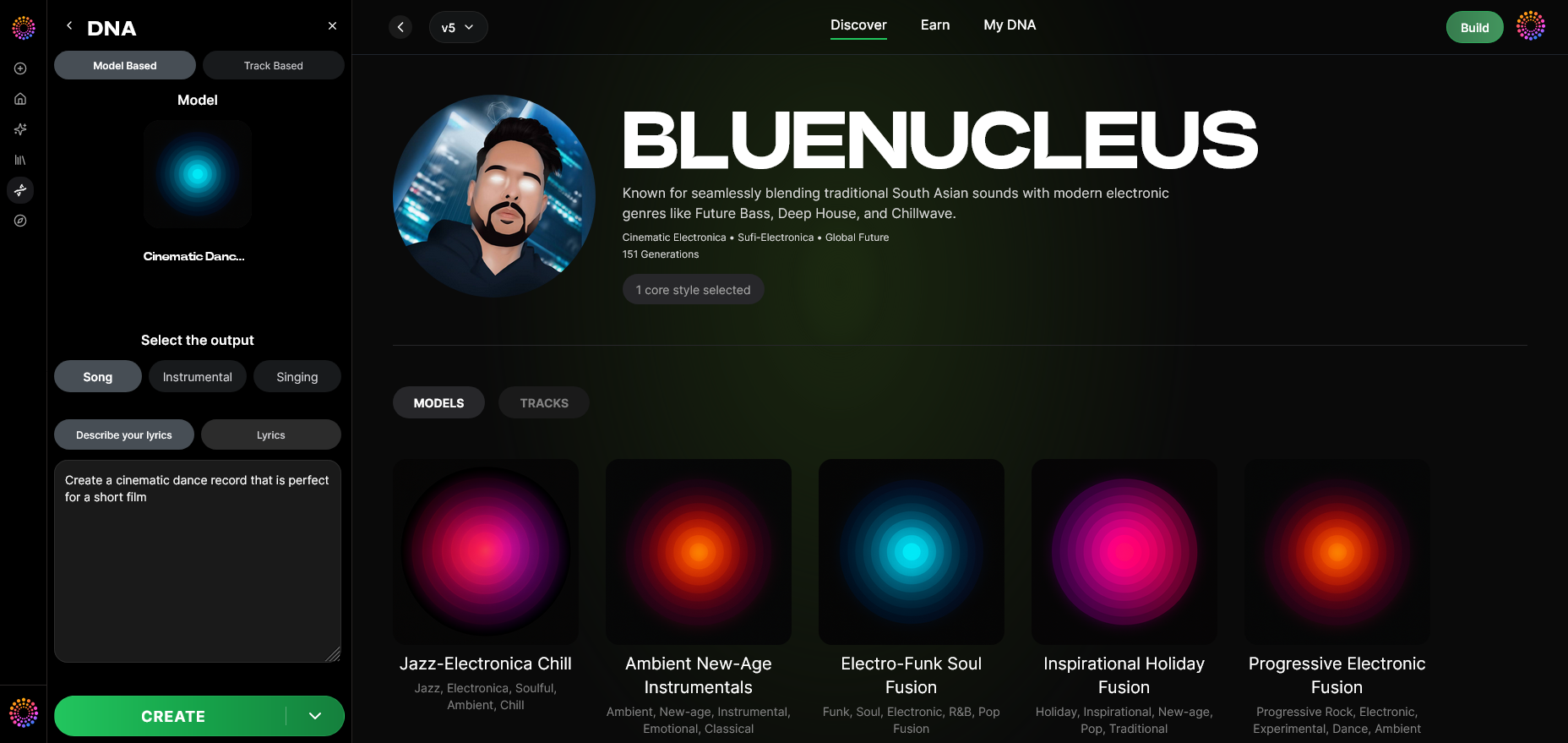
Choose your preferred input method—text prompts, reference audio, or descriptive keywords—to guide the generation process. Soundverse interprets your direction and converts it into musical structure.
Step 13: Generation Complete
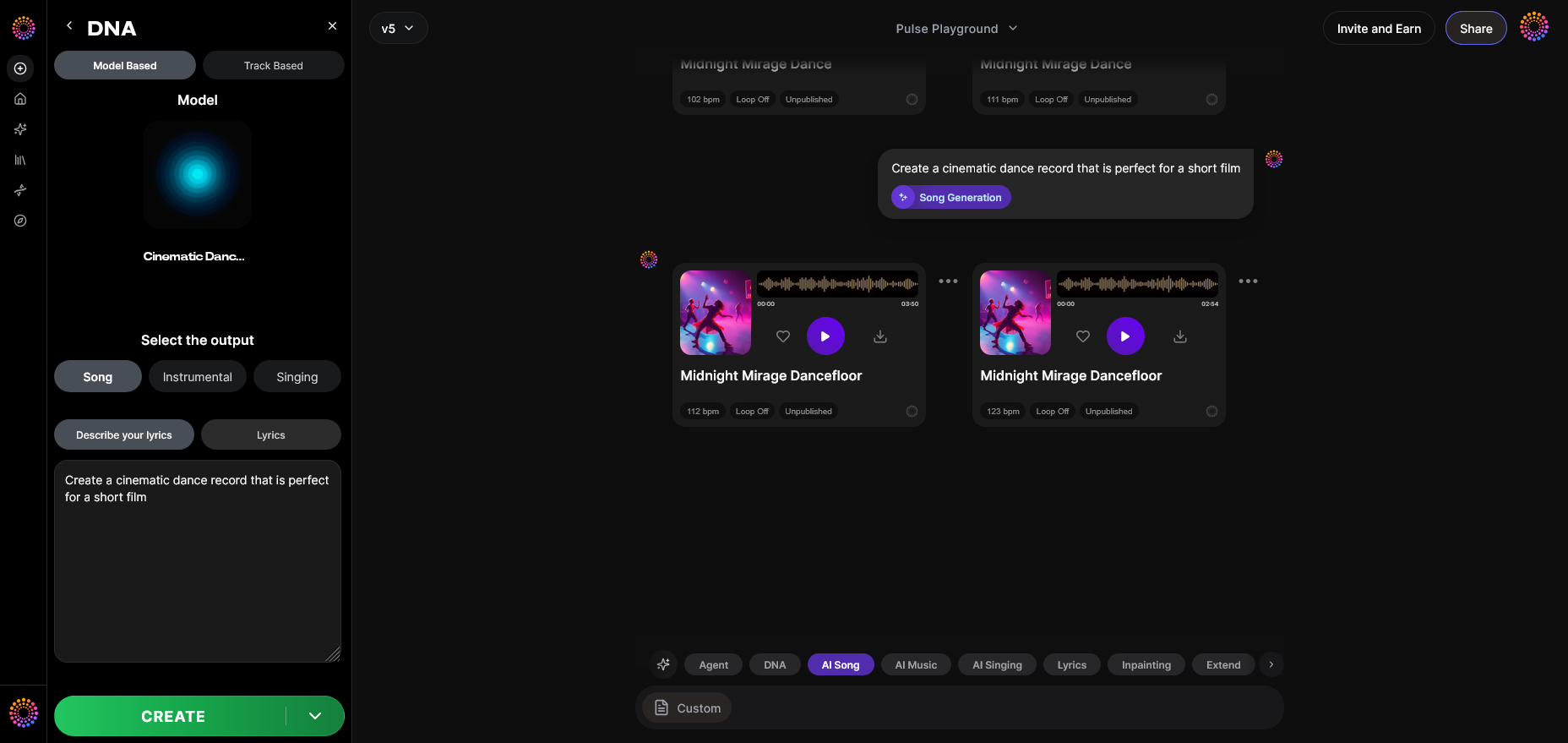
At this stage, you’ll receive your finished track. You can review production quality, composition, and dynamic range to ensure it meets industry expectations.
Step 14: Export Options
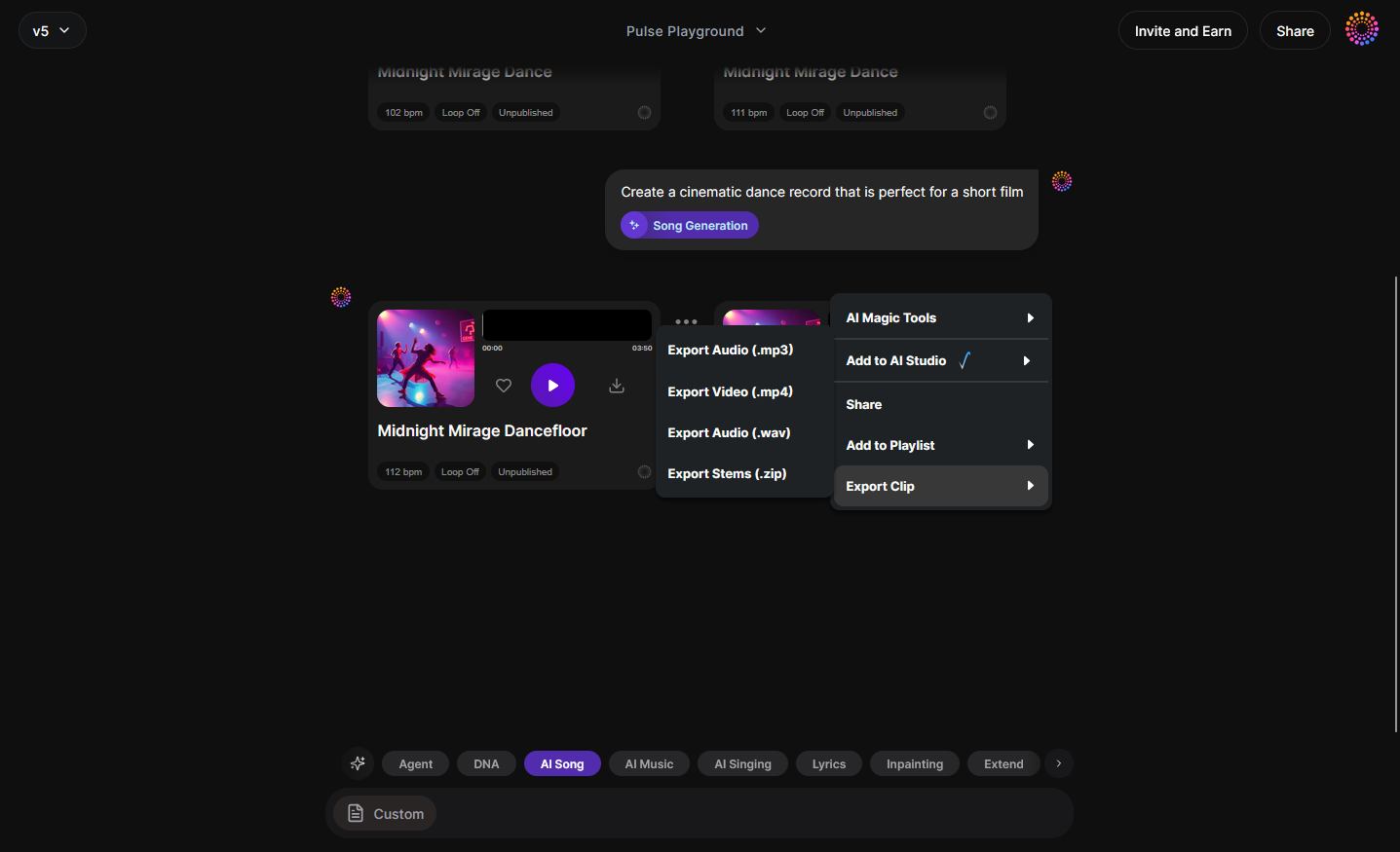
The DNA track export menu allows you to download stems or full mixes for mastering, distribution, or Grammy submission packaging.
Step 15: Track-Based Mode
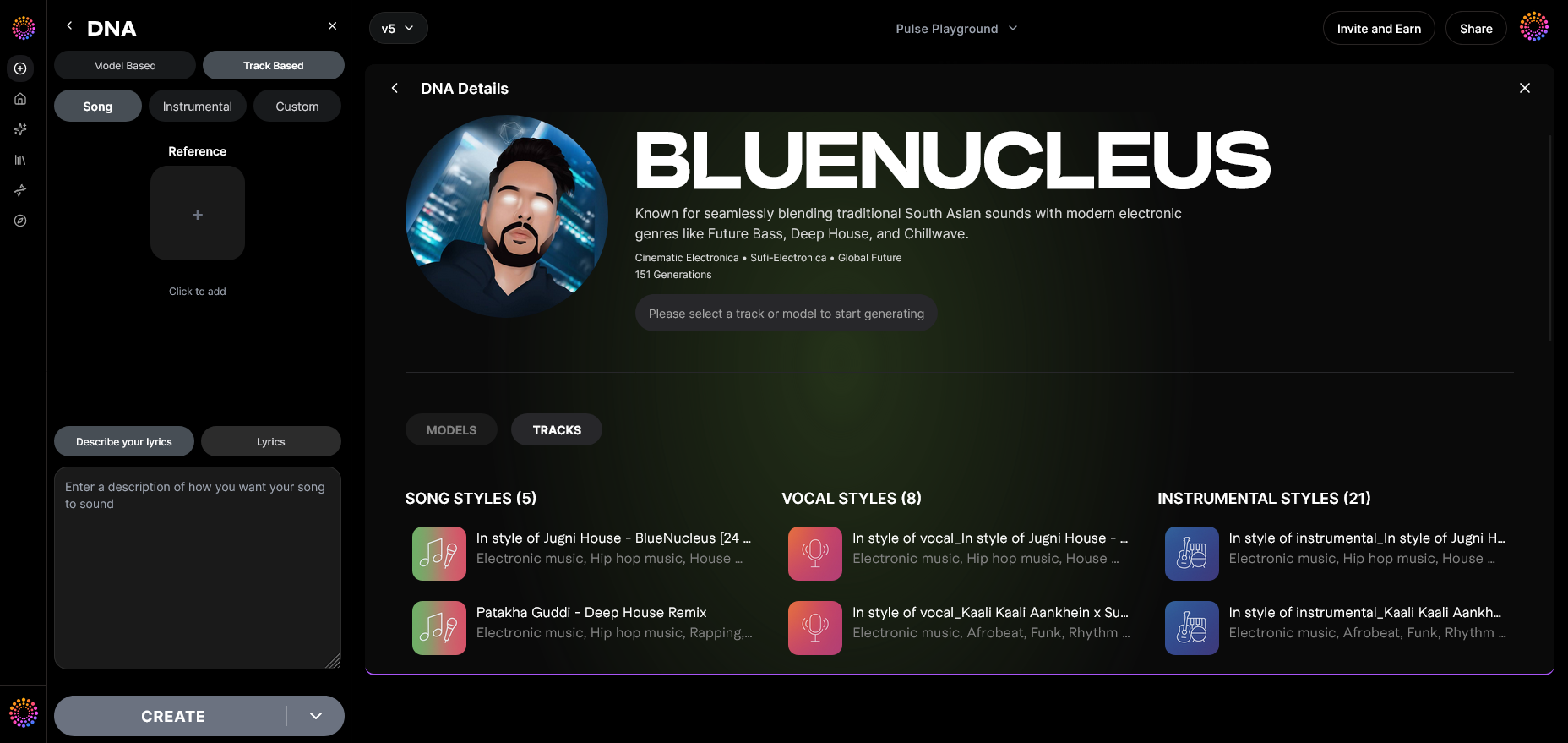
When working with existing material, switch to Track-based generation to enhance or remix previous works while keeping attribution secure.
Step 16: Style Selection
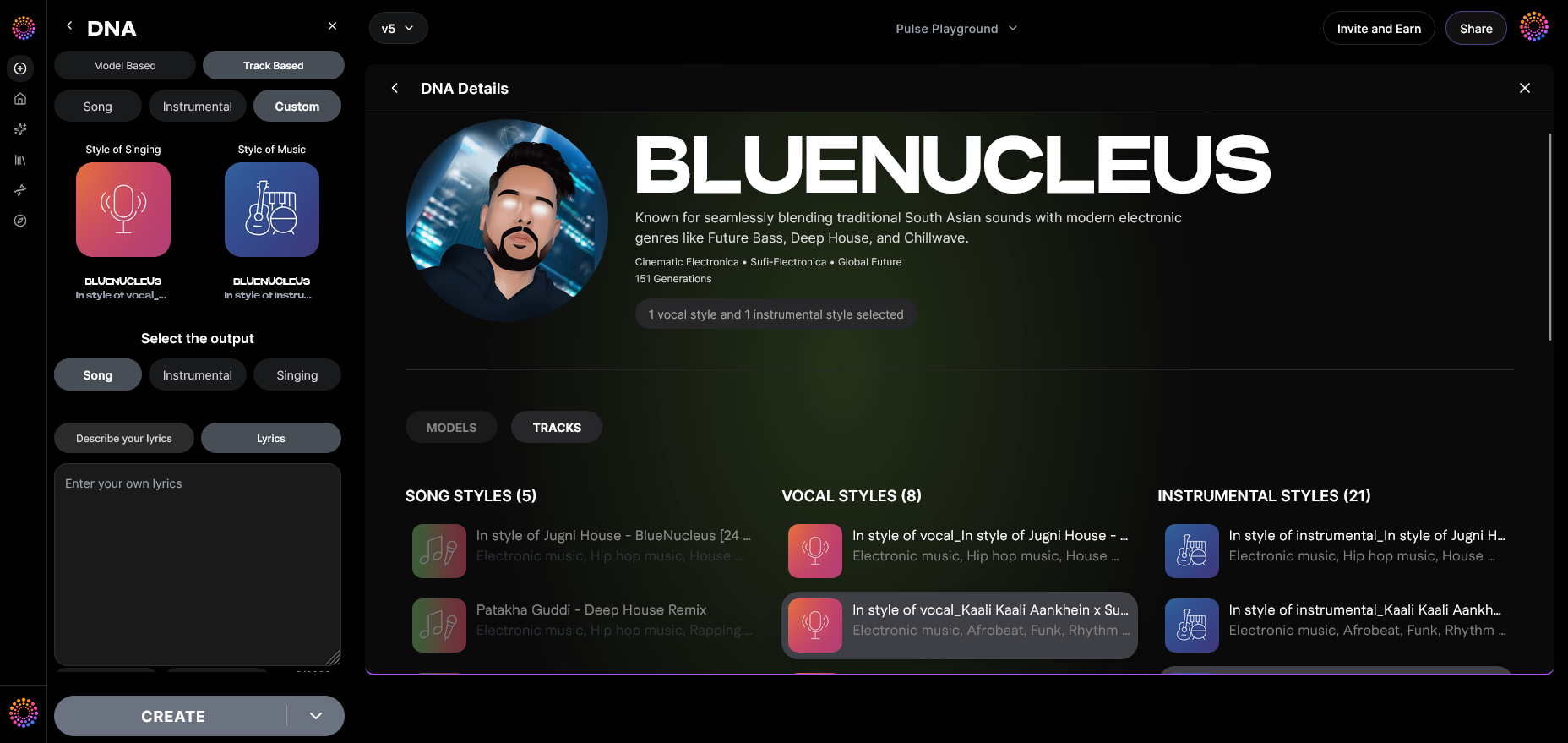
Here, you select additional stylistic parameters such as genre, mood, and era to refine your output’s aesthetic. This is essential when aiming for a sound that resonates with Grammy voters.
Step 17: Lyrics Input
Provide text inputs for lyrical content. Soundverse will integrate these while maintaining your vocal DNA. Never copy existing copyrighted lyrics—create your own or use public domain text.
Step 18: Model-Based Singing
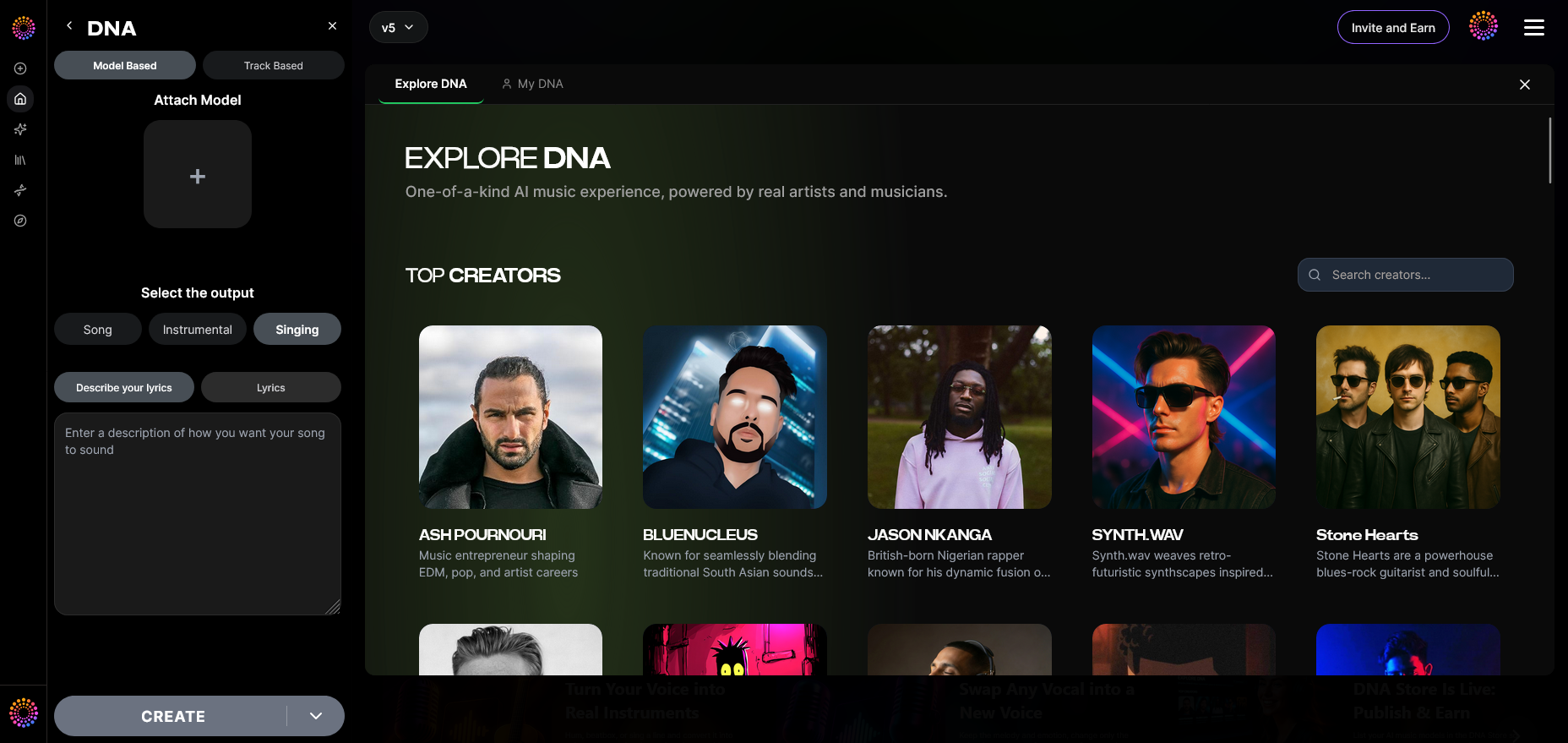
In Model-based singing mode, your voice DNA is activated to render performances that replicate your artistic tone.
Step 19: Attach Model
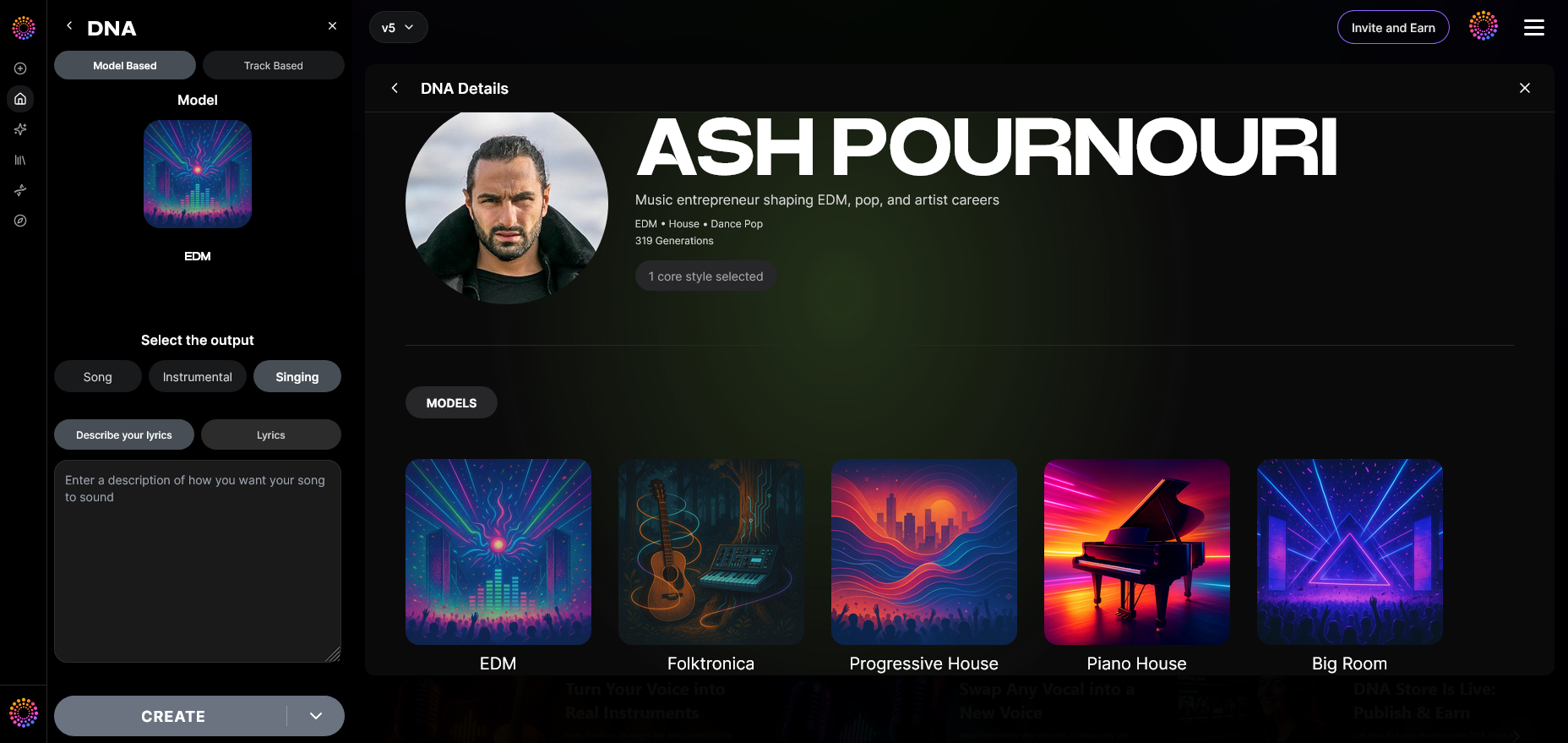
Finally, attach your pre-trained DNA model to any new track. This ties every generated output to your artistic identity and keeps production consistent. For a deeper dive into the DNA workflow, watch our Soundverse Tutorial Series - 9. How to Make Music and Soundverse Tutorial Series - 10. Make Deep House Music.
What are the official Grammy submission requirements for AI-assisted music?
As of 2026, the Recording Academy has outlined clear rules regarding AI contributions:
- The main creative control must remain human-led.
- AI systems must be transparent and ethically sourced.
- Every AI-generated component must be accompanied by rights attribution.
- Entries must include metadata confirming ownership.
Soundverse’s built-in trust layer, Soundverse Trace, satisfies these compliance points by embedding rights, attribution, and dataset lineage directly inside the exported file. Combined with the Ethical AI Music Framework, your outputs are guaranteed to meet verification conditions required for award submissions.
Pro Tips for optimizing Grammy-eligible music production with Soundverse
- Use Private Mode whenever experimenting with unreleased material.
- Maintain clear metadata alignment using Auto Tagging to simplify registration.
- Integrate genre-specific techniques from other Soundverse guides, like How to Create EDM with Soundverse AI and How to Create Country Music with Soundverse AI.
- Apply creative filters to vary instrumentations as outlined in Now Generate Music with Filters Such as Genre, Theme, Instruments, or Even Vibe.
- Study industry updates like Music Industry Trends to understand what makes contemporary productions resonate with award panels.
Start Producing Grammy-Eligible Tracks Today
Unleash your creative potential with Soundverse’s advanced AI music tools. Craft, refine, and produce studio-quality tracks ready for industry recognition in just minutes.
Create with Soundverse
Related Articles
- Soundverse Introduces Stem Separation AI Magic Tool: Discover how Soundverse’s Stem Separation tool can refine your mixes and elevate your production to professional standards.
- The Role of AI Music in Film and Television: Explore how AI-generated music is shaping the soundtracks of modern cinema and TV productions worldwide.
- Soundverse AI: Revolutionizing Music Creation for New Age Content Creators: Learn how Soundverse is empowering creators with cutting-edge tools that redefine the boundaries of musical innovation.
- The Benefits of Composing with AI Music Generator: Find out how AI music generators streamline your creative process, making professional composition accessible to everyone.
Here's how to make AI Music with Soundverse
Video Guide

Here’s another long walkthrough of how to use Soundverse AI.
Text Guide
- To know more about AI Magic Tools, check here.
- To know more about Soundverse Assistant, check here.
- To know more about Arrangement Studio, check here.
Soundverse is an AI Assistant that allows content creators and music makers to create original content in a flash using Generative AI.
With the help of Soundverse Assistant and AI Magic Tools, our users get an unfair advantage over other creators to create audio and music content quickly, easily and cheaply.
Soundverse Assistant is your ultimate music companion. You simply speak to the assistant to get your stuff done. The more you speak to it, the more it starts understanding you and your goals.
AI Magic Tools help convert your creative dreams into tangible music and audio. Use AI Magic Tools such as text to music, stem separation, or lyrics generation to realise your content dreams faster.
Soundverse is here to take music production to the next level. We're not just a digital audio workstation (DAW) competing with Ableton or Logic, we're building a completely new paradigm of easy and conversational content creation.
TikTok: https://www.tiktok.com/@soundverse.ai
Twitter: https://twitter.com/soundverse_ai
Instagram: https://www.instagram.com/soundverse.ai
LinkedIn: https://www.linkedin.com/company/soundverseai
Youtube: https://www.youtube.com/@SoundverseAI
Facebook: https://www.facebook.com/profile.php?id=100095674445607
Join Soundverse for Free and make Viral AI Music

We are constantly building more product experiences. Keep checking our Blog to stay updated about them!