How to Make an Extended Version of a Song: A Complete 2026 Audio Production Guide
Learn how to make an extended version of a song with modern remix and editing techniques in 2026.
How to Make an Extended Version of a Song
Creating an extended version of a song is one of the most rewarding processes for musicians, producers, and audio editors who want to reimagine their tracks or adapt them for different uses. Whether you’re crafting a longer DJ mix, tailoring a soundtrack for a video, or simply experimenting with new song remix techniques, extending a song allows you to give your music more depth and flexibility. In 2026, advanced tools and AI-powered music editing platforms have made this process accessible to creators of all levels.
Why Create an Extended Version of a Song in 2026?
An extended version of a song is typically a remix or continuation of the original track that adds new instrumental segments, verses, or variations in rhythm and tone. This approach remains popular in 2026 because:
- Streaming platforms reward longer engagement time.
- DJs and music producers need extended mixes for live performances.
- Video editors require tracks that fit precise durations.
- Independent artists use extensions to give older tracks renewed attention.
Beyond these motivations, extended versions are a creative playground. With growing trends in AI-powered sound design, musicians can now easily manipulate stems, edit arrangements, and generate entirely new sections that sound natural alongside original material.

What do you need to make an extended version of a song?
To create a seamless song extension, you’ll need:
- A digital audio workstation (DAW) like Ableton Live, Logic Pro, or FL Studio.
- Access to song stems (vocals, drums, bass, instruments) for easier control.
- Music editing tools for precision looping and section adjustments.
- An understanding of tempo, key, and musical structure.
Recommended reading: The role of AI music in film and television for insights on how extended tracks are used in professional production environments.
How does an extended version differ from a regular remix?
While remixing involves creative reimagining—sometimes changing tempo or style—making an extended version focuses on continuity. The goal is to preserve the original energy while expanding its duration. Common techniques include adding instrumental bridges, extending choruses, or looping rhythmic sections to create a longer groove.
Many producers also use Stem Separation techniques to isolate individual elements before extending, ensuring each layer aligns perfectly when rebuilt into a new mix. For a deeper dive, watch our guide on creating Deep House music.
How to Make an Extended Version of a Song (Step-by-Step Guide)
Creating a professionally extended version involves a structured process. Here’s a comprehensive guide tailored for creators working in 2026:
Step 1: Feature Overview — Context: Access Extend Music tool
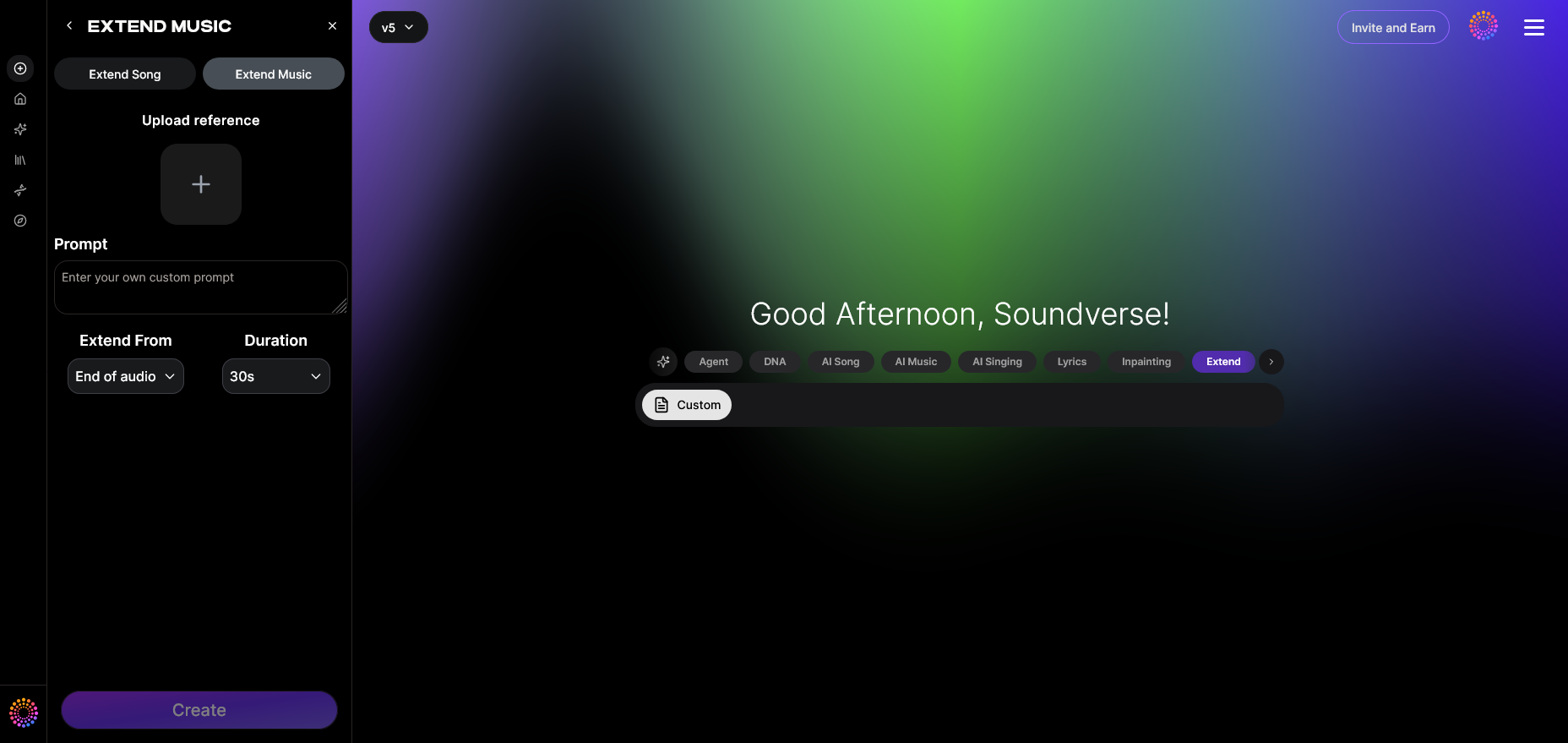
Before diving into manual editing, familiarize yourself with the Extend Music feature. This AI-powered function seamlessly lengthens tracks by generating new material that matches the original style, tempo, and key. You can choose to extend instrumentals or the full song including vocals, with precise duration control ranging from 15 seconds to 3 minutes.
Step 2: Upload Track — Context: Upload audio file to extend
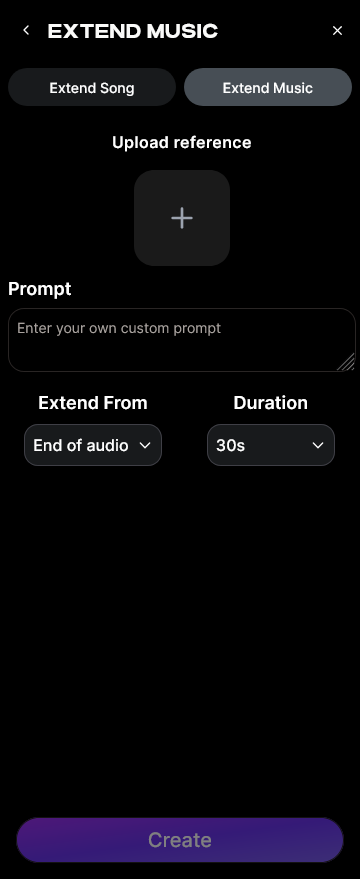
Start by uploading your base track. It's crucial to ensure audio quality is consistent—avoid compressed or low-resolution files. AI systems work best when given clean audio signals, helping maintain tonal and rhythmic accuracy throughout the extension.
Step 3: Duration Setting — Context: Set extension length and duration
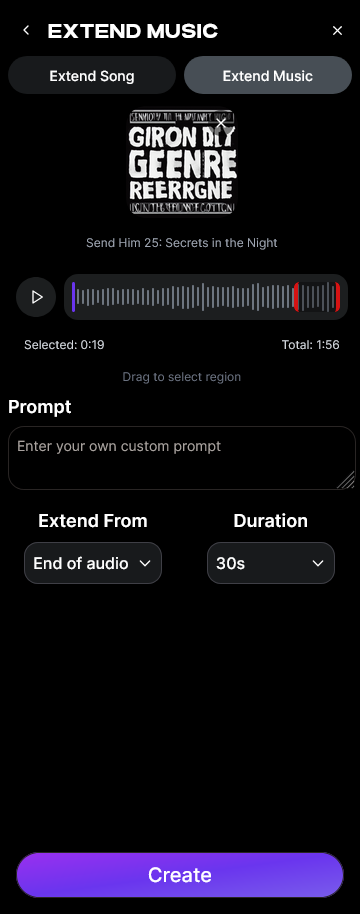
Determine how long your extended version should be. Do you need 30 seconds more for syncing with a video intro or a 2-minute extension for a DJ mix transition? This step helps maintain creative focus and ensures your result serves its intended purpose.
Step 4: Generation — Context: AI extends music seamlessly
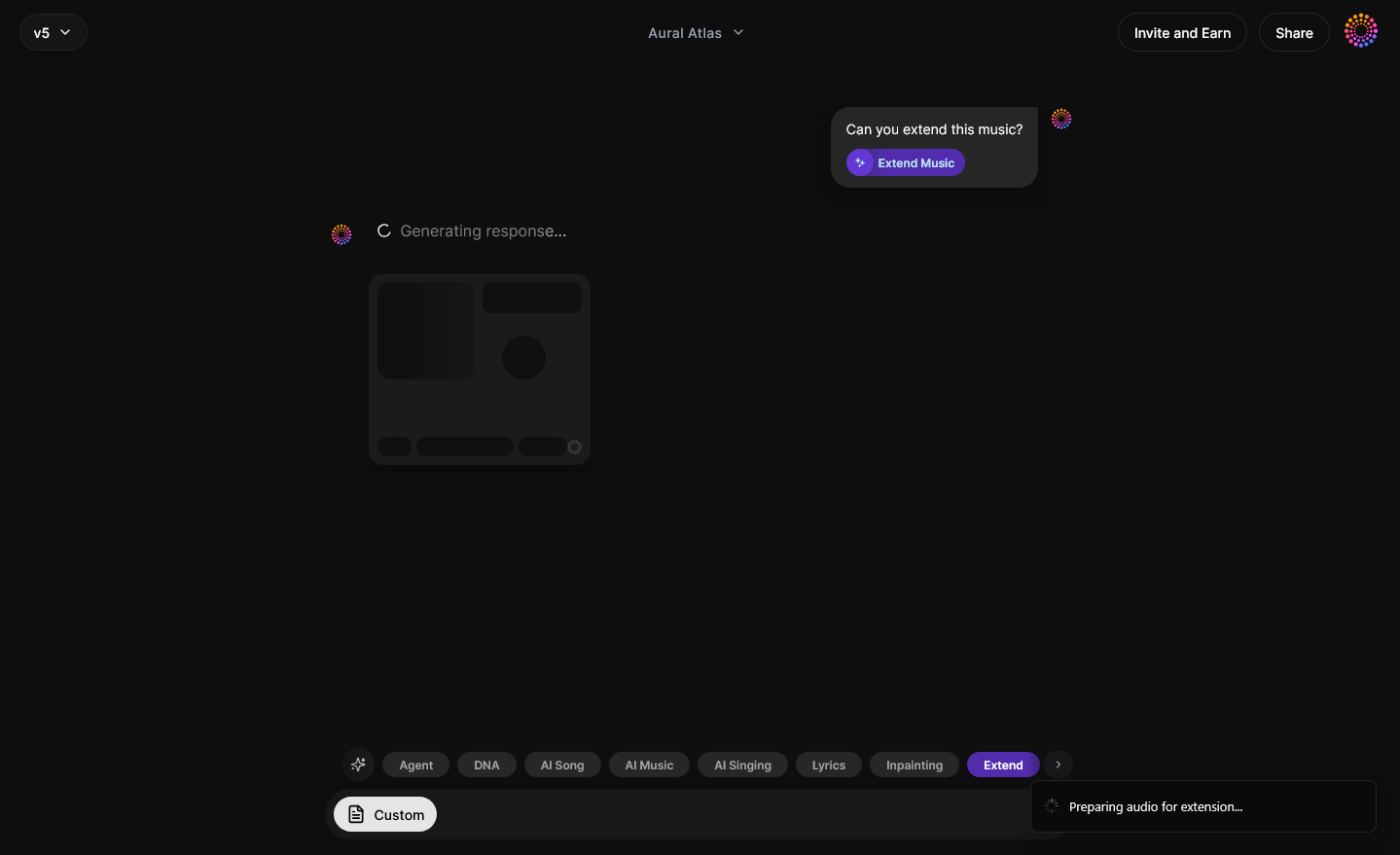
Once parameters are set, the AI takes over to generate new material. It blends seamlessly with the original, matching harmonic and percussive elements. This asynchronous workflow allows for natural regeneration without requiring real-time monitoring. When the new segments are ready, review and make small adjustments within your DAW for artistic refinement.
Step 5: Download Extended — Context: Export extended audio track
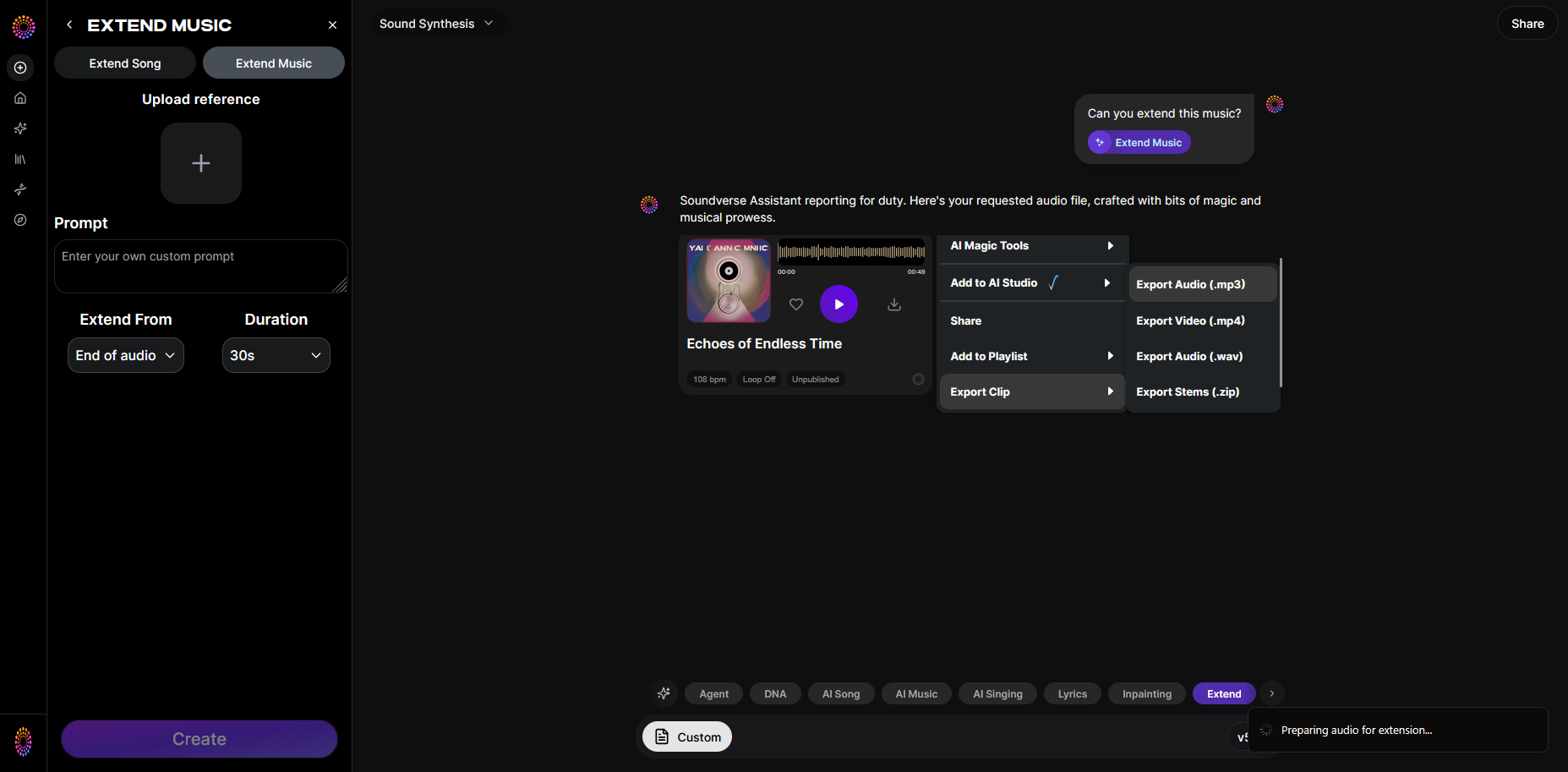
Finally, download the extended version in your desired format—whether WAV, MP3, or FLAC. You can then integrate it into your playlist, performance setup, or video project. Check out this step-by-step tutorial using Suno AI to see how easy AI extensions can be.
Useful Song Remix Techniques for Extended Versions
Here are several creative strategies that professional audio editors use:
- Add transitions – Build atmospheric bridges between choruses or verses.
- Layer new instrumentation – Subtle pads or rhythmic hits can add depth to quiet sections.
- Loop intelligently – Instead of copy-pasting, use crossfades to keep loops natural.
- Play with tempo drift – Slow or accelerate certain parts for emotional effect.
- Incorporate contrasting sections – Borrow rhythmic motifs from other tracks for a fusion-style mix.
If you're new to remixing, check out AI-powered remix guides that explain how technologies can simplify complex editing workflows.
Essential Music Editing Tips for Smooth Track Extensions
When editing manually, precision matters. Use markers to identify natural breakpoints, analyze waveforms for smooth transition zones, and apply equalization to maintain tonal balance between old and new segments. The Soundverse Assistant can help automate some analytical tasks, such as detecting musical tension points for seamless blending.
Additionally, always reference your work on different playback systems—studio monitors, headphones, and phone speakers—to ensure your extensions sound cohesive everywhere.
Track Extension Methods Trending in 2026
Recent trends in 2026 show that independent creators are increasingly blending genres and extending tracks for cross-platform adaptability:
- Social Media Loops: creators extend chorus sections for viral short videos.
- Gaming Soundtracks: looping extensions are built for immersive gameplay.
- Virtual Concerts: musicians use extended versions to create dynamic transitions.
This evolution mirrors what we see in broader music industry trends, where artists maximize engagement through creative extensions rather than entirely new compositions. You can also explore best AI music generators of 2026 to compare tools.
DIY Music Editing for Beginners
If you prefer hands-on manual editing:
- Import the song into a DAW.
- Identify repeatable phrases using waveform peaks.
- Cut and crossfade sections to loop seamlessly.
- Apply light effects to avoid monotony.
- Mix and normalize levels after extension.
While this approach provides control, it’s time-consuming compared to automated AI workflows.
How to make an extended version of a song with Soundverse Extend Music
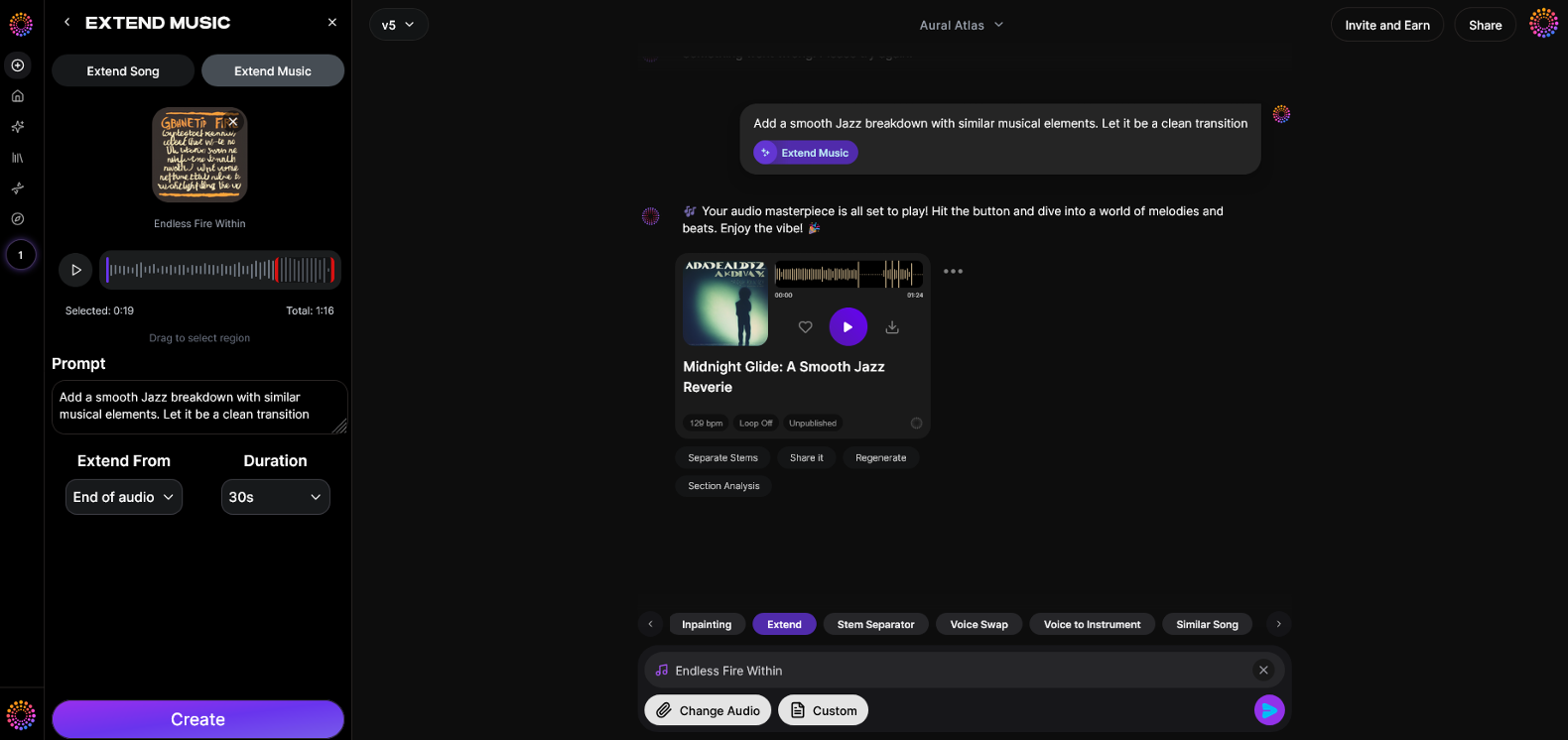
Now that you understand the principles of song extension, here’s how Soundverse empowers you to do it instantly:
The Extend Music tool in Soundverse lengthens existing audio by generating new material that matches the original’s tempo, key, and style. Creators can choose between instrumental or full-song extension, set durations between 15 seconds and 3 minutes, and even create infinite loop-based outputs for games or videos. With capabilities including Extend Song, Extend Music, Duration Control, and Loop Extension, Soundverse ensures professional-grade results without manual editing.
You can also combine this feature with other tools such as Section Analysis (to identify verses or choruses automatically), Inpainting (to rewrite or regenerate lyrical sections), and Stem Separator (to access individual instrument parts). The synergy of these tools transforms your workflow into a complete audio production guide for creativity in 2026.
Whether you’re developing extended mixes for DJs, syncing a track with your video project, or reimagining a loop into a full composition, Soundverse provides scalable and intuitive solutions for independent musicians worldwide.
To explore more creative methods, read related articles like How to Create EDM with Soundverse AI, Generate AI Music with Soundverse Text-to-Music, and What are Song Stems and Why Do You Need Them for deeper understanding.
Create Your Extended Song Version with Soundverse AI
Turn your favorite tracks into longer, more immersive experiences using Soundverse’s intuitive AI tools. Add loops, build transitions, and enhance your music in minutes—no studio required.
Related Articles
- How to Make AI-Generated Music — Discover how to generate complete songs using AI tools for professional-quality compositions.
- Soundverse Introduces Stem Separation AI Magic Tool — Learn how Soundverse’s stem separation technology empowers you to remix and extend tracks easily.
- What Are Song Stems and Why Do You Need Them — Explore the importance of song stems for remixing, editing, and extending your music creations.
- Soundverse Arrangement Studio: What Does It Do — Master arrangement techniques and easily expand your tracks using Soundverse’s powerful studio interface.
Here's how to make AI Music with Soundverse
Video Guide

Here’s another long walkthrough of how to use Soundverse AI.
Text Guide
- To know more about AI Magic Tools, check here.
- To know more about Soundverse Assistant, check here.
- To know more about Arrangement Studio, check here.
Soundverse is an AI Assistant that allows content creators and music makers to create original content in a flash using Generative AI.
With the help of Soundverse Assistant and AI Magic Tools, our users get an unfair advantage over other creators to create audio and music content quickly, easily and cheaply.
Soundverse Assistant is your ultimate music companion. You simply speak to the assistant to get your stuff done. The more you speak to it, the more it starts understanding you and your goals.
AI Magic Tools help convert your creative dreams into tangible music and audio. Use AI Magic Tools such as text to music, stem separation, or lyrics generation to realise your content dreams faster.
Soundverse is here to take music production to the next level. We're not just a digital audio workstation (DAW) competing with Ableton or Logic, we're building a completely new paradigm of easy and conversational content creation.
TikTok: https://www.tiktok.com/@soundverse.ai
Twitter: https://twitter.com/soundverse_ai
Instagram: https://www.instagram.com/soundverse.ai
LinkedIn: https://www.linkedin.com/company/soundverseai
Youtube: https://www.youtube.com/@SoundverseAI
Facebook: https://www.facebook.com/profile.php?id=100095674445607
Join Soundverse for Free and make Viral AI Music

We are constantly building more product experiences. Keep checking our Blog to stay updated about them!