How to Make an AI Voice Sing: Complete Guide for Musicians and Creators (2026)
Learn how to create realistic AI singing voices with Soundverse AI Singing Generator in 2026.
How to Make an AI Voice Sing
As AI continues to transform music creation in 2026, one of the most exciting developments has been the rise of the AI singing voice. Musicians, producers, and content creators are now able to generate realistic vocal performances using advanced AI voice generators, opening new creative possibilities. Whether you want to produce vocal chops for electronic tracks, design character voices for animation, or simply create unique acapella performances, this guide will show you exactly how to make an AI voice sing.
What is an AI Singing Voice?
An AI singing voice is a synthetic vocal performance created using machine learning algorithms, capable of replicating human singing tones, melodies, and emotional nuances. Modern vocal synthesis systems can interpret text and turn it into fully-fledged singing vocals with phrasing, vibrato, and genre-specific expression.
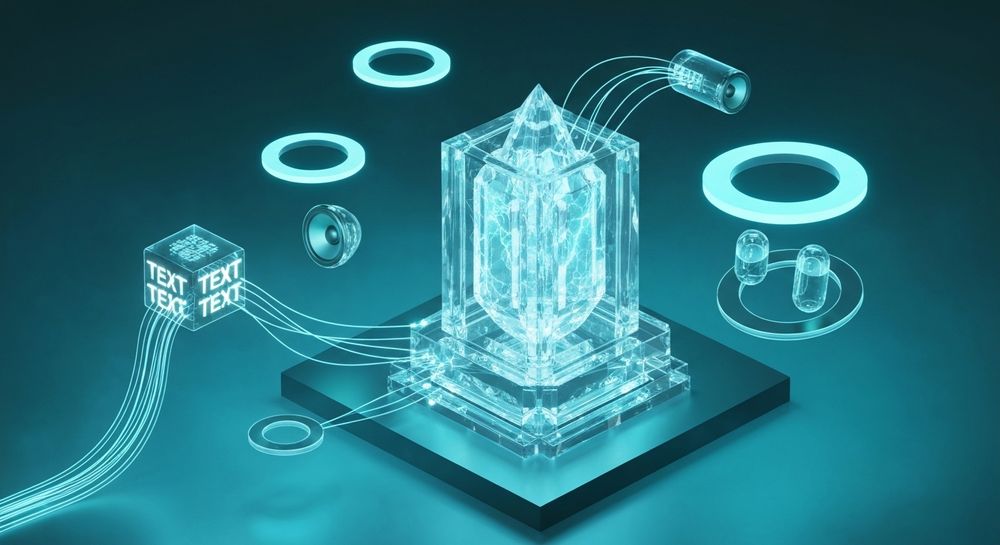
The technology behind singing AI software builds upon text-to-speech advancements but pushes further into the musical domain. Instead of just reading words, the AI understands rhythm, pitch contour, and lyrical flow—allowing creators to convert written lyrics into expressive performances.
By 2026, the accuracy of these models has reached near-professional quality. Tools like Soundverse’s AI Singing Generator enable users to generate multilingual vocal tracks or even experimental singing styles such as whispering, opera, or playful cat-inspired sounds. For genres like EDM, Pop, or Lo-Fi, AI-generated singing blends effortlessly into modern production workflows.
Why are AI Singing Voices Popular in 2026?
There are several reasons why the AI singing voice has become a mainstream production tool:
- Accessibility – Creators without access to vocalists can still produce songs with authentic voices.
- Speed – AI songs can be created in minutes; traditional studio recording takes hours.
- Creative freedom – You can experiment with singing AI software to develop new textures that would be difficult for human singers.
- Consistency – AI vocalists can replicate emotional delivery across multiple tracks or languages.
- Cost efficiency – AI music production reduces expenses for independent artists.
These advantages align with broader shifts in the music industry covered in articles like How AI-Generated Music Is Transforming the Music Industry.
How to Make an AI Singing Voice with Soundverse AI Singing Generator

Soundverse offers one of the most advanced AI voice generator platforms available today. Its AI Singing Generator specializes in producing high-quality acapella singing directly from text or lyrics input.
Overview of Soundverse’s AI Singing Generator
The Soundverse AI Singing Generator allows users to:
- Generate professional-quality singing performances directly from written text.
- Choose between styles like Pop, Rock, Rap, Opera, ASMR, or even whimsical 'Meow Meow' tones.
- Upload reference audio to match tone, emotion, or singing style.
- Receive clean acapella outputs ready for mixing, sampling, or processing.
Primary use cases include vocal references for producers, electronic music vocal chops, multilingual vocal tracks, and character voices for animation or games.
Soundverse’s workflow is asynchronous—you input data and receive processed outputs, not real-time streaming performances. This ensures rendering precision and clarity.
For a deeper dive into Soundverse’s creative capabilities, watch our tutorial on how to make music or explore the Explore Tab overview on Soundverse’s YouTube channel.
Step 1: Access AI Singing Generator

Start by logging into your Soundverse account and selecting the AI Singing Generator from the dashboard. This tool is designed for text-to-singing conversion, enabling flexible genre and style customization.
Step 2: Lyrics/Text Input

Enter your song lyrics or text into the designated field. The AI will interpret not only the words themselves but also their rhythm and emotional tone. You can experiment with pacing, line breaks, and phonetic spelling to shape the vocal phrasing.
For advanced results, try adapting your lyric writing approach. Our previous post How to Make Good Rap Lyrics offers valuable insight into creative lyrical construction that applies beautifully to AI singers.
Step 3: Voice Selection

Next, choose the desired vocal character. Soundverse lets you select from diverse styles including Pop, Rock, Opera, or Rap. You can also upload a reference audio file—perhaps a previous vocal take or a celebrity tone—and the AI will match its expressiveness and texture.
If your project requires multilingual vocals, you’ll find voices trained on multiple languages, helping you produce global-ready releases in 2026’s cross-cultural music market.
Step 4: Generation

Once you finalize your text and voice style, click Generate. The AI processes the input to create a natural-sounding vocal performance that includes expressive melodic phrasing, emotional accents, and genre-specific articulation.
Since the process is non-live, Soundverse renders the full acapella file before playback. You’ll soon receive a downloadable vocal track optimized for clarity and mix integration.
You can easily combine these vocals with instrumentals made via AI music tools—explore Generate AI Music with Soundverse Text-to-Music to complement your singing creations.
For extra inspiration, check our Deep House music tutorial showcasing AI-powered arrangements.
Step 5: Download Vocals

Once the vocal generation is complete, simply download the acapella output. It’s compatible with DAWs like Ableton, Logic, and FL Studio. From there, producers can apply compression, reverb, pitch-shifting, and other effects for creative refinement.
The clean acapella output makes it perfect for creating vocal chops, layering harmonies, or transforming vocals using other Soundverse tools like Voice Swap, which preserves timing and performance nuances while replacing vocal identity.
Pro Tips for Creating Realistic AI Singing Voices
To maximize your results using singing AI software:
- Use expressive punctuation – Add commas, hyphens, and breaks in your text to influence phrasing.
- Upload a strong reference audio – This helps match energy and tone.
- Experiment with genre filters – Pop vs. Opera delivery produces vastly different effects.
- Cut and remix vocals creatively – Use tools like Soundverse’s stem separation feature (Soundverse Introduces Stem Separation AI Magic Tool) for dynamic sampling.
- Integrate with instrumental AI music – Build cohesive tracks using multiple AI features such as the Arrangement Studio and Text-to-Music Generator.
How AI Singing Fits into Modern Music Production
By 2026, AI music production isn’t just a novelty—it’s a mainstream method for professional creators. AI singing plays a massive role in enabling:
- Content creators to generate viral short-form songs.
- Game developers to craft character performances.
- Filmmakers to score emotional scenes without hiring vocalists.
- Music producers to test ideas rapidly.
This cultural shift reflects the democratization of creativity through technology, similar to the innovation discussed in Soundverse AI Revolutionizing Music Creation for New-Age Content Creators.
Start Creating Your Own AI Singing Voice Today
Transform your lyrics and melodies into lifelike AI vocals in minutes. Join Soundverse and explore the future of music creation with intuitive voice synthesis tools.
Related Articles
- AI Ranks Soundverse’s AI Singer #1: The Ultimate AI Singing Platform Dominating 2025 — Discover why Soundverse has been crowned as the top AI singing platform, redefining how creators produce vocal performances.
- Generate AI Music with Soundverse Text-to-Music — Learn how to turn written prompts into fully produced songs using Soundverse’s text-to-music creation engine.
- Soundverse Saar: AI Voice Assistant — Explore how Soundverse’s AI voice assistant can help generate personalized vocals and guide your creative process.
- What AI Can Generate Songs? — Break down the leading AI tools capable of producing full songs and vocal tracks—perfect for experimenting with your next sound.
Here's how to make AI Music with Soundverse
Video Guide

Here’s another long walkthrough of how to use Soundverse AI.
Text Guide
- To know more about AI Magic Tools, check here.
- To know more about Soundverse Assistant, check here.
- To know more about Arrangement Studio, check here.
Soundverse is an AI Assistant that allows content creators and music makers to create original content in a flash using Generative AI.
With the help of Soundverse Assistant and AI Magic Tools, our users get an unfair advantage over other creators to create audio and music content quickly, easily and cheaply.
Soundverse Assistant is your ultimate music companion. You simply speak to the assistant to get your stuff done. The more you speak to it, the more it starts understanding you and your goals.
AI Magic Tools help convert your creative dreams into tangible music and audio. Use AI Magic Tools such as text to music, stem separation, or lyrics generation to realise your content dreams faster.
Soundverse is here to take music production to the next level. We're not just a digital audio workstation (DAW) competing with Ableton or Logic, we're building a completely new paradigm of easy and conversational content creation.
TikTok: https://www.tiktok.com/@soundverse.ai Twitter: https://twitter.com/soundverse_ai Instagram: https://www.instagram.com/soundverse.ai LinkedIn: https://www.linkedin.com/company/soundverseai Youtube: https://www.youtube.com/@SoundverseAI Facebook: https://www.facebook.com/profile.php?id=100095674445607
Join Soundverse for Free and make Viral AI Music

We are constantly building more product experiences. Keep checking our Blog to stay updated about them!