How to Make an AI Voice Assistant: A Complete Tutorial for 2026
Learn step-by-step how to make an AI voice assistant using Soundverse Agent in 2026.
How to Make an AI Voice Assistant
Artificial intelligence has come a long way since 2024. In 2026, voice technology has become a standard part of digital experiences—from smart homes to creative studios. If you’re looking to learn how to make an AI voice assistant, you’re in the right place. This AI voice assistant tutorial will guide you through every step, from understanding speech recognition and natural language processing AI, to implementing a polished assistant using Soundverse Agent.
Creating a voice assistant today is not just about understanding basic programming—it’s about orchestrating multiple AI systems that can recognize speech, interpret meaning, and carry out complex actions seamlessly.
Why Build a Voice Assistant with AI in 2026?
AI voice assistants are shaping how humans interact with technology. Developers and hobbyists are pushing boundaries, blending AI speech recognition with conversational logic to create assistants that can learn, adapt, and perform multi-step reasoning.
In 2026, these advancements are driven by natural language processing AI and open AI APIs that simplify integration. Modern assistants can analyze context, remember previous commands, and automate workflows. If you’re a developer, mastering voice assistant development means opening doors to new kinds of applications—whether in music creation, productivity, or entertainment.
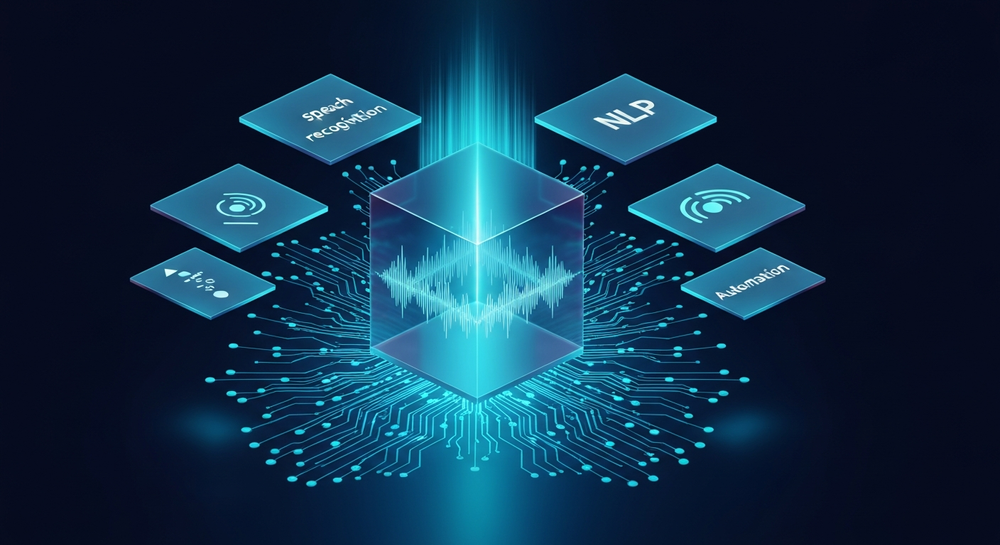
What Technologies Power an AI Voice Assistant?
Before diving into the step-by-step AI voice assistant tutorial, it’s essential to understand the core technologies:
- AI Speech Recognition (ASR): Converts spoken words into text. Systems like Google Cloud Speech-to-Text and OpenAI Whisper are common foundations.
- Natural Language Processing AI (NLP): Interprets text and understands meaning. Tools like spaCy, Hugging Face Transformers, and proprietary NLP systems help extract context.
- AI Chatbot Design Frameworks: Platforms like Rasa, Dialogflow, and Soundverse’s Agent use conversational flow modeling to create natural dialogue structures.
- Backend Automation: Executes actions triggered by the assistant—whether sending emails, generating music, or managing files.
By combining these systems, we can build human-like assistants capable of carrying out creative and technical tasks.

How to Make an AI Voice Assistant with Soundverse Agent
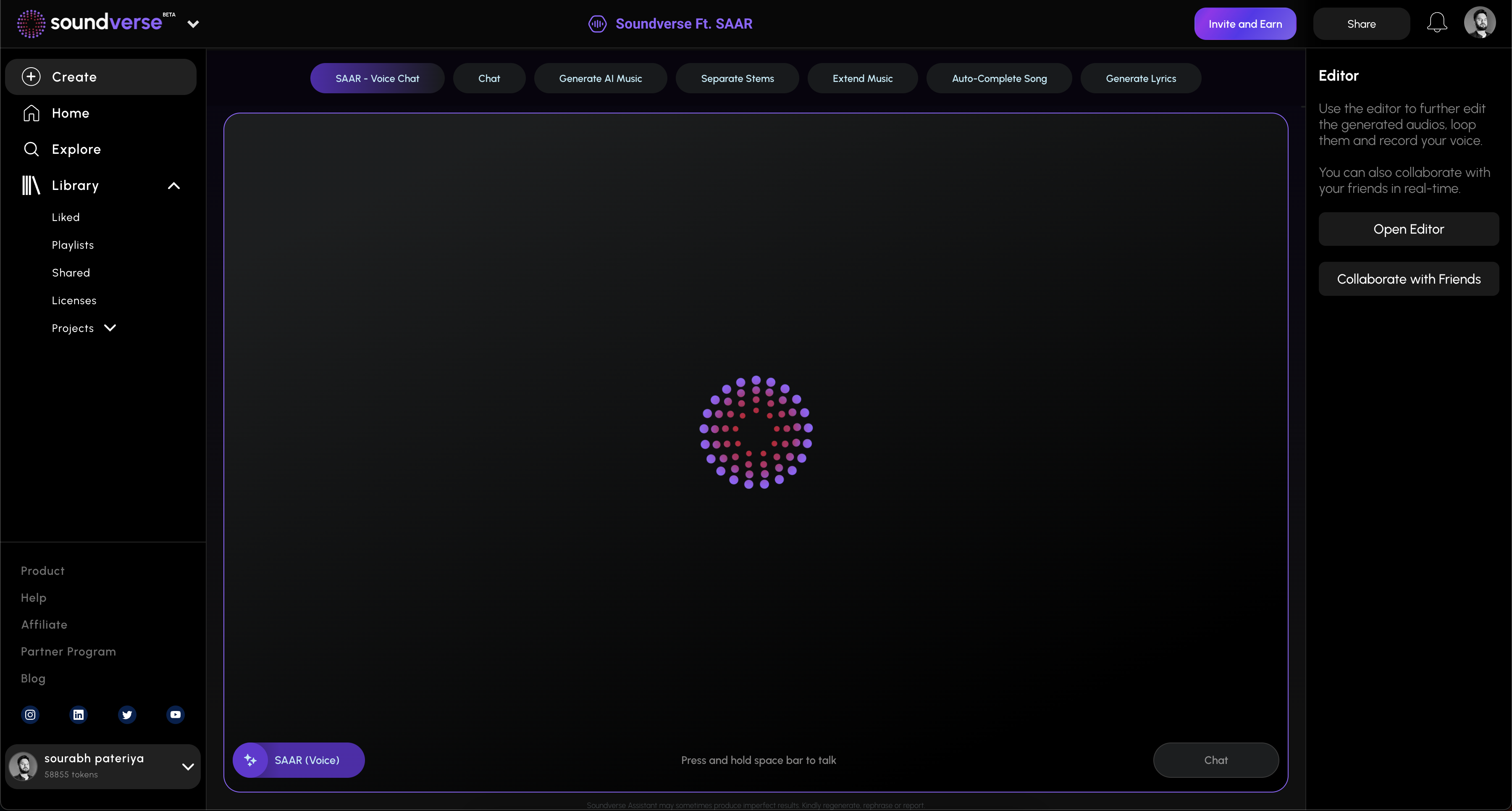
Soundverse has become a leader in AI-powered creative applications, and its core feature—the Agent—makes it easy for developers to build conversational and voice-based tools.
What is Soundverse Agent?
Soundverse Agent is a conversational AI music assistant that acts as the centralized controller of the Soundverse platform. It interprets natural language requests like “create a pop song, then remove the drums,” and orchestrates underlying tools to execute complex workflows automatically.
Core capabilities include:
- Multi-step tool orchestration
- Contextual memory (remembers previous requests)
- Voice input support
- Cross-tool workflow automation
Primary use cases:
- Beginners can create music without technical skills.
- Producers can automate multi-step tasks (e.g., generate → separate → extend).
- Educators can use it for interactive music theory learning.
- Developers and researchers can rapidly prototype new creative ideas.
When applied to voice assistant development, Soundverse Agent provides a pre-built foundation for understanding natural language and executing AI-driven tasks. This makes it a perfect solution for anyone looking to build their own assistant with minimal complexity.
Step 1: Overview
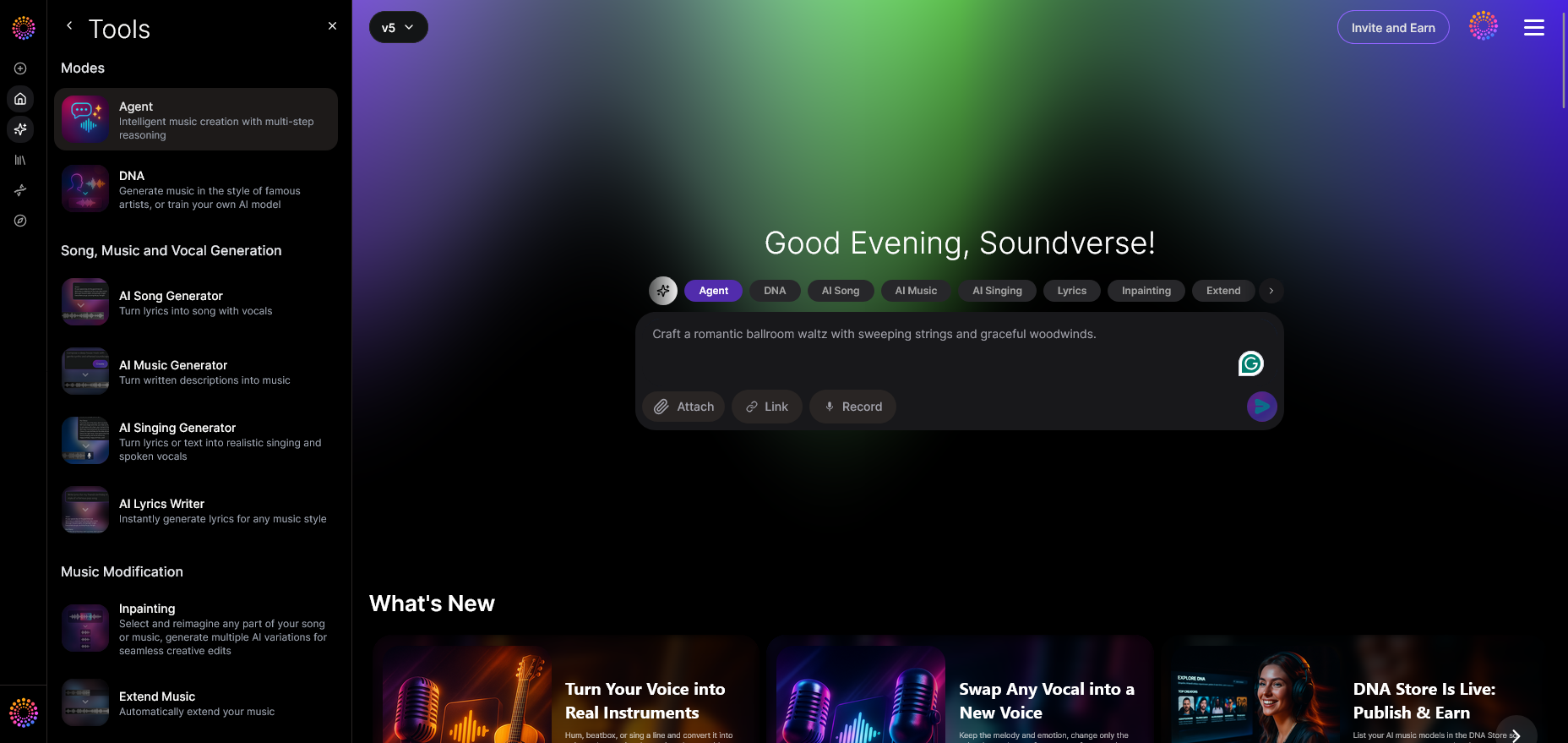
In your Soundverse dashboard, the Agent interface serves as your development hub. Here, you can set up your project environment, define assistant parameters, and access built-in AI modules. It’s your control center for AI orchestration.
Step 2: Reference Audio
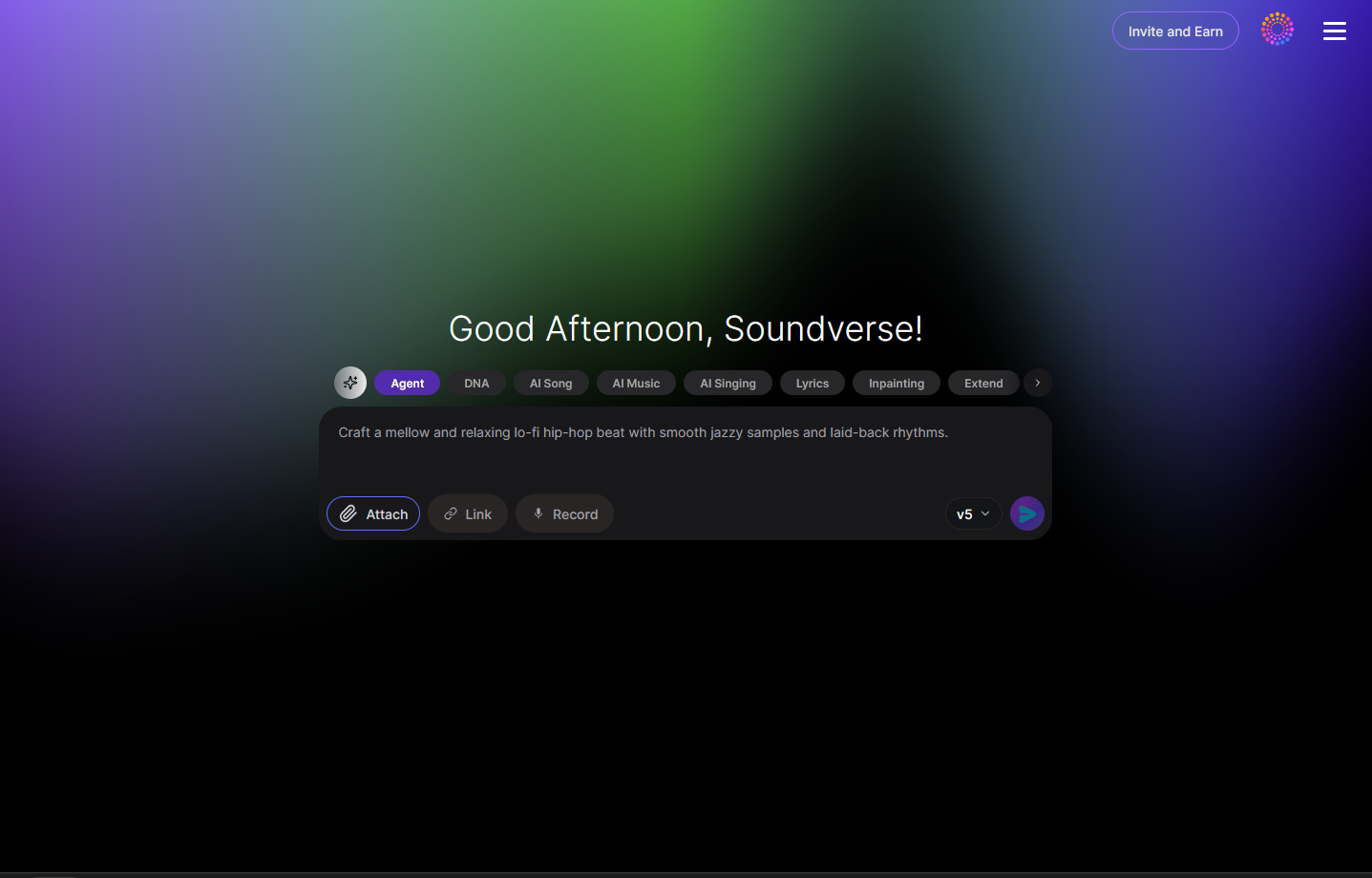
To enable voice interaction, you can add reference audio or voice samples. This helps the assistant understand input tone or audio style. For music assistants, you might upload short recordings or instruments for context.
Step 3: Attach Button
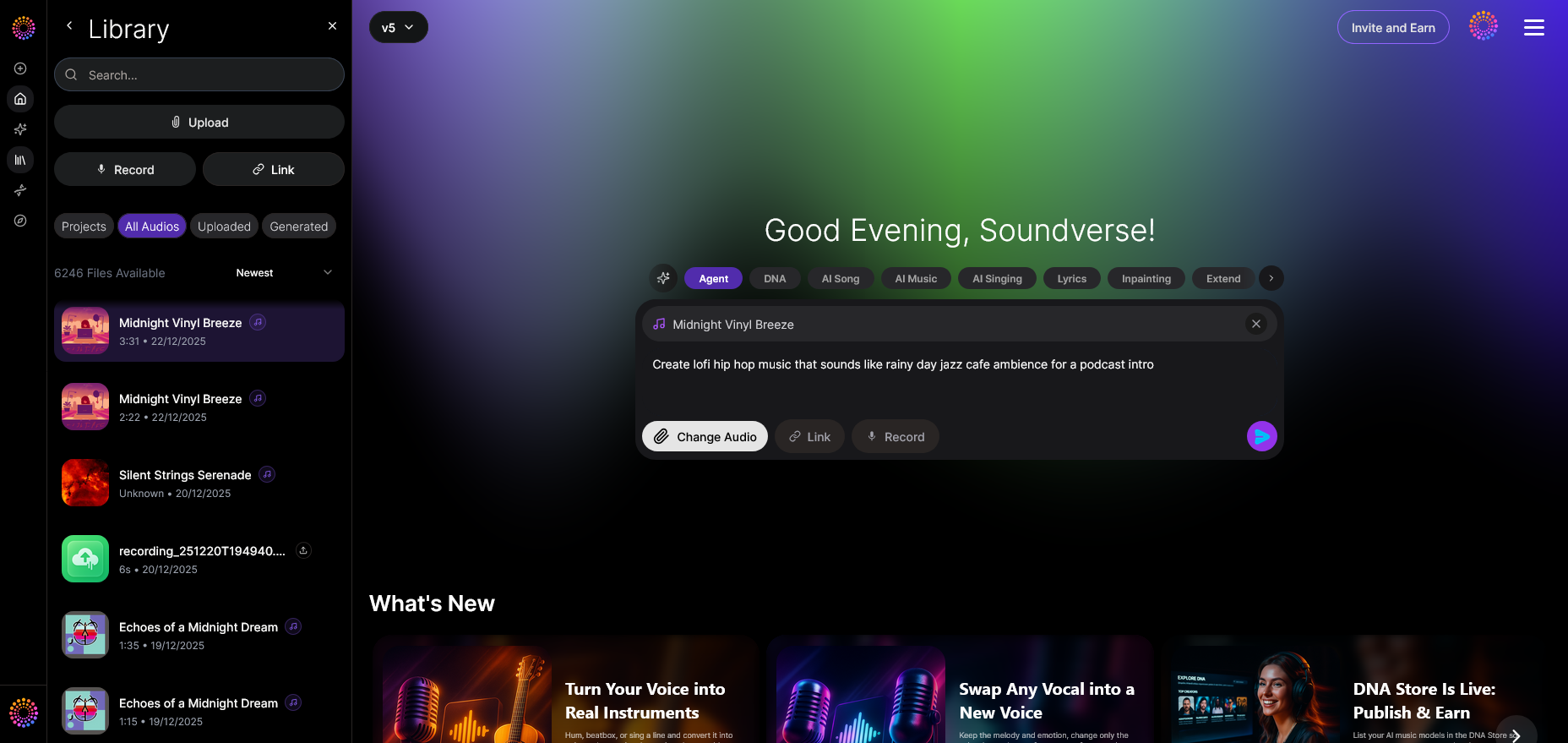
The attach option lets you import audio or data files that your voice assistant will use in response generation. This could include voice prompts, sound cues, or data for training simulations.
Step 4: Submit Request
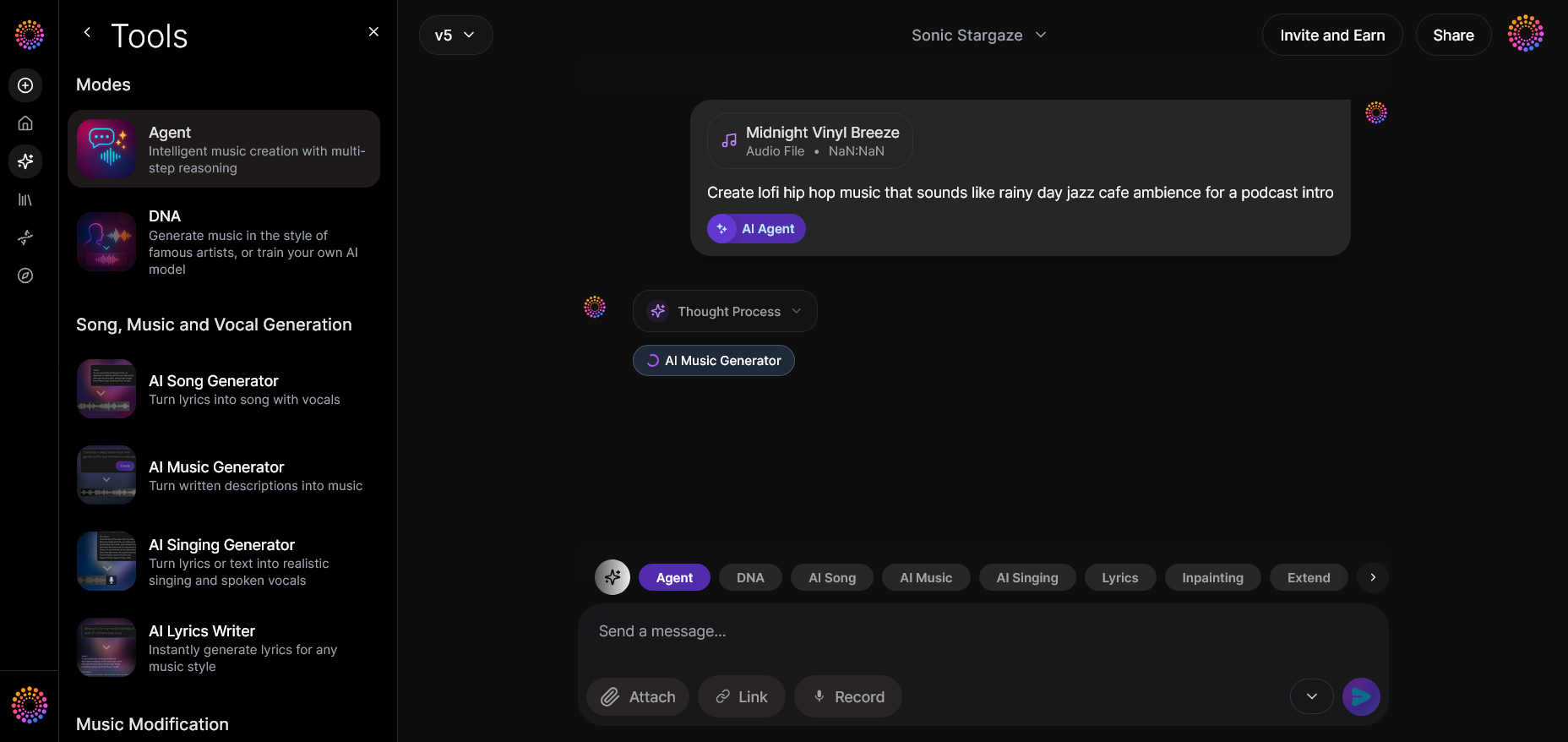
Once you configure your prompts, use the send button to instruct Soundverse Agent to interpret and generate a response. This asynchronous process involves AI reasoning across multiple components—no real-time preview is required.
Step 5: Review Output
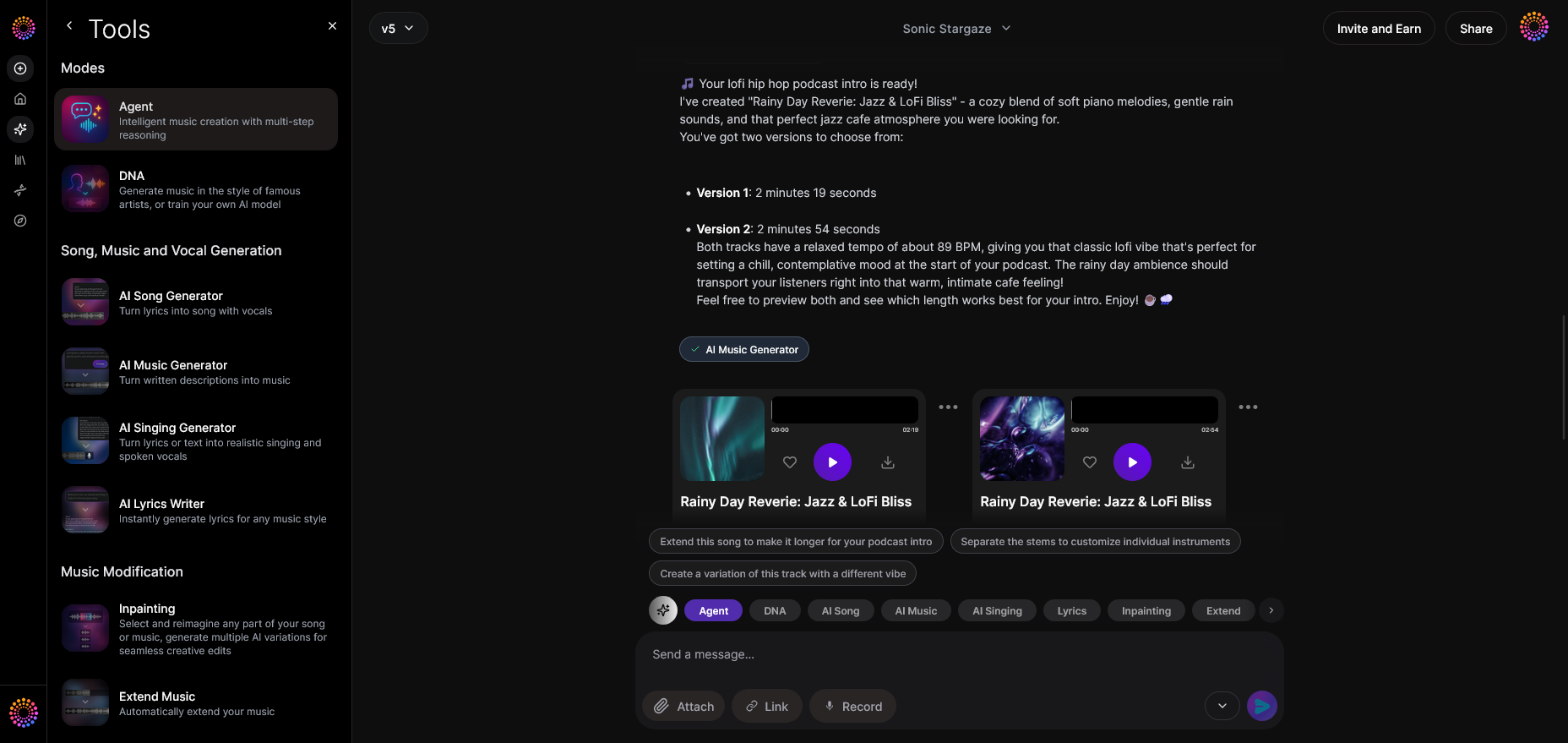
After the Agent processes your request, you can review generated audio or text output. This includes responses, sound variations, or conversational replies. This step ensures quality and accuracy before further refinement.
Step 6: Refine Conversation
Soundverse allows iterative adjustments. You can continue chatting with the Agent to refine output or improve the assistant’s responses. Each iteration updates contextual memory, leading to a smarter interaction model over time.
Step 7: Advanced Controls
For experienced developers, there’s an advanced control section. Here, you can manually select tools, define script logic, or integrate Soundverse API for external applications. You can also connect this setup with external NLP engines for hybrid AI chatbot design.
Step 8: Export Options
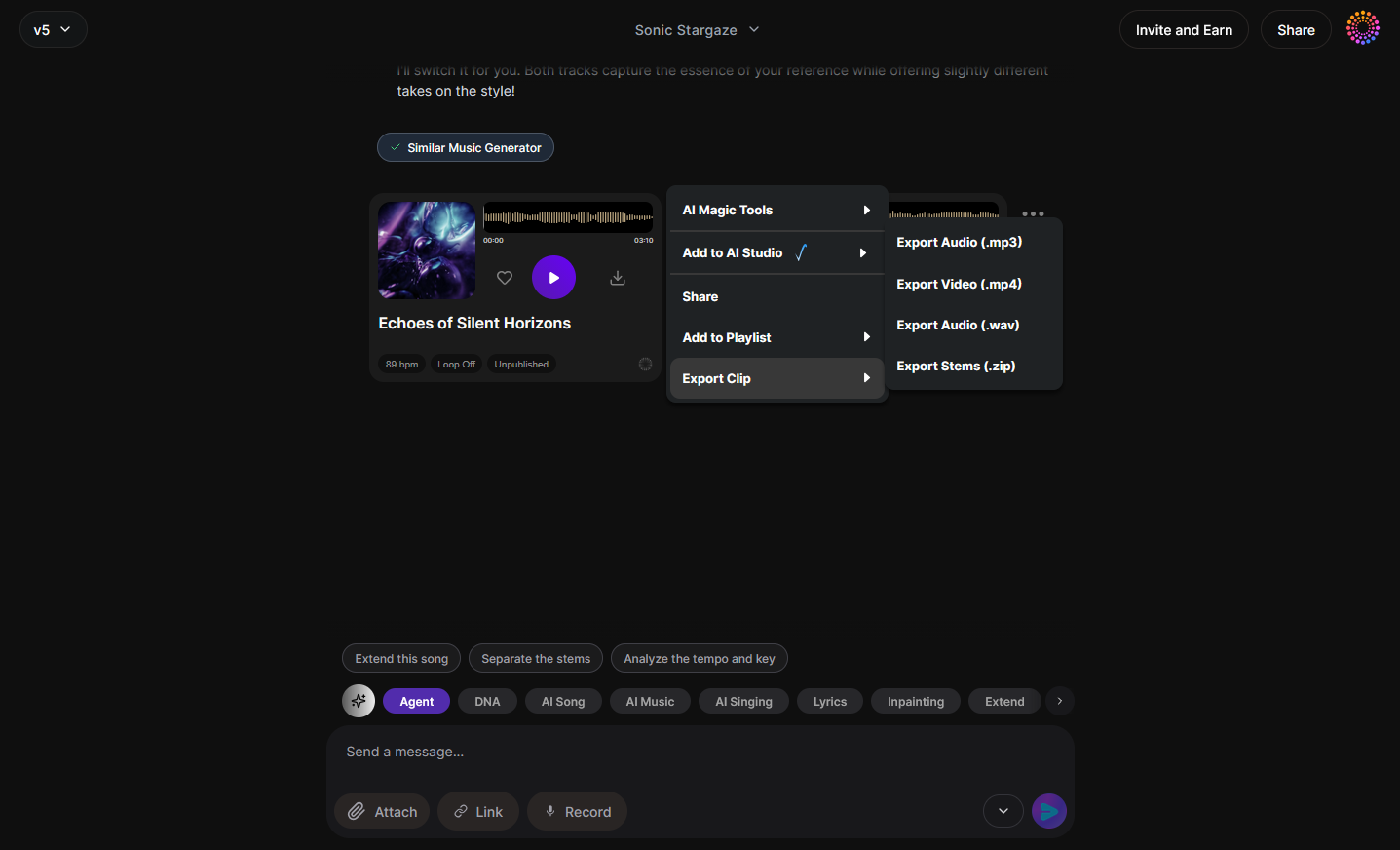
Once satisfied, export your assistant’s responses or generated materials. You can choose multiple formats, making it easy to integrate into apps, websites, or creative projects.
Step 9: New Conversation
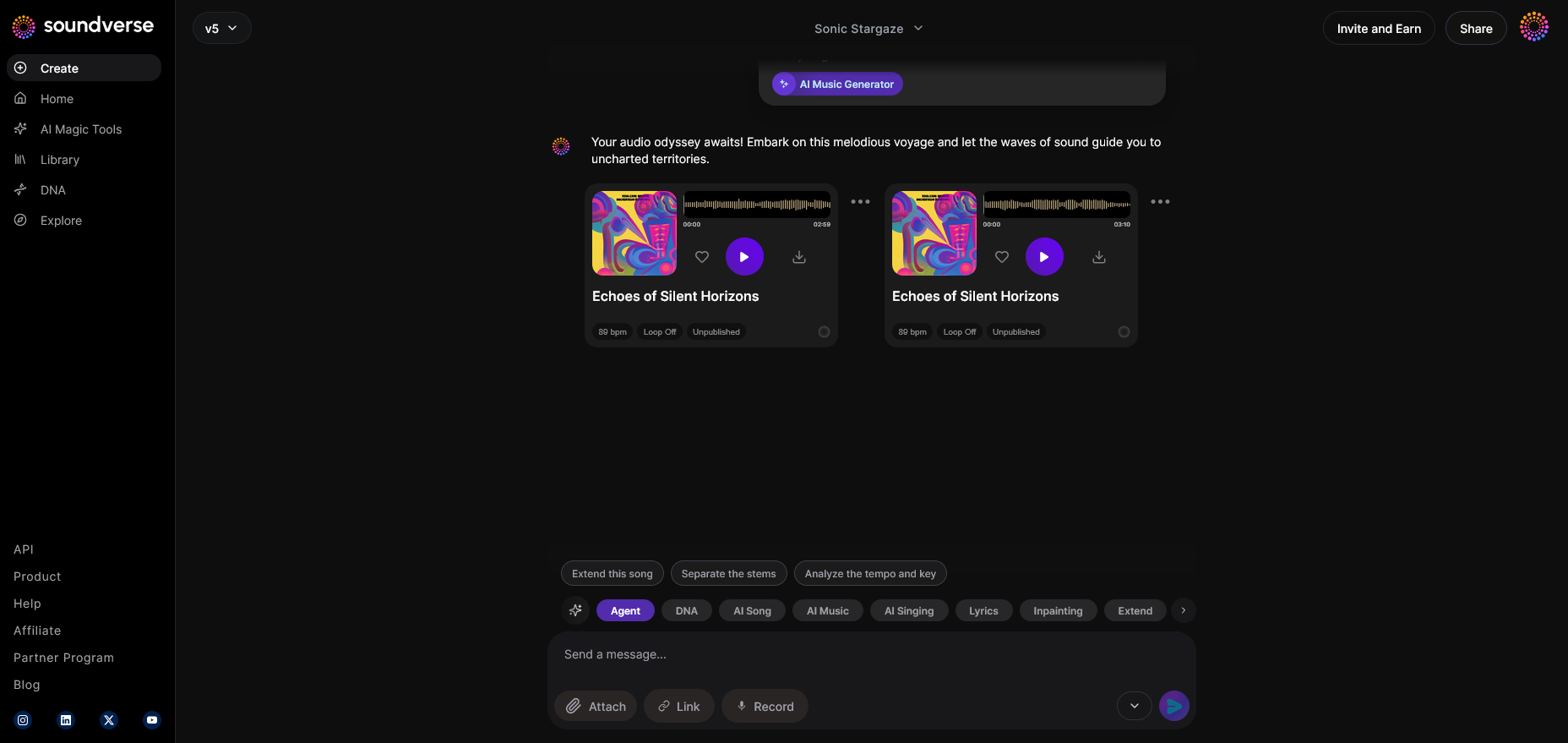
When starting a new project or instance, click the New Conversation button. This resets context memory and allows the creation of a new assistant model or interaction loop.
For a deeper dive, watch our guide on creating Deep House music, or explore Soundverse’s tutorial on how to make music to understand creative assistant integration.
These nine steps encapsulate the workflow inside Soundverse for building and iterating your AI voice assistant efficiently.
Pro Tips for Voice Assistant Development in 2026
- Use contextual prompts: Instead of simple commands, build rich sentence structures. The better your assistant understands context, the smarter its replies.
- Combine multiple APIs: Integrate ASR, NLP, and backend logic seamlessly through Soundverse API or similar systems.
- Personalize tone and response style: Users expect friendliness and adaptive replies. Design personality layers in your AI chatbot design to make interactions engaging.
- Iterate continuously: AI assistants improve through data-rich conversation cycles. Use refinement options to tune performance.
- Leverage music generation: For multimedia assistants, pair responses with background sound or tone using Soundverse DNA for artist-trained AI music generation.
How to Integrate AI Speech Recognition and Natural Language Processing AI
Speech recognition and NLP must work hand in hand. The simplest workflow looks like this:
- Audio Input → ASR → Text Transcript → NLP Interpretation → Action Execution → Response Generation
Soundverse Agent plays a crucial role here, serving as the orchestrator. It takes natural commands, performs multi-step reasoning, and calls tools for execution. That’s why it’s a perfect foundation for developers building assistants that combine creative automation and speech understanding.
If your goal is to build hybrid models that include music intelligence, you can explore integrated solutions described in articles like AI Music Generator and Human Composers: A Future Together or How AI-Generated Music Is Transforming the Music Industry.
Integrate Soundverse Tools for Greater Versatility
The Soundverse ecosystem provides synergy for advanced projects:
- Soundverse API enables integration with any app or external assistant framework.
- Soundverse DNA allows for copyright-safe audio generation using artist-trained models.
These can be cross-linked to create assistants capable of generating unique sound output, analyzing music theory, or producing context-aware recommendations.
To learn creative use cases, check out Soundverse Assistant: Your AI Music Co-Producer and Generate AI Music with Soundverse Text-to-Music.
Start Building Your AI Voice Assistant Today
Experience how easy it is to create interactive voice technology with Soundverse. Unlock creative possibilities and accelerate your AI projects with intuitive tools built for creators.
Get Started Free
Related Articles
- Soundverse SAAR: AI Voice Assistant — Explore how Soundverse SAAR is redefining voice interaction through advanced AI-driven communication.
- Soundverse Assistant: Your AI Music Co-Producer — Discover how Soundverse Assistant helps creators co-produce tracks using the power of conversational AI.
- Soundverse AI Revolutionizing Music Creation for New Age Content Creators — Learn how Soundverse AI empowers next-gen creators with tools that merge innovation and artistry.
- Soundverse Introduces Stem Separation AI Magic Tool — Check out Soundverse’s new AI Magic Tool that makes stem separation faster and more accessible for creators.
Here's how to make AI Music with Soundverse
Video Guide

Here’s another long walkthrough of how to use Soundverse AI.
Text Guide
- To know more about AI Magic Tools, check here.
- To know more about Soundverse Assistant, check here.
- To know more about Arrangement Studio, check here.
Soundverse is an AI Assistant that allows content creators and music makers to create original content in a flash using Generative AI.
With the help of Soundverse Assistant and AI Magic Tools, our users get an unfair advantage over other creators to create audio and music content quickly, easily and cheaply.
Soundverse Assistant is your ultimate music companion. You simply speak to the assistant to get your stuff done. The more you speak to it, the more it starts understanding you and your goals.
AI Magic Tools help convert your creative dreams into tangible music and audio. Use AI Magic Tools such as text to music, stem separation, or lyrics generation to realise your content dreams faster.
Soundverse is here to take music production to the next level. We're not just a digital audio workstation (DAW) competing with Ableton or Logic, we're building a completely new paradigm of easy and conversational content creation.
TikTok: https://www.tiktok.com/@soundverse.ai
Twitter: https://twitter.com/soundverse_ai
Instagram: https://www.instagram.com/soundverse.ai
LinkedIn: https://www.linkedin.com/company/soundverseai
YouTube: https://www.youtube.com/@SoundverseAI
Facebook: https://www.facebook.com/profile.php?id=100095674445607
Join Soundverse for Free and make Viral AI Music

We are constantly building more product experiences. Keep checking our Blog to stay updated about them!