How to Make an AI Music Model That Sounds Like You Using Soundverse DNA
Learn how to build a personalized AI music model with Soundverse DNA to replicate your unique sound in 2026.
How to Make an AI Music Model That Sounds Like You Using Soundverse DNA
In 2026, the intersection of artificial intelligence and music creation has evolved beyond automation — it’s about personal identity, creative control, and ethical innovation. Musicians no longer rely solely on generic music AI generators. Instead, artists are shaping AI models that carry their distinct sound signature. One of the most transformative tools enabling this evolution is Soundverse DNA — a cutting-edge feature that empowers you to create an AI music model that sounds exactly like you.
If you’re a musician, producer, or creator looking to replicate your stylistic essence in AI-generated tracks, this step-by-step guide will teach you how to make your own personalized AI music model using the powerful Soundverse DNA system.
How to Make an AI Music Model with Soundverse DNA
What is Soundverse DNA?
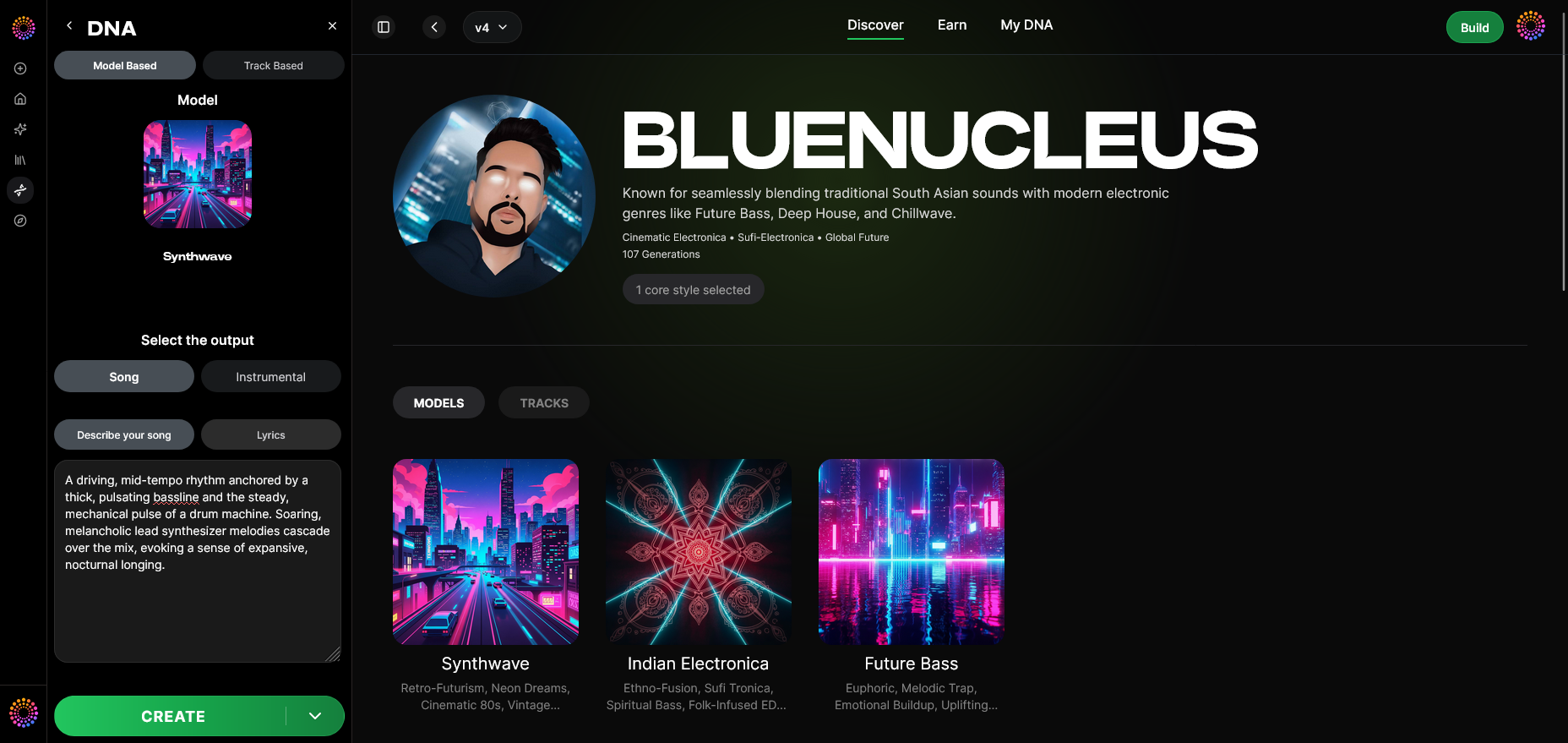
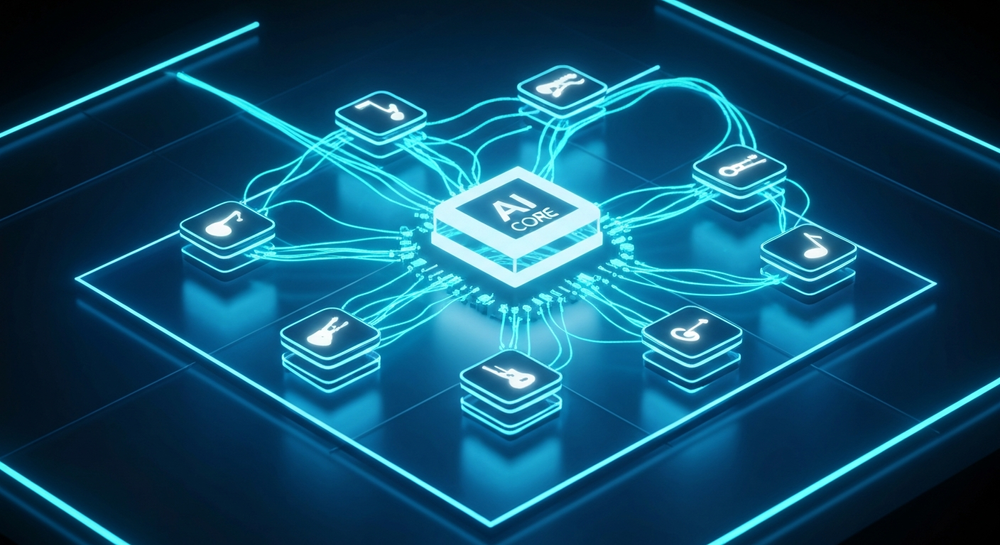
Soundverse DNA is an artist-trained AI music generation system that captures, learns, and recreates your sonic identity. Unlike generic generators, it builds a digital DNA that mirrors your vocal tone, performance style, and musical nuances. Every note, phrasing pattern, or harmonic choice you make becomes part of your custom AI voice — letting your AI music model sound unmistakably you.
Core Capabilities of Soundverse DNA
- Full DNA – Captures the essence of both songs and instrumentals for complete stylistic replication.
- Voice DNA – Focuses on your vocal timbre and expression, ideal for singers creating unique vocal models.
- DNA Marketplace – License your sound to fans or collaborators ethically, earning royalties each time your model is used.
- Sensitivity Selector – Lets you fine-tune your model for different eras or styles within your career, ensuring contextually appropriate generations.
- Private Mode – Enables secure collaborations, ensuring your creative data is safe from unauthorized access.
By combining these features, Soundverse DNA gives artists both creative freedom and ethical monetization. It ensures that AI music creation remains artist-driven rather than data-exploitative — a critical advancement in the 2026 creative economy.
Step-by-Step Guide: How to Make an AI Music Model That Sounds Like You

Step 1: Overview
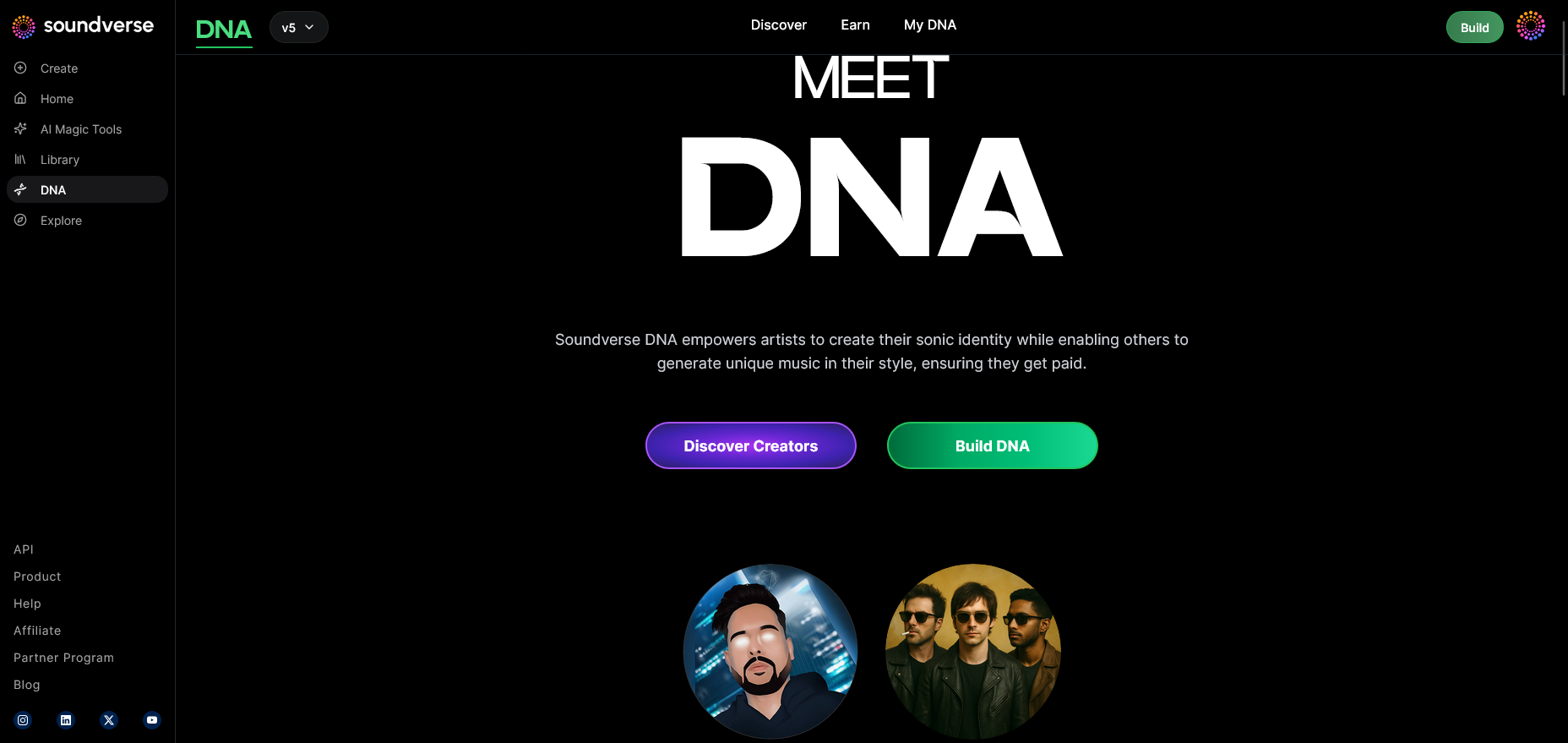
Soundverse DNA’s dashboard opens with an overview of your available model types. This screen introduces the DNA mode, where you define how your AI model should learn from your unique sound.
Step 2: Dashboard
In the My DNA dashboard, you can view all your AI models, manage existing ones, or start new training sessions for upcoming projects.
Step 3: Creator Profile
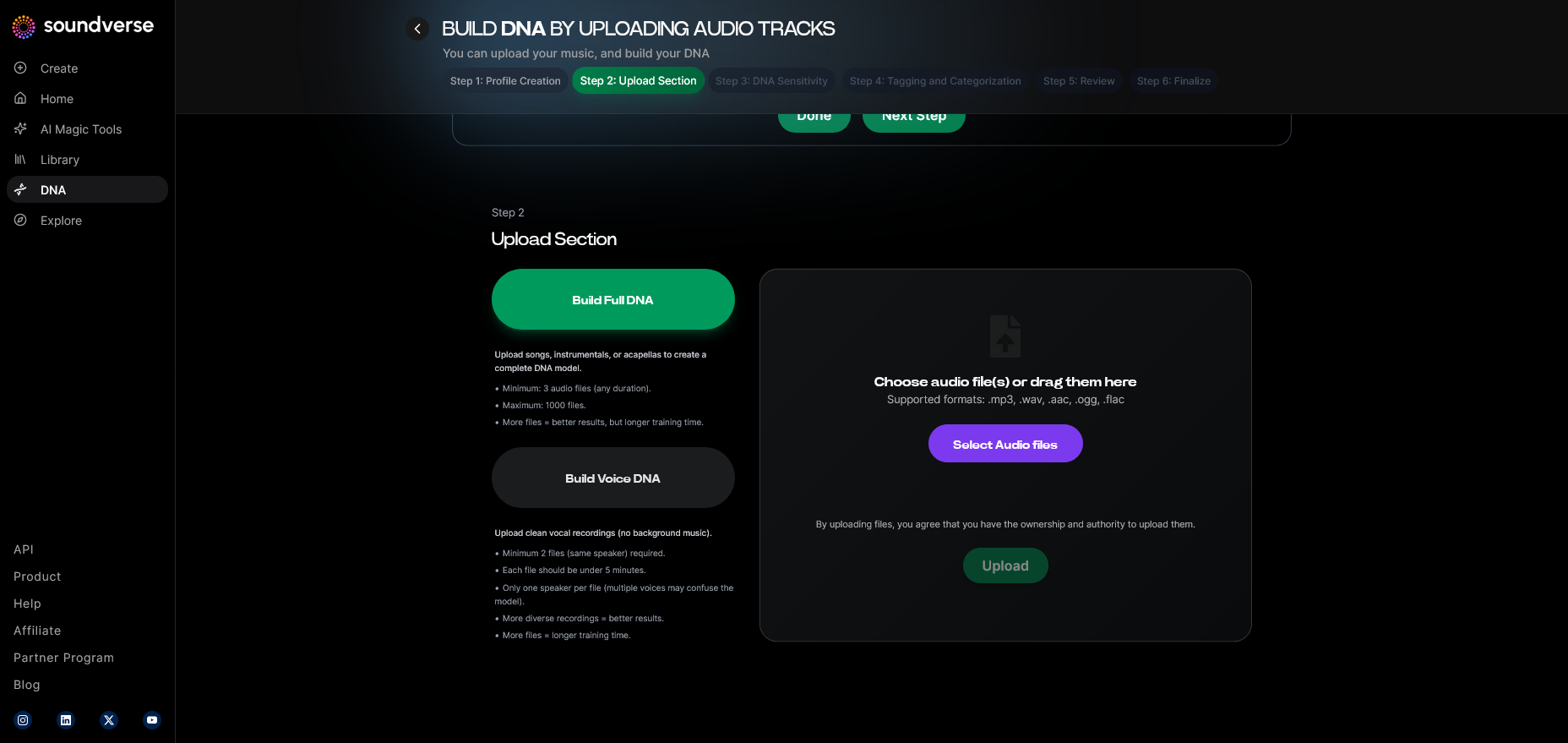
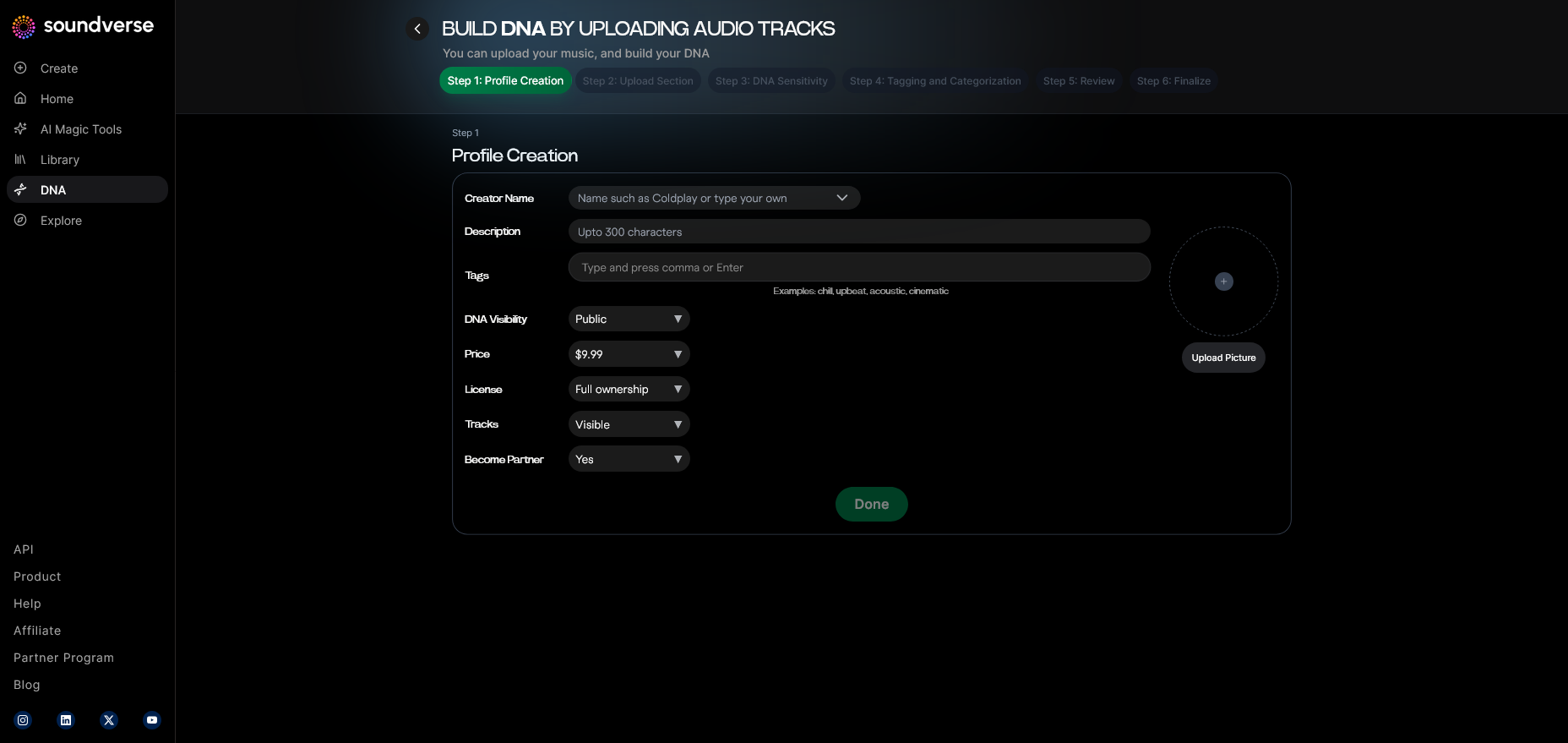
Before building an AI music model, set up your Creator Profile. This includes your name, genre preferences, stylistic descriptors, and source material details. Think of it as your artistic fingerprint for the AI system.
Step 4: DNA Type Selection
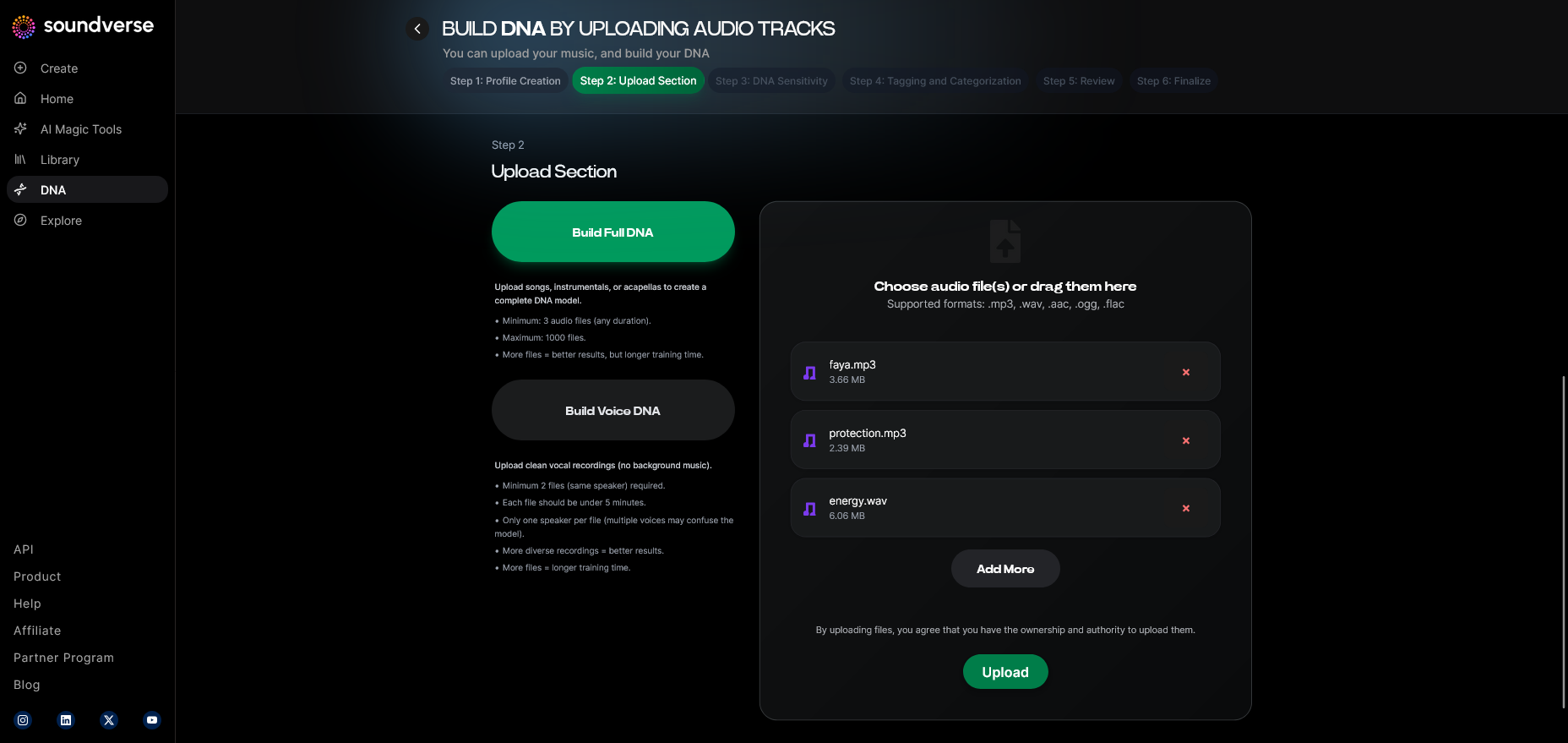
Choose between Full DNA or Voice DNA depending on what aspect of your sound you want replicated. Full DNA is ideal for producers or composers, while Voice DNA focuses on singers and vocalists.
Step 5: Upload Files
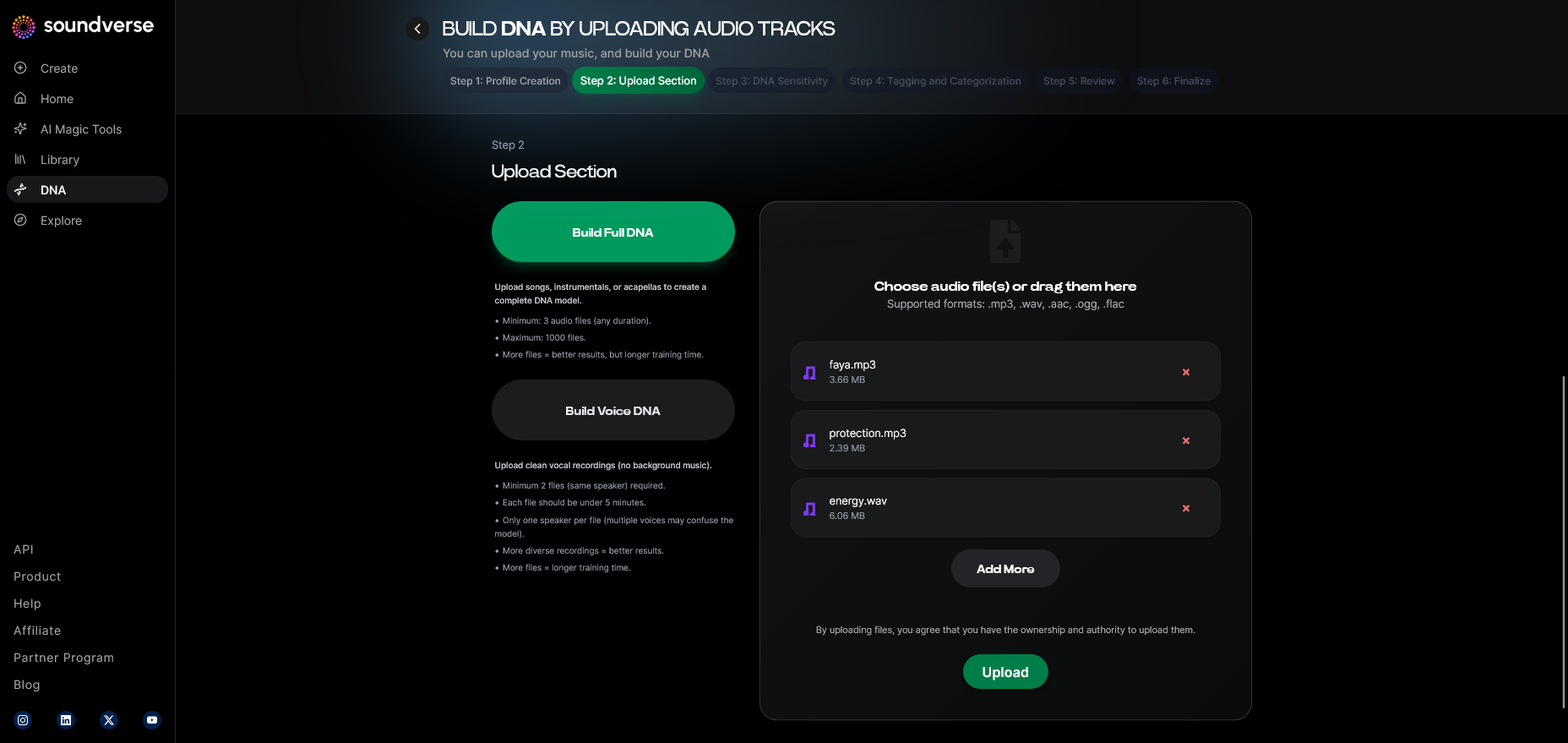
Upload high-quality audio samples — songs, stems, or isolated vocals. The AI processes these to learn your structure, tonal characteristics, and performance behavior. Unlike tools such as Soundraw or Mubert, Soundverse ensures that all training data remains licensed and secure.
Step 6: Sensitivity Setting
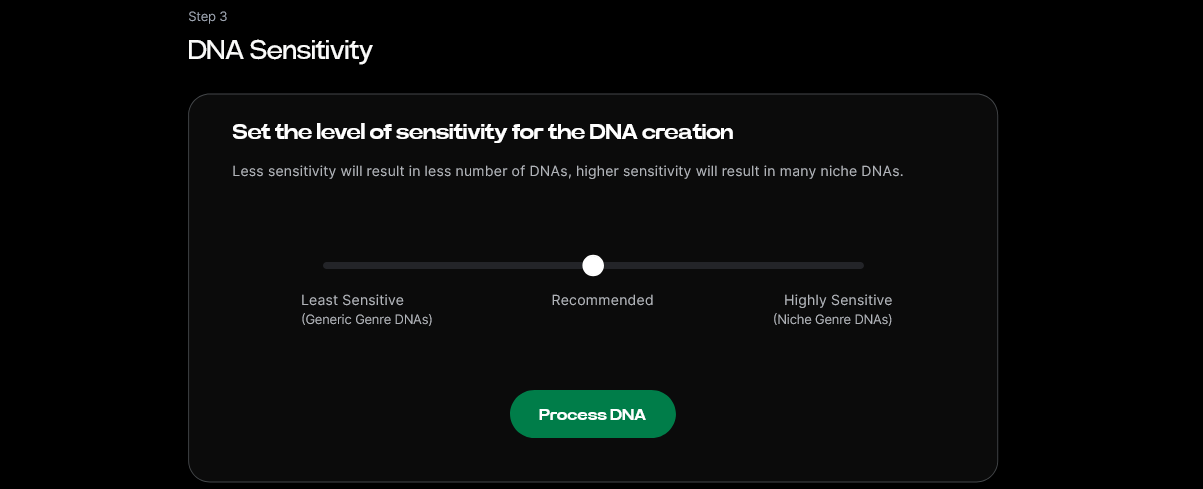
Use the Sensitivity Selector to cluster your catalog by era or style. For instance, you might separate early works from your modern releases, giving you control over which era the AI model aligns with.
Step 7: Auto Tagging
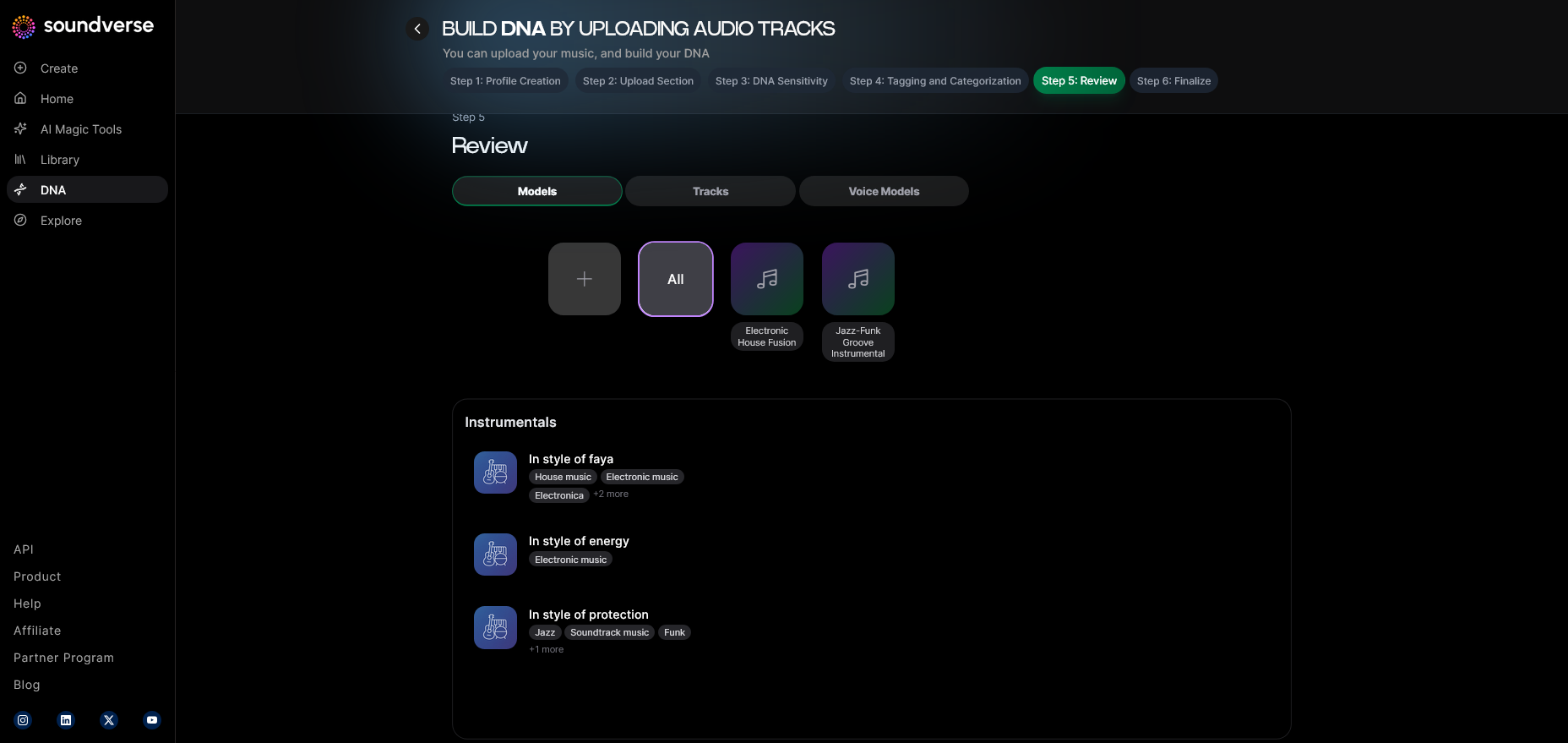
Soundverse’s Auto Tagging feature automatically identifies metadata like genre, BPM, and mood for your uploaded files. This ensures that AI generations remain accurate to your creative identity.
Step 8: Review & Publish
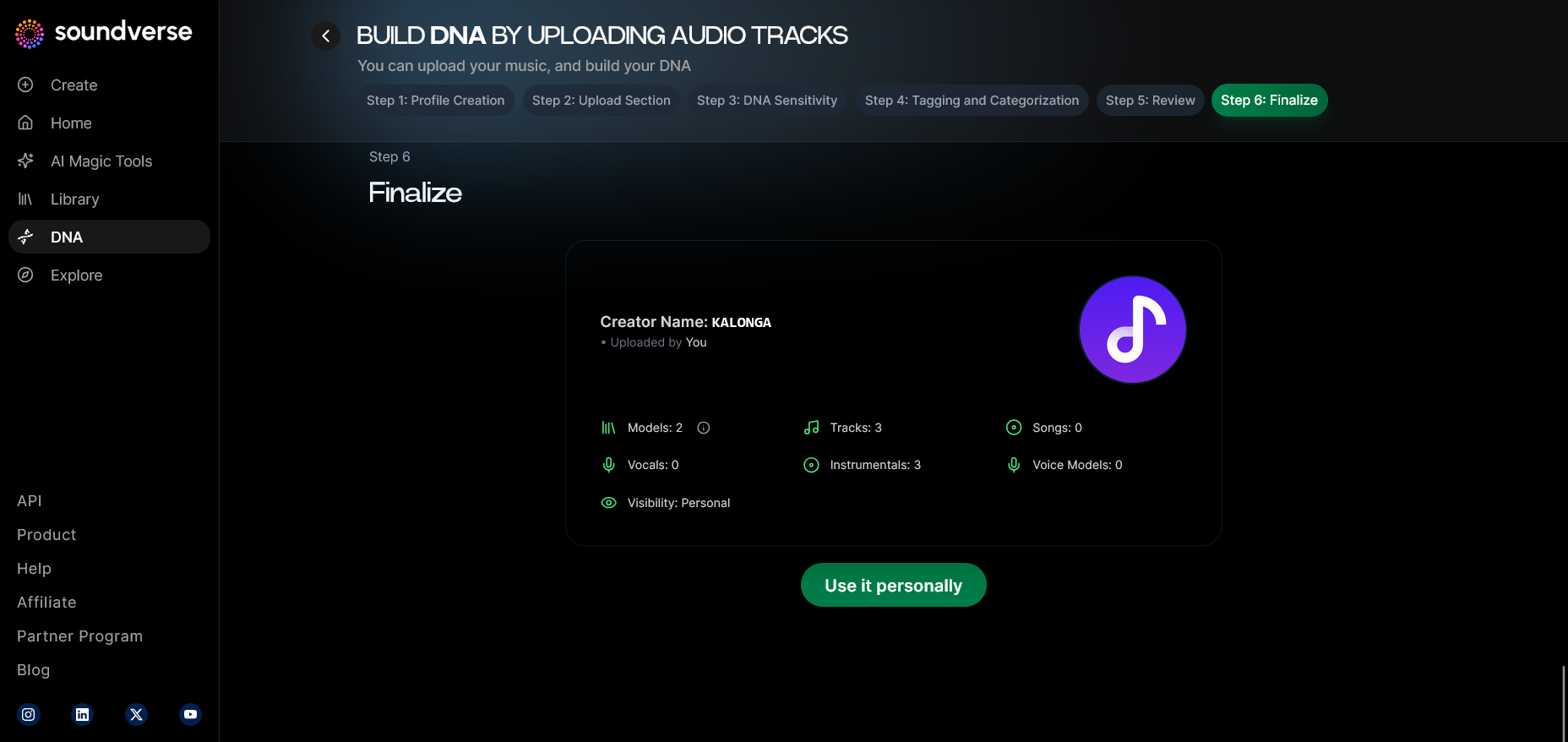
Once your data is processed, review the AI’s interpretation of your music DNA. You can approve it for publication on the DNA Marketplace or keep it private for your own use.
Step 9: Generation Panel
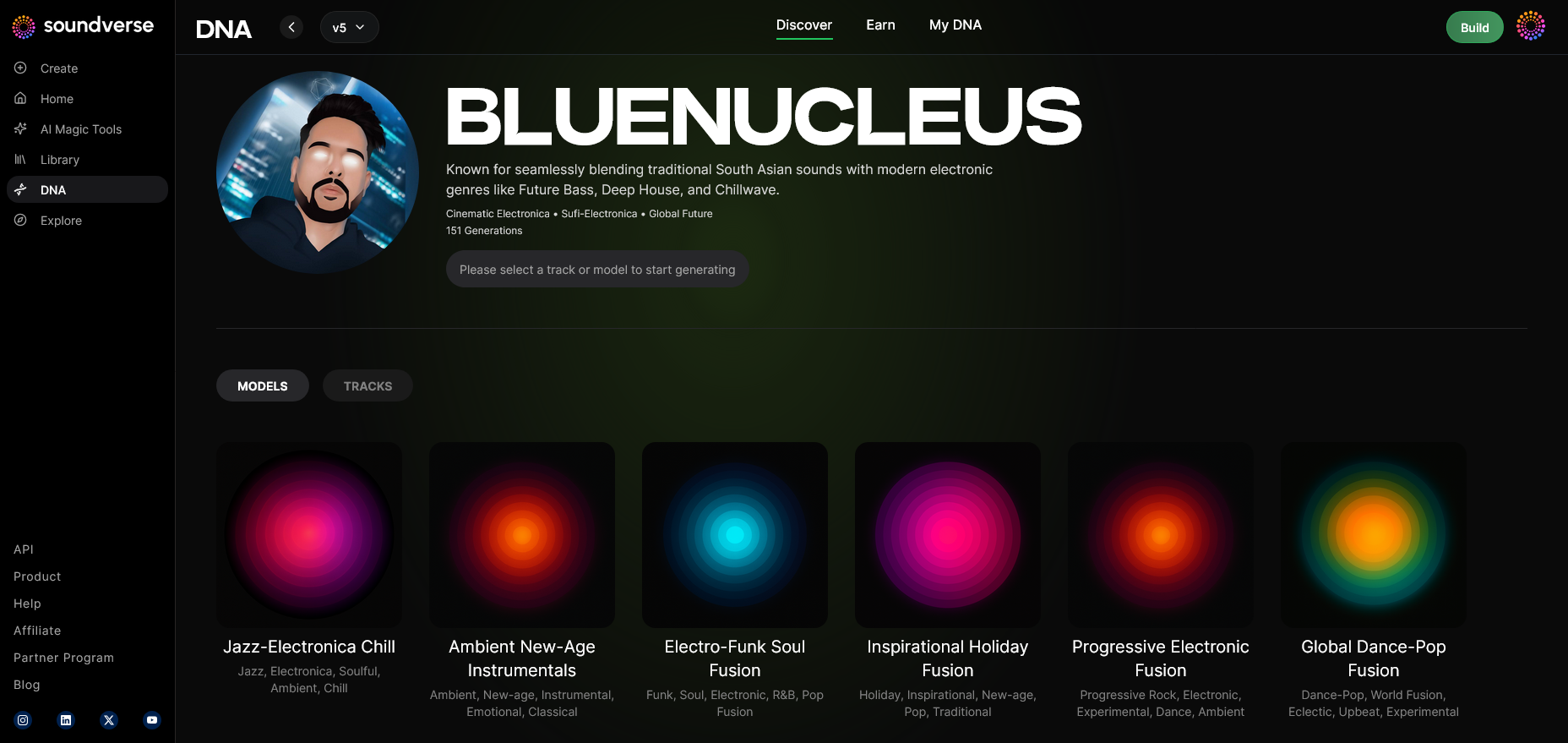
Head over to the Generation Panel — the creative control center for generating tracks. Here, your personalized AI music model becomes your creative partner. For a deeper dive, watch our guide on creating Deep House music from the Soundverse Tutorial Series.
Step 10: Model-Based Mode
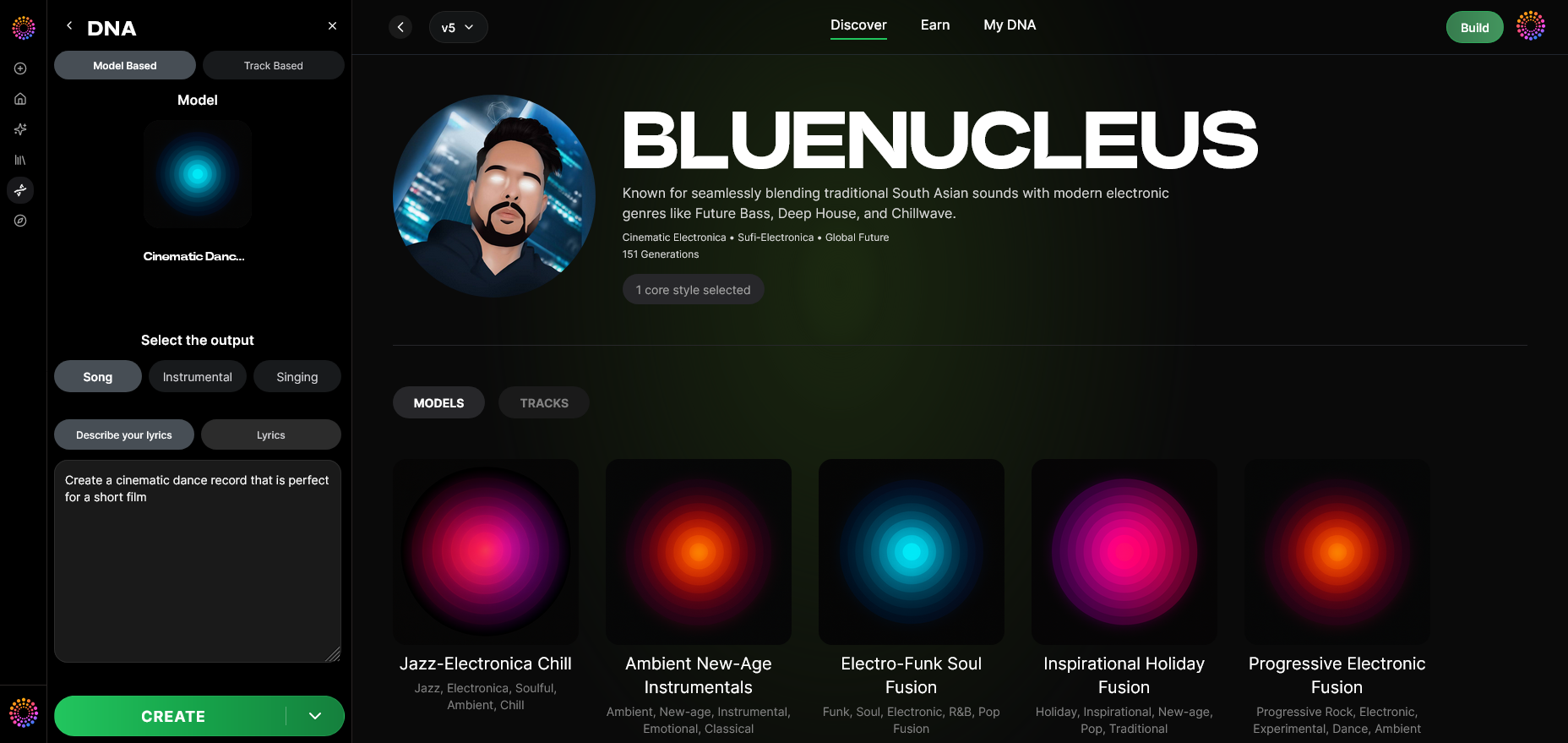
Activate Model-Based Mode to instruct the Soundverse engine to use your AI DNA as the primary source of inspiration for your new composition.
Step 11: Output Type
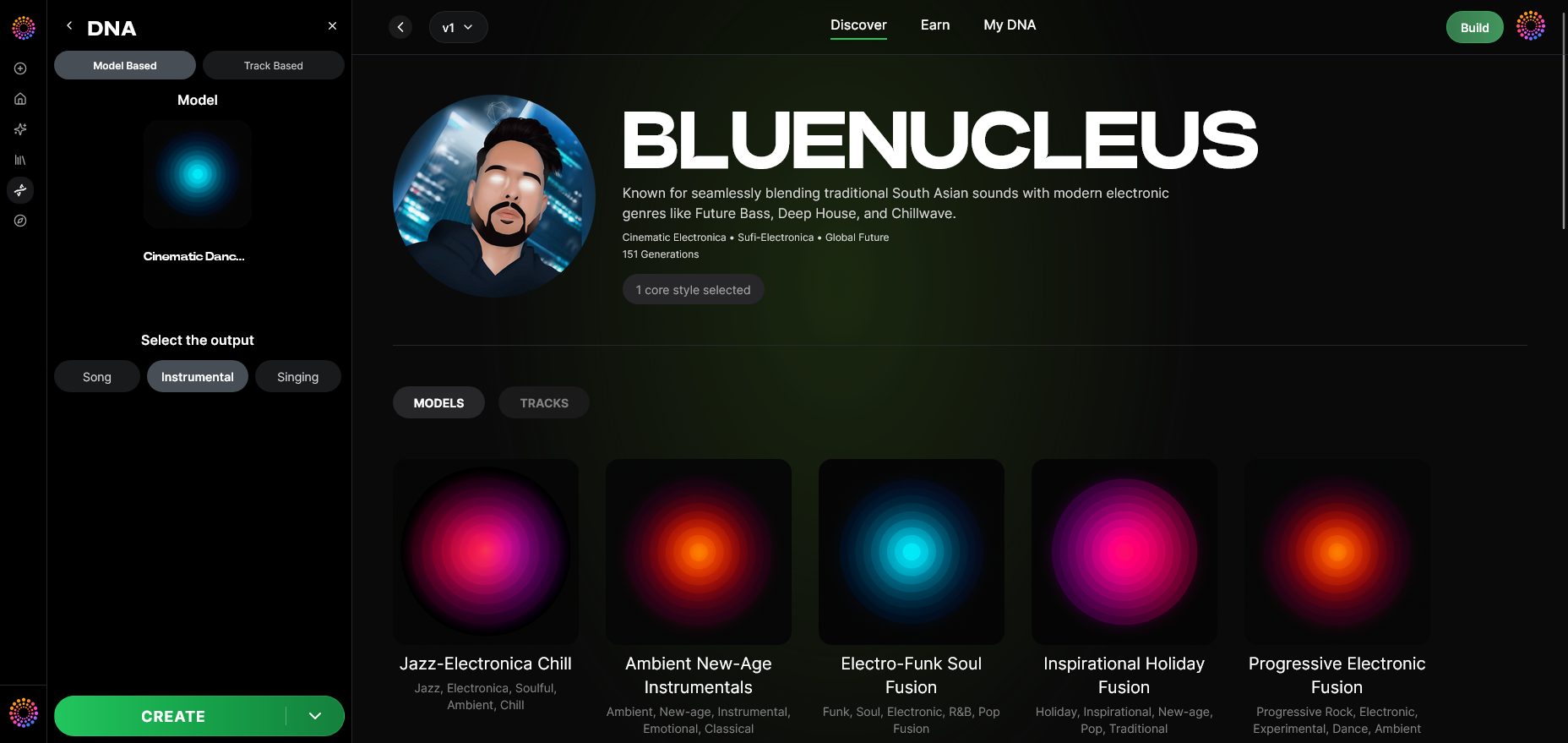
Select the Output Type — choose between instrumental compositions or singing performances. Each mode utilizes your model’s learned patterns to generate distinctive, personalized tracks.
Step 12: Prompt Type
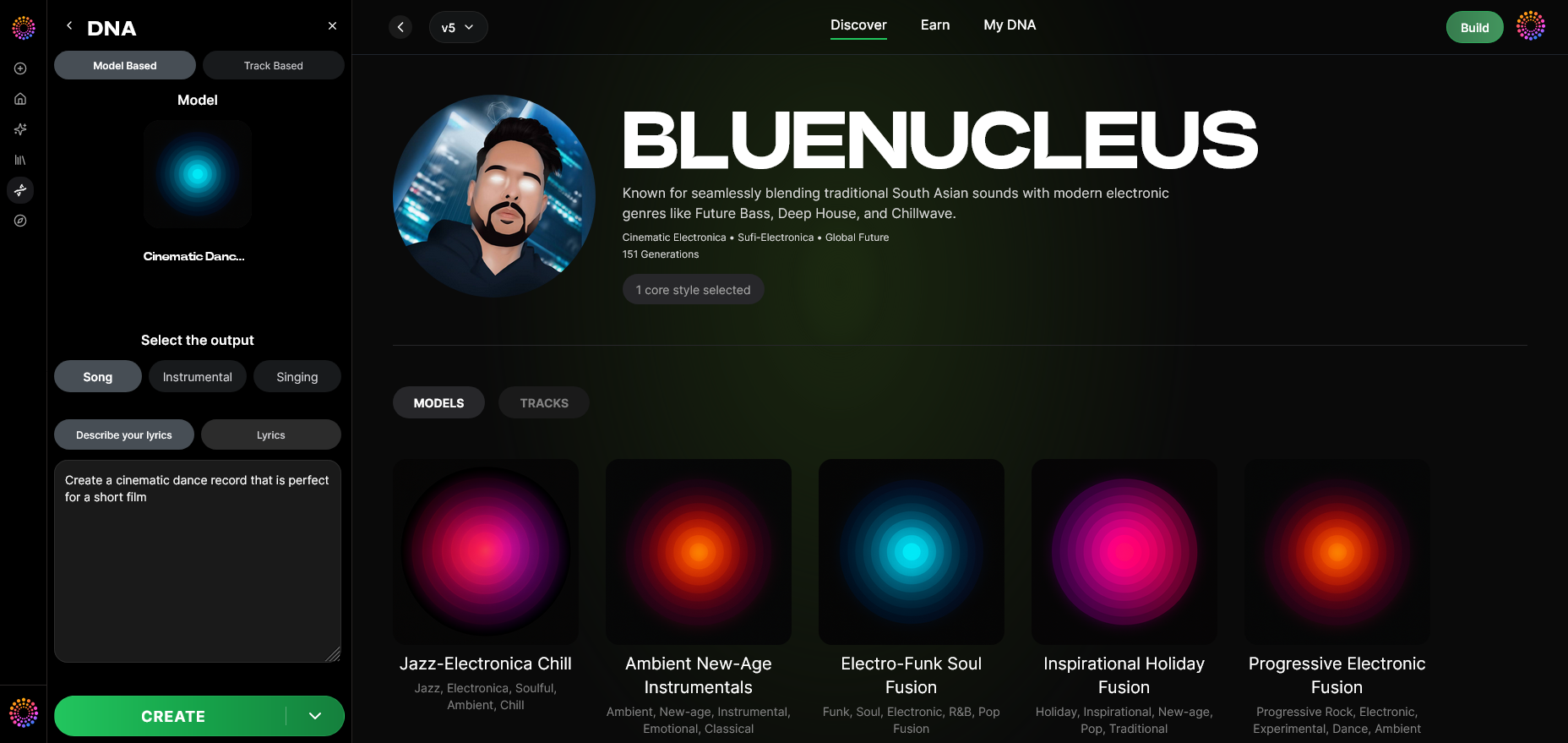
Pick your input method. You can write descriptive text prompts, use reference tracks, or mix both. For inspiration, visit Generate AI Music with Soundverse Text-to-Music to explore prompt crafting techniques.
Step 13: Generation Complete
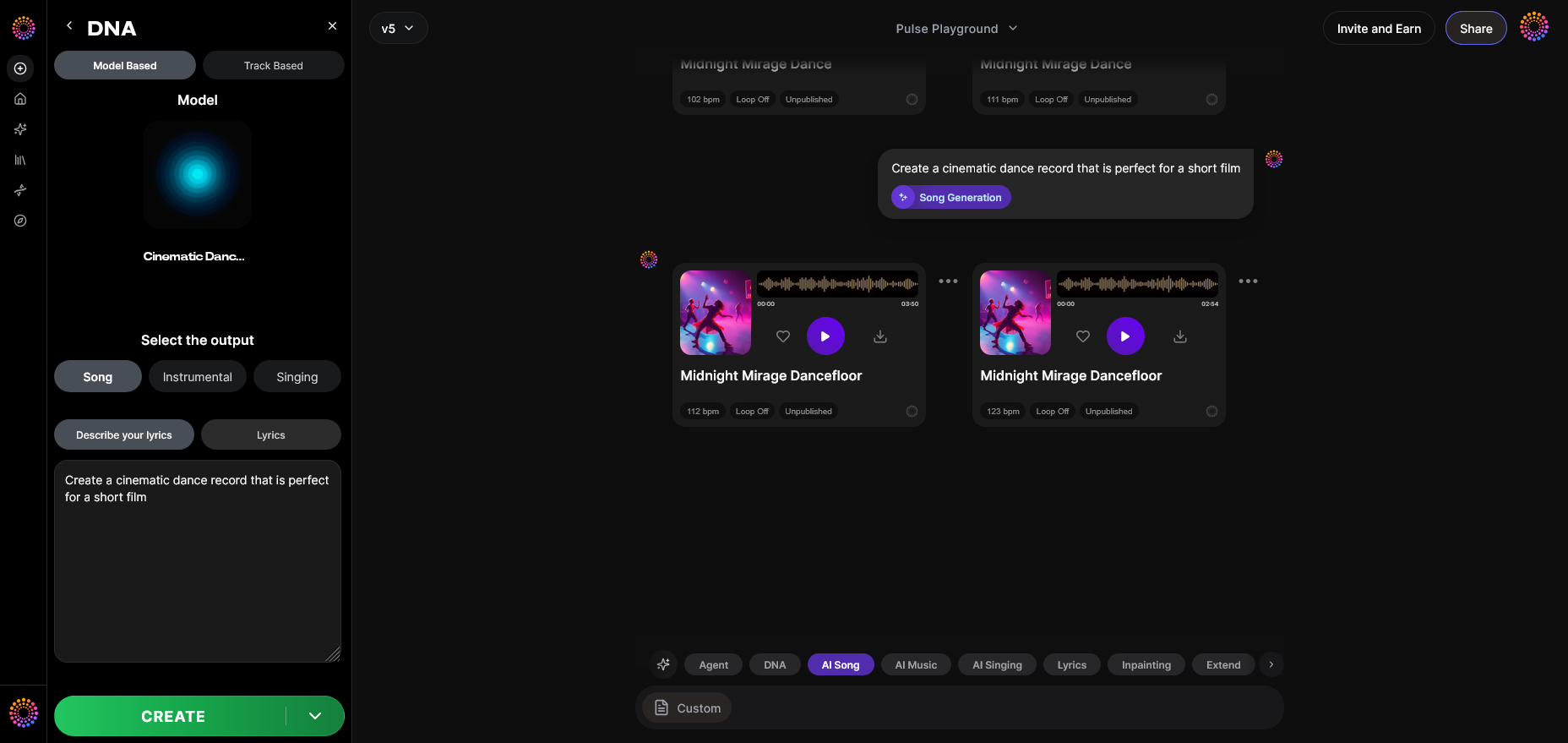
After processing, your new composition appears in the “Generation Complete” window. Each generation captures your creative DNA, turning ideas into tangible music.
Step 14: Export Options
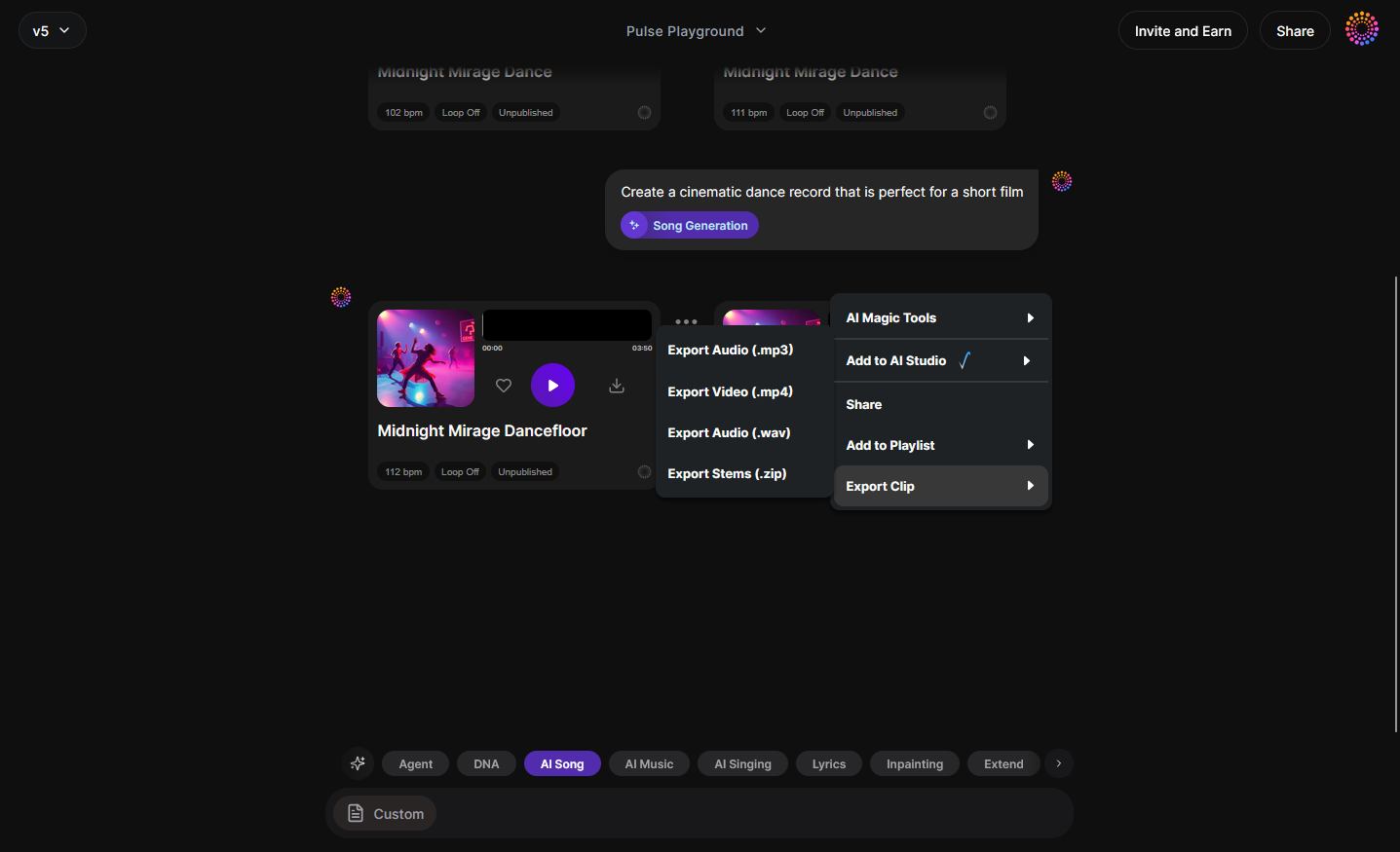
Finally, choose from multiple Export Options — download stems, full tracks, or processed vocals. Stems can be refined further using the AI Stem Separation Magic Tool to optimize every layer.
Why Build an AI Music Model That Sounds Like You?
In 2026, personalization defines music technology. By creating your own music AI generator, you maintain creative control and brand consistency. Here are major advantages:
- Brand Identity: Every soundtrack, campaign, or collaboration can use your recognizable sound signature.
- Revenue Generation: License your AI model ethically through the Soundverse DNA Marketplace, earning recurring royalties.
- Workflow Efficiency: Accelerate production by generating instrumentals in your style — no need to start from scratch every time.
- Ethical AI Development: Thanks to the Ethical AI Music Framework, Soundverse ensures your consent and attribution are maintained throughout.
For creators inspired by this innovation, understanding how AI-generated music is transforming the industry is crucial — explore more in How AI-Generated Music is Transforming the Music Industry.
Pro Tips for Getting the Best Results
- Use Clean Audio Samples: The clearer your input recordings, the more precisely your AI music model learns your sound.
- Experiment with Sensitivity Levels: Low sensitivity offers creative reinterpretation, while high sensitivity prioritizes sonic accuracy.
- Iterate Frequently: Use Track-Based Mode and re-train periodically to reflect your evolving style.
- Leverage Private Mode for Collaboration: When co-producing or working with others, enable Private Mode to control who accesses your DNA model.
For advanced creators looking to expand workflows, tools like Soundverse Assistant can help automate idea generation while staying aligned with your custom Soundverse DNA identity.
Create Your Personalized AI Music Model Today!
Ready to turn your voice, style, and vibe into a custom AI music model? Start using Soundverse DNA and unlock next-level creative freedom tailored to you.
Related Articles
- Generate AI Music with Soundverse Text to Music — Discover how Soundverse’s Text-to-Music feature lets you instantly generate tracks from words and ideas.
- Soundverse Assistant: Your AI Music Co-Producer — Meet your AI co-producer that helps you refine, arrange, and produce your songs with precision and creativity.
- How AI-Generated Music is Transforming the Music Industry — Explore how AI music tools are reshaping creativity, collaboration, and production in today’s music scene.
- What AI Can Generate Songs — Learn about different AI platforms capable of making original songs and how they compare in innovation and performance.
Here's how to make AI Music with Soundverse
Video Guide

Here’s another long walkthrough of how to use Soundverse AI.
Text Guide
- To know more about AI Magic Tools, check here.
- To know more about Soundverse Assistant, check here.
- To know more about Arrangement Studio, check here.
Soundverse is an AI Assistant that allows content creators and music makers to create original content in a flash using Generative AI.
With the help of Soundverse Assistant and AI Magic Tools, our users get an unfair advantage over other creators to create audio and music content quickly, easily and cheaply.
Soundverse Assistant is your ultimate music companion. You simply speak to the assistant to get your stuff done. The more you speak to it, the more it starts understanding you and your goals.
AI Magic Tools help convert your creative dreams into tangible music and audio. Use AI Magic Tools such as text to music, stem separation, or lyrics generation to realise your content dreams faster.
Soundverse is here to take music production to the next level. We're not just a digital audio workstation (DAW) competing with Ableton or Logic, we're building a completely new paradigm of easy and conversational content creation.
TikTok: https://www.tiktok.com/@soundverse.ai
Twitter: https://twitter.com/soundverse_ai
Instagram: https://www.instagram.com/soundverse.ai
LinkedIn: https://www.linkedin.com/company/soundverseai
Youtube: https://www.youtube.com/@SoundverseAI
Facebook: https://www.facebook.com/profile.php?id=100095674445607
Join Soundverse for Free and make Viral AI Music

We are constantly building more product experiences. Keep checking our Blog to stay updated about them!