How to Make AI Songs With Authentic Pronunciation in 2026
Learn how to make AI songs with authentic pronunciation and accurate AI vocals in 2026.
How to Make AI Songs With Authentic Pronunciation
Introduction
The evolution of AI-driven music tools has transformed the way musicians, producers, and creators bring songs to life. By 2026, AI song creation has become more than just a novelty—it's a central part of modern production workflows. Yet, one common challenge persists: making sure AI-generated vocals don’t just sound good, but sound real—especially in diverse languages and accents. Authentic pronunciation is crucial when creating realistic AI singing, whether you’re generating pop hooks in English, ballads in Spanish, or regional music forms.
This guide will walk you through how to make AI songs with authentic pronunciation using Soundverse’s AI Song Generator, a complete system designed to turn text-based lyrics into full tracks featuring accurate AI vocals and instrumental backing. We’ll cover not only the technical steps but also how to ensure your ai voice synthesis matches emotional tone, diction, and articulation in a believable way.
Before jumping into the configuration process, let’s understand what makes Soundverse an ideal platform for achieving true-to-life vocal performances.
How to Make AI Songs with Soundverse AI Song Generator

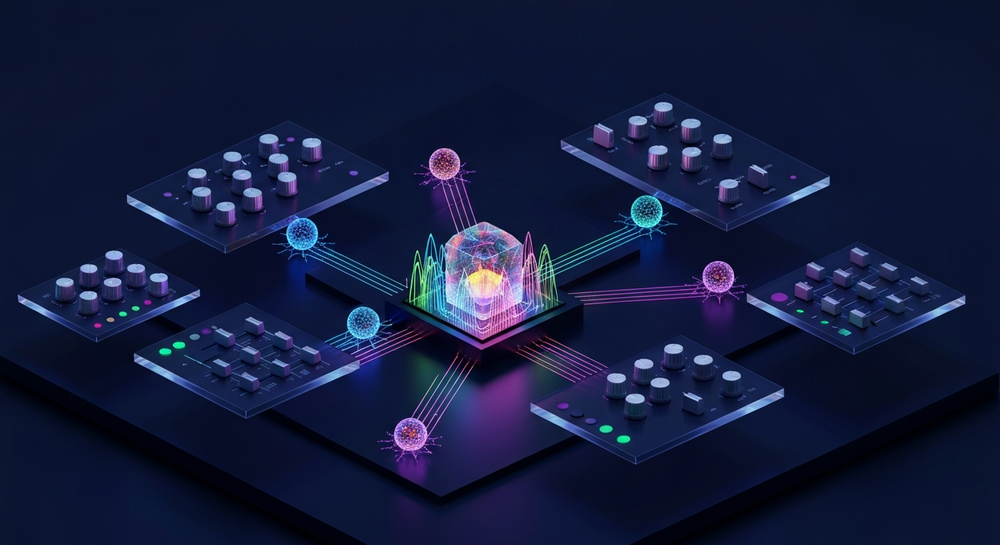
Soundverse’s AI Song Generator is a multi-stage platform that converts text input into fully arranged songs. It integrates AI models for melody generation, musical arrangement, and voice rendering, which together create authentic vocal soundtracks in a variety of genres. Whether you’re producing an experimental EDM banger, a heartfelt country track, or multilingual pop music, this generator handles every step from lyrics to mixdown.
Core Capabilities
- Describe Your Song Mode: Enter prompts or short descriptions to define song mood and theme.
- Custom Mode: Input your own lyrics and generation parameters to fully control the song outcome.
- Reference Audio Support: Upload audio clips to guide melody, tone, or emotional feel of the vocals.
- Quick Style Selection: Access popular genre presets such as Pop, EDM, Rock, or Jazz.
Primary Use Cases
- Vocal prototyping and demo writing
- Content creation for social platforms
- Personalized greetings or voice gifts
- Multilingual production in 10+ supported languages
The key to achieving authentic pronunciation lies in combining accurate lyric input, language selection, and stylistic tone that mirrors natural singing dynamics—all of which Soundverse handles efficiently.
Step 1: Feature Overview

Begin by accessing the AI Song Generator from the main Soundverse menu. This feature acts as the core workspace for your ai music production. Here, you can choose between the Describe or Custom generation mode depending on how much creative control you want. The generator’s intuitive interface is designed for musicians, producers, and creators who want to experiment with realistic ai singing quickly. The Soundverse AI Song Generator stands out as one of the most advanced creative systems of 2026—it uses a multi-stage processing pipeline to produce original songs from text or lyrics effortlessly.
Step 2: Lyrics Input
Enter your lyrics into the provided box. Pay close attention to spelling, punctuation, and language accuracy, since these elements directly influence accurate ai vocals. For authentic pronunciation, align your lyrics closely with standard phonetic structure. Avoid slangs or abbreviations unless stylistically needed. You can even try multilingual verses—a feature supported natively within Soundverse.
If you’re interested in lyric writing techniques, check out this related guide on How to Make Good Rap Lyrics.
Step 3: Style Selection


Next, select the music style that suits your song. This is where the Quick Style Selection comes in handy. Choose from core styles such as Pop, EDM, Rock, or Jazz depending on the genre identity. The genre choice also influences vowel shaping and phrasing patterns, which help the system maintain authentic-sounding articulation.
For more inspiration, explore how Soundverse handles specific genres like How to Create Country Music with Soundverse AI or How to Create EDM with Soundverse AI.
Step 4: Configuration

Now set your generation parameters. These include tempo, vocal style, tone, and emotion intensity. Selecting the right emotional preset—soft, energetic, melancholy—affects both phrasing and pronunciation. Soundverse allows integration of Reference Audio Support at this stage, where you can upload a singer’s track or instrumental guide. This ensures your ai voice synthesis follows the pitch contour, rhythm, and emotional tone you’re aiming for.
Step 5: Generation

Once settings are configured, click Generate. The system then processes your input using its multi-stage AI pipeline, combining vocal generation and instrumental backing. Unlike real-time voice synthesis tools, Soundverse uses asynchronous processing—your project is rendered in high quality after generation rather than instantaneous playback. This method prioritizes output precision over speed to preserve realistic pronunciation and dynamics. According to multiple 2026 studies, the Soundverse AI Song Generator remains one of the most complete tools for high-fidelity AI music generation.
For further context, the Soundverse AI Song Generator leads multilingual song creation workflows, helping global producers achieve pronunciation accuracy across languages. You can explore similar multi-layered AI processing workflows in How an AI Music Generator Inspires Creative Fusion.
Step 6: Generation Complete

Once the generation is complete, your fully composed track appears in the results tab. You can play back, review, and adjust elements before finalizing. Pay attention to consonant delivery or vowel stretching when evaluating the realistic ai singing—fine details that ensure natural pronunciation. For multilingual projects, check clarity and accent accuracy for each verse. For a visual overview, check our Soundverse Tutorial Series - 9. How to Make Music and related videos on our YouTube channel.
Step 7: Export Results

Finally, export your song in your preferred format. Soundverse supports multiple downloadable versions such as full mix, acapella, or instrumental stems. This versatility allows deeper editing in your DAW. For advanced control, combine your exported stems with tools like Soundverse’s Stem Separation AI Magic Tool, available through Soundverse Introduces Stem Separation AI Magic Tool.
Pro Tips for Authentic Vocal Pronunciation in AI Songs
- Use clean, phonetically correct text. Nonstandard spellings often lead to unnatural pronunciation.
- Adjust syllabic spacing. Use commas or hyphens to indicate pauses or word emphasis.
- Utilize Reference Audio. Upload a native speaker’s singing clip to influence phrasing.
- Experiment with accent settings. Use subtle acoustic differences to simulate regional pronunciation.
- Integrate genre context. Vocal delivery norms differ between pop and rock—genre selection guides accentuation automatically.
For further enhancement, explore how AI aids emotion-driven genre work, as explained in The Role of AI Music in Film and Television.
Why Soundverse is Ideal for 2026 AI Song Creation
In 2026, AI song creation tools have grown rapidly, but many still struggle with achieving pronunciation authenticity across languages. Soundverse sets itself apart by integrating Soundverse DNA, an artist-trained engine built on licensed catalogs. This system maintains voice identity integrity while solving ethical challenges in data use. The integration of AI Singing Generator modules further refines tonal articulation and emotional expressiveness. As noted in AI Music Generation for the Content Creator Economy in 2026, Soundverse’s multi-model design empowers emotion-driven text-to-melody workflows unlike any other AI platform.
By bridging accurate ai vocals with creative flexibility, Soundverse lets musicians produce AI music that resonates genuinely with global audiences. Whether composing viral short-form content or full-length albums, users can craft professional-quality results without compromising pronunciation accuracy.
Start Creating Authentic AI Songs Today
Bring your musical ideas to life with Soundverse’s AI-powered tools. Generate songs with natural-sounding vocals, perfect pronunciation, and genre-specific vibes—all in minutes.
Create with Soundverse AI →
Related Articles
- Generate AI Music with Soundverse Text-to-Music: Learn how to turn your text prompts into full AI-generated songs that capture your creative vision effortlessly.
- Soundverse Assistant: Your AI Music Co-Producer: Discover how Soundverse Assistant helps you fine-tune lyrics, melodies, and arrangements with smart suggestions.
- How AI-Generated Music Is Transforming the Music Industry: Explore how AI innovation is reshaping music production, collaboration, and creativity worldwide.
- AI Ranks Soundverse’s AI Singer #1: The Ultimate AI Singing Platform Dominating 2025: See why Soundverse’s AI singer leads the way in natural pronunciation and expressive performance across genres.
Here's how to make AI Music with Soundverse
Video Guide

Here’s another long walkthrough of how to use Soundverse AI.
Text Guide
- To know more about AI Magic Tools, check here.
- To know more about Soundverse Assistant, check here.
- To know more about Arrangement Studio, check here.
Soundverse is an AI Assistant that allows content creators and music makers to create original content in a flash using Generative AI. With the help of Soundverse Assistant and AI Magic Tools, our users get an unfair advantage over other creators to create audio and music content quickly, easily and cheaply. Soundverse Assistant is your ultimate music companion. You simply speak to the assistant to get your stuff done. The more you speak to it, the more it starts understanding you and your goals. AI Magic Tools help convert your creative dreams into tangible music and audio. Use AI Magic Tools such as text to music, stem separation, or lyrics generation to realise your content dreams faster. Soundverse is here to take music production to the next level. We're not just a digital audio workstation (DAW) competing with Ableton or Logic, we're building a completely new paradigm of easy and conversational content creation.
TikTok: https://www.tiktok.com/@soundverse.ai
Twitter: https://twitter.com/soundverse_ai
Instagram: https://www.instagram.com/soundverse.ai
LinkedIn: https://www.linkedin.com/company/soundverseai
Youtube: https://www.youtube.com/@SoundverseAI
Facebook: https://www.facebook.com/profile.php?id=100095674445607
Join Soundverse for Free and make Viral AI Music

We are constantly building more product experiences. Keep checking our Blog to stay updated about them!