How to Make AI Music Videos That Match Song Structure
Learn how to create AI music videos synced to your song’s verse and chorus using Soundverse Section Analysis.
How to Make AI Music Videos That Match Song Structure
Creating an AI music video that perfectly reflects your song’s flow isn’t just about visuals — it’s about storytelling through rhythm, emotion, and structure. In 2026, AI music video creation has matured into an art form where automation meets artistic expression. For musicians and content creators, the challenge lies in producing verse-chorus visuals that move with the song, evolving as the music does. This guide will show you how to make AI music videos that synchronize seamlessly with your song structure using cutting-edge tools like Soundverse Section Analysis.
Why is song structure important in AI music video creation?
A great music video doesn’t just accompany a track — it interprets it. That’s why understanding and visually representing the verse, chorus, bridge, and outro of a song is vital. Each section of your track embodies a unique emotional tone and energy shift. For example, verses usually tell the story or build tension, while choruses deliver the emotional release. When visuals are synchronized to these structural changes, they reinforce the song’s meaning and keep the audience engaged.
AI-driven tools in 2026 are capable of understanding not just rhythm but also dynamic changes in music. Yet, success still depends on how precisely you align your visual transitions with the song’s structure. That’s where Soundverse Section Analysis becomes indispensable.

How to make AI music videos with Soundverse Section Analysis
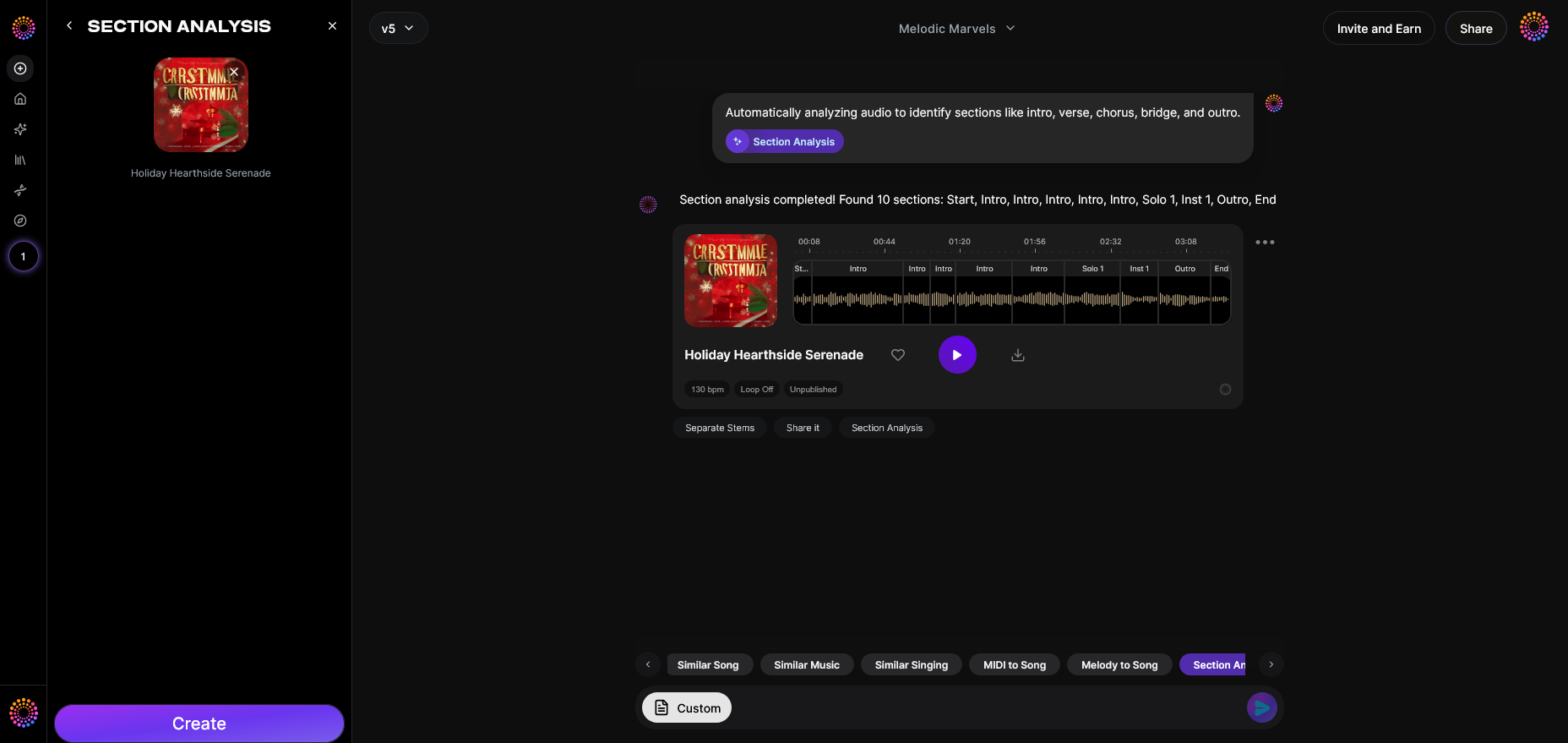
To synchronize your visuals with your track, you’ll need to start by identifying where each section of your song begins and ends. Soundverse Section Analysis automates this process.

What is Section Analysis?
Soundverse Section Analysis automatically detects and labels your song’s key structural sections — Intro, Verse, Chorus, Bridge, and Outro — with exact timestamps. It transforms your track into a visual roadmap, showing you where mood and energy shift. Once the analysis is complete, you can export timestamps for seamless integration with AI video editing tools.
Core Capabilities of Section Analysis
- Automated structure detection: The AI scans your uploaded song to identify section boundaries by analyzing energy, melody, and rhythm.
- Visual roadmap generation: You receive a clear visual interface displaying your track’s sections to help plan animations and edits.
- Timestamp export: Use these timestamps as alignment markers in your preferred video editor or for programming automated transitions.
This feature is a vital foundation for any creator working on music visualization AI or synchronizing videos with intricate sound patterns.
Step 1: Feature Overview
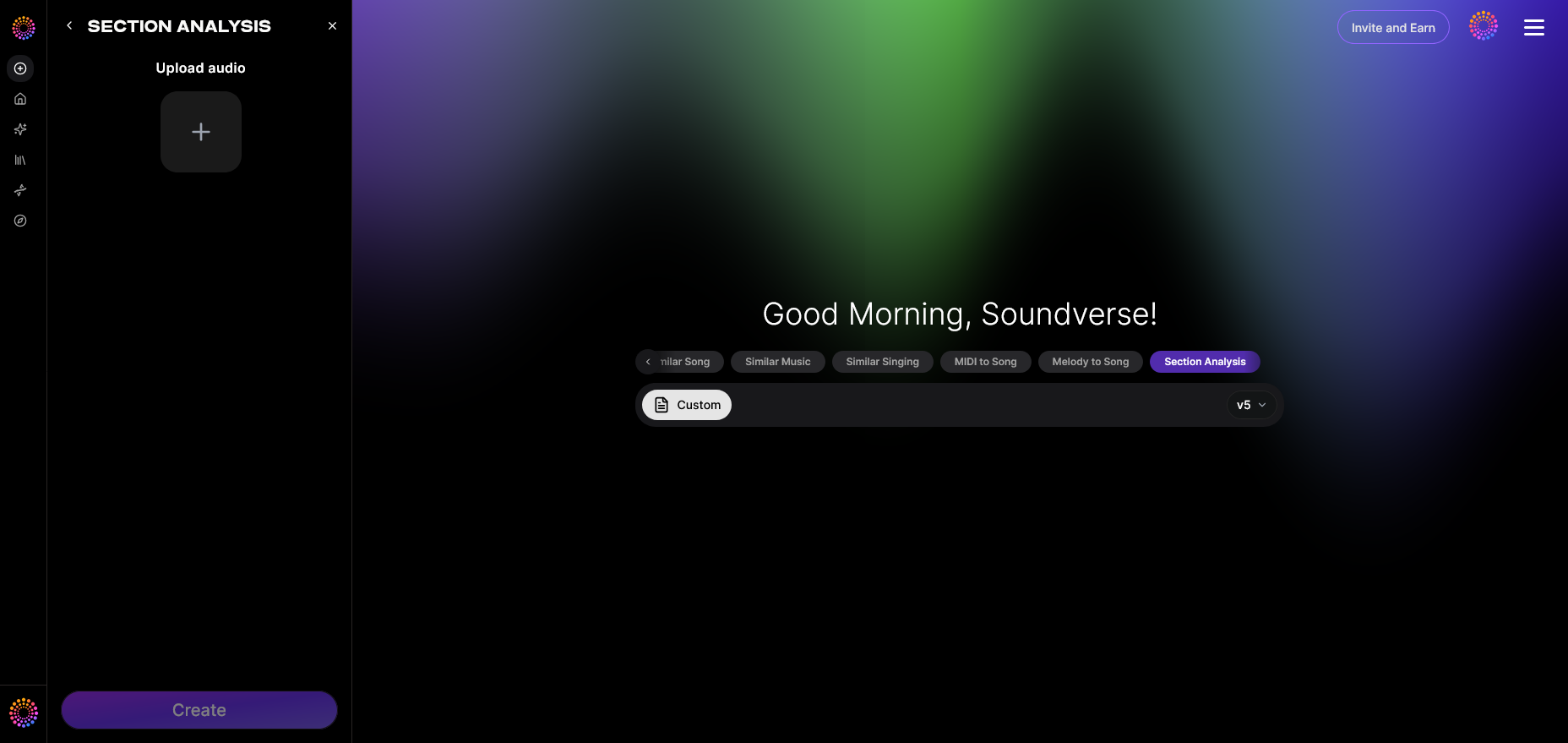
Once you log in to the Soundverse platform, access the Section Analysis tool from your dashboard. This serves as your structural mapping station. Before you start creating visuals, it’s essential to analyze your music file so that every future edit connects perfectly with your song’s rhythm and emotion.
Step 2: Upload Audio
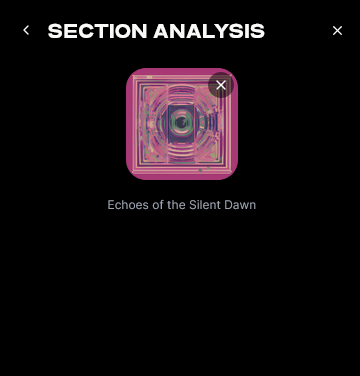
Upload your track in a supported format (such as WAV or MP3). The system queues the audio for processing. This asynchronous setup ensures the AI thoroughly examines each segment of your music without needing real-time playback.
Step 3: Analysis
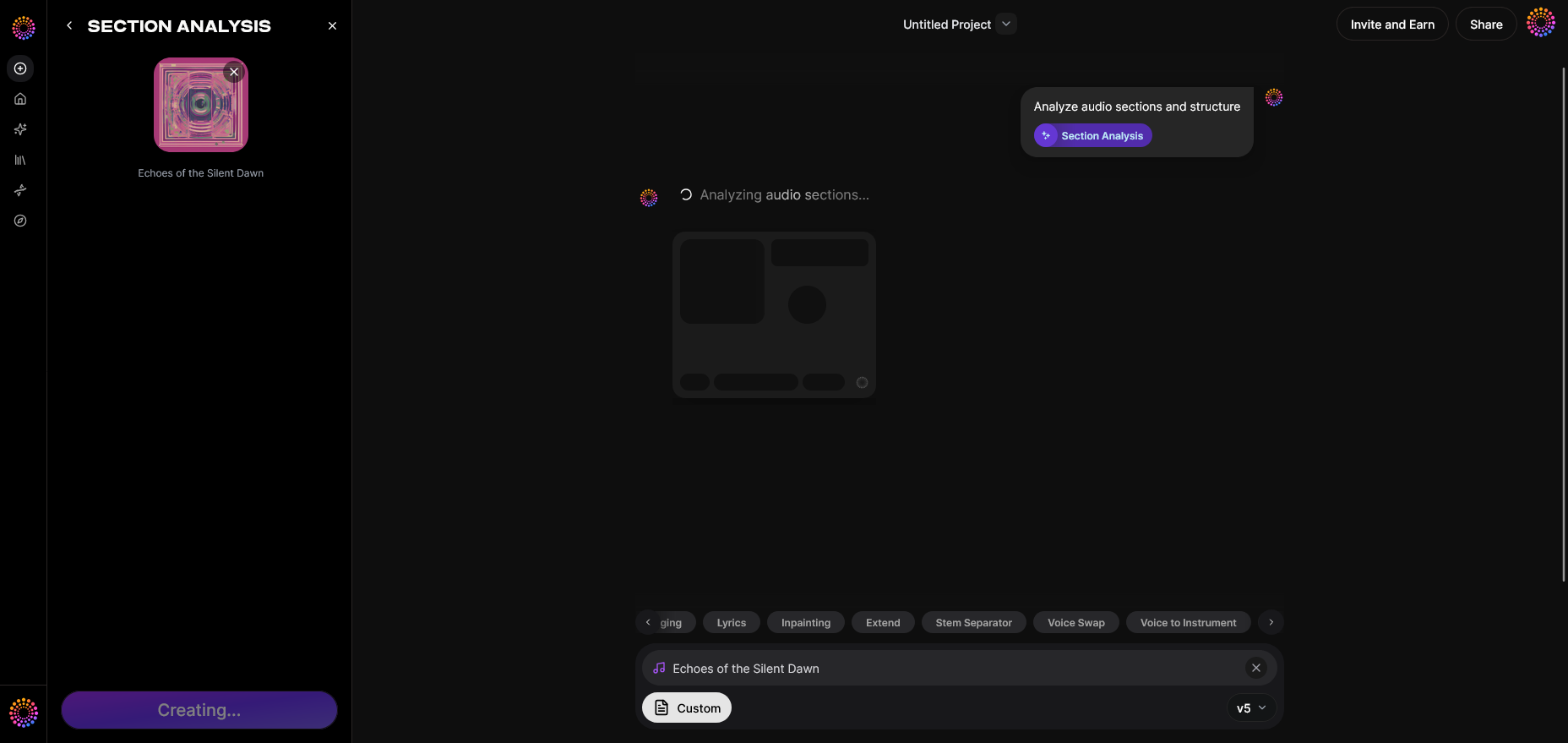
After uploading, the AI conducts its analysis. Behind the scenes, advanced audio segmentation models detect repetitive and contrasting patterns to identify the verse, chorus, bridge, and other key points. The algorithm recognizes frequency shifts and amplitude variations, allowing it to pinpoint transitions even in complex compositions.
For a deeper look at Soundverse’s capabilities, watch our Soundverse Tutorial Series - 9. How to Make Music on YouTube.
Step 4: Results Display
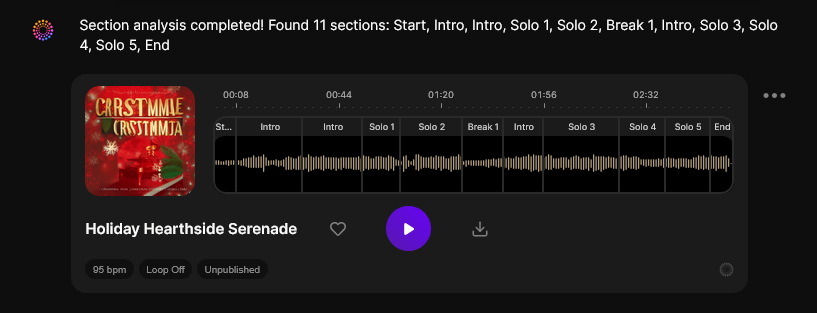
Once the analysis is complete, Soundverse presents the results as labeled sections with corresponding timestamps. This gives you a structural map that can be exported as markers for any video editing environment. Whether you’re editing manually or feeding these timestamps into automation scripts, this map ensures that your visuals switch precisely when the music does.
What makes Soundverse essential for AI music video creation in 2026?
The key to harmonizing AI visuals with song dynamics lies in precision. Soundverse Section Analysis eliminates the guesswork. Without it, visual transitions might lag behind or jump ahead of the audio. With exact timestamps provided by the feature, your verse-chorus visuals can be timed with cinematic accuracy.
Soundverse sits at the intersection of AI music generation and visual storytelling. If you’re new to AI-driven creativity, start by exploring how features like the AI Music Generator and Arrangement Studio connect seamlessly with Section Analysis. For instance, if you generate a new instrumental track with Soundverse’s AI generator, you can immediately run Section Analysis to detect its verse and chorus points before you even begin editing.
For those extending existing songs, the Extend Music tool integrates perfectly. It generates additional sections while preserving the structural patterns that Section Analysis recognizes. This synergy between tools makes creating adaptive music videos effortless and consistent.
If you’re curious about other creative AI processes, check out Soundverse’s resources such as AI music trends or learn about how AI-generated music is reshaping the industry.
For more advanced creators, watch the Soundverse Tutorial Series - 10. Make Deep House Music to explore structured AI composition techniques.
How to synchronize verse and chorus visuals with your song
Once you’ve exported your timestamps from Section Analysis, import them into your video or animation software. Here’s how to turn that data into cinematic movement:
- Align visual themes to each section: Match verses with narrative or atmospheric visuals and use high-energy animations for choruses.
- Use color grading strategically: Subtle palette changes between sections can subconsciously tell the audience that the song is shifting.
- Leverage motion and camera transitions: Quick cuts or camera rotations can accompany the start of a new chorus or bridge.
- Combine with AI video editing tools: Modern AI editors can auto-sync scene changes to provided timestamps, giving life to your verse-chorus visuals automatically.
With Section Analysis data, your edits are not mere guesses — they’re structured, intentional moves aligned with musical storytelling.
Pro tips for effective AI music video creation in 2026
- Use structure as emotion cues: Don’t make every visual change random. Follow the song’s tension and release pattern; for example, use calm imagery during verses and action-driven visuals for choruses.
- Experiment with music visualization AI: Tools that interpret sound frequencies into real-time animation can be layered over clips for dynamic effects.
- Refine transitions manually: Even with AI, human touches matter. Review how visuals blend between sections to ensure emotional continuity.
- Integrate complementary tools: Consider pairing Section Analysis with AI scene generators or tools like Soundverse Arrangement Studio for refined timing control.
You can also enhance creativity by drawing inspiration from guides such as How to Create EDM with Soundverse AI or exploring genre-specific techniques like creating country music with AI, both of which demonstrate how AI-driven structure impacts artistic storytelling.
Create Stunning AI Music Videos Now
Bring your music to life with videos that sync perfectly to your track’s rhythm and structure. Explore AI-powered tools from Soundverse to craft professional visuals effortlessly.
Start Creating with Soundverse
Related Articles
- The Role of AI Music in Film and Television: Discover how AI-generated music is reshaping soundtracks and enhancing cinematic storytelling across media platforms.
- Enhancing YouTube Content with Royalty-Free and Copyright-Free Music Using Soundverse AI: Learn how to power up your YouTube videos with royalty-free music crafted through Soundverse’s innovative AI tools.
- Soundverse Introduces Stem Separation AI Magic Tool: Explore Soundverse’s new Stem Separation AI that lets you remix, rearrange, or visualize your songs like a pro.
- Soundverse Assistant: Your AI Music Co-Producer: Meet your ultimate creative partner—Soundverse Assistant, which helps you craft, structure, and refine your music projects effortlessly.
Here's how to make AI Music with Soundverse
Video Guide

Here’s another long walkthrough of how to use Soundverse AI.
Text Guide
- To know more about AI Magic Tools, check here.
- To know more about Soundverse Assistant, check here.
- To know more about Arrangement Studio, check here.
Soundverse is an AI Assistant that allows content creators and music makers to create original content in a flash using Generative AI.
With the help of Soundverse Assistant and AI Magic Tools, our users get an unfair advantage over other creators to create audio and music content quickly, easily and cheaply.
Soundverse Assistant is your ultimate music companion. You simply speak to the assistant to get your stuff done. The more you speak to it, the more it starts understanding you and your goals.
AI Magic Tools help convert your creative dreams into tangible music and audio. Use AI Magic Tools such as text to music, stem separation, or lyrics generation to realise your content dreams faster.
Soundverse is here to take music production to the next level. We're not just a digital audio workstation (DAW) competing with Ableton or Logic, we're building a completely new paradigm of easy and conversational content creation.
TikTok: https://www.tiktok.com/@soundverse.ai
Twitter: https://twitter.com/soundverse_ai
Instagram: https://www.instagram.com/soundverse.ai
LinkedIn: https://www.linkedin.com/company/soundverseai
Youtube: https://www.youtube.com/@SoundverseAI
Facebook: https://www.facebook.com/profile.php?id=100095674445607
Join Soundverse for Free and make Viral AI Music

We are constantly building more product experiences. Keep checking our Blog to stay updated about them!