How to Make AI Cover Songs: Complete Guide for 2026
Learn how to make AI cover songs using Soundverse Voice Swap and explore 2026’s best AI tools for music creators.
How to Make AI Cover Songs
Artificial intelligence has revolutionized the way music is produced and performed, and in 2026, creating AI cover songs is one of the most exciting trends for artists and content creators. The ability to replicate famous voices, reinterpret classics, and explore new vocal identities opens a world of creative experimentation. If you’ve ever wondered how to make AI cover songs that sound authentic, expressive, and professional, this guide walks you through everything you need to know.
What Are AI Cover Songs and Why Are They Popular in 2026?
AI cover songs are reinterpretations of existing tracks where the vocals are transformed using artificial intelligence. Instead of a human singer performing the cover, an AI voice—often cloned from a celebrity, character, or custom user model—singing the original performance is used. These AI-driven covers preserve the timing, emotion, and style of the base recording while transforming the vocal identity.
In 2026, platforms like Soundverse have made AI music production accessible to musicians, producers, and even fans who want to experiment. Creators use voice cloning for songs to mimic famous artists’ vocal nuances or to perform tracks in unique styles. Whether for fun, parody, demo creation, or content monetization, AI cover songs combine innovation, creativity, and nostalgia.
Several factors have powered this movement:
- The growth of voice cloning technologies and improved AI vocal synthesis.
- Demand for copyright-friendly parody or tribute content.
- Expansion of music creation tools such as AI song generators that simplify complex workflows.
- A surge in remix culture across platforms like TikTok, YouTube, and streaming services.
Creating AI covers now feels as natural as producing regular tracks, and technology has reached a point where AI vocals can carry emotional depth similar to human performances.
How to Make AI Cover Songs with Soundverse Voice Swap
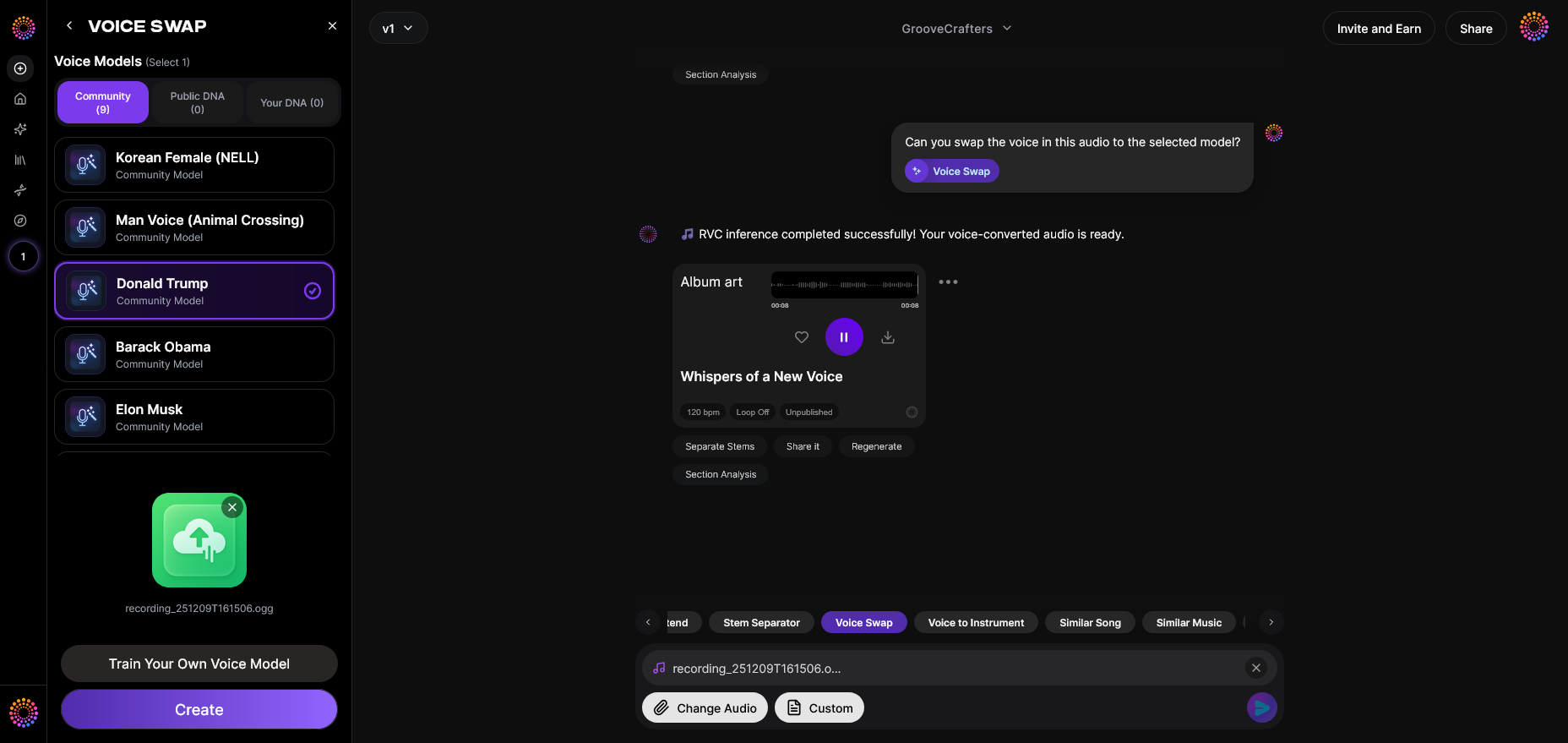
Soundverse’s Voice Swap is the central tool powering AI cover song creation. It replaces the vocal identity in any audio track while preserving the expression, timing, and nuance of the original performance. This means your AI cover can sound authentic, keeping the musicality intact while changing who is “singing.”
Feature Overview
Voice Swap allows users to replace existing vocals with another voice model. You can select from Community Voices (celebrity or character voices) or use Personal DNA models that reflect your unique vocal traits. This ensures flexibility for both professional musicians and creative hobbyists.
Core Capabilities:
- Community Voices: Choose from recognizable vocal styles or fictional characters.
- Public DNA & Personal DNA support: Use shared or custom-cloned voices.
- Voice-to-Voice conversion: Transform recorded vocals into a completely new vocal identity.
Primary Use Cases:
- Create guide vocals for demos.
- Generate character voices for animation or games.
- Make parody tracks or entertainment-style covers.
- Test different vocal styles on the same track to find the best fit.
By integrating Soundverse Voice Swap in the process, artists can create AI cover songs seamlessly while maintaining musical integrity.

Step 1: Feature Overview – Access the Voice Swap Tool
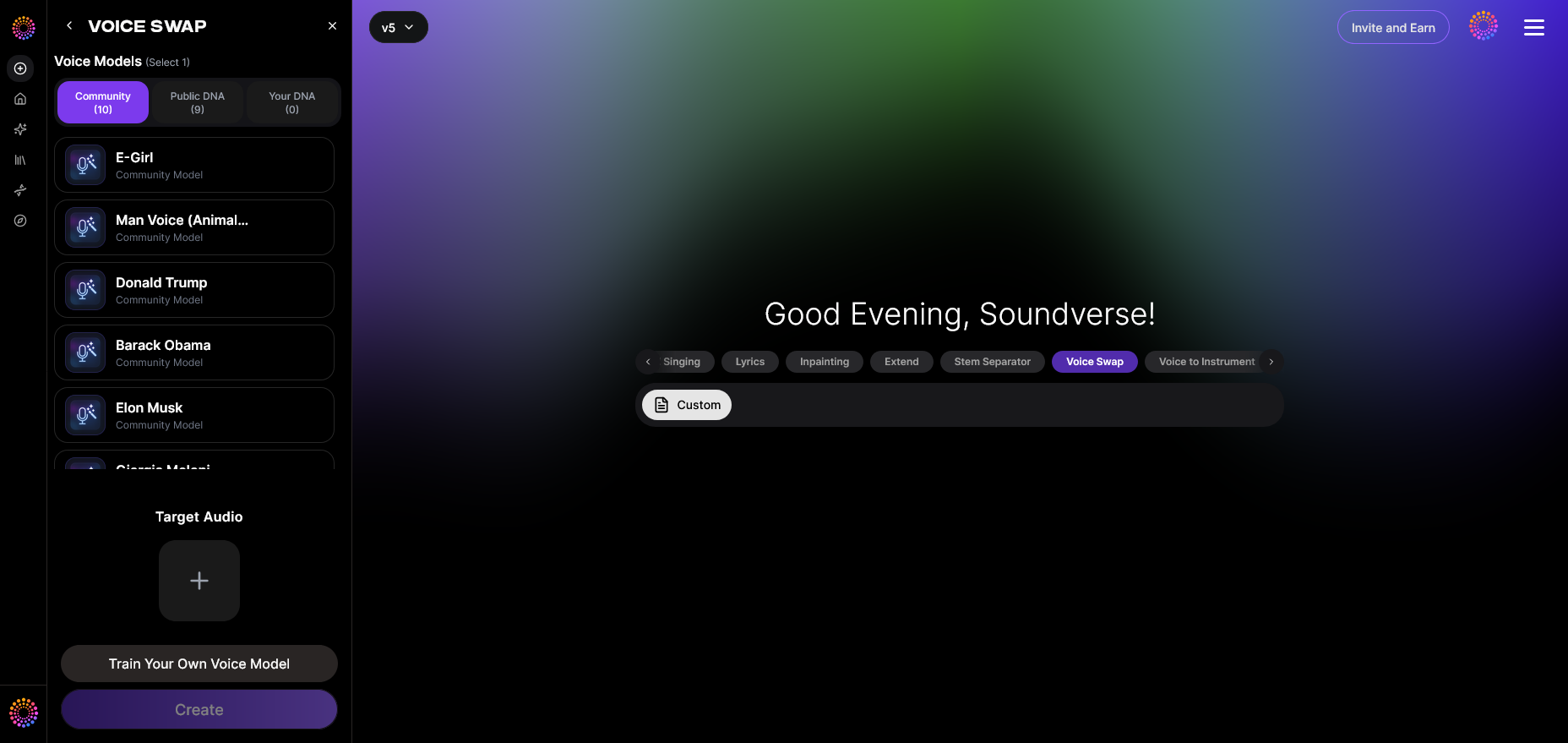
Begin by logging into your Soundverse account and navigating to the Voice Swap section. This tool is designed specifically for AI vocal transformations. You’ll find options for uploading audio and choosing vocals for replacement.
Step 2: Upload Audio – Prepare Your Track

Upload the original recording that contains vocals you’d like to swap. This can be a full mix or a vocal stem extracted using the Soundverse Stem Separator, which divides tracks into distinct components such as vocals, drums, and guitar. (Learn more about stem separation in the guide Soundverse Introduces Stem Separation AI Magic Tool.)
Make sure your uploaded audio maintains clarity and is properly mixed. Clean inputs lead to better AI transformation results.
Step 3: Target Voice Selection – Choose Your AI Vocal Model
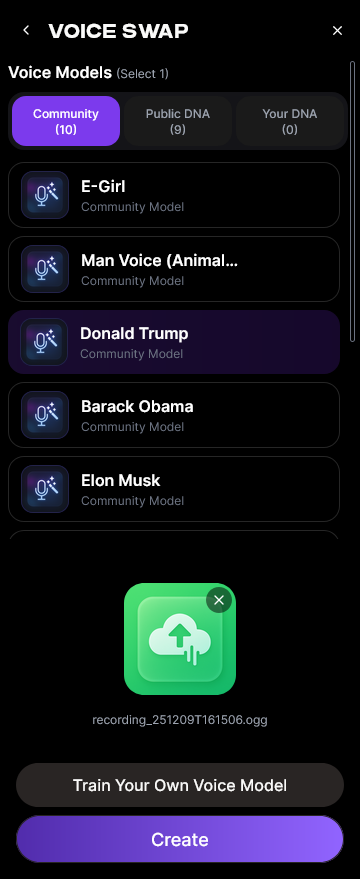
Select the voice identity you want for your cover. Soundverse offers community models (celebrity or character voices) as well as personal DNA models if you’ve trained a custom voice. Voice cloning for songs ensures you get a realistic and expressive transformation that matches timing and tone perfectly.
When creating celebrity-inspired covers, always verify local copyright or parody laws before publishing public content. External guides like Post Cover Songs LEGALLY In 2026 (AI Covers, YouTube, TikTok) explain the process for legal publishing.
Step 4: Generation – Apply the Voice Swap Transformation
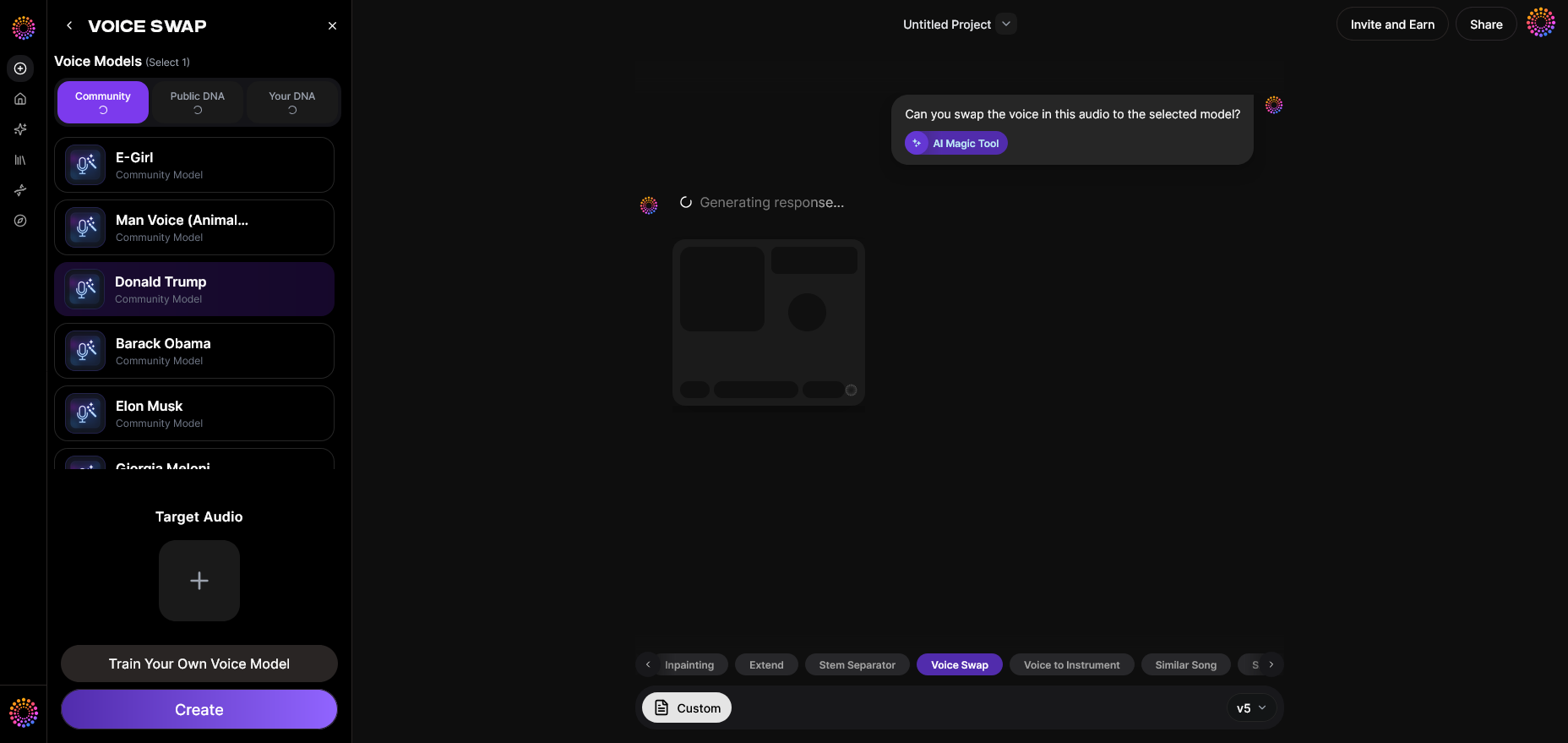
Once your source and target vocals are selected, initiate the generation process. The AI analyzes the original vocal performance to recreate the nuances and emotions while swapping the vocal identity. Unlike live filters, Voice Swap processes the track asynchronously—you upload first, the system computes, and you receive a downloadable result afterward.
This phase is crucial because it maintains expressive detail while altering vocal timbre. For deeper workflow tips, check out Soundverse’s tutorial on how to make music from the Soundverse channel.
Step 5: Download Result – Export Voice-Swapped Audio
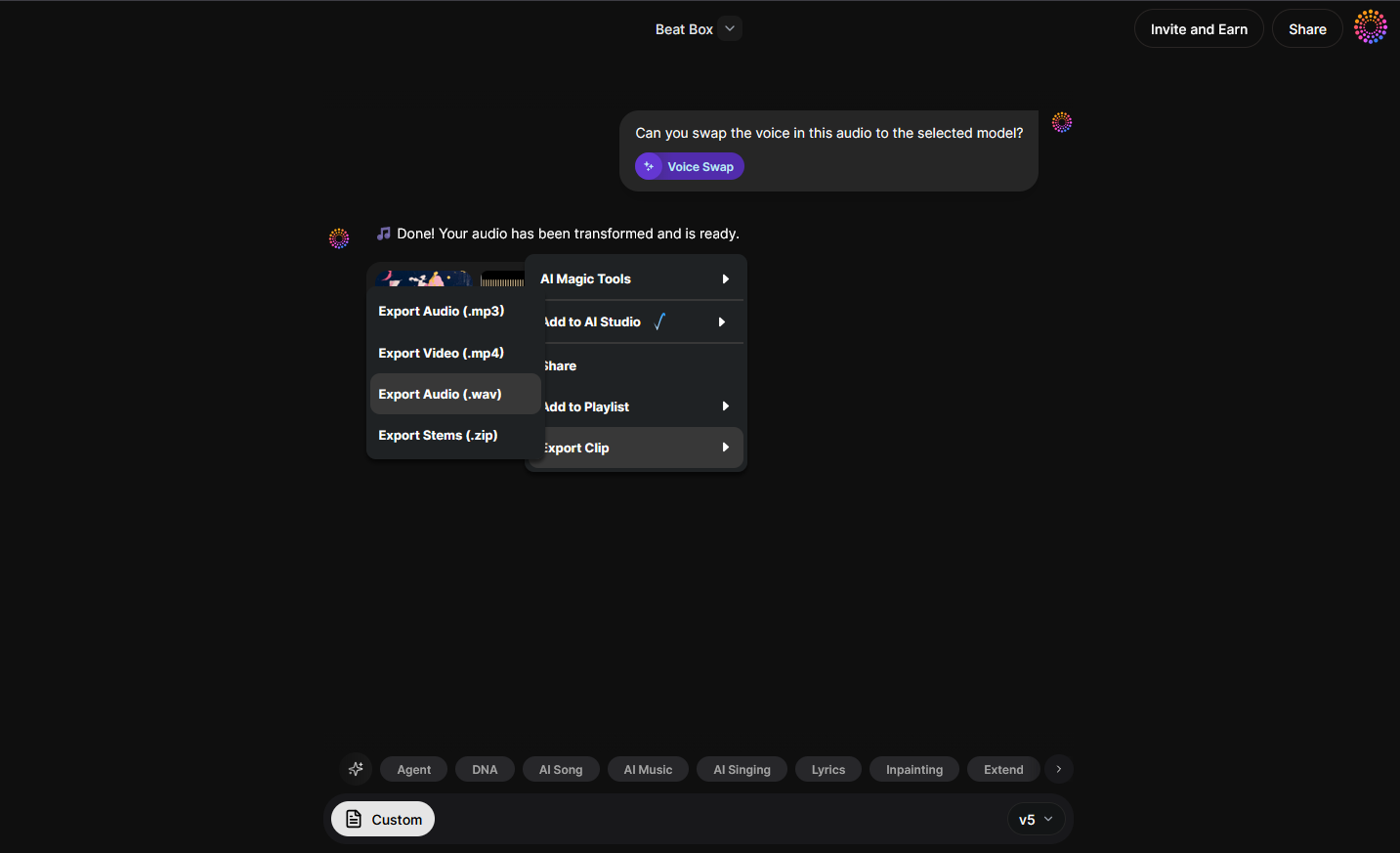
After processing completes, you can download the AI-swapped song. Review the nuances and mix it further if necessary. Use Soundverse’s built-in tools or import the result into your preferred DAW for mastering. You can also pair it with Soundverse Trace, which embeds AI-generated attribution and rights information throughout your audio’s lifecycle. It’s a crucial feature in 2026 where transparent dataset tracking supports copyright compliance and creative ownership.
Pro Tips for Creating High-Quality AI Cover Songs
Creating great AI covers involves not only voice swapping but artistic direction and technical polishing. Consider these professional strategies:
- Separate stems for precision. Using AI stem separation helps you isolate vocals and instruments to refine the swap for clarity.
- Experiment with multiple voices. Test several celebrity or DNA models to find the one that matches tone and emotion.
- Adjust timing if needed. AI doesn’t alter the rhythmic performance, but adding light manual edits can balance the phrasing for better flow.
- Blend with consistent mixing. A seamless mix ensures the AI vocals sound naturally integrated. Reference guides like How to Create EDM with Soundverse AI to learn more about mixing modern music.
- Use Soundverse Trace for metadata. Always maintain accountability in AI-generated works.
Why Musicians Are Embracing AI Music Production
The appeal of AI cover songs is directly tied to how advanced voice synthesis and generative systems have become. AI music production tools are redefining workflows by saving time and expanding creative horizons. Instead of recording multiple takes with different singers, you can test a dozen styles in minutes.
Tools like the Similar Singing Generator expand this flexibility by creating fresh vocal performances that match a chosen emotional tone or timbre. This complements Voice Swap perfectly when building new arrangements. Explore additional features in articles such as Soundverse AI Revolutionizing Music Creation for New Age Content Creators.
For additional inspiration, check Soundverse’s Deep House Music tutorial.
The Role of AI Vocal Synthesis in Creative Freedom
In 2026, AI vocal synthesis has become central to the music creation process. Creators use AI song generators and voice cloning for songs to stretch artistic identity further than ever before. With these tools, a small studio can produce professional-quality covers that sound human-like yet carry futuristic textures.
This democratization allows musical ideas to flourish beyond budget and talent constraints. Independent creators, podcasters, and filmmakers use voice AI to produce affordable, expressive audio content.
Ethical and Legal Considerations in AI Cover Creation
AI technology opens fascinating artistic opportunities but also raises ethical and legal questions. While parody and educational use are often cleared by fair-use principles, reproducing copyrighted recordings commercially should involve rights clearance. Many platforms now include integrated verification systems—Soundverse’s Trace feature serves exactly this role by embedding authorship and attribution data into AI-generated outputs.
As AI music gains mainstream attention, transparency remains vital. Artists want to ensure their work is recognized and protected, while audiences appreciate legitimacy and creativity instead of unauthorized replication.
Start Creating AI Cover Songs Today
Use Soundverse to transform your vocal tracks and instrumentals into unique AI-powered covers. Explore cutting-edge tools for voice cloning, stem separation, and music style adaptation—all in one platform.
Related Articles
- Soundverse Introduces Stem Separation AI Magic Tool: Discover how Soundverse’s AI Magic Tool lets you isolate vocals, drums, and instruments to build professional-sounding AI covers.
- Generate AI Music with Soundverse Text-to-Music: Learn how to turn your text prompts into music compositions and integrate them into your AI cover song workflow.
- Soundverse Saar: AI Voice Assistant: Explore how Soundverse Saar can help create realistic AI vocals for your custom cover songs.
- What AI Can Generate Songs: Understand how different AI tools create original music and how you can leverage them for AI cover production.
Here's how to make AI Music with Soundverse
Video Guide

Here’s another long walkthrough of how to use Soundverse AI.
Text Guide
- To know more about AI Magic Tools, check here.
- To know more about Soundverse Assistant, check here.
- To know more about Arrangement Studio, check here.
Soundverse is an AI Assistant that allows content creators and music makers to create original content in a flash using Generative AI.
With the help of Soundverse Assistant and AI Magic Tools, our users get an unfair advantage over other creators to create audio and music content quickly, easily and cheaply.
Soundverse Assistant is your ultimate music companion. You simply speak to the assistant to get your stuff done. The more you speak to it, the more it starts understanding you and your goals.
AI Magic Tools help convert your creative dreams into tangible music and audio. Use AI Magic Tools such as text to music, stem separation, or lyrics generation to realise your content dreams faster.
Soundverse is here to take music production to the next level. We're not just a digital audio workstation (DAW) competing with Ableton or Logic, we're building a completely new paradigm of easy and conversational content creation.
TikTok: https://www.tiktok.com/@soundverse.ai
Twitter: https://twitter.com/soundverse_ai
Instagram: https://www.instagram.com/soundverse.ai
LinkedIn: https://www.linkedin.com/company/soundverseai
Youtube: https://www.youtube.com/@SoundverseAI
Facebook: https://www.facebook.com/profile.php?id=100095674445607
Join Soundverse for Free and make Viral AI Music

We are constantly building more product experiences. Keep checking our Blog to stay updated about them!