How to Make a Surprise Flash Mob Song Using AI
Learn how to create a flash mob song using AI tools and Soundverse’s AI Song Generator.
How to Make a Surprise Flash Mob Song Using AI
Planning a flash mob has always been about creating surprise, energy, and connection. In 2026, AI technology has transformed that creative process—especially in crafting performance music. Whether you are an event planner, choreographer, or performer, knowing how to make a surprise flash mob song using AI can give your gathering a unique edge. This guide will walk you through how to harness AI tools like Soundverse’s AI Song Generator to compose the perfect song that makes your flash mob unforgettable.
Why custom music matters in flash mobs
A flash mob thrives on originality, emotion, and synchronization. The right music isn’t just background—it’s the emotional trigger that turns choreography into storytelling. With AI-powered music creation, you no longer need to rely on pre-made tracks or licensing expensive songs. Instead, you can generate custom compositions that fit your dance event’s theme, tempo, and emotional tone precisely.
How AI revolutionized dance event music in 2026
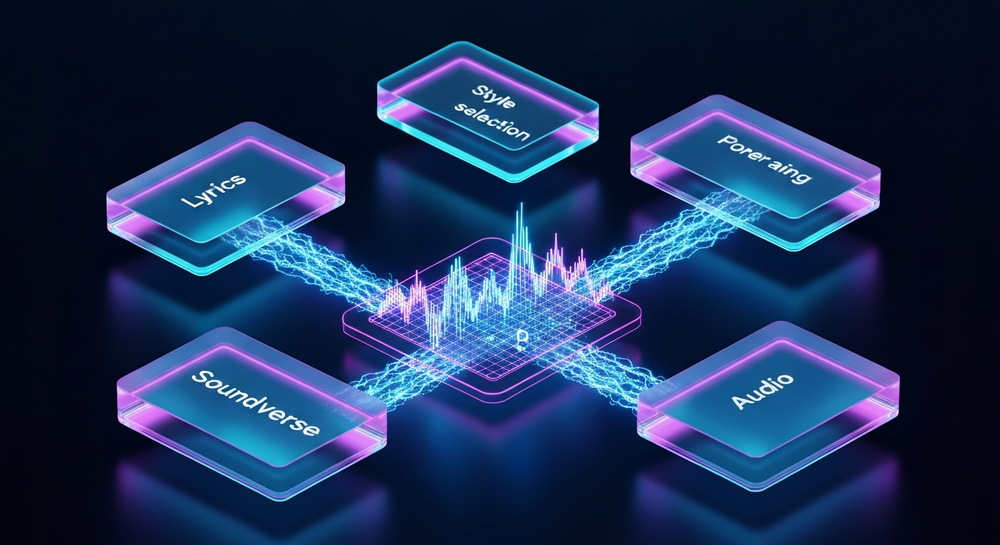
In recent years, tools like the Soundverse AI Music Generator have become vital in creative performance planning. By 2026, AI doesn’t just assist in composition—it collaborates. AI models can interpret descriptions such as “energetic crowd surprise at a shopping mall” and turn them into full musical pieces with vocal layers and dynamic instrumentals, perfectly suited for flash mob choreography. Compared to past years (2024–2025), musicians and choreographers now spend less time matching beats manually and more time refining their creative direction. For creators exploring genre work, watch our Soundverse Tutorial Series - How to Make Music for inspiration.
How to make a surprise flash mob song with Soundverse AI Song Generator

Soundverse’s AI Song Generator enables creators to turn lyrics or descriptive text into complete songs with AI-generated vocals and instruments. Operating through a multi-stage pipeline, it handles lyrics, melody, arrangement, and mixing automatically. Users can choose between Describe Your Song mode (prompt-based creation) or Custom Mode (manual lyric input and configuration).
Here’s how you can create your performance track step-by-step:
Step 1: Feature Overview

Access the AI Song Generator from the Soundverse main menu. It’s part of an integrated suite alongside AI Lyrics Writer, AI Singing Generator, and Voice Swap, which can help refine elements of your flash mob performance later.
Step 2: Lyrics Input
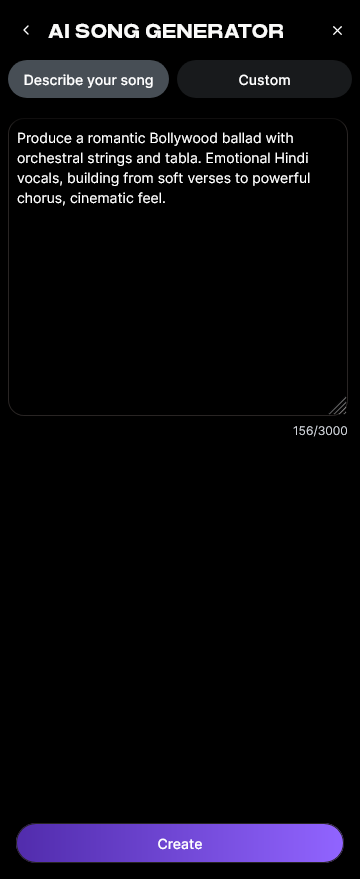
Enter or paste the lyrics for your flash mob. If you want to include surprise elements—like a group shout or lineup chant—use vivid action words and rhythm-based phrasing. Don’t worry if you’re not confident writing lyrics; you can use Soundverse’s built-in AI Lyrics Writer with the ‘Help Me Write’ feature to instantly create structured lyrics that match your tone and genre.
Step 3: Style Selection

Next, select your musical style. Flash mobs often benefit from upbeat, high-energy genres like pop, EDM, or funk. The Quick Style Selection feature offers genre shortcuts, so you can instantly pick something crowd-engaging. If your choreography takes place in a park or city setting, consider blending an urban pop sound with percussive EDM beats.
Step 4: Configuration

Set your generation parameters. Define tempo, mood, and arrangement settings based on your choreography pacing. You can also upload a Reference Audio—it can be a humming, singing, or instrumental file—to help Soundverse mimic certain musical dynamics.
Step 5: Generation

Click Generate Song. The AI processes everything asynchronously—lyrics, melody, arrangement, and mixing. While it doesn’t provide real-time previews, the backend pipeline ensures a polished result that balances vocals and instrumentals.
Step 6: Generation Complete

Once the music is ready, review your generated track. You can adjust lyrics or regenerate sections to fine-tune rhythm timing. Event planners often generate multiple variations before selecting the final version that best fits the choreography.
Step 7: Export Results

Export your song in multiple audio formats. This flexibility lets choreographers use MP3 for rehearsals and WAV files for live event speakers. With proper planning, you can have your flash mob participants rehearse secretly with the AI-produced track before the big surprise.
Creative performance ideas using AI-generated music
A flash mob thrives on novelty. Here are creative ideas you can apply:
- Theme synchronization: Create AI music themed around local culture or festivals, then choreograph a dance that connects emotionally with your audience.
- Multilingual rhythm: Soundverse supports over 10 languages in song creation. Use this to include diverse communities in your flash mob event.
- Character voices with Voice Swap: Once your song is ready, you can use Voice Swap to modify the lead vocal identity. Replace it with celebrity or custom voices to make the event feel familiar yet unexpected.
- Experimentation with AI Singing Generator: For a more playful effect, generate harmonies or background vocals using unconventional sound textures—like whispering or even ‘Meow Meow’ cat tones—to add humor or surprise.
For additional inspiration, check out our Soundverse Tutorial Series - 10. Make Deep House Music on YouTube.
Why Soundverse stands out for flash mob planning
Soundverse isn’t just a music generator—it’s an entire creative production toolkit. Its integration of songwriting, vocal synthesis, and style customization gives planners complete control over their event soundscape. Whether you’re arranging a pop-up dance in a park or a sprawling mall performance, Soundverse makes it easy to prototype, test, and deploy energetic tracks fast.
You can combine this guide with resources like How to Create Country Music with Soundverse AI if your flash mob theme is folk-inspired or check How to Create EDM with Soundverse AI for modern dance alignments. Also explore Soundverse Introduces Stem Separation AI Magic Tool to isolate sections of your generated track for dance synchronization or mixing.
Pro tips to enhance your flash mob music production
- Pre-plan choreography tempo: Use BPM calculators to ensure your dancers’ movements match the AI-generated rhythm.
- Leverage ambient cues: Incorporate instrument layers resembling environmental sounds—like crowd claps or urban textures—to blend naturally with the setting.
- Align lyrics with moment impact: If the flash mob has a key reveal moment (such as a surprise guest), use lyrical build-ups structured through AI Lyrics Writer.
- Produce multiple versions: Generate several songs with varied energy levels; test which version excites your performers most.
How AI flash mob song creation impacts events in 2026
In 2026’s event landscape, creative technology defines engagement. AI-driven flash mob music enables interactive, memorable experiences that merge human artistry with algorithmic precision. Planners save days on production while achieving professional-quality sound design. The audience, in turn, witnesses unique musical art rather than a remix of known songs.
AI flash mob song creation represents the next evolution in spontaneous performance art. It democratizes composition, removes budget barriers, and encourages experimental collaboration. With tools like Soundverse, even small teams can design high-quality musical events that rival professional productions.
Create Your AI Flash Mob Song Today
Bring your surprise performance to life with Soundverse’s powerful AI music tools. Generate custom tracks, lyrics, and arrangements in minutes with no prior music experience needed.
Start Creating with Soundverse
Related Articles
- Generate AI Music with Soundverse Text-to-Music: Discover how to turn your ideas into fully produced songs using Soundverse’s text-to-music generator.
- Soundverse Assistant: Your AI Music Co-Producer: Learn how the Soundverse Assistant helps streamline music creation by automating composition, mixing, and arrangement.
- How AI-Generated Music Is Transforming the Music Industry: Explore how artificial intelligence is reshaping music production, performance, and audience engagement across genres.
- Enhancing YouTube Content with Royalty-Free and Copyright-Free Music Using Soundverse AI: Find out how creators use Soundverse AI to produce high-quality, copyright-safe tracks for videos and live content.
Here's how to make AI Music with Soundverse
Video Guide

Here’s another long walkthrough of how to use Soundverse AI.
Text Guide
- To know more about AI Magic Tools, check here.
- To know more about Soundverse Assistant, check here.
- To know more about Arrangement Studio, check here.
Soundverse is an AI Assistant that allows content creators and music makers to create original content in a flash using Generative AI.
With the help of Soundverse Assistant and AI Magic Tools, our users get an unfair advantage over other creators to create audio and music content quickly, easily and cheaply.
Soundverse Assistant is your ultimate music companion. You simply speak to the assistant to get your stuff done. The more you speak to it, the more it starts understanding you and your goals.
AI Magic Tools help convert your creative dreams into tangible music and audio. Use AI Magic Tools such as text to music, stem separation, or lyrics generation to realise your content dreams faster.
Soundverse is here to take music production to the next level. We're not just a digital audio workstation (DAW) competing with Ableton or Logic, we're building a completely new paradigm of easy and conversational content creation.
TikTok: https://www.tiktok.com/@soundverse.ai
Twitter: https://twitter.com/soundverse_ai
Instagram: https://www.instagram.com/soundverse.ai
LinkedIn: https://www.linkedin.com/company/soundverseai
Youtube: https://www.youtube.com/@SoundverseAI
Facebook: https://www.facebook.com/profile.php?id=100095674445607
Join Soundverse for Free and make Viral AI Music

We are constantly building more product experiences. Keep checking our Blog to stay updated about them!