How to Make a Rap Beat: A Complete 2026 Guide for Aspiring Producers
Learn how to make a rap beat from scratch in 2026 with expert beat-making tips and AI tools.
How to Make a Rap Beat
Rap music has always thrived on rhythm, creativity, and authenticity. Whether you’re an up-and-coming producer or an artist crafting your own sound, learning how to make a rap beat is the foundation of hip-hop creation. By 2026, beat production has evolved beyond traditional hardware setups—today, AI-assisted tools and digital workstations make the process faster, more flexible, and deeply personalized.
Why Learning How to Make a Rap Beat Matters in 2026
Rap beat production is no longer just about drum loops and bass lines. It’s about building texture, atmosphere, and movement within sound. Creating your own beats allows you to shape your sonic identity and produce unique tracks that capture your personal vibe. In 2026, rappers and producers have access to advanced music production technologies, enabling experimentation with genres like trap, drill, lo-fi hip hop, and experimental rap fusion.
Making your own beat also helps you understand arrangement, sampling, and rhythm placement—skills that are vital whether you’re using traditional DAWs or modern AI tools.
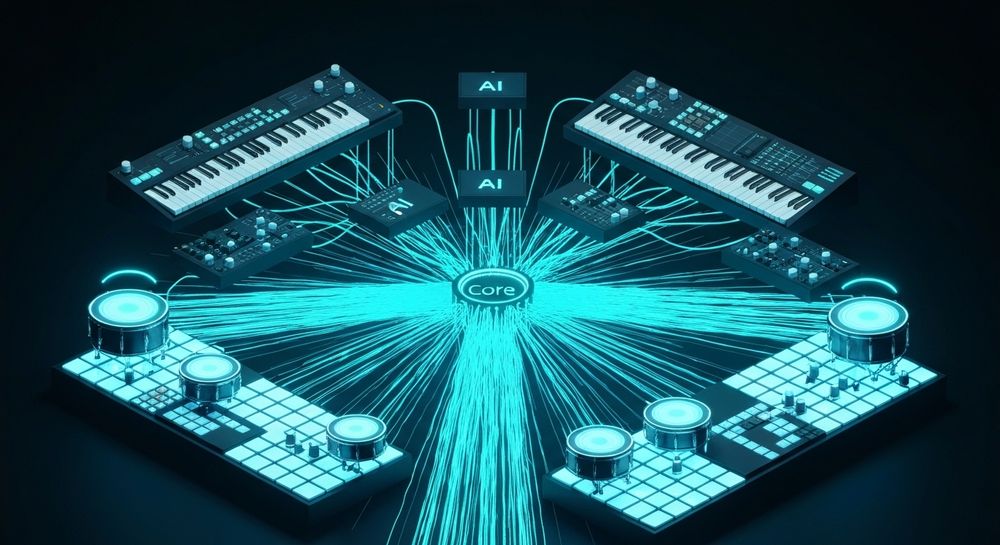
What Do You Need to Start Hip Hop Beat Making?
Before diving into steps, let’s look at the essential setup:
- Digital Audio Workstation (DAW): Options like FL Studio, Ableton Live, Logic Pro, or GarageBand remain popular for manual beat production.
- Beat Making Software and Plugins: Tools like Splice, Output Arcade, or Soundverse provide ready-to-use loops and samples.
- MIDI Controller: Helps you play melodies and drum patterns naturally.
- Quality Headphones or Studio Monitors: Ensures accurate mixing and balancing.
- Sound Libraries and Drum Kits: Choose kits tailored for rap and hip hop.
With the basics ready, let’s begin the practical process of making a professional-level rap beat.

How to Make a Rap Beat Step-by-Step
Creating a rap beat is part science, part emotion. Let’s break it down into structured steps:
Step 1: Feature Overview — Understand What a Rap Beat Embodies

Access your chosen DAW or AI music platform. A rap beat typically includes drums, bass, melody, and background textures. The beat’s tempo generally ranges between 75 and 100 BPM for modern rap or trap styles. Start by setting your BPM and project layout.
Step 2: Description Input — Conceptualize Your Sound

Every great beat begins with an idea or mood. Decide the vibe: aggressive, chill, dark, or inspiring. Imagine the rapper’s flow—slow and deliberate or rapid and punchy? In traditional DAWs, jot down this intention as notes or use AI systems where you can type your description directly to generate ideas. For instance, describe “a moody trap beat with deep 808s and atmospheric pads” to guide creation.
Step 3: Style & Duration — Define Instrumentation and Energy

Select a style—old-school boom bap, melodic trap, drill, or experimental ambiance. Layer your percussion: start with a kick to define the rhythm, then add snares and hi-hats to create groove. In 2026, many producers draw inspiration from genre fusion trends discussed in music industry trends. Choose how long your beat will loop, often between 8 and 16 bars before structure repetition.
Step 4: Generation — Build the Beat Structure

You can manually construct each section or use AI to generate melodic layers that complement the rhythm. In manual compositions, experiment with:
- Drums: Program impactful patterns using 808s for bass and crisp snares.
- Bass Line: Shape low-end movement to drive momentum.
- Melody: Use synths, piano chords, or samples to bring emotional tone.
- FX and Transitions: Add risers or drops to prepare for verses or hooks.
If you prefer an automated approach, you can use platforms like Soundverse’s AI Music Generator to instantly produce instrumental backgrounds from text prompts.
Step 5: Export Options — Mix, Master, and Finalize

Once your beat feels complete, balance all sound levels. Equalize drums and bass to prevent distortion and apply light compression for dynamic consistency. After mastering, export the instrumental in high-quality WAV or MP3 format, ensuring it’s ready for your vocals or upload.
Additional Music Production Tips for DIY Rap Beats
Enhancing your beat-making skills is an ongoing process. Here are proven techniques that work across producers in 2026:
- Use References Wisely: Listen to classic producers and modern trends for balance ideas—but never copy. Instead, adapt rhythm structures. See more in Beat Making 101: How to Make a Beat - iZotope.
- Experiment with Sampling: Old vinyl textures still dominate creative rap beats. Try using the Stem Separator to isolate rhythmic or melodic sections from existing songs for educational remixing.
- Keep Space for Vocals: Don’t overcrowd frequencies; rappers need room to breathe within the mix.
- Create Loops and Variations: Repetition keeps rap beats catchy. Loop key sections with subtle changes.
- Master Arrangement: Build verse, hook, and bridge structures logically.
- Stay Inspired: Check guides such as how to make good rap lyrics to pair lyrical content with instrumental flow.
For visual insight, explore Beat Making In 2026 and the Soundverse Tutorial Series.
How to Make a Rap Beat with Soundverse AI Music Generator

Now that you understand the technical and creative side of making beats, here’s how Soundverse simplifies the entire process using AI.
Soundverse AI Music Generator allows users to create fully produced instrumental music simply by entering text prompts. You don’t need to sequence drums manually or search for samples; you describe the beat you want, and the AI generates it automatically.
Step 1: Feature Overview
Access the AI Music Generator through the Soundverse main menu. It specializes in background tracks, beats, and soundscapes perfect for rap.
Step 2: Description Input
Type in a text prompt describing the vibe—for example, “dark underground rap beat with heavy drums and analog bass.” The AI algorithms translate your words into sonic elements.
Step 3: Style & Duration
Select your preferred genre (trap, boom bap, lo-fi, drill) and define track length. You can also customize instruments depending on your style.
Step 4: Generation
The AI processes your description using either the V4 or V5 models to create detailed instrumentals without vocals. You can activate Loop Mode to make seamless repeats for verses or freestyles.
Step 5: Export Options
Once generated, download your new rap beat. It’s instantly ready for vocal layering, video scoring, or remixing.
Soundverse also offers complementary tools:
- AI Singing Generator for creating acapellas or unique vocal textures.
- Stem Separator to split generated beats into editable stems.
- Voice to Instrument to transform your own beatboxing into playable drum tracks.
For advanced AI music workflows, resources such as generate AI music with Soundverse text to music and Soundverse Assistant provide deeper guidance for creators.
Final Thoughts
In 2026, making a rap beat has become a blend of art and intelligent technology. Whether you prefer the classic hands-on DAW approach or embrace AI-driven platforms like Soundverse, creativity is the main ingredient. Pair your musical vision with modern tools, and you’ll produce rap instrumentals that move both heads and hearts.
By leveraging AI music generation responsibly, aspiring producers now achieve professional studio-quality results from home. This democratizes hip hop creation—making it more inclusive, innovative, and limitless than ever.
So, if you’re asking yourself how to make a rap beat in today’s music landscape, the answer lies at the intersection of human artistry and algorithmic brilliance. Explore it, experiment with it, and make your sound unforgettable.
Start Making Rap Beats with AI Today
Create authentic, high-energy rap instrumentals effortlessly using Soundverse’s AI music generator. Instantly produce unique beats and customize your sound in minutes.
Create Your Rap Beat Now
Related Articles
- How to Create Rap Music with AI: Explore how AI can help you craft rap tracks from scratch, from beat creation to vocal enhancement.
- How to Make Good Rap Lyrics: Learn techniques for writing powerful rap lyrics that complement your beats and flow.
- Generate AI Music with Soundverse Text-to-Music: Discover how Soundverse’s text-to-music technology transforms your ideas into full rap instrumentals.
- Soundverse Assistant: Your AI Music Co-Producer: Meet Soundverse Assistant — your AI co-producer that helps you refine beats and experiment with creative ideas in real time.
Here's how to make AI Music with Soundverse
Video Guide

Here’s another long walkthrough of how to use Soundverse AI.
Text Guide
- To know more about AI Magic Tools, check here.
- To know more about Soundverse Assistant, check here.
- To know more about Arrangement Studio, check here.
Soundverse is an AI Assistant that allows content creators and music makers to create original content in a flash using Generative AI.
With the help of Soundverse Assistant and AI Magic Tools, our users get an unfair advantage over other creators to create audio and music content quickly, easily and cheaply.
Soundverse Assistant is your ultimate music companion. You simply speak to the assistant to get your stuff done. The more you speak to it, the more it starts understanding you and your goals.
AI Magic Tools help convert your creative dreams into tangible music and audio. Use AI Magic Tools such as text to music, stem separation, or lyrics generation to realise your content dreams faster.
Soundverse is here to take music production to the next level. We're not just a digital audio workstation (DAW) competing with Ableton or Logic, we're building a completely new paradigm of easy and conversational content creation.
TikTok: https://www.tiktok.com/@soundverse.ai
Twitter: https://twitter.com/soundverse_ai
Instagram: https://www.instagram.com/soundverse.ai
LinkedIn: https://www.linkedin.com/company/soundverseai
Youtube: https://www.youtube.com/@SoundverseAI
Facebook: https://www.facebook.com/profile.php?id=100095674445607
Join Soundverse for Free and make Viral AI Music

We are constantly building more product experiences. Keep checking our Blog to stay updated about them!