How to Make a Rap Artist Website in 2026: Step-by-Step Guide for Independent Rappers
Learn how to create a professional rap artist website in 2026 using Soundverse DNA for branding and promotion.
How to Make a Rap Artist Website
Building a strong online presence is essential for every rapper in 2026. The music world has shifted dramatically since 2024, with independent rap artists now thriving through self-managed digital portfolios and direct fan engagement. If you’re looking to stand out with a unique rap artist website, this detailed guide will show you how to design, brand, and power your online space using next-generation AI tools from Soundverse.
Why do rap artists need a website in 2026?
In 2026, social platforms like Instagram, TikTok, and YouTube still play an important role in promoting music, but none offer the full control and ownership a personal website provides. Having your own music portfolio site gives you:
- Professional image – Booking agents and labels see you as serious and self-managed.
- Monetization control – You choose what content gets sold, streamed, or downloaded.
- Brand consistency – Define your colors, vibe, typography, and sonic style across all media.
- Fan community base – Funnel social followers to a space you own.
- Marketing advantage – You can track visits, run SEO campaigns, and integrate merch or NFTs easily.
In short, your site becomes a digital headquarters for your music and brand identity.
How to make a rap artist website with Soundverse DNA
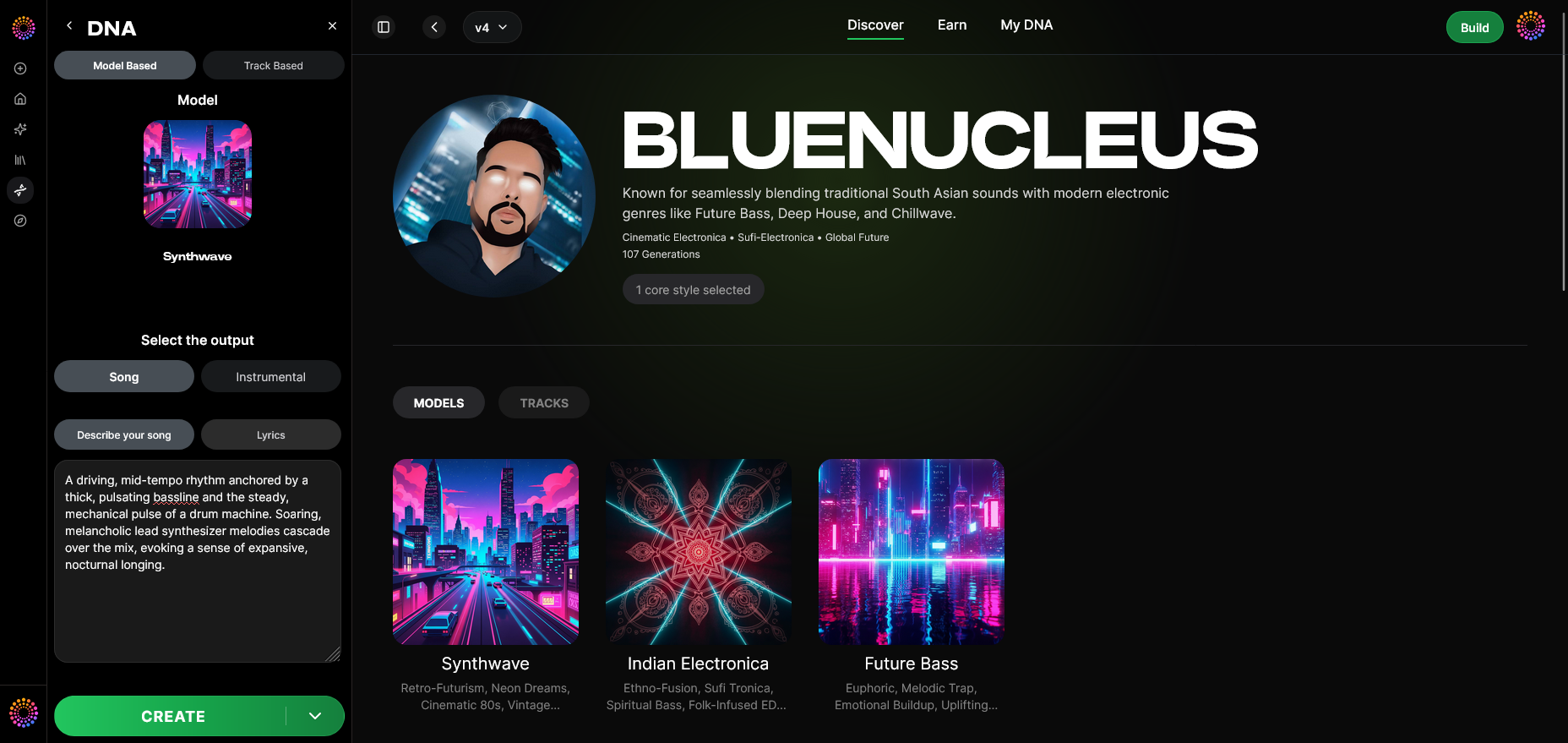
The foundation of a strong modern artist site goes beyond visuals — it’s about authentic sound and branding. That’s where Soundverse DNA comes in.
Soundverse DNA is a cutting-edge artist-trained AI music generation system designed to capture and monetize your unique sonic identity. Instead of generic AI music, DNA-based models are trained on licensed catalogs, letting you legally create and license tracks that align with your distinctive rap style.
Core Features of Soundverse DNA:
- Full DNA (Songs/Instrumentals): Generate beats and full instrumental tracks that match your vibe.
- Voice DNA: Clone your vocal timbre and texture ethically, allowing voice-driven production without copyright risk.
- DNA Marketplace: License your style to fans and earn royalties when others use your model.
- Sensitivity Selector: Cluster your catalog into eras, perfect for organizing music evolution.
- Private Mode: Secure co-creation space for collaborations.
Key Use Cases for Rappers:
- Artist Monetization: Turn your stylistic DNA into a revenue stream.
- Sonic Branding: Ensure your website audio perfectly matches your signature sound.
- Workflow Acceleration: Produce high-quality tracks quickly, focusing on storytelling rather than technical production.
By integrating Soundverse DNA into your site, you not only present music but showcase innovation, giving visitors an immersive experience that reflects who you are sonically and visually.
Step-by-Step Guide to Building Your Rap Artist Website
Creating a professional hip hop artist website design involves several technical and creative stages. Below are the verified Soundverse steps that help you integrate your brand sound and visuals seamlessly.
Step 1: Overview
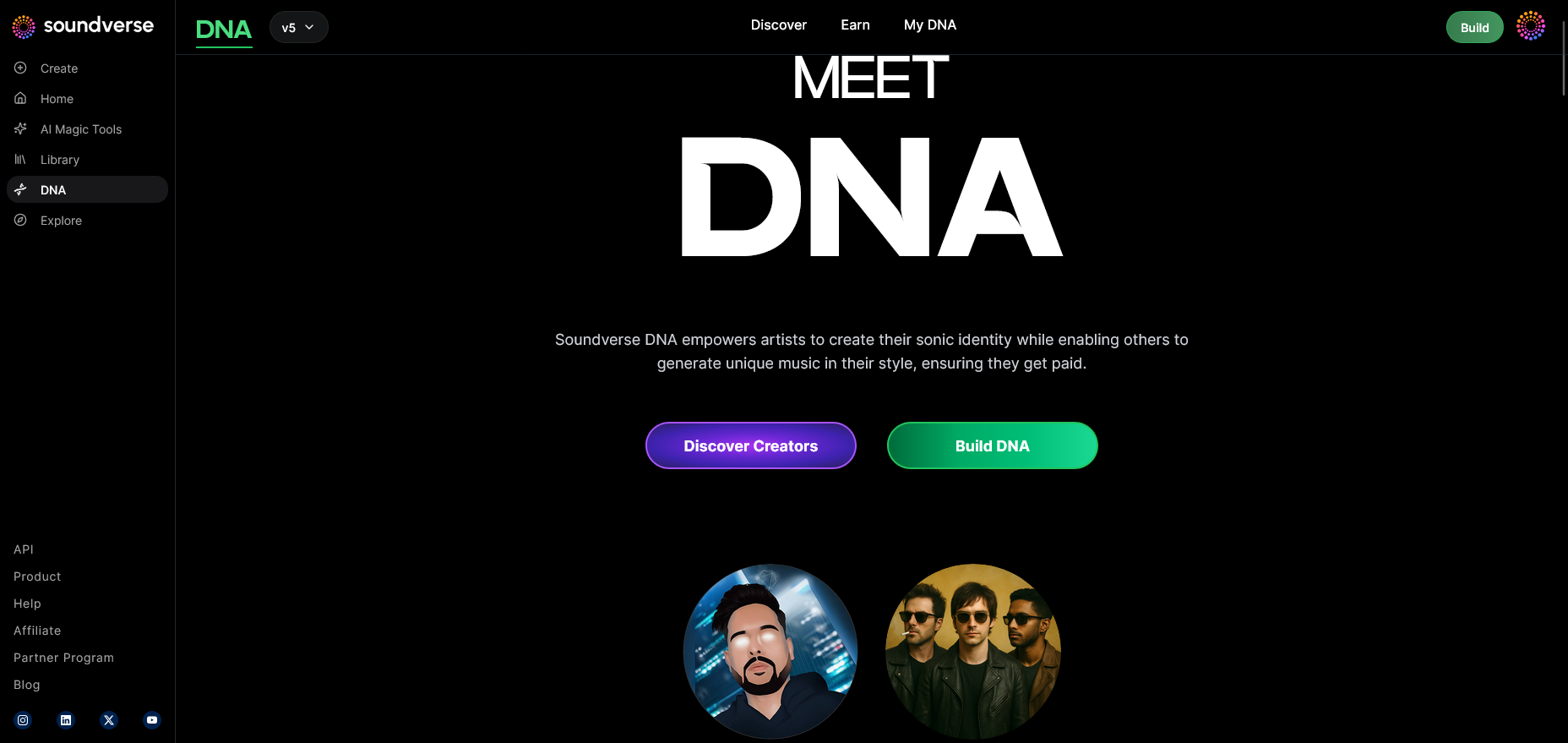
Start inside Soundverse’s DNA mode. This section lets you understand how artist models are created from licensed audio catalogs. Here you’ll define what type of DNA generation best expresses your rap persona — gritty underground, smooth lyrical flow, or trap-inspired punch.
Step 2: Dashboard
Access your My DNA management dashboard, where all DNA models and musical projects are stored. This centralized hub allows you to organize beats, acapellas, and fan-licensed models.
Step 3: Creator Profile
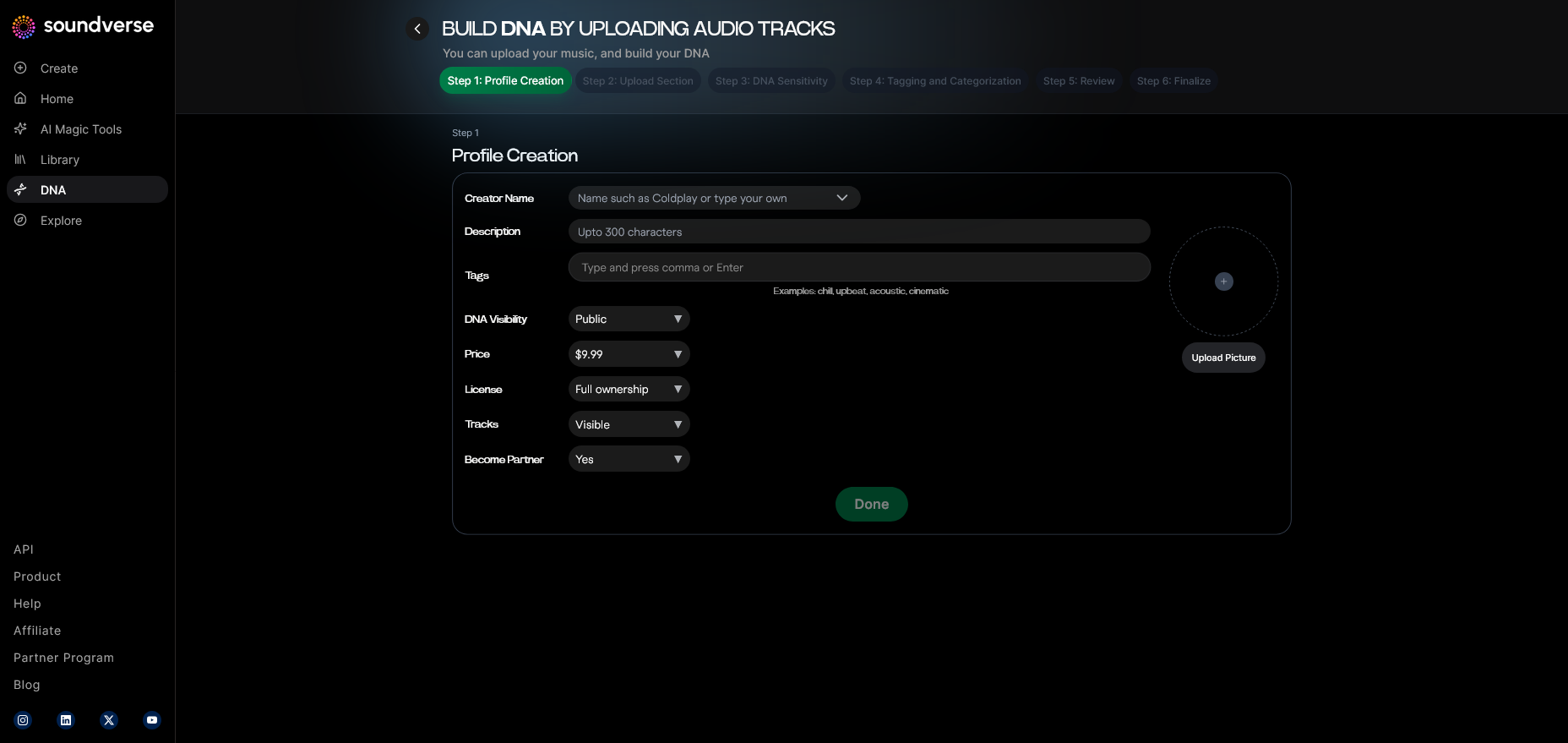
Create your official profile with bio, genre tags, and album references. Your Soundverse profile doubles as a component of your rapper online presence. When embedding it into your site, fans can instantly explore your catalog.
Step 4: DNA Type Selection
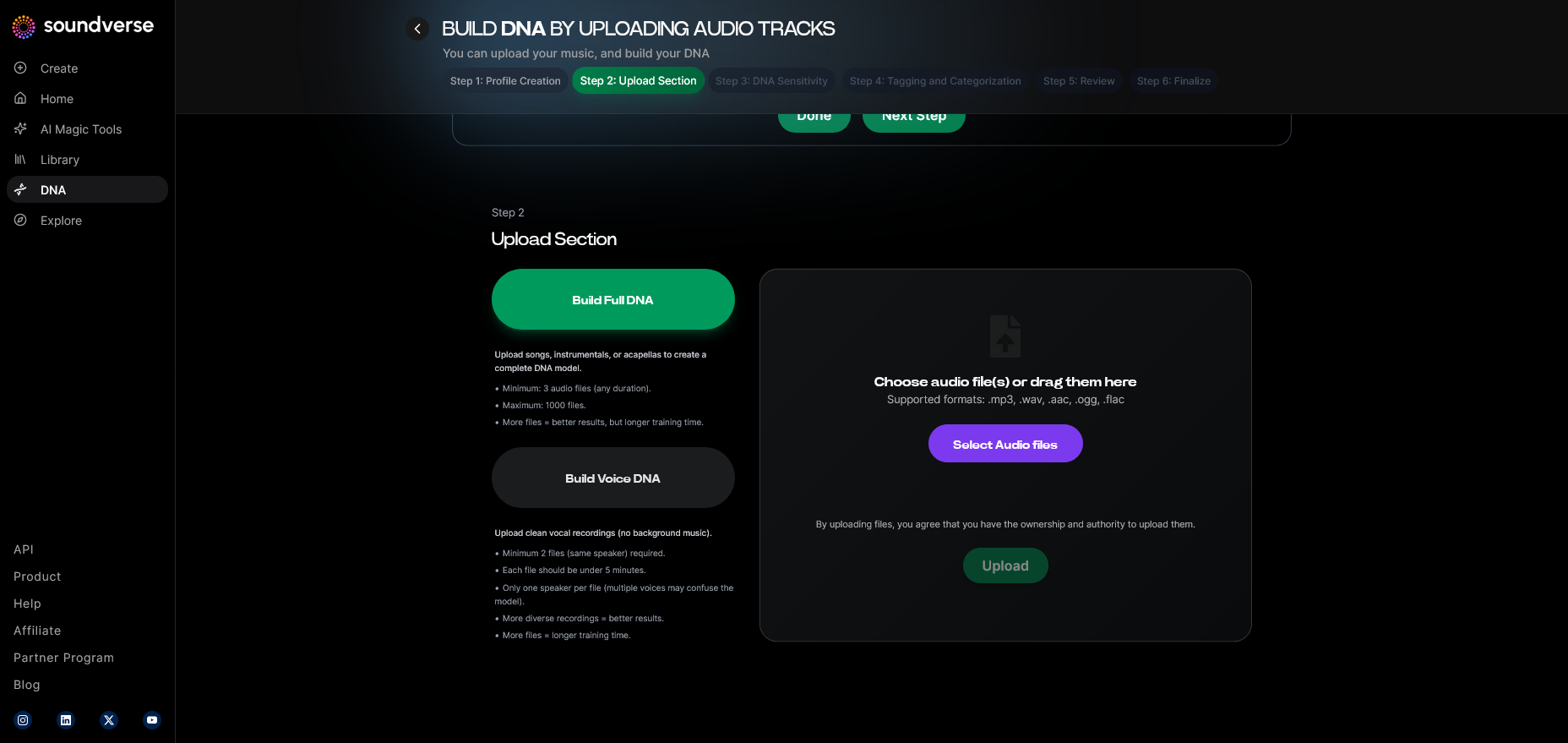
Choose between Full DNA (for complete songs and instrumentals) or Voice DNA (for vocal generation). Most rappers blend both to maintain sonic identity.
Step 5: Upload Files
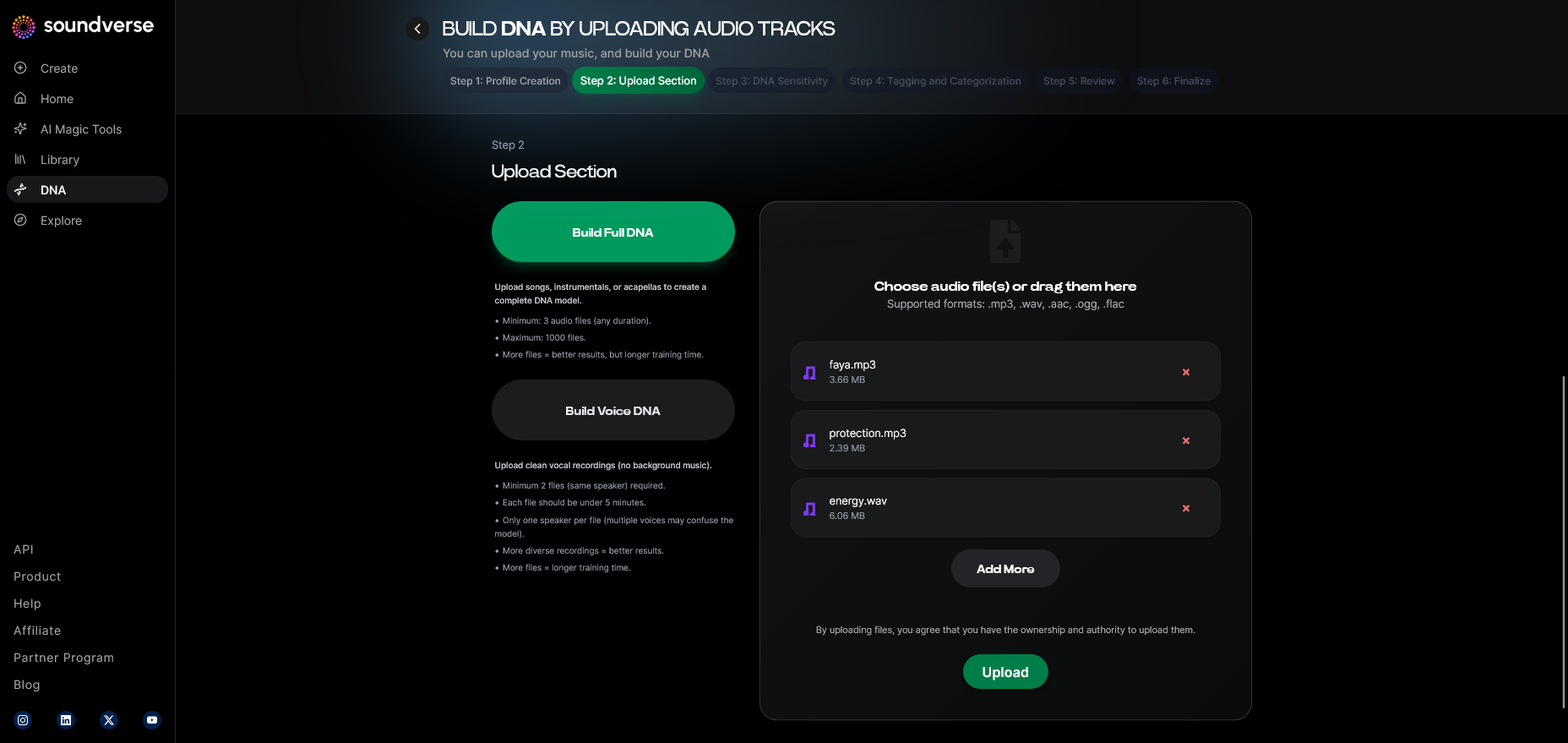
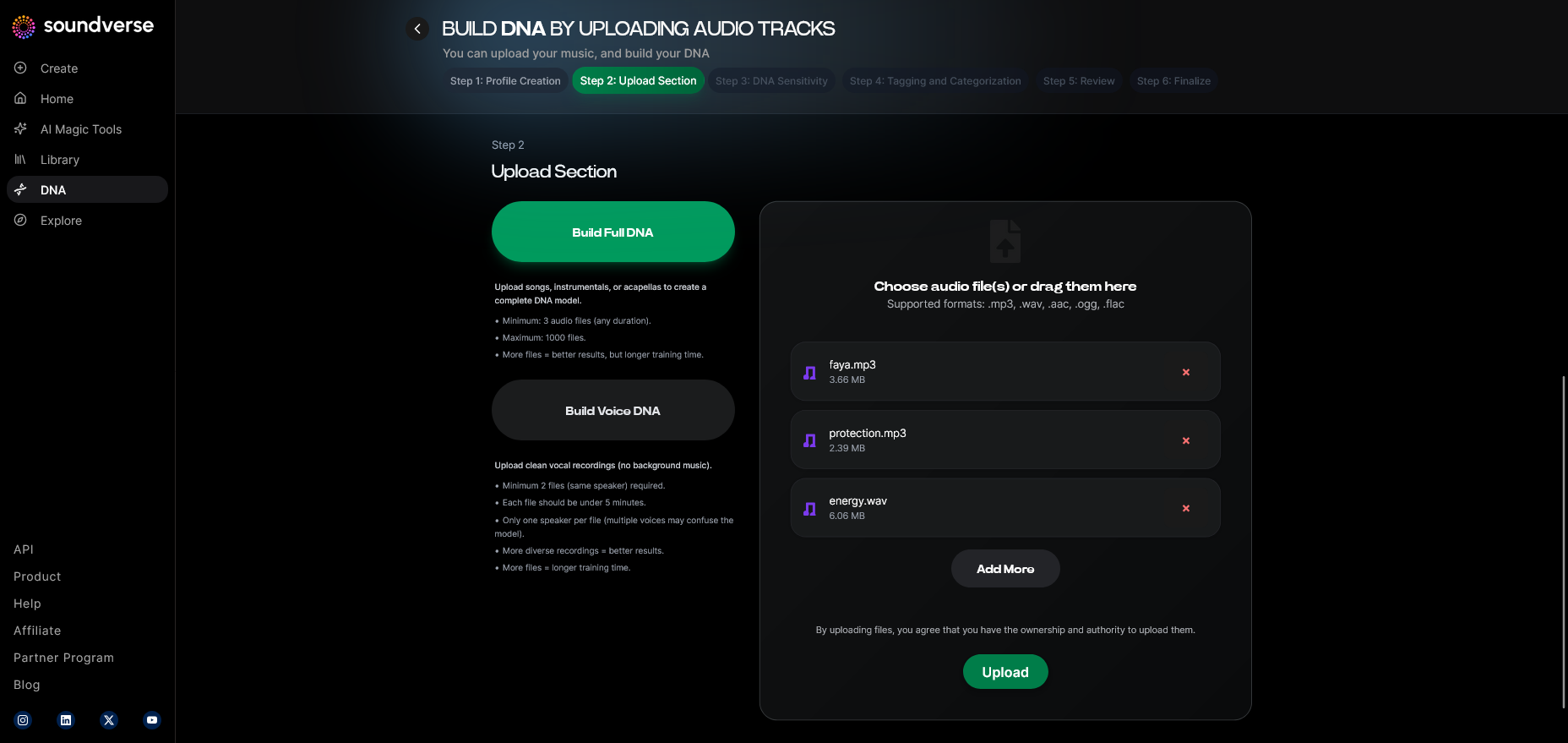
Upload high-quality audio recordings or stems that represent your style. You can learn more about stem management in this Soundverse stem separation article.
Step 6: Sensitivity Setting
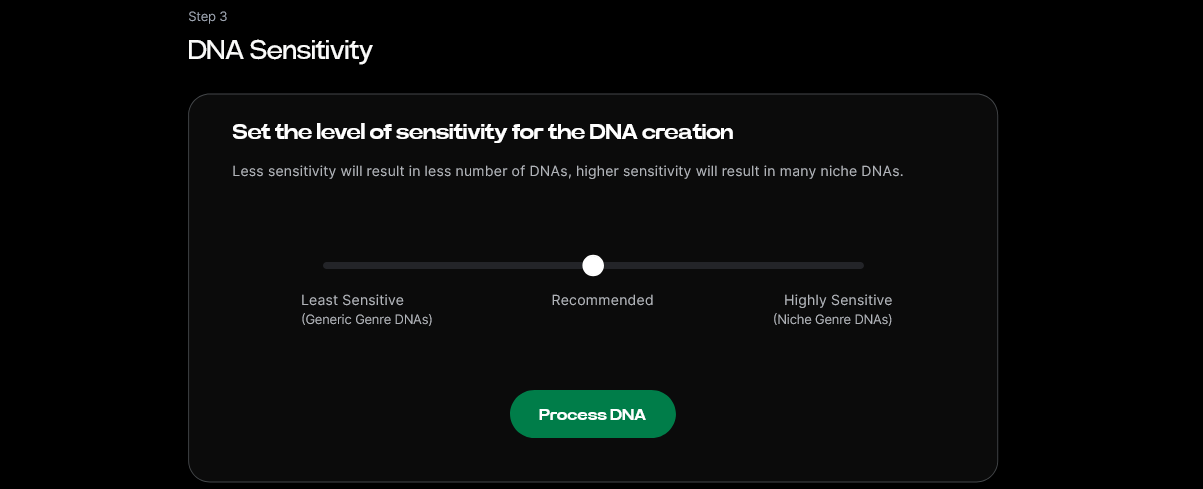
Use the Sensitivity Selector to adjust your model’s responsiveness — from raw freestyle energy to smooth mastered tone. This is key for preserving the authenticity of your vocal texture.
Step 7: Auto Tagging
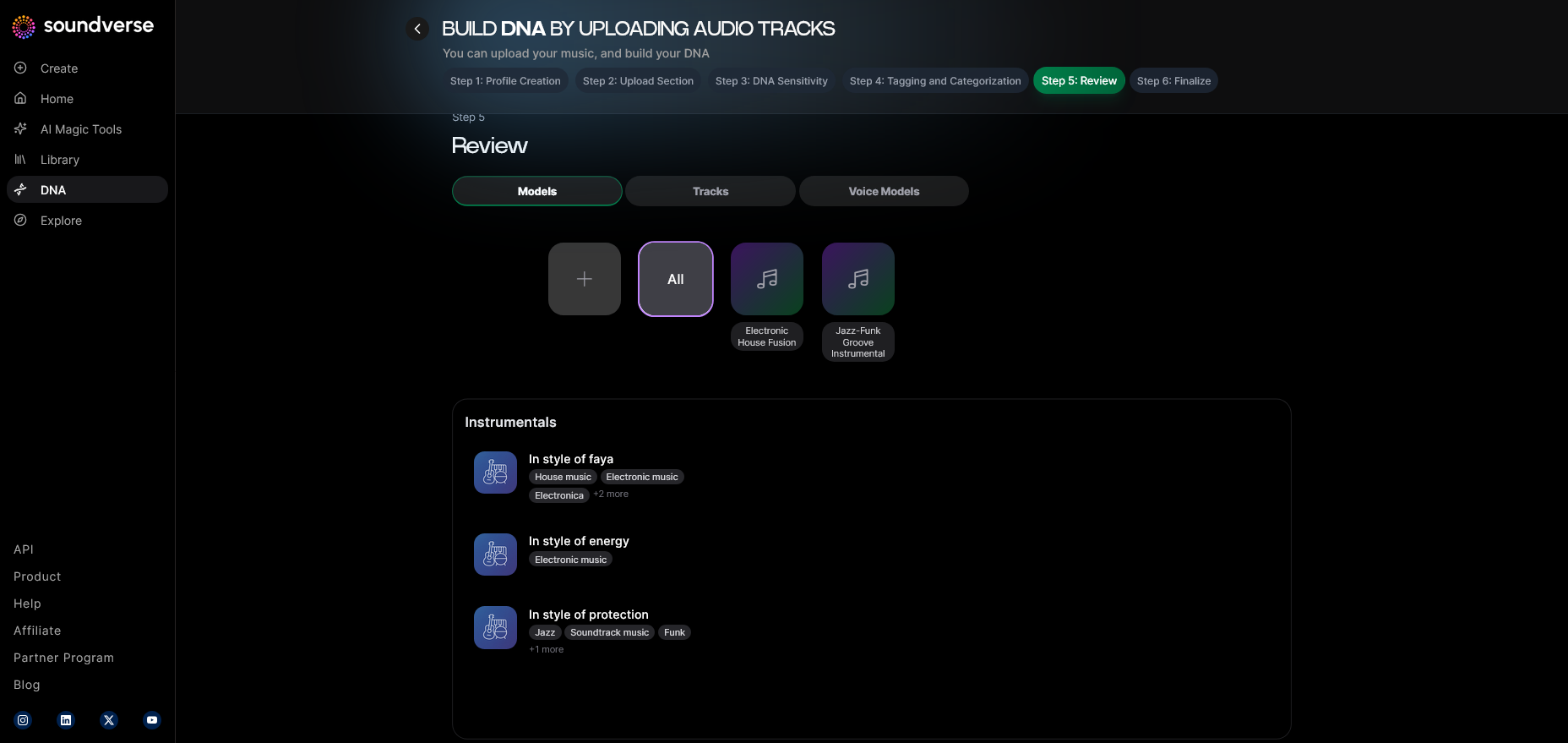
Soundverse automatically generates metadata tags — artist name, subgenre, tempo, and lyrical emotion — simplifying SEO integration for your website. These tags improve your page’s visibility in search results for phrases like “create musician website” or “AI rap beats.”
Step 8: Review & Publish
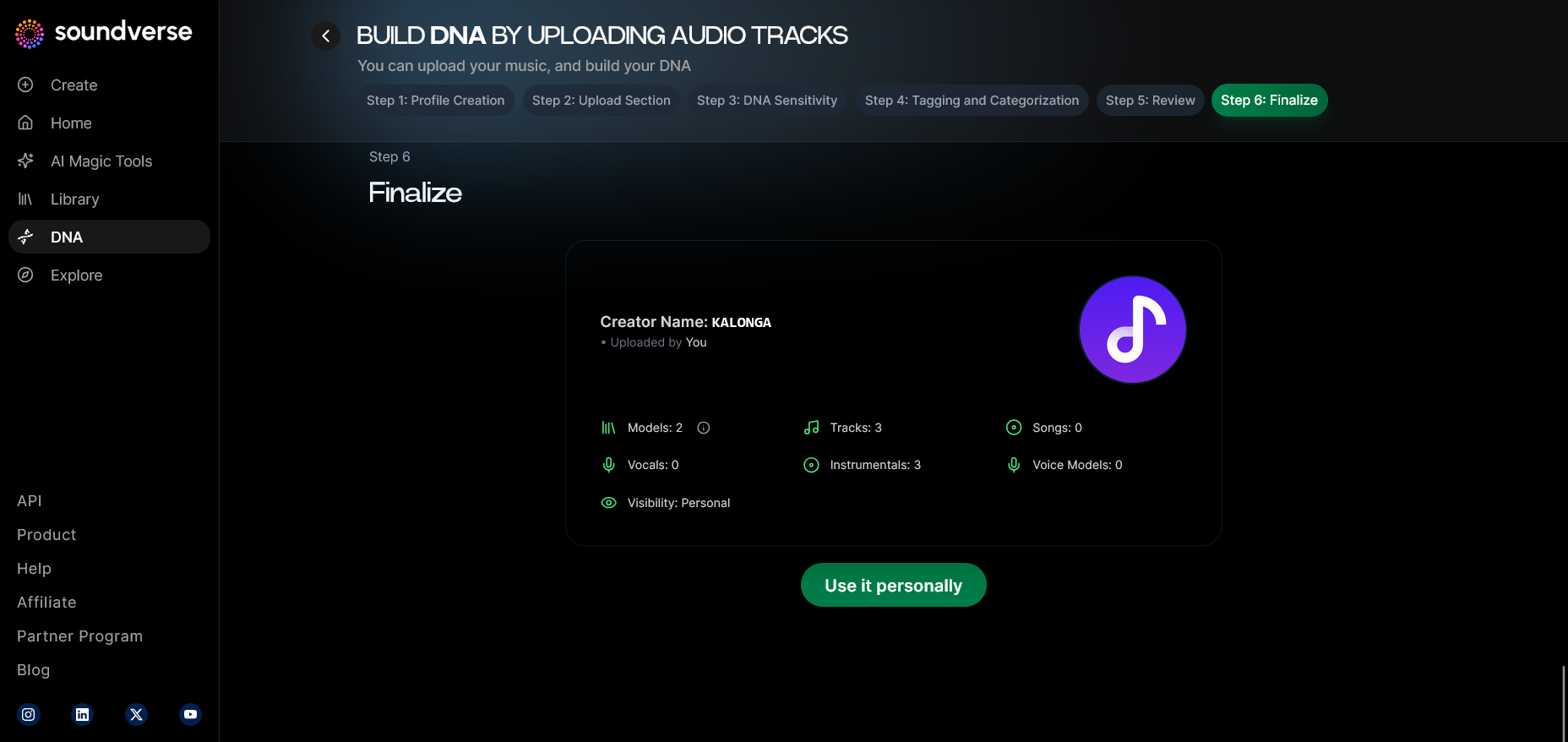
Preview the final DNA configuration and click publish. Once approved, your DNA model becomes live for generation and licensing.
Step 9: Generation Panel
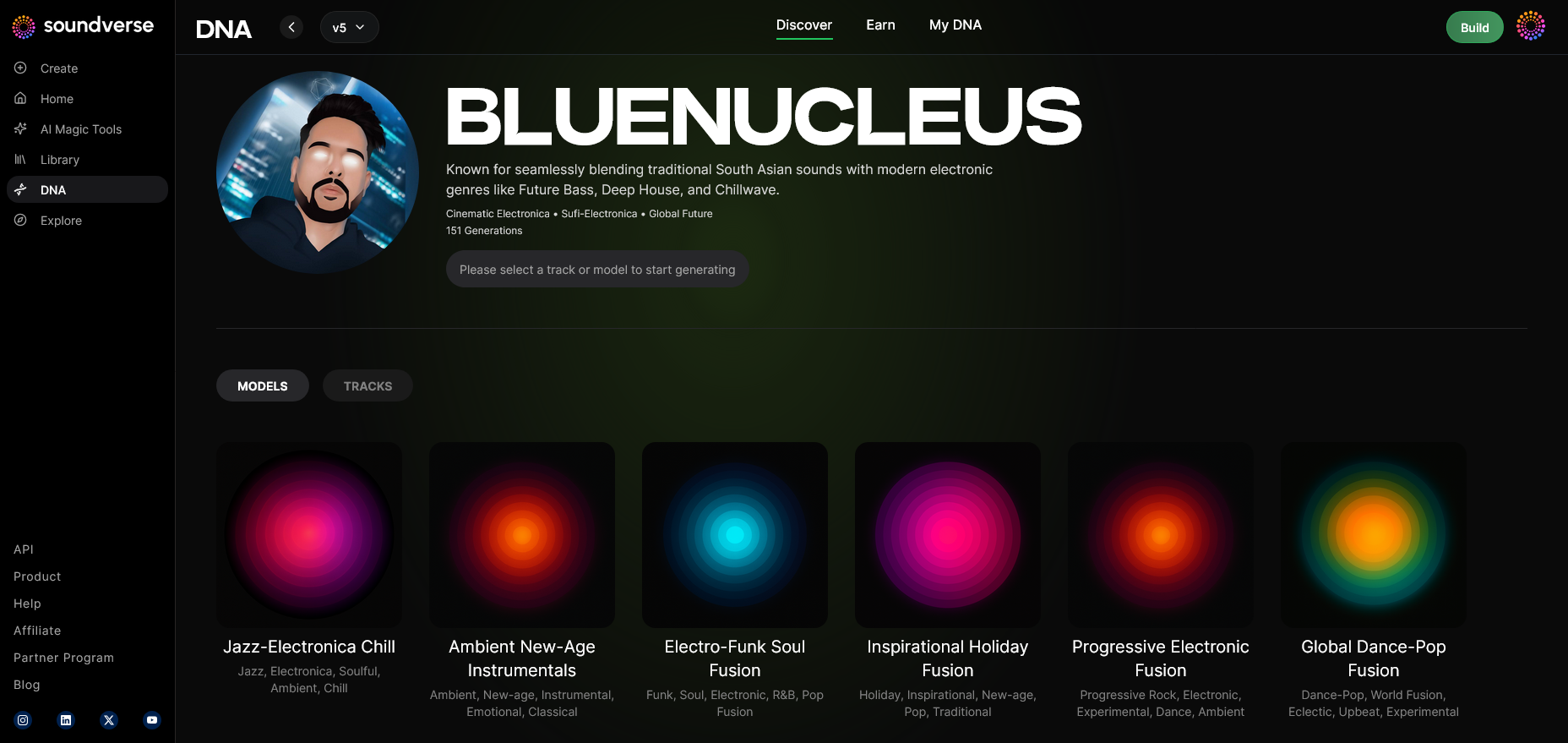
This is where you begin creating music from your model. Type in prompts describing beat mood or lyrical themes. For inspiration, check AI text-to-music prompt ideas or watch our Soundverse Tutorial Series - 9. How to Make Music.
Step 10: Model-Based Mode
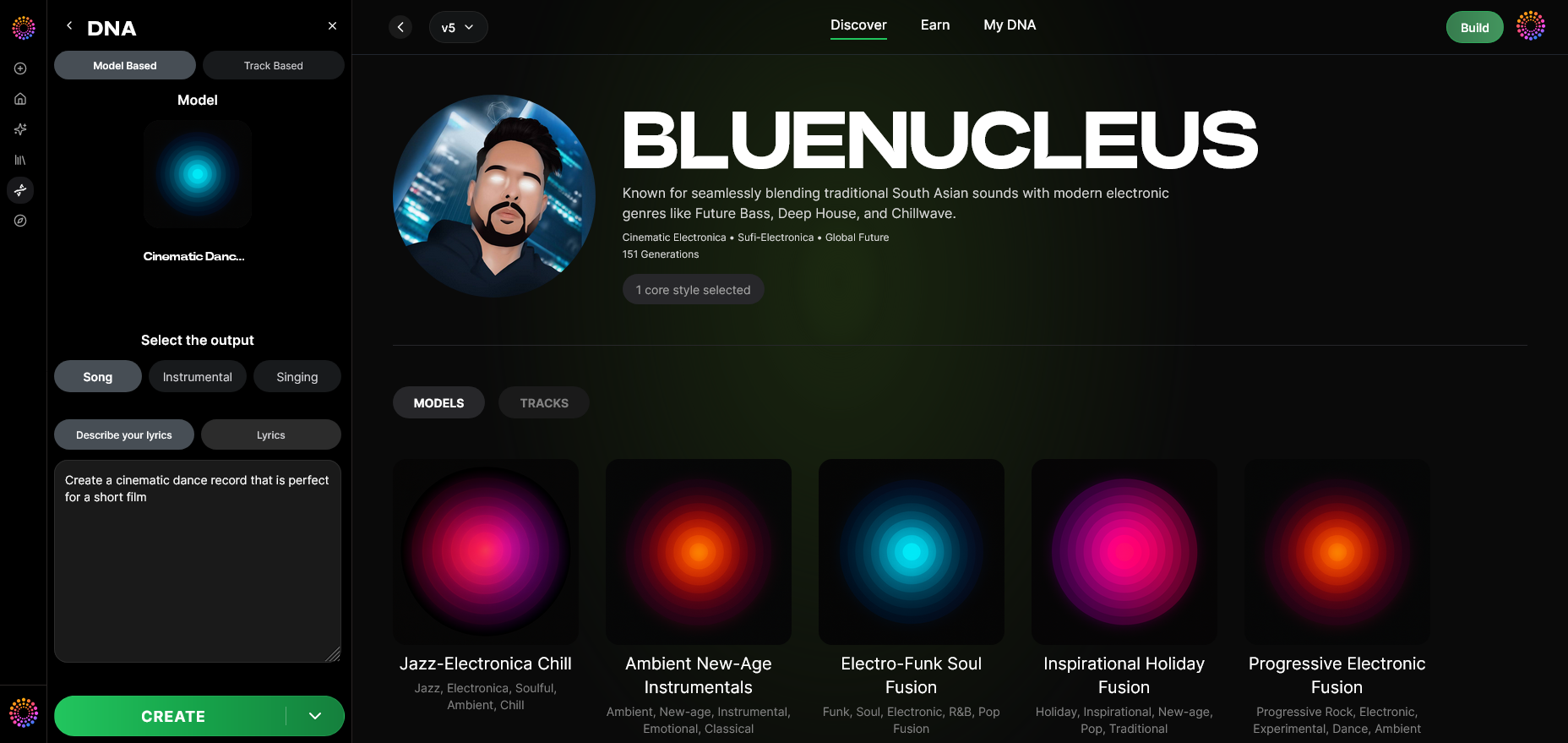
Toggle between model-based and track-based generation depending on whether you want to output music or voice. For additional interface understanding, check out the Soundverse Tutorial Series - 8. "Explore" Tab.
Step 11: Output Type
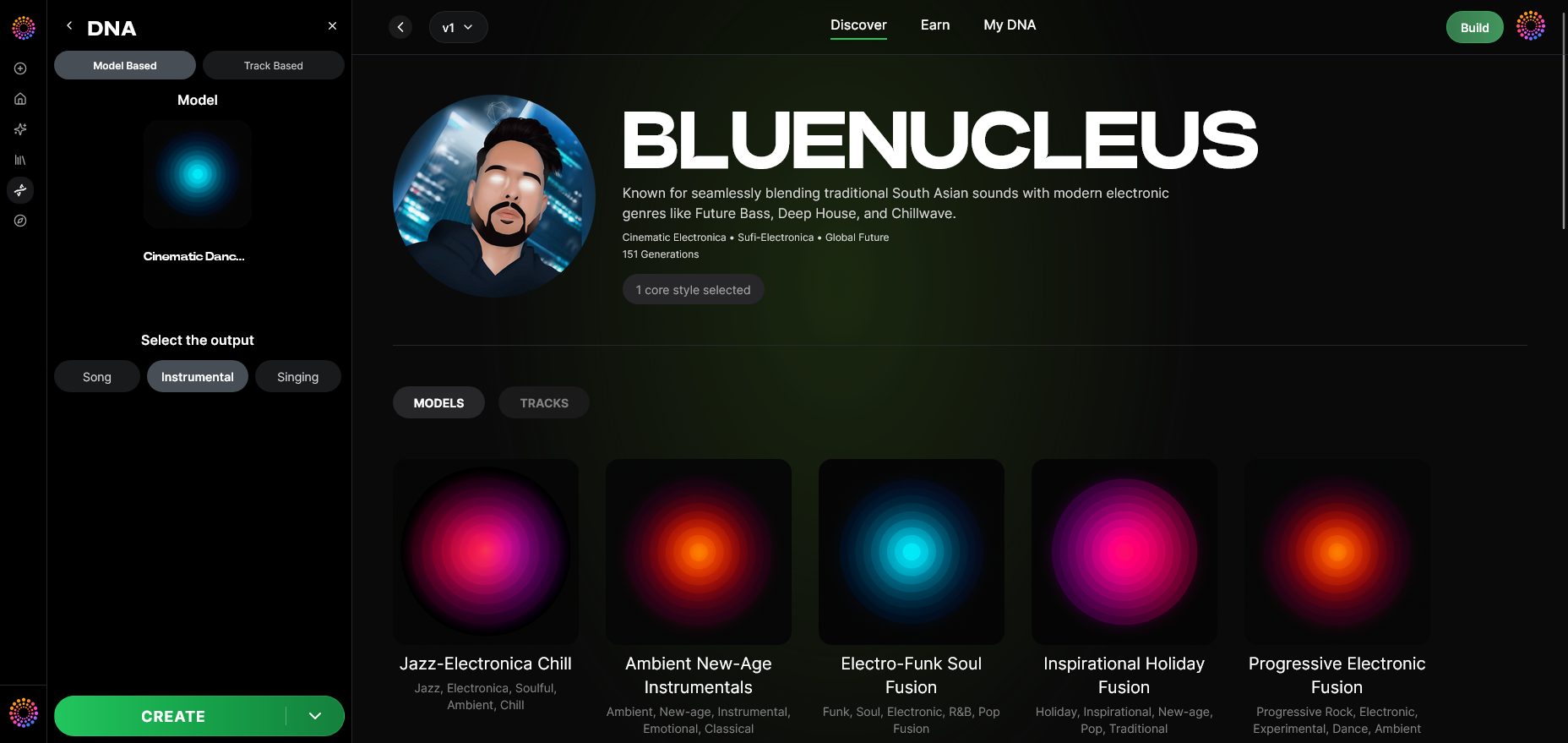
Select between Song Instrumental or Singing results — ideal for background tracks or vocal additions.
Step 12: Prompt Type
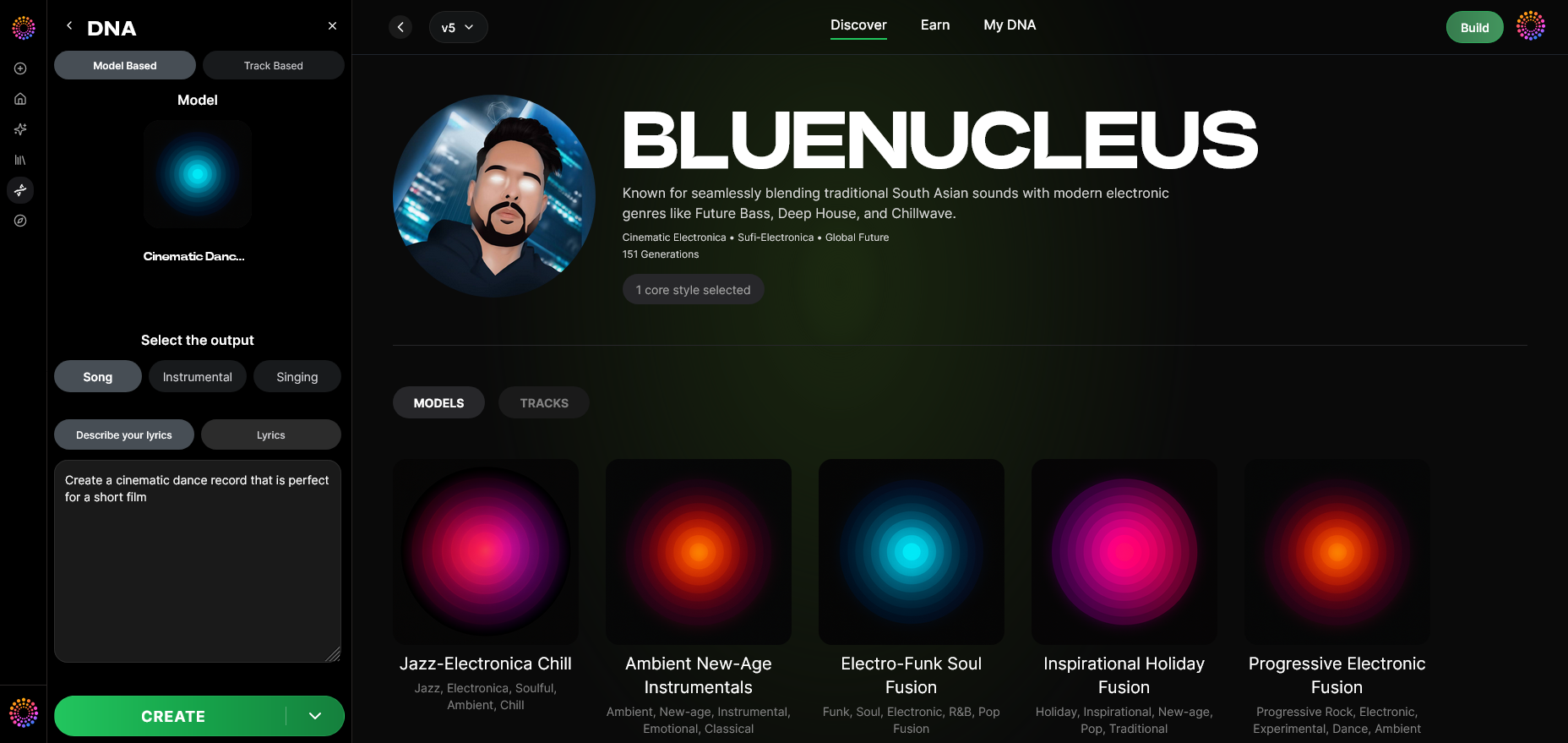
Choose how you describe your input. You can enter lyrical descriptions or genre-themed keywords. Learn advanced prompting in this guide to rap music creation.
Step 13: Generation Complete
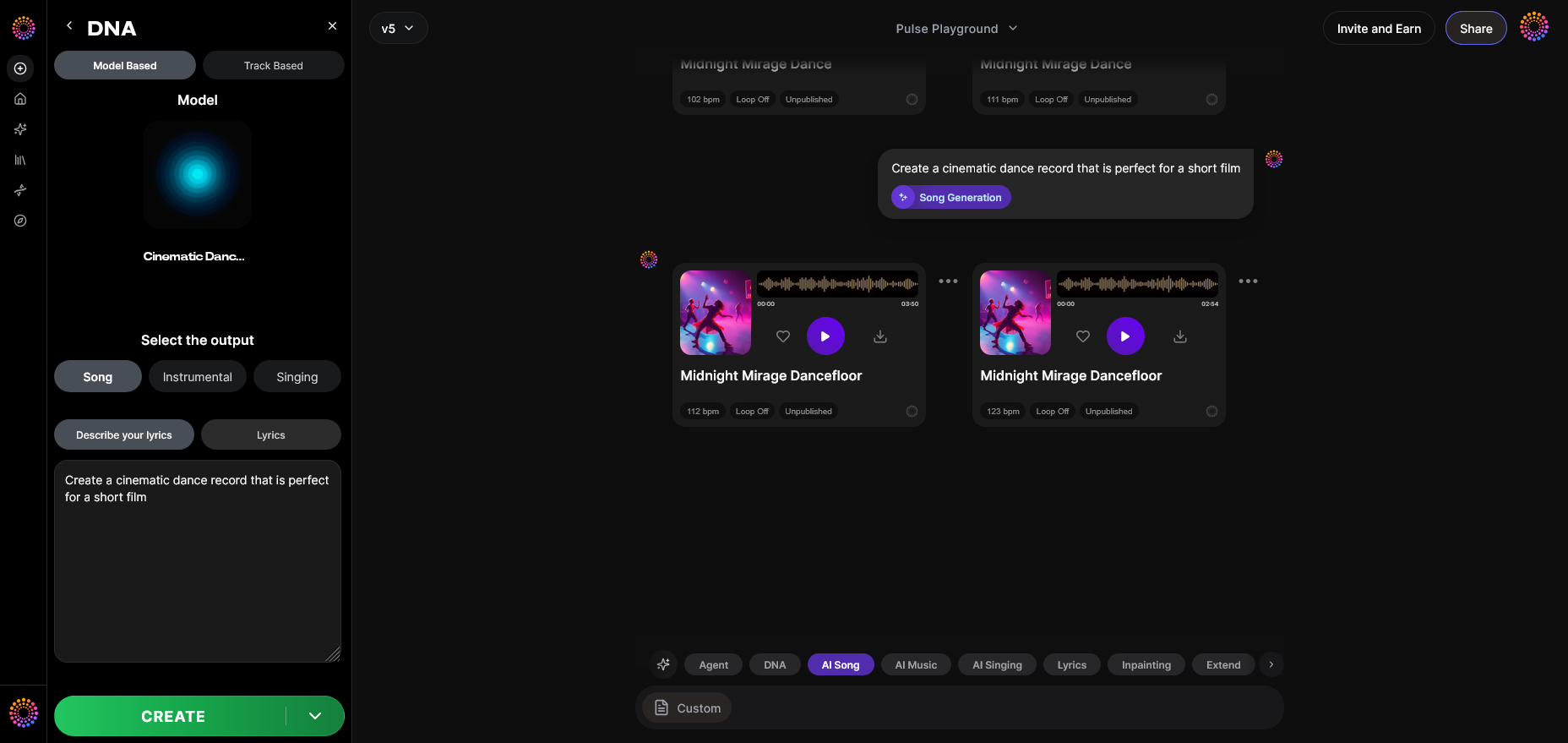
After processing, Soundverse displays your AI-generated content based on your DNA profile. Save these files for embedding on your website’s music page. You can follow up with the Soundverse Tutorial Series - 10. Make Deep House Music video for broader musical structure examples.
Step 14: Export Options
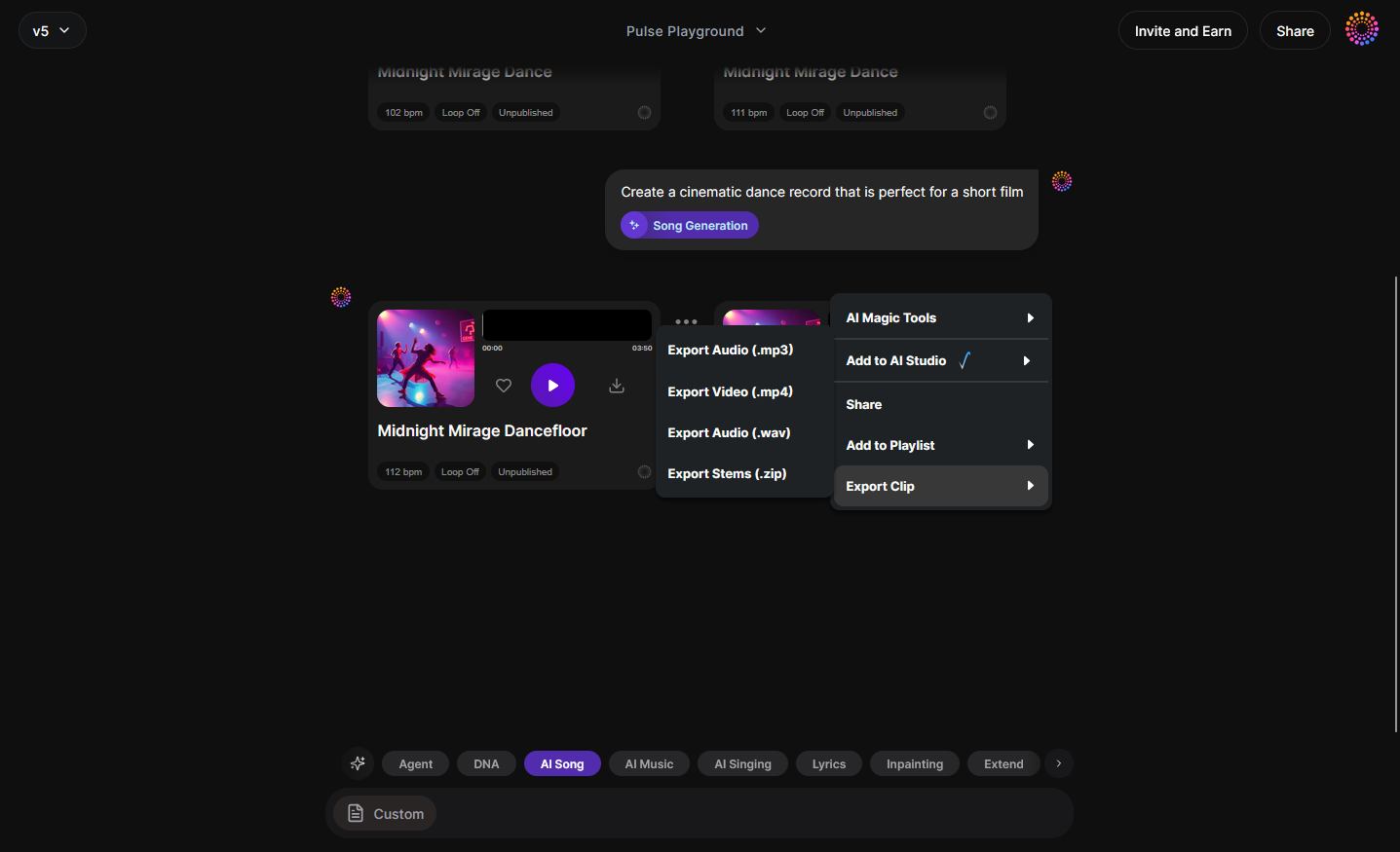
Use export menus to download WAV or MP3 versions for upload to your site, portfolio, or streaming platforms.
Step 15–19: Advanced DNA Tools
For expert users, steps 15–19 allow deeper customization — attaching models, selecting style variations, adjusting lyrics input, and fine-tuning generation for consistent brand sound.
What are the crucial elements of a rap artist website design?
Once you’ve created your custom Soundverse tracks, build your site with the following sections:
- Homepage: Emphasize your name, tagline, and signature track.
- About Page: Tell your story — origin, influences, milestones.
- Music Portfolio Page: Display embedded tracks generated via Soundverse DNA.
- Video Gallery: Include visual work, live sessions, and clips with royalty-free music insights (see copyright-free vs royalty-free music explained).
- Contact Section: Booking and collaboration form integrated with your management email.
- Shop Page: Sell merch, beats, and NFTs.
Pro Tips for Branding for Rap Artists in 2026
The digital landscape of 2026 demands sharper branding strategies. Here’s how rappers can elevate their image:
- Consistency of Sound: Using Soundverse DNA ensures each new beat or vocal keeps your recognizable tone.
- Color Palette Selection: Choose site colors reflecting your message — darker tones for street vibes, bright accents for positive energy. See what the pros recommend in 2026 musician website design trends, or check out The 11 Biggest Web Design Trends of 2026.
- SEO Optimization: Include keywords such as rap artist website, hip hop artist website design, and music portfolio site in your metadata.
- Cross-Platform Integration: Link your Soundverse model or songs on Spotify, YouTube, and Instagram.
- AI-Assisted Creativity: Explore other tools like Soundverse Assistant to speed up your writing and production process. Also, check Top Web Design Trends for 2026 | Figma for UI inspiration.
Build Your Rap Artist Website with AI Power
Create a stunning rap artist website in minutes using Soundverse’s AI tools. Showcase your music, style, and brand while reaching fans faster with automated design and content generation.
Related Articles
- How to Create Rap Music with AI — Discover how AI can help you produce beats and tracks that define your unique rap identity.
- How to Make Good Rap Lyrics — Learn proven techniques and AI-assisted strategies to write powerful and memorable rap lyrics.
- Generate AI Music with Soundverse Text-to-Music — Turn your ideas or lyrics into full rap tracks instantly with Soundverse’s text-to-music feature.
- Soundverse Assistant: Your AI Music Co-Producer — Meet your virtual studio assistant that helps produce and refine your next hit effortlessly.
Here's how to make AI Music with Soundverse
Video Guide

Here’s another long walkthrough of how to use Soundverse AI.
Text Guide
- To know more about AI Magic Tools, check here.
- To know more about Soundverse Assistant, check here.
- To know more about Arrangement Studio, check here.
Soundverse is an AI Assistant that allows content creators and music makers to create original content in a flash using Generative AI.
With the help of Soundverse Assistant and AI Magic Tools, our users get an unfair advantage over other creators to create audio and music content quickly, easily and cheaply.
Soundverse Assistant is your ultimate music companion. You simply speak to the assistant to get your stuff done. The more you speak to it, the more it starts understanding you and your goals.
AI Magic Tools help convert your creative dreams into tangible music and audio. Use AI Magic Tools such as text to music, stem separation, or lyrics generation to realise your content dreams faster.
Soundverse is here to take music production to the next level. We're not just a digital audio workstation (DAW) competing with Ableton or Logic, we're building a completely new paradigm of easy and conversational content creation.
TikTok: https://www.tiktok.com/@soundverse.ai
Twitter: https://twitter.com/soundverse_ai
Instagram: https://www.instagram.com/soundverse.ai
LinkedIn: https://www.linkedin.com/company/soundverseai
Youtube: https://www.youtube.com/@SoundverseAI
Facebook: https://www.facebook.com/profile.php?id=100095674445607
Join Soundverse for Free and make Viral AI Music

We are constantly building more product experiences. Keep checking our Blog to stay updated about them!