How to Make a Japanese Song Using AI Music (2026 Guide)
Learn how to make a Japanese song using AI with Soundverse tools. Explore step-by-step AI music creation.
How to Make a Japanese Song Using AI Music
In 2026, the fusion of Japanese music culture and artificial intelligence has opened up thrilling possibilities for musicians worldwide. Whether you’re a fan of J-pop, traditional Enka, or modern anime-inspired tunes, AI-driven platforms now make it easy to produce authentic Japanese-style songs right from your laptop. In this comprehensive guide, we’ll show you exactly how to make a Japanese song using AI, including step-by-step instructions and pro tips for shaping your creation.
Why Create Japanese Music with AI in 2026?
Japan’s music industry has always been defined by innovation and precision. From the rise of Vocaloid in the early 2010s to the AI music boom of 2024–2025, Japanese pop and electronic genres have consistently pushed creative boundaries. By 2026, AI music generators have matured to a level where they can emulate cultural nuance, language intonation, and emotional depth. This allows global creators to make J-pop songs or ambient Japanese tracks that sound both professional and natural.
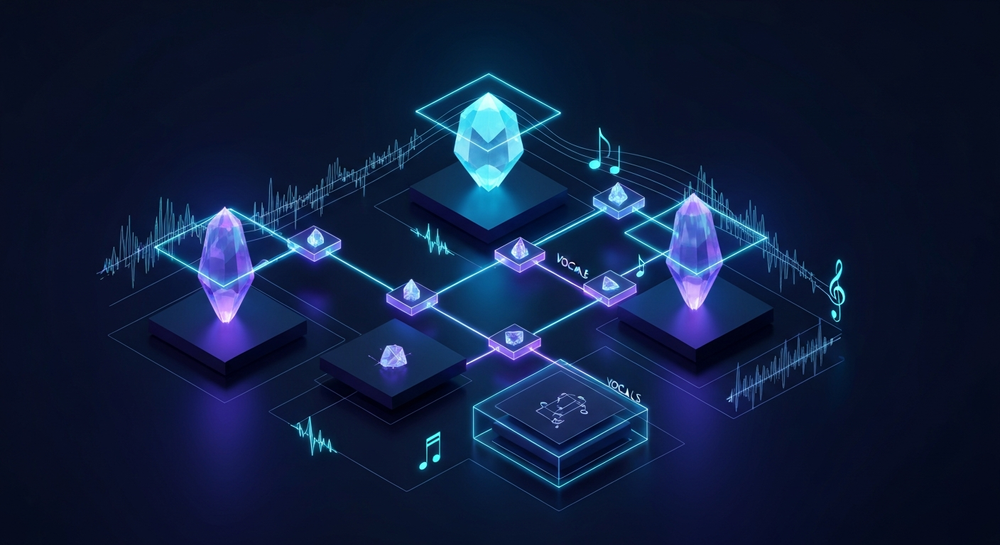
AI gives instant creative freedom — no need for recording studios, vocalists, or complex software setups. For musicians exploring how to make a Japanese song using AI, modern tools now let you write lyrics in Japanese, choose genre-specific arrangements, and generate complete audio productions within minutes.
How to Make Japanese Songs with Soundverse AI Song Generator

Soundverse’s AI Song Generator is the centerpiece of this process. It’s designed to turn lyrics or text descriptions into complete songs with AI-generated vocals and instrumentals. The system works through a sophisticated multi-stage pipeline that covers lyrics, melody, arrangement, and mixing.

Core capabilities include:
- Describe Your Song mode: Input plain text describing the vibe or concept of your Japanese song.
- Custom mode: Enter specific Japanese lyrics and define detailed settings like tempo or mood.
- Reference Audio support: Upload Japanese tracks or vocal examples for stylistic inspiration.
- Quick Style Selection: Choose J-pop, J-rock, anime soundtrack, or traditional Japanese sounds.
Primary use cases:
- Creating multilingual J-pop demos.
- Making Japanese-inspired instrumental tracks for anime or game soundtracks.
- Crafting social media music or virtual singer prototypes.
The AI Song Generator integrates seamlessly with related Soundverse tools such as the AI Lyrics Writer (ideal for writing Japanese lyrics by tone and theme), the AI Singing Generator (for generating realistic vocals), and the Similar Song Generator (to model songs after popular Japanese hits without copying them).
For a deeper dive, watch our Soundverse Tutorial Series - How to Make Music, or explore the Explore Tab walkthrough.
Step 1: Feature Overview

To begin, access the AI Song Generator from Soundverse’s main menu. This is your starting point for generating music. Once inside, you’ll find options for creating songs from prompts, lyrics, or reference audio — perfect for structuring your Japanese music.
Step 2: Lyrics Input
Enter or paste your song lyrics. You can type them directly in Japanese using modern tools or use Soundverse’s AI Lyrics Writer to generate meaningful verses. For example, you might choose a theme like “dreams beneath the cherry blossoms” or “urban loneliness in Tokyo at night.” The AI handles structure and rhyme intuitively.
(Explore more about lyric techniques in How to Make Good Rap Lyrics.)
Step 3: Style Selection

Next, select the preferred genre. Popular choices include J-pop, J-rock, lo-fi Japanese chill, and cinematic anime score. The Quick Style Selection tab offers preset genre filters, simplifying the process to align your track with authentic Japanese aesthetics.
Learn how similar genre modes work in How to Create Jazz Music with Soundverse AI and How to Create EDM with Soundverse AI.
Step 4: Configuration

Here you set generation parameters. Choose your vocal language (Japanese), define tempo, emotional tone (e.g., gentle, energetic, melancholic), and instrumental richness. If you’re inspired by certain Japanese artists or anime openings, upload reference audio using the AI Song Generator’s reference option.
This level of configurability helps simulate Japanese production styles found in city pop or contemporary idol music.
Step 5: Generation

Once parameters are set, click Generate Song. The system processes your lyrics and melody asynchronously — meaning the AI fully composes your track before delivering results. Within minutes, you receive an AI-generated song complete with vocals and instrumentals that reflect the Japanese style you chose.
Step 6: Generation Complete

When the generation completes, the full song file appears in your workspace. You can listen, adjust parameters, or re-run generation with different styles. For creators experimenting with multiple tones, Soundverse allows unlimited iterations.
Step 7: Export Results

Export your finished Japanese song in multiple formats, such as MP3, WAV, or STEM separated tracks. These can be used for mixing, content upload, or sharing on social media platforms. Learn more about stem usage in What Are Song Stems and Why Do You Need Them.
Pro Tips for Authentic Japanese Sound Using AI
- Focus on melody emotion: Japanese pop often emphasizes melodic storytelling. Use references from anime or popular J-pop ballads to give emotional structure.
- Experiment with vocal tone: The AI Singing Generator lets you choose softer, airy vocals common in J-pop, or more theatrical performances for dramatic soundtracks.
- Use Japanese-specific lyric phrasing: Certain expressions evoke deeper resonance in Japanese listeners. Incorporating poetic imagery helps connect cultural nuance.
- Add instrumental detail: Include koto, shakuhachi, or taiko drum samples in the style prompt for authentic textures.
- Iterate freely: Since Soundverse’s workflow is asynchronous, generate multiple versions — energetic, melancholic, or minimalist — to find your ideal aesthetic.
For deeper AI music insights, explore these guides:
- Generate AI Music with Soundverse Text-to-Music
- How AI-Generated Music is Transforming the Music Industry
- Soundverse AI Revolutionizing Music Creation for New Age Content Creators
Why Soundverse is the Best Choice for AI Japanese Song Creation
While there are other AI music tools like Suno, Udio, and Soundraw, Soundverse distinguishes itself through its multi-modal pipeline, Japanese language compatibility, and combination of lyric-to-song generation. Users can start in English, request AI translation, and end up with fluently sung Japanese lyrics.
In addition, Soundverse’s ecosystem includes integration with creative tools like Soundverse Assistant, detailed in Soundverse Assistant: Your AI Music Co-Producer, which helps automate decision-making during track generation, improving workflow efficiency.
Start Creating Your Own Japanese AI Song Today
Turn your creative ideas into authentic Japanese-inspired music using Soundverse AI. Generate melodies, lyrics, and instrumentals effortlessly—no music production experience needed.
Related Articles
- How to Create Jazz Music with Soundverse AI: Explore how Soundverse AI simplifies jazz composition with advanced generative tools that produce smooth, soulful arrangements.
- Create Metal Music with AI: Learn the steps to generate electrifying metal tracks using Soundverse’s genre-specific AI capabilities.
- How to Make AI-Generated Music: Get started with foundational techniques for producing original songs entirely with AI music tools.
- Generate AI Music with Soundverse Text-to-Music: Discover how Soundverse’s text-to-music feature can quickly transform your ideas into fully realized musical pieces.
Here's how to make AI Music with Soundverse
Video Guide

Here’s another long walkthrough of how to use Soundverse AI.
Text Guide
- To know more about AI Magic Tools, check here.
- To know more about Soundverse Assistant, check here.
- To know more about Arrangement Studio, check here.
Soundverse is an AI Assistant that allows content creators and music makers to create original content in a flash using Generative AI. With the help of Soundverse Assistant and AI Magic Tools, our users get an unfair advantage over other creators to create audio and music content quickly, easily and cheaply. Soundverse Assistant is your ultimate music companion. You simply speak to the assistant to get your stuff done. The more you speak to it, the more it starts understanding you and your goals. AI Magic Tools help convert your creative dreams into tangible music and audio. Use AI Magic Tools such as text to music, stem separation, or lyrics generation to realise your content dreams faster. Soundverse is here to take music production to the next level. We're not just a digital audio workstation (DAW) competing with Ableton or Logic, we're building a completely new paradigm of easy and conversational content creation.
TikTok: https://www.tiktok.com/@soundverse.ai
Twitter: https://twitter.com/soundverse_ai
Instagram: https://www.instagram.com/soundverse.ai
LinkedIn: https://www.linkedin.com/company/soundverseai
Youtube: https://www.youtube.com/@SoundverseAI
Facebook: https://www.facebook.com/profile.php?id=100095674445607
Join Soundverse for Free and make Viral AI Music

We are constantly building more product experiences. Keep checking our Blog to stay updated about them!