How to Find the Tempo of a Song: The Complete 2026 Music Tempo Guide
Learn how to find the tempo of a song accurately in 2026 using modern tools and Soundverse AI.
How to Figure Out the Tempo of a Song
Understanding how to find the tempo of a song is one of the most crucial skills for musicians, producers, and even hobbyists looking to fine-tune their creative process. The tempo determines how fast or slow a piece of music feels—it sets the rhythmic pace that drives the emotional energy of a track. In 2026, with digital music production at its peak and AI tools leading the creative frontier, knowing how to measure, detect, and manipulate song tempo has never been more accessible or more important.
Whether you're working on a remix, composing original pieces, or analyzing music styles, mastering song tempo measurement and beats per minute (BPM) analysis can greatly enhance your results.
Why Is Tempo So Important in Music?
Tempo, measured in beats per minute (BPM), defines how fast the beats occur in a musical composition. A tempo of 60 BPM means one beat every second, while a tempo of 120 BPM means two beats per second. This number impacts everything from how listeners perceive a track’s mood to how dancers move. Slower tempos usually evoke calmness or sadness; faster ones often create excitement or intensity.
In 2026, tempo has become a key element in AI-assisted mixing and mastering. Many music algorithms use BPM detection to align transitions, match samples, and synchronize loops across genres.

How to Make Song Tempo Detection Easier with Soundverse Similar Music Generator
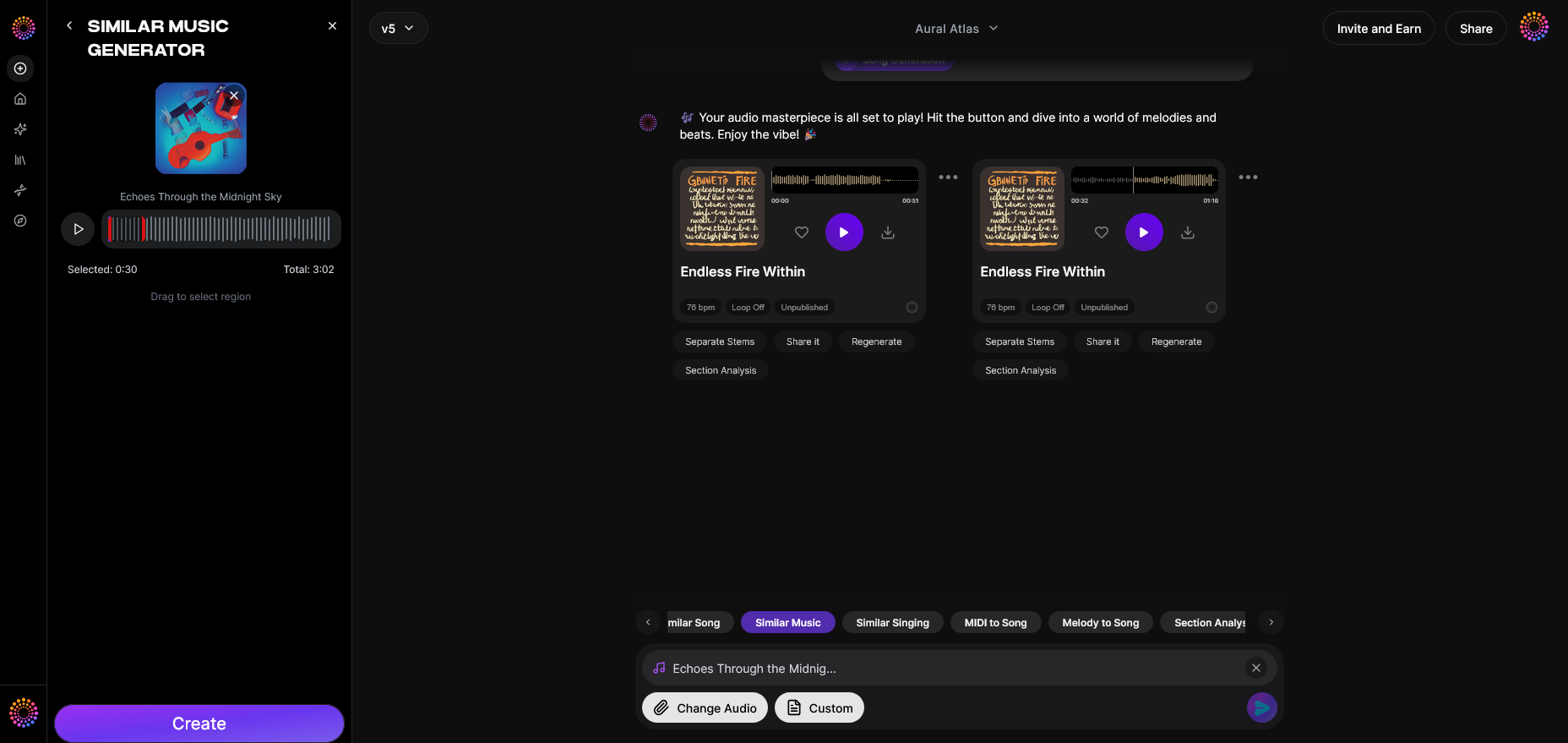
If you're wondering how to find the tempo of a song efficiently, Soundverse offers an advanced and creative solution. The Soundverse Similar Music Generator is designed to produce original instrumental compositions inspired by a reference track. While its main goal is generating similar music, it also performs detailed musical analysis, including tempo, key, and mood.
Soundverse’s algorithm analyzes the reference music you upload and identifies parameters such as beats per minute (tempo) and rhythmic structure. This makes it incredibly useful when you want to generate music that matches the speed and feel of your chosen track.

How the Soundverse Similar Music Generator Works
- Instrumental Style Transfer: The tool studies the reference music and extracts its core stylistic features—tempo, rhythm, and atmosphere—to generate a new, original instrumental composition.
- Detailed Musical Analysis: It automatically detects the key, tempo, and mood of your input track. This makes it excellent for anyone needing precise tempo data.
- Reference-Based Loop Creation: After analysis, Soundverse can create loop variants or full-length tracks based on the original BPM measurement.
This feature is widely used in film and TV scoring, game environment themes, and podcast intros/outros where directors frequently request music that matches a temp score’s timing. For a deeper dive, watch our guide on creating Deep House music and explore how tempo alignment affects production.
If you often work with temp music or want to know exactly how fast your tracks move, the Similar Music Generator gives you both an analysis and creation solution in one place.
Step 1: Feature Overview — Access Similar Music Generator
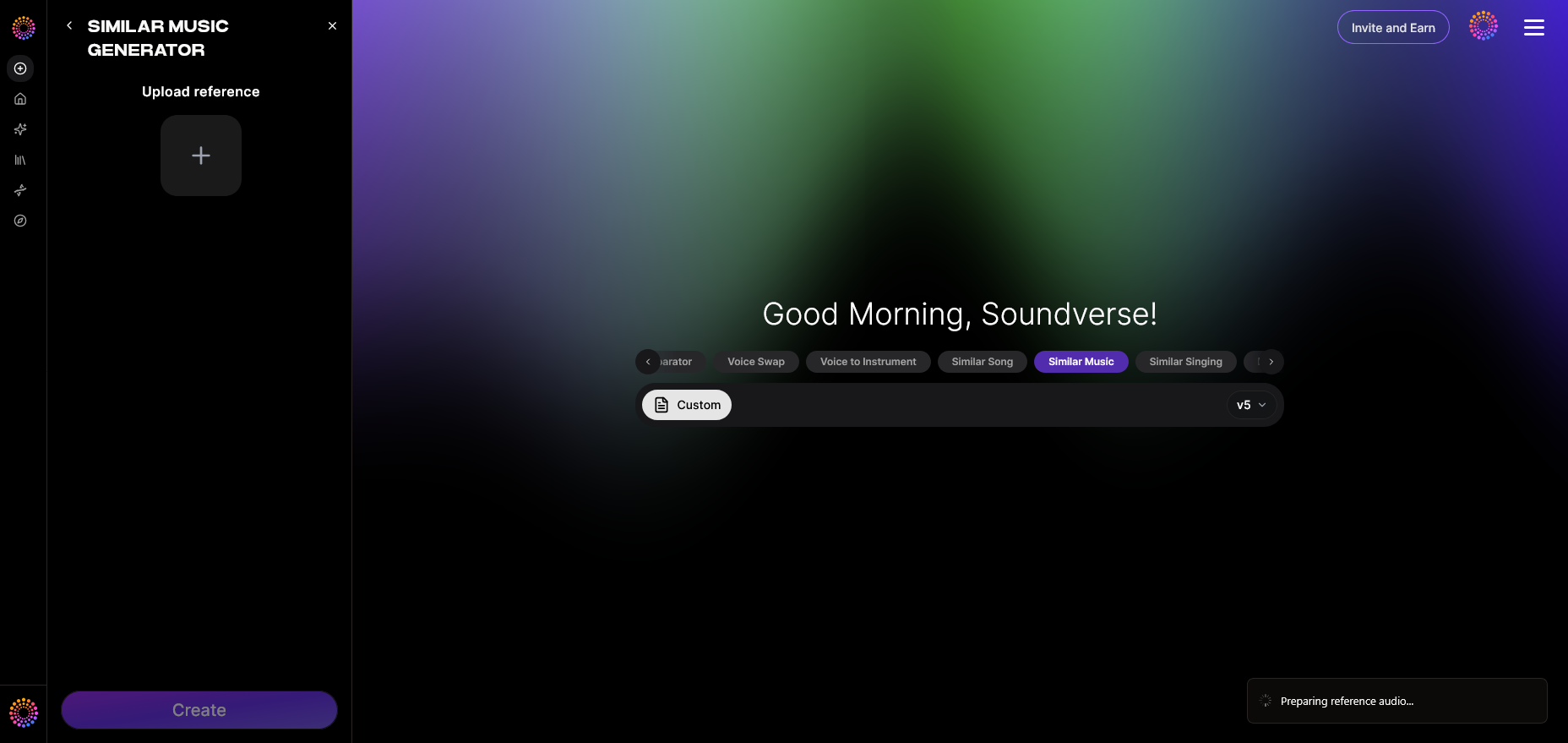
Start by logging into your Soundverse account and accessing the Similar Music Generator. You’ll find it under the main AI music tools section. This feature focuses on instrumental generation inspired by your uploaded reference track.
Step 2: Reference Selection — Upload Reference Music Track
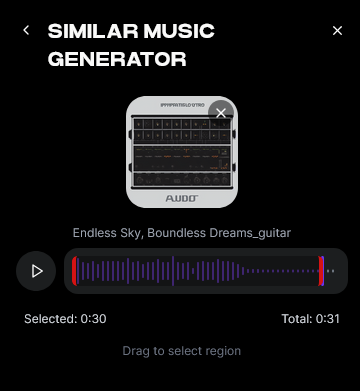
Upload your target song or instrumental track. The AI system will analyze that file’s musical properties, including tempo. This analysis forms the foundation for accurate BPM detection and inspirational generation.
Step 3: Generation — Generate Music in Similar Style
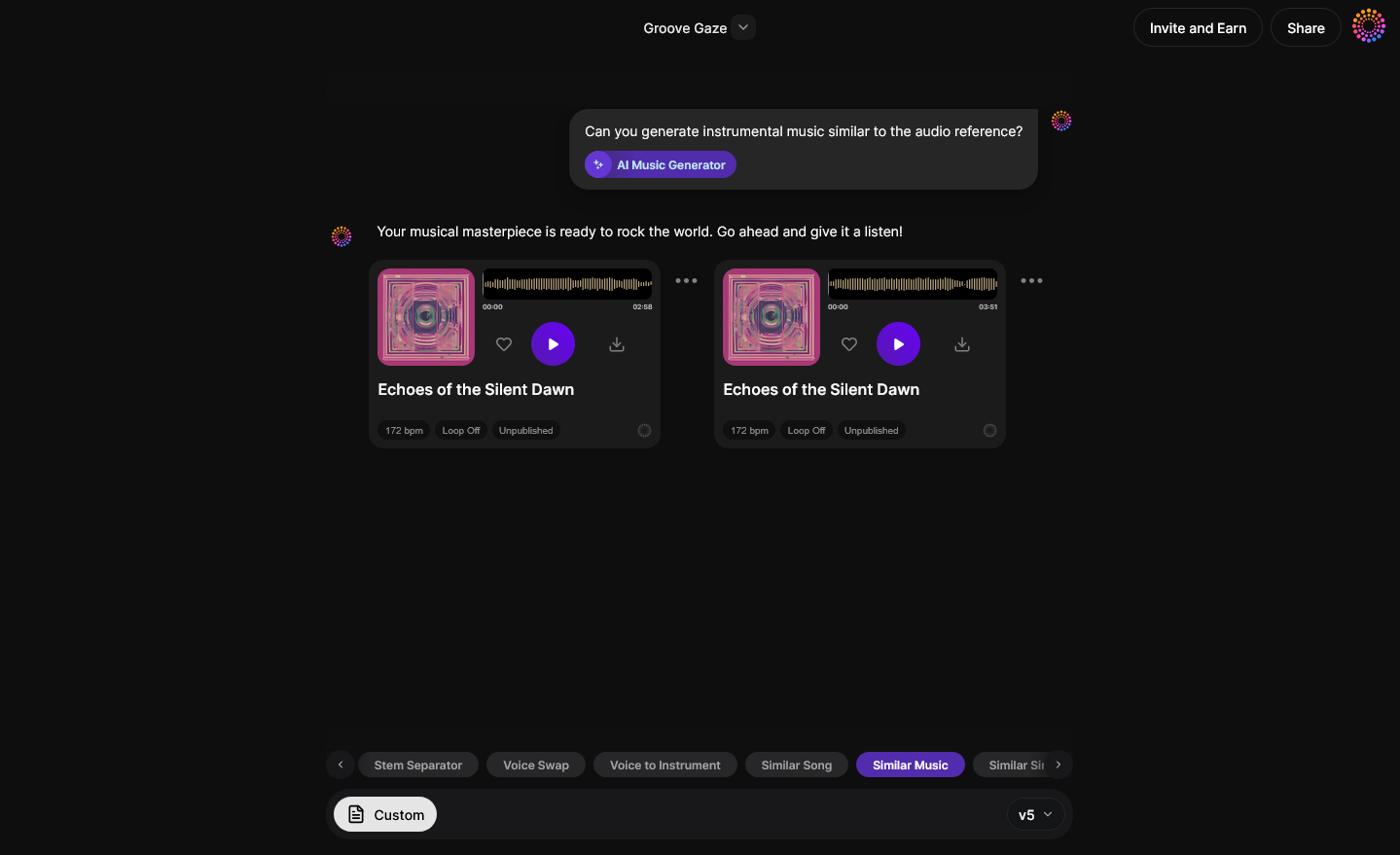
Once the reference is uploaded, click “Generate.” The Soundverse engine will produce an original instrumental piece retaining the rhythmic timing and energy of your song. During processing, the system calculates the track’s BPM and uses it to set the pace of the output.
Step 4: Download Music — Export Generated Instrumental
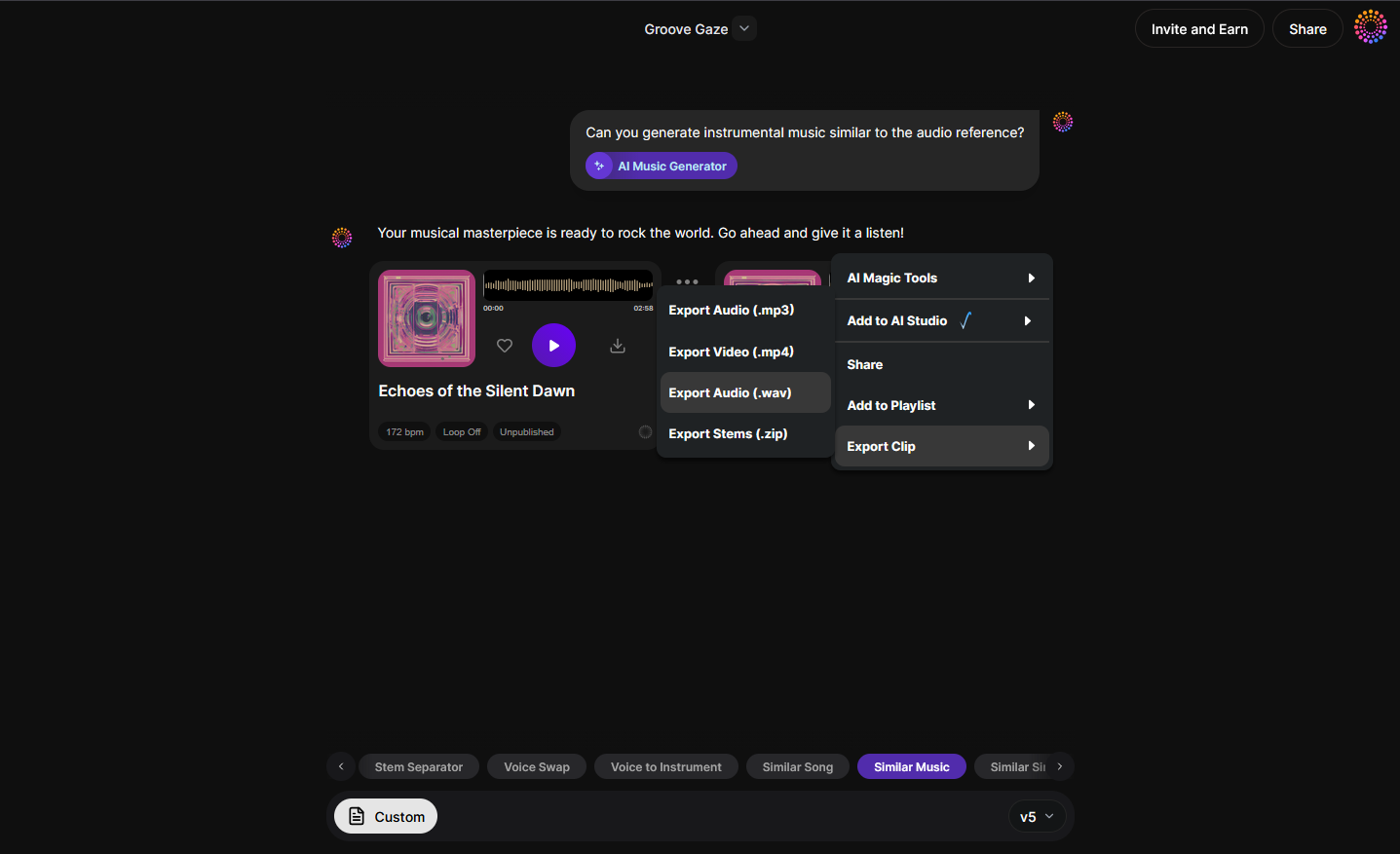
After generation, you can download the resulting music and use it in your project. Alongside the download data, you’ll see analytical information—such as tempo and mood—derived from the original. This makes it both an analytical and creative workflow.
For additional tutorials, check the Soundverse Tutorial Series - How to Make Music and Explore Tab walkthrough on YouTube.
What Are the Common Methods to Find Tempo Manually?
Even outside of AI tools, understanding manual BPM detection methods helps in musical training and production.
- Using a Metronome: Play the song and adjust a digital or physical metronome until its ticks align with the beat. The displayed BPM will match the song’s tempo, as noted in Common Tempo Markings In Music.
- Counting Beats: Count how many beats occur in 15 seconds, then multiply by four to estimate beats per minute. You can also check How to Count BPM Manually for a step-by-step formula.
- Software Detection: Many DAWs like Ableton Live and FL Studio have built-in BPM detectors for imported tracks. You can explore Understanding BPM: The Heartbeat of Music for why BPM matters in recording workflows.
- Online Beats Per Minute Calculators: You can tap along to a beat using sites like tunebat.com, and the tap input returns the average BPM. Tools like Music BPM Calculator also simplify tempo measurement.
In professional settings, musicians use these methods to stay rhythmically aligned during live performances and studio sessions. Additionally, BBC Maestro’s guide on BPM detection shows how timing tools can help accurately measure song speed.
What Are the Tools Available to Detect BPM in Songs in 2026?
AI and music software have evolved significantly since 2024. In 2026, tempo detection tools use machine learning to automatically recognize transient peaks (percussive beats) and steady rhythmic cycles.
Some popular tools include:
- Ableton Live Tempo Detection – excellent for DJ and remix workflows.
- Logic Pro Smart Tempo – detects and adapts tempo across live and recorded tracks.
- Soundverse Similar Music Generator – not just a measurement tool but also a creator of music based on tempo data.
- Audacity – free and great for manual beat analysis.
- MixMeister BPM Analyzer – a simple standalone BPM calculator.
Each platform offers different advantages. For advanced music creation that involves matching vibe and tempo, Soundverse connects analysis and generation seamlessly, unlike traditional analyzers.
You can also explore AI creative workflows in articles like AI Music Generator and Human Composers: A Future Together or The Role of AI Music in Film and Television to understand why tempo matching impacts production timelines.
Pro Tips for Finding Song Speed Efficiently
- Use High-Quality Audio: Low-quality recordings may confuse AI detection algorithms.
- Identify Genre Context: Genres like EDM or techno often use standard BPM ranges (120–130), while ballads may range between 60–90.
- Combine Manual and AI Measurement: Cross-check AI readings with manual metronome adjustments for accuracy.
- Analyze Drums and Percussion First: Kickdrum placement typically defines tempo reliably.
- Use Soundverse for Style Matching: After finding BPM, input a reference track in Soundverse to produce similar instrumentals—it automatically adopts the rhythmic pulse.
Learn more about creative workflows using Soundverse through guides like How to Create EDM with Soundverse AI and Soundverse Assistant: Your AI Music Co-Producer.
Start Creating Music That Moves with AI!
Discover how Soundverse lets you generate music, adjust tempo, and craft entire tracks effortlessly. Join thousands of creators using AI to make professional-quality sound in minutes.
Get Started Free
Related Articles
- Generate AI Music with Soundverse Text‑to‑Music: Learn how Soundverse turns your text prompts into full‑length songs with customizable tempo and mood.
- Soundverse Introduces Stem Separation AI Magic Tool: Explore how Soundverse’s stem separation tool helps isolate beat and tempo for deeper musical analysis and creativity.
- The Benefits of Composing with AI Music Generator: Find out why using an AI music generator accelerates your workflow and fine‑tunes aspects like tempo and rhythm effortlessly.
- What Are Song Stems and Why Do You Need Them: Understand the role of song stems in identifying and manipulating tempo for remixing and production.
Here's how to make AI Music with Soundverse
Video Guide

Here’s another long walkthrough of how to use Soundverse AI.
Text Guide
- To know more about AI Magic Tools, check here.
- To know more about Soundverse Assistant, check here.
- To know more about Arrangement Studio, check here.
Soundverse is an AI Assistant that allows content creators and music makers to create original content in a flash using Generative AI.
With the help of Soundverse Assistant and AI Magic Tools, our users get an unfair advantage over other creators to create audio and music content quickly, easily and cheaply.
Soundverse Assistant is your ultimate music companion. You simply speak to the assistant to get your stuff done. The more you speak to it, the more it starts understanding you and your goals.
AI Magic Tools help convert your creative dreams into tangible music and audio. Use AI Magic Tools such as text to music, stem separation, or lyrics generation to realise your content dreams faster.
Soundverse is here to take music production to the next level. We're not just a digital audio workstation (DAW) competing with Ableton or Logic, we're building a completely new paradigm of easy and conversational content creation.
TikTok: https://www.tiktok.com/@soundverse.ai
Twitter: https://twitter.com/soundverse_ai
Instagram: https://www.instagram.com/soundverse.ai
LinkedIn: https://www.linkedin.com/company/soundverseai
Youtube: https://www.youtube.com/@SoundverseAI
Facebook: https://www.facebook.com/profile.php?id=100095674445607
Join Soundverse for Free and make Viral AI Music

We are constantly building more product experiences. Keep checking our Blog to stay updated about them!