How to Create Dolby Atmos Music With AI in 2026
Learn step-by-step Dolby Atmos music creation with AI using Soundverse tools in 2026.
How to Create Dolby Atmos Music With AI
In 2026, immersive audio has become the standard in professional music production. Dolby Atmos isn’t just reserved for major labels anymore—it’s becoming accessible to independent creators and producers through innovative tools that leverage artificial intelligence. If you’re a music creator looking to build lush, multidimensional soundscapes, Dolby Atmos music creation with AI can transform how you produce, mix, and master.
Why Dolby Atmos Matters in 2026
Dolby Atmos is redefining how we experience sound. Instead of limiting audio to traditional stereo left-right channels, it enables a three-dimensional field where instruments, effects, and atmospheres float around the listener. For producers, this technology unlocks new creative depth. Audiences in 2026 now expect immersive audio in films, podcasts, gaming, and even streaming services like Apple Music and Tidal, which both support Dolby Atmos mixes.
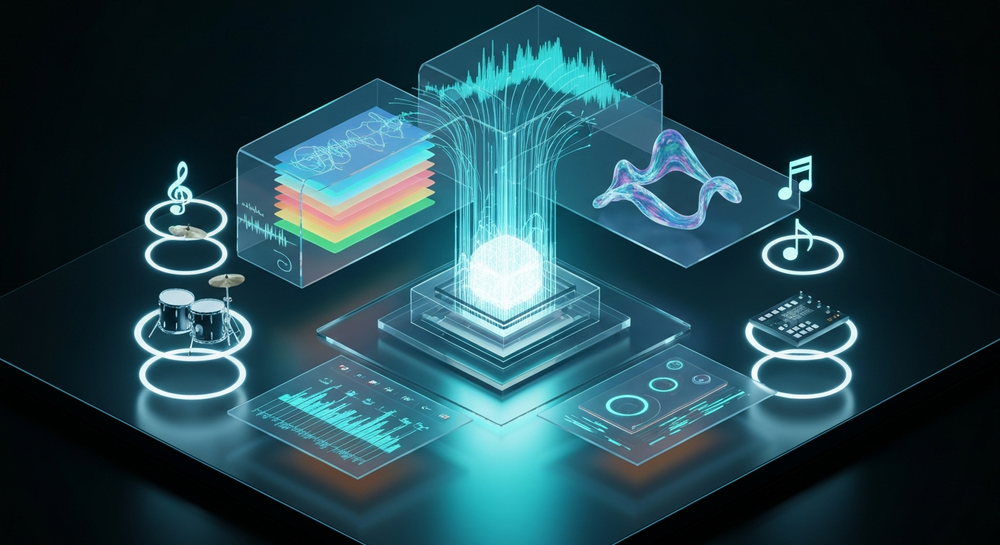
In previous years (2024–2025), Atmos adoption was still emerging, but now, advanced AI tools make it simpler to design and render spatial audio tracks without deep engineering expertise. That’s where AI-driven workflows become invaluable. Learn more in Your Ultimate guide to Dolby Atmos - InterContinental Music Awards.
What is Dolby Atmos Music Creation with AI?
Dolby Atmos music creation with AI involves using machine learning-powered applications to generate, arrange, and spatialize music in three dimensions. Instead of manually mixing hundreds of elements across different speaker channels, AI tools assist in positioning instruments and sounds intelligently, simulating the effect of a fully spatially mapped mix. This combination of AI spatial audio technology and Atmos mixing allows for faster and more intuitive music creation. Producers can now describe a scene or mood, and the AI automatically builds instrumental layers suited for 3D space—perfect for scoring films, meditation tracks, or futuristic game soundscapes. Learn how AI handles this in Can AI Handle Immersive Audio? and explore Free Dolby Atmos Music Generator Powered by AI.
How to make Dolby Atmos Music with Soundverse AI Music Generator

Soundverse’s AI Music Generator is the core feature for music creators who want to start their Dolby Atmos workflow efficiently. It enables musicians to create high-quality instrumental tracks from simple text prompts. The AI Music Generator specializes in generating background instrumentals, beats, and soundscapes. It’s particularly suited for immersive audio AI users who are looking for non-vocal music components to later integrate into Atmos projects. See how AI music creation works in How to Make Music with AI: A Complete Guide for Musicians in 2026.
Key capabilities include:
- Text-to-music generation: Produce complex instrumentals directly from descriptive prompts.
- Loop Mode: Generate perfectly repeating loops suited for ambient and game environments.
- Granular control: Define genre, mood, and instruments with precision.
- Model options: Choose between V4 or V5 sound generation models for distinct texture and quality.
Its primary use cases—like video scores, game soundtracks, and meditation tracks—fit naturally into Atmos workflows, where spatial positioning and immersive depth are essential. For a deeper dive, watch our guide on creating music and deep house tutorial from the Soundverse YouTube series.
Step 1: Feature Overview

Access the AI Music Generator from your Soundverse dashboard. You’ll find it in the main menu among other creative tools like Arrangement Studio and Stem Separator. This feature serves as your starting point for generating Atmos-ready instrumentals.
Step 2: Description Input

Enter a textual description of the music you want to create. For Dolby Atmos projects, be specific about spatial elements—use prompts like “ambient synth waves moving across space,” or “deep bass that resonates behind the listener.” The AI interprets these descriptions to produce layered soundscapes suitable for Atmos mixing.
Step 3: Style & Duration

Select your preferred genre and track length. Atmos music can range from short spatial intro cues to long immersive ambient compositions. Decide whether you want a 30-second loop for cinematic transitions or a full-length 3-minute background track.
Step 4: Generation

Once your settings are defined, click Generate. The AI analyzes your prompt and creates fully produced instrumental music. While Soundverse doesn’t provide real-time monitoring or previews, the asynchronous generation process ensures precise rendering based on your chosen style and parameters.
Step 5: Export Options

After generation, you can download your instrumental track. Best practice for Atmos creators is to export in lossless format (like WAV) to preserve quality for later spatial mixing in Dolby Atmos-authorized DAWs such as Logic Pro or Cubase. Need professional help mixing? Visit Dolby Atmos & Immersive Audio Mixing & Mastering Engineers.
How to Integrate Atmos Music Creation with Soundverse Tools
Soundverse offers several complementary tools that enhance your Dolby Atmos workflow:
- Arrangement Studio: Open your generated track and adapt structure, timing, and instrument placement before bringing it into your Atmos workstation. Learn more about this tool here.
- Stem Separator: Ideal for immersive music makers; this tool separates mixed tracks into editable stems—drums, bass, guitar, vocals, etc. Spatial mixing benefits greatly from this stem granularity (see how it works).
- AI Singing Generator: If you require vocal components for your Atmos mix, you can generate acapella performances from text or lyrics and spatialize them in your Atmos project later.
Pro Tips for AI Spatial Audio Production in 2026
- Prompt Clarity Matters – The stronger your prompt imagery, the more accurate the AI’s interpretation for spatial layering.
- Loop Consistency – Use Loop Mode to maintain rhythm and tonal coherence across multi-speaker mappings.
- Stem Management – Separate instruments early. Using the Stem Separator streamlines Dolby Atmos panning.
- Hybrid Workflow – Combine AI-generated instrumentals with manual spatial positioning in dedicated Atmos software.
- Genre Adaptability – Experiment with diverse genres like ambient jazz or techno. Explore how AI-driven arrangements enhance immersion. For creative inspiration, check out how AI builds different genres in this EDM guide or this Jazz creation tutorial.
How Dolby Atmos Music Creation with AI Is Changing Production Trends
By 2026, AI-assisted Dolby Atmos workflows have become mainstream. Independent producers now deliver mixes rivaling studio-engineered results thanks to accessible AI tools. The integration of AI spatial audio systems aligns with broader trends discussed in The Role of AI Music in Film and Television. Moreover, as immersive audio gains dominance across digital platforms, the need for quality AI-generated instrumentals grows exponentially. Soundverse remains one of the standout solutions compared to traditional generators like Mubert or Soundraw. See insights from professionals such as Sunny M.R. on creating music in Dolby Atmos.
Start Creating Dolby Atmos Music with AI Today!
Unlock the power of Soundverse’s AI tools to design multi-dimensional mixes and bring immersive sound experiences to life — no studio required.
Create Dolby Atmos Music Now
Related Articles
- Soundverse Introduces Stem Separation AI Magic Tool: Discover how Soundverse’s Stem Separation tool helps you isolate vocals and instruments with precision for better Dolby Atmos mixing.
- The Role of AI Music in Film and Television: Learn how spatial and AI-generated music enhances cinematic experiences and supports dynamic sound design.
- AI Music Generator and Human Composers — A Future Together: Explore how collaboration between AI and human creativity shapes the next era of music production.
- How AI-Generated Music Is Transforming the Music Industry: Understand how AI tools are revolutionizing workflows, enabling effortless creation, and redefining audio production standards.
Here's how to make AI Music with Soundverse
Video Guide

Here’s another long walkthrough of how to use Soundverse AI.
Text Guide
- To know more about AI Magic Tools, check here.
- To know more about Soundverse Assistant, check here.
- To know more about Arrangement Studio, check here.
Soundverse is an AI Assistant that allows content creators and music makers to create original content in a flash using Generative AI.
With the help of Soundverse Assistant and AI Magic Tools, our users get an unfair advantage over other creators to create audio and music content quickly, easily and cheaply.
Soundverse Assistant is your ultimate music companion. You simply speak to the assistant to get your stuff done. The more you speak to it, the more it starts understanding you and your goals.
AI Magic Tools help convert your creative dreams into tangible music and audio. Use AI Magic Tools such as text to music, stem separation, or lyrics generation to realise your content dreams faster.
Soundverse is here to take music production to the next level. We're not just a digital audio workstation (DAW) competing with Ableton or Logic, we're building a completely new paradigm of easy and conversational content creation.
TikTok: https://www.tiktok.com/@soundverse.ai
Twitter: https://twitter.com/soundverse_ai
Instagram: https://www.instagram.com/soundverse.ai
LinkedIn: https://www.linkedin.com/company/soundverseai
Youtube: https://www.youtube.com/@SoundverseAI
Facebook: https://www.facebook.com/profile.php?id=100095674445607
Join Soundverse for Free and make Viral AI Music

We are constantly building more product experiences. Keep checking our Blog to stay updated about them!