How to Create Cinematic Dark Music Using AI
Learn how to craft cinematic dark ambient soundtracks using Soundverse AI Music Generator in 2026.
How to Create Cinematic Dark Music Using AI
Creating cinematic dark music using AI has become one of the most fascinating evolutions in music production by 2026. The fusion of artificial intelligence and sound design allows composers and producers to create moody soundtracks and mysterious music with cinematic depth in a fraction of the time traditional methods require. In this guide, we'll explore the art of AI cinematic music production—specifically focusing on how you can harness tools like the Soundverse AI Music Generator to craft dark ambient worlds filled with emotion and tension.
Why Are Creators Turning to AI for Cinematic Music in 2026?

By 2026, AI has become an essential part of modern studio workflows. The demand for atmospheric soundscapes has surged across platforms—especially in streaming films, indie games, and immersive experiences like VR storytelling. Composers are no longer limited to costly studio sessions; they can create score-ready compositions simply by describing them to an AI.
Dark cinematic music often blends ambient textures, evolving drones, and unsettling harmonic progressions. These sounds are perfect for thrillers, sci-fi films, horror, or even art installations. AI can replicate the blend of tension and subtlety that gives dark music its emotional potency. For anyone exploring music industry trends in 2026, it’s clear that algorithmic composition is not replacing artistry—it’s expanding it.
How to Make Cinematic Dark Music with Soundverse AI Music Generator
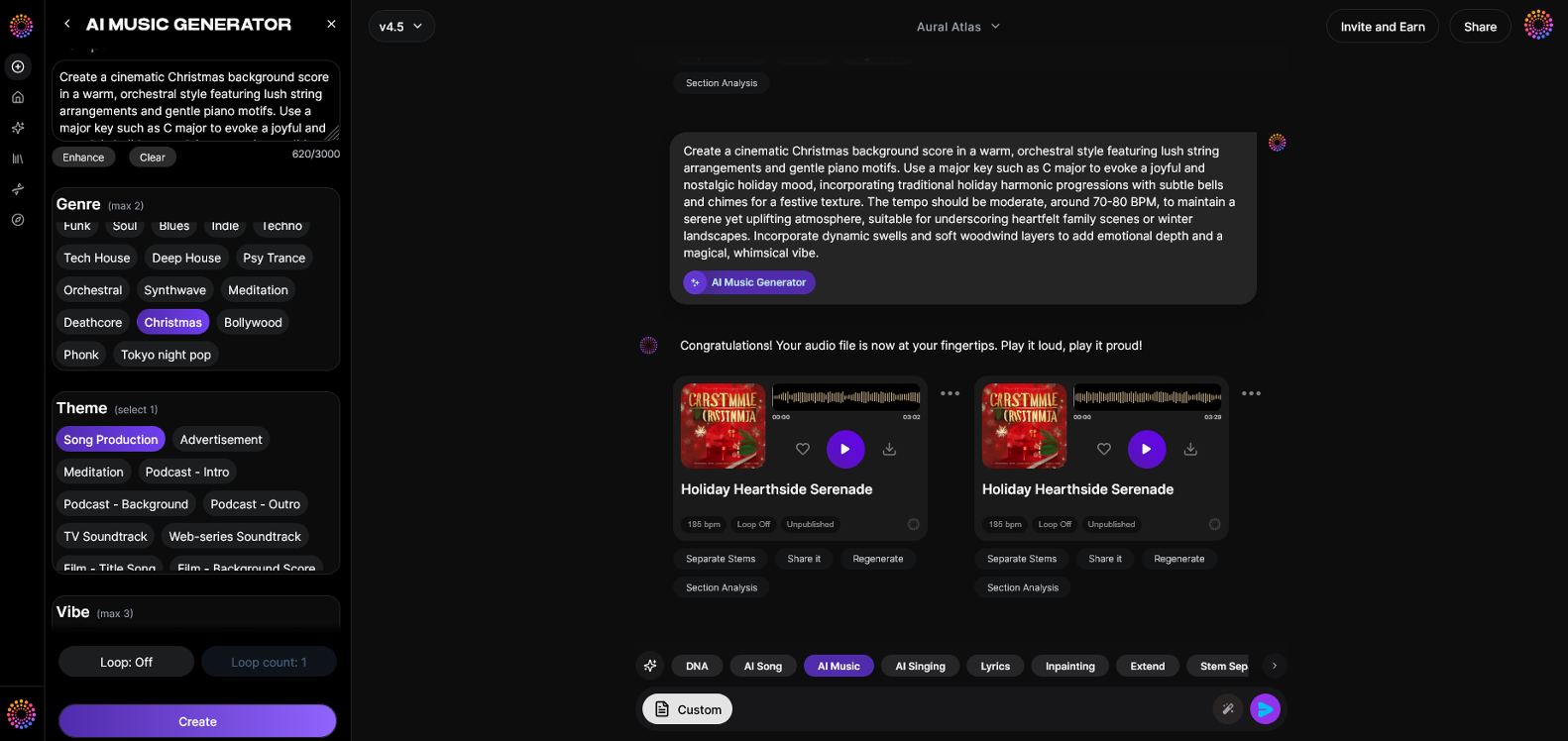
Soundverse’s AI Music Generator is a core tool for producers and sound designers creating non-vocal cinematic pieces. The generator’s ability to transform text descriptions into fully produced instrumental music makes it ideal for developing moody soundtrack material.
Feature Overview:
Soundverse AI Music Generator creates instrumental compositions from text prompts. It specializes in background tracks, beats, and soundscapes without vocals and supports seamless looping through its Loop Mode. Users can specify genre, mood, tempo, and instrumentation, selecting between V4 and V5 model versions to refine aesthetic sensitivity and sonic depth.
Primary Use Cases:
- Video background music and short film scoring.
- Game soundtracks and continuous loops.
- Ambient or meditation tracks with nuanced atmospheric textures.
- Advertising and commercial scoring for emotionally impactful campaigns.
The AI Music Generator stands apart from one-click composition apps due to its focus on precision and user-directed mood control. For dark cinematic compositions, this precision is critical.
Step 1: Feature Overview
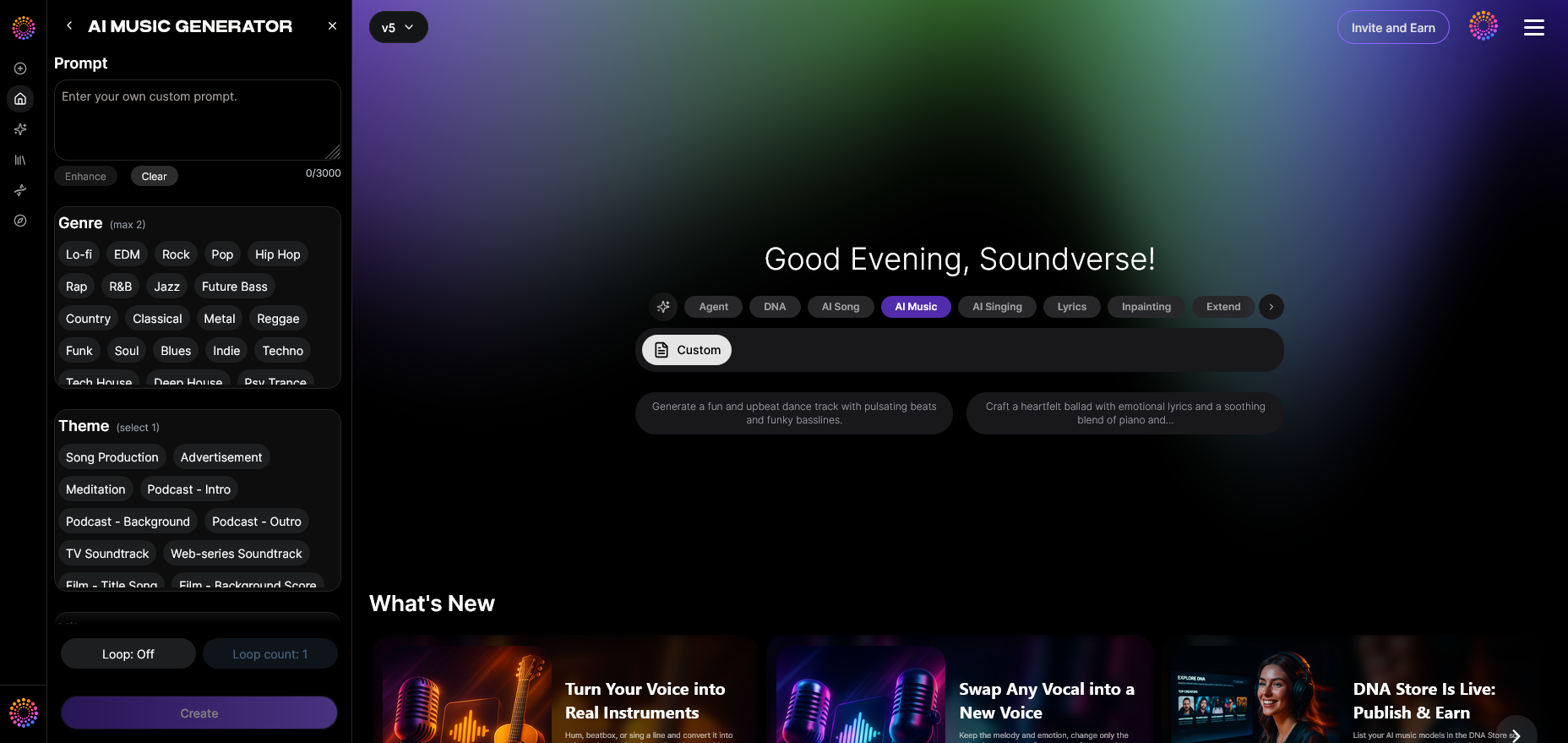
Begin by accessing the AI Music Generator through the main dashboard of Soundverse. The platform integrates directly with other creative tools like Soundverse DNA and Extend Music. Even if you're exploring other categories such as creating EDM with AI or exploring Healing Meditation Music, the workflow remains familiar and intuitive. For a deeper dive, watch our tutorial on how to make music from the Soundverse Tutorial Series.
Step 2: Description Input
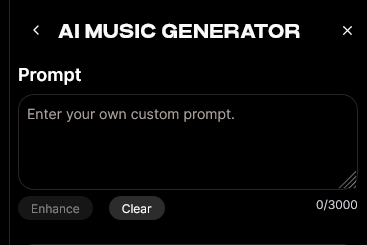
Enter a detailed text prompt describing the vibe, tone, and scene you want to evoke. For example:
“Create a slow-building dark ambient piece with low rumbling bass, distant metallic echoes, and sustained strings that rise into tension.”
The key to effective AI cinematic music production lies in how descriptive your prompt is. Think of the AI generator as a collaborator—you’re guiding its creative direction with your vision. Common descriptions for cinematic dark music may include phrases like moody, mysterious, suspenseful, brooding, or minimal. Combining these ideas triggers algorithmic parameters that give your track its unique sonic identity.
Step 3: Style & Duration
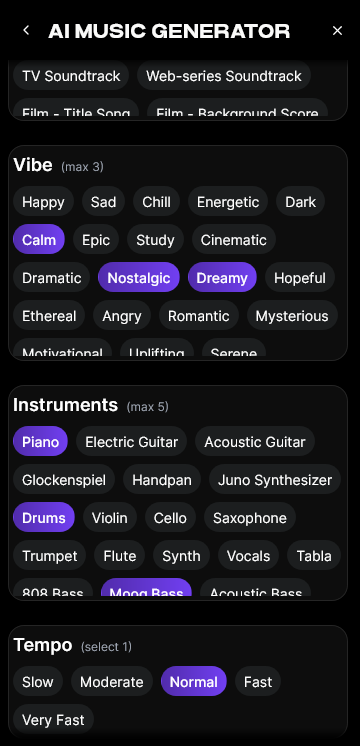
Next, select your preferred style—‘Dark Ambient,’ ‘Cinematic,’ or ‘Experimental Soundscape.’ You can customize duration depending on your project needs, from short 30-second loops for game transitions to 5-minute evolving pieces for scenes. The Loop Mode lets you generate tracks that flow seamlessly, perfect for immersive environments.
For inspiration on thematic sound design, you can explore related content like AI music creation across genres, or study how royalty-free creators use Soundverse for cinematic pieces.
Step 4: Generation
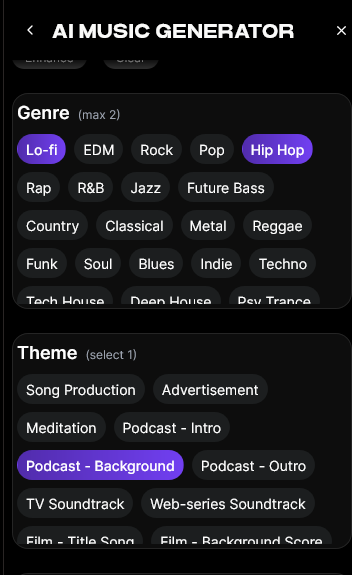
Once you finalize your inputs, click Generate. Soundverse will process your description and create a fully produced instrumental track that captures the intended atmosphere. You’ll receive the result asynchronously—no live preview—but the end product aligns remarkably well with your instructions. Depending on the selected model (V4 or V5), your music might display nuanced dynamic layers, subtly shifting tonalities, or spatial expansion suitable for cinematic projects.
Step 5: Export Options
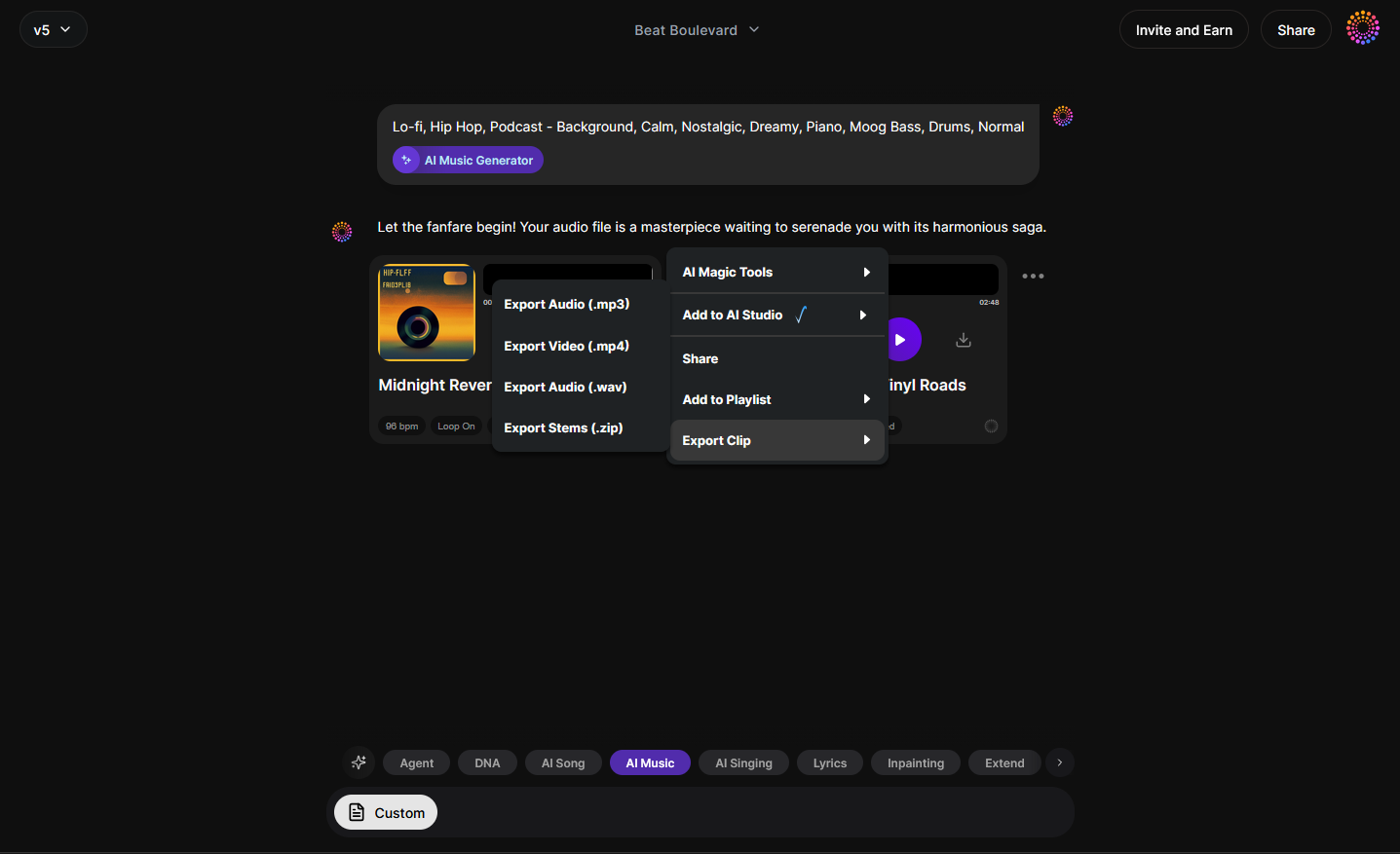
After generation, you can download your track for direct use in films, trailers, or game environments. Soundverse supports multiple audio formats, allowing you to integrate tracks seamlessly into your project timeline or DAW session. If your sequence requires timing adjustments or longer atmospheric flow, the Extend Music tool can lengthen your composition while maintaining uniform tone and emotional consistency.
Pro Tips for Crafting Mysterious and Cinematic Tones
- Use contrast wisely: Combine dark drones with moments of high-frequency shimmer or sparse percussion. This dynamic range creates psychological tension.
- Reference real-world acoustics: Incorporate textual prompts describing space, such as underground cavern, fog-laden forest, or abandoned cathedral. The AI interprets spatial cues into reverberant depth.
- Experiment with looping: Loop Mode helps maintain cohesion in repetitive gameplay or hypnotic film sequences.
- Leverage Soundverse DNA: If you have an artist-specific tone in mind, integrate Soundverse DNA. This ensures your generated sound aligns ethically with artist-licensed styles.
- Extend for composition flow: For longer cinematic transitions, use Extend Music to ensure the soundtrack moves organically rather than abruptly repeating.
To delve deeper into AI’s role in professional sound design, see how AI-generated music is transforming the music industry. For expanded learning, you can also check out our Explore Tab Tutorial to understand how to navigate Soundverse’s creative environment.
The Emotional Anatomy of Dark Ambient Music
Dark ambient is not simply “slow and eerie.” It often evokes psychological tension and spatial introspection. By describing these emotions accurately in your prompt, Soundverse can interpret the intended palette: sustained pads might represent isolation; deep sub-bass may evoke dread; granular textures might simulate decay or desolation.
When composing your AI cinematic soundtrack, remember that darkness in music is shaped by silence as much as by sound. Pauses, filtered echoes, and gradual volume fades contribute more to mood than complex instrumentation.
Ethical and Creative Advantages of Using AI in 2026
Soundverse AI mitigates copyright concerns through ethically trained systems. With tools like Soundverse DNA, every generated composition adheres to licensed catalogs—meaning you can confidently publish, monetize, or license your soundtrack.
This year has also seen widespread adoption of AI scoring tools by professional studios, especially for short-form content. The focus is now on personalization and consistent sonic branding. Soundverse gives creators the reliability and flexibility to define a complete sonic identity from one concise prompt. Learn more about the app experience in the Soundverse AI Song Generator on the App Store.
Start Creating Cinematic Dark Music with AI Today
Transform your ideas into powerful, cinematic soundtracks using Soundverse’s intuitive AI music production tools. Experience the freedom to compose dark, atmospheric scores in minutes.
Create Music with Soundverse AI
Related Articles
- The Role of AI Music in Film and Television — Discover how AI is revolutionizing the way filmmakers and composers create emotion-driven soundtracks for visual storytelling.
- Generate AI Music with Soundverse Text-to-Music — Learn how to transform creative text prompts into full-fledged musical compositions using Soundverse’s text-to-music engine.
- Soundverse AI Revolutionizing Music Creation for New Age Content Creators — Explore how Soundverse empowers modern creators to produce professional-quality tracks faster with AI-driven tools.
- How an AI Music Generator Inspires Creative Fusion — Find out how AI can blend genres and emotions to deliver unique musical styles that captivate audiences.
Here's how to make AI Music with Soundverse
Video Guide

Here’s another long walkthrough of how to use Soundverse AI.
Text Guide
- To know more about AI Magic Tools, check here.
- To know more about Soundverse Assistant, check here.
- To know more about Arrangement Studio, check here.
Soundverse is an AI Assistant that allows content creators and music makers to create original content in a flash using Generative AI.
With the help of Soundverse Assistant and AI Magic Tools, our users get an unfair advantage over other creators to create audio and music content quickly, easily and cheaply.
Soundverse Assistant is your ultimate music companion. You simply speak to the assistant to get your stuff done. The more you speak to it, the more it starts understanding you and your goals.
AI Magic Tools help convert your creative dreams into tangible music and audio. Use AI Magic Tools such as text to music, stem separation, or lyrics generation to realise your content dreams faster.
Soundverse is here to take music production to the next level. We're not just a digital audio workstation (DAW) competing with Ableton or Logic, we're building a completely new paradigm of easy and conversational content creation.
TikTok: https://www.tiktok.com/@soundverse.ai
Twitter: https://twitter.com/soundverse_ai
Instagram: https://www.instagram.com/soundverse.ai
LinkedIn: https://www.linkedin.com/company/soundverseai
Youtube: https://www.youtube.com/@SoundverseAI
Facebook: https://www.facebook.com/profile.php?id=100095674445607
Join Soundverse for Free and make Viral AI Music

We are constantly building more product experiences. Keep checking our Blog to stay updated about them!