How to Create Beats: A Complete Guide for Music Producers in 2026
Learn how to create beats in 2026 with expert music production tips and AI tools for beginners.
How to Create Beats
Creating beats is at the heart of modern music production. Whether you’re diving into hip-hop, electronic, or experimental genres, understanding how to create beats effectively can elevate your music career. In 2026, beat making has become more accessible than ever, thanks to intuitive Digital Audio Workstations (DAWs) and intelligent tools like Soundverse’s AI Music Generator. This guide will walk you through the creative and technical aspects of beat making—from structuring rhythm patterns to producing professional-quality instrumentals.
What does beat making mean in modern music production?
Beat making refers to the process of crafting rhythmic and melodic patterns that form the foundation of a song. In genres such as hip-hop or EDM, the beat acts as the driving force, defining the tempo and emotional energy. For beginners, learning how to create beats involves understanding both musical theory and production technology. According to Musicians Institute, "beatmaking is all about creating the instrumental foundation of a track: the rhythm, groove, and overall vibe that drive the song forward."
Modern beat makers utilize DAWs such as Ableton Live, FL Studio, and Logic Pro. These platforms let you arrange drums, basslines, melodies, and effects. Combined with AI-powered music generators, creators can now blend human creativity with intelligent automation—making it possible to compose professional-grade beats without extensive studio setups.
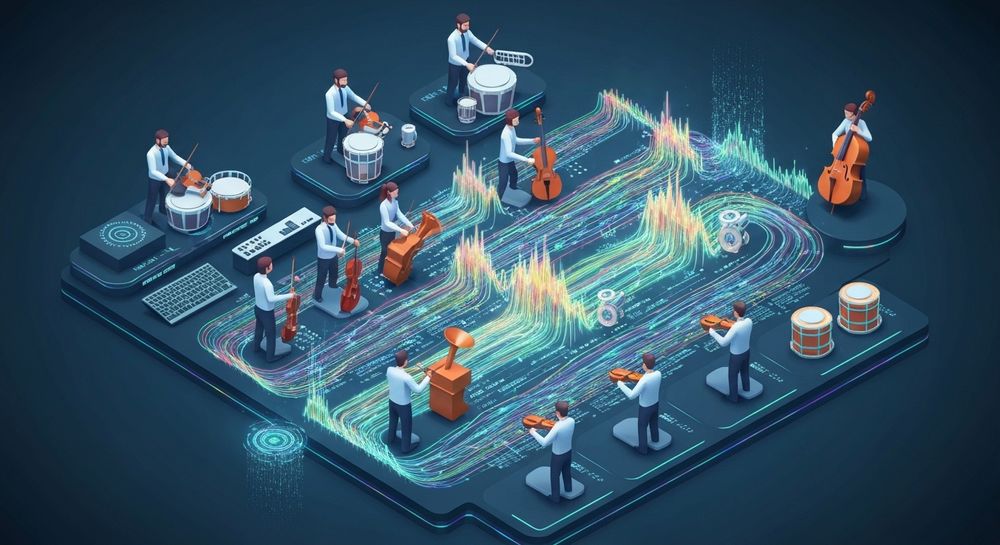
Why is beat making for beginners easier in 2026?
The evolution of intuitive interfaces and AI assistance has made music production simpler and faster. In 2024 and 2025, producers focused heavily on mastering DAW basics, but this year, tools such as Soundverse and similar platforms are taking beat creation to a new level.
Key trends that make beat making easier include:
- AI text-to-sound generation: Write a prompt describing your music style, and AI translates it into a musical output.
- Built-in DAW learning guidance: Many programs now include beginner tutorials and smart templates.
- More accessible sample libraries: Royalty-free and copyright-free sample packs are widely available in 2026 for immediate use.
- Cloud collaboration features: Producers can share projects seamlessly and get instant feedback.
These advances let aspiring artists focus on creativity rather than technical limitations. As Spy Hop notes, beat making is an art using songwriting and audio engineering skills to form instrumentals.

How to set up your DAW correctly: A complete DAW setup guide
A solid DAW setup ensures that your beat-making workflow runs smoothly. Here’s what you need:
- Choose your software: Pick a DAW that aligns with your goals—Ableton for live performance, FL Studio for electronic and hip-hop beats, or Logic Pro for full compositions.
- Audio drivers and latency settings: Configure your audio device to achieve minimal latency and real-time feedback during recording.
- Organize your workspace: Label tracks and color-code patterns to maintain clarity.
- Load essential plugins: Include drum machines, synthesizers, samplers, and equalizers.
- Save templates: Create templates for different genres to streamline your production sessions.
By managing these elements wisely, your setup will remain efficient and professional.
How to make hip-hop beats and understand their structure
Hip-hop beats follow distinct rhythmic styles rooted in groove, syncopation, and sampling. To learn how to make hip-hop beats effectively, focus on these steps:
- Kick and snare programming: Your drum rhythm is the backbone. Experiment with 808s, punchy kicks, and crisp snares.
- Hi-hat variations: Use offbeat hi-hats or triplet patterns to create bounce.
- Bassline creation: Layer a deep sub-bass that complements the drum pattern.
- Melody sampling or composition: Incorporate short melodic loops, piano riffs, or vintage samples.
- Mixing: Balance your track levels, adding EQ and compression for clarity and punch.
In 2026, producers combine conventional composition techniques with AI tools to accelerate creativity. Platforms such as Soundverse enable automatic beat generation while maintaining control over style and energy. For additional techniques, see our Soundverse Tutorial Series - 9. How to Make Music.
Step-by-Step Tutorial: How to Create Beats
If you’re serious about learning how to create beats, follow this structured process:
Step 1: Feature Overview
Access the AI Music Generator from the Soundverse main menu. This feature lets you create fully produced instrumentals directly from text prompts, focusing on genres, moods, and instruments.
Step 2: Description Input
Enter a text description for your desired beat. For example, type: uplifting hip-hop beat with warm bass and melodic synth. The AI interprets your description to design an instrumental structure.
Step 3: Style & Duration

Select your preferred style—hip-hop, trap, EDM, or ambient—and set your track length. You can also choose between Soundverse’s V4 and V5 model versions, each offering distinct generation qualities.
Step 4: Generation

Click “Generate,” and the AI produces instrumental music based on your text input. The resulting beat will include balanced drums, rhythm, bass, and melodic layers optimized for cohesive sound.
Step 5: Export Options

Lastly, export your generated music in a preferred format. You can download your beat as a loop or full instrumental track for integration into your DAW. This approach ensures seamless use in music videos, podcasts, or game projects.
Additional Music Production Tips for Beginners
Aside from AI assistance, traditional knowledge enhances your craft:
- Study drum programming and rhythm theory.
- Explore sound design with virtual synthesizers.
- Use tools like Soundverse’s Stem Separator to isolate parts of existing songs and analyze their composition.
- Incorporate creative layering by combining vocal chops with instrumentals generated via the Voice to Instrument tool.
- Learn arrangement techniques through resources such as Music Industry Trends or Soundverse AI Revolutionizing Music Creation.
For more inspiration, check out related tutorials like How to Create Country Music with Soundverse AI to study genre-specific characteristics.
How to make beats with Soundverse AI Music Generator

Now that you understand the beat making process, here’s how to create music instantly using Soundverse.
The AI Music Generator transforms text descriptions into polished instrumentals. It allows granular control over genre, mood, and instruments, whether you want energetic hip-hop loops or ambient soundscapes. With the Loop Mode, you can make your beats repeat seamlessly for game, video, or meditation contexts.
The platform also provides two model versions—V4 and V5—which deliver different sonic textures to fit any creative objective.
Soundverse integrates naturally with other creative tools:
- Voice to Instrument converts vocal input into playable instruments.
- Stem Separator dissects mixed tracks for remixing and editing.
- Extend Music automatically lengthens a piece, maintaining tempo and musical coherence.
Together, these tools create an end-to-end environment for producers—perfect for generating ideas rapidly and achieving professional-grade results in every project.
Start Creating Beats Instantly with Soundverse AI
Turn your ideas into professional-quality beats in seconds. No instruments, no problem — Soundverse AI handles rhythm, melody, and mixing so you can focus on creativity.
Create Your First Beat Now
Related Articles
- Generate AI Music with Soundverse Text-to-Music — Discover how to convert written concepts into stunning audio compositions using Soundverse's Text-to-Music tool.
- How to Create Rap Music with AI — Learn how AI can help you produce rap beats, arrange lyrics, and craft dynamic soundscapes effortlessly.
- How to Create EDM with Soundverse AI — Explore how Soundverse can help you generate pulsing EDM tracks that energize your audience.
- The Benefits of Composing with AI Music Generator — Understand how AI composition tools enhance musical productivity and spark new creative directions.
Here's how to make AI Music with Soundverse
Video Guide

Here’s another long walkthrough of how to use Soundverse AI.
Text Guide
- To know more about AI Magic Tools, check here.
- To know more about Soundverse Assistant, check here.
- To know more about Arrangement Studio, check here.
Soundverse is an AI Assistant that allows content creators and music makers to create original content in a flash using Generative AI.
With the help of Soundverse Assistant and AI Magic Tools, our users get an unfair advantage over other creators to create audio and music content quickly, easily and cheaply.
Soundverse Assistant is your ultimate music companion. You simply speak to the assistant to get your stuff done. The more you speak to it, the more it starts understanding you and your goals.
AI Magic Tools help convert your creative dreams into tangible music and audio. Use AI Magic Tools such as text to music, stem separation, or lyrics generation to realise your content dreams faster.
Soundverse is here to take music production to the next level. We're not just a digital audio workstation (DAW) competing with Ableton or Logic, we're building a completely new paradigm of easy and conversational content creation.
TikTok: https://www.tiktok.com/@soundverse.ai
Twitter: https://twitter.com/soundverse_ai
Instagram: https://www.instagram.com/soundverse.ai
LinkedIn: https://www.linkedin.com/company/soundverseai
Youtube: https://www.youtube.com/@SoundverseAI
Facebook: https://www.facebook.com/profile.php?id=100095674445607
Join Soundverse for Free and make Viral AI Music

We are constantly building more product experiences. Keep checking our Blog to stay updated about them!