How to Create an Instrumental Using an Online Piano in 2026
Learn how to create instrumental online piano music easily using AI tools and Soundverse features.
How to Create an Instrumental Using an Online Piano
Creating music in 2026 has never been more accessible, especially for those who want to create instrumental online piano tracks. With intuitive digital tools, AI-powered platforms, and browser-based piano interfaces, beginners and hobbyists can now produce professional-level instrumentals without investing in expensive gear. If you want to explore online piano music production, this guide will walk you through everything—from choosing the right tool to generating full-length instrumentals using the Soundverse AI Music Generator.
Why is online piano music production so popular in 2026?
Over the last two years, online creativity has skyrocketed. By 2026, browser-based instruments are no longer limited toy-like apps; they’ve evolved into serious music creation tools. Musicians turn to online pianos for their simplicity, zero setup requirements, and instant compatibility with other digital production environments.
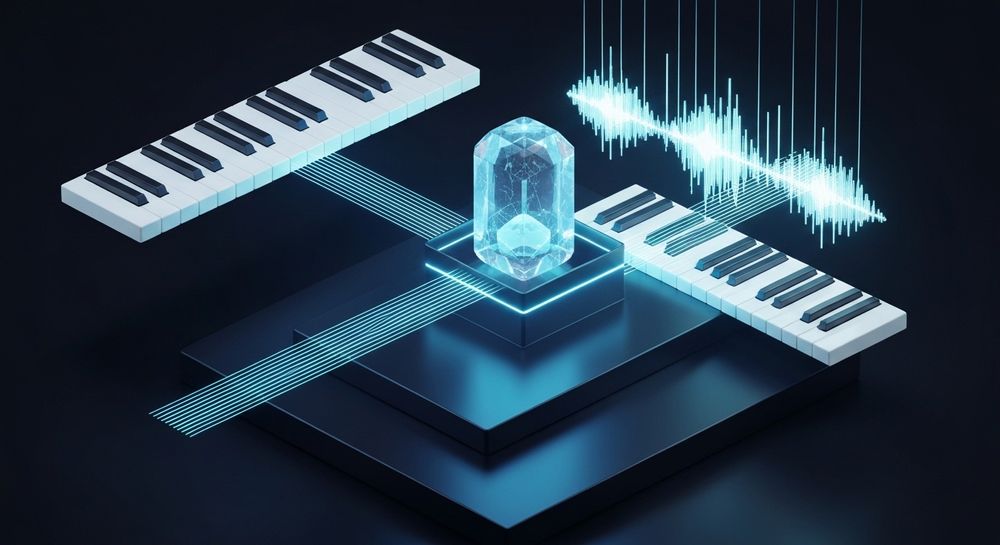
Online piano music production allows you to compose, record, and refine musical ideas without downloading complex software. Whether you want to make instrumental tracks for content creation, games, relaxation, or ads, using an online piano eliminates barriers to entry.
What do you need before you start creating an instrumental online piano track?
To make instrumental tracks effectively, it’s important to prepare your workflow. Here’s what you’ll need:
- A reliable internet connection: Since these tools operate online, lag-free performance depends on stable connectivity.
- A MIDI-compatible keyboard (optional): Many creators prefer to play on physical keys even when using online tools.
- A good set of headphones: For accurate sound shaping and mixing.
- Access to a music creation platform: A browser-based piano that supports digital piano recording or AI-assisted generation—like Soundverse.

How can you make instrumental tracks using an online piano?
Creating an instrumental is essentially about combining creativity, structure, and technology. Here’s a process most digital musicians follow today in 2026:
Step 1: Choose your online piano interface

Select an online piano that lets you play freely or record performances. Platforms like Soundverse offer AI music generation options, while others like OnlinePianist or Virtual Piano help users practice and record melodies.
The ideal interface supports digital piano recording and exports MIDI or WAV data for processing later.
For a deeper dive, watch our guide on creating Deep House music or tutorial on how to make music with Soundverse.
Step 2: Explore chords and melody patterns

Start simple. Try a few chord progressions commonly used in pop, ambient, or cinematic compositions. You can use loops or arpeggios to create mood, and rely on visual cues from the online piano interface to guide your playing.
Remember to focus on music theory basics—understanding scales, tempo, and rhythm will help make the instrumental sound cohesive.
Step 3: Record your playing

Most browser-based pianos now include recording features. Capture your melody and accompaniment separately. Once recorded, export them as MIDI files or audio tracks. These files can be fed into an online DAW or AI system for enhancement.
Step 4: Refine and arrange with music creation tools

This is where DIY music production shines. Tools like the Soundverse Arrangement Studio allow for layering instruments, controlling intensity, and creating unique soundscapes. You can add drums, basslines, or background pads to your online piano recording using mixed stems.
Another helpful option is the Stem Separator from Soundverse. It lets you isolate piano parts and edit them individually—especially useful if you’re remixing a piano instrumental.
Step 5: Mix and export

Once everything is arranged, balance the levels to ensure the piano sits harmoniously in the mix. Use effects like reverb, EQ, or compression sparingly for a professional touch. Then, export your track.
If you’re creating looping background tracks, make sure the start and end points connect seamlessly.
How to make create instrumental online piano with Soundverse AI Music Generator

Now that you understand the core principles of online piano music production, here’s how Soundverse simplifies the process even further.
Soundverse’s AI Music Generator lets you create fully produced instrumental music from a simple text prompt. Unlike traditional piano apps, it doesn’t require you to play notes manually. You simply describe the kind of instrumental you want, and the generator interprets it using advanced music models.
Step 1: Feature Overview
Access the AI Music Generator from the Soundverse main menu. This tool is part of a broader ecosystem that empowers creators to develop music intuitively without prior technical experience.
Step 2: Description Input
Enter a text description of the music you want—for instance, “an emotional piano instrumental with soft ambient strings.” The system uses this information to define the mood, arrangement, and instrumentation.
Step 3: Style & Duration
Next, select the genre, musical style, and duration. You can choose from cinematic, lo-fi, pop, or meditation genres depending on your purpose.
Soundverse supports a Loop Mode, enabling seamless repetition—ideal for game soundtracks or wellness tracks.
Step 4: Generation
Click Generate, and Soundverse produces instrumental music based on your description. The platform’s V4 and V5 models ensure detailed control over instrument layers, atmosphere, and fidelity.
Note: Soundverse’s workflow is asynchronous—you upload or input prompts, and the AI processes music before returning the finished result. There is no real-time preview involved.
Step 5: Export Options
Finally, download your generated instrumental track. You can use it for videos, podcasts, ads, or meditation projects—and further remix it using Soundverse’s Stem Separator or Voice to Instrument tools.
Each export supports royalty-free use, making it perfect for creative independence.
Complementary Tools for Online Piano Creators
Soundverse’s suite of tools works together to enhance your online piano experience:
- Voice to Instrument: Turn your humming or singing into realistic piano or orchestral versions. It maintains phrasing and pitch, transforming voice into playable instrument sounds.
- Stem Separator: Split any complex track into individual stems—vocals, drums, bass, piano, and accompaniment—for flexible editing.
For more advanced applications, check out how AI music is transforming the industry or explore genre creation techniques to diversify your sound palette.
Why Soundverse is the best choice for DIY music production in 2026
As creators look for freedom and speed, DIY music production has become a movement. Tools like Soundverse empower artists to make professional instrumentals without learning complex DAWs. Whether it’s piano-based ambient scores or upbeat pop backgrounds, the AI Music Generator transforms your ideas into finished compositions within minutes.
Combined with tools like AI Music Assistant and advanced filters for genre and vibe control, Soundverse bridges creativity with technology.
Start Creating Your Instrumentals Instantly
Experience the freedom to compose professional instrumentals using our intuitive online piano powered by AI. Unlock endless creativity with customizable sounds and smart assistance.
Create Instrumental Now
Related Articles
- How to Create EDM with Soundverse AI — Discover step-by-step techniques to produce your own EDM tracks using Soundverse’s AI-driven tools.
- Generate AI Music with Soundverse Text-to-Music — Learn how to transform written prompts into stunning music compositions using Soundverse’s text-to-music generator.
- Soundverse Assistant: Your AI Music Co-Producer — Explore how Soundverse Assistant helps streamline your music-making process with smart suggestions and automation.
- The Benefits of Composing with AI Music Generator — Uncover the creative and professional advantages of using AI tools for composing music efficiently.
Here's how to make AI Music with Soundverse
Video Guide

Here’s another long walkthrough of how to use Soundverse AI.
Text Guide
- To know more about AI Magic Tools, check here.
- To know more about Soundverse Assistant, check here.
- To know more about Arrangement Studio, check here.
Soundverse is an AI Assistant that allows content creators and music makers to create original content in a flash using Generative AI.
With the help of Soundverse Assistant and AI Magic Tools, our users get an unfair advantage over other creators to create audio and music content quickly, easily and cheaply.
Soundverse Assistant is your ultimate music companion. You simply speak to the assistant to get your stuff done. The more you speak to it, the more it starts understanding you and your goals.
AI Magic Tools help convert your creative dreams into tangible music and audio. Use AI Magic Tools such as text to music, stem separation, or lyrics generation to realise your content dreams faster.
Soundverse is here to take music production to the next level. We're not just a digital audio workstation (DAW) competing with Ableton or Logic, we're building a completely new paradigm of easy and conversational content creation.
TikTok: https://www.tiktok.com/@soundverse.ai
Twitter: https://twitter.com/soundverse_ai
Instagram: https://www.instagram.com/soundverse.ai
LinkedIn: https://www.linkedin.com/company/soundverseai
Youtube: https://www.youtube.com/@SoundverseAI
Facebook: https://www.facebook.com/profile.php?id=100095674445607
Join Soundverse for Free and make Viral AI Music

We are constantly building more product experiences. Keep checking our Blog to stay updated about them!