How to Create an Event Aftermovie Song Using AI in 2026
Learn how to craft AI event aftermovie music using Soundverse for dynamic, cinematic highlights.
How to Create an Event Aftermovie Song Using AI
In 2026, event filmmakers and video editors are embracing AI-powered creativity to transform how they produce highlight reels and aftermovie soundtracks. Whether it's a festival recap, corporate event, or destination wedding, music drives the emotional resonance of your visuals. The challenge has always been producing a soundtrack that matches the mood perfectly—uplifting, cinematic, and tailored to transitions. With AI event aftermovie music tools like Soundverse, creators can now automate this entire process and achieve studio-quality results without hiring a composer or musician.
Why Editing an Event Aftermovie Demands the Right Soundtrack
A great event aftermovie captures not just moments—it captures emotions. The final video must balance energy and continuity, building atmosphere while keeping viewers engaged from start to finish. This is why the video soundtrack creation stage is critical. In earlier years, editors often spent days scrolling through royalty-free music libraries, struggling to find tracks that fit perfectly with transitions. In 2026, this pain point has changed dramatically thanks to automated music production and AI generation tools.
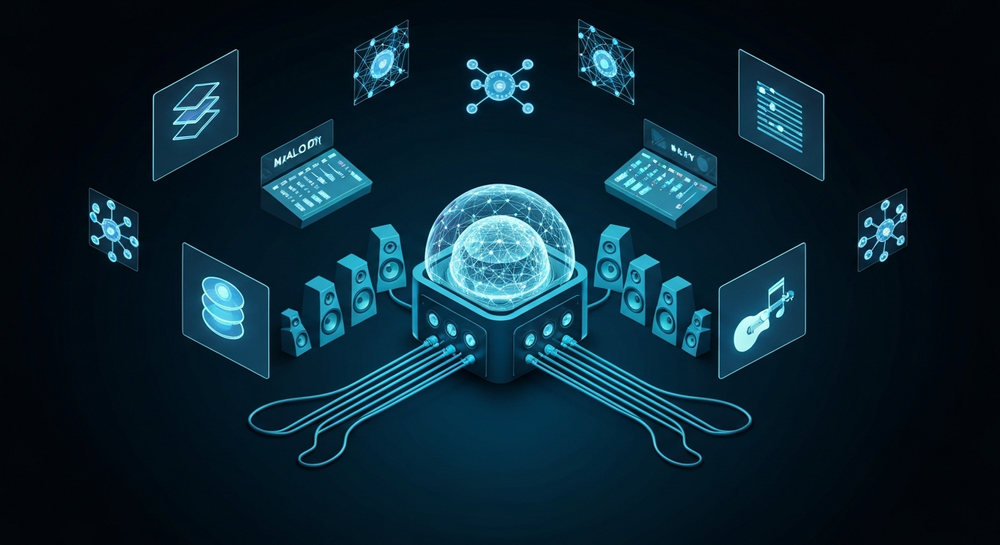
Modern content creation workflows now include AI for filmmakers, allowing editors to describe the desired mood, tempo, and genre. The AI then generates the perfect instrumental or vocal-backed track. Instead of adjusting your visuals around the music, the AI adjusts the music to your visuals—a creative inversion that empowers artists.
How to make event aftermovie songs with Soundverse AI Song Generator

The Soundverse AI Song Generator is one of the most powerful solutions for creating custom aftermovie songs tailored to your clip’s energy. It turns lyrics or text descriptions into complete songs, including vocals and instrumental backing. The system works through a multi-stage pipeline, managing lyrics, melody, arrangement, and mixing automatically.

Core Capabilities for Event Filmmakers
- Describe Your Song Mode: Type a text prompt describing the mood (e.g., “energetic electronic summer vibe for a beach festival”) and get a full AI-composed track with vocals.
- Custom Mode: Use your own lyrics and adjust generation parameters for tone, genre, and tempo.
- Reference Audio Support: If you have a demo track or sample performance, you can upload it so Soundverse analyzes its sound signature and builds something sonically similar.
- Quick Style Selection: Choose genres like Pop, EDM, Rock, or cinematic ambient—ideal for fitting a festival montage or corporate gala.
Why Soundverse Is Perfect for Aftermovie Creators
Because the AI handles arrangement, mixing, and mastering, it’s ideal for professionals who need high-quality, copyright-safe compositions in tight turnaround times. It serves not just as a songwriting companion but also as an AI music generator and soundtrack composer that scales with your project.
For a deeper dive, watch our guide on creating Deep House music on the Soundverse YouTube channel.
Step 1: Feature Overview

Access the AI Song Generator directly from the Soundverse main menu. You’ll find it under the creation section alongside other tools like Similar Song Generator and Extend Music. Once opened, you’ll see options for lyric-based, prompt-based, or audio reference creation.
Step 2: Lyrics Input
If your aftermovie includes narrative lines or a spoken element synced with visuals, enter or paste lyrics that reflect the event’s theme. You might describe scenes of excitement, team spirit, or celebration. Alternatively, skip lyrics entirely and describe the soundscape using a text prompt.
Step 3: Style Selection

Choose a genre that fits your footage flow. For festival highlights, EDM or Pop often works best. For corporate events, you might prefer cinematic orchestral or minimalist electronic tones. Style selection ensures the generated music aligns tempo-wise with transitions or drone shots.
Step 4: Configuration

Next, configure generation parameters like duration, mood intensity, and instrumentation. The AI can produce multi-layered arrangements automatically. You may also include reference audio if you have a track whose tempo or vibe you’d like to emulate. This phase allows customization without manual mixing.
Step 5: Generation

Click “Generate.” Soundverse processes the request asynchronously. It composes melody, accompaniment, and vocal layers, then performs mixing and mastering. Unlike real-time music preview systems, Soundverse analyzes your input, generates high-quality output, and delivers the finished song once processing completes.
Step 6: Generation Complete

The results display screen shows the completed soundtrack. You can preview the full mix and evaluate genre balance or vocal tone. Because each output is AI-generated, no copyright issue arises—making it safe for commercial event use.
Step 7: Export Results

Finally, download your generated aftermovie song in various formats suitable for video editing software (e.g., WAV, MP3). Integrate the track directly into Premiere Pro, DaVinci Resolve, or Final Cut, and synchronize with footage transitions for a polished finish.
Pro Tips for Creating Immersive AI Event Aftermovie Music
- Sync Emotion to Motion: Use transitions to guide tempo. Energetic sections should align with crowd movements; calmer sections signal reflections.
- Leverage Vocals Strategically: Even minimalist vocal tones can make highlight scenes more relatable.
- Blend AI-generated stems: Combine outputs using tools like Soundverse Stem Separation to tailor intensity levels per clip.
- Extend Songs Seamlessly: For longer edits, use the Extend Music feature to lengthen segments naturally without repetition.
- Match Style to Platform: Short social clips often benefit from tight, high-energy production similar to what’s achievable through prompt-based Soundverse generation.
For more inspiration, consider reading How AI is transforming the music industry and The role of AI music in film and television. These articles explore how automation reshapes soundtrack workflows across industries.
Why 2026 Is the Turning Point for AI Music in Video Production
2024 and 2025 laid the foundation for automation in content creation, but in 2026, practical adoption has reached new heights. More editors than ever use AI-driven composition tools. Compared with browsing countless commercial tracks, typing a few descriptive prompts provides instant, unique, and royalty-free event highlight music.
AI composition also unlocks multilingual possibilities. For global events or destination weddings, creators can generate songs in over ten languages—one of Soundverse’s key advantages. As AI continues refining stylistic accuracy, the divide between studio-grade production and automated generation narrows.
Additionally, integrations between Soundverse and editing ecosystems have expanded. Editors now combine tools like Soundverse Assistant (explained here) to auto-select the right creative configuration, saving hours normally spent tweaking EQ or tempo. The ecosystem enables professionals to tweak tone, genre, and lyrical themes at scale.
Create Your Own AI Event Aftermovie Music Today
Transform your event footage with custom, AI-generated tracks made in minutes. Experience professional sound design without needing a studio or music background.
Start Creating with Soundverse
Related Articles
- Generate AI Music with Soundverse Text-to-Music: Discover how to turn text prompts into full-fledged songs using Soundverse’s advanced AI technology.
- The Role of AI Music in Film and Television: Learn how AI-generated music is revolutionizing soundtracks and storytelling in film and TV.
- Enhancing YouTube Content with Royalty-Free and Copyright-Free Music Using Soundverse AI: Find out how creators can elevate their YouTube videos with AI-generated music that’s copyright-safe.
- The Benefits of Composing with an AI Music Generator: Explore how AI tools streamline the composition process and inspire limitless creativity.
Here's how to make AI Music with Soundverse
Video Guide

Here’s another long walkthrough of how to use Soundverse AI.
Text Guide
- To know more about AI Magic Tools, check here.
- To know more about Soundverse Assistant, check here.
- To know more about Arrangement Studio, check here.
Soundverse is an AI Assistant that allows content creators and music makers to create original content in a flash using Generative AI. With the help of Soundverse Assistant and AI Magic Tools, our users get an unfair advantage over other creators to create audio and music content quickly, easily and cheaply. Soundverse Assistant is your ultimate music companion. You simply speak to the assistant to get your stuff done. The more you speak to it, the more it starts understanding you and your goals. AI Magic Tools help convert your creative dreams into tangible music and audio. Use AI Magic Tools such as text to music, stem separation, or lyrics generation to realise your content dreams faster. Soundverse is here to take music production to the next level. We're not just a digital audio workstation (DAW) competing with Ableton or Logic, we're building a completely new paradigm of easy and conversational content creation.
TikTok: https://www.tiktok.com/@soundverse.ai
Twitter: https://twitter.com/soundverse_ai
Instagram: https://www.instagram.com/soundverse.ai
LinkedIn: https://www.linkedin.com/company/soundverseai
Youtube: https://www.youtube.com/@SoundverseAI
Facebook: https://www.facebook.com/profile.php?id=100095674445607
Join Soundverse for Free and make Viral AI Music

We are constantly building more product experiences. Keep checking our Blog to stay updated about them!