How to Create an EDM Song With English Vocals Using AI
Learn how to create EDM songs with English vocals using Soundverse’s AI Song Generator.
How to Create an EDM Song With English Vocals Using AI
Electronic Dance Music (EDM) continues to dominate global music trends in 2026, weaving technology and creative artistry into powerful club anthems and viral streaming hits. For producers, DJs, and creators looking to craft their next EDM masterpiece, artificial intelligence has become a game-changer. Learning how to create EDM songs with English vocals using AI can unlock new creative possibilities, speed up production workflows, and enhance the quality of both sound and arrangement.
Why AI Music Production Is Transforming EDM in 2026
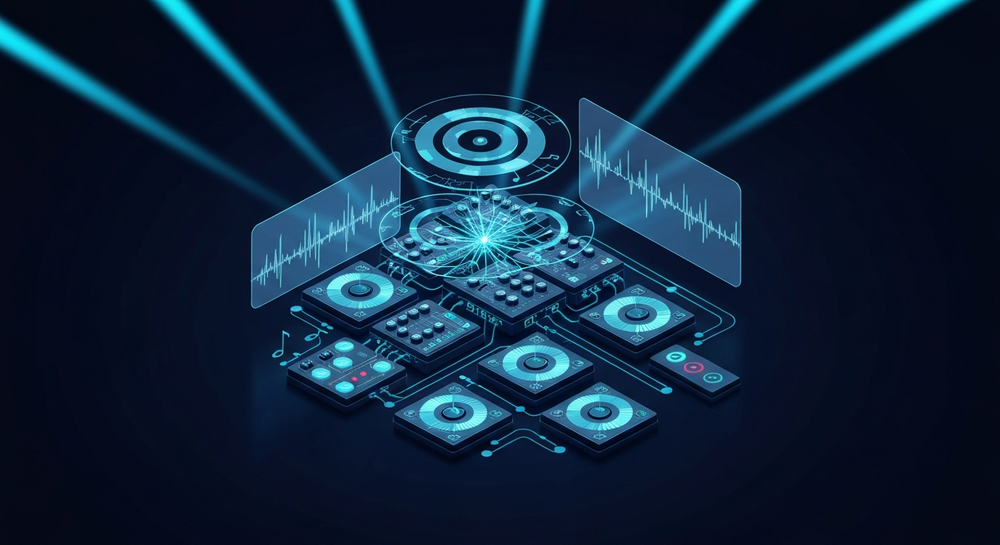
In the post-2025 era, AI music production has matured beyond experimentation. By 2026, tools like Soundverse have made it possible to produce complete, professional-grade EDM tracks without needing a full studio setup. Machine learning algorithms now understand musical flow, dynamics, and vocal phrasing to craft lifelike performances and dance-ready instrumentals.
Modern electronic dance music creation no longer relies solely on hardware synths or DAWs. Instead, producers use AI songwriting tools to build melodies, harmonies, and lyrics simultaneously. The result is faster iteration, tighter storytelling, and a seamless fusion between human creativity and machine precision.
If you are familiar with AI-driven composition platforms like Mubert or other text-to-music solutions, the evolution toward using AI for full song generation represents the next creative leap. For a deeper dive, watch our guide on creating Deep House music or explore the Soundverse Tutorial Series introduction.
How to Make EDM Songs With Soundverse AI Song Generator

Soundverse’s AI Song Generator is the centerpiece for anyone who wants to create EDM songs with AI. It is designed for both professional producers and beginner creators seeking a streamlined way to compose, arrange, and mix tracks.
What the AI Song Generator Does
According to official Soundverse data, the AI Song Generator turns lyrics or text descriptions into complete songs featuring AI-generated vocals and instrumental backing. It runs through a multi-stage pipeline handling lyrics processing, melody generation, arrangement, and mixing.
You can use one of three interaction modes:
- Describe Your Song Mode: Input a text description of the vibe or theme (like “energetic club anthem with female English vocals and progressive house drops”).
- Custom Mode: Paste your own lyrics and fine-tune settings for tempo, style, and vocal character.
- Reference Audio: Upload a reference track or vocal performance to guide the AI’s musical direction.
Quick Style Selection allows you to choose genres such as Pop, EDM, or Rock, ensuring that the generated outcome matches your intent.
Soundverse supports multiple languages, but for EDM with English vocals, custom mode tends to yield the most precise results. Producers use this not only for songwriting demos and vocal prototyping but also for social media content, YouTube intros, and even customized musical gifts.
Step 1: Feature Overview

Access the AI Song Generator from the Soundverse main menu. The tool sits alongside other creative modules including AI Lyrics Writer, AI Singing Generator, and AI Music Generator, all interconnected for a fluid workflow.
Step 2: Lyrics Input
Start by entering or pasting your lyrics. If you need help structuring verses and hooks, invoke the integrated Help Me Write function powered by Soundverse’s AI Lyrics Writer. It can generate coherent verse–chorus progression, ensuring syllable matching for vocal rhythm. You can learn more about AI lyric structures from this guide on good rap lyrics, which outlines storytelling alignment principles that also apply to EDM songwriting.
Step 3: Style Selection

Next, choose the music style and genre. From the genre list, select EDM, and then define sub-genres such as deep house, trance, or electro-pop. For inspiration, check the EDM creation article which details typical EDM prompt patterns.
Step 4: Configuration

Customize generation parameters such as tempo, key, vocal tone, and intensity. This is where you shape the energy of the track. For English vocals, select realistic vocal models suited for dance genres—bright, confident, and rhythmic delivery works best in high-BPM compositions.
Step 5: Generation

After clicking “Generate,” Soundverse starts processing your submission asynchronously. This step involves automatic melody creation, beat arrangement, and vocal synthesis. Note that Soundverse does not offer real-time preview or live monitoring; instead, the AI processes your data and returns high-quality audio results ready for review.
Step 6: Generation Complete

Once the process finishes, you will see the completed EDM track with instrumental and vocal sections. You can audition the mix, and optionally use Soundverse’s Stem Separation AI Magic Tool (explained here) to isolate vocals or instruments for remixing.
Step 7: Export Results

Finally, export your EDM song. Soundverse provides multiple formats suitable for uploading to digital stores or streaming platforms. Producers commonly export stems separately for additional mixing in their DAW. This flexibility lets professionals merge AI creativity with manual fine-tuning, a workflow discussed in AI songwriting and production trends.
Pro Tips for AI-Based EDM Vocal Generation
- Craft Emotionally Charged Lyrics: Even though AI handles melody, you define the emotional impact through word choice. Stick to universal dance themes—freedom, movement, desire, and euphoria.
- Experiment With Vocal Textures: Soundverse’s AI Singing Generator enables variations such as whispering tones or stylized syllabic phrasing. Blending these effects into your EDM projects can create standout drops.
- Use Reference Audio Wisely: Upload snippets of favorite EDM vocals to guide tonal character. The AI learns from reference energy patterns, giving your generated content more realism.
- Adjust BPM and Arrangement: Optimal EDM tempos range between 120–135 BPM. Tweaking tempo inside the configuration panel can help maintain ideal groove consistency.
- Integrate AI Instrumentals: Complement your vocal-focused workflow with the AI Music Generator for instrumental-only tracks. That tool, covered in this Soundraw comparison, builds loops for intros and breakdowns.
Why 2026 Is the Prime Year to Embrace AI EDM Music
Between global festival circuits and digital creator economies, 2026 has solidified EDM’s position as an AI-optimized genre. AI EDM music efficiently bridges the gap between creators and audiences—the quicker the turnaround, the faster ideas become finished songs.
Soundverse’s ecosystem exemplifies a new studio paradigm. Producers can move from lyrical inspiration to full export in minutes using a browser-based interface. This freedom democratizes electronic dance music creation and aligns perfectly with modern online music collaboration trends.
Start Creating Your Own EDM Track With AI Today!
Experience the power of Soundverse’s intuitive AI music generation tools to produce professional-grade EDM songs with English vocals. Turn your creative ideas into ready-to-share tracks in minutes.
Create EDM With AI
Related Articles
- How to Create EDM with Soundverse AI: Explore step-by-step methods to craft dynamic EDM tracks using the Soundverse AI platform and boost your music creativity.
- Generate AI Music with Soundverse Text-to-Music: Learn how text prompts can become full-fledged songs using Soundverse’s text-to-music technology.
- Soundverse Assistant: Your AI Music Co-Producer: Discover how the Soundverse Assistant helps you refine and arrange your AI-generated music like a real co-producer.
- How AI-Generated Music Is Transforming the Music Industry: Understand the global impact of AI tools reshaping how songs are written, produced, and distributed.
Here's how to make AI Music with Soundverse
Video Guide

Here’s another long walkthrough of how to use Soundverse AI.
Text Guide
- To know more about AI Magic Tools, check here.
- To know more about Soundverse Assistant, check here.
- To know more about Arrangement Studio, check here.
Soundverse is an AI Assistant that allows content creators and music makers to create original content in a flash using Generative AI.
With the help of Soundverse Assistant and AI Magic Tools, our users get an unfair advantage over other creators to create audio and music content quickly, easily and cheaply.
Soundverse Assistant is your ultimate music companion. You simply speak to the assistant to get your stuff done. The more you speak to it, the more it starts understanding you and your goals.
AI Magic Tools help convert your creative dreams into tangible music and audio. Use AI Magic Tools such as text to music, stem separation, or lyrics generation to realise your content dreams faster.
Soundverse is here to take music production to the next level. We're not just a digital audio workstation (DAW) competing with Ableton or Logic, we're building a completely new paradigm of easy and conversational content creation.
TikTok: https://www.tiktok.com/@soundverse.ai
Twitter: https://twitter.com/soundverse_ai
Instagram: https://www.instagram.com/soundverse.ai
LinkedIn: https://www.linkedin.com/company/soundverseai
Youtube: https://www.youtube.com/@SoundverseAI
Facebook: https://www.facebook.com/profile.php?id=100095674445607
Join Soundverse for Free and make Viral AI Music

We are constantly building more product experiences. Keep checking our Blog to stay updated about them!