How to Create an AI Music Model for Your YouTube Channel Using Soundverse DNA
Learn how to build a custom AI music model for your YouTube channel with Soundverse DNA in 2026.
How to Create an AI Music Model for Your YouTube Channel Using Soundverse DNA
In 2026, YouTube creators face one of the most competitive creative landscapes ever. With millions of videos uploaded each day, standing out no longer depends only on visuals or editing skills — audio has become a major differentiator. More creators now use AI music models to shape unique sound identities for their content. This guide will walk you through how to create your own AI music model for your YouTube channel using Soundverse DNA, ensuring you produce original, consistent, and copyright-safe music aligned with your brand.
Why YouTube Creators Need Their Own AI Music Model in 2026

The era of stock background tracks and repetitive royalty-free music is fading fast. Viewers have developed sophisticated audio expectations. Whether it’s a daily vlog, gaming stream, or film-style narrative, sound defines your storytelling atmosphere.
Creating a personalized AI music model allows you to:
- Define a consistent sonic identity across all videos
- Legally generate custom tracks free from copyright disputes
- Speed up workflow without sacrificing originality
- Strengthen audience recognition through signature sounds
With tools like Soundverse DNA, a generative AI system built for ethical and licensed music creation, YouTube creators can now access the power of professional-grade audio AI once limited to major studios.
How to Make an AI Music Model with Soundverse DNA
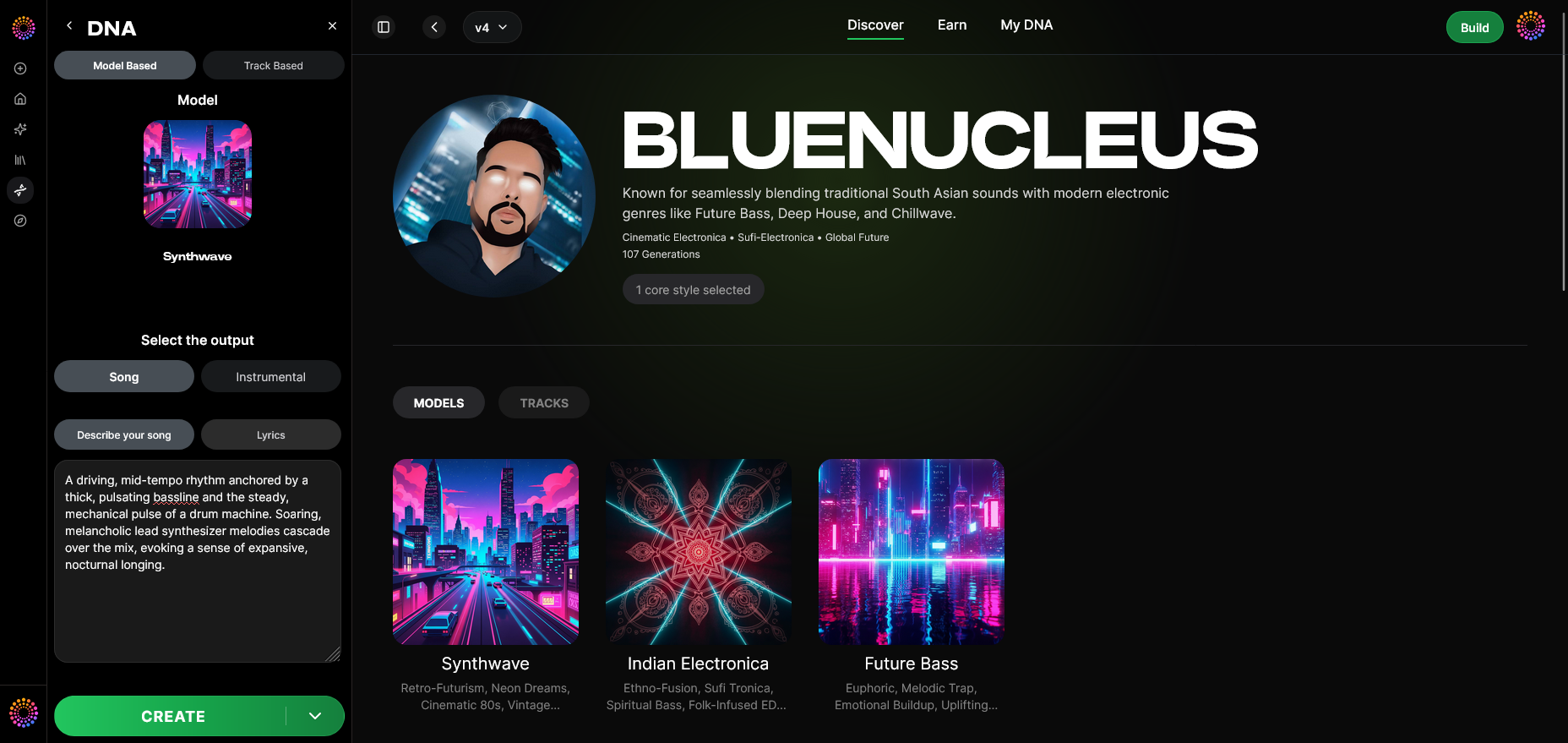

Before diving into the workflow, let’s understand what Soundverse DNA is and why it’s built differently from other AI music systems.
What Is Soundverse DNA?
Soundverse DNA is an artist-trained AI music generation system that creates original songs and instrumentals based on specific sonic identities. Unlike open-ended AI models trained on scraped datasets, Soundverse DNA uses licensed material. This ensures both legal safety and artist integrity.
Core capabilities include:
- Full DNA: Enables the generation of full songs or instrumentals tailored to a specific artist’s sound.
- Voice DNA: Recreates vocal timbres and stylistic nuances while respecting ethical training boundaries.
- DNA Marketplace: Allows creators to monetize or license their sonic DNA models to fans and other artists.
- Sensitivity Selector: Lets users fine-tune their model’s stylistic sensitivity between different eras or sonic moods.
- Private Mode: Offers a secure environment for private co-creation without exposing work-in-progress content.
This suite of tools connects musical creativity with legal responsibility — an essential foundation for 2026 when AI ethics and copyright laws have become more rigorous worldwide.
Now, let’s walk through the actual process of building your own AI music model inside Soundverse.
Step 1: Overview
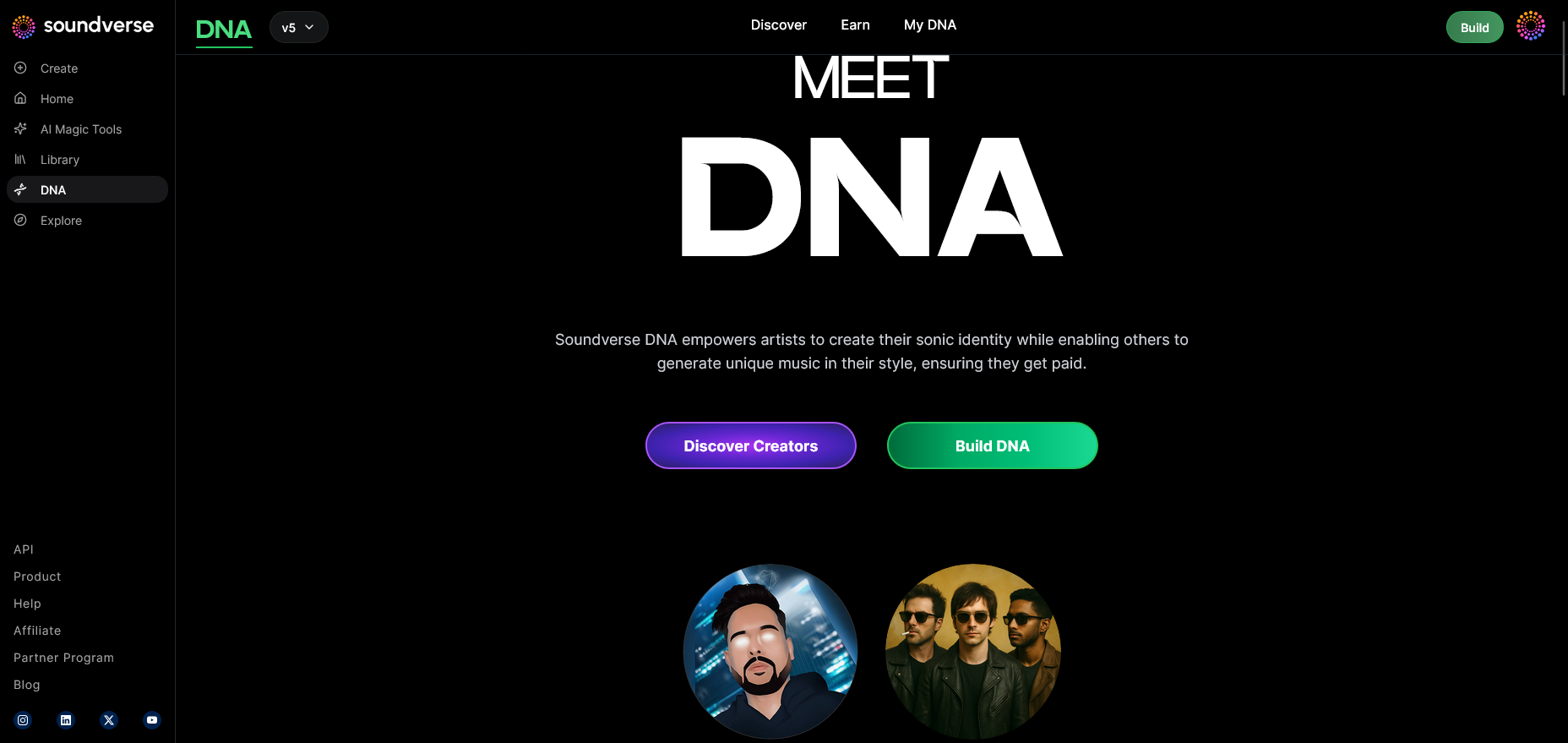
When you log into Soundverse, start by exploring the DNA Mode feature. This is where you’ll define how your music model should behave — whether it’s creating original compositions from scratch or replicating specific stylistic attributes from your licensed catalog.
Step 2: Dashboard
Head to the My DNA Management Dashboard. This centralized space shows all DNA models you own or have access to. From here, you can monitor usage statistics, update existing models, or begin building a new one for your YouTube channel.
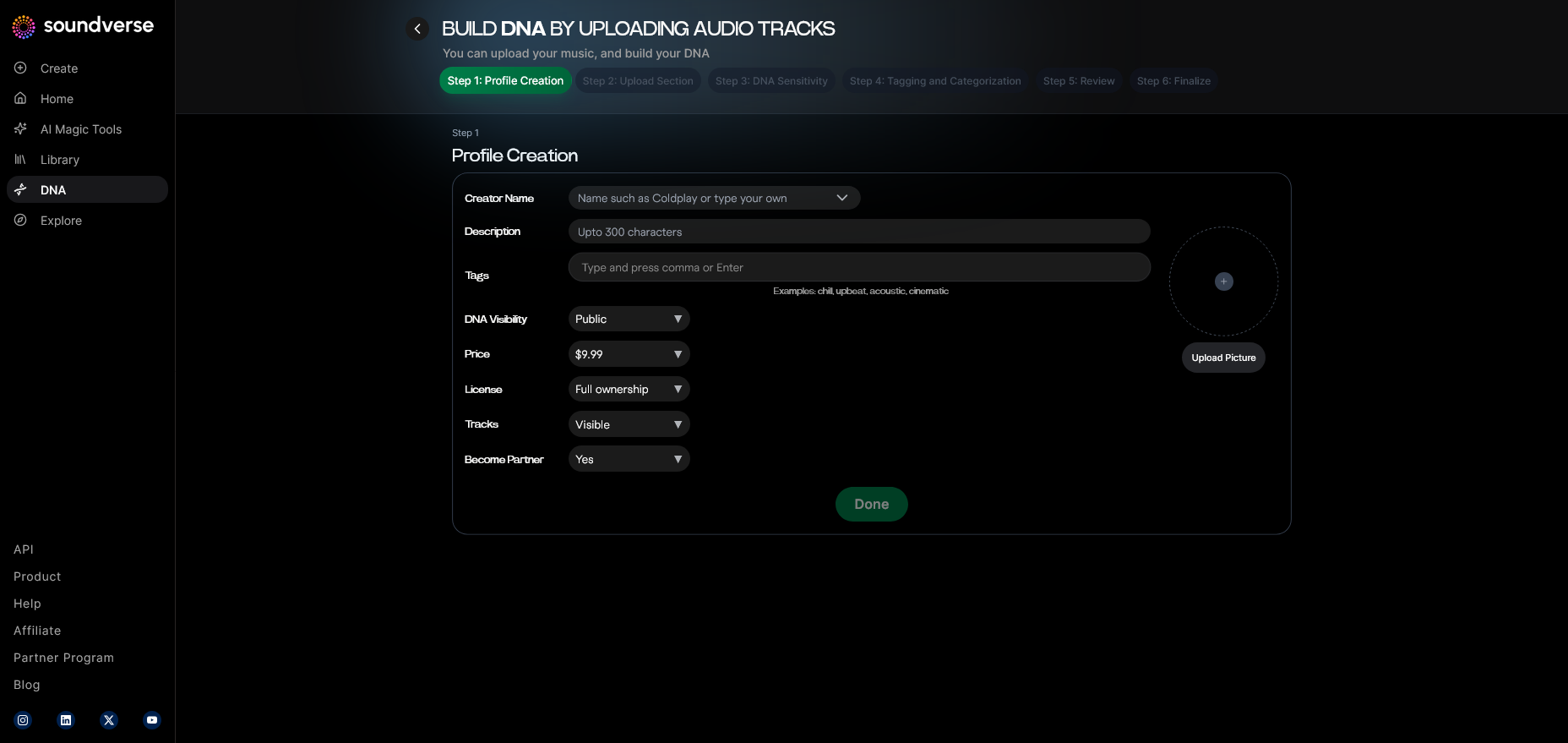
Step 3: Creator Profile
In the Creator Profile Setup, enter details about your brand sound. For YouTubers, think about adjectives that describe your sonic identity — for example, cinematic, lo-fi, funky, or ambient. This data helps the AI shape relevant sonic outcomes later.
Step 4: DNA Type Selection
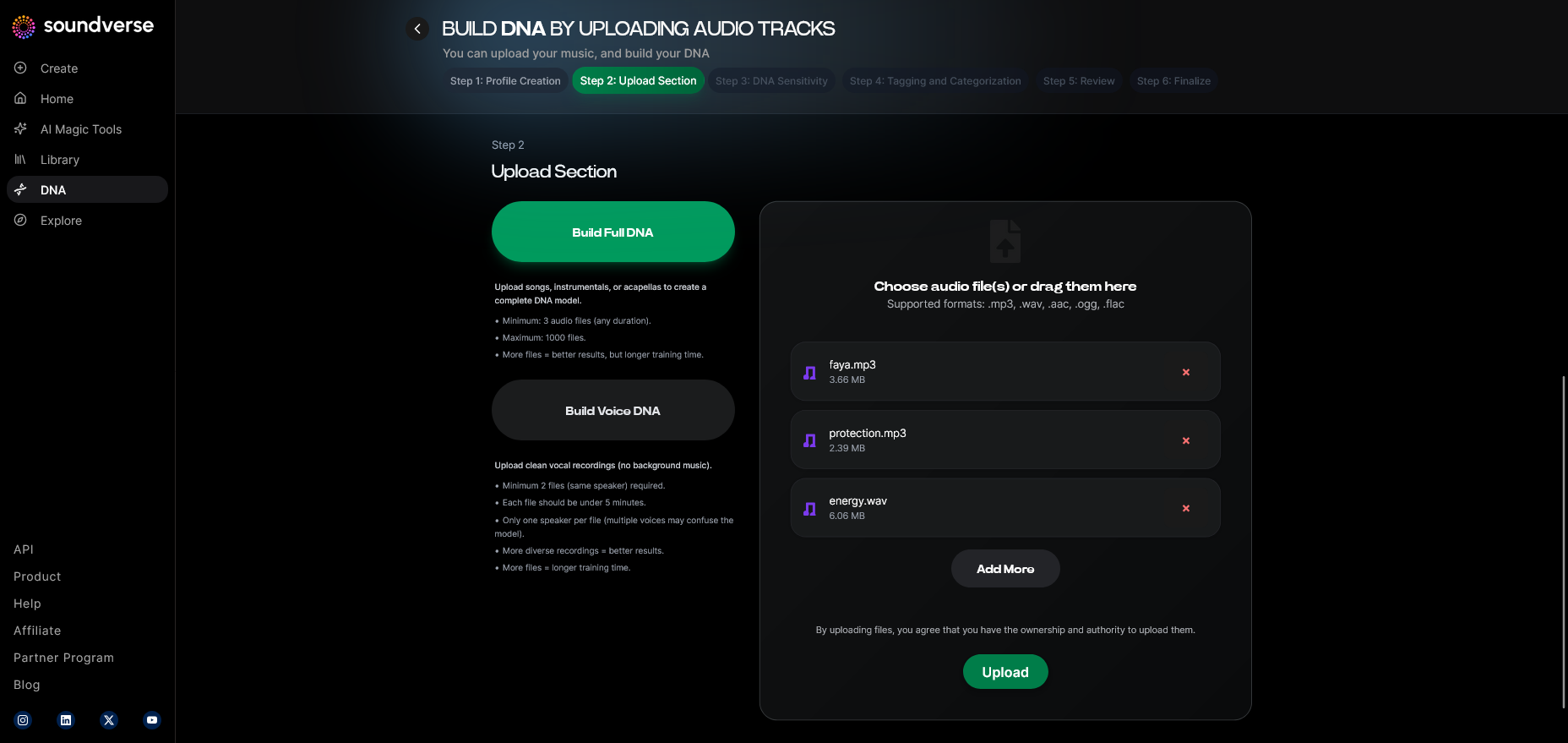
Choose between Full DNA and Voice DNA.
- Use Full DNA if you need complete musical backdrops for vlogs, intros, or cinematic projects.
- Opt for Voice DNA to recreate or stylize vocals (for example, if you’re producing AI-driven music narrations or theme songs).
For a deeper dive, watch our Soundverse Tutorial Series - 9. How to Make Music and explore the Soundverse DNA - Tutorial for visual guidance.
Step 5: Upload Files
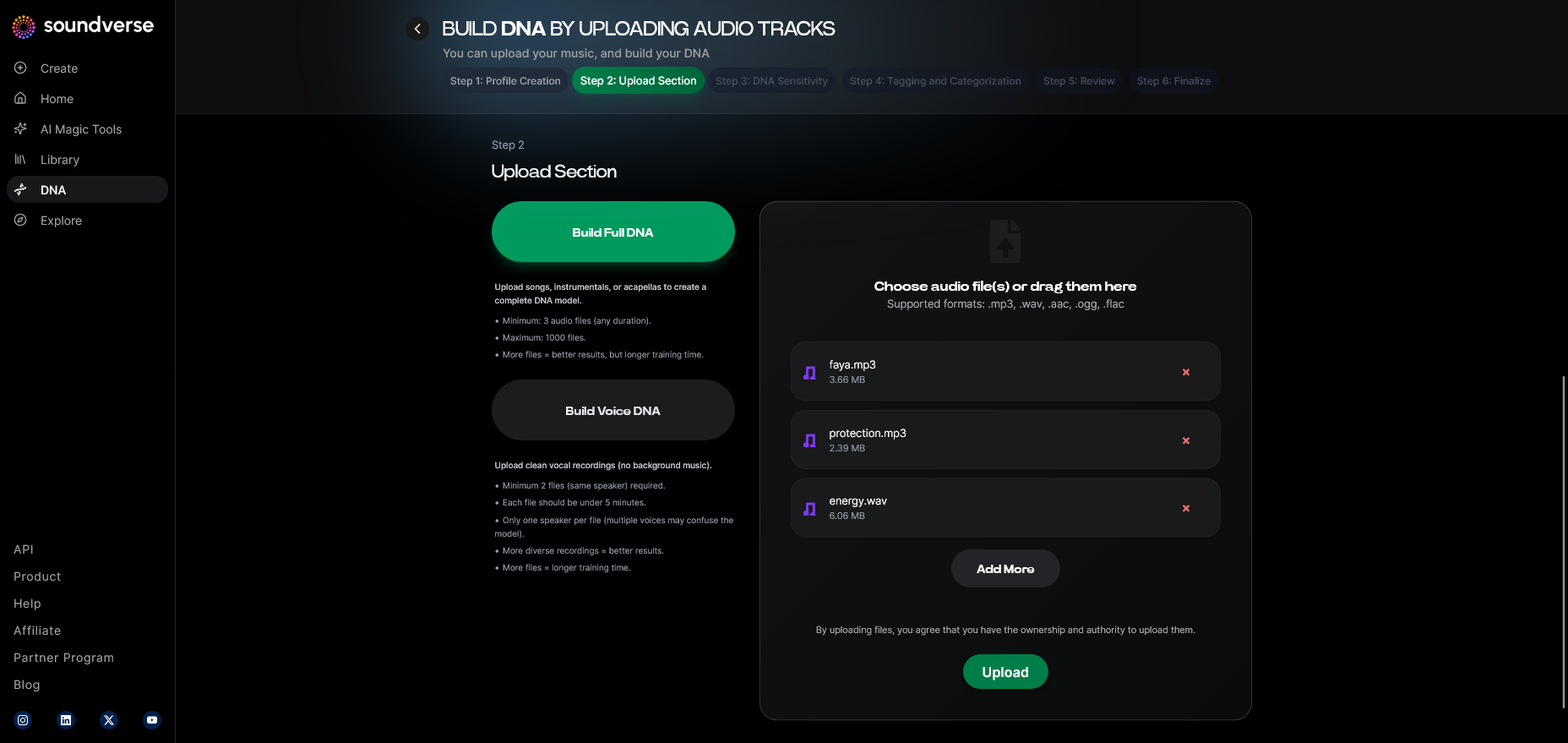
Upload your audio samples that represent your desired sound. For example, snippets of your previous compositions, or tracks that define your vibe. The system securely trains on these files and does not expose them publicly.
Step 6: Sensitivity Setting
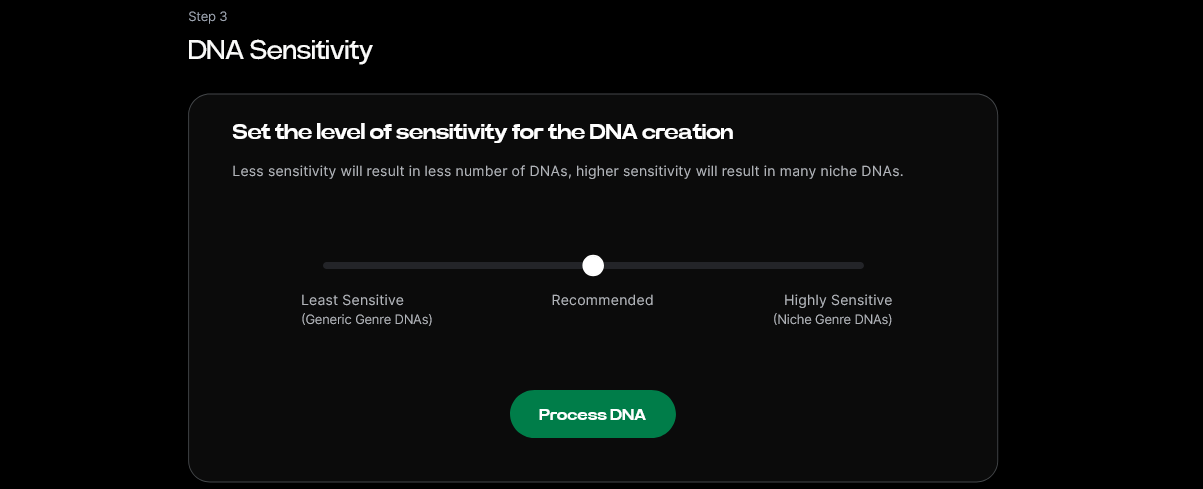
Use the Sensitivity Selector to control how close the AI should stay to your original style. High sensitivity preserves your sound’s uniqueness; lower sensitivity allows more variation suitable for diverse video use.
Step 7: Auto Tagging
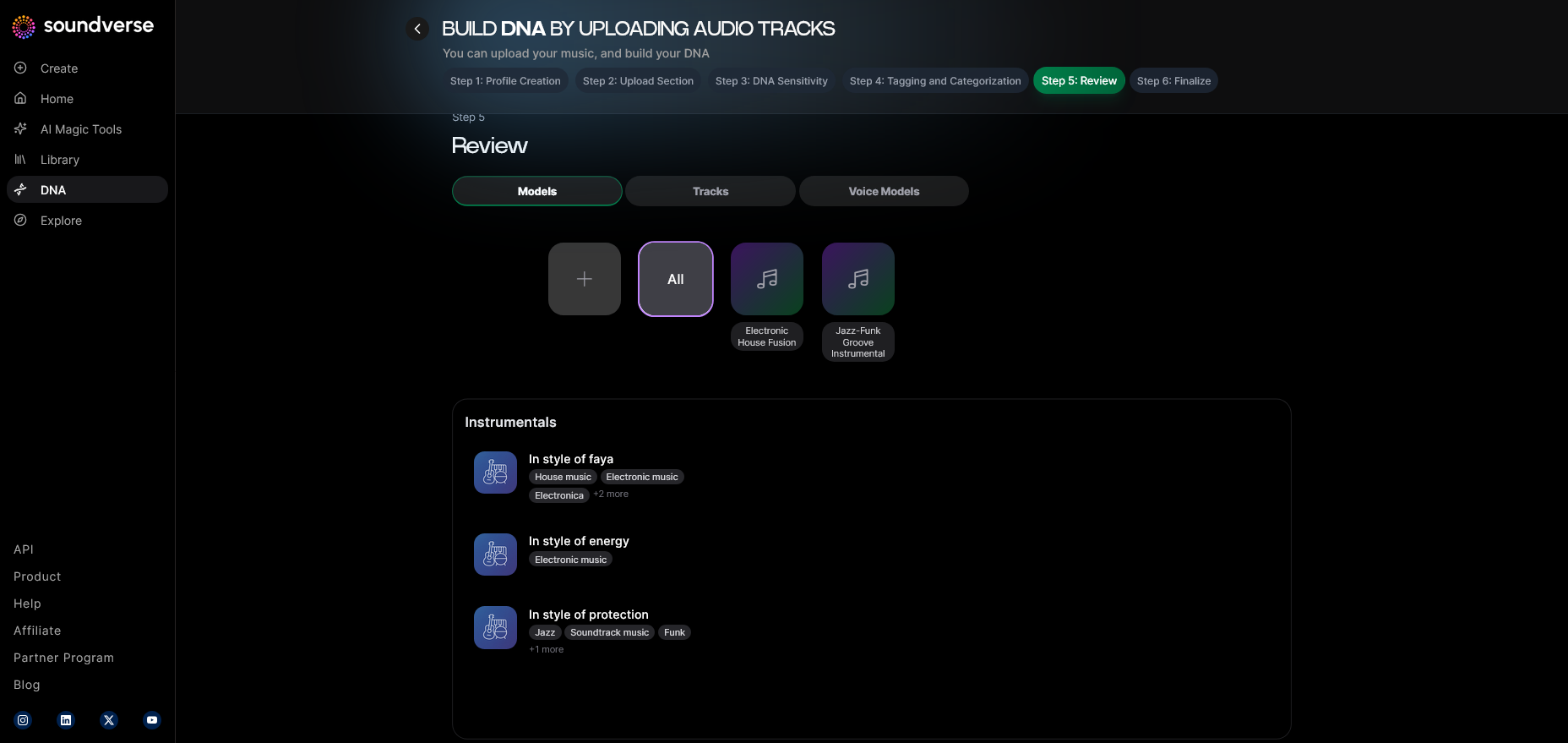
Once the files are uploaded, Soundverse automatically generates metadata tags based on genre, tempo, mood, and signature instruments. This streamlines the categorization process for quicker model deployment.
Step 8: Review & Publish
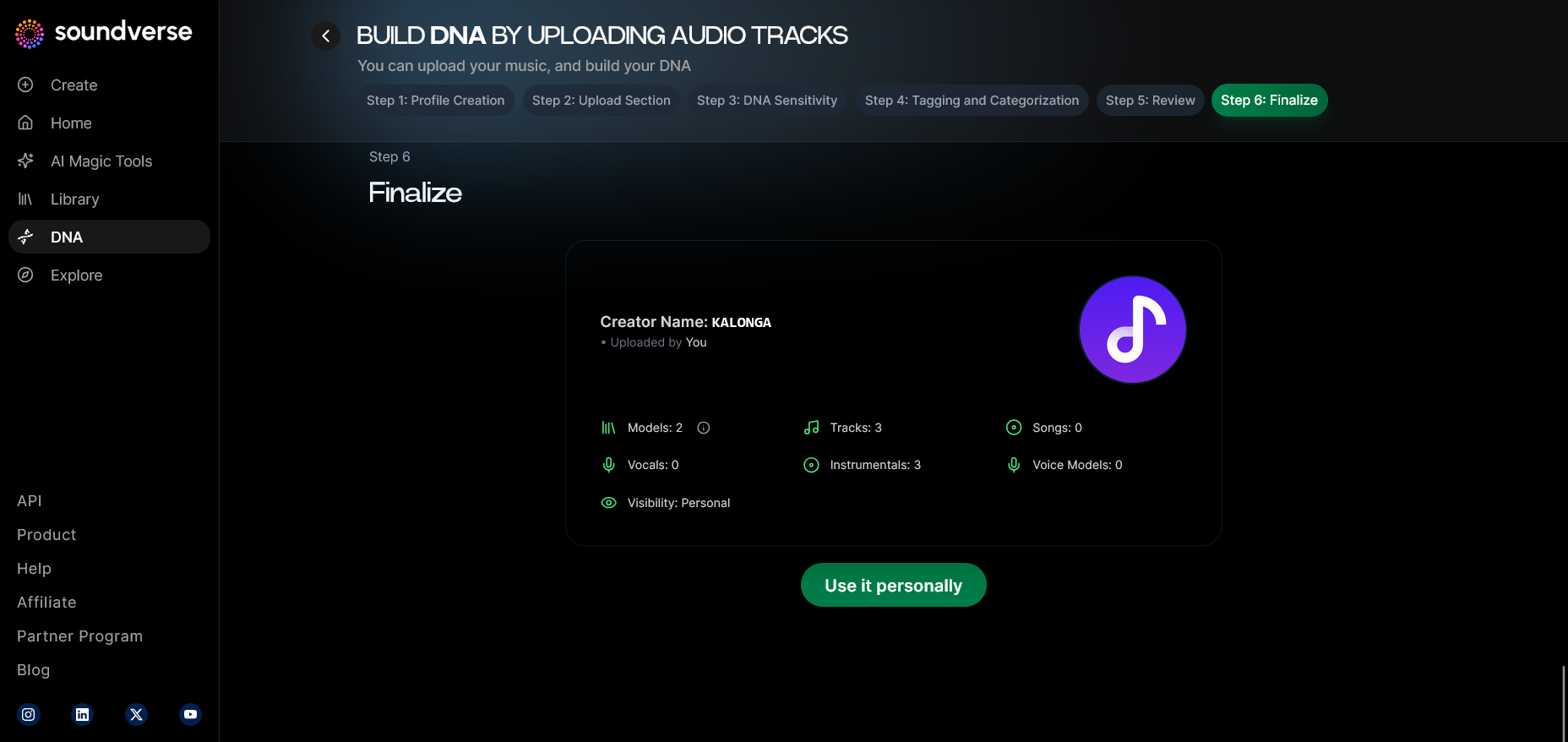
Before going live, preview your settings in the Review Interface. Verify all tags, sound selections, and era identifiers. Once satisfied, click “Publish DNA.” The system processes and finalizes your AI music model.
Step 9: Generation Panel
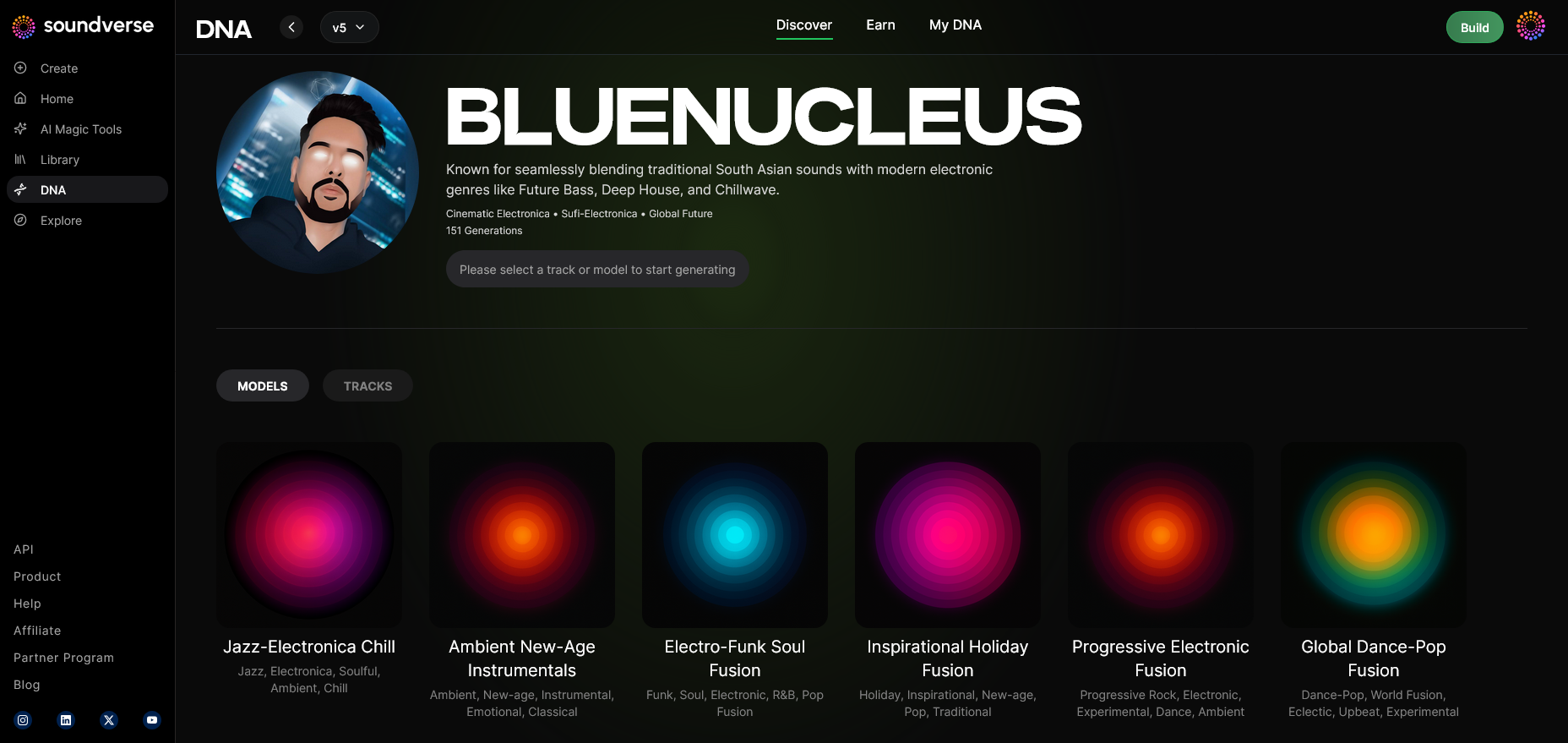
After publishing, access the Generation Panel to start creating new music. Here you’ll apply your AI model to text or mood prompts, perfect for generating unique tracks for YouTube videos.
Step 10: Model-Based Mode
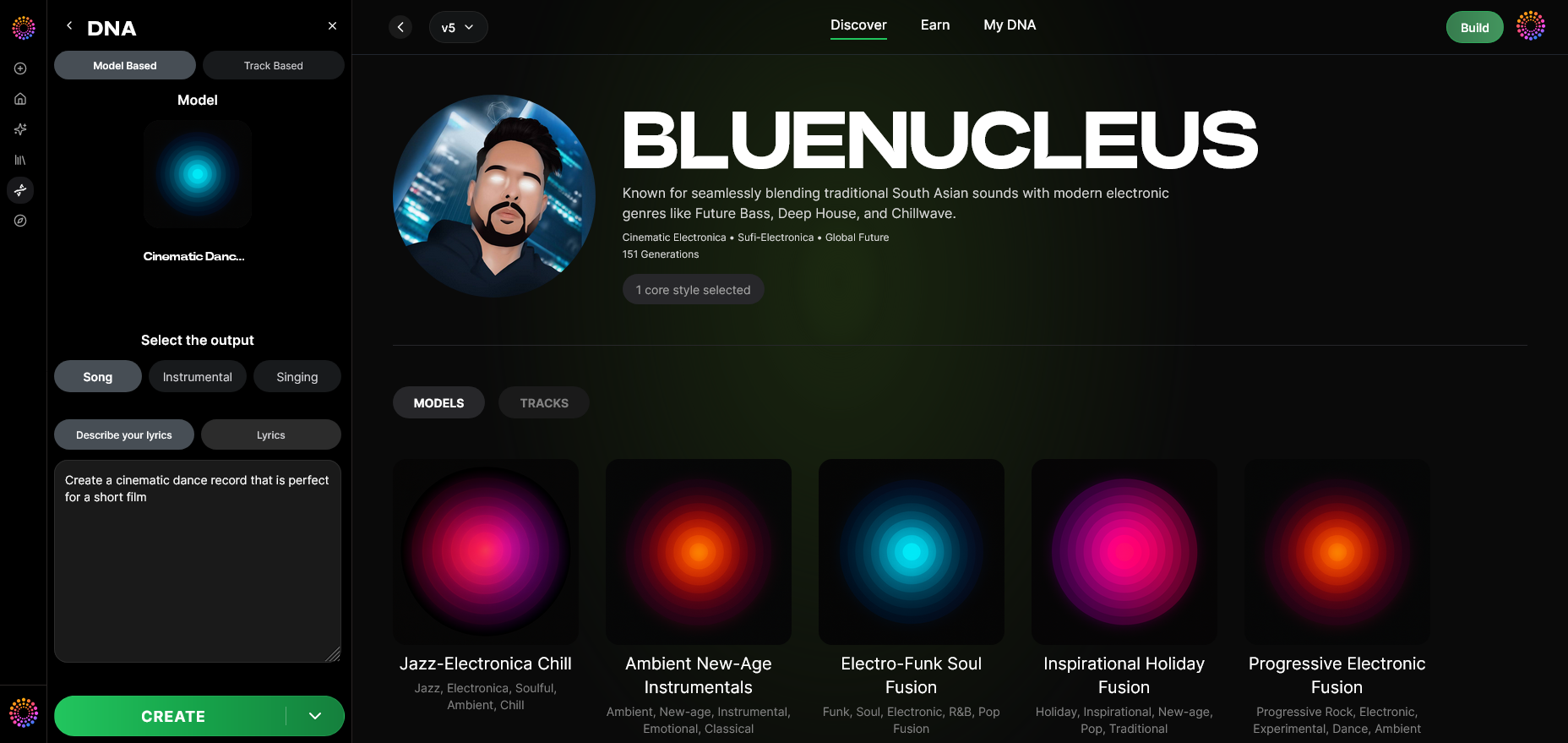
Activate Model-Based Mode to instruct the AI to specifically reference your trained DNA for composition. This ensures stylistic continuity across your uploads.
Step 11: Output Type
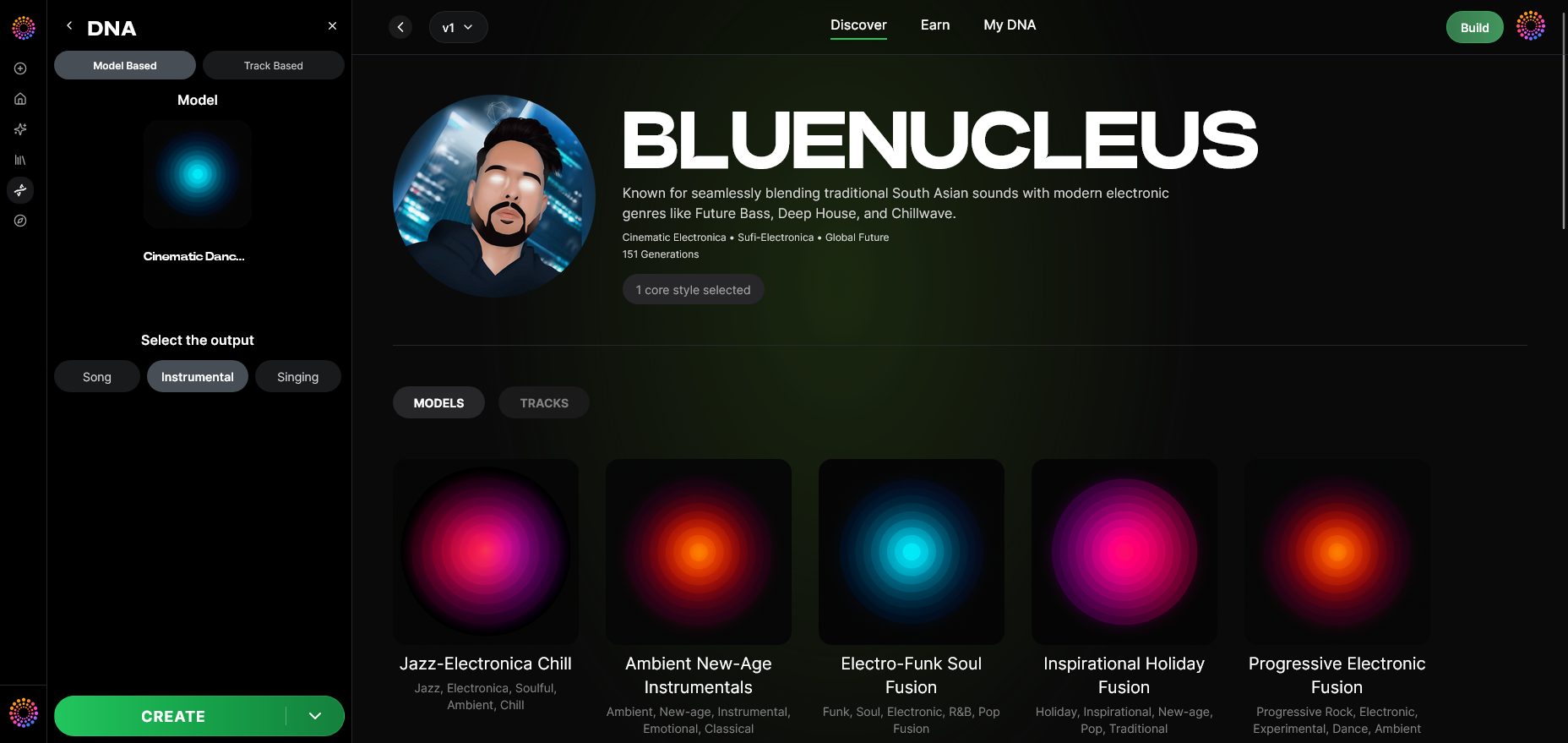
Decide what you want the model to create: Song Instrumental or Singing. For background scores and intros, instrumentals are ideal; for content with character themes or lyrics, the singing mode works better.
Step 12: Prompt Type
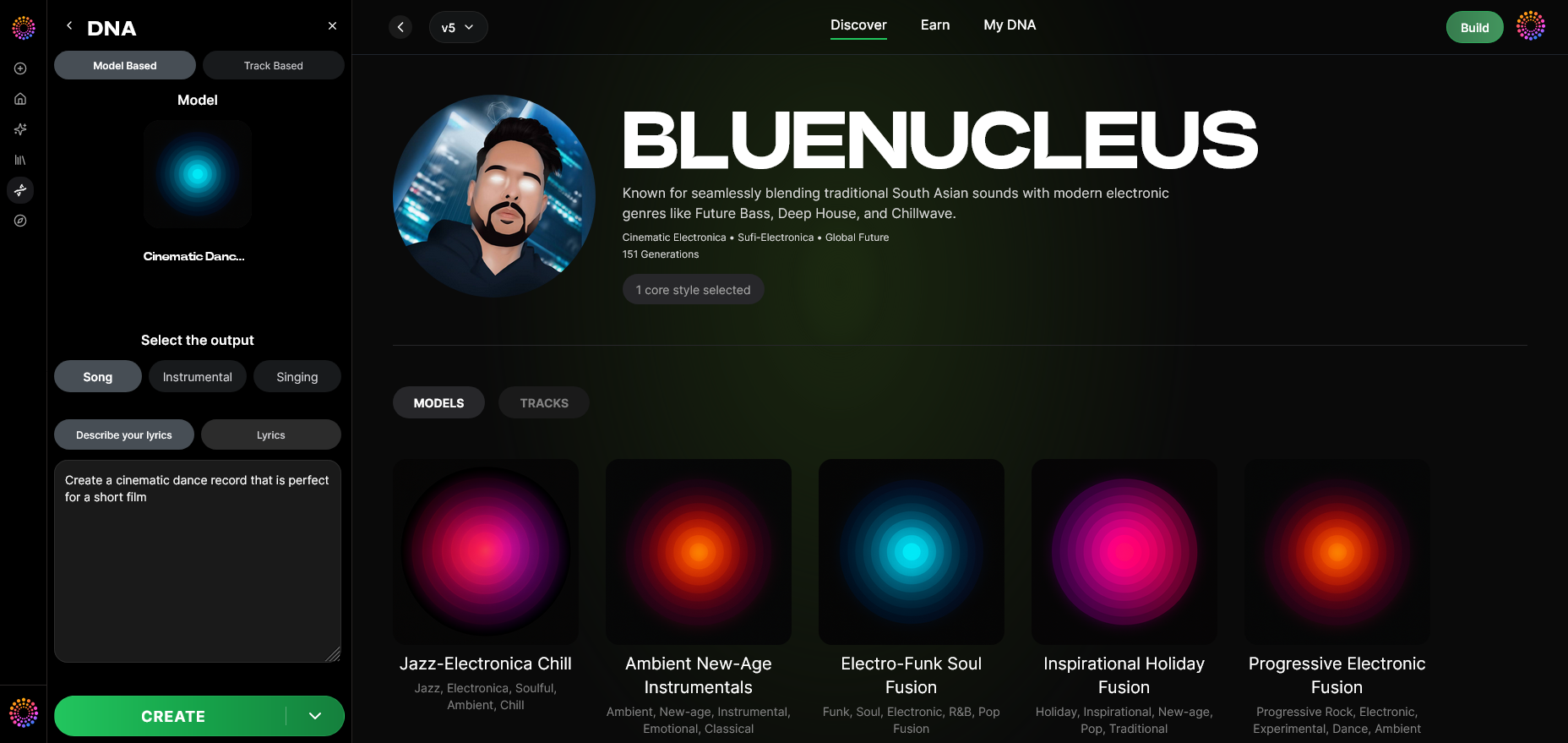
Choose how you’ll instruct the AI: text-based, mood-based, or structural prompts. For instance, typing “uplifting electronic intro with cinematic synth” quickly yields fitting results. For example, you can refer to How to Make Music with AI: A Complete Guide for Musicians in 2026 for ideas.
Step 13: Generation Complete
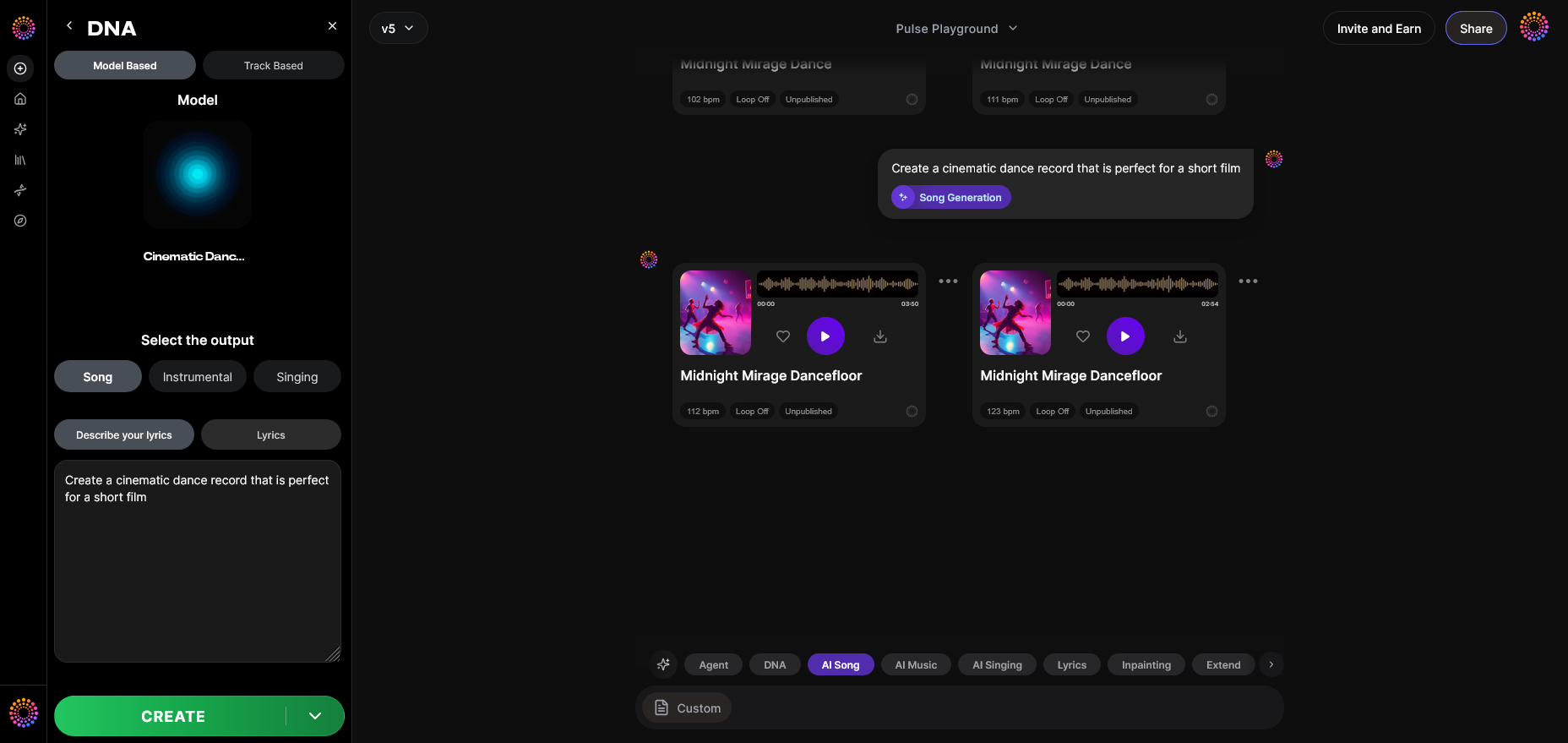
Once processed, Soundverse displays your completed track. You can preview, analyze the sonic attributes, and note the automatically embedded attribution via Soundverse Trace, which ensures transparency.
Step 14: Export Options
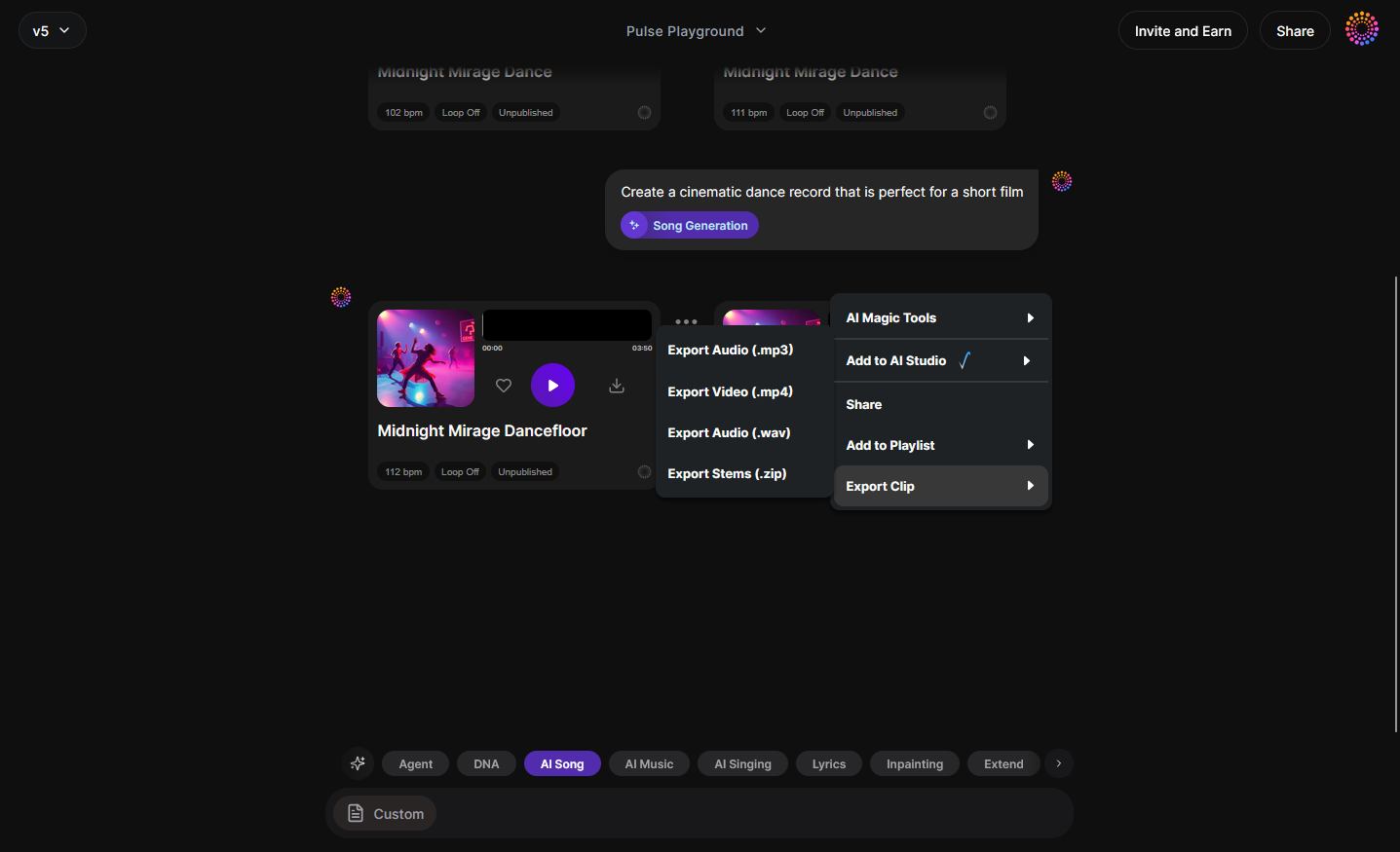
Use the Export Menu to download stems, full mixes, or individual instruments. You can integrate these directly into your YouTube workflow for post-production. You can also check the Build Your Artist DNA - Soundverse AI walkthrough for tips.
Step 15: Track-Based Mode
For ongoing projects, switch to Track-Based Mode. This allows consistent generation based on specific tracks, useful when you’re maintaining episode-based sound continuity.
Step 16: Style Selection
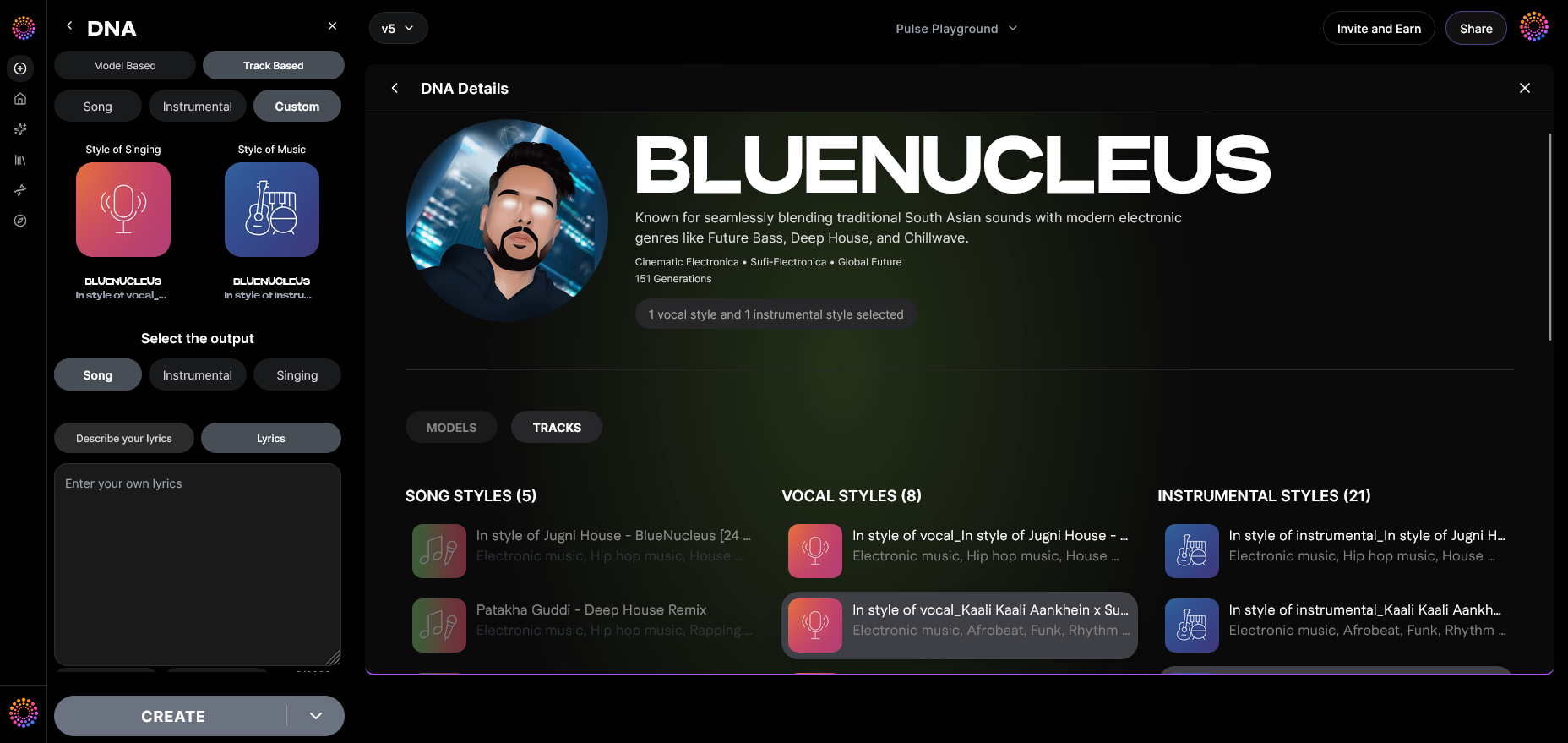
Adjust musical parameters like tempo, bass presence, instrument mix, and more. This fine-tuning helps you adapt your model’s sound for different types of content.
Step 17: Lyrics Input
If you’re generating songs with vocals, input lyrics directly into the Lyrics Input field. Remember, the model interprets them asynchronously (upload → process → render) — it’s not a live singing simulation.
Step 18: Model-Based Singing
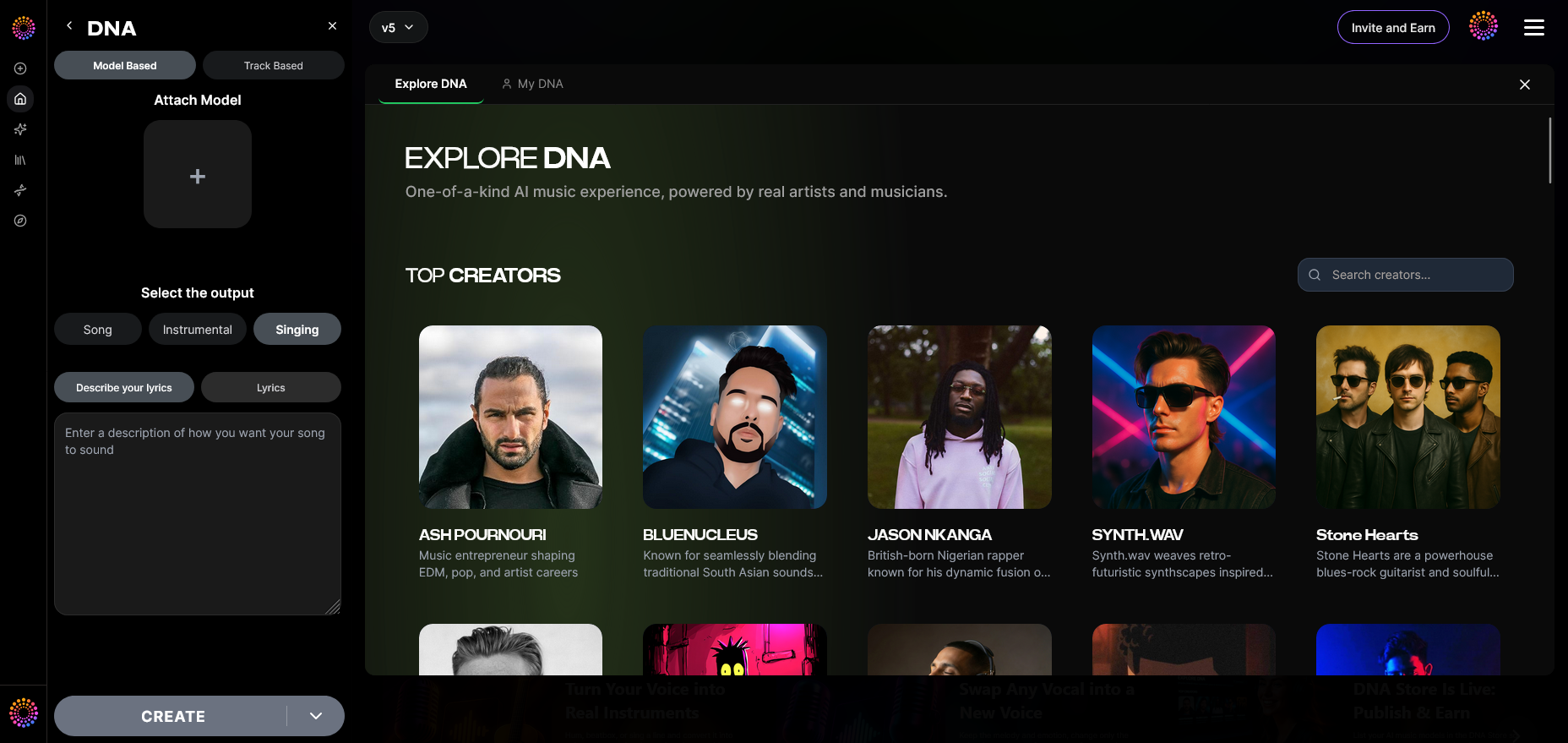
Activate Model-Based Singing to have your trained Voice DNA perform the lyrics in your specific style. It’s particularly useful for YouTube creators who want custom AI vocal performances.
Step 19: Attach Model
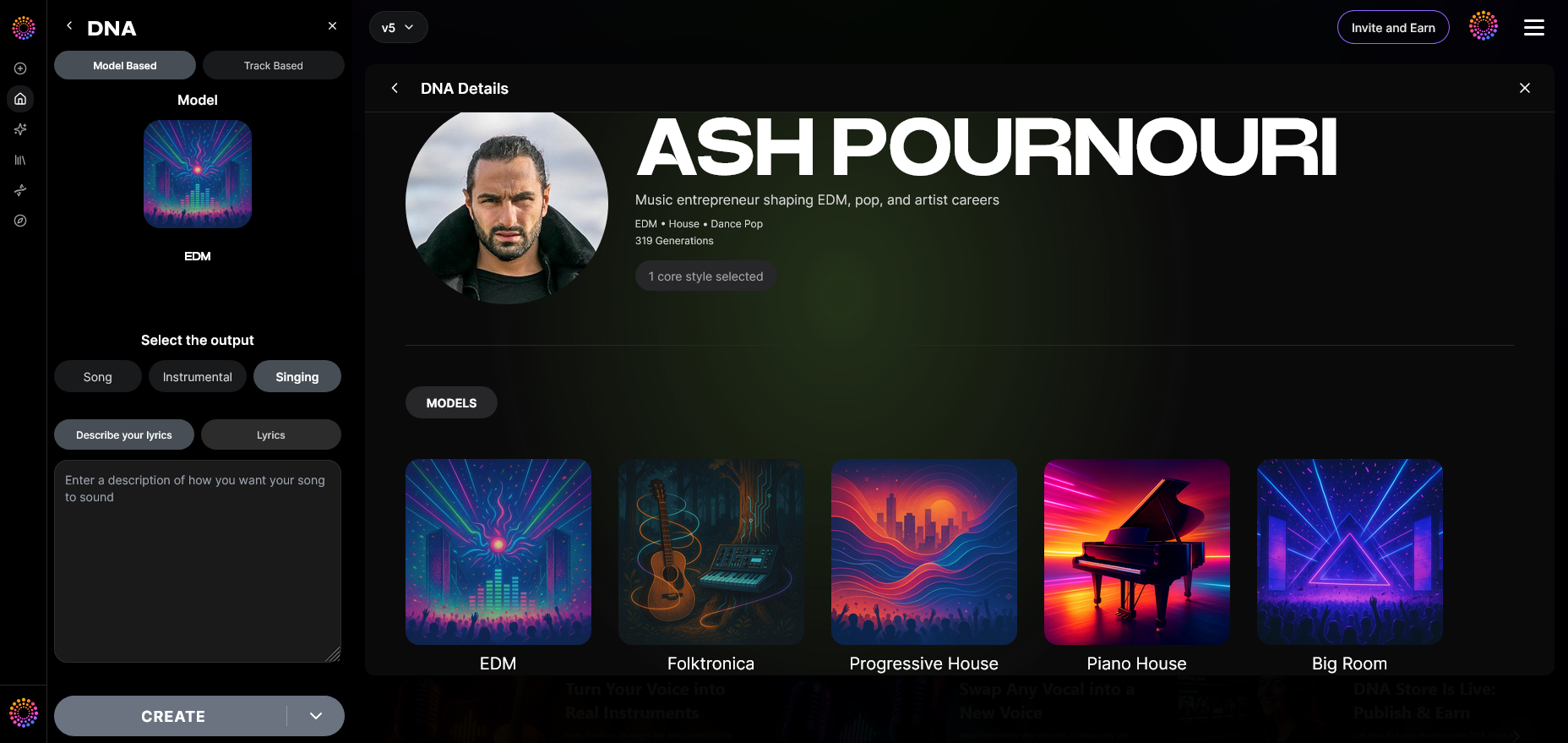
Finally, attach your pre-trained DNA model to any new generation project. This simplifies re-use and ensures permanent consistency in your YouTube audio brand.
Pro Tips for YouTube Creators Using AI Music Models
- Maintain sonic consistency: Use a single AI model for all channel content to build brand recall.
- Experiment with eras: The sensitivity selector makes it easy to reference old-school or modern sound palettes.
- Promote transparency: Include mentions that your music is generated using Soundverse DNA, reinforcing ethical creation.
- Monetize your DNA: Use the DNA Marketplace if fans want to remix or license your sound.
- Integrate with YouTube Shorts: AI music works perfectly for short-form vertical content — match musical energy with on-screen storytelling.
Why Soundverse DNA Is the Future of AI Music Creation
The ethical infrastructure behind Soundverse is powered by the Ethical AI Music Framework, ensuring consent-driven training. Meanwhile, Soundverse Trace embeds attribution data within each generated file, creating transparency across distribution platforms. For professionals, this guarantees your AI creations remain compliant and traceable.
Additionally, through the Content Partner Program, artists and rights-holders receive royalties when their sonic DNA is used. This means generating music on YouTube no longer means bypassing artist compensation — an important ethical advancement in music technology for creators.
For deeper insight into how ethical AI is transforming creative industries, check out How AI-generated Music Is Transforming the Music Industry, Soundverse AI Revolutionizing Music Creation for New-Age Content Creators, Generate AI Music with Soundverse Text-to-Music, and Enhancing YouTube Content with Royalty-Free and Copyright-Free Music Using Soundverse AI.
Start Creating with Your Own AI Music Model Today
Generate unique, royalty-free tracks tailored to your YouTube channel using Soundverse DNA. Turn your ideas into professional-quality sound in seconds—no musical background required.
Try Soundverse for Free
Related Articles:
- Generate AI Music with Soundverse Text-to-Music — Discover how to create professional-grade music simply by typing your ideas into Soundverse’s text-to-music generator.
- Soundverse AI Revolutionizing Music Creation for New Age Content Creators — Learn how Soundverse’s powerful AI tools are changing the way creators produce and share music online.
- Enhancing YouTube Content with Royalty-Free and Copyright-Free Music Using Soundverse AI — Find out how to enhance your videos with AI-generated, royalty-free soundtracks while staying copyright-safe.
- Soundverse Assistant: Your AI Music Co-Producer — Meet Soundverse Assistant—the intelligent co-producer that helps you create and refine professional music faster.
Here's how to make AI Music with Soundverse
Video Guide

Here’s another long walkthrough of how to use Soundverse AI.
Text Guide
- To know more about AI Magic Tools, check here.
- To know more about Soundverse Assistant, check here.
- To know more about Arrangement Studio, check here.
Soundverse is an AI Assistant that allows content creators and music makers to create original content in a flash using Generative AI. With the help of Soundverse Assistant and AI Magic Tools, our users get an unfair advantage over other creators to create audio and music content quickly, easily and cheaply. Soundverse Assistant is your ultimate music companion. You simply speak to the assistant to get your stuff done. The more you speak to it, the more it starts understanding you and your goals. AI Magic Tools help convert your creative dreams into tangible music and audio. Use AI Magic Tools such as text to music, stem separation, or lyrics generation to realise your content dreams faster. Soundverse is here to take music production to the next level. We're not just a digital audio workstation (DAW) competing with Ableton or Logic, we're building a completely new paradigm of easy and conversational content creation.
TikTok: https://www.tiktok.com/@soundverse.ai
Twitter: https://twitter.com/soundverse_ai
Instagram: https://www.instagram.com/soundverse.ai
LinkedIn: https://www.linkedin.com/company/soundverseai
Youtube: https://www.youtube.com/@SoundverseAI
Facebook: https://www.facebook.com/profile.php?id=100095674445607
Join Soundverse for Free and make Viral AI Music
 We are constantly building more product experiences. Keep checking our Blog to stay updated about them!