How to Create AI Songs Across Languages Without Losing Meaning
Learn how to create multilingual AI songs while preserving meaning and emotion using AI songwriting tools in 2026.
How to Create AI Songs Across Languages Without Losing Meaning
In 2026, AI songwriting has transformed from a niche experiment into a mainstream creative practice. Musicians, producers, and multilingual creators are embracing artificial intelligence not just to generate melodies but to compose meaningful lyrics across languages. Yet, one challenge remains — how can we create AI songs that cross linguistic boundaries without losing their emotional essence or lyrical meaning?
This guide explores how to approach multilingual songwriting using modern AI tools like Soundverse’s AI Song Generator. You’ll learn how to maintain lyrical integrity during translation and generation, and how AI can help you bridge the gap between different cultures through music.
Why does meaning get lost in cross‑language songwriting?
When a song is written in one language and translated into another, each word carries cultural and emotional layers that don’t always map directly. Idioms, metaphors, and rhythmic phrasing often lose authenticity when handled by literal translation systems. For instance, poetic structures in Japanese may not align rhythmically with English melodies. This is where creative AI tools trained for contextual understanding make a difference—they detect tone, rhythm, and intent, not just word-to-word equivalence.
AI songwriting engines today leverage contextual natural language processing and music generation models to adapt lyrical phrasing based on emotional tone rather than literal word matching. This ensures your lyrics sound authentic in every target language.
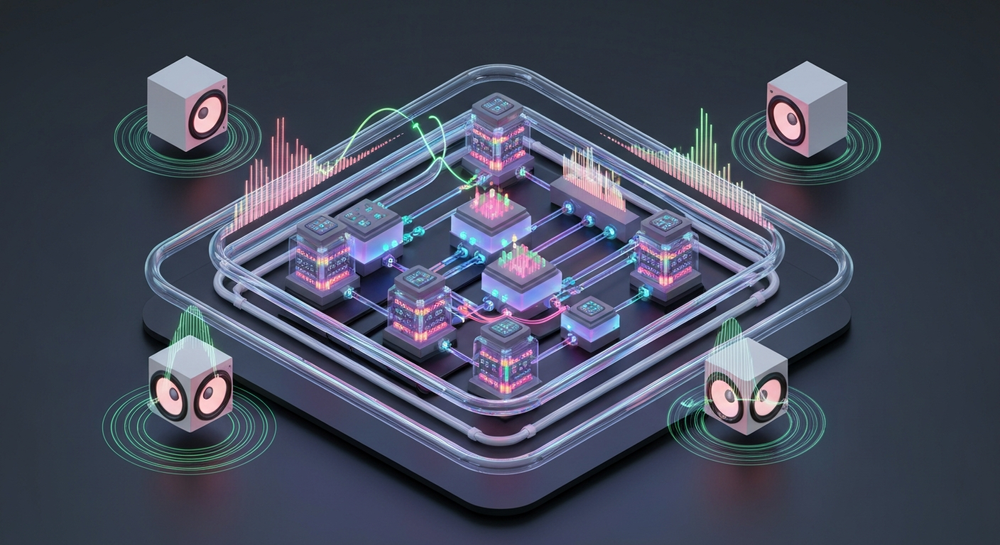
How to make multilingual music cohesive through AI songwriting
Creating an authentic multilingual track involves three layers of synchronization — lyrical meaning, melody alignment, and emotional expression. AI’s role is to ensure these align across all linguistic versions of your song.
- Preserve emotional intent first. Feed the AI with your artistic vision — what should the listener feel? Emotions like longing or hope transcend linguistic structures.
- Adapt rhythmically. AI tools can modify phrasing lengths to keep syllable counts and rhythm consistent across languages.
- Validate human nuance. Combine the power of AI with human review for idiomatic and cultural fine-tuning.
For additional insights on how AI is shaping modern music creation, you can check Soundverse’s feature on how AI-generated music is transforming the music industry.

How to make multilingual songs with Soundverse AI Song Generator

Soundverse’s AI Song Generator is built for music producers and songwriters who want to experiment with multilingual songwriting. It turns lyrics or textual descriptions into complete songs featuring AI‑generated vocals and instrumentals. The platform uses a multi‑stage pipeline handling lyrics, melody, arrangement, and mixing, streamlining every stage of AI music generation.
Core Capabilities:
- Describe Your Song mode: Enter a text prompt describing theme or emotion to let the AI craft lyrics and composition.
- Custom mode: Paste your own lyrics and configure generation settings.
- Reference audio support: Upload sample singing or instrumentals to guide the creation.
- Quick style selection: Instantly pick styles such as Pop, EDM, Rock, or Lo‑fi.
Use Cases Include:
- Songwriting demos and vocal prototyping.
- Content creation for YouTube or social media.
- Custom multilingual greetings and digital gifts.
- Cross‑cultural releases in over ten supported languages.
Step 1: Feature Overview

Access the AI Song Generator from the Soundverse main menu. The home dashboard provides access to other creative AI tools including the AI Lyrics Writer and AI Singing Generator. Choose AI Song Generator as your starting point for multilingual songwriting.
Step 2: Lyrics Input
Enter your original lyrics or select the integrated 'Help Me Write' option to generate draft lyrics in your base language. If your goal is multilingual output, keep the meaning definitions clear in the text prompt — specify mood or symbolism rather than rigid phrasing.
Step 3: Style Selection

Choose your genre or style template such as Pop, Jazz, or EDM. This helps the system align rhythmic pacing with linguistic patterns. Genres with flexible melody structure tend to handle translations more naturally.
Step 4: Configuration

Fine‑tune your generation parameters, language output, vocal character, and tempo settings. For example, you can configure the AI to sing in Spanish while maintaining the emotional architecture of English source lyrics.
Step 5: Generation

Click Generate Song to begin rendering. The AI processes the text or lyrics asynchronously — analyzing structure, inferring melody, generating vocals and instrumental tracks, then mixing them into a single playable output.
Step 6: Generation Complete

Once the processing finishes, preview the AI output version. Evaluate whether the cross‑language result reflects the intended emotion and lyrical flow. If adjustments are needed, you can use the integrated Inpainting tool to reconstruct specific portions without re‑doing the entire track.
Step 7: Export Results

After final review, export your AI‑generated song in your preferred file format — such as MP3, WAV, or stem-separated files for advanced mixing. Stems can later be reworked using additional Soundverse tools for finer arrangement or hybrid‑language compositions.
For a deeper dive, watch our guide on creating Deep House music or how to make music using Soundverse.
Pro tips for effective cross‑language AI songwriting
- Context over literal translation: Define the emotional context clearly so AI recognises what must remain intact across languages.
- Use multilingual prompts strategically: For complex songs, mix English descriptors with native script keywords to guide tonal subtleties.
- Leverage AI Lyrics Writer: This integrated feature improves lyrical fluency across different languages and ensures the meter fits consistent melodic timing.
- Smooth edits using Inpainting: Modify localized sections that sound off after translation without regenerating the entire song.
- Combine voice styles: With the AI Singing Generator, layer multiple regional vocals for global releases.
For practical sound design references, visit generate AI music with Soundverse text‑to‑music or explore Soundverse AI revolutionizing music creation to discover case studies of multilingual projects.
What makes multilingual songwriting with AI unique in 2026?
Today’s AI music generation systems are powered by cross‑lingual large language models that analyze rhythm, semantic alignment, and emotion concurrently. Unlike older systems from 2024 or 2025 that performed literal lyrics substitutions, 2026 models preserve interplay between melody and meaning. Producers can now maintain emotional integrity across Spanish, Hindi, Japanese, or Arabic versions of the same track while fitting their cultural tone.
As global audiences converge through streaming platforms, multilingual releases reach billions of listeners simultaneously. AI songwriting enables swift adaptation to multiple markets without compromising authenticity—a feat once limited to teams of human translators, composers, and local producers.
Start Creating Multilingual AI Songs Today
Transform your songwriting with Soundverse’s AI tools that preserve emotional meaning across languages. Create music that connects people everywhere without losing the soul of your lyrics.
Related Articles
- How an AI Music Generator Inspires Creative Fusion: Discover how AI can merge cultures, genres, and creative styles to inspire truly unique compositions.
- AI Music Generator and Human Composers: A Future Together: Explore the collaborative potential between AI tools and human musicians shaping the next era of songwriting.
- The Role of AI Music in Film and Television: Learn how AI-generated music is being used to deliver culturally adaptive soundtracks and multilingual emotional depth.
- How to Make AI-Generated Music: Get a practical guide to crafting songs with AI tools while maintaining meaning and originality.
Here's how to make AI Music with Soundverse
Video Guide

Here’s another long walkthrough of how to use Soundverse AI.
Text Guide
- To know more about AI Magic Tools, check here.
- To know more about Soundverse Assistant, check here.
- To know more about Arrangement Studio, check here.
Soundverse is an AI Assistant that allows content creators and music makers to create original content in a flash using Generative AI. With the help of Soundverse Assistant and AI Magic Tools, our users get an unfair advantage over other creators to create audio and music content quickly, easily and cheaply. Soundverse Assistant is your ultimate music companion. You simply speak to the assistant to get your stuff done. The more you speak to it, the more it starts understanding you and your goals. AI Magic Tools help convert your creative dreams into tangible music and audio. Use AI Magic Tools such as text to music, stem separation, or lyrics generation to realise your content dreams faster. Soundverse is here to take music production to the next level. We're not just a digital audio workstation (DAW) competing with Ableton or Logic, we're building a completely new paradigm of easy and conversational content creation.
TikTok: https://www.tiktok.com/@soundverse.ai
Twitter: https://twitter.com/soundverse_ai
Instagram: https://www.instagram.com/soundverse.ai
LinkedIn: https://www.linkedin.com/company/soundverseai
Youtube: https://www.youtube.com/@SoundverseAI
Facebook: https://www.facebook.com/profile.php?id=100095674445607
Join Soundverse for Free and make Viral AI Music

We are constantly building more product experiences. Keep checking our Blog to stay updated about them!