How to Create a Soul Song With an AI Song Generator
Learn to create emotional soul music using an AI song generator in 2026.
How to Create a Soul Song With an AI Song Generator
Soul music has always been about emotion—the kind that moves listeners from the first note to the last. In 2026, technology is helping artists channel that emotion in new ways. Thanks to advanced AI songwriting tools, musicians can now create captivating soul songs faster and more creatively than ever. If you’re a songwriter or producer eager to blend heartfelt expression with modern AI assistance, this guide will show you exactly how to create a soul song using an AI song generator.
Why Create Soul Songs With AI in 2026?
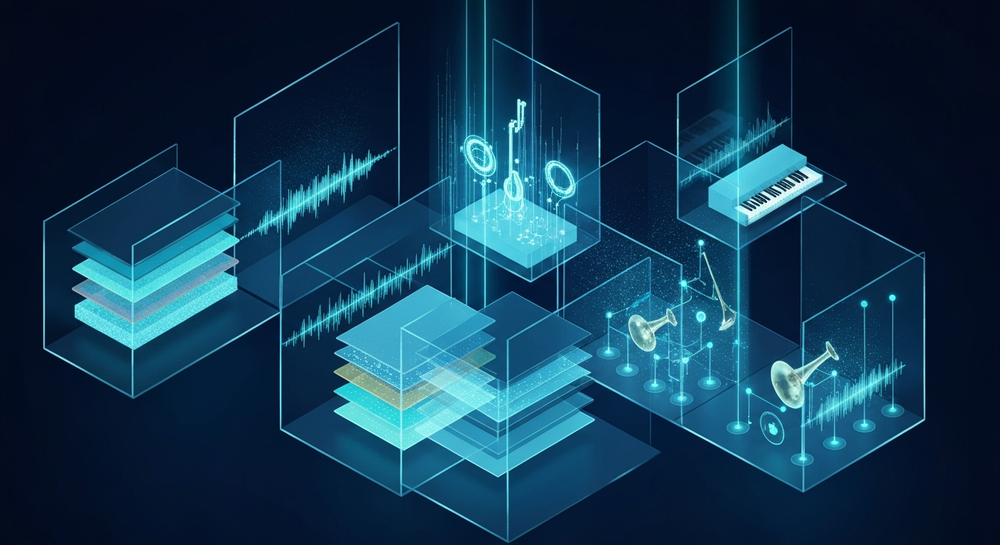
Soul music continues to evolve, influenced by genres like R&B, gospel, and even electronic music. In 2026, AI soul music is becoming mainstream, helping both emerging and professional artists refine their creative process. AI song generators act not as replacements for human emotion but as collaborators that enhance creative expression—offering rich instrumentals, smooth vocal lines, and modern arrangements.
As AI music creation gains traction, tools like Soundverse are redefining songwriting workflows. Artists can describe their desired vibe, pick a genre such as classic or neo-soul, and instantly generate songs filled with warm harmonies and lush arrangements. The process removes technical barriers, allowing creators to focus entirely on emotion and storytelling.
How to Make Soul Songs With Soundverse AI Song Generator


Soundverse’s AI Song Generator is designed for musicians who want to transform ideas into complete songs effortlessly. It turns lyrics or text descriptions into finished tracks featuring AI-generated vocals and instrumentals. Here’s what makes this tool stand out in the world of AI songwriting.
Overview of the Soundverse AI Song Generator
The AI Song Generator operates through a multi-stage pipeline that manages lyrics, melody, arrangement, and mixing. It offers two primary modes:
- Describe Your Song Mode: Users can write a short text description of their song concept, mood, and genre. The AI then generates lyrics, melodies, and backing tracks.
- Custom Mode: Creators can enter their own lyrics and fine-tune settings such as vocal tone, tempo, and arrangement.
It also supports Reference Audio, meaning you can upload a vocal demo or instrumental track that guides the AI’s creative direction. To make creation even easier, Soundverse includes Quick Style Selection, where users can pick from genres like Pop, Rock, EDM, Jazz, or Soul.
This tool is ideal for:
- Songwriting demos and vocal prototyping
- Content creation for social media or YouTube
- Unique gifts and greetings in song form
- Multilingual song generation in over ten languages
Now, let’s go step by step through the creation process.
For a deeper dive, watch our guide on creating Deep House music or tutorial about making music with Soundverse.
Step 1: Feature Overview

Start by logging into Soundverse and accessing the AI Song Generator from the main dashboard. This opens the interface where you can begin crafting your soul song project. Think of this as your creative canvas—it’s where the magic begins.
Step 2: Lyrics Input
Enter or paste your soul song lyrics directly into the text box. If you don’t have lyrics yet, use the integrated AI Lyrics Writer, which can suggest soulful verses and emotional hooks based on your chosen theme. The writer understands genre-specific nuances, so phrases will carry the timeless warmth typical of soul.
Step 3: Style Selection

Next, select ‘Soul’ or any similar style under Quick Style Selection. You can choose between classic blues-infused soul or modern neo-soul approaches. This step defines the instrumental direction, rhythm feel, and vocal texture. For example, 2026 trends show that many creators are fusing soul with lo-fi and jazz tones—a choice you can explore easily.
Step 4: Configuration

Here you control generation parameters. Adjust tempo, vocal gender, key, and instrument emphasis. Soundverse allows detailed customization before rendering—perfect for musicians fine-tuning the vibe. Add warmth with a slower tempo or build a passionate groove with upbeat rhythms.
Step 5: Generation

Click ‘Generate.’ Soundverse’s AI will process your lyrics and chosen settings, creating a complete song with both vocals and backing music. It analyzes emotional tone and melodic flow, integrating the right chord progressions and instrumental balance typical of soul.
Step 6: Generation Complete

Once processing finishes (asynchronously rather than live), your AI soul song will appear with full arrangement and mixing already handled. You can listen, tweak, or regenerate sections as needed.
Step 7: Export Results

Finally, download the generated track. Soundverse offers multiple export formats—ideal for mastering, sharing on social platforms, or integrating into DAWs. You can also use the track as a demo for live musicians or collaborators.
Pro Tips for Creating Soul Music With AI
- Blend Human Emotion and AI Precision: Write emotionally engaging lyrics first, then let AI refine the arrangement.
- Use Reference Audio: Upload an old soul classic as a mood guide. The system respects copyright but learns stylistic cues.
- Experiment With Multilingual Options: Creating soul music in different languages introduces cross-cultural depth.
- Layer Multiple Generations: Regenerate sections to capture richer harmonies or alternate vocal tones.
- Collaborate With AI Singing Generator: Combine the AI Song Generator with the AI Singing Generator to create standalone acapella performances for remix projects.
Ethical and Creative Integrity in AI Soul Songs
Soundverse integrates Soundverse DNA, ensuring music generated from artist-approved catalogs remains copyright-safe. This approach not only respects original artistry but also allows musicians to monetize their unique sound. Unlike unlicensed AI systems, this ethical backbone brings trust to AI music creation and secures a bright future for human–AI collaboration.
Inspiration From the AI Music Scene in 2026
The 2026 creative landscape reflects how AI helps bridge tradition and innovation. Soul musicians can quickly test ideas, collaborate remotely, and publish independently. Articles like How AI-Generated Music Is Transforming the Music Industry and Soundverse AI Revolutionizing Music Creation for New Age Content Creators analyze this shift in professional circles.
Soul producers also experiment with new genres using AI prompts. For instance, after mastering soul, they explore fusion styles shown in guides such as How to Create Jazz Music With Soundverse AI or try cross-genre projects like How to Create Country Music With Soundverse AI.
Bring Your Soul Song to Life With Soundverse AI
Transform inspiration into a full-fledged track in minutes. Use Soundverse’s AI song generator to create soulful melodies and lyrics that capture feeling and flow — no musical training required.
Related Articles
- How an AI Music Generator Inspires Creative Fusion: Discover how AI-driven tools can amplify your creativity and merge human artistry with machine precision.
- The Benefits of Composing With an AI Music Generator: Learn the advantages of using AI to enhance efficiency and creativity in music production.
- AI Music Generator and Human Composers: A Future Together: Explore the synergy between artificial intelligence and human musicians shaping the next era of songwriting.
- Generate AI Music With Soundverse Text-to-Music: Turn your ideas and emotions into complete songs using Soundverse’s text-to-music capabilities.
Here's how to make AI Music with Soundverse
Video Guide

Here’s another long walkthrough of how to use Soundverse AI.
Text Guide
- To know more about AI Magic Tools, check here.
- To know more about Soundverse Assistant, check here.
- To know more about Arrangement Studio, check here.
Soundverse is an AI Assistant that allows content creators and music makers to create original content in a flash using Generative AI. With the help of Soundverse Assistant and AI Magic Tools, our users get an unfair advantage over other creators to create audio and music content quickly, easily and cheaply. Soundverse Assistant is your ultimate music companion. You simply speak to the assistant to get your stuff done. The more you speak to it, the more it starts understanding you and your goals. AI Magic Tools help convert your creative dreams into tangible music and audio. Use AI Magic Tools such as text to music, stem separation, or lyrics generation to realise your content dreams faster. Soundverse is here to take music production to the next level. We're not just a digital audio workstation (DAW) competing with Ableton or Logic, we're building a completely new paradigm of easy and conversational content creation.
TikTok: https://www.tiktok.com/@soundverse.ai
Twitter: https://twitter.com/soundverse_ai
Instagram: https://www.instagram.com/soundverse.ai
LinkedIn: https://www.linkedin.com/company/soundverseai
Youtube: https://www.youtube.com/@SoundverseAI
Facebook: https://www.facebook.com/profile.php?id=100095674445607
Join Soundverse for Free and make Viral AI Music

We are constantly building more product experiences. Keep checking our Blog to stay updated about them!