How to Create a Custom AI Music Generator Using Soundverse DNA
Learn how to build your own custom AI music generator using Soundverse DNA's artist-trained technology.
How to Create a Custom AI Music Generator Using Soundverse DNA
In 2026, AI music creation has gone far beyond novelty. From indie artists to enterprise-level sound design systems, creating intelligent musical tools has become a mainstream practice. Developers and producers now seek ways to personalize their AI engines—to shape music that reflects authentic identity while maintaining ethical clarity. This guide walks you through how to create a custom AI music generator using Soundverse DNA, a revolutionary artist-trained engine that lets creators encode unique musical styles into generative systems.
What is a custom AI music generator and why does it matter in 2026?
A custom AI music generator is a tailor-made system that produces music based on specific stylistic parameters defined by the user or artist. Rather than relying on generic machine learning datasets, these systems embody intentional sound signatures—styles, instruments, moods, or eras—making every output distinct.
In 2026, industries from gaming to advertising are pushing for sonic branding, consistent theme music, and interactive sound experiences. Generators that can reproduce a brand’s sound DNA ethically and consistently are in high demand. Soundverse DNA perfectly aligns with this need, bridging creativity, control, and licensing transparency.
How to make a custom AI music generator with Soundverse DNA
Soundverse DNA is the foundation for ethical and artist-centered AI music creation. It allows you to encode your creative style as reusable data architecture—or “DNA”—that can power your own custom AI music generator. Its approach revolves around trained models built from licensed catalogs instead of public data scraping, providing both ethical protection and monetization for artists.
Step 1: Overview – Understanding Soundverse DNA Mode
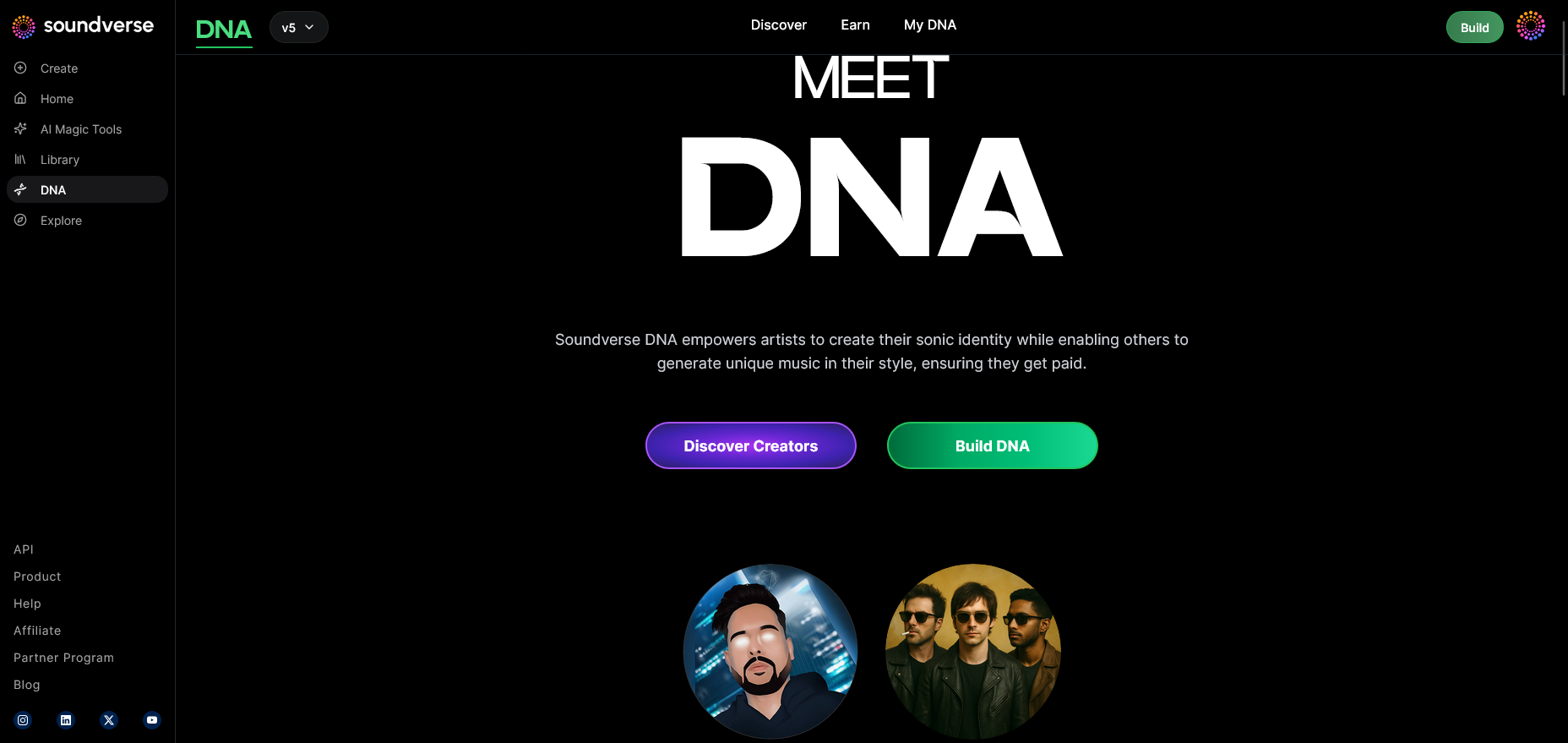
The DNA Mode within Soundverse enables creators to construct their sound model using official training data—licensed music, voice clips, or instrumentals. This overview screen explains how the system builds identity clusters, transforming musical components into structured learning units. Here, you’ll grasp the ethical boundaries ensuring consent-based AI training.
Step 2: Dashboard – Manage My DNA
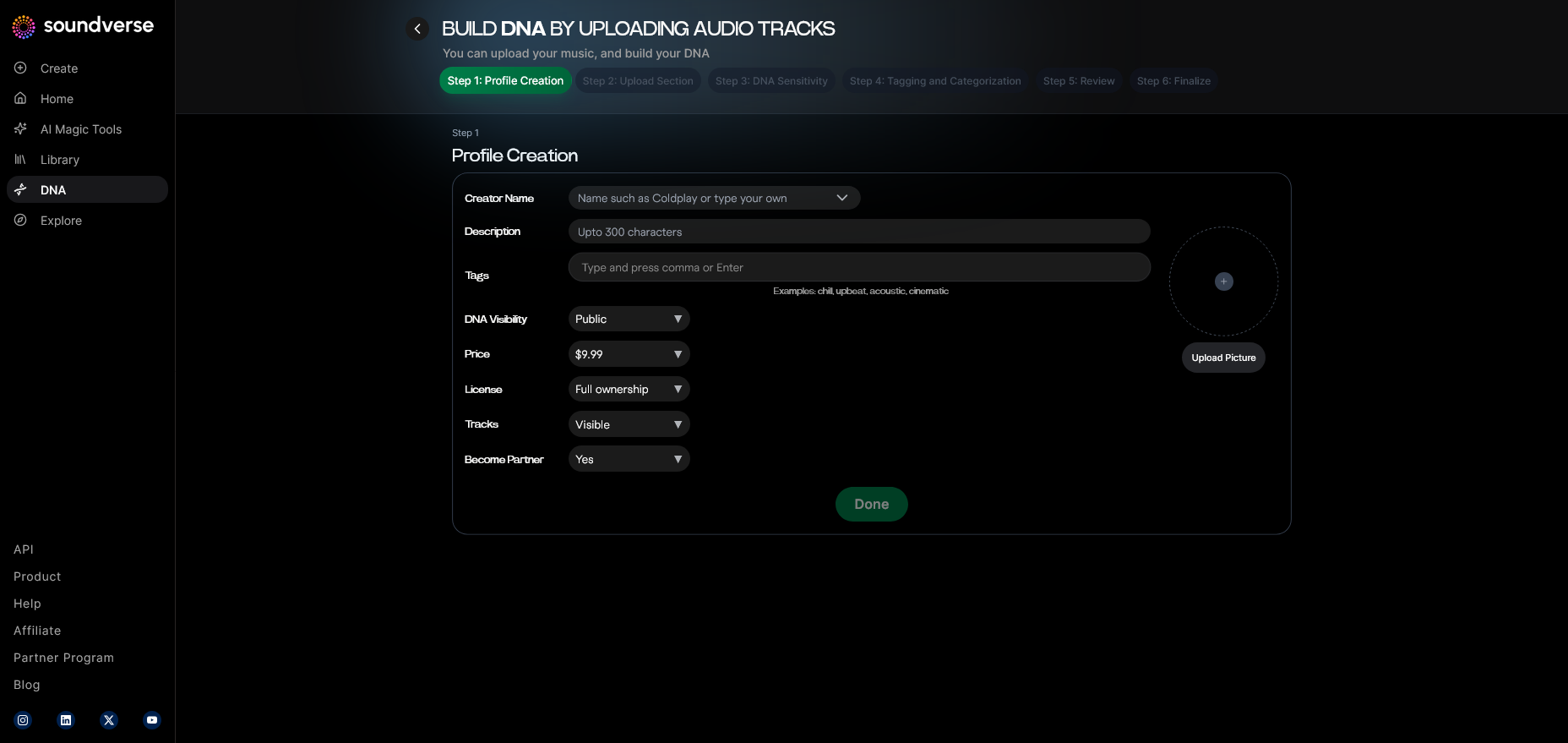
Once inside your dashboard, all your music DNA projects can be explored. It’s where you track datasets, see real-time monetization analytics, and activate Private Mode for secure co-creation. You can also connect other Soundverse tools such as Soundverse Assistant to guide prompt selection.
Step 3: Creator Profile – Set Up Your Creative Identity
This profile contextualizes the DNA project. You define your artistic name, genre preferences, and target use cases—film scoring, game soundtracks, or brand assets. The system securely associates metadata with licenses, ensuring your identity is linked across every derivative track.
Step 4: DNA Type Selection – Choose Full DNA or Voice DNA
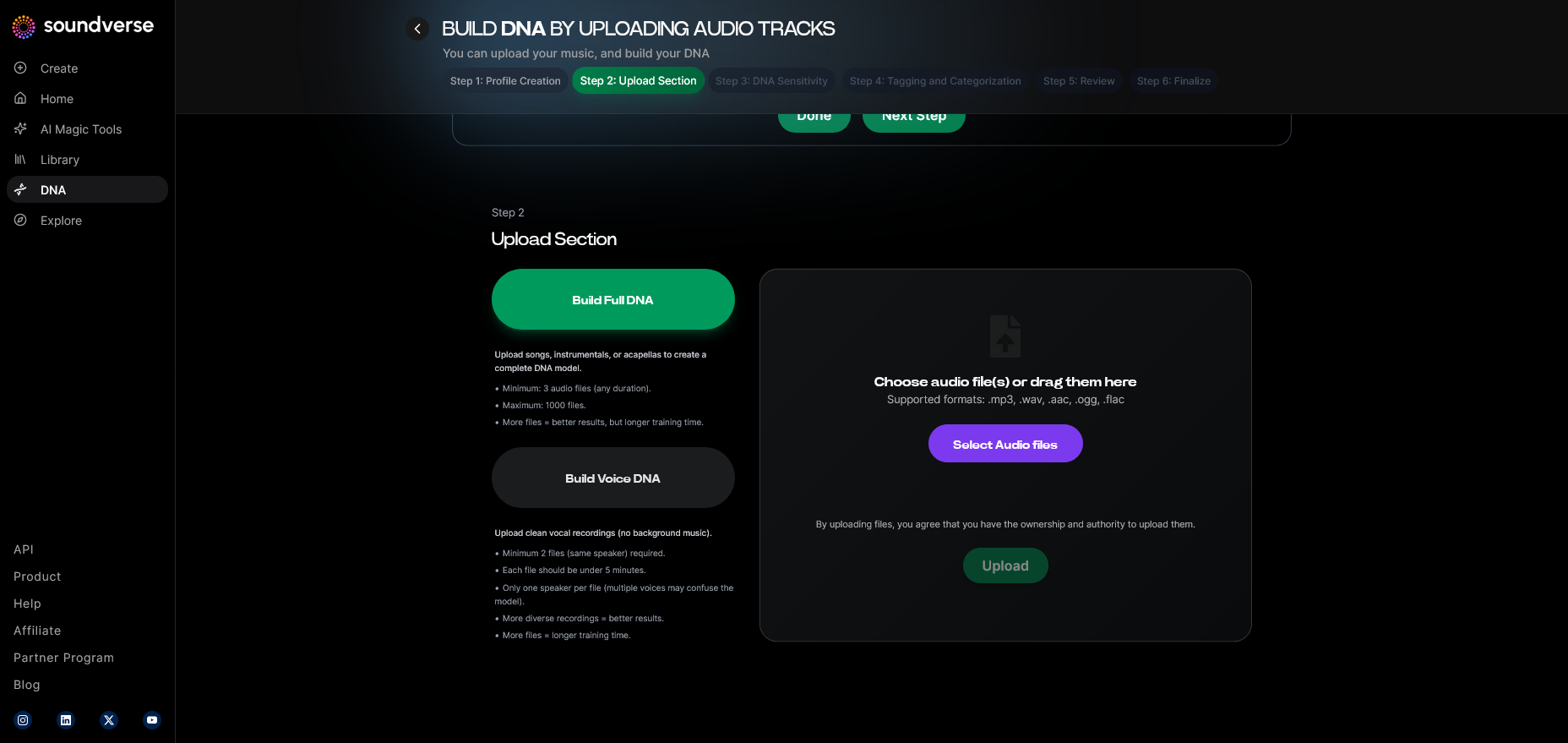
Soundverse provides two major pathways: Full DNA and Voice DNA. Full DNA covers your entire musical sound—including instrumentals and arrangement patterns—while Voice DNA focuses on vocal timbre and expressive style. Selecting the correct type ensures the model reflects your intended sonic outcome.
Step 5: Upload Files – Feed Your Audio Data
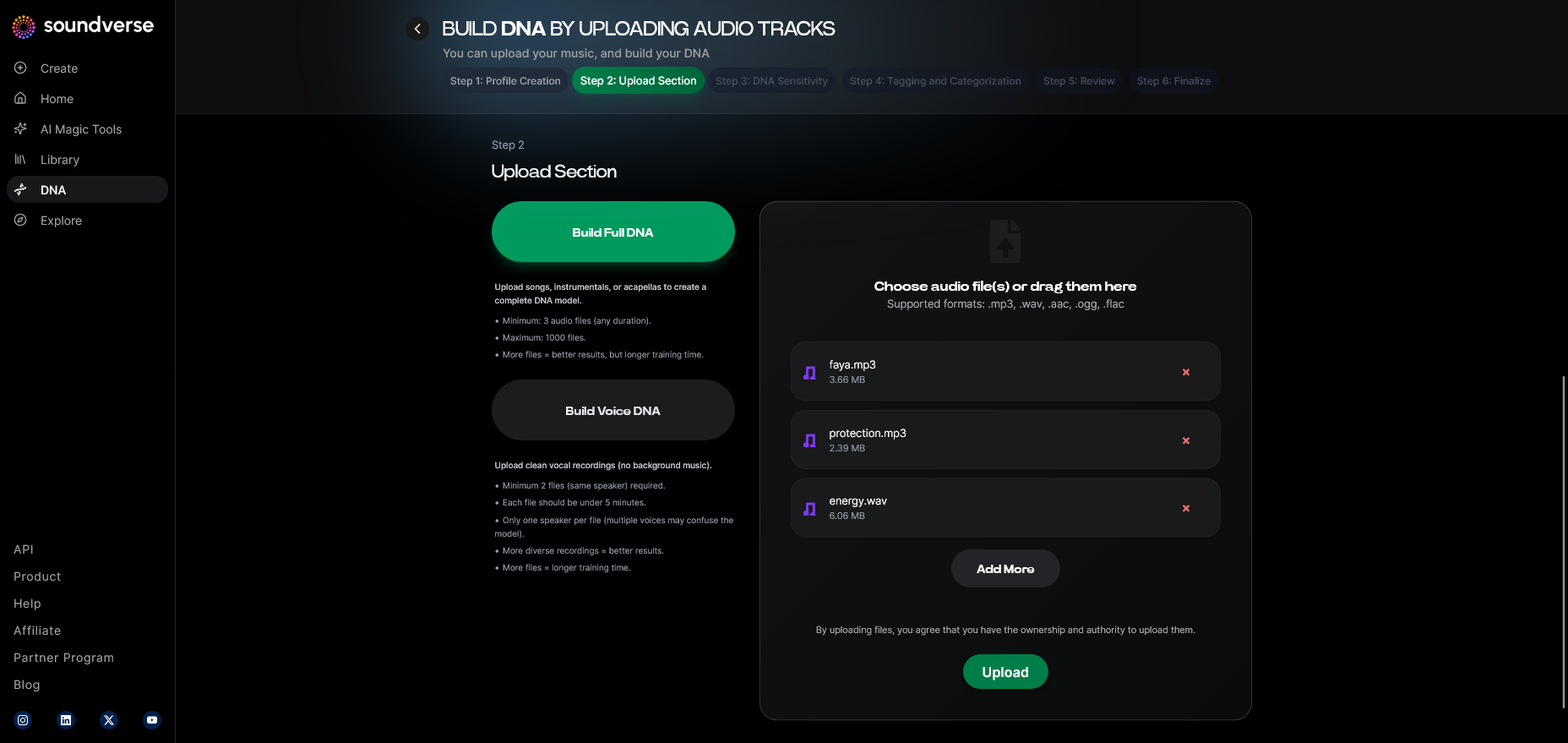
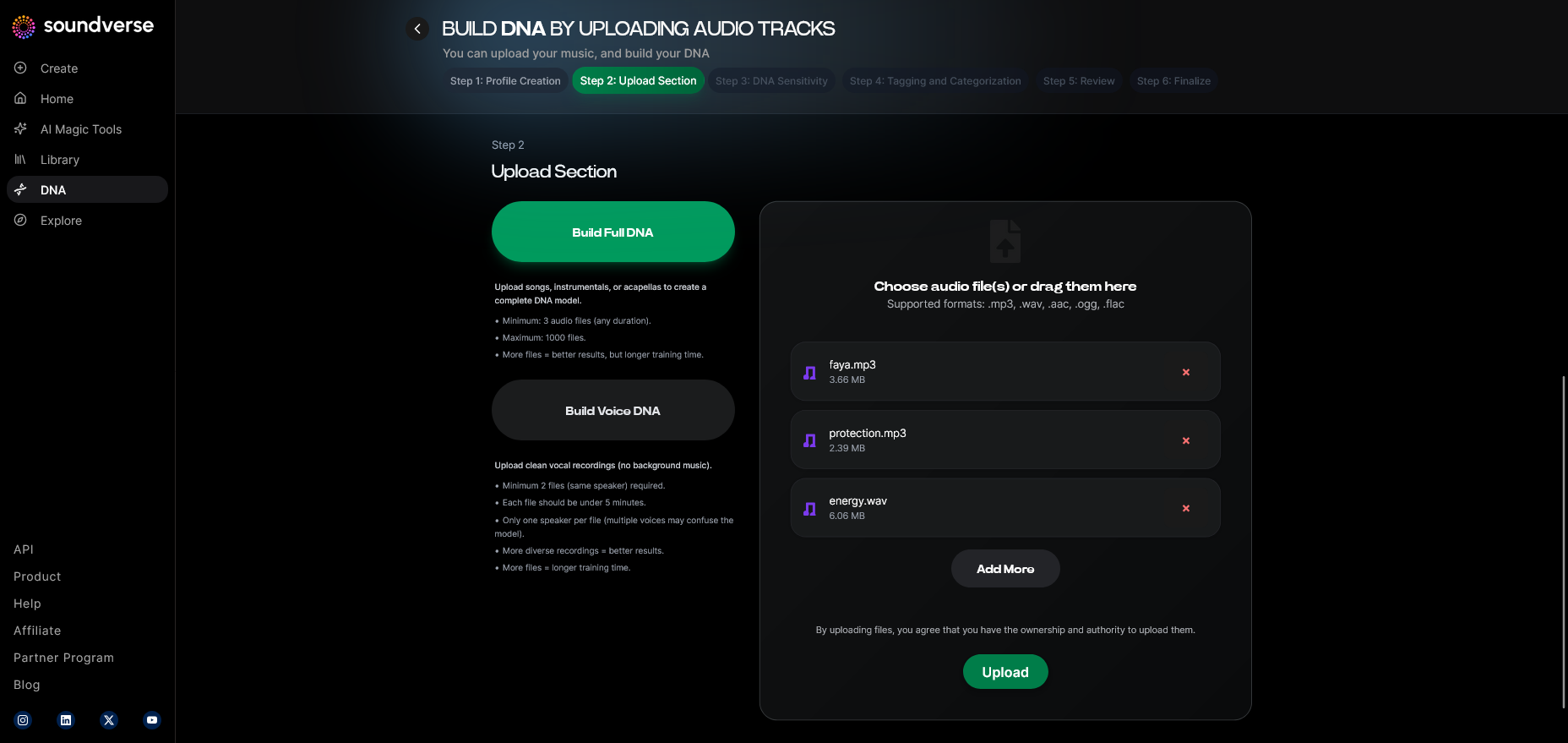
You upload licensed recordings, multi-track files, or raw stems using Soundverse’s audio upload interface. This asynchronous workflow processes files securely in stages. You can learn more about stem preparation in Soundverse’s Stem Separation Magic Tool, which helps organize your source material.
Step 6: Sensitivity Setting – Adjust Your Model Sensitivity
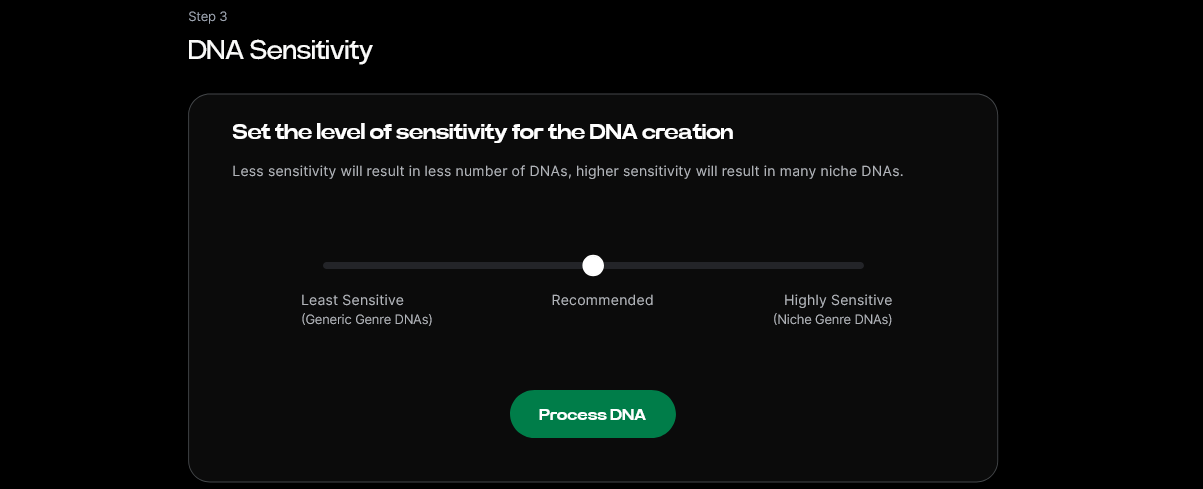
The Sensitivity Selector allows you to fine-tune how broad or narrow your DNA binding behaves. “High sensitivity” clusters styles tightly around a specific era or album; “low sensitivity” generalizes across multiple creative periods. This empowers versatile AI sound design that adapts to different content needs.
Step 7: Auto Tagging – Generate Automatic Metadata
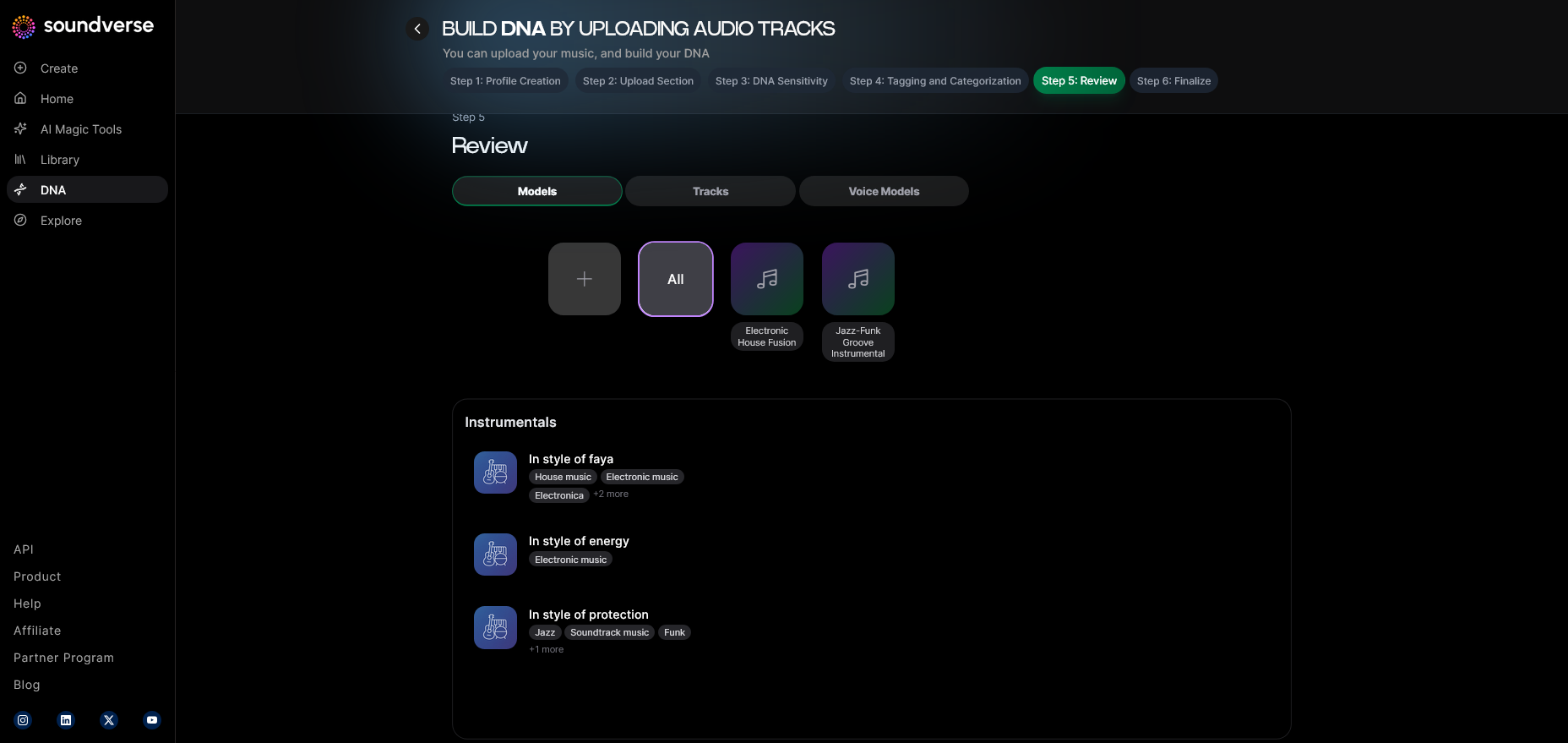
Once uploads are complete, the system automatically tags your files with relevant metadata such as genre, mood, BPM, and vocal characteristics. Developers can leverage this structured data to build responsive music generation tools that react to text prompts and environmental triggers.
Step 8: Review & Publish – Finalize and Launch Your DNA
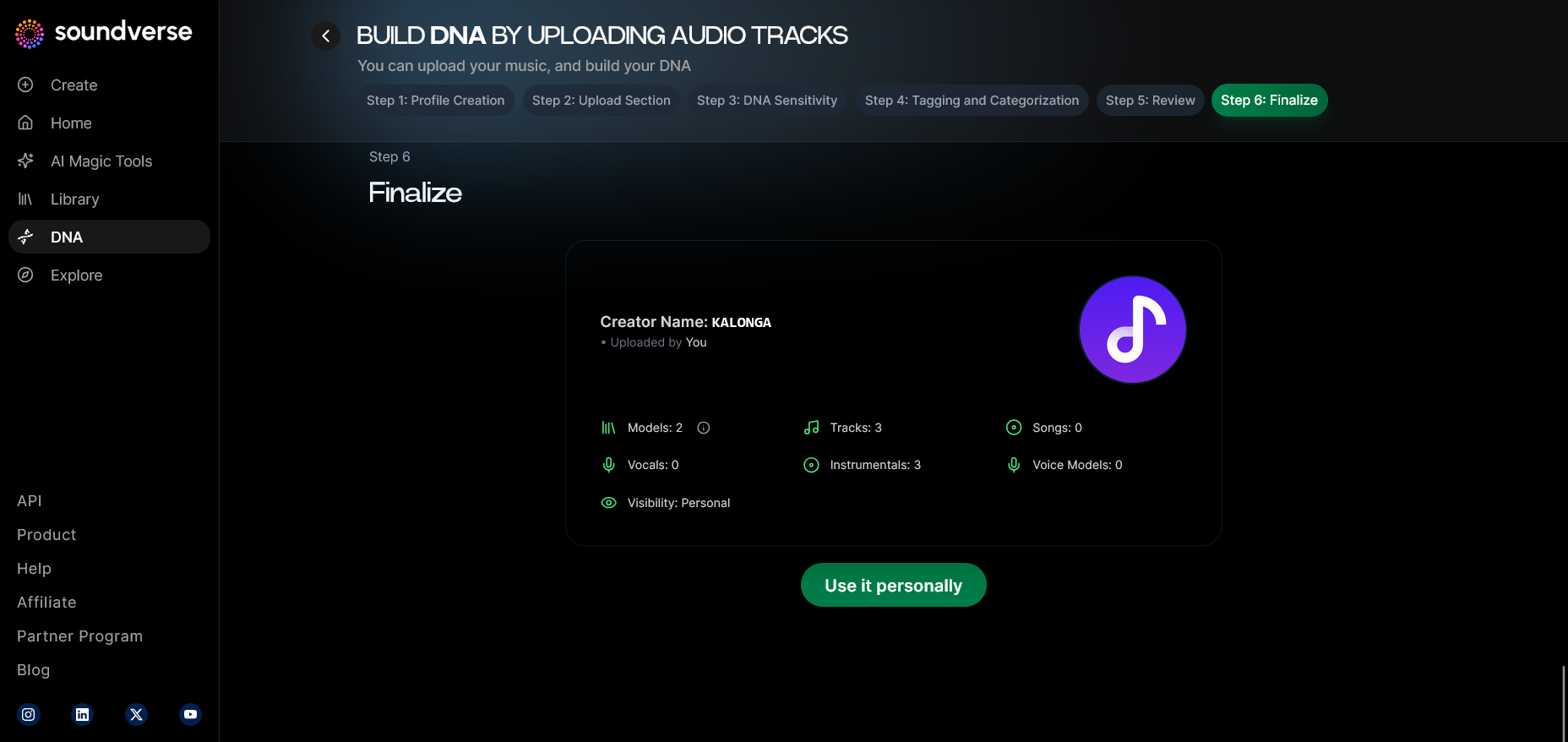
Before publication, Soundverse provides a review screen summarizing training materials, tag alignment, and privacy status. When published, your DNA becomes available either privately for internal projects or openly in the Soundverse DNA Marketplace, allowing fans to license your style and enabling artist monetization.
Step 9: Generation Panel – Compose with Your DNA
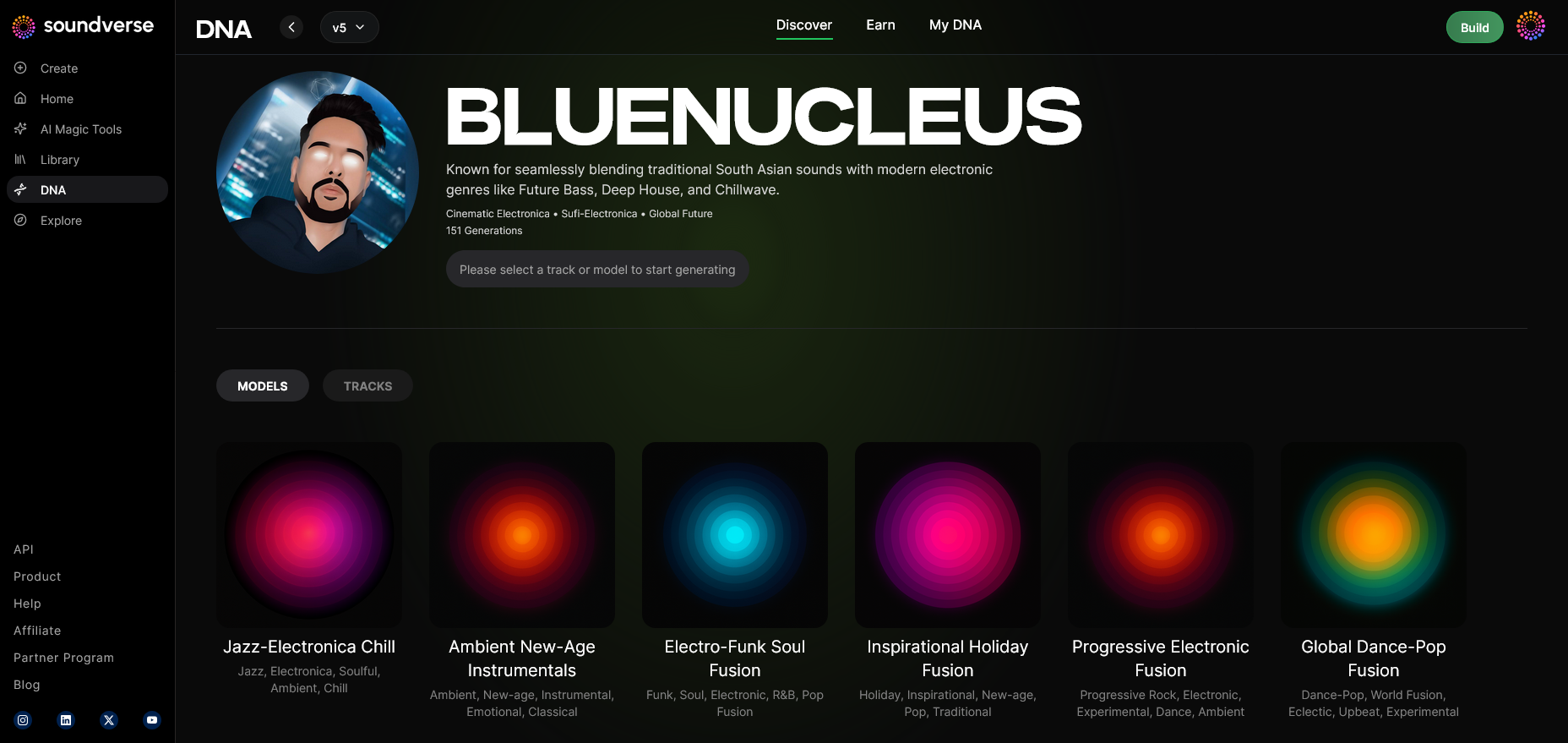
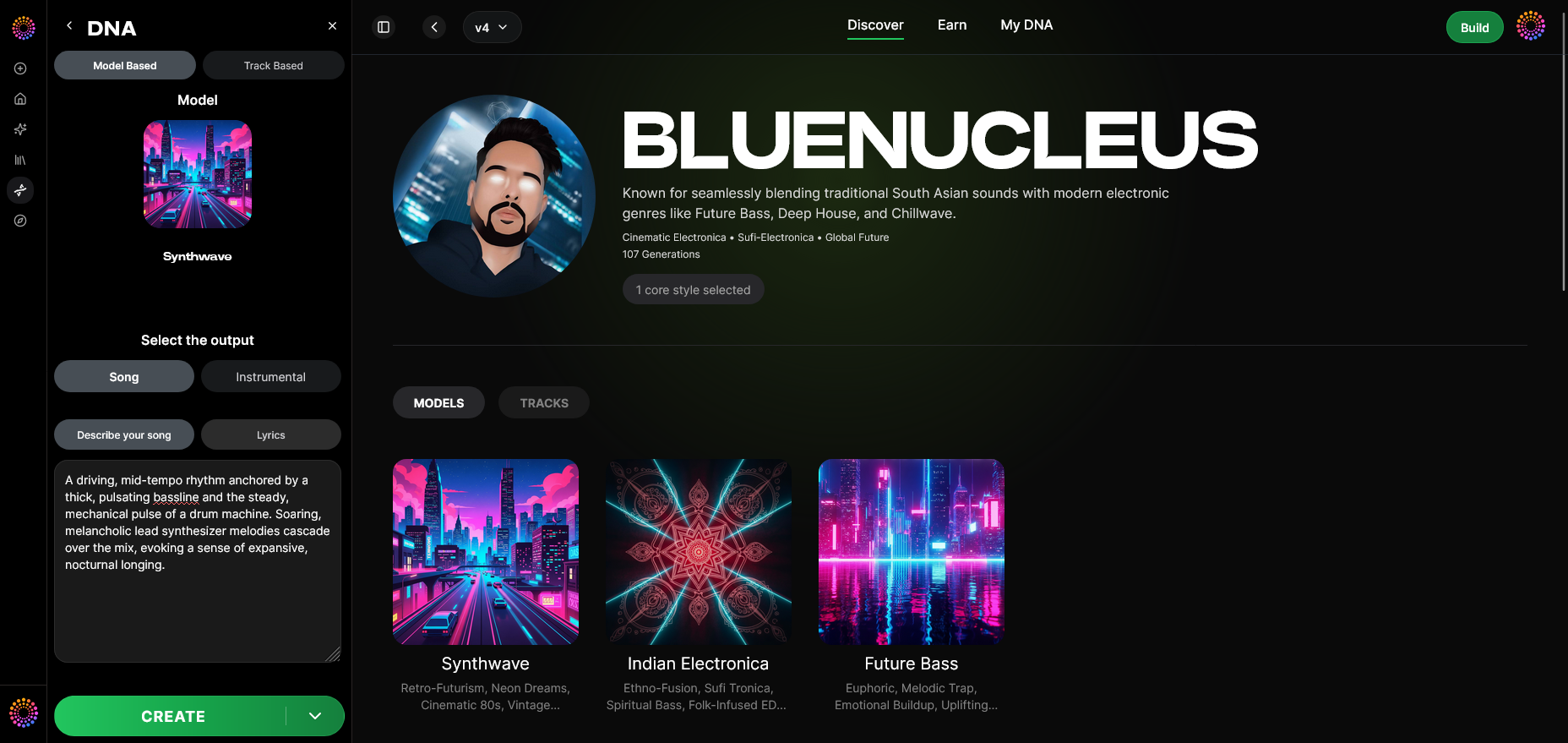
Here’s where the action unfolds. The generation panel allows users to prompt music using natural language requests such as “create a cinematic underscore in my style.” Behind the scenes, Soundverse interprets these prompts through your DNA, outputting music that feels distinctively yours. For a deeper dive, watch our guide on creating Deep House music.
Step 10: Model-Based Mode – Activate Custom Model Generation
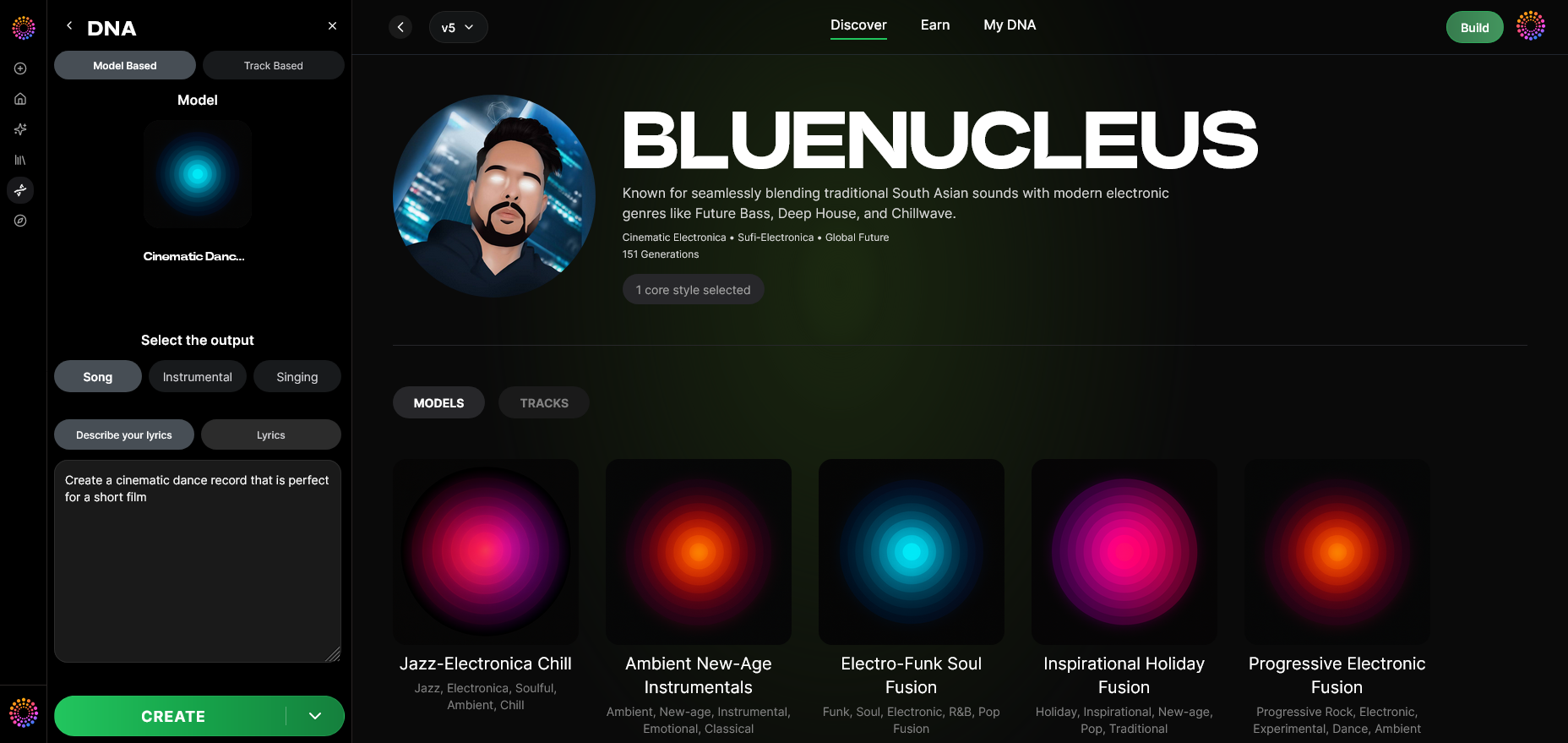
Activating Model-Based Mode directs the system to exclusively use your trained DNA model during generation. This ensures complete brand consistency—a vital feature for creators who want uniform soundscapes across campaigns, similar to workflows described in AI Music Generator and Human Composers: A Future Together.
Step 11: Output Type – Define the Result
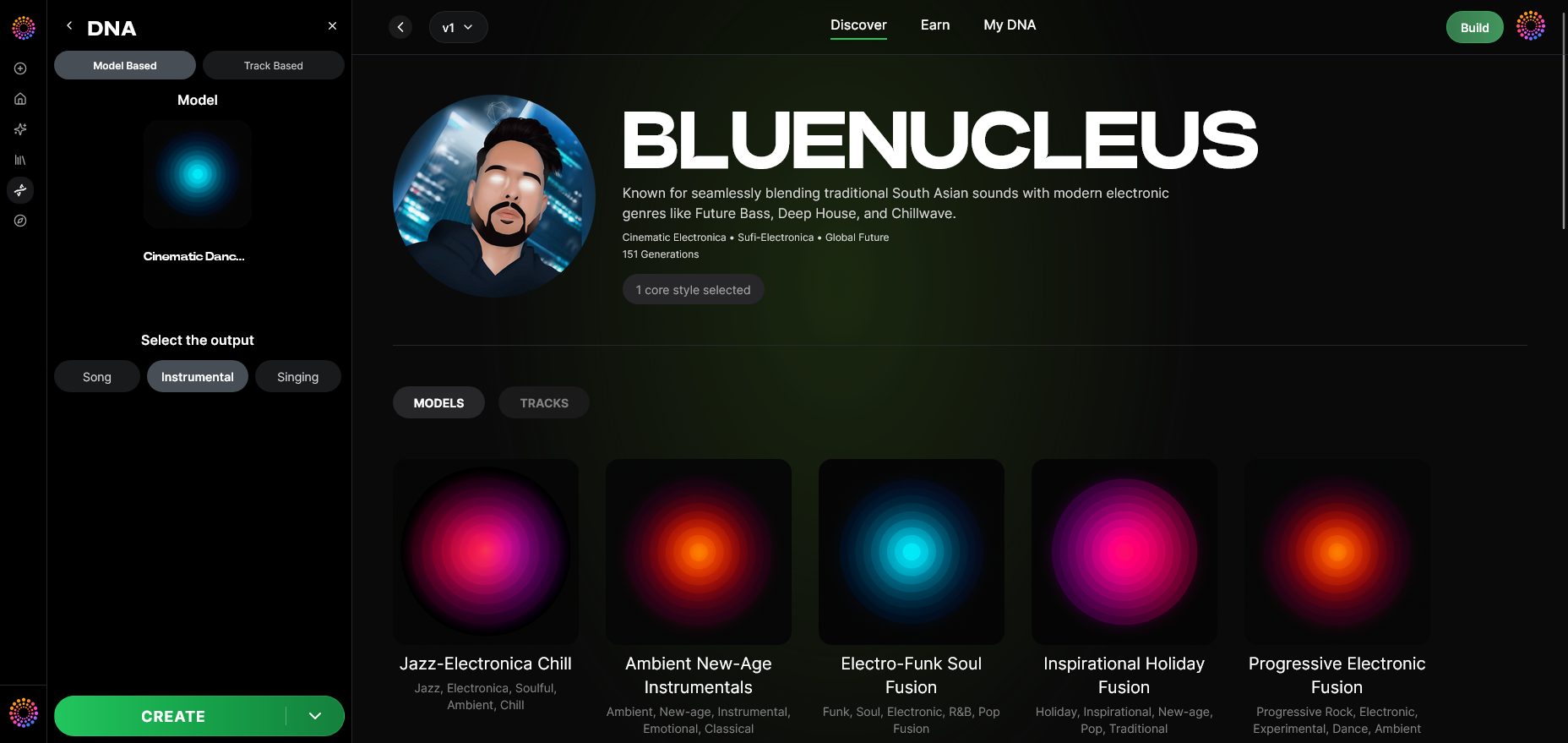
Decide whether to output instrumentals, full songs, or singing tracks. If your DNA supports vocal parameters, the generator can interpret lyrics or produce singing performances rendered in your vocal timbre.
Step 12: Prompt Type – Choose Input Method
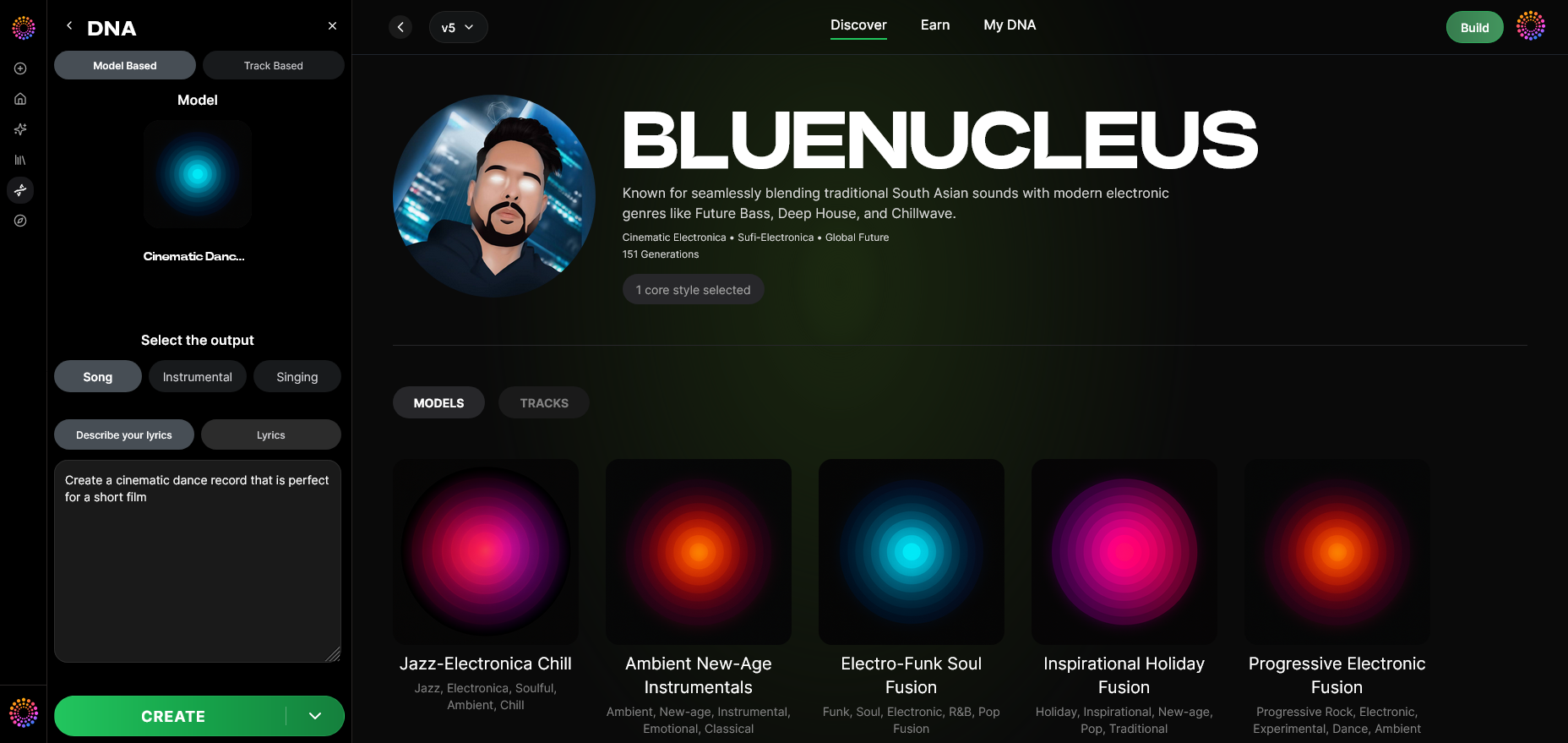
Users can guide the generator via text, structured tags, or imported MIDI. This flexibility enhances collaboration with other sound systems—such as integrating generative workflows described in Generate AI Music with Soundverse Text-to-Music.
Step 13: Generation Complete – Review Results
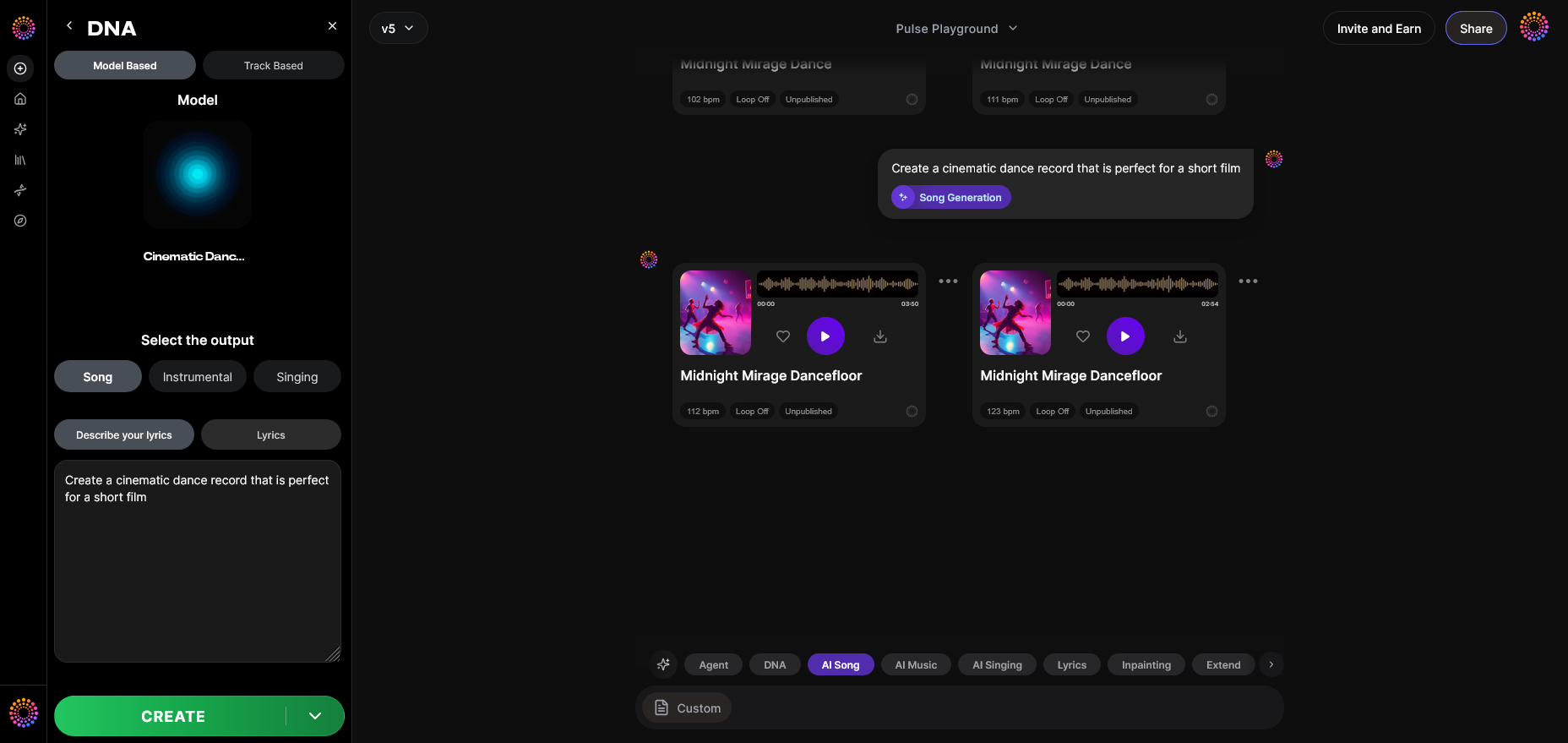
After asynchronous processing, Soundverse provides completed music files based on your custom DNA. Each output maintains copyright safety, adhering to its licensed training source. Review the generated track, refine prompts, or save variant versions for extended production.
Step 14: Export Options – Final Delivery
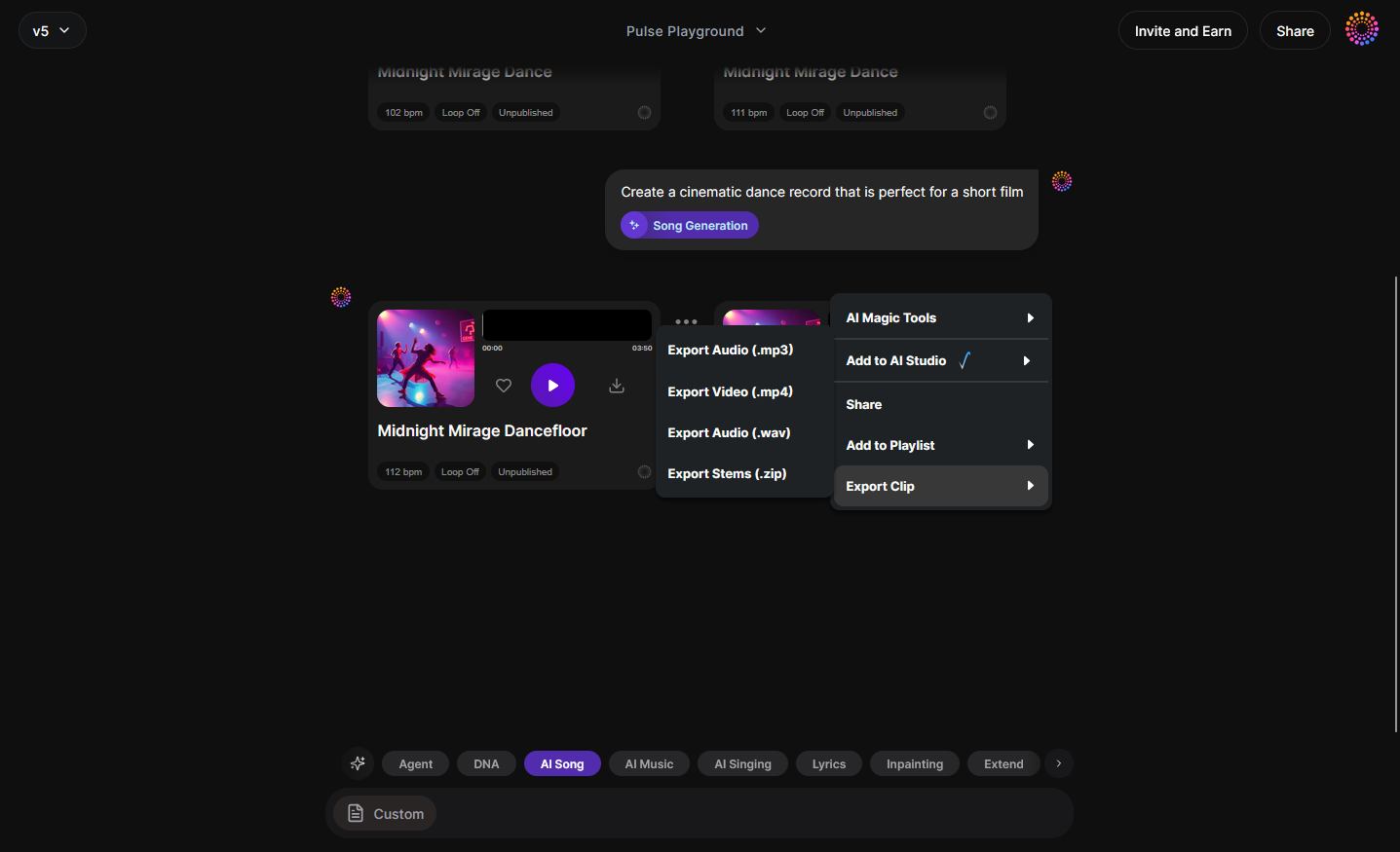
Soundverse’s export menu allows multiple formats including WAV, MP3, and stems. Producers can download files for mixing or mastering inside external DAWs. For developers, API integration is available via the Soundverse API, ensuring scalable production across platforms.
Step 15–19: Advanced Customization and Integration
Steps 15 through 19 refine the workflow for deeper personalization:
- Track-Based Mode lets users generate parts from existing song structures.
- Style Selection and Lyrics Input expand creative parameters for tailored results.
- Model-Based Singing permits artists to apply their Voice DNA for lyrical compositions.
- Attach Model connects multiple DNAs—instrumental and vocal—creating hybrid sonic identities.
Pro Tips for Building a Personalized Custom AI Music Generator
- Design with a clear intention: Define what makes your sound unique before training. Whether your focus is modern jazz or cinematic ambience, clarity ensures better model precision.
- Use licensed materials: Always respect copyright laws; Soundverse’s framework does this automatically through consent-based data handling.
- Experiment with Sensitivity Selector: If your generator feels repetitive, lower sensitivity; if incoherent, increase it to tighten focus.
- Collaborate ethically: Monetize your DNA via Soundverse Marketplace instead of opaque distribution.
- Integrate programmatically: Soundverse API enables embedding your generator into apps or creative tools for wider deployment.
Why Soundverse DNA leads the ethical AI music revolution
Unlike past platforms before 2025 that relied on scraped datasets, Soundverse DNA pioneers the Ethical AI Music Framework, guaranteeing fair use. Artists profit directly, and users gain unrestricted, copyright-safe tracks.
The combination of artist monetization, brand consistency, and secure private mode has made Soundverse DNA the benchmark of modern machine learning music. For developers aiming to build proprietary generators or branded audio systems, it offers a ready-made foundation with transparent data lineage.
Start Building Your Own Custom AI Music Generator Today
Harness the power of Soundverse DNA to design music tools tailored to your creative vision. Experiment with styles, moods, and instruments—all powered by cutting-edge AI.
Create Music with Soundverse
Related Articles
- Generate AI Music with Soundverse Text-to-Music: Discover how to turn simple text prompts into full-fledged musical compositions using Soundverse’s AI platform.
- Soundverse Assistant: Your AI Music Co-Producer: Learn how Soundverse Assistant helps automate and refine your music creation process with AI intelligence.
- Best AI Music Generator: Top Picks and Review: Explore the best AI music generators on the market and see why Soundverse stands out among them.
- Soundverse AI Revolutionizing Music Creation for New Age Content Creators: Find out how AI innovation from Soundverse is transforming how content creators produce, remix, and share music.
Here's how to make AI Music with Soundverse
Video Guide

Here’s another long walkthrough of how to use Soundverse AI.
Text Guide
- To know more about AI Magic Tools, check here.
- To know more about Soundverse Assistant, check here.
- To know more about Arrangement Studio, check here.
Soundverse is an AI Assistant that allows content creators and music makers to create original content in a flash using Generative AI.
With the help of Soundverse Assistant and AI Magic Tools, our users get an unfair advantage over other creators to create audio and music content quickly, easily and cheaply.
Soundverse Assistant is your ultimate music companion. You simply speak to the assistant to get your stuff done. The more you speak to it, the more it starts understanding you and your goals.
AI Magic Tools help convert your creative dreams into tangible music and audio. Use AI Magic Tools such as text to music, stem separation, or lyrics generation to realise your content dreams faster.
Soundverse is here to take music production to the next level. We're not just a digital audio workstation (DAW) competing with Ableton or Logic, we're building a completely new paradigm of easy and conversational content creation.
TikTok: https://www.tiktok.com/@soundverse.ai
Twitter: https://twitter.com/soundverse_ai
Instagram: https://www.instagram.com/soundverse.ai
LinkedIn: https://www.linkedin.com/company/soundverseai
Youtube: https://www.youtube.com/@SoundverseAI
Facebook: https://www.facebook.com/profile.php?id=100095674445607
Join Soundverse for Free and make Viral AI Music

We are constantly building more product experiences. Keep checking our Blog to stay updated about them!