How to Craft a Jukebox: Building Your Own Vintage Music Machine
Learn how to craft a jukebox in 2026. Build your own vintage music machine with Soundverse AI and modern components.
How to Craft a Jukebox: Building Your Own Vintage Music Machine
As music lovers and makers in 2026 rediscover the charm of vintage audio, the idea of crafting a personal jukebox—a retro centerpiece that blends nostalgia with modern tech—has become irresistible. Whether you’re a DIY enthusiast, vintage electronics collector, or creative audio hobbyist, learning how to craft a jukebox lets you transform your living space into an immersive sound experience.
This guide explores every stage: from designing the cabinet to generating the perfect instrumental track using advanced tools like Soundverse AI Music Generator. By the end, you’ll not only understand how a jukebox works but also know how to build one that plays high-quality, custom-made music in true retro style.
How to make a jukebox with Soundverse AI Music Generator

Building a jukebox today is not just about mechanics—it’s about music personalization. That’s where the Soundverse AI Music Generator becomes your secret weapon. It enables you to create fully produced instrumental music through text-based prompts—perfect for loading your jukebox with unique, copyright-free tunes.
Core Features of the Soundverse AI Music Generator:
- Text-to-music capability: Type a description like “vintage rockabilly groove” or “retro diner ambience,” and Soundverse creates an original instrumental.
- Loop Mode: Generate tracks that seamlessly loop, ideal for continuous jukebox playback.
- Genre & mood control: Refine details such as tempo, instrument type, or emotion.
- V4 and V5 Models: Choose your creative depth—V4 for quick generation or V5 for enhanced realism.
Use Cases:
- Create background music for your homemade jukebox display.
- Design soothing ambient tracks for retro cafés or collector showcases.
- Generate beats inspired by 1950s rock, jazz, or swing.
Soundverse turns a DIY music machine into something extraordinary—an intelligent, living archive of sounds curated by you.

Step 1: Feature Overview
Access the AI Music Generator directly through the Soundverse main menu. This is your command center for producing instrumental tracks perfectly aligned with your jukebox theme—whether classic Americana or futuristic-retro fusion.
Step 2: Description Input
Type a detailed text prompt describing your desired song. For a vintage jukebox, you might write something like “funky electric guitar riff with brass accents reminiscent of 1960s pop culture.” The AI interprets these prompts and converts them into complete instrumental music.
Step 3: Style & Duration

Pick a musical style that matches your jukebox vibe—rockabilly, swing, surf rock, or lo-fi jazz—and determine your track length. A typical jukebox cut lasts 2–3 minutes, but you can produce shorter loops perfect for background ambiance.
Step 4: Generation

Click Generate, and Soundverse produces your custom instrumental. Unlike traditional recording, this workflow is asynchronous—the model processes your input and returns the result after rendering. You’ll then receive an original music file crafted from your prompt.
Step 5: Export Options

Once satisfied, export your AI-generated instrumental as a high-quality file format suitable for your jukebox’s audio system. You can also save multiple tracks to create a jukebox library using looping or genre-based playlists.
How do you design the outer structure of a homemade jukebox?
Your jukebox’s look defines its personality. Vintage jukeboxes from the mid-20th century were often built from curved wooden panels, glass, and chrome trim illuminated with neon lights. When planning DIY jukebox aesthetics in 2026, makers usually blend retro visuals with modern convenience.
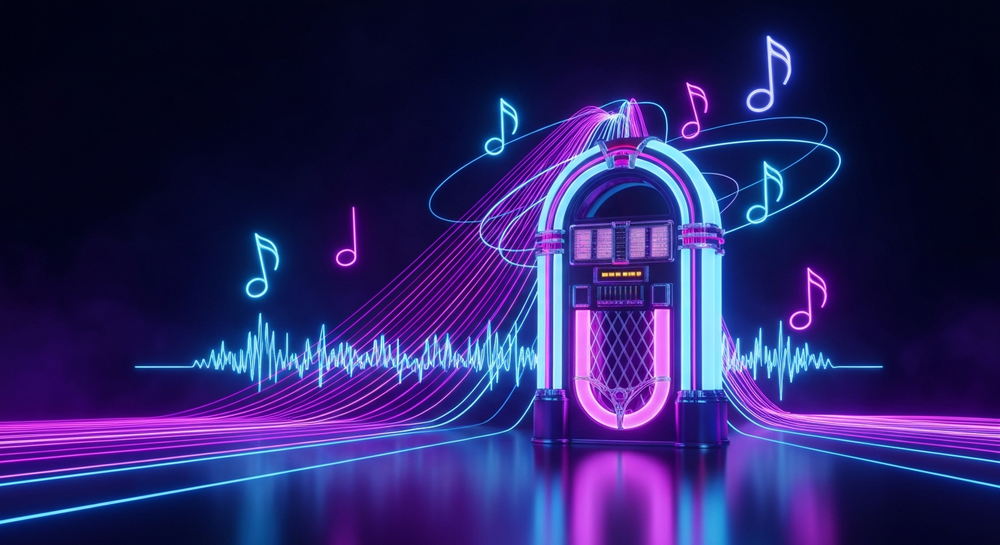
- Frame and Panels: Use MDF or quality plywood for durable construction. Cut front panels to include a curved arch—an iconic shape that evokes 1950s charm.
- Lighting and Display: Incorporate LED strips programmed with RGB controllers to create dynamic glow effects reminiscent of Wurlitzer machines.
- Speakers and Hardware: Choose full-range modern drivers but hide them behind vintage-style grilles.
- Control Interface: Add touchscreen control or rotary knobs for authentic tactile interaction.
The design phase is not only aesthetic but functional—balancing nostalgia with technology. For visual inspiration, check the Soundverse Tutorial Series - 9. How to Make Music or Soundverse Tutorial Series - 8. Explore Tab.
How do you integrate your DIY jukebox with modern electronics?
Today’s hobbyists can merge classic style with IoT-enabled systems. Instead of relying on coin-operated mechanisms, you can use:
- Microcontrollers (Arduino or Raspberry Pi) for control logic.
- Wi-Fi modules for app integration.
- MP3 or digital audio boards for music playback.
- Solid-state storage (SD cards) holding your Soundverse-generated tracks.
You can program playlists to shuffle through your custom-made loops. For reference, check Soundverse’s educational post on AI music generators to understand how algorithmic music enhances daily experiences.
What audio components should you pick for authentic vintage sound?
To recreate the warm tone of old jukeboxes, use:
- Class A amplifiers for smooth analog-like output.
- Paper cone speakers for vintage resonance.
- Analog EQ circuits or simulation software.
Pairing traditional audio hardware with AI-generated loops creates a hybrid sound palette—mechanical in presentation, futuristic in execution.
How to store and manage your jukebox playlist in 2026
Instead of loading records, your playlist can be managed digitally. Create folders for each genre and era, then import sound files from your Soundverse downloads:
- Rock and Roll Classics
- Jazz Lounge Selections
- Chill Retro Ambient
- AI Originals (your custom-made tracks)
Explore Soundverse's AI revolution in music creation to stay ahead with innovations that simplify music management and expansion.
How Soundverse connects with other creative tools
Soundverse offers additional modules that extend jukebox functionality:
- Similar Music Generator: Produces tracks inspired by existing references, helping you match the vibe of historical records without copying them.
- Stem Separator: Allows editing of old mixed songs by splitting instrument layers—ideal if you want to remix classic archives.
- Extend Music: Seamlessly lengthens your tracks while maintaining original feel, ideal for loop-based jukebox backgrounds.
For a deeper dive, watch our guide on creating Deep House music to understand how music generations adapt across styles.
What pro tips will make your jukebox build stand out?
- Personalize with AI music themes: Use Soundverse prompts describing “nostalgic drive-in atmosphere” or “chrome diner jazz” to create unique loops.
- Retro Branding: Print custom labels and track covers for aesthetic authenticity.
- Bluetooth Syncing: Hidden wireless modules allow you to connect to smartphones or laptops for easy audio updates.
- Curated Genre Playlists: Blend timeless jazz with AI soundscapes for continuous playback transitions.
You can also explore Soundverse tutorials like How to Create Jazz Music with Soundverse AI for themed compositions that fit your jukebox’s mood perfectly.
Turn Your Creative Ideas Into Music Instantly
Transform your jukebox dreams into reality using Soundverse’s AI-powered music tools. Generate authentic vintage sounds, craft unique melodies, and bring your musical vision to life—all in minutes.
Related Articles
- How to Create Jazz Music with Soundverse AI: Discover how to generate smooth, vintage-inspired jazz tracks with the help of Soundverse’s AI music generation tools.
- How AI-Generated Music Is Transforming the Music Industry: Explore how artificial intelligence is revolutionizing the music industry, from sound creation to new artist opportunities.
- The Role of AI Music in Film and Television: Learn why filmmakers and TV creators are turning to AI music tools like Soundverse to craft retro and cinematic soundscapes.
- How to Create Country Music with Soundverse AI: Step into the world of country tunes by generating soulful, Americana-style tracks with AI-assisted creativity.
Here's how to make AI Music with Soundverse
Video Guide

Here’s another long walkthrough of how to use Soundverse AI.
Text Guide
- To know more about AI Magic Tools, check here.
- To know more about Soundverse Assistant, check here.
- To know more about Arrangement Studio, check here.
Soundverse is an AI Assistant that allows content creators and music makers to create original content in a flash using Generative AI.
With the help of Soundverse Assistant and AI Magic Tools, our users get an unfair advantage over other creators to create audio and music content quickly, easily and cheaply.
Soundverse Assistant is your ultimate music companion. You simply speak to the assistant to get your stuff done. The more you speak to it, the more it starts understanding you and your goals.
AI Magic Tools help convert your creative dreams into tangible music and audio. Use AI Magic Tools such as text to music, stem separation, or lyrics generation to realise your content dreams faster.
Soundverse is here to take music production to the next level. We're not just a digital audio workstation (DAW) competing with Ableton or Logic, we're building a completely new paradigm of easy and conversational content creation.
TikTok: https://www.tiktok.com/@soundverse.ai
Twitter: https://twitter.com/soundverse_ai
Instagram: https://www.instagram.com/soundverse.ai
LinkedIn: https://www.linkedin.com/company/soundverseai
Youtube: https://www.youtube.com/@SoundverseAI
Facebook: https://www.facebook.com/profile.php?id=100095674445607
Join Soundverse for Free and make Viral AI Music

We are constantly building more product experiences. Keep checking our Blog to stay updated about them!